Customer Ratings & Reviews


- Model:
- F0EM0003US
- SKU:
- 6365785
Rating by feature
- Value
Rating 4.6 out of 5 stars
- Quality
Rating 4.6 out of 5 stars
- Ease of Use
Rating 4.6 out of 5 stars
Customers are saying
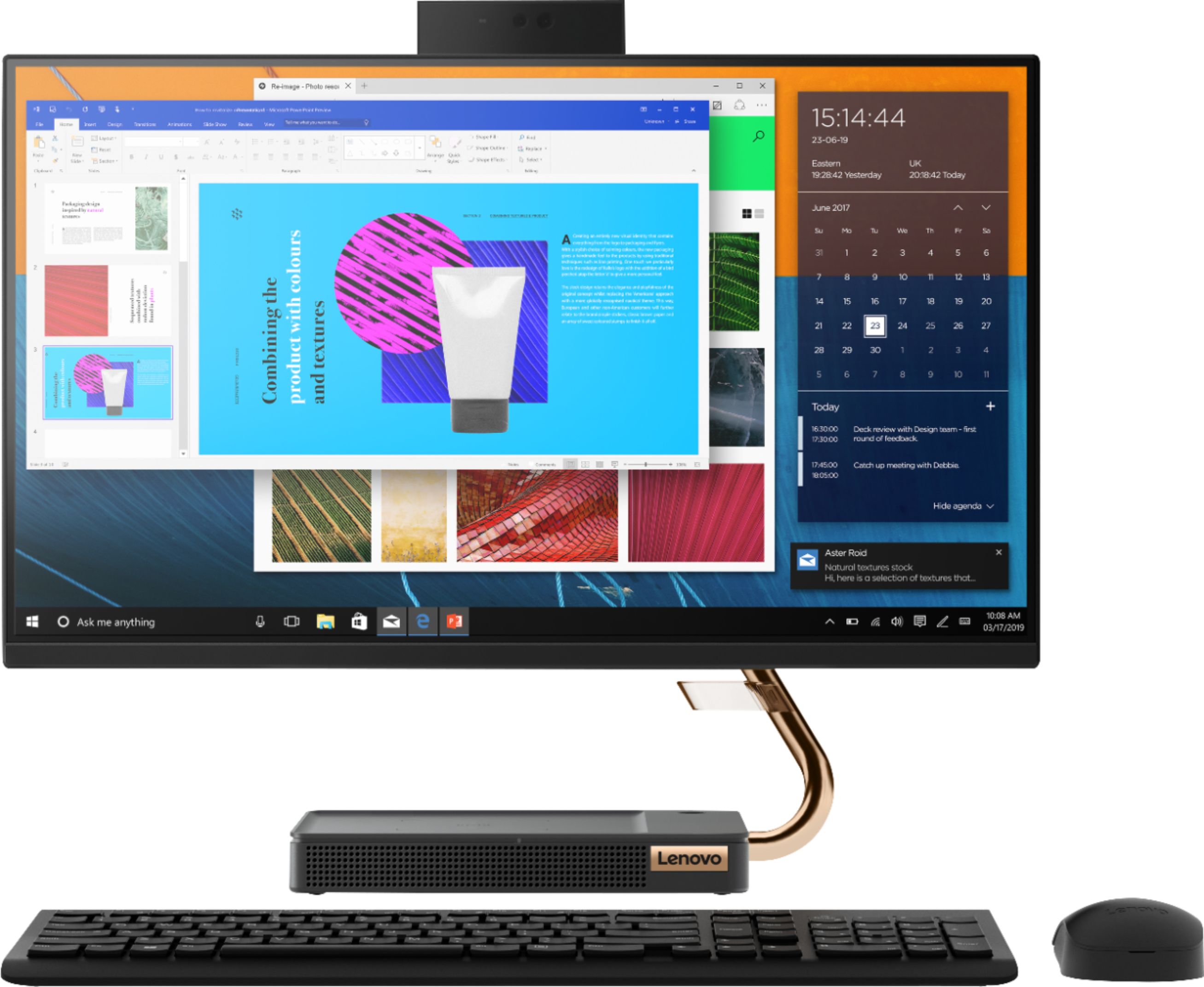
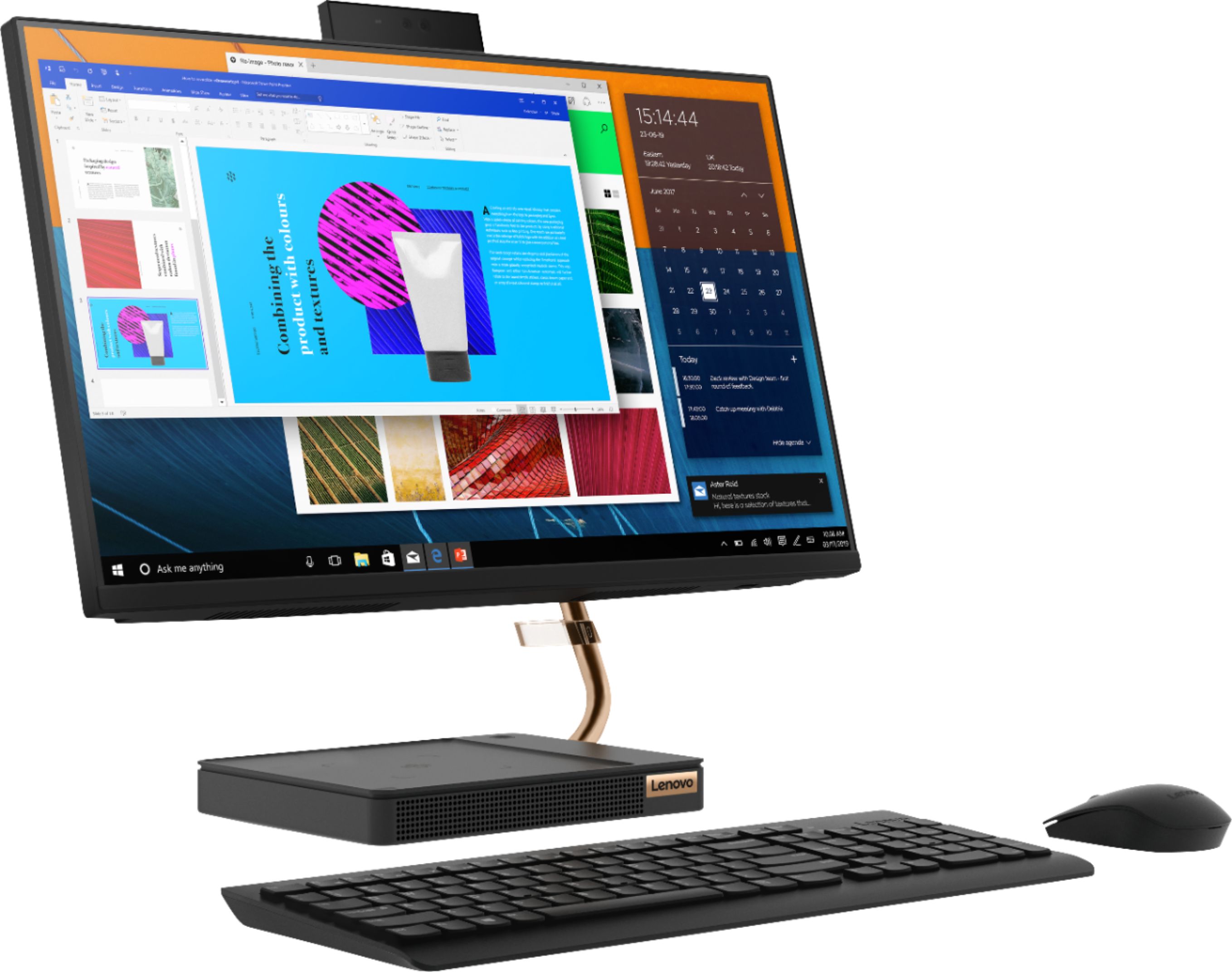
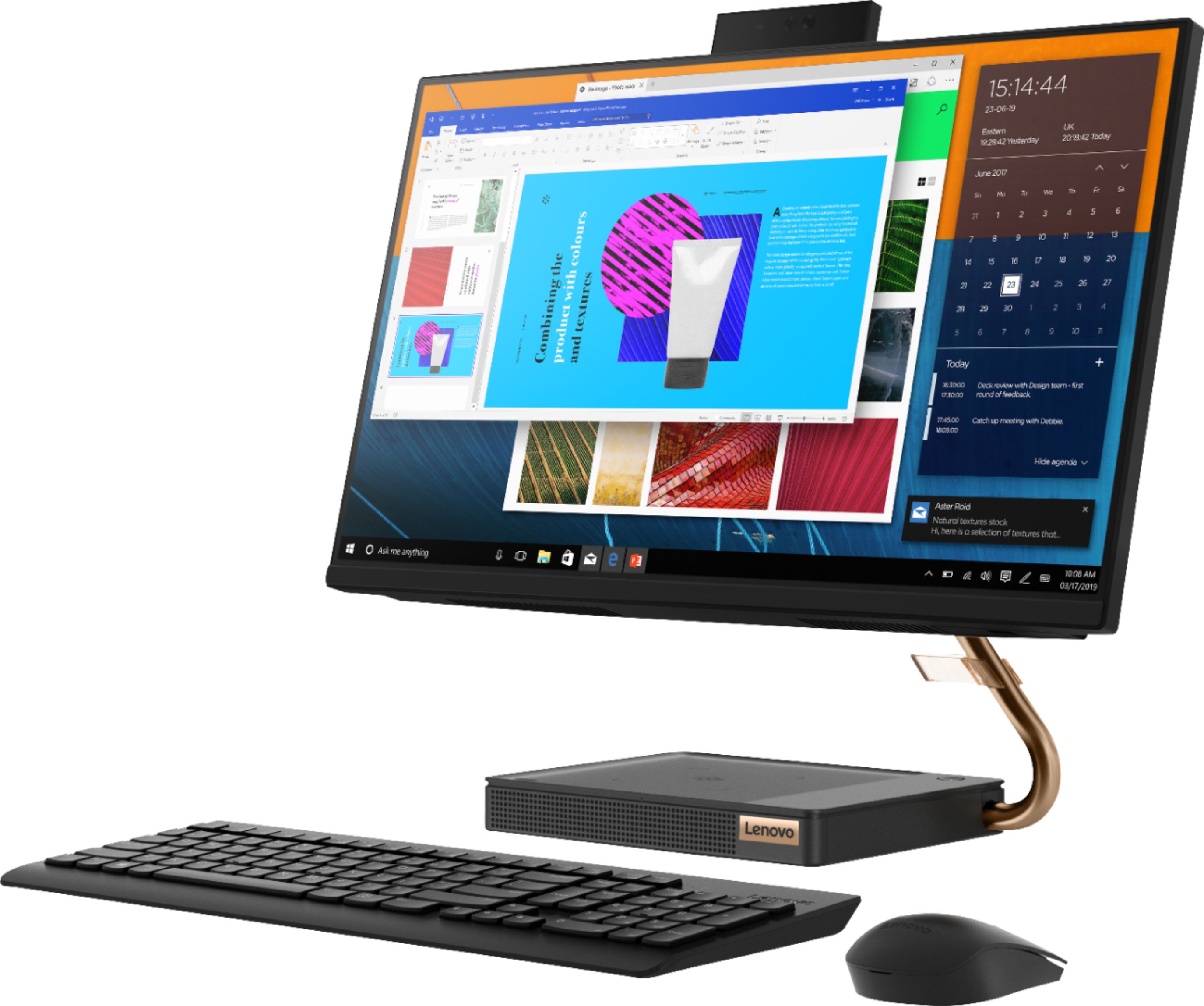
Customers are positive about the A540-24API's touch screen, ease of use, and overall quality. Many appreciate its design and size, finding it compact and suitable for their needs. The speed of the solid-state drive is also frequently praised. However, some customers mention limited storage space and a desire for more ports.
This summary was generated by AI based on customer reviews.
- Pros mentioned:Ease of use, Speed
All I can say is I love it.
||Posted .This reviewer received promo considerations or sweepstakes entry for writing a review.Its fast, easy, and space saving! Love Love Love it
I would recommend this to a friendBrand response from Lenovo Product Expert
Posted .Thanks for choosing the Lenovo IdeaCentre A540 All-In-One. We are pleased to hear the features and performance of the A540 All-In-One are meeting your computing needs so well!

- Pros mentioned:Ease of use, Touch screen
Easy set-up
||Posted . Owned for 1 month when reviewed.This reviewer received promo considerations or sweepstakes entry for writing a review.Easy to set-up and start working. Love the touchscreen.
I would recommend this to a friendBrand response from Lenovo Product Expert
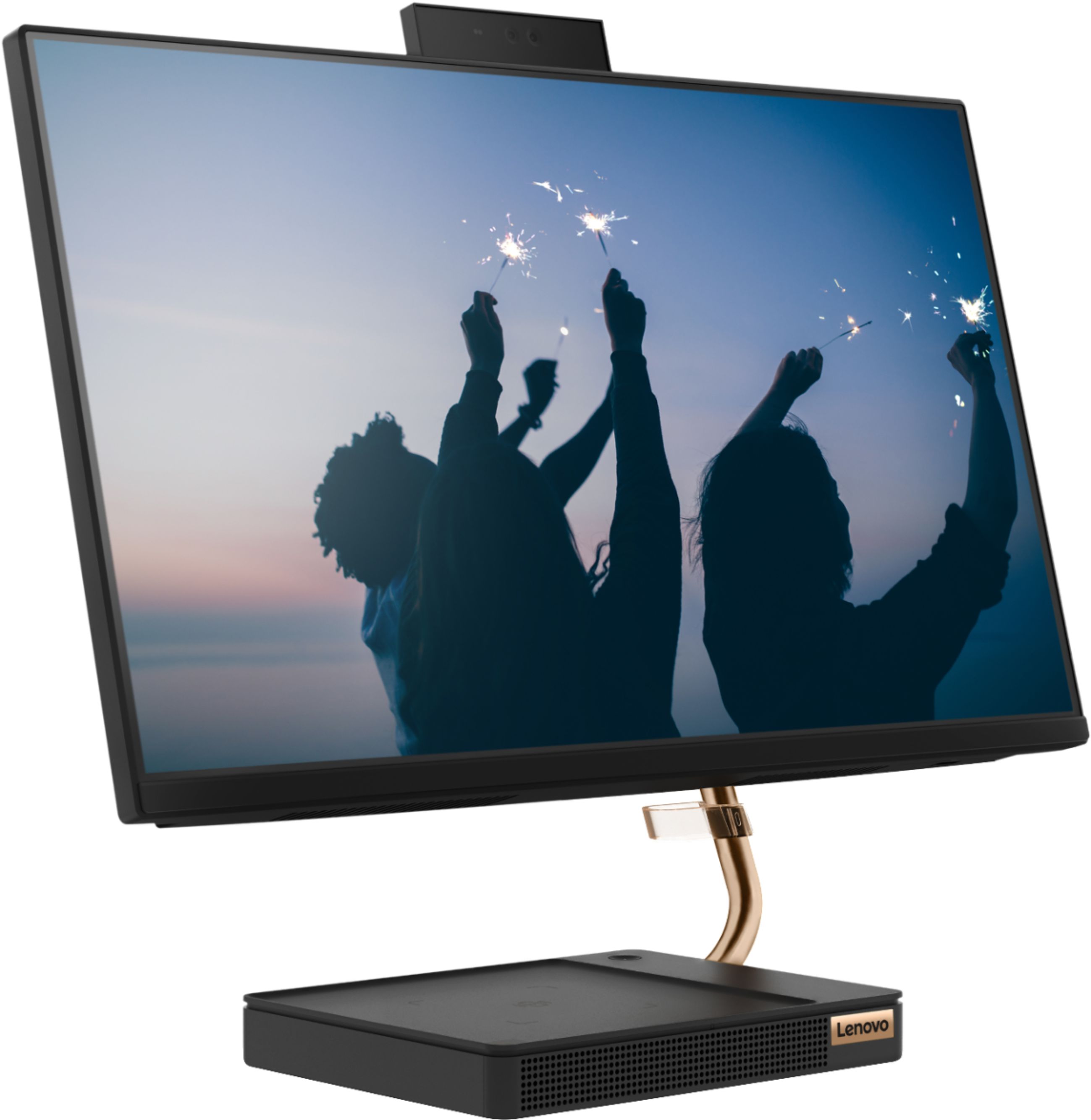
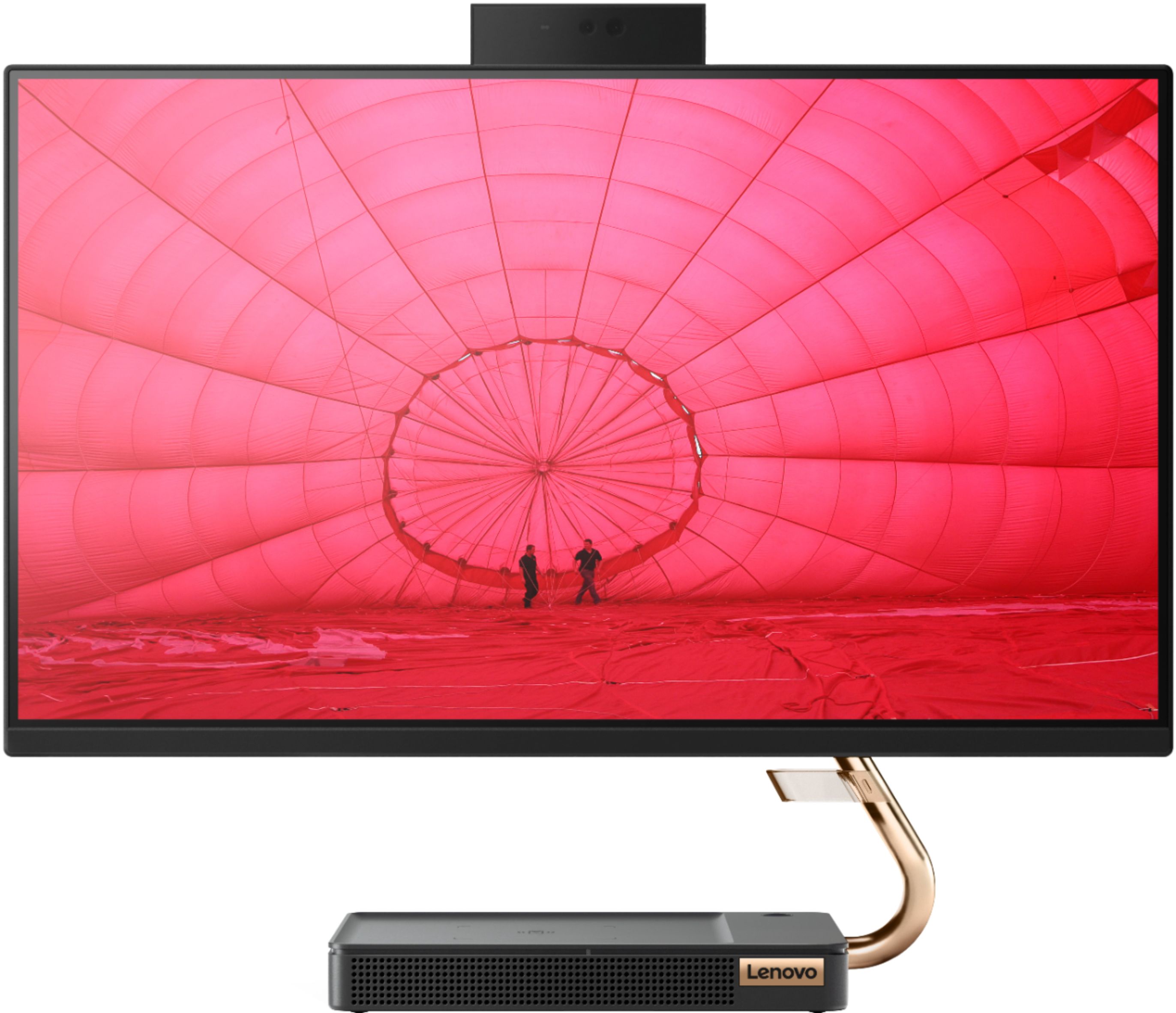
Posted .Thank you for choosing the Lenovo IdeaCentre A540-24 All-In-One system. We are pleased to hear that the ease of setup, features and performance of the IdeaCentre A540-24 AIO meets your computing needs so well. Taking its cue from nature, the stylish IdeaCentre A540 is inspired by the cypress tree: perfectly balanced and durable. Sacrificing nothing on performance, this all-in-one PC is an attractive addition to your home or office. With up to 93-percent screen-to-body ratio and thin, narrow bezels, the A540 minimizes visual distractions and gives you more to enjoy than a regular 24-inch display. To enhance your viewing experience even further, the A540 ships with FHD resolution.
- Pros mentioned:Ease of use, Touch screen
Great computer
||Posted . Owned for 1 month when reviewed.This reviewer received promo considerations or sweepstakes entry for writing a review.Great computer has touch screen. Easy to set up and use.
I would recommend this to a friendBrand response from Lenovo Product Expert
Posted .Thank you for choosing the Lenovo IdeaCentre A540-24 All-In-One system. We are pleased to hear that the easy setup and performance of the IdeaCentre A540-24 AIO meets your computing needs so well. Taking its cue from nature, the stylish IdeaCentre A540 is inspired by the cypress tree: perfectly balanced and durable. Sacrificing nothing on performance, this all-in-one PC is an attractive addition to your home or office. With up to 93-percent screen-to-body ratio and thin, narrow bezels, the A540 minimizes visual distractions and gives you more to enjoy than a regular 24-inch display. To enhance your viewing experience even further, the A540 ships with FHD resolution.
- Pros mentioned:Ease of use, Speed
Awesome
||Posted . Owned for 3 weeks when reviewed.This reviewer received promo considerations or sweepstakes entry for writing a review.Great computer easy set up for the non tech person . Got it as a gift love it speed and easy to use.
I would recommend this to a friendBrand response from Lenovo Product Expert
Posted .We are pleased to heat that the Lenovo A540-24 All-In-One system is working out so well for you. Taking its cue from nature, the stylish IdeaCentre A540 is inspired by the cypress tree: perfectly balanced and durable. Sacrificing nothing on performance, this all-in-one PC is an attractive addition to your home or office. With up to 93-percent screen-to-body ratio and thin, narrow bezels, the A540 minimizes visual distractions and gives you more to enjoy than a regular 24-inch display. To enhance your viewing experience even further, the A540 ships with FHD resolution.
- Pros mentioned:Touch screen
Old people can see this monitor.
||Posted . Owned for 7 months when reviewed.This reviewer received promo considerations or sweepstakes entry for writing a review.I bought this computer for my elderly husband. While we were discussing the purchase my elderly husband decided his elderly wife should have a new computer also. So...now we both have matching computers with easy visibility, touch screen and a whole lot of extras that we have not even begun to sort out.
I would recommend this to a friendBrand response from Lenovo Product Expert
Posted .Thank you for choosing and using the Lenovo IdeaCentre A540-24 All-In-One system. We are pleased to hear that the IdeaCentre A540-24 AIO is working out so well for both you and your husband. Taking its cue from nature, the stylish IdeaCentre A540 is inspired by the cypress tree: perfectly balanced and durable. Sacrificing nothing on performance, this all-in-one PC is an attractive addition to your home or office. With up to 93-percent screen-to-body ratio and thin, narrow bezels, the A540 minimizes visual distractions and gives you more to enjoy than a regular 24-inch display. To enhance your viewing experience even further, the A540 ships with FHD resolution.
- Pros mentioned:Touch screen
Great computer for the basics
||Posted . Owned for 1 month when reviewed.This reviewer received promo considerations or sweepstakes entry for writing a review.Solid computer for the value. Good touch screen. I don’t have the version with the wireless charger but it has a USB port for one. Very good sound and graphics. I use it for work. Make sure to look for the piece in the battery Compartment of the mouse to plug into the USB port to enable mouse and keyboard use.
I would recommend this to a friendBrand response from Lenovo Product Expert
Posted .Once again, thank you for choosing the Lenovo IdeaCentre A540-24 All-In-One system. You can keep your computer running at its best by keeping the Windows 10 Operating System and all supporting BIOS files and drivers up to date. You can easily accomplish this by scanning the computer with the Lenovo Utility software available on this computer. This system has Lenovo utilities installed to help maintain the health of the device and keep the operating system software up to date. Type "Lenovo Vantage" in the Cortana Search window (if Lenovo Vantage is not installed on your device, you can download the APP and install it now). Select Lenovo Vantage from the list. In the window that opens, click on "Health and Support". In the expanded menu, select "Hardware Scan" In the window that opens, select "Run Quick Tests". This will scan your entire system for errors. Follow any directions that may pop up. If the problem continues after this scan, now click on "System Update". First select Windows update from the menu. Scan your system to be sure you have the latest version of Windows 10. Once that scan is complete, select "Additional Updates". This will scan your device to be sure there are no new BIOS/Driver updates needed. Follow any instructions that may pop up. If you ever need additional help with your Lenovo computer, we recommend you call Lenovo Tech Support at: 877-453-6686 for additional help.
- Pros mentioned:Touch screen
Great for a teachers home office!
||Posted . Owned for 1 month when reviewed.This reviewer received promo considerations or sweepstakes entry for writing a review.This computer is great for a teacher. I am both a teacher and a student at the moment and this screen is large enough to have multiple tabs open so you can see and research as well as present and still see some of the students in virtual world! So happy that I have this computer to work with!
I would recommend this to a friend - Pros mentioned:Speed
It's a great computer....BUT!
||Posted . Owned for 1 month when reviewed.This reviewer received promo considerations or sweepstakes entry for writing a review.I really enjoy this computer. Its fast...its great, but the only fault I find with it, and this is just my opinion. Is that you can not change the search engine on it. It's locked on Bing and I can't stand Bing...sorry just my opinion. Other that I would give it 5 stars.
I would recommend this to a friendBrand response from Lenovo Product Expert
Posted .The Lenovo IdeaCentre A540-24 All-In-One system ships with Windows 10 Home 64-bit Operating System. It provides Edge Browser and Bing Search. You can download any search engine you choose. Here is a link to information about changing the default search engine within the Edge Browser: https://www.neowin.net/news/windows-10-tip-how-to-change-the-default-search-engine-in-edge/
- Pros mentioned:Ease of use
Great system
||Posted . Owned for 3 weeks when reviewed.This reviewer received promo considerations or sweepstakes entry for writing a review.Love the fact that it is an all in one system. Very easy to operate. Geek squad was extremely helpful in setting up, transferring data & explaining how to operate. Would highly recommend.
I would recommend this to a friendBrand response from Lenovo Product Expert
Posted .Thank you for choosing the Lenovo IdeaCentre A540-24 All-In-One system. We are pleased to hear that the ease of use, features and performance of the IdeaCentre A540-24 AIO meets your computing needs so well. Taking its cue from nature, the stylish IdeaCentre A540 is inspired by the cypress tree: perfectly balanced and durable. Sacrificing nothing on performance, this all-in-one PC is an attractive addition to your home or office. With up to 93-percent screen-to-body ratio and thin, narrow bezels, the A540 minimizes visual distractions and gives you more to enjoy than a regular 24-inch display. To enhance your viewing experience even further, the A540 ships with FHD resolution.
- Pros mentioned:Speed
Powerful CPU
||Posted . Owned for 3 months when reviewed.This reviewer received promo considerations or sweepstakes entry for writing a review.I chose this PC for the AMD Ryzen 3200GE processor, and it does not disappoint. The processor does not multithread, but has a very high core Ghz, which is perfect for intensive single core needs like Minecraft Java Edition.
I would recommend this to a friendBrand response from Lenovo Product Expert
Posted .Thank you for choosing the Lenovo IdeaCentre A540-24 All-In-One system, model number F0EM0003US. This configuration ships with the 4-Core AMD Ryzen 3 3200GE processor, with a speed of 3.3GHz. This processor is supported by 8GB (2 x 4GB) DDR4-2666MHz RAM and a 256GB M.2 2280 NVMe TLC OPAL solid state hard drive. This configuration uses integrated graphics processing within the AMD Ryzen 3 3200GE processor. It is the integrated Radeon Vega Graphics version. We always recommend you check the requirements and compatibility of any software/games you will be installing on your new computer, before you invest in any computer. Be sure your new computer can support the software/games you will need to use.
- Pros mentioned:Ease of use
Love this All-in-one PC.
||Posted . Owned for 3 weeks when reviewed.This reviewer received promo considerations or sweepstakes entry for writing a review.I was worried about getting a new PC and having to make sure everything was set up and connected properly. This was a breeze and everything worked right the first time. I also got a new router/modem, printer, wireless mouse and keyboard and they are all functioning as expected.
I would recommend this to a friend - Pros mentioned:Ease of use, Quality
Good to use for household product
||Posted . Owned for 3 weeks when reviewed.This reviewer received promo considerations or sweepstakes entry for writing a review.Easy to use, good quality. First time I use Lenovo but I like the way it work out.
I would recommend this to a friendBrand response from Lenovo Product Expert
Posted .Once again, thank you for choosing the Lenovo IdeaCentre A540-24 All-In-One system. You can keep your computer running at its best by keeping the Windows 10 Operating System and all supporting BIOS files and drivers up to date. You can easily accomplish this by scanning the computer with the Lenovo Utility software available on this computer. This system has Lenovo utilities installed to help maintain the health of the device and keep the operating system software up to date. Type "Lenovo Vantage" in the Cortana Search window (if Lenovo Vantage is not installed on your device, you can download the APP and install it now). Select Lenovo Vantage from the list. In the window that opens, click on "Health and Support". In the expanded menu, select "Hardware Scan" In the window that opens, select "Run Quick Tests". This will scan your entire system for errors. Follow any directions that may pop up. If the problem continues after this scan, now click on "System Update". First select Windows update from the menu. Scan your system to be sure you have the latest version of Windows 10. Once that scan is complete, select "Additional Updates". This will scan your device to be sure there are no new BIOS/Driver updates needed. Follow any instructions that may pop up. If you ever need additional help with your Lenovo computer, we recommend you call Lenovo Tech Support at: 877-453-6686 for additional help.
- Pros mentioned:Design, Speed
Love the Touch Screen !
||Posted . Owned for 1 month when reviewed.This reviewer received promo considerations or sweepstakes entry for writing a review.Great all in one ! Very stylish and fast processor . Like the hidden camera too !
I would recommend this to a friendBrand response from Lenovo Product Expert
Posted .Once again, thank you for choosing the Lenovo IdeaCentre A540-24 All-In-One system. You can keep your computer running at its best by keeping the Windows 10 Operating System and all supporting BIOS files and drivers up to date. You can easily accomplish this by scanning the computer with the Lenovo Utility software available on this computer. This system has Lenovo utilities installed to help maintain the health of the device and keep the operating system software up to date. Type "Lenovo Vantage" in the Cortana Search window (if Lenovo Vantage is not installed on your device, you can download the APP and install it now). Select Lenovo Vantage from the list. In the window that opens, click on "Health and Support". In the expanded menu, select "Hardware Scan" In the window that opens, select "Run Quick Tests". This will scan your entire system for errors. Follow any directions that may pop up. If the problem continues after this scan, now click on "System Update". First select Windows update from the menu. Scan your system to be sure you have the latest version of Windows 10. Once that scan is complete, select "Additional Updates". This will scan your device to be sure there are no new BIOS/Driver updates needed. Follow any instructions that may pop up. If you ever need additional help with your Lenovo computer, we recommend you call Lenovo Tech Support at: 877-453-6686 for additional help.
Great machine just needs more RAM/memory
||Posted .This reviewer received promo considerations or sweepstakes entry for writing a review.Great machine with its combo with the 3200GE and 8 gb DDR4 but having that extra 8 gigs to make it 16 or at least having two 6 gb ram sticks (making it 12 gb) will make this pc great for any use office and home use but a must is adding a 500 or 960 Gb SSD ... Lenovo... that’s the only two cons i see about this machine /All-In-one but overall a great value still.
I would recommend this to a friend- Pros mentioned:Ease of use
Great system for beginners
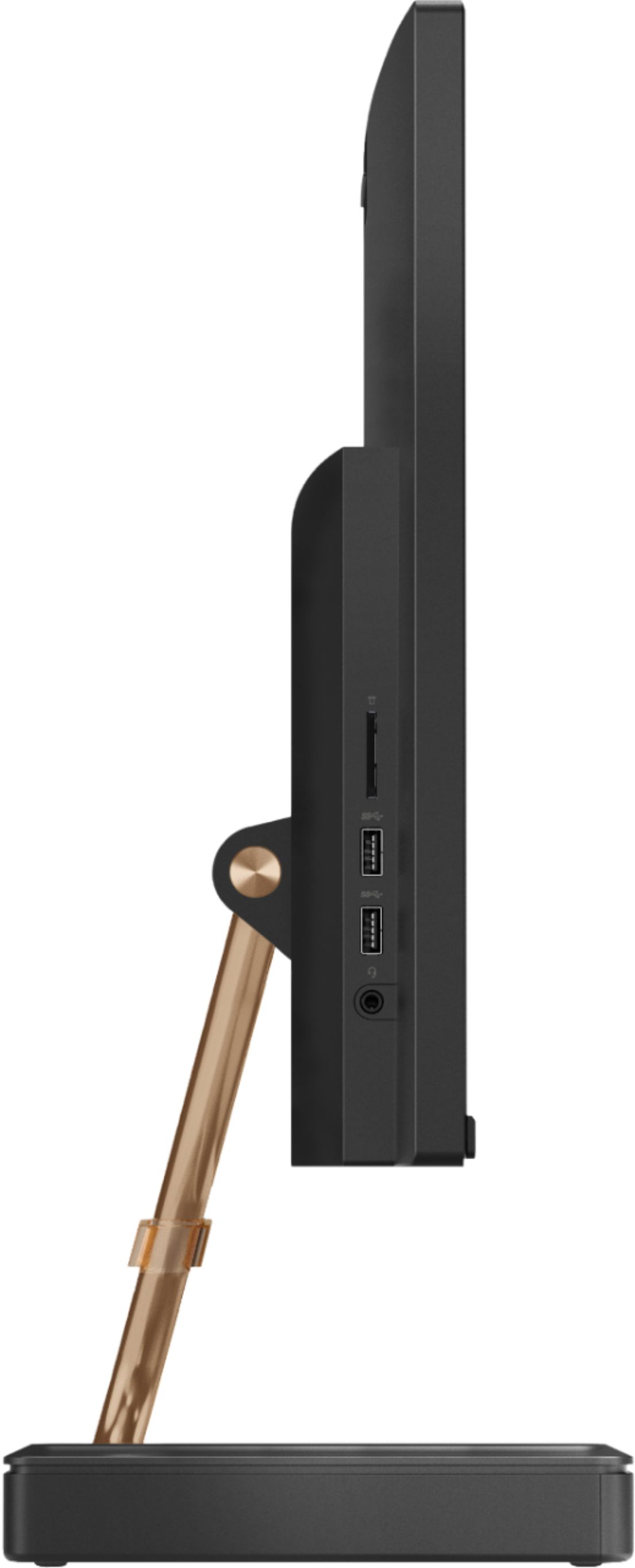
||Posted . Owned for 8 months when reviewed.This reviewer received promo considerations or sweepstakes entry for writing a review.We bought this all-in-one system after our high end laptop died. It's been 7 years since our last purchase and the Lenovo didn't disappoint. Right out of the box, it was easy to set up and use. The monitor is wonderful and we enjoy the small footprint and good value. There are a few things we've discovered over time that are minor annoyances. First, the camera app occasionally cannot be found. And the camera doesn't show up in the hardware, so updating the drivers and troubleshooting is a bit of a pain. Second, there are only two USB ports, one of which is used for a mouse. So this limits the expansion of the system. For example, we're doing more content creation, but hitting some limits. Third, the Lenovo migration app was a marvelous idea, but didn't actually work. It wasn't able to accept our HTML files or bookmarks. We like the system, but wish it had was more adaptable for our growing needs. I have recommended it to a friend, who also found it simple to set up and enjoy.,
I would recommend this to a friendBrand response from Lenovo Product Expert
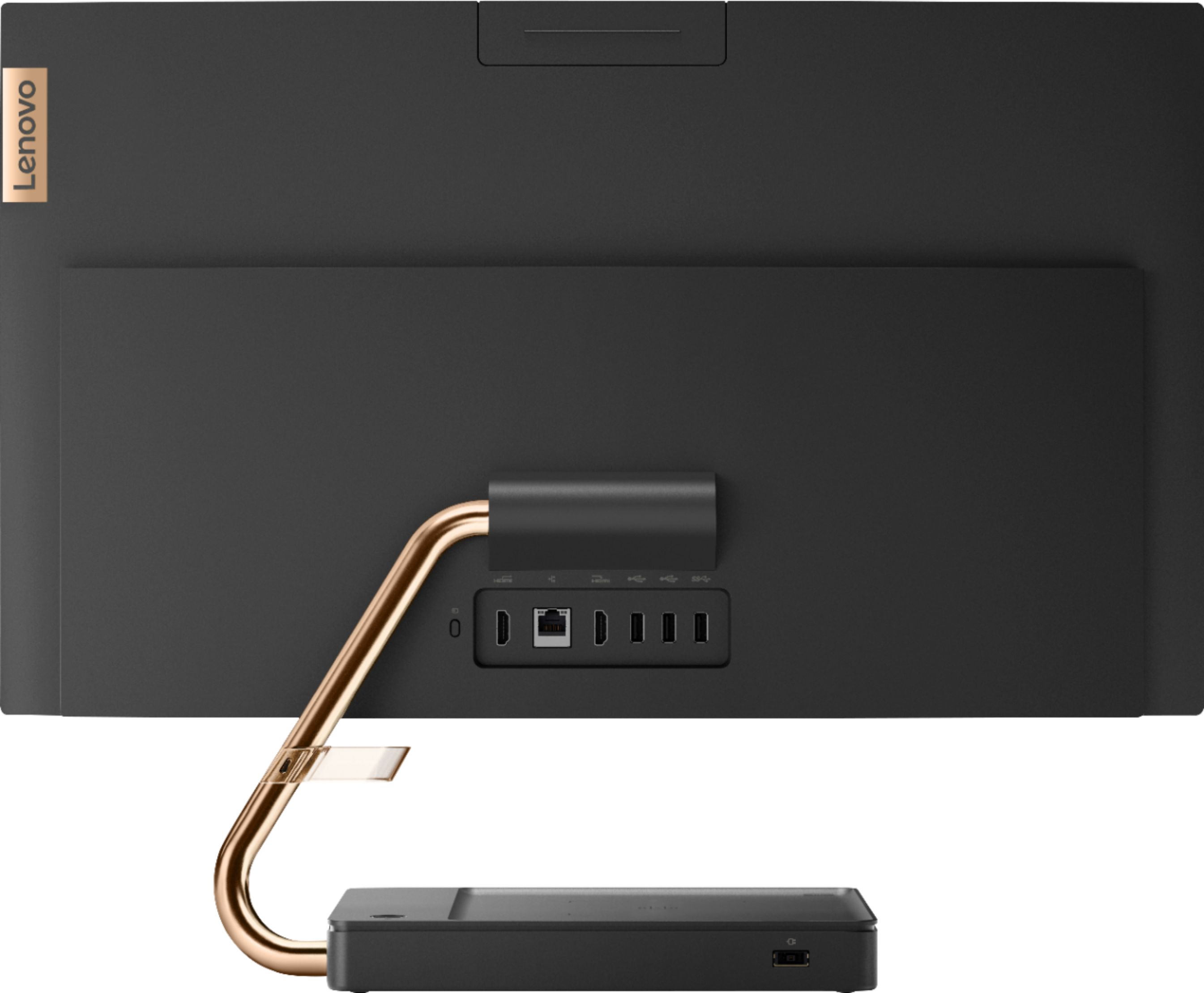
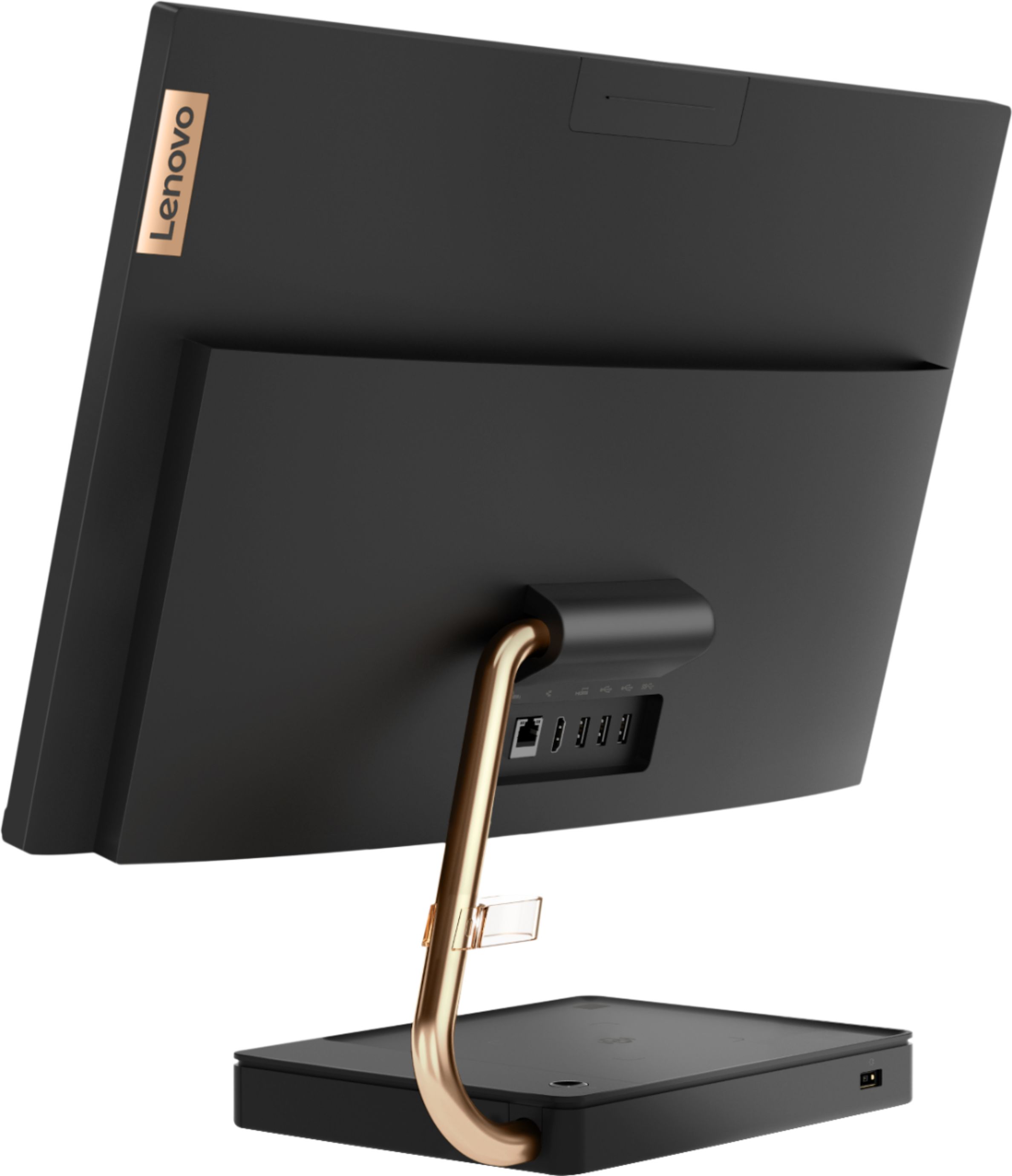
Posted .Thank you for choosing the Lenovo IdeaCentre A540-24 All-In-One system. Always be sure you have the latest version of Windows 10 on the computer and that all of the BIOS files and drivers are updated to that latest version of Windows 10. You can easily accomplish this by scanning the computer with the Lenovo Utility software available on this computer. This system has Lenovo utilities installed to help maintain the health of the device and keep the operating system software up to date. Type "Lenovo Vantage" in the Cortana Search window (if Lenovo Vantage is not installed on your device, you can download the APP and install it now). Select Lenovo Vantage from the list. In the window that opens, click on "Health and Support". In the expanded menu, select "Hardware Scan" In the window that opens, select "Run Quick Tests". This will scan your entire system for errors. Follow any directions that may pop up. If the problem continues after this scan, now click on "System Update". First select Windows update from the menu. Scan your system to be sure you have the latest version of Windows 10. Once that scan is complete, select "Additional Updates". This will scan your device to be sure there are no new BIOS/Driver updates needed. Follow any instructions that may pop up. The Lenovo IdeaCentre A540-24 AIO has five standard USB ports. Three on the back of the device and two more on the left side of the device.
Best I’ve Ever Had!
||Posted . Owned for more than 2 years when reviewed.This reviewer received promo considerations or sweepstakes entry for writing a review.I purchased this computer during the spring of 2020, and it’s still holding up great almost 3 years later. I had been skeptical about an AIO because I had never had one before this and because, relatively speaking, such computers are a “new” technology. But I’m so happy that I took the plunge! This computer was SO easy to set up, has wonderful graphics, and overall is a joy to use (I mostly use it for my online classes, work, and the occasional ZOOM meeting). Oh, and the 24” screen is another great feature. If I were in the market for another PC, I would still buy this one, or a comparable one for 2022.
I would recommend this to a friend- Pros mentioned:Speed
Great computer for price, used it for Zoom, Alexa,
||Posted . Owned for 3 weeks when reviewed.This reviewer received promo considerations or sweepstakes entry for writing a review.Got this computer to replace an old laptop. With school being virtual every other week for my 8 year old ,I wanted to get something for him. But I have used it also and the speed to download is excellent!! Also I'm able to use Alexa on it. It is not bulky.
I would recommend this to a friend Very Happy
||Posted . Owned for 2 months when reviewed.This reviewer received promo considerations or sweepstakes entry for writing a review.The Lenovo A540-24API All-In-One with solid state drive was the easiest computer system that I ever set up. It took literally less than 30 minutes from unboxing to reading my personal email on the beautiful monitor. Boots up in seconds and runs like a charm.
I would recommend this to a friendBrand response from Lenovo Product Expert
Posted .Once again, thank you for choosing the Lenovo IdeaCentre A540-24 All-In-One system. You can keep your computer running at its best by keeping the Windows 10 Operating System and all supporting BIOS files and drivers up to date. You can easily accomplish this by scanning the computer with the Lenovo Utility software available on this computer. Just type "Lenovo Vantage" in the Cortana Search window (if Lenovo Vantage is not installed on your device, you can download the APP and install it now). Select Lenovo Vantage from the list. In the window that opens, click on "Health and Support". In the expanded menu, select "Hardware Scan" In the window that opens, select "Run Quick Tests". This will scan your entire system for errors. Follow any directions that may pop up. If the problem continues after this scan, now click on "System Update". First select Windows update from the menu. Scan your system to be sure you have the latest version of Windows 10. Once that scan is complete, select "Additional Updates". This will scan your device to be sure there are no new BIOS/Driver updates needed. Follow any instructions that may pop up. If you ever need additional help with your Lenovo computer, we recommend you call Lenovo Tech Support at: 877-453-6686 for additional help.
Great display, Very easy to set up and get going
||Posted . Owned for 1 month when reviewed.This reviewer received promo considerations or sweepstakes entry for writing a review.An all in one takes up less space while offering lots of features and benefits in a small package. You get what you pay for but it is worth it. This is not a gaming computer but for day to day use as a small office of home computer you cannot beat it. Highly recommended.
I would recommend this to a friendBrand response from Lenovo Product Expert
Posted .Taking its cue from nature, the stylish IdeaCentre A540 is inspired by the cypress tree: perfectly balanced and durable. Sacrificing nothing on performance, this all-in-one PC is an attractive addition to your home or office. With up to 93-percent screen-to-body ratio and thin, narrow bezels, the A540 minimizes visual distractions and gives you more to enjoy than a regular 24-inch display. To enhance your viewing experience even further, the A540 ships with FHD resolution. This model number F0EM0003US, ships with the Quad-Core AMD Ryzen 3 3200GE processor, with a speed of 3.3GHz. This processor is supported by 8GB DDR4-2666MHz RAM and a 256GB M.2 2280 NVMe TLC OPAL solid state hard drive. This is a mid-level, moderate use configuration. It is good with Microsoft Office type programs, internet browsing and other moderate work. If this describes your computing needs, the IdeaCentre A540 would be a good choice for you.
- Pros mentioned:Touch screen
Great Buy....Perfect for Distance Learning
||Posted . Owned for 3 weeks when reviewed.This reviewer received promo considerations or sweepstakes entry for writing a review.We are extremely pleased with this purchase. The overall design is very sleek and everything worked perfect straight out of the box. The screen is large and has great picture. The wireless keyboard and mouse are great. Setup of this computer was simple.
I would recommend this to a friendBrand response from Lenovo Product Expert
Posted .Once again, thank you for choosing the Lenovo IdeaCentre A540-24 All-In-One system. You can keep your computer running at its best by keeping the Windows 10 Operating System and all supporting BIOS files and drivers up to date. You can easily accomplish this by scanning the computer with the Lenovo Utility software available on this computer. This system has Lenovo utilities installed to help maintain the health of the device and keep the operating system software up to date. Type "Lenovo Vantage" in the Cortana Search window (if Lenovo Vantage is not installed on your device, you can download the APP and install it now). Select Lenovo Vantage from the list. In the window that opens, click on "Health and Support". In the expanded menu, select "Hardware Scan" In the window that opens, select "Run Quick Tests". This will scan your entire system for errors. Follow any directions that may pop up. If the problem continues after this scan, now click on "System Update". First select Windows update from the menu. Scan your system to be sure you have the latest version of Windows 10. Once that scan is complete, select "Additional Updates". This will scan your device to be sure there are no new BIOS/Driver updates needed. Follow any instructions that may pop up. If you ever need additional help with your Lenovo computer, we recommend you call Lenovo Tech Support at: 877-453-6686 for additional help.