Customer Ratings & Reviews




- Model:
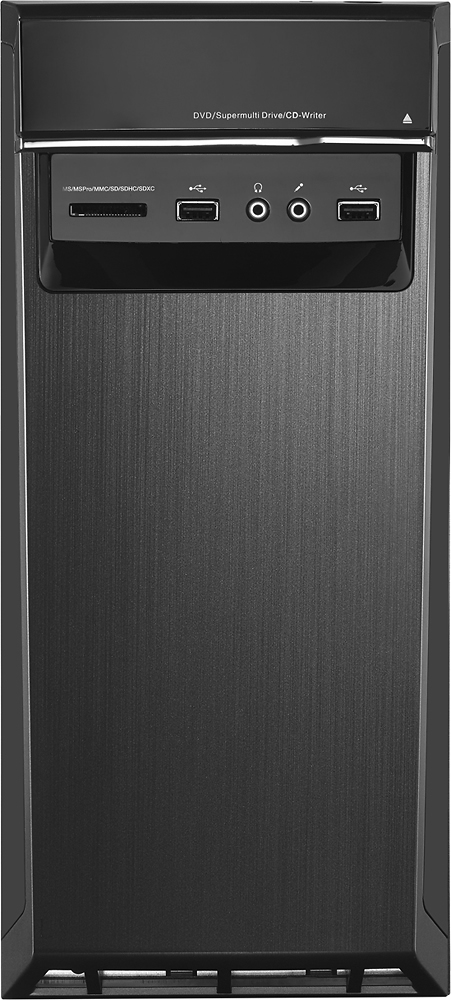
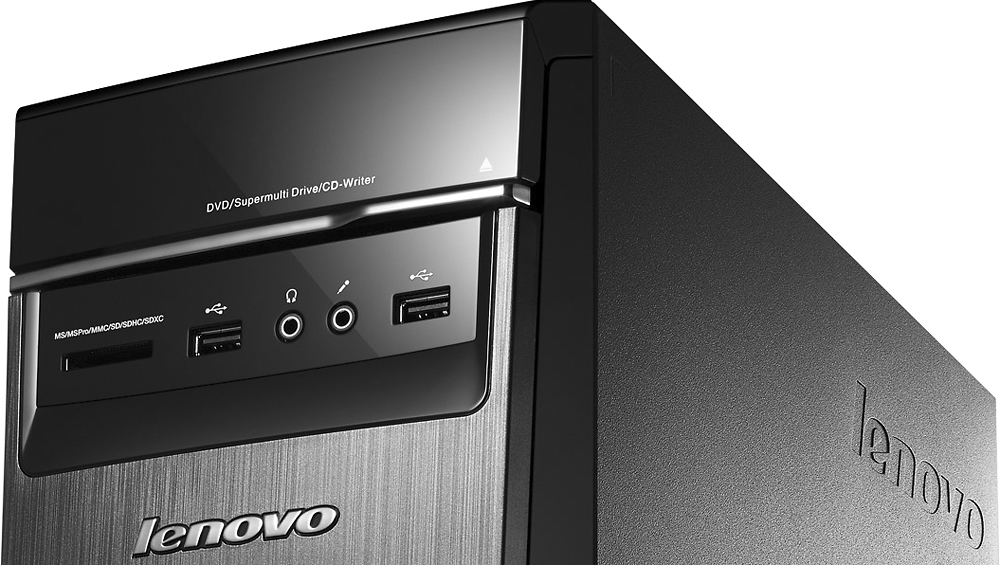
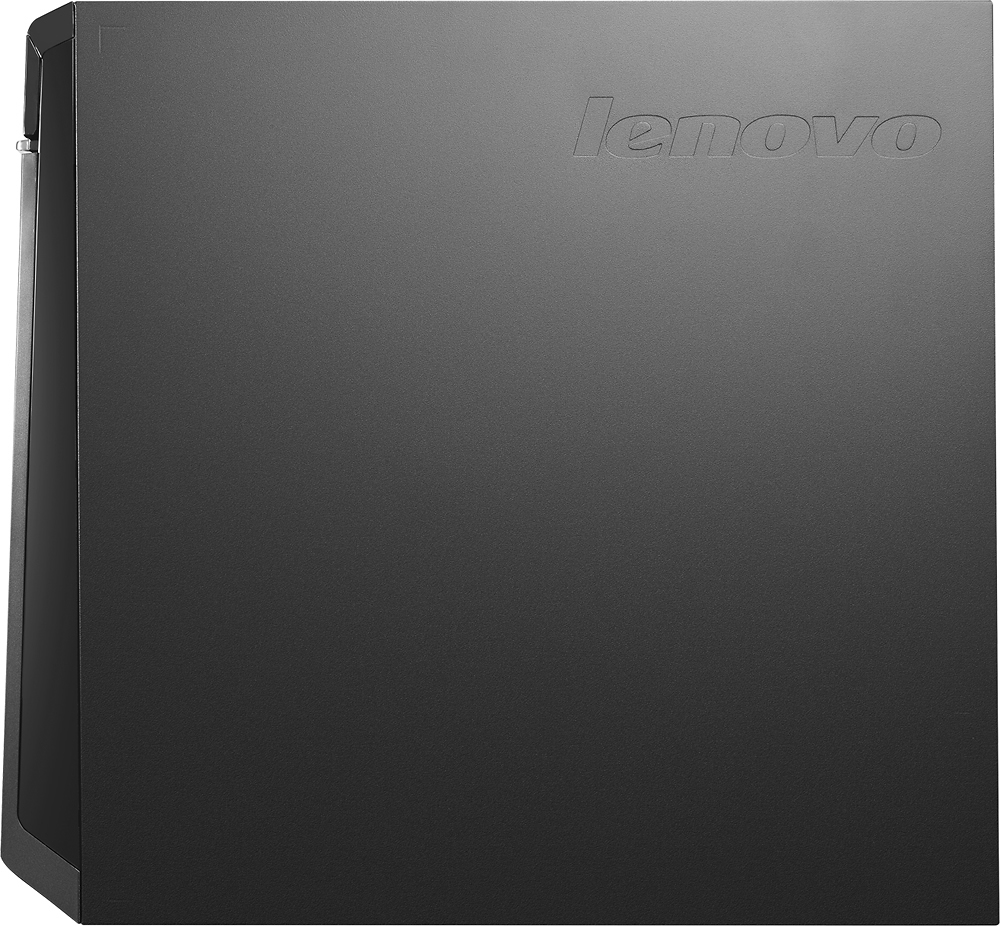
- LENOVO H50 - 90BG003JUS
- SKU:
- 4362103
Rating by feature
- Value
Rating 4.3 out of 5 stars
- Quality
Rating 4.5 out of 5 stars
- Ease of Use
Rating 4.4 out of 5 stars
Customers are saying
Customers commend the Desktop AMD A10-Series for its excellent performance, attractive price, and ease of use. Many appreciate the ample RAM, large hard drive storage, and quiet operation. While some users expressed concerns about the operating system, others found the system to be largely free of pre-installed programs. The power supply received mixed reviews, with some users finding it insufficient for their needs.
This summary was generated by AI based on customer reviews.
- Pros mentioned:Ram, Speed
Great Desktop
Posted .This reviewer received promo considerations or sweepstakes entry for writing a review.This desktop replaced a Windows Vista machine. It has tons of memory and speed. I use it for pictures, videos, music, and email. More than enough power.
I would recommend this to a friendBrand response from Lenovo Product Expert
Posted .Thank you for choosing the Lenovo H50 desktop. We are pleased to hear that the performance and features of the H50 meet your computing needs so well.

- Pros mentioned:Ease of use, Speed
AWESOME COMPUTER!!!!!
Posted .This reviewer received promo considerations or sweepstakes entry for writing a review.Very fast and easy to set up..windows 10 the best!!
I would recommend this to a friend - Pros mentioned:PerformanceCons mentioned:Bloatware
Great Value for money PC
Posted .This reviewer received promo considerations or sweepstakes entry for writing a review.I can't say enough good things about this PC, you really do get a fast performing PC for your money, with plenty of storage. Plus it's not packed with bloatware, which is a nice plus!
I would recommend this to a friendBrand response from Lenovo Product Expert
Posted .Thank you for choosing the Lenovo H50 Desktop. We are pleased to hear that the H50 is meeting your computing needs so well.
- Pros mentioned:Speed
It's ok
Posted .This reviewer received promo considerations or sweepstakes entry for writing a review.I am not a hard-core gamer so I cannot speak to the computer's ability to keep up if that's what you're into. For basic work tasks, using MS Office, surfing the web, and watching videos online, it does a good job. If you need a computer for that stuff, this is pretty good for the price. There are two things, however, that drive me nuts. First, I have a ton of CDs I want to rip. No matter what I do, the rip speed is wickedly slow. My old Dell that ran Vista ripped a CD in 2-3 minutes. This Lenovo Windows 10 monster takes 8-10 minutes to rip a CD. The second thing is a terrible design oversight. BOTH of the the USB 3.0 ports are on the BACK of the machine. If you want to use 3.0 flash drives, I hope you like crawling around on the floor and/or fighting with all the other connections back there. Even if you buy a USB 3.0 hub, the cord for those is only about 6-8 inches long...NOT helpful. Of course, Windows 10 does odd, glitchy things and is clearly a work in progress still. Gone are the days of wonderfully, smooth-running XP operating system.
No, I would not recommend this to a friendBrand response from Lenovo Product Expert
Posted .Thank you for choosing the Lenovo H50 desktop. We are pleased to hear that the H50 is working out for you.
- Pros mentioned:Performance
Great Desktop.
Posted .This reviewer received promo considerations or sweepstakes entry for writing a review.my son loves it for his Gaming games. Most games works at the highest level.
I would recommend this to a friend - Pros mentioned:Performance, Price, Speed
Powerful computer for a great price
Posted .This reviewer received promo considerations or sweepstakes entry for writing a review.I'm really impressed by this machine. Powerful, fast, and a really great value!
I would recommend this to a friendBrand response from Lenovo Product Expert
Posted .Thank you for choosing the Lenovo H50. We are pleased to hear that the performance of the H50 is meeting your expectations so well.
- Pros mentioned:Performance
First time buying Lenovo - Great choice
Posted .This reviewer received promo considerations or sweepstakes entry for writing a review.After comparing reviews compared with similar Dell computer, I chose Lenovo although I was unfamiliar with it. I had Windows 10 previously and was having a few issues that I hoped would be resolved with a new computer. As I found out with this brand, it is not compatible with Microsoft Edge. I could not open the browser at all. I had to take it back to Best Buy who told me this is a known problem and that they would install Google Chrome and not to use Edge. It would have been nice if I was told that when they had my computer and transferring my data. It would have saved me the frustration, hassle and time trying to figure out what was wrong and having to take it back. Now that I am using Chrome, the computer is awesome.
I would recommend this to a friendBrand response from Lenovo Product Expert
Posted .Thank you for choosing the Lenovo H50 Desktop. With regard to the Microsoft Edge Browser issue you mention. We have not heard this as being a systemic issue. We will look in to this.
blue wallpaper
Posted .This reviewer received promo considerations or sweepstakes entry for writing a review.when i use the dvd drive my wallpaper turns completely blue, and now it turns blue every time i turn on the computer. I can usually fix the problem by opening and closing the dvd drive or changing the size of my wallpaper, but that only fixes it while the computer is being used at that time. After fixing the wallpaper, if the computer is turned off then on, the wallpaper becomes blue again. I have not found any way to stop this permanently, but at least it does not affect the computer itself, just how the screen looks.
I would recommend this to a friend- Pros mentioned:PerformanceCons mentioned:Power supply
Good computer...just not for me.
Posted .This reviewer received promo considerations or sweepstakes entry for writing a review.The weak 180 watt power supply was a killer for me. I couldn't even mount my "Music Hard Drive" in the case. No extra power connections. Forget about adding a better graphics card, the power supply won't support it. For general web browsing & office type work this machine would be killer. I need a system that'll allow me to process photo/video images rapidly, this isn't it. For those of you who are thinking "why doesn't he just swap out the power supply".....well, you really can't. Lenova uses a 14 pin main power connector on the motherboard. There are no after market power supplies that have that....believe me, I looked every where. Lenova makes more powerful PSU's but they are to big for this computers case. I had to return it.
No, I would not recommend this to a friend - Pros mentioned:Ram
Ok computer but a few software issues
Posted .This reviewer received promo considerations or sweepstakes entry for writing a review.I bought this computer mostly because of the 12gb memory and large HD. I quickly upgraded to Windows 10 (Upgrade, not new install) and find that disk activity is very high, like constant activity, slowing down the computer a lot. My browsers will sometimes just freeze and sit for 10-20 seconds before continuing and frequently give the message that they are not responding. Videos are also very choppy and I'm using a fiberop internet connection. Honestly, my dad's old Vista computer with 3gb of ram is faster. One day I hope to do a clean install of Windows 10 to see if that resolves the issues as it seems like something is hampering it's efficiency from what is can be, but until then I can't recommend this PC
No, I would not recommend this to a friendBrand response from Lenovo Product Expert
Posted .Thank you for choosing the Lenovo H50 desktop. This system is showing that it ships with Windows 10 Home. When you say you "upgraded" to Windows 10, I am assuming you "upgraded" to Windows 10 Pro. It sounds as though something went wrong with that upgrade. We agree that the best next step would be to restore back to factory default settings of the operating system.
- Pros mentioned:Performance
Computer is very good, but watch out for KAV
Posted .This reviewer received promo considerations or sweepstakes entry for writing a review.My H50-55 is very good, but I ran into an issue with it. It came with a 3 month trial of Kaspersky Internet Security. Even though I have a license for ESET NOD32 AV, I thought I would try out the Kaspersky product. After I had installed it and activated the license, problems started. If the computer went to sleep (power saving) upon waking it would display a BSOD referring to IRQL_NOT_LESS_OR_EQUAL then reboot. Upon reboot, Kaspersky would report that it's last startup had failed and wanted to send log files to Kaspersky. After downloading their uninstall tool I was able to uninstall their product. Rebooted, installed ESET NOD32 and have not run back into the IRQL_NOT_LESS_OR_EQUAL problem so far. I recommend the H50 computer. It is a lot of bang for the buck. Be cautious about using Kaspesky on it, though.
I would recommend this to a friendBrand response from Lenovo Product Expert
Posted .Thank you for choosing the Lenovo H50 desktop. With regard to the issue with Kaspersky on this system, we will look in to this to see if it is a widespread issue.
- Pros mentioned:Performance
Great Buy
Posted .This reviewer received promo considerations or sweepstakes entry for writing a review.Bought this computer for my mother in law that went back to college. It is lightning fast and has handled many different applications so far. I even installed a few games to play when I'm at her house and the graphics are pretty good.
I would recommend this to a friendBrand response from Lenovo Product Expert
Posted .Thank you for choosing the Lenovo H50 Desktop. We are pleased to hear that the H50 is meeting your computing needs so well.
- Pros mentioned:Speed
Great computer....not great keyboard
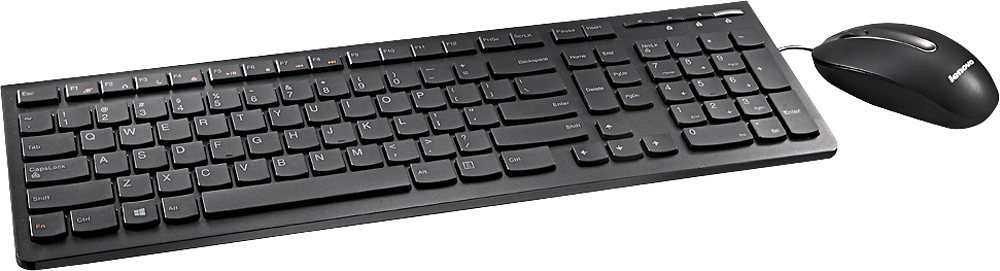
Posted .This reviewer received promo considerations or sweepstakes entry for writing a review.I've only had the computer installed for a few days and it's great. An incredible improvement over what we had. This is my second or third Lenovo computer and I continue to be impressed. It runs quietly, it runs fast for office work. The only complaint so far is the keyboard. For some reason, they've switched the location of the Fn and CTRL keys! I use the CTRL key frequently and it has always been on the left corner. Now, that's where the Fn key is. WHY? I might have to buy a different keyboard! Other than that, the keyboard is easy to use.
I would recommend this to a friendBrand response from Lenovo Product Expert
Posted .Thank you for choosing the Lenovo IdeaCentre H50 desktop. With regard to the Fn and CTRL keys issue you mention, there is a free software APP called KeyTweak that may help you. You can switch the key functions of specific keys on your keyboard with this software, so you could change the Fn Key with the key you hit in its place. Just Google search "KeyTweak" and you will find articles about what the software does and you will find the download location for this free APP.
- Pros mentioned:Speed
Worked great, until it stopped working at all...
Posted .This reviewer received promo considerations or sweepstakes entry for writing a review.I purchased this computer just after Christmas, while it was on a big discount and had free expedited shipping. I thought this was a deal that I couldn't pass by. The computer worked great for what I used it for having no problems at all. It was able to handle any game I threw at it. It was flawless for the first month and a half I had it, but, one day, I pressed the power button to turn it on, and I got an error message that I couldn't even read before it cut off. I have yet been able to get it to power on after this incident. I called Lenovo technical support, and I had trouble understanding the lady I spoke with because of her heavy accent, and she was unable to understand me. She was of no help whatsoever. She proceeded to ask me for my email address so she could send me information about having someone come to my house to fix the problem (under warranty), and after telling her my email address like 4 or 5 times so she could understand it, we ended the call. I never received any information on my email, and now I'm stuck to figure this problem out for myself. I know I'll be very mad if I have to lose any money to this problem. Hopefully, this can get fixed sometime soon because this was my main computer that I used and I need it for school.
No, I would not recommend this to a friendBrand response from Lenovo Product Expert
Posted .First, look in your Control Panel. In the search window of the Control Panel, search for System Restore. Look to see if you have a restore point prior to the date the system started showing issues. If there is a restore point set your system back to that point. Back up important files before the restore. If there is no restore point you can look for driver updates for your system by following the link below to Lenovo.com support-drivers. Once again, create a restore point before you make changes or download new software:
http://support.lenovo.com/us/en/products/Desktops-and-all-in-ones/Lenovo-H-Series-desktops/Lenovo-H50-55-Desktop/90BG/003JUS?linkTrack=Caps%253ABody_SearchProduct&tabName=downloads&beta=false
- Pros mentioned:Performance, Speed
Overall pretty great
Posted .This reviewer received promo considerations or sweepstakes entry for writing a review.I got this computer when I really needed a new one and it's done pretty well. No issues thus far and it's overall pretty fast! Recommended!
I would recommend this to a friendBrand response from Lenovo Product Expert
Posted .Thank you for choosing the Lenovo H50 desktop. We are pleased to hear that the performance of the H50 is meeting your computing needs so well.
- Cons mentioned:Power supply
Pain to upgrade, good for intermediate gaming
Posted .This reviewer received promo considerations or sweepstakes entry for writing a review.A great PC, unless you were hoping to upgrade it. When I first brought the PC home, I noticed the motherboard has only 14 pins for the power supply. That's where the problems start. So you get an adapter (24 pin to 14 pin) and you realize the power supply does not fit. So you can break off or bend a piece to fit it in, but it may void your warranty. Then there's the video card. Fitting it in is a nightmare. The network adapter is in the way. So you move it, and the ram is in the way. You finally seat your video card and seal up the case, and your CPU starts getting hot. But due to the lack of open spaces for a fan, you have 2 choices. Run the risk of burning out your CPU, or buy a new case.
I would recommend this to a friend - Pros mentioned:Performance, Ram
Great Value
Posted .This reviewer received promo considerations or sweepstakes entry for writing a review.Powerful computer, great speed. More Ram the other systems in the same price range.
I would recommend this to a friendBrand response from Lenovo Product Expert
Posted .Thank you for choosing the Lenovo H50 desktop. We are pleased to hear that the performance of the H50 is meeting your computing needs so well.
- Pros mentioned:Speed
Good price quality computer
Posted .This reviewer received promo considerations or sweepstakes entry for writing a review.A great desktop computer (lots of space and fast) for an excellent price.
I would recommend this to a friendBrand response from Lenovo Product Expert
Posted .Thank you for choosing the Lenovo H50 desktop. We are pleased to hear that the performance of the H50 meets your computing needs so well.
- Cons mentioned:Power supply
The price was right
Posted .This reviewer received promo considerations or sweepstakes entry for writing a review.I bought this knowing that I would have to upgrade the video card for gaming. I did NOT know that I would also have to upgrade the power supply to support the new video card. It was challenging to install both into such a small case, but it worked. Even with the extra added expenses, the final result was still a good value.
I would recommend this to a friendBrand response from Lenovo Product Expert
Posted .Thank you for choosing the Lenovo H50 desktop. We are pleased to hear that the value and features of the H50 have worked out for you.
- Pros mentioned:Performance
Does the job.
Posted .This reviewer received promo considerations or sweepstakes entry for writing a review.It's a desk top computer tower the does the job. Fast and quiet.
I would recommend this to a friendBrand response from Lenovo Product Expert
Posted .Thank you for choosing the Lenovo H50 desktop. We are pleased to hear that the performance of the H50 meets your computing needs so well.