Customer Ratings & Reviews




- Model:
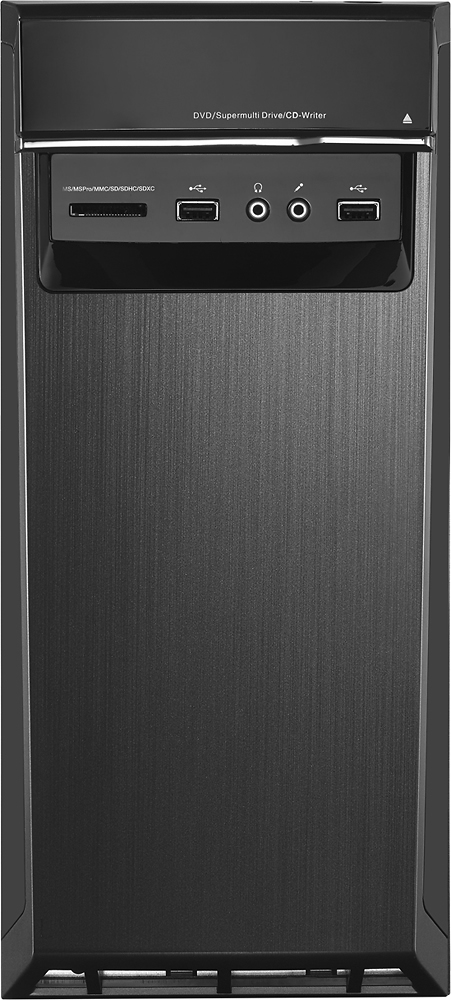
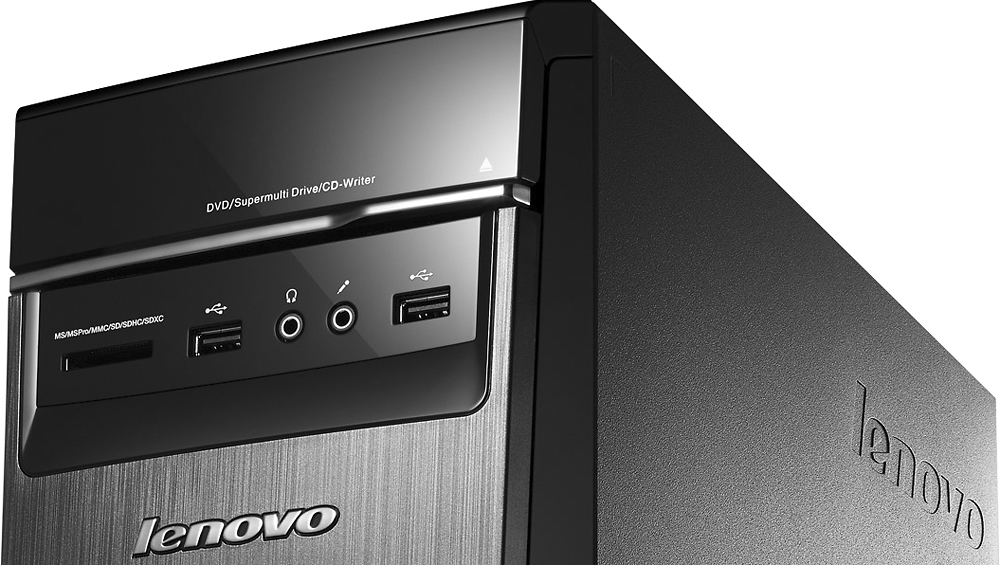
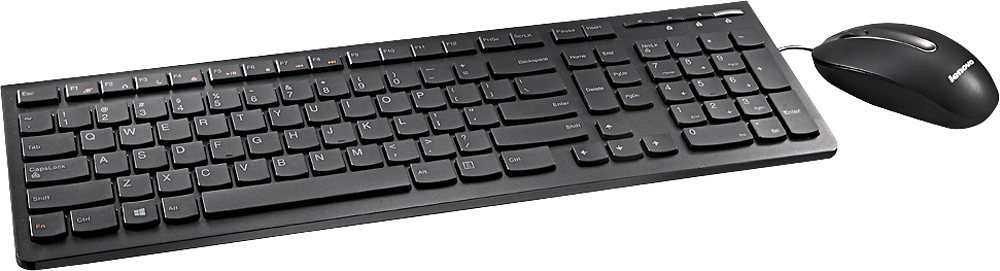
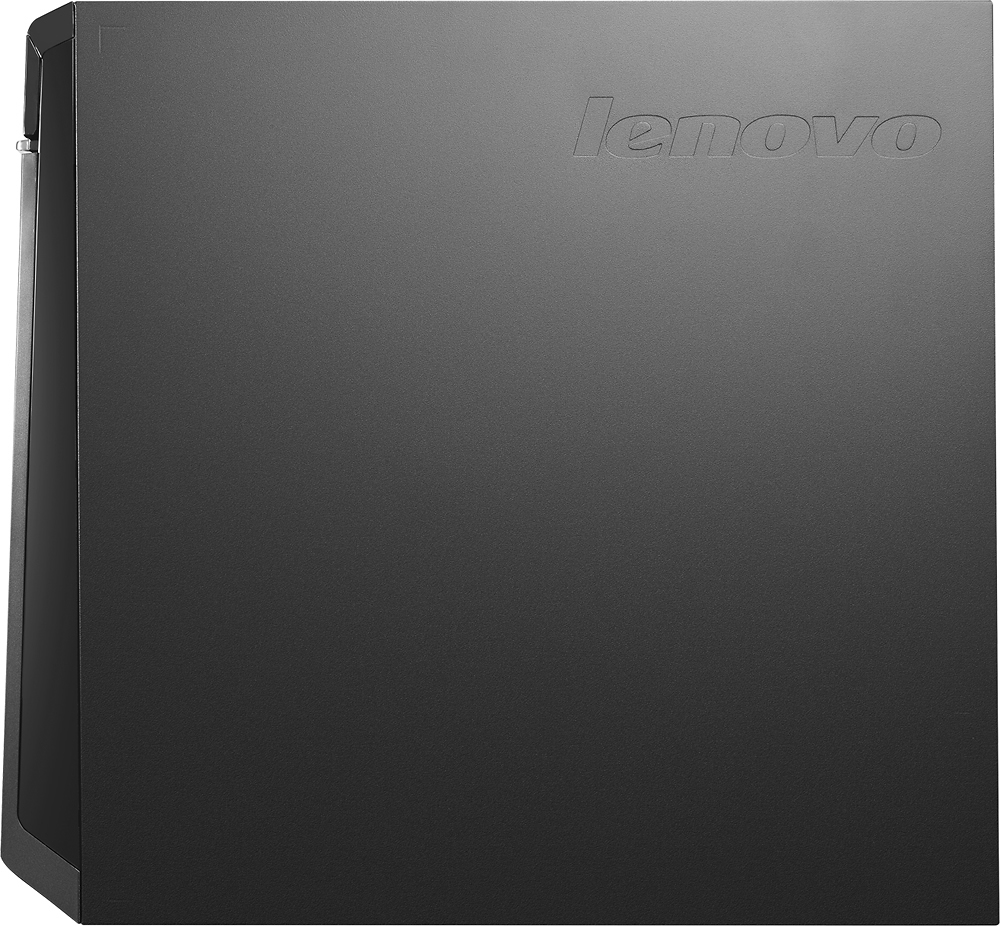
- LENOVO H50 - 90BG003JUS
- SKU:
- 4362103
Rating by feature
- Value
Rating 4.3 out of 5 stars
- Quality
Rating 4.5 out of 5 stars
- Ease of Use
Rating 4.4 out of 5 stars
Customers are saying
Customers commend the Desktop AMD A10-Series for its excellent performance, attractive price, and ease of use. Many appreciate the ample RAM, large hard drive storage, and quiet operation. While some users expressed concerns about the operating system, others found the system to be largely free of pre-installed programs. The power supply received mixed reviews, with some users finding it insufficient for their needs.
This summary was generated by AI based on customer reviews.
Decent computer for the price
Posted .This reviewer received promo considerations or sweepstakes entry for writing a review.Sufficient computing power to run Microsoft Office and other business applications. Lighter and more compact than my previous PC.
I would recommend this to a friendBrand response from Lenovo Product Expert
Posted .Thank you for choosing the Lenovo H50 desktop. We are pleased to hear that the performance of the H50 meets your computing needs.

So far it is a great
Posted .This reviewer received promo considerations or sweepstakes entry for writing a review.This computer has everything we were looking for. would recommended it to anyone
I would recommend this to a friendBrand response from Lenovo Product Expert
Posted .Thank you for choosing H50 Desktop. We are pleased to hear that the H50 is meeting your computing needs so well.
Works well for us
Posted .This reviewer received promo considerations or sweepstakes entry for writing a review.We bought this almost a month ago and it still works well for us. :)
I would recommend this to a friendBrand response from Lenovo Product Expert
Posted .Thank you for choosing the Lenovo H50 desktop. We are pleased to hear that the performance of the H50 meets your computing needs so well.
adding a HD requires replacing the power supply
Posted .This reviewer received promo considerations or sweepstakes entry for writing a review.Overall this is a good machine and fairly cool. But I could not add a 2nd hard drive because the SATA power connections only accommodate 2 devices: the optical drive and the hard drive.
I would recommend this to a friendproblems
Posted .This reviewer received promo considerations or sweepstakes entry for writing a review.Bought this machine as a bundle. After a few weeks the wireless stopped working. Had to take machine back to geek squad. Machine had to be reset and everything I loaded had to be reloaded. Very disappointed with the quality of the mackine
No, I would not recommend this to a friendNo Linux Credit
Posted .This reviewer received promo considerations or sweepstakes entry for writing a review.I got this home and installed CentOS 7 on it .. To bad BB doesn't give credit for WinDoz Cr ap .. Why should pay the $120 MS tax when I don't use it! Gets a 2 star rating for that.
I would recommend this to a friendLuck of the Draw
Posted .This reviewer received promo considerations or sweepstakes entry for writing a review.I reviewed this item on Best Buy before purchasing, as I was returning an item that didn't meet my performance speed for its specs. I wanted to make sure I knew what I wanted when I arrived at the store. I did see some issues about booting and freezing, but brushed them off as few and far between due to all the rave reviews. I should have taken those negative comments a lot more seriously as I've had this machine for about 5 hours, and I am still unable to use it. I can't make it to the desktop because during the initial boot-up in the set up process the computer went into the blue screen of death. I looked the issue up on Amazon, and apparently I'm not the only one whose had this problem. It's a matter of chance really. You either get an awesome CPU, or you have my luck and get the dud. Its going back first thing in the morning.
No, I would not recommend this to a friendBrand response from Lenovo Product Expert
Posted .This system is equipped with OneKey Recovery System. Turn the system on, before Windows starts to boot, repeatedly press the F2 key. This will take you to a choice screen where you can choose "Restore To Factory Default". Select this. It will delete everything from the hard drive except the original factory install of the operating system. You will need to reinstall all programs and files after the reset. If you don't have copies of the files, try to make one before you restore by selecting "Boot to desktop" and trying to back up your files.
Bad wireless adapter
Posted .This reviewer received promo considerations or sweepstakes entry for writing a review.2 months since purchase and I'm having issues connecting to the internet. Today the adapter just stop working and had to call Lenovo. Full system reset, a very slow process.
No, I would not recommend this to a friendNot worth it
Posted .This reviewer received promo considerations or sweepstakes entry for writing a review.I read all of the positive reviews on this computer before purchasing, and I had high hopes. Unfortunately, we have had too many issues in the three months that we have owned it. The first issue came when we updated the Catalyst AMD software. The computer became unusable until I eventually reset it to a prior backup configuration. A few days ago, we got the dreaded 1962 error. After trying every online troubleshooting suggestion (there are a lot of resources because it is apparently a common problem), I finally bit the bullet and called Lenovo support. We are awaiting a visit from a service technician, and we are most likely going to lose all of our files. Not quite what you want to hear when you homeschool your children, and all of their work from the semester is saved onto the computer. I expect a computer to last more than three months. I know it's a bargain, but spend your money on a better quality computer. You will end up paying more in the long run if you don't.
No, I would not recommend this to a friendIt's not bad
Posted .This reviewer received promo considerations or sweepstakes entry for writing a review.It's OK for a PC in this price range. It only has the basic features, definitely not for gamers.
I would recommend this to a friendBrand response from Lenovo Product Expert
Posted .Thank you for choosing the Lenovo H50 desktop. We are pleased to hear that the value and performance of the H50 meets your computing needs.
Good PC until it updates the AMD graphics
Posted .This reviewer received promo considerations or sweepstakes entry for writing a review.Blue error screen after updating graphics, had to roll back. and told not to update again....
No, I would not recommend this to a friendBrand response from Lenovo Product Expert
Posted .Sorry to hear about the update issue you are having. You can keep a look out for the latest updates for your specific system at Lenovo.com. Follow the link below to look for new driver updates for your specific system. You can also run diagnostics from the Lenovo site as well. As always, be sure to create a restore point on your system before you make any changes. Here is the link:
http://support.lenovo.com/us/en/products/Desktops-and-all-in-ones/Lenovo-H-Series-desktops/Lenovo-H50-55-Desktop/90BG/003JUS?linkTrack=Caps%253ABody_SearchProduct&tabName=downloads&beta=false
Computer did not work out of the box
Posted .This reviewer received promo considerations or sweepstakes entry for writing a review.Computer did not work out of the box. Would power up, CD/DVD tray open & close, fan worked, but no display sent to monitor. Unit was new out of box, but not put into service for 4 years due to death in family after purchase, unexpected job change dictating schedule change. LENOVO did not want to even cover cost of diagnosis or offer any assistance. I understand warranty period had expired, but LENOVO refused to do the right thing and stand behind their product.
No, I would not recommend this to a friendNO CUSTOMER SERVICE
Posted .This reviewer received promo considerations or sweepstakes entry for writing a review.The Windows 10 on his computer had real problems -- the email tile did not work -- it kept asking to update the setting, but it did not take changes. Though documents/date are supposed to survive a system restore -- I lost everything back to the restore date. The DVD reader/writer did not read certain disks (my old windows 7 computer couple). This is my second Lenovo product and my last.
No, I would not recommend this to a friendSLOW from the gitgo...then returned.
Posted .This reviewer received promo considerations or sweepstakes entry for writing a review.Similar to the other 1 star reviews, the computer NEVER worked correctly from the moment I set it up. 9 months into owning it, it just shut down. Will not even turn on. 2 Lenovo technicians later and it still doesn't work and Lenovo does not know why. They are offering to replace this one but with so much time and so many files on the hard drive, I might just buy a DELL or HP and suck it up.
No, I would not recommend this to a friendEvery Category
Posted .This reviewer received promo considerations or sweepstakes entry for writing a review.This computer literally works for every thing a computer is used for, but when you start to play a game the computer crashes right as you get into the game. I have taken the computer in multiple times to deal with the problem, they never dealt with the problem, I doubt they even did anything at all to fix the computer. If you're a heavy gamer than steer clear of this computer.
No, I would not recommend this to a friendBrand response from Lenovo Product Expert
Posted .Check to be sure the games you are playing are compatible with Windows 10 Home 64-bit operating system and that the configuration of this system meets the recommended requirements of the specific game you are trying to play.
C
Posted .This reviewer received promo considerations or sweepstakes entry for writing a review.Yes I got a computer from Best Buy and when I go home to pick it up it worked out alright I downloaded everything then I got a pornstar c********* site I'm not going to Best Buy ever again These suck
No, I would not recommend this to a friendDied after 6 months.
Posted .This reviewer received promo considerations or sweepstakes entry for writing a review.Dead, black screen, all fans run, HD accesses for a moment then nothing. Won't boot, won't go into recovery.
No, I would not recommend this to a friendBrand response from Lenovo Product Expert
Posted .This system is equipped with the OneKey Recovery System. It will allow you to boot and restore the system to factory default, even if the Windows recovery software appears not to function. PLEASE NOTE: The recovery will go back to factory default, erasing everything but the original operating system set up.
Follow these steps:
OneKey Recovery is an easy-to-use application. You can use it to restore your
computer to the system default or to a previously backed up state.
Detailed Operation Procedure
1. Repeatedly press and release the F2 key once turning on the computer until
the Lenovo Rescue System opens, then select OneKey Recovery.
Note: System Recovery will overwrite all of the data on the C: drive. To
prevent loss of data, be sure to back up relevant data before performing
system recovery.
2. Follow the on-screen instructions to select the backup task you want to restore
from and the disk where you want to install the operating system, then press
Next to start the restore.
3. Please wait during the process of system recovery. Do not interrupt the
operation during the recovery process.
4. After the system is recovered successfully, the software will prompt you to
restart the computer. Restart the computer and start the operating system.
lol intensely bad
Posted .This reviewer received promo considerations or sweepstakes entry for writing a review.lol this is bad the proccesor and graphics card is pretty
No, I would not recommend this to a friend