Customer Ratings & Reviews
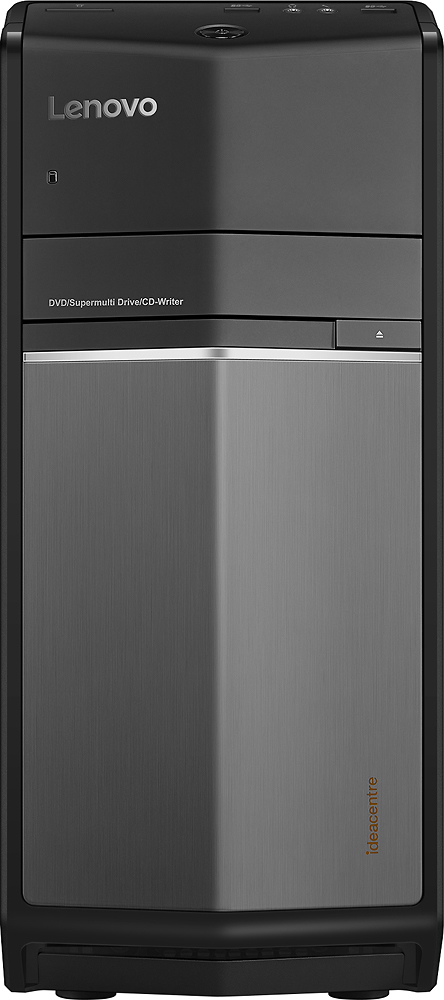
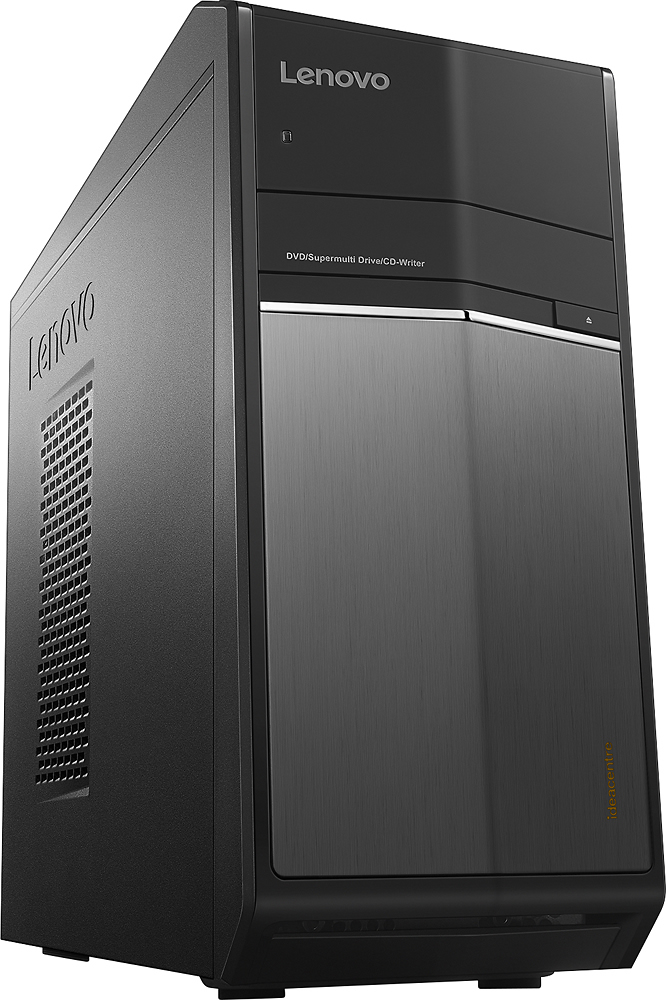


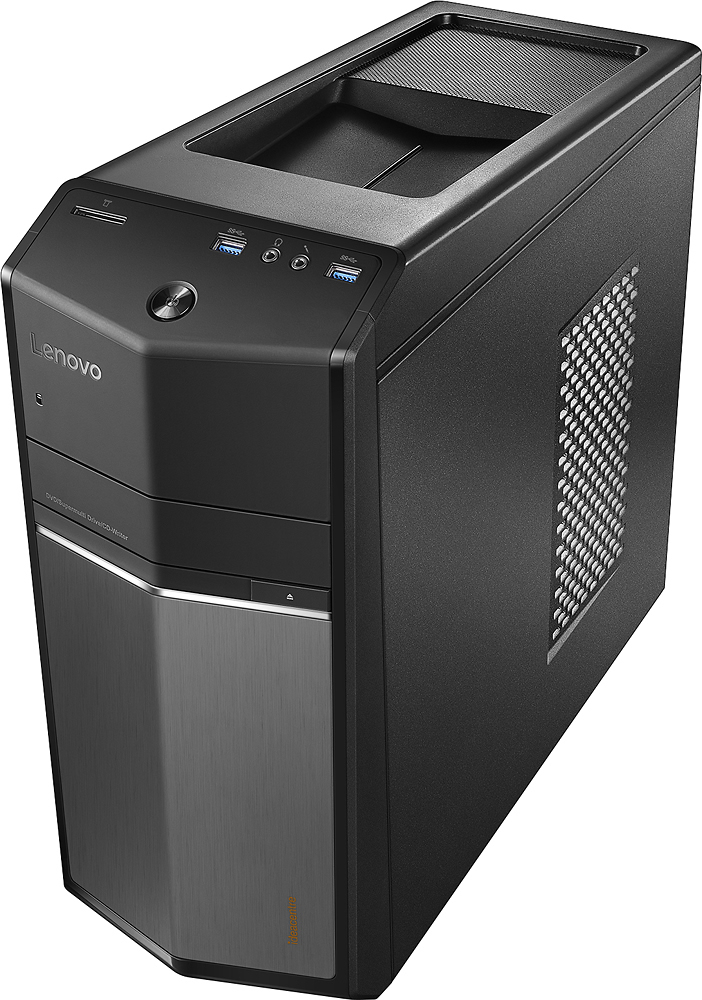
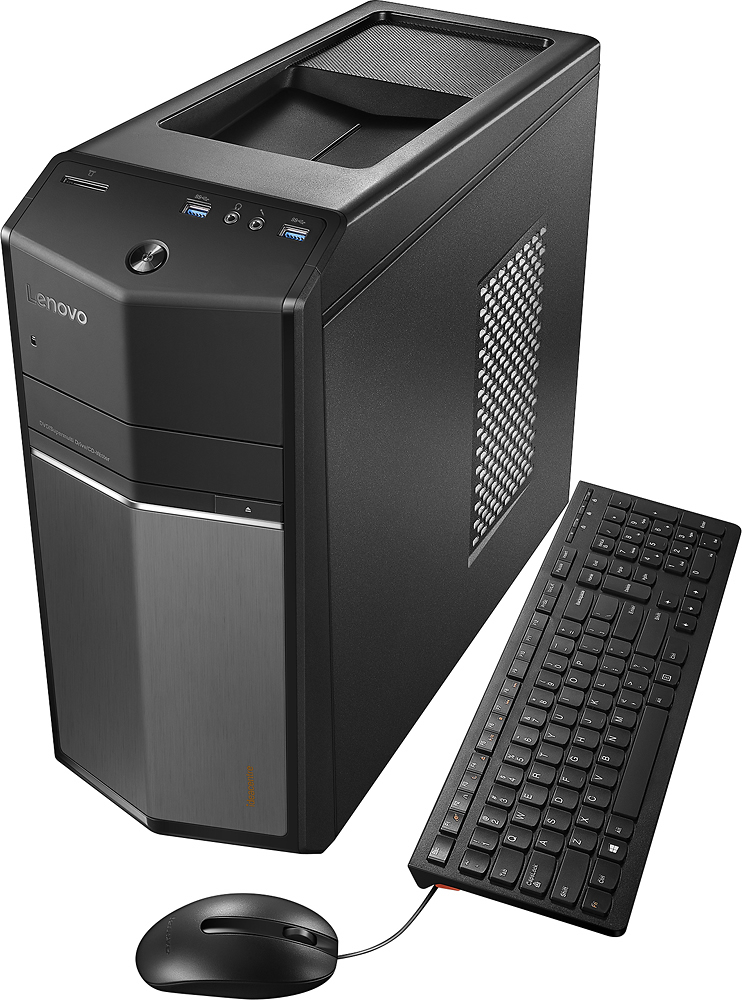
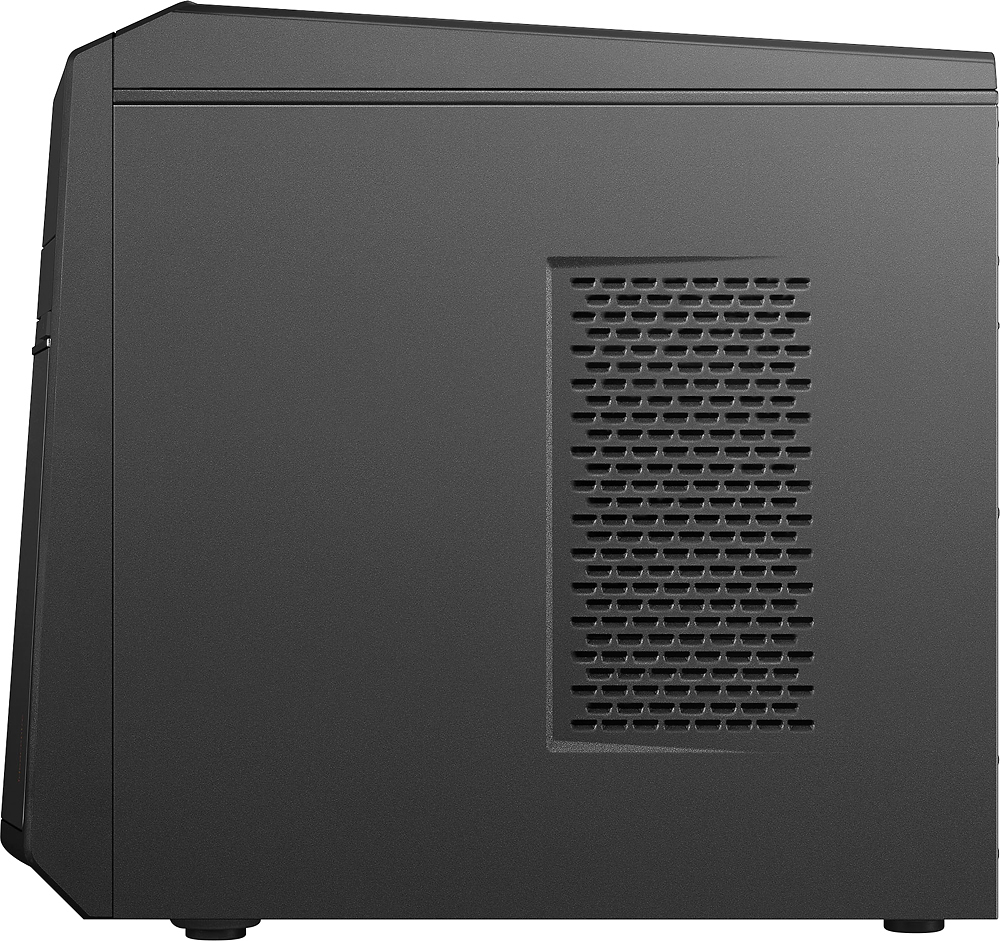

- Model:
- 90FB0001US
- SKU:
- 5196104
to a friend
Customers are saying
Customers are delighted by the performance and ease of use of this desktop computer, frequently praising its speed and efficient setup. Many also appreciate the affordable price and sufficient storage capacity. However, some users have expressed concerns about the power supply and pre-installed software.
This summary was generated by AI based on customer reviews.
Works very well, very fast
||Posted .This reviewer received promo considerations or sweepstakes entry for writing a review.Good computer, no problems from start up till now.
I would recommend this to a friendBrand response from Lenovo Product Expert
Posted .Thank you for choosing the Lenovo IdeaCentre 710 desktop. We are pleased to hear that the IdeaCentre 710 is working out so well for you.

computer
||Posted .This reviewer received promo considerations or sweepstakes entry for writing a review.it is a good tower just what I needed all the time
I would recommend this to a friendBrand response from Lenovo Product Expert
Posted .Thank you for choosing the Lenovo IdeaCentre 710 desktop. We are pleased to hear that the IdeaCentre 710 is working out so well for you.
Great for my use
||Posted .This reviewer received promo considerations or sweepstakes entry for writing a review.Very easy to set up anddoes everything I want it to.
I would recommend this to a friendBrand response from Lenovo Product Expert
Posted .Thank you for choosing the Lenovo H50 desktop. We are pleased to hear that the H50 meets your computing needs so well.
Lenovo computer is only fair
||Posted .This reviewer received promo considerations or sweepstakes entry for writing a review.This is my 2nd Lenovo computer the first only lasted a little over a year. This one i say is fair but nothing special. My computer repair suggested i try this model. For my money i still think Dell might be the best.
No, I would not recommend this to a friendBeware this model AND brand
||Posted .This reviewer received promo considerations or sweepstakes entry for writing a review.This machine has had; seemingly randomly; to "reset" itself for no real reason three times now after endlessly pretending to use its "repair" function and each time it has lost more and more of what windows is supposed to do. I've only had it for about a month and a half. It has given just about every error message I have ever heard about or seen. Motherboard, USB port, handle not recognized, ticket created with Lenovo...can't find this PC's configuration, and on and on! At this point, the search function can't find any programs within windows, but if you navigate and search through folder after folder you can sometimes although rarely make an icon to the program for the desktop. Still hasn't been able to re-establish basic things, like the calendar you should get when you click the date, a simple calculator, or give you ANY access to the control panel at all, let alone that Cortana app, completely vanished, although kinda glad about that personally. Even within windows based programs things are gone, like spell check, and other internal content is either not there or not being recognized. It's as if large chunks of windows ten, its drivers, settings, and core windows content are now missing. Even when you download them again, they are not recognized. Best of all (*sarcasm) my HP printer, that worked fine with it until that last "reset", now can't be recognized no matter what I, or HP and Microsoft have tried, so Yay, printer-less now. Never, ever buying from Lenova again. Supposed to be top end machine from them, wow. I've already had to buy a new computer, an HP, to replace it after not even two months. I'm a teacher and need it for my job. At least I'll know (hope) that the new one with windows ten will (should) recognize my HP printer. WORST computer EVER
No, I would not recommend this to a friendBrand response from Lenovo Product Expert
Posted .It sounds as though there was an error with the initial set up of Windows 10. Also, regarding your printer, be sure the printer is compatible with Windows 10 and that you have installed the correct Windows 10 drivers to this device and follow the printer manufacturer's pairing instructions. Finally, Be sure any software you installed is compatible with Windows 10. There is no need to install Microsoft Office software. The software is already part of the operating system, you just need to activate the software with a purchased product key. If you have installed a copy of Microsoft Office, this is conflicting with the existing copy on the system and this will slow your system down. If you have installed a 3rd party anti-virus program, be sure that Windows Defender is turned off and that the trial version of McAfee Anti-Virus software is uninstalled. There can only be one anti-virus program on the system. You may need to restore your system to original factory default settings if any of the programing errors have occurred. You can do that by typing "restore" in the Cortana search window. Just click on the magnifying glass icon at the bottom left of your Windows 10 Desktop. Click on "Reset This PC" Then click on "Get Started" and follow the on screen directions to restore to factory defaults.
STOPPED WORKING after 8 months
||Posted .This reviewer received promo considerations or sweepstakes entry for writing a review.THIS CPU WORKED GREAT FOR 8 MONTHS, THEN QUIT. as others have experienced, it starts with random startup issues, where power light comes on, but cannot get past Lenovo screen. a restart has helped in the past few months, but now it won't respond at all. is now stuck at the Lenovo startup screen and will not let me into BIOS at all. even after several restarts and unplugging and plugging back in. nonresponsive. buyer beware.
No, I would not recommend this to a friend- Pros mentioned:Speed
Garbage
||Posted .This reviewer received promo considerations or sweepstakes entry for writing a review.Bought this computer cause a reviews and salesman said was good speed and was well built computer well guess what ive had hard shut down 10 times a day for freezing up just opening few web pages had it in shop after 2nd day cause net went out in it I'm gonna try return it tomorrow for almost 900 computer I expect more than this will give me
No, I would not recommend this to a friendBrand response from Lenovo Product Expert
Posted .We are sorry to hear about the issues you are experiencing with the Lenovo IdeaCentre 710 desktop. You may want to call Lenovo Tech Support for advice at: 877-453-6686.
- Pros mentioned:Speed
I have no soun
||Posted .This reviewer received promo considerations or sweepstakes entry for writing a review.I'm returning the item it has no sound. I'm disappointed because it is fast and has everything else I need. Without sound, Its useless
No, I would not recommend this to a friendBrand response from Lenovo Product Expert
Posted .There are no built in speakers on this system. Try plugging in speakers and see if there is any sound.
- Pros mentioned:Ram, SpeedCons mentioned:Power supply
Well built, general use computer.
Posted .This reviewer received promo considerations or sweepstakes entry for writing a review.I bought this computer as a general use and gaming computer. However, I highly recommend that if you are really into gaming, then get a high end gaming computer. This computer does everything I need it to do, and the reason I love it for gaming is because most of the games I play are older and do not utilize 500 dollar graphics cards. As an example I play Titanfall on med. to high graphics. As a side note, this cpu is not very upgradable, but I believe that for the money it is a good deal. I like the processor, and the graphics card does what I need it to do (movies, older games, etc). A downside would be the power supply, but like I stated, I did not buy this to make a super gaming platform and I plan to leave the computer as is. The only thing I may do is upgrade the RAM. So, if you are in the market for a good, general use computer that will last about 2-3 yrs., I would highly consider this one.
I would recommend this to a friendBrand response from Lenovo Product Expert
Posted .Thank you for choosing the Lenovo IdeaCentre 710 Desktop. We are pleased to hear that the performance of the IdeaCentre 710 is meeting your computing needs so well.
Terrible
||Posted .This reviewer received promo considerations or sweepstakes entry for writing a review.This computer is awful. If you want something that crashes all the time then purchase this. It’s slow and I have never had a computer that was as inconvenient as this
No, I would not recommend this to a friendmay be great
||Posted .This reviewer received promo considerations or sweepstakes entry for writing a review.it has taken me 5 weeks several calls to the Geek squad and one return to the store to have the computer functional and this is my first try to use it now
I would recommend this to a friendIt's ok not great
||Posted .This reviewer received promo considerations or sweepstakes entry for writing a review.I bought this for my sons for Christmas. It's functional and we haven't had issues. It was a little pricey for the components that are in the box.
I would recommend this to a friendWill not work out of the box!
||Posted .This reviewer received promo considerations or sweepstakes entry for writing a review.If you want the wifi to work on this computer, do not buy! After you purchase the computer you will need to have someone install updates or you will need to have an Ethernet cord and know how to install certain updates yourself prior to it working. Good luck getting any help from Best Buy! Their customer service is horrible! I would not buy another computer from them ever.
No, I would not recommend this to a friendBrand response from Lenovo Product Expert
Posted .Thank you for choosing the Lenovo IdeaCentre 710 desktop. Here is a YouTube video on how to turn on/off WiFi within Windows 10 operating system: https://www.youtube.com/watch?v=0M8vBu42g84. When you initially set up/activate Windows 10 for the first time, it should update Windows 10 to the latest version for you. YouTube is a great resource for "How to" videos for almost anything you need to do. Just type in to the search window on the YouTube site, what it is you need to do. There are probably several free videos explaining, step by step what it is you need to do. If we can be of further help, let us know.
Price good on open box but problems
||Posted .This reviewer received promo considerations or sweepstakes entry for writing a review.several appointments with BB Geek Squad to resolve multiple issues. 2-yr warranty. Decided to pay for in-home visit to review continued problems.
I would recommend this to a friendOperates sufficiently
||Posted .This reviewer received promo considerations or sweepstakes entry for writing a review.This product works, but don't get crazy and start to many task or the processor will freeze and you will need to do a manual reboot.
I would recommend this to a friendwindow did not work
||Posted .This reviewer received promo considerations or sweepstakes entry for writing a review.I bought it but window did not work on properly, I got web-code from best buy. it works
No, I would not recommend this to a friend- Pros mentioned:Ram
Not impressed
||Posted .This reviewer received promo considerations or sweepstakes entry for writing a review.I thought when I bought this with the intel5 processor and large memory, it would perform real fast. I am disappointed due to its slow opening of sites, several minutes, if not longer. I use my iPad, an apple product and the app comes right up with no delay. Any apple product is better and faster.
No, I would not recommend this to a friendBrand response from Lenovo Product Expert
Posted .This system should be a fast system with its Core I-5 processor and 8GB of RAM. Be sure any software you installed is compatible with Windows 10. There is no need to install Microsoft Office software. The software is already part of the operating system, you just need to activate the software with a purchased product key. If you have installed a copy of Microsoft Office, this is conflicting with the existing copy on the system and this will slow your system down. If you have installed a 3rd party anti-virus program, be sure that Windows Defender is turned off and that the trial version of McAfee Anti-Virus software is uninstalled. There can only be one anti-virus program on the system. You may need to restore your system to original factory default settings if any of the programing errors have occurred. You can do that by typing "restore" in the Cortana search window. Just click on the magnifying glass icon at the bottom left of your Windows 10 Desktop. Click on "Reset This PC" Then click on "Get Started" and follow the on screen directions to restore to factory defaults.
Just died
||Posted .This reviewer received promo considerations or sweepstakes entry for writing a review.Everything was working fine and one day the motherboard just gave out. I do not recommend especially since this has been used very little and I have only owned it for 1-1/2 years. Go figure warrently is gone. Cost more to replace it than to buy a new computer
No, I would not recommend this to a friendGood buy
||Posted .This reviewer received promo considerations or sweepstakes entry for writing a review.Bought it for the office and works great. My old computer was getting slow and needed replaced.
I would recommend this to a friendIt must be good but idk yet
||Posted .This reviewer received promo considerations or sweepstakes entry for writing a review.I bought my desktop but apparently it's not connecting to my wifi at home. Idk what's the problem.
I would recommend this to a friendBrand response from Lenovo Product Expert
Posted .Thank you for choosing the Lenovo IdeaCentre 710 desktop. With regard to your WiFi connectivity, be sure that the WiFi receiver within the computer is turned on. You can check by clicking the network icon in the system tray and select from one of the available networks. Then, make sure you select the Connect automatically option if this is a network you'll be frequently connecting to on a regular basis. If the system still will not connect to your WiFi signal, be sure the router is actually sending a WiFi signal. Use another device to verify that the WiFi signal is being sent by the router. If there is a WiFi signal and the computer is still not connecting, try to hardwire connect the computer to the internet - Be sure to turn off WiFi on the computer before doing this. There may be WiFi driver updates for your specific system. Follow the link below to look for new driver updates for your specific system. As always, be sure to create a restore point on your system before you make any changes. Here is the link:
http://support.lenovo.com/us/en/products/Desktops-and-all-in-ones/700-Series/710-25ish/90FB/0001US?query=&Shallow=1&Type=&OperatingSystems=&Component=&Symptom=&linkTrack=Caps%253ABody_SearchProduct&tabName=downloads&beta=false