Customer Ratings & Reviews

- Model:
- GX81J19850
- SKU:
- 6580719
Rating by feature
- Value
Rating 4.6 out of 5 stars
- Quality
Rating 4.6 out of 5 stars
- Ease of Use
Rating 4.6 out of 5 stars
Customers are saying
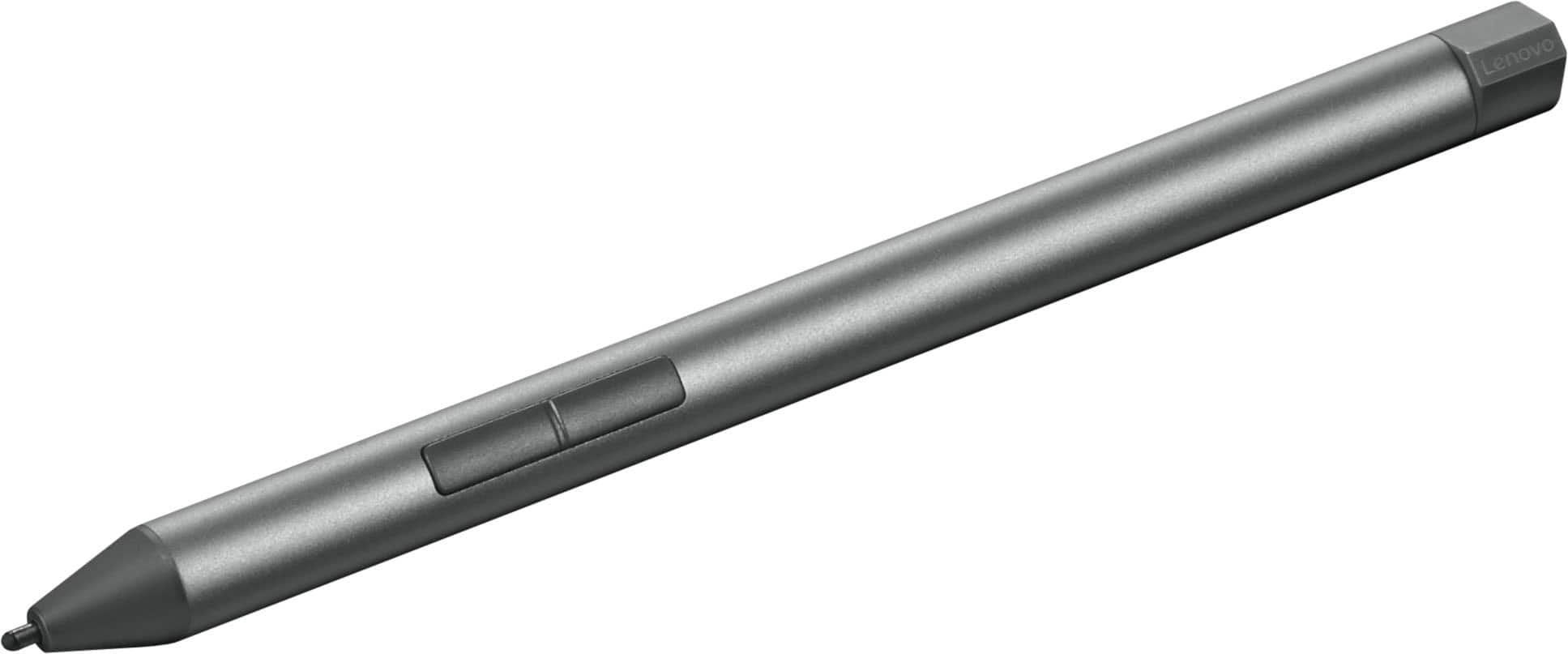
Customers highly value the Digital Pen 2's overall performance and ease of use, noting its speed and functionality. The pen's lightweight design, reliable connectivity, and useful button functionality are also appreciated. Additionally, users praise the excellent battery life of the Digital Pen 2.
This summary was generated by AI based on customer reviews.
Great pen
||Posted .This reviewer received promo considerations or sweepstakes entry for writing a review.I love this pen! I can take notes on my pad with it and I can also use this pen with my laptop.
I would recommend this to a friendBrand response from Lenovo Product Expert
Posted .Hey MoneySaver,
Thanks for choosing Lenovo and for sharing your feedback with us!
We are glad to read that you love the Digital Pen 2.
Please feel free to reach out to us via the Q& A section of this product page should you have any questions or need assistance.
Best,
Lenovo
Amazing pen for the price
||Posted .This reviewer received promo considerations or sweepstakes entry for writing a review.Responds accurately to the screen and to pressure.
I would recommend this to a friendBrand response from Lenovo Product Expert
Posted .Hi RebekahN,
Thanks for choosing Lenovo and for sharing your feedback with us!
We are pleased to read that your pen is working amazingly well for you.
Please feel free to reach out to us via the Q& A section of this product page should you have any questions or need assistance.
Best,
Lenovo
Responsiveness
||Posted . Owned for 3 weeks when reviewed.This reviewer received promo considerations or sweepstakes entry for writing a review.I do recommend this pen for its responsiveness and feel.
I would recommend this to a friendBrand response from Lenovo Product Expert
Posted .Hey KCJJ,
Thanks for choosing Lenovo and for sharing your feedback with us!
We are glad to read that you are satisfied with your Digital Pen 2.
Please feel free to reach out to us via the Q& A section of this product page should you have any questions or need assistance.
Best,
Lenovo
Great value for the price and quality
||Posted . Owned for 2 weeks when reviewed.This reviewer received promo considerations or sweepstakes entry for writing a review.Great quality and the best price I could find. I purchased it with my Lenovo laptop and sleeve case. It is great to be able to get everything I need in one stop at Best Buy.
I would recommend this to a friendBrand response from Lenovo Product Expert
Posted .Hey again, VentureGal, and thanks again for choosing Lenovo! We're thrilled that you have everything you need for your success with your business.
Perfect digital pen
||Posted .This reviewer received promo considerations or sweepstakes entry for writing a review.Good product and user friendly, using it with my lenovo laptop
I would recommend this to a friendBrand response from Lenovo Product Expert
Posted .Hey TamimA,
Thank you for choosing Lenovo and for sharing your feedback with us!
We are pleased to hear that your Digital Pen 2 is working perfectly for you.
Please feel free to reach out to us should you have any questions.
Best,
Lenovo
Great pen
||Posted . Owned for 3 weeks when reviewed.This reviewer received promo considerations or sweepstakes entry for writing a review.My partner got a Lanevo and pen around the same time and find it useful for college work
I would recommend this to a friendBrand response from Lenovo Product Expert
Posted .Hey, TraLutzi, thank you for choosing Lenovo! We are glad to hear that your pen is working out great for you, and we appreciate you taking the time to share your perspective with us.
Not included
||Posted . Owned for 1 month when reviewed.This reviewer received promo considerations or sweepstakes entry for writing a review.Would be nice if this was included with the initial purchase.
No, I would not recommend this to a friendhow it works
||Posted . Owned for 2 weeks when reviewed.This reviewer received promo considerations or sweepstakes entry for writing a review.it does not include directions or any explanation how to use it
No, I would not recommend this to a friendBrand response from Lenovo Product Expert
Posted .Hi AnabeatrizV-
Thank you for sharing your feedback with us. Your experience is very important to us, and we would like to help you use your Lenovo Digital Pen 2.
We would like to recommend referencing our compatibility page here: https://smartfind.lenovo.com/accessories/#/products/4X81H95633 | Please note that not all compatible laptops are listed here but if your device supports Windows Ink then it will work alongside your Lenovo Digital Pen 2.
If you are facing issues with the setup of your new Digital Pen 2, begin by removing the cap by twisting counterclockwise, then insert the included AAAA battery with the positive (+) side first, finally reattach the cap by twisting clockwise.
If you are having issues connecting your Digital Pen 2 to your laptop, begin by holding down the right button until the LED indicator starts flashing. You will also need to put your laptop in pairing mode with the following steps, first launch the Settings app, then select the “Bluetooth & devices” from the left sidebar, click the “Add device” tool at the top of the page, choose the “Bluetooth” option from the menu, finally select the Digital Pen 2 when it appears to link the devices.
Your Digital Pen 2 also includes 2 buttons. By holding the left button and swiping the pen you can use the eraser tool, using the right button will allow you to right click without needing to use an external mouse or touchpad. You can also customize the Lenovo Digital Pen 2 features using Lenovo Pen Settings app which is included in certain Lenovo laptops. If it is not preinstalled, please download the app through the Microsoft Store.
Please reach out to us through the Q & A section of this product page if you have any questions or need any assistance.
Best wishes,
Lenovo
Not happy with it.
||Posted .This reviewer received promo considerations or sweepstakes entry for writing a review.Well, I bought this pen. From Best Buy, it did not come in a Lenovo Box. Just a plain brown cardboard Box. It did not come with the usb holder. Disappointed in this.
No, I would not recommend this to a friendBrand response from Lenovo Product Expert
Posted .Hey sufficientF,
Thank you for sharing your feedback with us. We are sorry to hear that you are dissatisfied with your purchase. We apologize for the disappointment that this has caused you.
If we can help you with your pen's functionality to help improve your experience, please don't hesitate to share your pain points with us in the Q&A section of the product page or by contacting Lenovo Support online or over the phone here: 877-453-6686.
Best regards,
Lenovo
Pen review
||Posted .This reviewer received promo considerations or sweepstakes entry for writing a review.It's fine. Works well for just clicking and tapping on the screen. Basically useless when it comes to drawing and stuff like that. The accuracy and stability just isn't there.
I would recommend this to a friendBrand response from Lenovo Product Expert
Posted .Hey AndrewTheDude,
Thank you for sharing your feedback with us. We're sorry to hear that your pen is not working precisely enough for your use. We'd like to work with you to try to resolve this issue for you.
To start, we recommend downloading the Lenovo Pen Settings app from the Microsoft Store: https://apps.microsoft.com/detail/9mvlwt5dmskr?hl=en-US&gl=US, onto your Lenovo laptop that you are using the pen with to make adjustments to your liking, as we believe that this can improve your experience.
We hope that this helps, and please update us when you can regarding this.
Best regards,
Lenovo
Please reach out to us with any other questions!
BBY Failed to Fulfill
||Posted .This reviewer received promo considerations or sweepstakes entry for writing a review.BBY was a total fail on this order. I returned this since they canceled my order for the laptop after 3 weeks of telling me it was coming. I ordered my laptop on sale, they kept telling me it was unavailable. All the time they still offered it online for full price. Then they canceled my order without fulfilling my order. I will be taking my business elsewhere. No longer trust BBY.
No, I would not recommend this to a friendPoor assistance.
||Posted . Owned for 3 weeks when reviewed.This reviewer received promo considerations or sweepstakes entry for writing a review.the assistance to buy this item was the worse didn't work with my tablet
No, I would not recommend this to a friendBrand response from Lenovo Product Expert
Posted .Hi FernandoM-
Thank you for sharing your purchasing experience with us. We are very disappointed to hear that you faced difficulty getting assistance. We would like to work with you to help you find a stylus that will work with your tablet.
Please reach out to us through the Q & A section of this product page so we can continue this conversation or if you have further questions.
Best wishes,
Lenovo
Dead on Arrival
||Posted . Owned for 1 week when reviewed.This reviewer received promo considerations or sweepstakes entry for writing a review.Brand new out of the box, the battery was dead and when I replaced the battery the pen doesn't work.
No, I would not recommend this to a friendBrand response from Lenovo Product Expert
Posted .Hi there,
Thank you for sharing your feedback with us. We are sorry to hear that you are having trouble with your Digital Pen 2. We apologize for the inconvenience that this may have caused you, and we'd like to work with you to resolve this issue.
To start, we recommend contacting Lenovo Support here: 877-453-6686, for further assistance in submitting a warranty claim to replace the pen.
Please feel free update us here when you can regarding this.
Best regards,
Lenovo
- Pros mentioned:Ease of use
Great pen!
Posted .This reviewer received promo considerations or sweepstakes entry for writing a review.Simple and easy to use. It makes working from the couch so much easier.
I would recommend this to a friend Great pen
Posted .This reviewer received promo considerations or sweepstakes entry for writing a review.Great pen. It helped that it had multiple tips and that they have one for every type of screen
I would recommend this to a friendBrand response from Lenovo Product Expert
Posted .Hey again JeffersonM,
Thank you for choosing Lenovo once more and for sharing your feedback with us.
We are pleased to read that this Digital Pen 2 ended up working out great for you.
Please feel free to reach out to us should you need anything.
Regards,
Lenovo
Does not work on my device
Posted .This reviewer received promo considerations or sweepstakes entry for writing a review.This pen came with no instructions. Neither did the tablet. After watching YouTube videos, I gave up and returned it. I gave it one star because it will not allow me to give it zero.
No, I would not recommend this to a friendBrand response from Lenovo Product Expert
Posted .Hey, Miles26point2. We're sorry to hear that you had trouble with your pen, leading to you returning it. In the future, and for other viewers of this post, should you have trouble setting up your pen, here's a link to a Lenovo Support webpage (https://support.lenovo.com/us/en/accessories/acc500199) with a link to the quick start guide for the Digital Pen 2, along with additional resources. We hope that you choose to try out products again in the future and we thank you for your time taken to share your thoughts with us.