Customer Ratings & Reviews





- Model:
- 82KM0003US
- SKU:
- 6500337
Rating by feature
- Battery Life
Rating 4.7 out of 5 stars
- Speed
Rating 4.4 out of 5 stars
- Display
Rating 4.6 out of 5 stars
Customers are saying
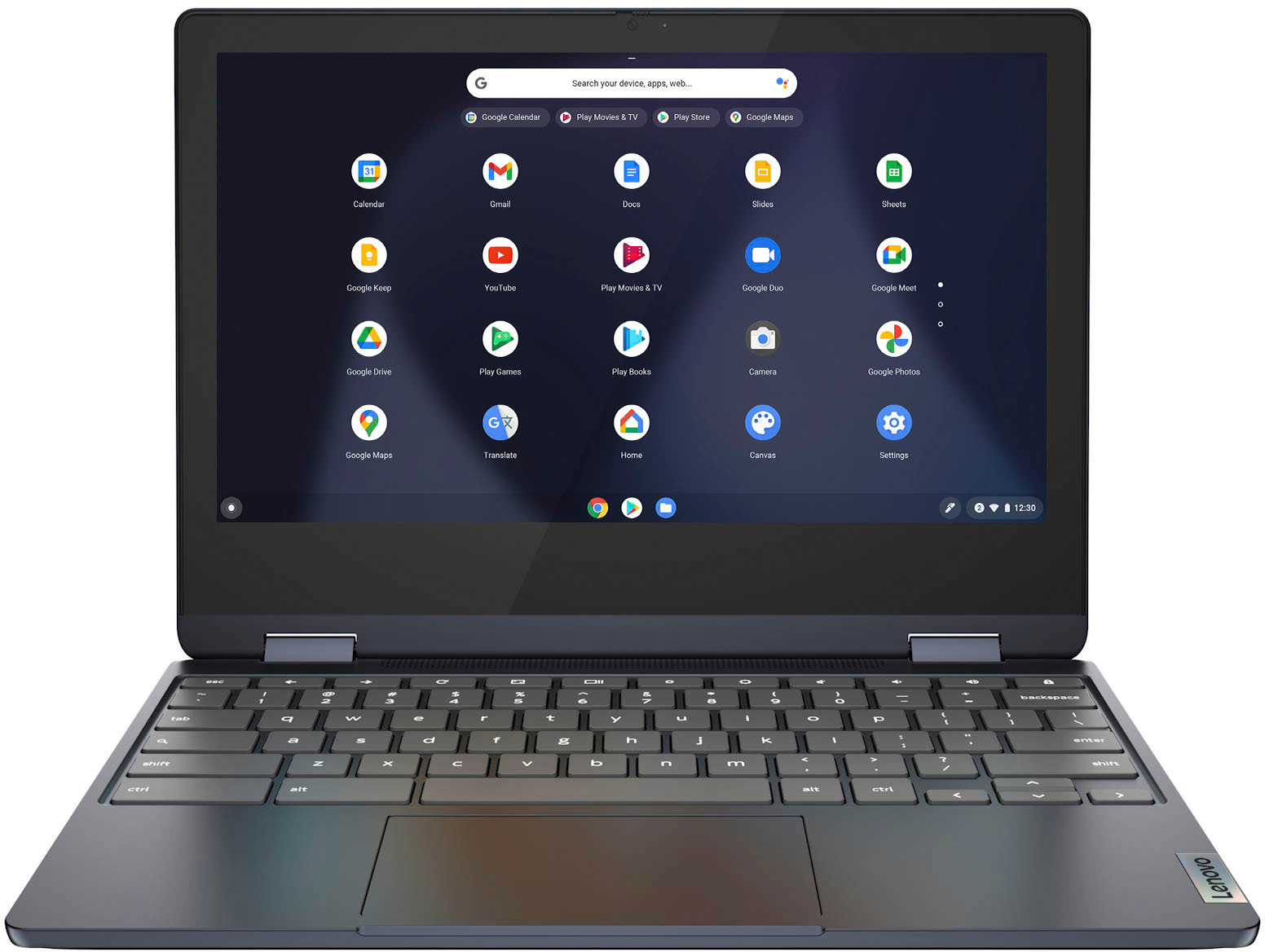
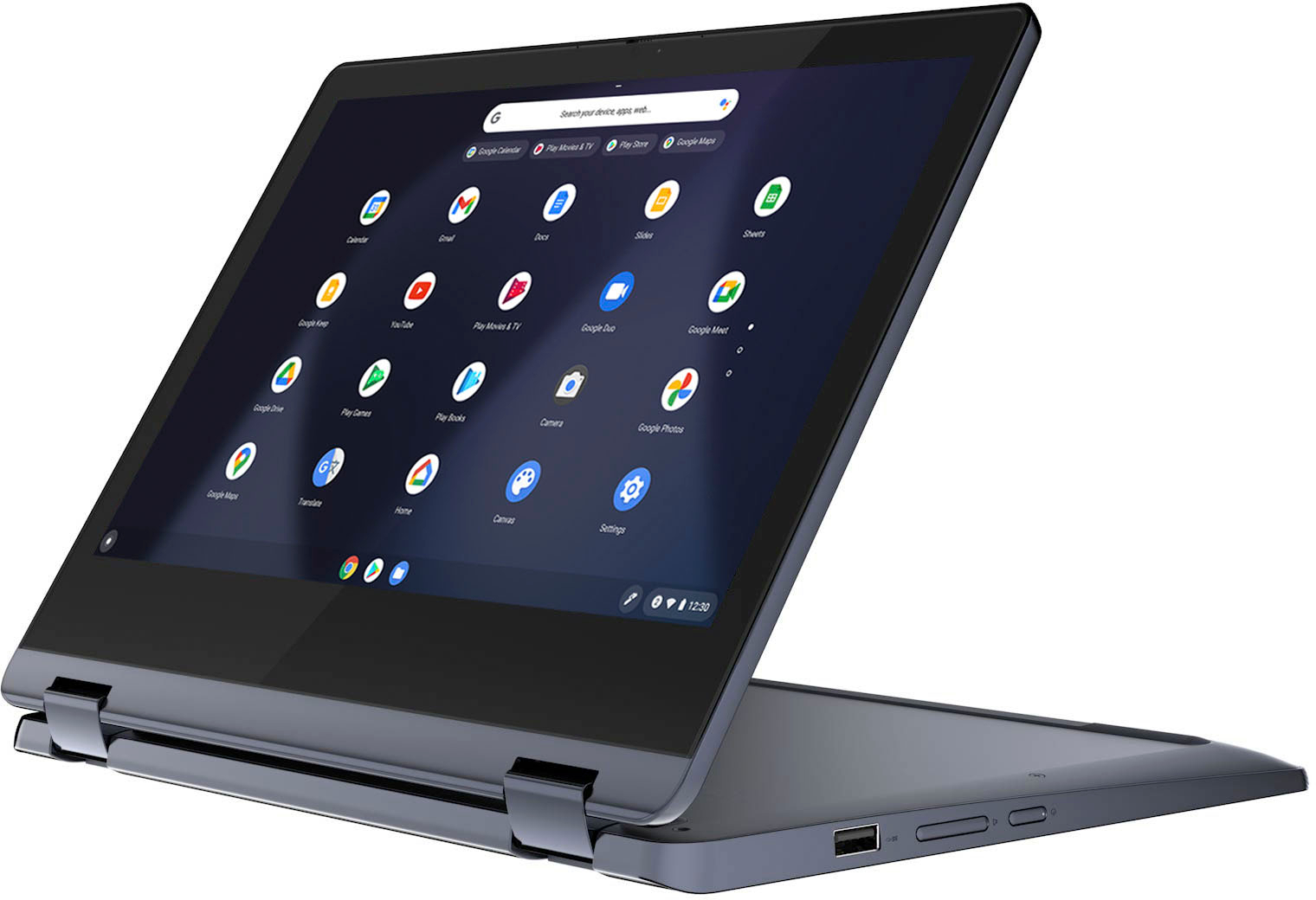
Customers praise the Flex 3 Chromebook's touchscreen, ease of use, and affordability. Many appreciate its long battery life, compact size, and lightweight design, finding it performs well for its price. However, some users point out the lack of an HDMI port and limited RAM as drawbacks. The overall feedback suggests a positive experience for most users, despite these minor shortcomings.
This summary was generated by AI based on customer reviews.
Not liking it
||Posted . Owned for 1 month when reviewed.This reviewer received promo considerations or sweepstakes entry for writing a review.It's a terrible disappointment that the camera is half obscured. I can't use it for zoom meetings which is half the reason I purchased it. Touch screen is not sensitive enough
No, I would not recommend this to a friendBrand response from Lenovo Product Expert
Posted .We are sorry to hear that you are having issues with the webcam on your Lenovo Flex 3 11 Chromebook, model number 82KM0003US. This Flex 3 11 Chromebook ships with a HD 720p webcam with Privacy Shutter and Dual Array Microphones, installed. Be sure that the privacy shutter is completely open before using your webcam. There is a small slider, directly above the webcam lens. Move the tab to the right to open the Privacy Shutter. There is a red dot over the webcam lens that will disappear when the Privacy Shutter is fully open. This will indicate that the webcam is really to use. You can close the Privacy Shutter when you are done with the webcam for your security, by sliding the tab to the left to close the Privacy Shutter. The Red Dot will appear over the webcam lens when the Privacy Shutter is closed. Here is a link to the User Guide for this Lenovo Flex 3 11 Chromebook, which illustrates the location of the Privacy Shutter Slider on page 1: https://download.lenovo.com/consumer/mobiles_pub/chromebook_c360_userguide_en.pdf. If the issue continues, we recommend you call Lenovo Tech Support for Chromebooks for additional help at: 800-426-7378.

Get what you pay for
||Posted . Owned for 4 months when reviewed.This reviewer received promo considerations or sweepstakes entry for writing a review.Great while it worked but died after 4 months. Not sure what happened. It just locked up with little finger standing up. Guess the finger means somo
No, I would not recommend this to a friendBrand response from Lenovo Product Expert
Posted .We are sorry to hear that you are having issues with your Lenovo Flex 3 11 Chromebook. Resetting your Chromebook back to original factory settings may correct the issue you are having. Here is a link to instructions for resetting a Chromebook: https://support.google.com/chromebook/answer/183084?hl=en. If the issue continues after this reset, we recommend you contact lenovo Tech Support for Chromebooks for additional help at: 800-426-7378.
Rethink Chromebooks
||Posted .This reviewer received promo considerations or sweepstakes entry for writing a review.Well the marksmanship is fine, Chromebooks are very limiting and some of the software purchased with the deal was incompatible.
No, I would not recommend this to a friendBrand response from Lenovo Product Expert
Posted .We are sorry to hear that this Lenovo Flex 3 Chromebook did not work out for you. We recommend you check the requirements and compatibility of any software/games you will be installing on your computer or know what specifications and features you need to effectively complete various workflows and tasks if being use for work or education, personal use, and your preferences in design and features before you invest in any computer.
best buy support rated minus 100
||Posted .This reviewer received promo considerations or sweepstakes entry for writing a review.love the product. exactly what i wanted. super fast delivery. thought i found my amazon replacement. but go to download to free digital products from best buy. not in my digital library. chat with support. 3 people and 30 minutes later, given link and info to be added to the link to be able to download. nope. won't buy from 'best buy' again. better off trying to talk to cable company
No, I would not recommend this to a friendTrash!
||Posted . Owned for 1 month when reviewed.This reviewer received promo considerations or sweepstakes entry for writing a review.After having the laptop for less than two months, it will not power on. I’ve attempted to charge the laptop several times and still, it will not power on. Please use caution when purchasing this laptop.
No, I would not recommend this to a friendBrand response from Lenovo Product Expert
Posted .We are sorry to hear that you are having issues with your Lenovo Flex 3 11 Chromebook, model number 82KM0003US. First, be sure that the included 45W USB-C, device side (3-pin wall side, USA compatible) AC adapter/charger, supports PD 3.0, 100-240V, 50-60Hz is working properly. Plug the AC adapter/charger into a wall socket, then plug the USB-c end into the proper charging port on the left side of the Chromebook, it will have an electric plug icon next to the charging port. There is an LED light next next to this port that will light up when the AC adapter/charger is plugged in and charging the battery. If this LED light is not on, the problem is most likely with your AC adapter/charger. Here is a link to a compatible replacement 45W USB-c AC adapter/charger: https://www.bestbuy.com/site/lenovo-power-adapter-for-tablet-10-thinkpad-11-11e-chromebook-thinkpad-13-13-chromebook-thinkpad-a275-a285-and-a475-black/5969701.p?skuId=5969701. If the LED light is on let the Chromebook charge for 15-minutes, then try to power it on again. If the Lenovo Flex 3 11 Chromebook still does not power on, resetting this Chromebook back to original factory settings may correct the issue. Here is a link to instructions for resetting a Chromebook: https://support.google.com/chromebook/answer/183084?hl=en. If the issue still continues after this reset, we recommend you contact Lenovo Tech Support for Chromebooks at: 800-426-7378.
great price but didn't function well
||Posted .This reviewer received promo considerations or sweepstakes entry for writing a review.it was fine at first but after a few days the touch was only working some of the times
No, I would not recommend this to a friendBrand response from Lenovo Product Expert
Posted .We are sorry to hear that you are having issues with the touch screen on your Lenovo Flex 3 11 Chromebook, model number 82KM0003US. Here is a link to tips for fixing issues with a touch screen on a Chromebook: https://www.lifewire.com/fix-non-working-touchscreen-on-chromebook-4845822. If the issue continues, we recommend you contact Lenovo Tech Support for Chromebooks for additional help at: 800-426-7378.
Not worth any amount.
||Posted . Owned for 3 weeks when reviewed.This reviewer received promo considerations or sweepstakes entry for writing a review.Very slow, the keyboard sticks and the touchscreen barely works, gets stuck and have to close tabs and start over. Had an ASUS Chromebook with the same specs and worked perfectly until the cord fried. Would not recommend this laptop at all.
No, I would not recommend this to a friendBrand response from Lenovo Product Expert
Posted .We are sorry to hear that you are having issues with your Lenovo Flex 3 11 Chromebook, model number 82KM0003US. Resetting this Chromebook back to original factory settings may correct the issues you are having with the keyboard and touch screen. Here is a link to instructions for resetting a Chromebook: https://support.google.com/chromebook/answer/183084?hl=en. If the issue continues after this reset, we recommend you contact lenovo Tech Support for Chromebooks for additional help at: 800-426-7378.
Chromebook
||Posted . Owned for 1 month when reviewed.This reviewer received promo considerations or sweepstakes entry for writing a review.Bought mainly for zoom but, it not for us…perhaps for someone else..
No, I would not recommend this to a friendBrand response from Lenovo Product Expert
Posted .We are sorry to hear that the Lenovo Flex 3 11 Chromebook does not meet your computing needs. We always recommend you check the requirements and compatibility of any software/games you will be installing on your new Chromebook, before you invest in any Chromebook. Be sure your new Chromebook can support the software you will need to use and your workload.
Came with No Charger and Model Car instructions
||Posted . Owned for 1 month when reviewed.This reviewer received promo considerations or sweepstakes entry for writing a review.Didn't come with a charger. Came with Model car instructions instead of computer instructions, and looked like it was returned. Had no battery life so couldn't tell if it really works or not. Will be returned.
No, I would not recommend this to a friend- Pros mentioned:Battery life, Touchscreen
Great Chromebook!!
Posted .This reviewer received promo considerations or sweepstakes entry for writing a review.Bought this for my wife to replace a very old ipad. The touch-screen option really helped her transition to the keyboard/touchscreen combo. Unit has been flawless so far. Starts fast, connects without issue, Super battery life, and nice screen resolution/clarity. She takes lots of classes on line as well as ZOOM stuff. Does everything without a hitch. Chromebooks are lightweight, easy to work with, and fit the bill nicely. This one especially has been a real value.
I would recommend this to a friendBrand response from Lenovo Product Expert
Posted .Thank you for choosing the Lenovo Flex 3 11 Chromebook for your wife. We are pleased to hear that the value, features and performance of the Flex 3 11 Chromebook meets your wife's computing needs so well.
This didn't work out for me
||Posted . Owned for 1 month when reviewed.This reviewer received promo considerations or sweepstakes entry for writing a review.This didn't work out for me, I was not able to load most of the apps that I wanted to use on this device.
I would recommend this to a friendBrand response from Lenovo Product Expert
Posted .We are sorry to hear that the Lenovo Flex 3 11 Chromebook does not meet your computing needs. We always recommend you check the requirements and compatibility of any software/games you will be installing on your new Chromebook, before you invest in any Chromebook. Be sure your new Chromebook can support the software you will need to use and your workload.
Disliked
||Posted .This reviewer received promo considerations or sweepstakes entry for writing a review.Did not like it returned this item. Would not work with what I needed it to do.
No, I would not recommend this to a friendBrand response from Lenovo Product Expert
Posted .We are sorry to hear that you have experienced issues with the Lenovo Flex 3 11 Chromebook. We recommend you check the requirements and compatibility of any software you will be installing on your computer or know what specifications and features you need to effectively complete various workflows and tasks if being use for work, education, or personal use, and your preferences in design and features before you invest in any computer.
Slie
||Posted .This reviewer received promo considerations or sweepstakes entry for writing a review.This chrome book was so slow I had to return it. I really wanted to like it.
No, I would not recommend this to a friendwhy does it think its a phone
||Posted . Owned for 1 week when reviewed.This reviewer received promo considerations or sweepstakes entry for writing a review.i did not like it at all. laptop couldnt do anything good
No, I would not recommend this to a friendBrand response from Lenovo Product Expert
Posted .The Lenovo Flex 3 11 Chromebook ships with the Chrome Operating System. Here is a link to some ideas for being productive with a Chromebook: https://www.computerworld.com/article/3237230/chromebook-tips-for-maximum-productivity.html
- Pros mentioned:Battery life
Great battery lige
Posted .This reviewer received promo considerations or sweepstakes entry for writing a review.Great battery life. Chromebook not compatible with school test taking app. Broke off near hinges from constant opening and closing.
I would recommend this to a friend - Pros mentioned:Battery life, Speed, Touchscreen
Best budget Chromebook
Posted .This reviewer received promo considerations or sweepstakes entry for writing a review.This is the best value Chromebook for every day uses. Nice IPS screen, battery last all day. The Mediatek CPU is adequately fast enough for my use. Highly recommended for some one looking for a budget Chromebook.
I would recommend this to a friendBrand response from Lenovo Product Expert
Posted .Thank you for choosing the Lenovo Flex 3 11 Chromebook. We are pleased to hear that the value, features and performance of the Flex 3 11 Chromebook meets your computing needs so well.
- Pros mentioned:Ease of use, Touchscreen
Excellent Chromebook! I Love It!
Posted .This reviewer received promo considerations or sweepstakes entry for writing a review.What a fantastic computer! Great keyboard, beautiful screen, and solid construction! I only lament I don't get to use it more often! I bought this to be my travel computer; it replaces my outdated Samsung Chromebook. I wanted something compact, that could Zoom well, and that had a great camera. This one checked all the boxes. Before this purchase, I also got an Acer 513 Chromebook; it's also nice, but honestly, if I'd discovered the Lenovo first, I wouldn't have gotten the Acer; Don't get me wrong: The Acer's also nice, but ultimately the Lenovo was the best fit for my travel needs: durable construction, compact, and user friendly.
I would recommend this to a friend Nice
Posted .This reviewer received promo considerations or sweepstakes entry for writing a review.Good product for work and school. It does a good job
I would recommend this to a friend- Pros mentioned:Price, Speed, Touchscreen
Lenovo Chromebook
Posted .This reviewer received promo considerations or sweepstakes entry for writing a review.Fast chromebook. Good keyboard and nice touch screen display. Very affordable.
I would recommend this to a friendBrand response from Lenovo Product Expert
Posted .Thank you for choosing the Lenovo Flex 3 11 Chromebook. We are pleased to hear that the value, features and performance of the Flex 3 11 Chromebook meets your computing needs so well.
Looks like regular school pc
Posted .This reviewer received promo considerations or sweepstakes entry for writing a review.For first time laptop I would recommend got through high-school with it touch screen was my fav part.
I would recommend this to a friend