Customer Ratings & Reviews

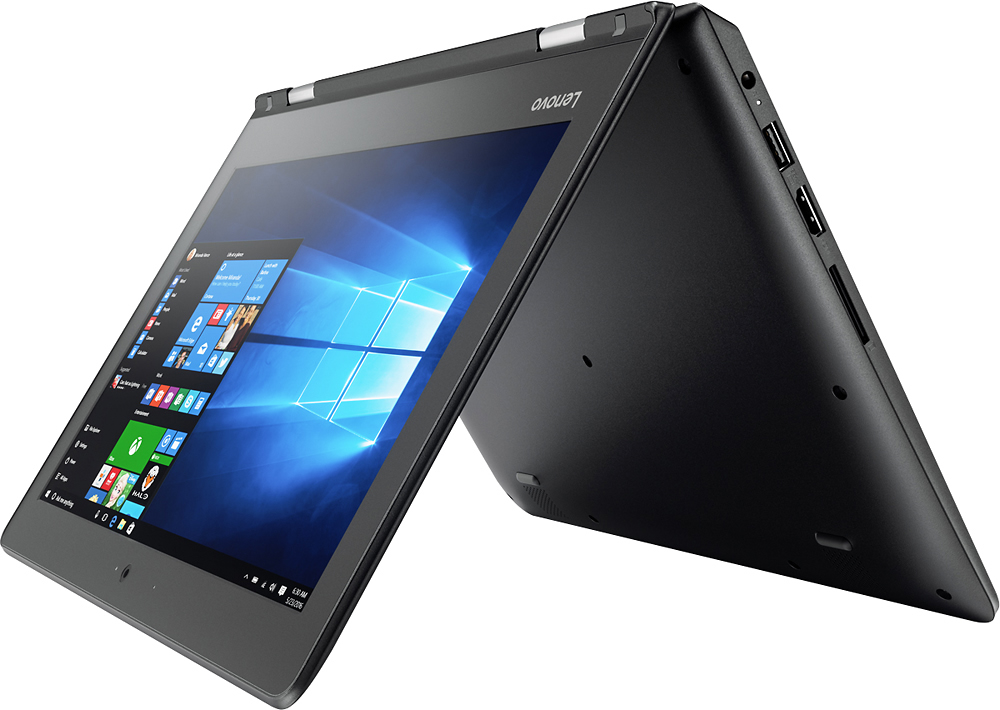
- Model:
- 80U30001US
- SKU:
- 5579833
Rating by feature
- Value
Rating 3.7 out of 5 stars
- Quality
Rating 3.8 out of 5 stars
- Ease of Use
Rating 4.0 out of 5 stars
Customers are saying
Customers praise the Flex 4 1130's ease of use, touch screen, compact size, and light weight, finding it ideal for portability. Many appreciate its affordability and good battery life, although some users note limitations in processing power and storage capacity. The 2-in-1 functionality is also a popular feature. However, concerns were raised regarding the device's memory and the challenges some experienced with sleep mode.
This summary was generated by AI based on customer reviews.
- Pros mentioned:Touch screen
great computer for price!
Posted .This reviewer received promo considerations or sweepstakes entry for writing a review.great computer with touch screen has 64gb storage.
I would recommend this to a friend Love it
Posted .This reviewer received promo considerations or sweepstakes entry for writing a review.Very nice computer for really good price I thought I loved it and does a lot of school work on it
I would recommend this to a friendBrand response from Lenovo Product Expert
Posted .Thank you for choosing the Lenovo Flex 4-11. We are pleased to hear that the value and performance of the Flex 4-11 meets your computing needs so well.

- Cons mentioned:Performance
Horrible speed
Posted .This reviewer received promo considerations or sweepstakes entry for writing a review.This laptop did not work for me, it is too slow and delicate also.
No, I would not recommend this to a friend JUNK DON'T BUY!!!
Posted .This reviewer received promo considerations or sweepstakes entry for writing a review.I've had to replace the touch pad twice before the first year so those were under warranty. Now it's broken again and there telling me I have to pay for it. It is also starting to separate where you plug the charger in. I bought it 16 months ago. JUNK JUNK JUNK!!!!!! Don't waste your money!!!
No, I would not recommend this to a friendCrashes Home Router
Posted .This reviewer received promo considerations or sweepstakes entry for writing a review.Buyer beware, this product crashes your router and requires reset. At first I thought it was the router but after several service calls to Verizon it was obvious that the problem only occurred when this piece of junk was connected to the network. Needless to say its going back!
No, I would not recommend this to a friendthis sucks
Posted .This reviewer received promo considerations or sweepstakes entry for writing a review.My sound does not work. I cannot download ANYTHING. Switching to tablet mode takes entirely way too long for a laptop that is brand new. Extremely disappointed with this purchase.
No, I would not recommend this to a friendBrand response from Lenovo Product Expert
Posted .We are sorry to hear about the issues you are having with your Flex 4-11. With regard to the issues you mention with your device, there may be driver updates for your specific system. Follow the link below to look for new driver updates for your specific system. You can also run diagnostics from the Lenovo site as well. As always, be sure to create a restore point on your system before you make any changes. You can do this by just typing "restore point" in the search window within Cortana and follow the link to create a restore point. Here is the link:
http://support.lenovo.com/us/en/products/Laptops-and-netbooks/Flex-Series/Flex-4-1130-Laptop-Lenovo/80U3/0001US?linkTrack=Caps%253ABody_SearchProduct&tabName=downloads&beta=false