Customer Ratings & Reviews




- Model:
- 80SA0000US
- SKU:
- 5206701
Rating by feature
- Value
Rating 4.1 out of 5 stars
- Quality
Rating 3.9 out of 5 stars
- Ease of Use
Rating 4.4 out of 5 stars
Customers are saying
Customers highly value the Flex 4 14 2-in-1 laptop for its touchscreen capabilities, affordable price, lightweight design, and extended battery life. While some users have expressed concerns about its slow performance, limited RAM expandability, and occasional keyboard issues, the overall positive feedback suggests that this laptop meets the needs of many users.
This summary was generated by AI based on customer reviews.
Webcam not working
||Posted .This reviewer received promo considerations or sweepstakes entry for writing a review.After 4 weeks of use the webcam stop working took it to Bestbuy store, computer Geeks work on it and determine that laptop need be sent to manufacturer, the turn around time would take 6 to 8 weeks. Can't afford to wait that long.
No, I would not recommend this to a friendBrand response from Lenovo Product Expert
Posted .You may want to see if there is a BIOS/driver update that can correct this issue. It sounds like a Windows 10 update may be conflicting with existing drivers. Follow the link below to look for new driver updates for your specific system. You can also run diagnostics from the Lenovo site as well. As always, be sure to create a restore point on your system before you make any changes. You can do this by just typing "restore point" in the search window within Cortana and follow the link to create a restore point. Here is the link:
http://pcsupport.lenovo.com/us/en/products/laptops-and-netbooks/flex-series/flex-4-1470/80sa/80sa0000us/downloads
blank screen after power on
||Posted .This reviewer received promo considerations or sweepstakes entry for writing a review.Power on but screen is blank, black. Must bring it to store to help turn it on, fixed. However, I exchanged for other computer, instead. The Best Buy service was great. I just don't happy with the machine.
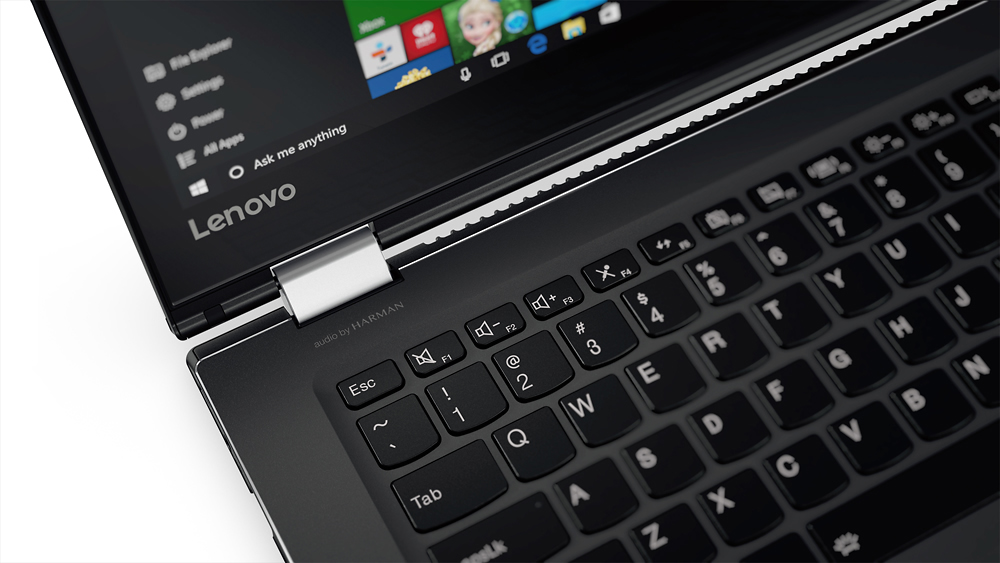
No, I would not recommend this to a friendHated the keyboard - not for touch typists
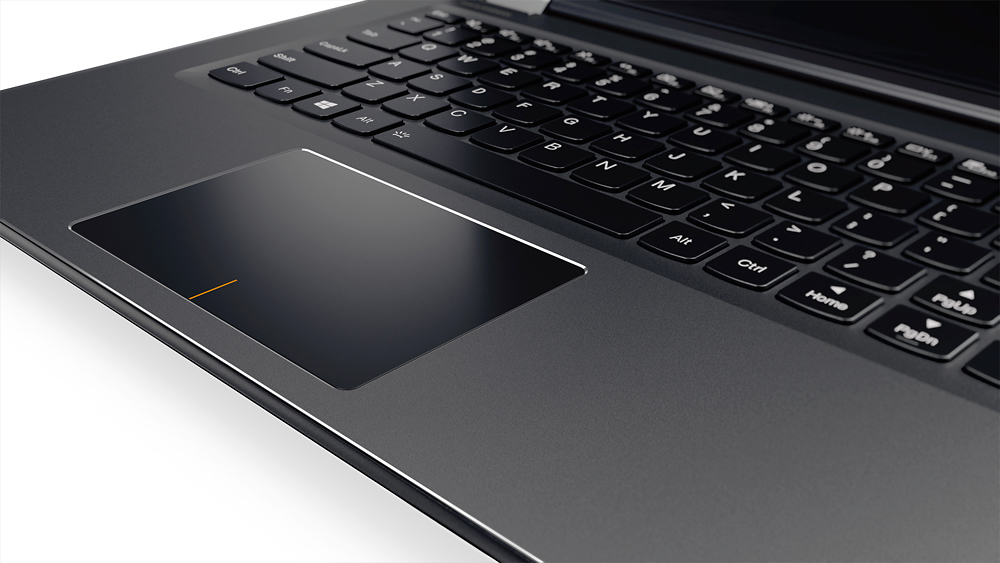
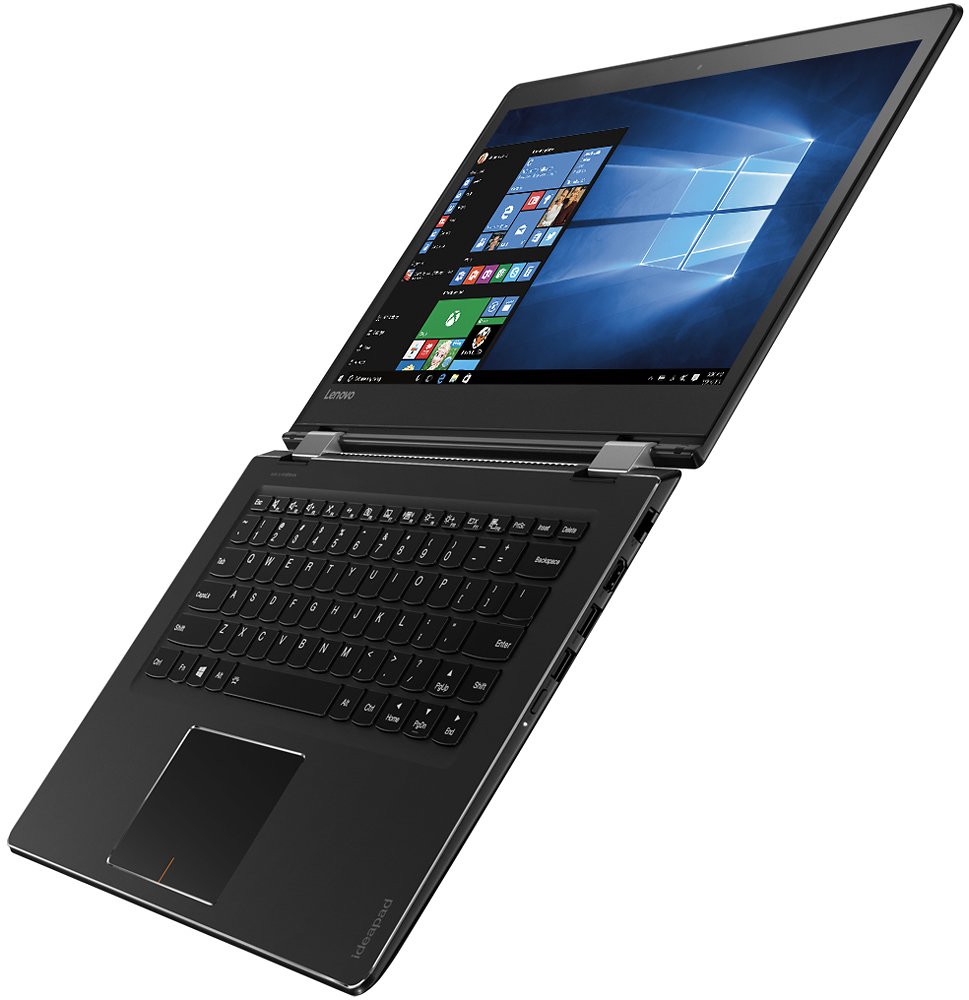
||Posted .This reviewer received promo considerations or sweepstakes entry for writing a review.I had to return this. The design of the keyboard made this unusable for a touch typist. The up arrow is to the left of the shift key. I would hit the arrow instead of shift. This not only messed up docs but passwords. I tried to get used to it for a few days but it was obvious this needed to go. The worst part is that I LOVE Lenovo and needed a replacement. The only models with a better designed keyboard were way more expensive. Incredibly disappointed.
No, I would not recommend this to a friendBrand response from Lenovo Product Expert
Posted .With regard to the right shift key issue you mention, there is a free software APP called KeyTweak that may help you. You can switch the key functions of specific keys on your keyboard with this software, so you could change the right shift key with the key you hit in its place. Just Google search "KeyTweak" and you will find articles about what the software does and you will find the download location for this free APP.
Not as intuitive as I had hoped.
||Posted .This reviewer received promo considerations or sweepstakes entry for writing a review.I have not had a lot of time to play with it and when I have, I have been frustrated. It is probably just me and not the computer. I really wish it had come with a book.
No, I would not recommend this to a friendBrand response from Lenovo Product Expert
Posted .Thank you for choosing the Lenovo Flex 4-14. With regard to manuals for your new system, they are online now. Here is the link to the User guide:
https://download.lenovo.com/consumer/mobiles_pub/ideapad_flex4_1470_1570_1435_1480_1580_ug_en_201606.pdf
Here is the link to the maintenance manual:
https://download.lenovo.com/consumer/mobiles_pub/ideapad_flex4_1470_1570_1435_1480_1580_hmm_201607.pdf
For help learning your way around Windows 10, you might want to try YouTube. There are hundreds of free videos there on getting started with and tip/tricks about Windows 10. Just search YouTube for "Windows 10".
No good ...not worth buying
||Posted .This reviewer received promo considerations or sweepstakes entry for writing a review.This laptop came with a broken camera which was not installed properly... never worked .. as well as no driver in laptop Had to drive 60 miles to have fixed which they couldn't. They exchanged it ... after waiting days to fix it ... had to drive 60 miles again But would not help me with important schoolwork and info I had on on the broken one that was the issue with putting it on the new one ... Geek squad and this laptop are both lame ... not helping in anyway
No, I would not recommend this to a friendFAIR
||Posted .This reviewer received promo considerations or sweepstakes entry for writing a review.IF YOU NEED TO DO ANYTHING IMPORTANT ON A COMPUTER DON'T BUY THIS COMPUTER. I'VE ALREADY HAD TO HAVE IT REPAIRED. NOT A GREAT BUY FOR THE MONEY.
No, I would not recommend this to a friendBrand response from Lenovo Product Expert
Posted .We are sorry to hear that the Lenovo Flex 4-14 is not performing up to your expectations. There may be driver updates for your specific system. Follow the link below to look for new driver updates for your specific system. You can also run diagnostics from the Lenovo site as well. As always, be sure to create a restore point on your system before you make any changes. Here is the link:
http://support.lenovo.com/us/en/products/Laptops-and-netbooks/Flex-Series/flex-4-1470/80SA/0000US?linkTrack=Caps%253ABody_SearchProduct&tabName=downloads&beta=false
- Cons mentioned:Shift key
Returned after 24 hours
||Posted .This reviewer received promo considerations or sweepstakes entry for writing a review.I returned the computer after 24 hours. It works great, but the placement of the shift key is a pain.
No, I would not recommend this to a friendBrand response from Lenovo Product Expert
Posted .Sorry to hear you returned the Lenovo Flex 4-14. It sounds like the Flex 4-14 was working well for you except for the right shift key. With regard to the right shift key issue you mention, there is a free software APP called KeyTweak that may help you. You can switch the key functions of specific keys on your keyboard with this software, so you could change the right shift key with the key you hit in its place. Just Google search "KeyTweak" and you will find articles about what the software does and you will find the download location for this free APP.
terrible purchase
||Posted .This reviewer received promo considerations or sweepstakes entry for writing a review.this iwas a refurbished laptop. It worked fine for several months and then it locked up. I took it back to Best Buy. They had a Geek Squad person look at it. It worked when I left the store but never worked again at home. DON'T BUY REFURBISHED STUFF. There was something wrong with it when returned the first time and it never got fixed. Best Buy did not do anything to give me a credit or refund OF COURSE NOT
No, I would not recommend this to a friendBrand response from Lenovo Product Expert
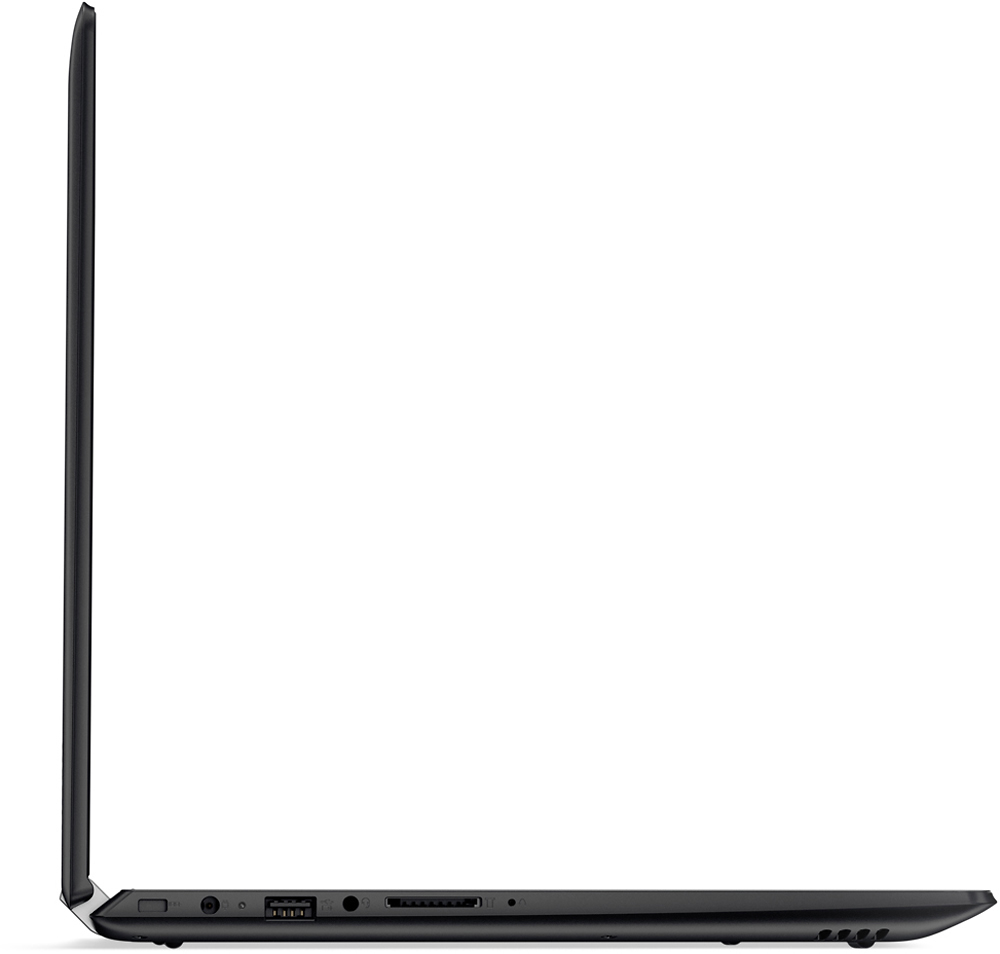
Posted .With regard to the issues you mention with your device, there may be driver updates for your specific system. Follow the link below to look for new driver updates for your specific system. You can also run diagnostics from the Lenovo site as well. As always, be sure to create a restore point on your system before you make any changes. You can do this by just typing "restore point" in the search window within Cortana and follow the link to create a restore point. Here is the link: http://support.lenovo.com/us/en/products/Laptops-and-netbooks/Flex-Series/flex-4-1470/80SA/0000US?tabName=Downloads&linkTrack=Mast:SubNav:Support:Drivers and Software|Drivers and Software. Additionally, if the drivers don't help, this system is equipped with OneKey Recovery System. There is a very small pin hole on the left side of the device, right near the SD Card slot on the device. You will need a pin to push this reset button. Plug the device in. Let the battery charge for about 15 minutes. Push the reset button. The system should boot to a choice screen where you can choose "Restore To Factory Default". Select this. It will delete everything from the hard drive except the original factory install of the operating system. You will need to reinstall all programs and files after the reset. If you don't have copies of the files, try to make one before you restore by selecting "Boot to desktop" and trying to back up your files.
I returned it
||Posted .This reviewer received promo considerations or sweepstakes entry for writing a review.As soon as I hit the keys it felt cheap. The keys seemed loose and made an annoying clicking sound. I returned it next day
No, I would not recommend this to a friendnot that good
||Posted .This reviewer received promo considerations or sweepstakes entry for writing a review.not that good for the price, touchpad is junk, touch screen didn't work all that well, I guess you get what you paid for
No, I would not recommend this to a friendBrand response from Lenovo Product Expert
Posted .Thank you for choosing the Lenovo Flex 4-14. With regard to the issues you mention with your device, there may be driver updates for your specific system. Follow the link below to look for new driver updates for your specific system. As always, be sure to create a restore point on your system before you make any changes. Here is the link:
http://support.lenovo.com/us/en/products/Laptops-and-netbooks/Flex-Series/flex-4-1470/80SA/0000US?tabName=Downloads&linkTrack=Mast:SubNav:Support:Drivers and Software|Drivers and Software
Useless
||Posted .This reviewer received promo considerations or sweepstakes entry for writing a review.I purchased this for my son as a graduation gift from high school. It overheated so I sent it to Lenovo for repair. Got it back and the touch screen was not working. Sent it back to Lenovo and they waited for a screen for 6 weeks before I called and complained. They ended up sending me a different model because the model I purchased was discontinued. Very poor customer service.
No, I would not recommend this to a friendDecent
||Posted .This reviewer received promo considerations or sweepstakes entry for writing a review.This computer is okay, keyboard stopped working after a few months. I recommend getting a warranty
No, I would not recommend this to a friendNot my best purchase
||Posted .This reviewer received promo considerations or sweepstakes entry for writing a review.The laptop has had several issues: screen blinks on and off constantly and my webcam does not work.
No, I would not recommend this to a friendDidn't like it
||Posted .This reviewer received promo considerations or sweepstakes entry for writing a review.This laptop looks nice and thin. But when i bought it some keyboard buttons did't work at all.
No, I would not recommend this to a friend- Cons mentioned:Slow
It's a trap
||Posted .This reviewer received promo considerations or sweepstakes entry for writing a review.Slow as a turtle. I would perfer an atom processor over this one.
No, I would not recommend this to a friendBrand response from Lenovo Product Expert
Posted .This system should be a fast system with its Pentium processor and 4GB of RAM. Be sure any software you installed is compatible with Windows 10. There is no need to install Microsoft Office software. The software is already part of the operating system, you just need to activate the software with a purchased product key. If you have installed a copy of Microsoft Office, this is conflicting with the existing copy on the system and this will slow your system down. If you have installed a 3rd party anti-virus program, be sure that Windows Defender is turned off and that the trial version of McAfee Anti-Virus software is uninstalled. There can only be one anti-virus program on the system. You may need to restore your system to original factory default settings if any of the programing errors have occurred. You can do that by typing "restore" in the Cortana search window. Just click on the magnifying glass icon at the bottom left of your Windows 10 Desktop. Click on "Reset This PC" Then click on "Get Started" and follow the on screen directions to restore to factory defaults.
Disappointed, motherboard OS replaced in 2 months
||Posted . Owned for more than 2 years when reviewed.This reviewer received promo considerations or sweepstakes entry for writing a review.This laptop was not quite 2 years old and it has died. When I first bought it almost 2 years ago within the first few months the motherboard and the operating system had to be replaced. It never ran right the entire time I owned it. I'm very disappointed. I have a Lenovo PC and have had no problems with it.
No, I would not recommend this to a friendTouchpad too sensitive
||Posted .This reviewer received promo considerations or sweepstakes entry for writing a review.The window content was jumping all over the place just by hovering my hand over the pad or window
No, I would not recommend this to a friendBrand response from Lenovo Product Expert
Posted .You can adjust the touchpad settings in your system settings under mouse/touchpad settings.
Display not clear enough. Adapter to big
||Posted .This reviewer received promo considerations or sweepstakes entry for writing a review.Adapter to bo.ig to share socket in public places. Display clarity and sharpness lacking.
No, I would not recommend this to a friendOkay laptop for teenagers
||Posted .This reviewer received promo considerations or sweepstakes entry for writing a review.It's okay. The laptop freeze up from time to time while my son is playing games in it.
No, I would not recommend this to a friendBrand response from Lenovo Product Expert
Posted .Make sure the games are compatible with this system's configuration. We recommend you check with the game's software publisher for their compatibility with Windows 10 Home 64-bit operating system and the minimum/recommended hardware requirements (Is a Graphics card required, the processor speed and the minimum required system RAM) to run their program, then compare those requirements to this system's configuration.
Stopped working after 4 months
||Posted .This reviewer received promo considerations or sweepstakes entry for writing a review.Best Buy is all about selling warranties. Used this computer sparingly for about 4 months. Suddenly it wouldn't charge or turn on. Went to back to Best Buy and luckily is under manufacturer's warranty, so they will send it out and I should get it back in "2-4 weeks".
No, I would not recommend this to a friend