Customer Ratings & Reviews




- Model:
- 80SA0000US
- SKU:
- 5206701
Rating by feature
- Value
Rating 4.1 out of 5 stars
- Quality
Rating 3.9 out of 5 stars
- Ease of Use
Rating 4.4 out of 5 stars
Customers are saying
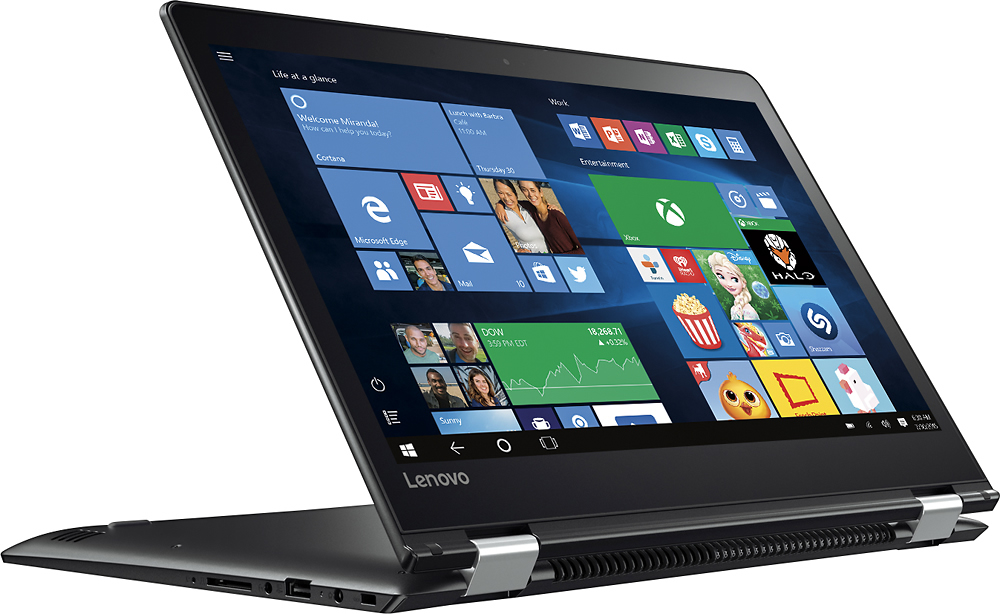
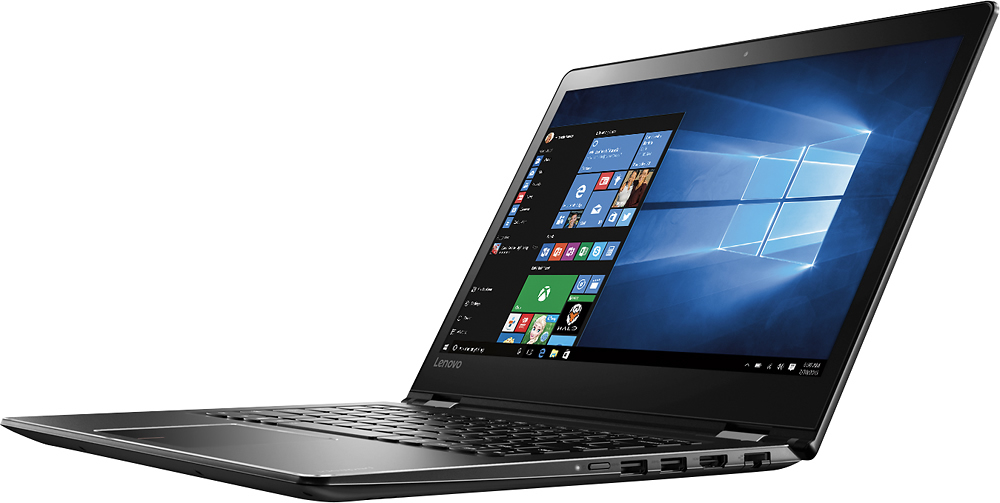
Customers highly value the Flex 4 14 2-in-1 laptop for its touchscreen capabilities, affordable price, lightweight design, and extended battery life. While some users have expressed concerns about its slow performance, limited RAM expandability, and occasional keyboard issues, the overall positive feedback suggests that this laptop meets the needs of many users.
This summary was generated by AI based on customer reviews.
Don't waste your money
||Posted .This reviewer received promo considerations or sweepstakes entry for writing a review.This is not even worth the time to review. It is the worst product I've had.
No, I would not recommend this to a friendBrand response from Lenovo Product Expert
Posted .We are sorry to hear that you are having issues with your Lenovo Flex 4-14. We want to help with any issues you are having. You can either list specific issues hear or call Lenovo Tech Support at: 877-453-6686.

Horrible
||Posted . Owned for more than 2 years when reviewed.This reviewer received promo considerations or sweepstakes entry for writing a review.Don’t buy this laptop get a better one it is not worth it
No, I would not recommend this to a friendLag, Lag, Lag
||Posted .This reviewer received promo considerations or sweepstakes entry for writing a review.Lots of lag, I guess I expected more from Lenovo. Returned in a heartbeat.
No, I would not recommend this to a friendPoor performance
||Posted .This reviewer received promo considerations or sweepstakes entry for writing a review.Computer does not power on it powered off 1 day and will not power on
No, I would not recommend this to a friendBrand response from Lenovo Product Expert
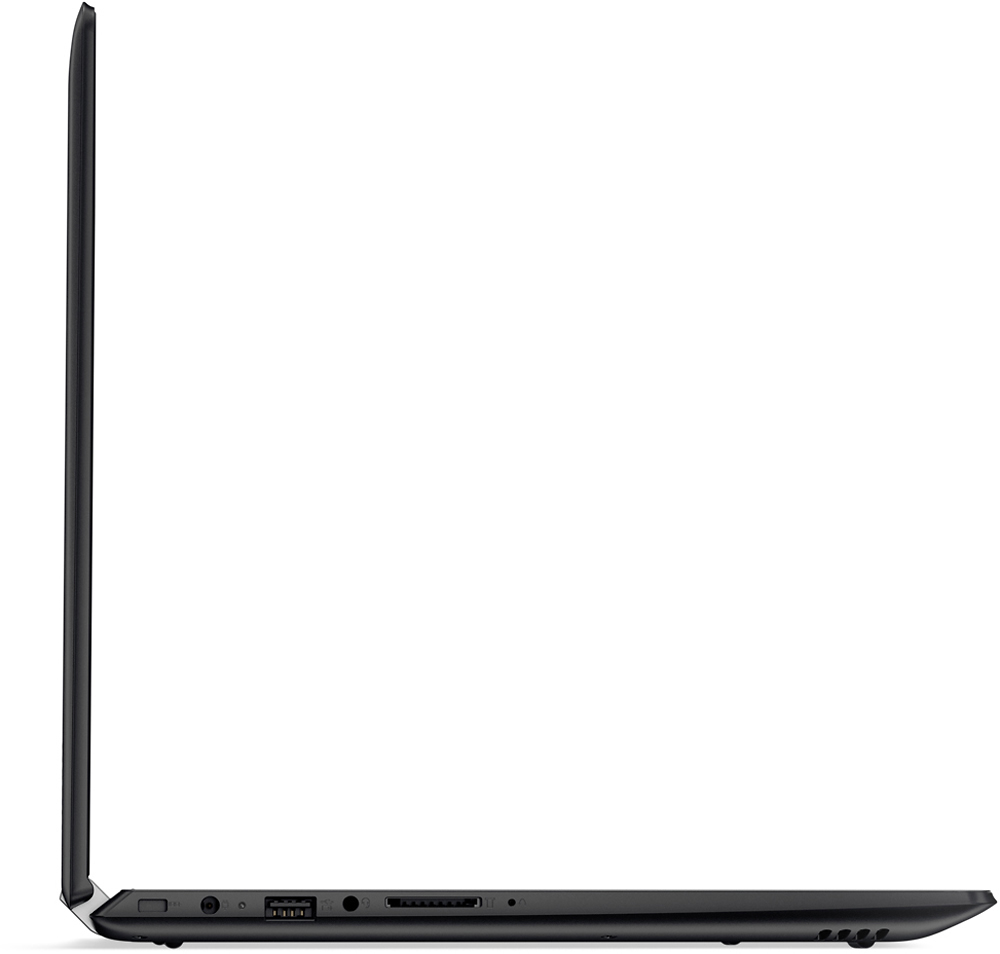
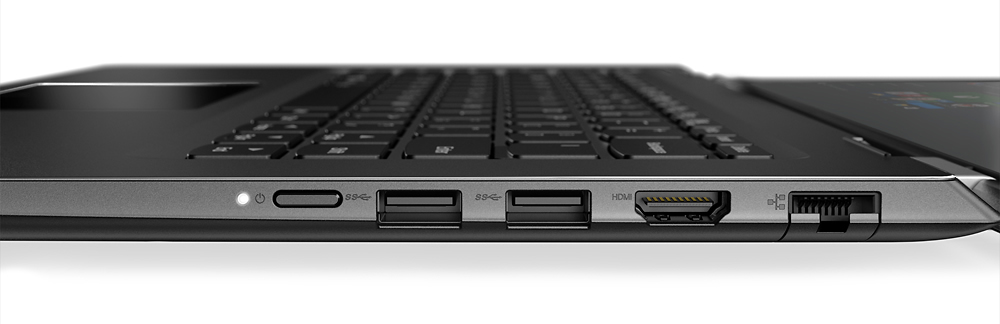
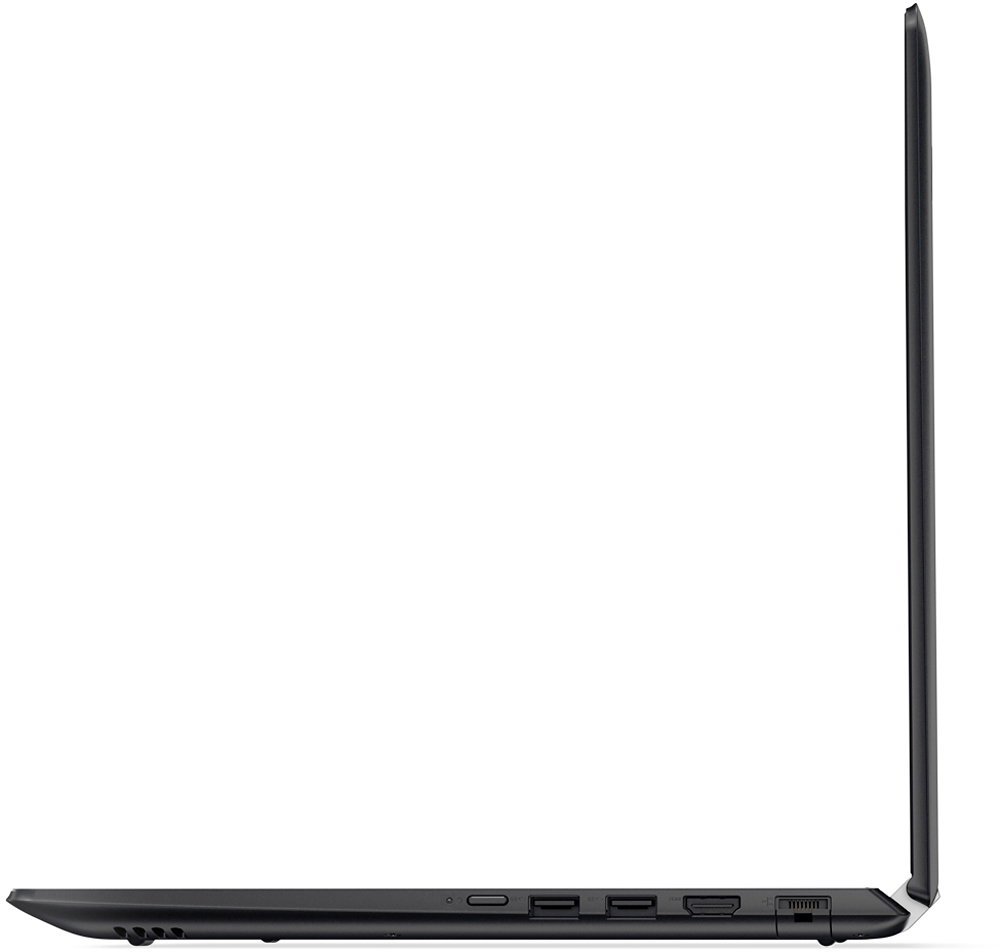
Posted .This system is equipped with OneKey Recovery System. There is a very small pin hole on the left side of the device, right near the SD card slot on the device. You will need a pin to push this reset button. Plug the device in. Let the battery charge for about 15 minutes. Push the reset button. The system should boot to a choice screen where you can choose "Restore To Factory Default". Select this. It will delete everything from the hard drive except the original factory install of the operating system. You will need to reinstall all programs and files after the reset. If you don't have copies of the files, try to make one before you restore by selecting "Boot to desktop" and trying to back up your files.
- Pros mentioned:Touch screen
Good Value for the features
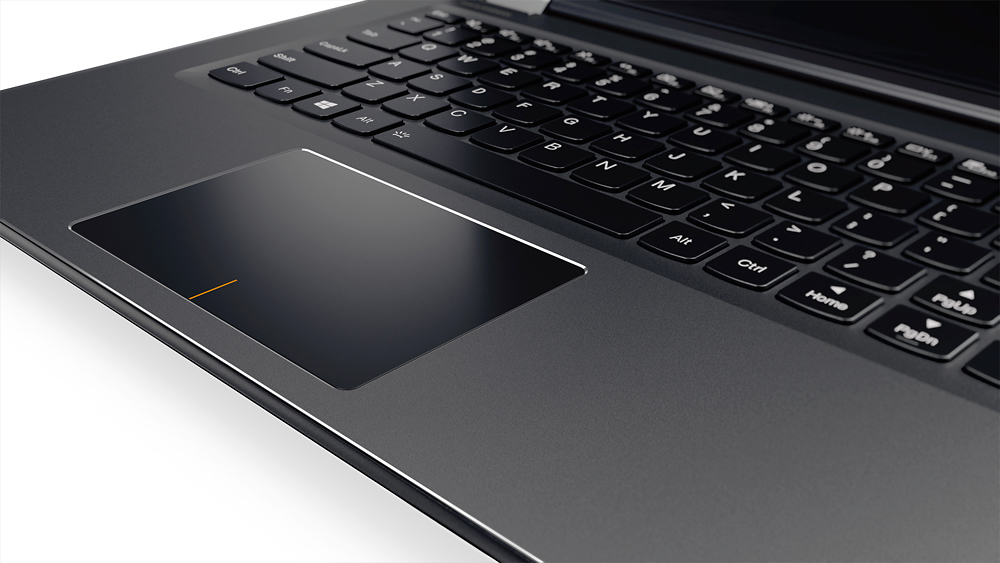
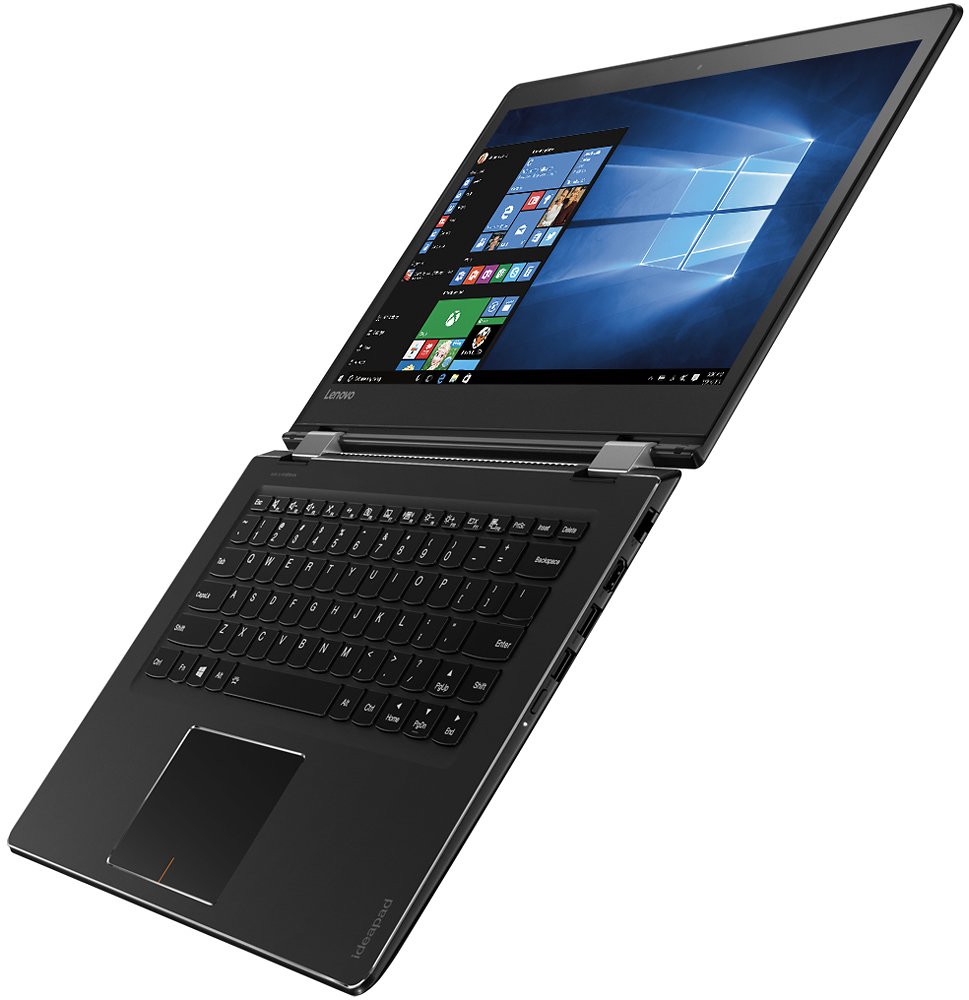
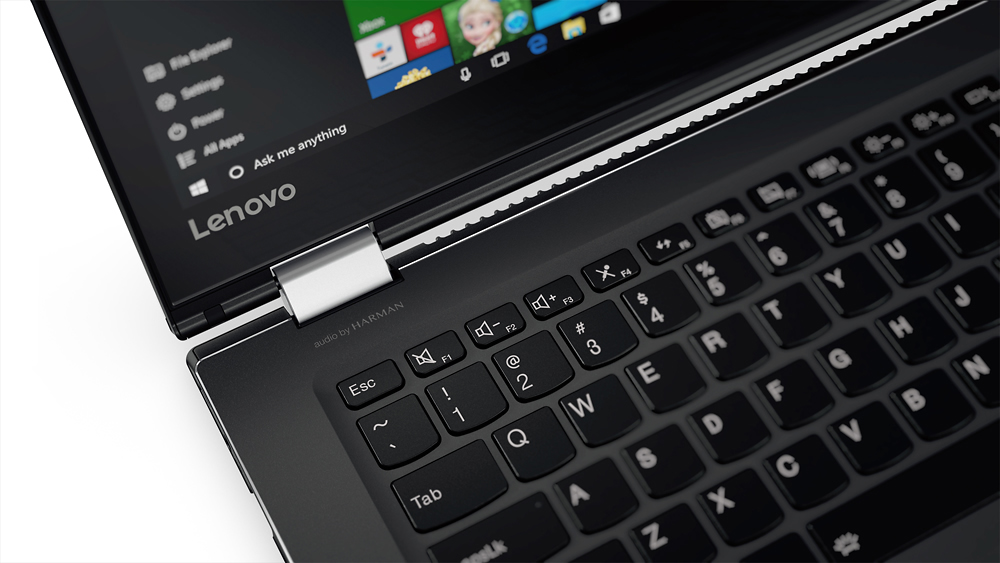
Posted .This reviewer received promo considerations or sweepstakes entry for writing a review.Good: A touch-screen for under $400.00, and a 360 degree hinge to boot. The Pentium processor is adequate for most "real" users, surfing, YouTube, skype, email, office. Not a "gamer". WiFi-ac, Giga-LAN, DDR4 are GREAT in this price range. BAD: Keyboard layout - huge square touchpad on a touchscreen laptop; a rectangular touchpad would make the reach for typing easier. STUPID placement of the Right-hand Shift key - it takes a lot of getting used to for something that should never have been an issue. Best Buy describes this a being FULL HD in the "Only at Best Buy" description, it is HD as per specs, Lenovo site says all of the Flex 4 have backlit keyboards (this does not). BUT overall, a good budget 2-in-1 and could have gotten 5 stars if not for the keyboard layout.
I would recommend this to a friendBrand response from Lenovo Product Expert
Posted .Thank you for choosing the Lenovo Flex 4-14. This system DOES have a backlit keyboard. Hold down the "Fn" key and tap the spacebar to turn on/off the backlighting.
Disliked
||Posted .This reviewer received promo considerations or sweepstakes entry for writing a review.I tried to like it but it frustrated me more than anything.
No, I would not recommend this to a friendUnusable
||Posted .This reviewer received promo considerations or sweepstakes entry for writing a review.Touch screen/keyboard will not transition. Inoperable.
No, I would not recommend this to a friendBrand response from Lenovo Product Expert
Posted .This sounds like a software compatibility issue with Windows 10. This system is equipped with OneKey Recovery System. There is a very small pin hole on the left side of the device, right near the SD-Card slot on the device. You will need a pin to push this reset button. Plug the device in. Let the battery charge for about 15 minutes. Push the reset button. The system should boot to a choice screen where you can choose "Restore To Factory Default". Select this. It will delete everything from the hard drive except the original factory install of the operating system. You will need to reinstall all programs and files after the reset. If you don't have copies of the files, try to make one before you restore by selecting "Boot to desktop" and trying to back up your files.
not a great product
||Posted .This reviewer received promo considerations or sweepstakes entry for writing a review.garbage, returned once, the second has issues now.
No, I would not recommend this to a friendBrand response from Lenovo Product Expert
Posted .We are sorry to hear you are having problems with your Lenovo Flex 4-14. With regard to the issues you mention with your device, there may be driver updates for your specific system. Follow the link below to look for new driver updates for your specific system. You can also run diagnostics from the Lenovo site as well. As always, be sure to create a restore point on your system before you make any changes. You can do this by just typing "restore point" in the search window within Cortana and follow the link to create a restore point. Here is the link:
http://support.lenovo.com/us/en/products/Laptops-and-netbooks/Flex-Series/flex-4-1470/80SA/0000US?tabName=Downloads&linkTrack=Mast:SubNav:Support:Drivers and Software|Drivers and Software
- Pros mentioned:Price
excellent value for the money
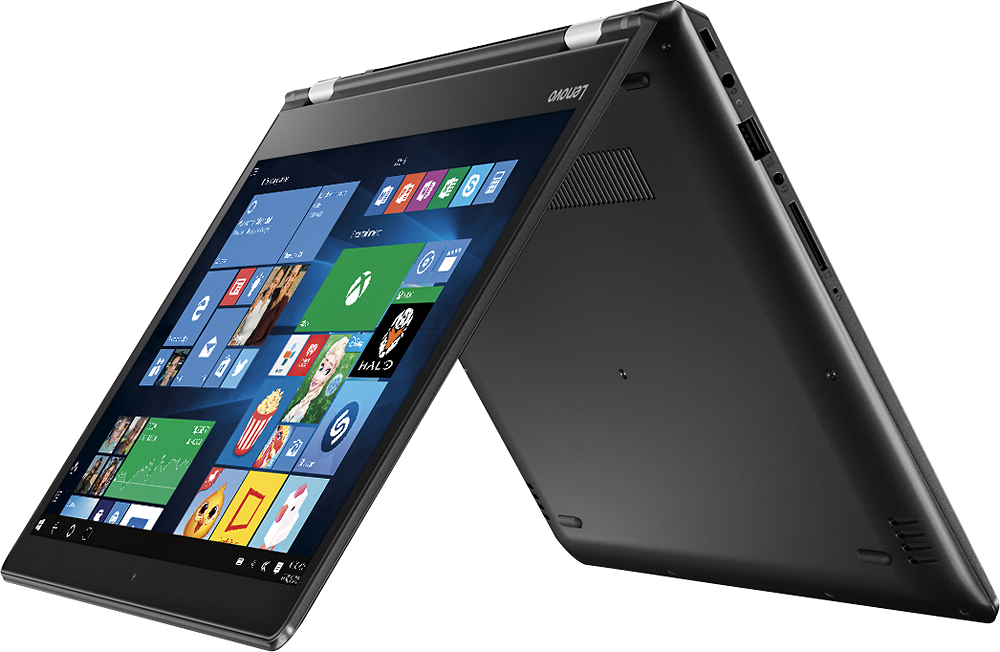
Posted .This reviewer received promo considerations or sweepstakes entry for writing a review.I have been looking at 2 in 1 hybrid units for some time but could not afford spending $800-1,100 + for a system. After learning about the Flex 4 I went to best buy to give it a test drive. Needless to say I was impressed with the features for the unit. I was able to get it on sale during a black friday in July sale and could not be happier with the unit. It boots quickly and runs smoothly on windows 10. It is exceedingly responsive for a pentium, and is actually faster than my full time laptop which is an I-5. I upgraded to 8 GB of memory for another $30 and it made a huge difference in performance. Since the unit can be used in at least 5 different configurations it is extremely versatile to use in a tent mode, as a full laptop, or as a tablet as well as other configurations. Bottom line..............if you want a quality unit on a budget this is the machine to buy. I am very happy with the purchase and the quality and value I received.
I would recommend this to a friendBrand response from Lenovo Product Expert
Posted .Thank you for choosing the Lenovo Flex 4-14 laptop. We are pleased to hear that the features and performance of the Flex 4-14 meet your computing needs so well.
- Pros mentioned:Battery life, Touch screen
Very nice quality, great price.
Posted .This reviewer received promo considerations or sweepstakes entry for writing a review.Wow! My last laptop was a HP and just got too slow, so I started looking for a decent priced laptop and came across this. I liked the idea of a touch screen laptop and the fact in converts into a tablet. I spent sometime walking around Best Buy, but kept coming back to this one. So far I really like it, its small, love the touch screen feature, love the tablet feature. It doesn't get hot and battery life seems pretty good. Its also pretty light weight. I also like how it turns on fast. My only con would be that it doesn't have a separate number key pad on the right side, but that it is because of its small size. I have to fault it for something!!! I am not a gamer, but this would probably not be a good pick for a gamer. For schoolwork and internet surfing, this thing should be perfect. Jamie
I would recommend this to a friendBrand response from Lenovo Product Expert
Posted .Thank you for choosing the Lenovo Flex 4-14. We are pleased to hear that the features and performance of the Flex 4-14 meets your computing needs so well.
- Pros mentioned:Battery lifeCons mentioned:Gaming
Great Laptop for Students...Not for anyone else!
Posted .This reviewer received promo considerations or sweepstakes entry for writing a review.Let me just start off by saying, if you use ANY programs that are the slightest bit intensive; DO NOT BUY THIS LAPTOP. PROS Okay, now with that over with, lets talk about the few good things about this laptop: -Very good trackpad -Spectacular battery life (around 7.5 hours) -Good speakers CONS After reading the short list of PROS for this laptop, lets talk about the long list of CONS for this laptop: -The lid is a scratch-magnet, I am not a violent-user when it comes to laptops, yet this laptop has acquired 100s of scratches, and a few dents after ONE WHOLE WEEK! -The keyboard is poorly organized, mushy, and the right shift key is extremely awkward to press -The computer struggles to handle basic tasks, like navigating the Lenovo website, or reading e-mails on Microsoft Edge or IE11. The computer also cannot handle tasks that its competitors can handle; like playing casual games (Asphalt EXTREME, Broforce, and CROSSY ROAD!!!) In conclusion, if you are going to do anything besides writing papers and taking notes, don't buy this laptop with high hopes.* *If that is the case, you will not be happy with what you get for the money (this is a great budget-friendly laptop for student-based consumers!)
No, I would not recommend this to a friend - Pros mentioned:Battery life
Excellent build quality. Feels like a high end PC.
Posted .This reviewer received promo considerations or sweepstakes entry for writing a review.Great quality, doesn't feel cheap like other brands. The Pentium processor works good if you plan to use this laptop for internet browsing, youtube videos, MS Office, iTunes. It has the latest generation pentium skylake processor which runs smoothly and it's good at saving battery. Do not buy intel celeron processors, they are way too sloooww. another advantage is the WiFi antenna, it has a dual band WiFi 2 x 2 a/c. Overall this laptop does a good job.
I would recommend this to a friendBrand response from Lenovo Product Expert
Posted .Thank you for choosing Lenovo! We are pleased to hear the Lenovo Flex 4-14 is meeting your requirements so well.
- Pros mentioned:Lightweight, Touch screen
meets expections
Posted .This reviewer received promo considerations or sweepstakes entry for writing a review.I also own a Lenovo Yoga 2 11 that has the 11.6 screen, and while I like the Yoga the screen is a little to small for pdf files. The 2 computers are very much alike, touch screen, flex and Pentium processor. I think the Yoga is built a little better with a better screen {also more expensive} for what I want bigger screen and being portable the Flex works great
I would recommend this to a friendBrand response from Lenovo Product Expert
Posted .Thank you for your loyalty to the Lenovo Brand. We are pleased to hear that both your new purchase, this Flex 4 14 and your Yoga 2 11 are both meeting your computing needs so well.
- Pros mentioned:PriceCons mentioned:Shift key
It's Okay For A Low End Laptop
Posted .This reviewer received promo considerations or sweepstakes entry for writing a review.I purchased this from the Black Friday sale in July. Was looking for a Windows 10 laptop that didn't cost much but had some decent features. Not too impressed with Win10. Had challenges with the sensitivity of the touchpad and finally got it improved working with the settings although they were not intuitive. The right shift key is a pain and I will just have to learn a work around. I think it is easier to use the touch screen keyboard. I am not certain I will keep this laptop at present. I just can't seem to get the touch pad to work the way I am used to having one work. My surface Pro 2 type keyboard touch pad works better than this one. I do like the screen as it seems clear. I found it easier to use as a tablet than as a laptop. Of course for $330 one can't expect the best in features. That's why I am giving this 3 stars as it is okay, but not something I would want to write home about.
No, I would not recommend this to a friend Great Laptop
Posted .This reviewer received promo considerations or sweepstakes entry for writing a review.This is a great portable laptop. I use it for school and it works great. I was iffy to buy the laptop at first but I made a good choice. This is a great laptop for college students. it is not heavy and the speed while using it is pretty good. I actually find the screen quality to be pretty good , unless you have had an apple laptop or a surface pro the screen is average and shows just fine. Some of the keyboard layout is kind of weird but you get use to it after a couple of uses. Overall great laptop I would recommend.
I would recommend this to a friendBrand response from Lenovo Product Expert
Posted .Thank you for choosing the Lenovo Flex 4-14. We are pleased to hear that the Flex 4-14 is working out so well for you.
Decent laptop, upgradeable but missing features
Posted .This reviewer received promo considerations or sweepstakes entry for writing a review.BBY cut some corners with Lenovo to bring you a decent Flex 4 at a competitive price. There are five models of the Flex 4 - the 1435, 1470 (this model), 1480, 1570 and 1580. Primary differences are components both in terns of keyboard, screen resolution/size along with processor type and memory. This one has a Pentium Dual Core 4405U with hyper threading (makes it appear as two additional cores to run two extra threads), a NON BACKLIT KEYBOARD FRU PART aka Field Replaceable Unit, a touchscreen 1355x768 resolution instead of the 1920x1080 which the northbridge chip built-in to the Pentium 4405U GPU Intel HD 510 can output via the external full size HDMI, along with a generic 500GB slow HDD at 5400rpm with a meager 4GB of memory albeit DDR4. I recommend you upgrade the HDD to an 7mm 2.5 SSD of choice along with up to 16GB of DDR4 2133mhz single module dual channel and ranked memory. I bought elsewhere a Corsair 240GB ForceLE SSD (one of the best) along with 16GB of Crucial aka Micron's Best memory. This laptop is really for one who wants to occasionally use this as a laptop, as a tablet-like device and also connected to an external TV, monitor or pico projector along with a good external keyboard and mouse. Consider a good USB hub and perhaps Logitech K700/800 backlit keyboard and laser mouse with your choice of an HDMI device and you are good to go. I use mine for network penetration testing with VMware Workstation Pro, Ubuntu 14.04 LTS with Rapid7 tools and a few others including Splunk elsewhere and Office365. So if you are willing to live with these limitations and feel inclined to spend a little more money for upgrades along with installing or paying for that - go for it otherwise expect to spend $900-1100 to get these features. Lastly, if you feel adventurous, theoretically the FCBGA1356 socket type on the main system board cld accept a good Core i3 or i5 but don't try the Core i7 without expecpcting this to possibly overhealt. See these links for more details on the CPU/GPU and part 5CB0L46004 you need at the bottom of the Lenovo Maintenance Manual if you must have the backlit keyboard like my Yoga 2 Pro Ultrabook has. http://ark.intel.com/products/89611/Intel-Pentium-Processor-4405U-2M-Cache-2_10-GHz https://download.lenovo.com/consumer/mobiles_pub/ideapad_flex4_1470_1570_1435_1480_1580_hmm_201609.pdf
I would recommend this to a friendBrand response from Lenovo Product Expert
Posted .Thank you for choosing the Lenovo Flex 4-14. We are pleased to hear that the Flex 4-14 is working out for you.
- Pros mentioned:Battery life
Good basic laptop
Posted .This reviewer received promo considerations or sweepstakes entry for writing a review.I was looking for a good basic laptop for work, one for tasks like email, light word processing and working with grant proposals. The Flex 4 14 met the bill. The Pentium processor has the horsepower to handle basic tasks easily and quickly and the graphics are fine for streaming video without lagging. The 14" screen is large enough for what I require without the bulk of a full sized 15.4" screen. It's easy to tote, fast to use and has a good wireless wifi card as well as bluetooth. Connecting to the wifi networks at work and home both were quick and easy. With my limited use so far, battery power seems to be very good and recharging is very quick. Two minor things drop my review from 5 to 4 stars. The placement of the right shift key is off, the up cursor key is between it and the rest of the keyboard. It does make relearning the keyboard a bit more awkward. It's also a bit heavier than I expected although not unmanageable.
I would recommend this to a friendBrand response from Lenovo Product Expert
Posted .Thank you for choosing the Lenovo Flex 4-14. With regard to the right shift key issue you mention, there is a free software APP called KeyTweak that may help you. You can switch the key functions of specific keys on your keyboard with this software, so you could change the right shift key with the key you hit in its place. Just Google search "KeyTweak" and you will find articles about what the software does and you will find the download location for this free APP. Concerning the weight of this device, this 14" laptop only weighs 3.86 lbs.
- Cons mentioned:Ram
The final entry in a long line of academic laptops
Posted .This reviewer received promo considerations or sweepstakes entry for writing a review.I bought this to replace an Insignia tablet that was really excellent but I still needed more from my device. This laptop, with a back to school deal, was only a $150 more than the $200 Insignia so I upgraded and I have not looked back. Unlike every other device I have tried, this laptop is capable of performing demanding tasks. The Pentium processor seems to do its job fairly well. The ram is sufficient and the 500GB hard drive will never run out, given what I use this laptop for. The display is nice, reaching sufficient brightness, and the touch sensitivity is good. The touch pad has a nice texture and it is very responsive. The build quality is solid and there is actual metal used in the construction. The hinges are solid and I really like the flip function. The keyboard feels nice and it is definitely going to last through whatever work I need to do on it. The speakers are very high quality, with the sound staying clean at high volumes. I can already say I recommend this laptop but there are a few things I do need to reference. The right shift key is located to the right of the up arrow, in the place of a normal shift key. I have gotten used to it but it was very annoying for a while. The other thing is future proofing. Even though this laptop was only $350, I would have still wanted to see USB C but, because this isn't my primary computer, it isn't that big of a deal. To close this review, I can only say this is a solid laptop from a well-respected company at a great price point that really gets the job done. An A-plus from me.
I would recommend this to a friendBrand response from Lenovo Product Expert
Posted .Thank you for choosing the Lenovo Flex 4-14. With regard to the right shift key issue you mention, there is a free software APP called KeyTweak that may help you. You can switch the key functions of specific keys on your keyboard with this software, so you could change the right shift key with the key you hit in its place. Just Google search "KeyTweak" and you will find articles about what the software does and you will find the download location for this free APP.
- Pros mentioned:Battery life
Solid value
Posted .This reviewer received promo considerations or sweepstakes entry for writing a review.Owned it for about 5 months now. It's an optimal mix of design, weight, size, performance and cost on the low end of laptops. Bought it mainly because I knew I liked Lenovo (ThinkPad) keyboards and I needed it for college. Keyboard has a nice touch, good tactile travel, not loud, reliable key press. The small right-shift key in the wrong place is a drag and takes some learning. Screen is not HD, color gamut is a bit limited, just bright enough, and viewing angles aren't good, but straight on its very clean and color is vivid - no eyestrain after hours of continuous use. 360 flex works, but in real life I never use it - I have tablets. Performance is quite good, better than another i3 Lenovo I returned. Fan is quiet, never blares like my i7 surface at work, and rarely comes on except when (mildly) gaming. Battery life is outstanding. Gaming is good for almost 5 hours, but normal word processing, video and web browsing is good for 7 - 10 hours. Hard disk is not as fast as a SSD but it boots fairly fast, like under 20 seconds, and apps load quickly, Touch screen is precise, touch pad is just OK - got a Bluetooth mouse for that. There's not much bloatware, I just replaced the anti-virus with Microsoft's and it's good. Looks more expensive than it is. It looks like the same case and design as the high-end Lenovo's that have SSD and better screens for 1/3 the price. It's so convenient and capable I rarely use my faster desktop with a 37" screen upstairs. Solid all-round PC. It goes on sale for $50 off fairly often so wait for it, HTH.
I would recommend this to a friendBrand response from Lenovo Product Expert
Posted .Thank you for choosing the Lenovo Flex 4-14. With regard to the right shift key issue you mention, there is a free software APP called KeyTweak that may help you. You can switch the key functions of specific keys on your keyboard with this software, so you could change the right shift key with the key you hit in its place. Just Google search "KeyTweak" and you will find articles about what the software does and you will find the download location for this free APP. With regard to the touchpad, you can make adjustments to the touchpad in your system settings. You can get there by clicking on the magnifying glass at the bottom left your Windows 10 screen. Type "touchpad" in the search window. Select "Mouse & touchpad settings" from the list of choices. You can make general adjustments to the touchpad there. You can also select "Additional mouse options" for more detailed adjustments to the touchpad sensitivity by increasing the delay of the touchpad.
- Pros mentioned:Touch screen
Great Laptop for its price
Posted .This reviewer received promo considerations or sweepstakes entry for writing a review.I got this laptop for my mom because she enjoys the touchscreen feature. She said she enjoys using this laptop because it is not complicated and it is easy to use.
I would recommend this to a friendBrand response from Lenovo Product Expert
Posted .Thank you for choosing the Lenovo Flex 4-14 for your mother. We are pleased to hear that the Flex 4-14 meets your mother's computing needs so well.