Customer Ratings & Reviews
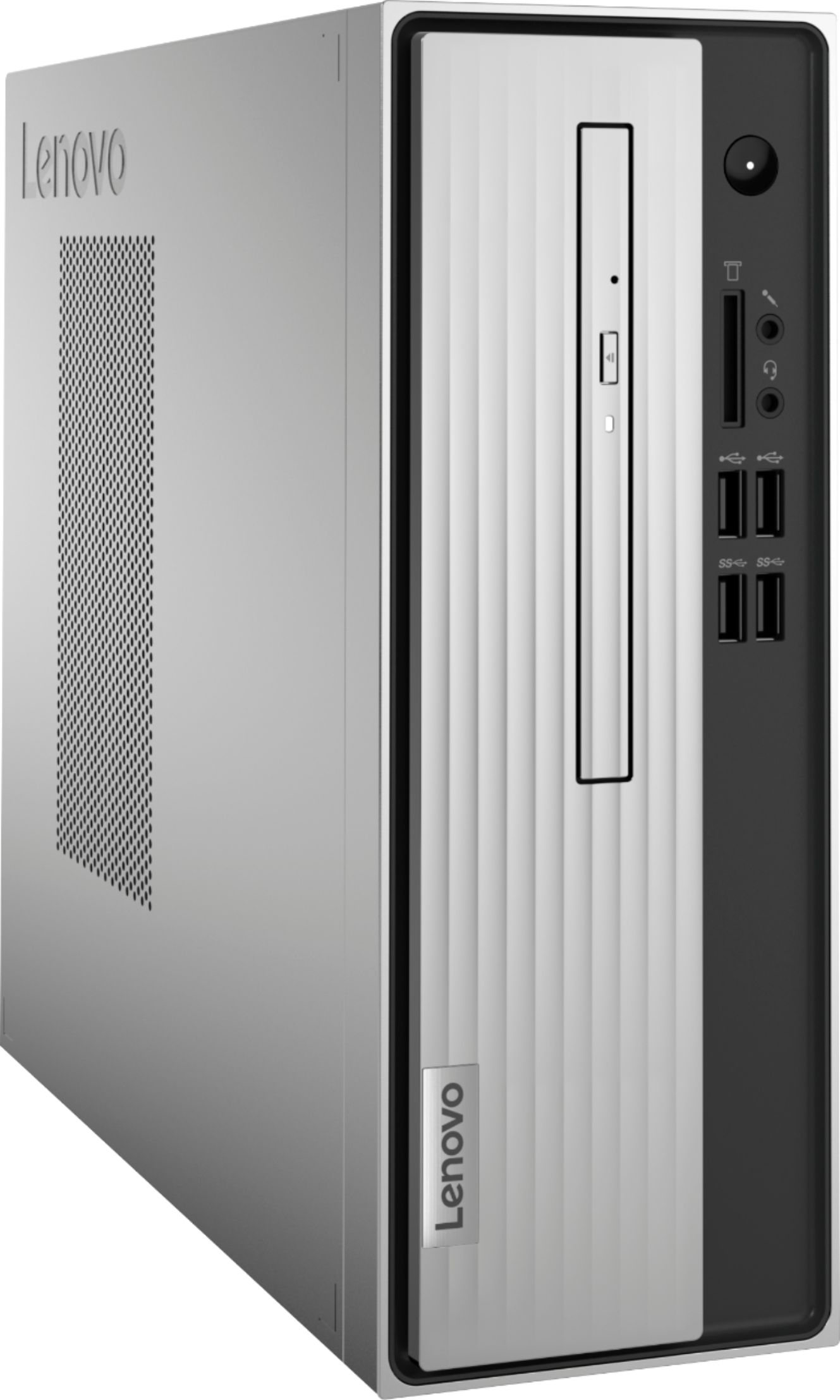
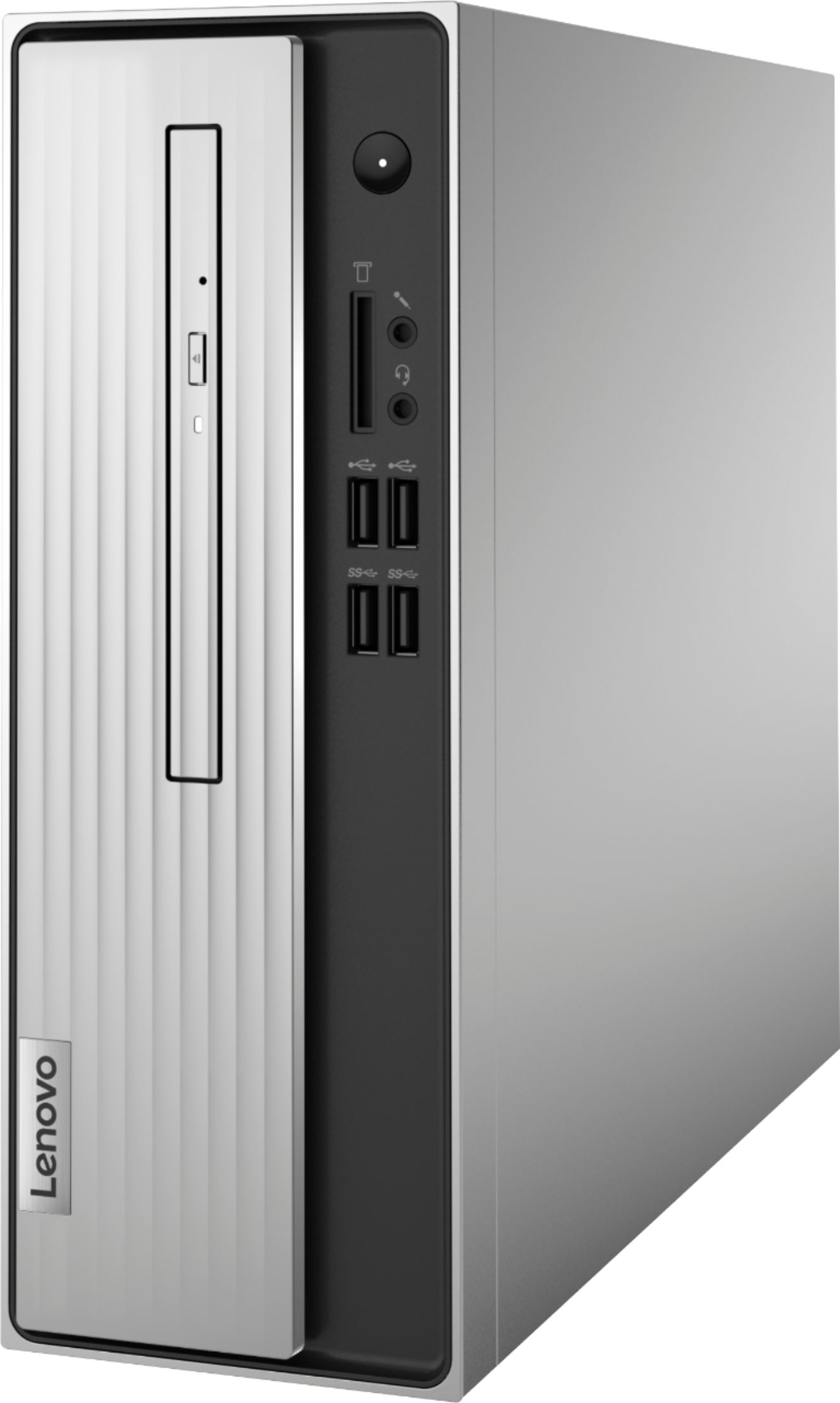
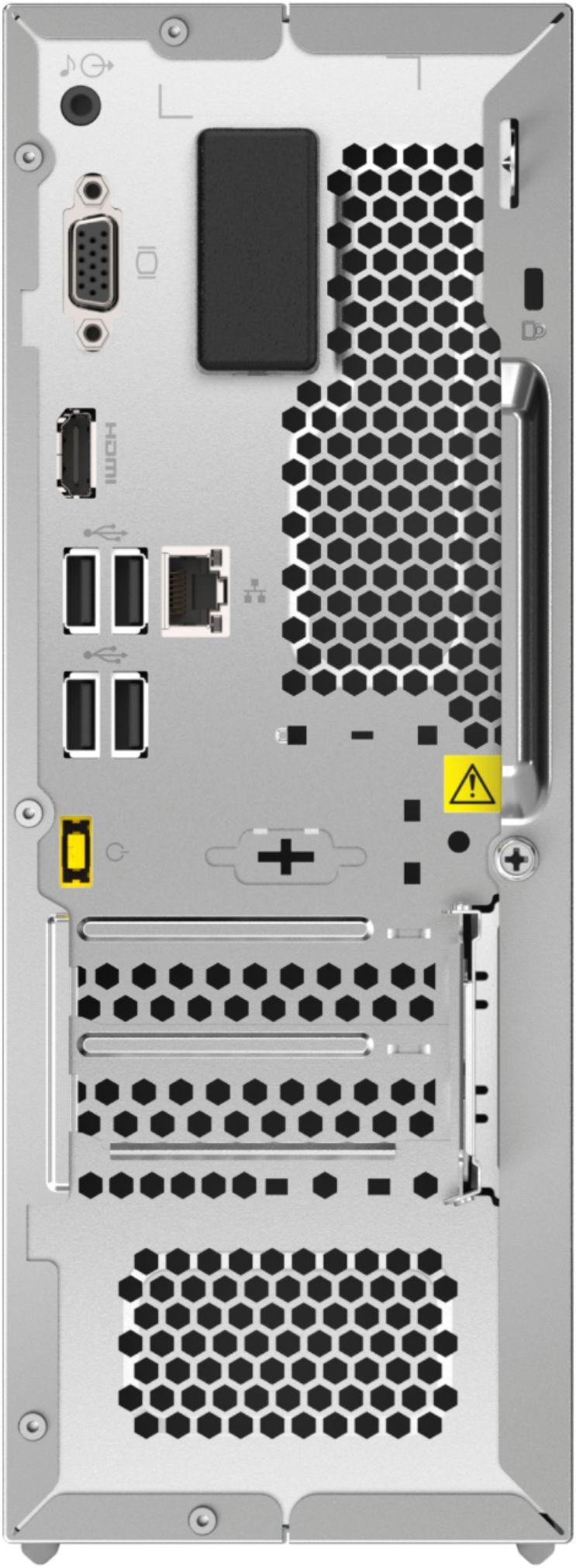
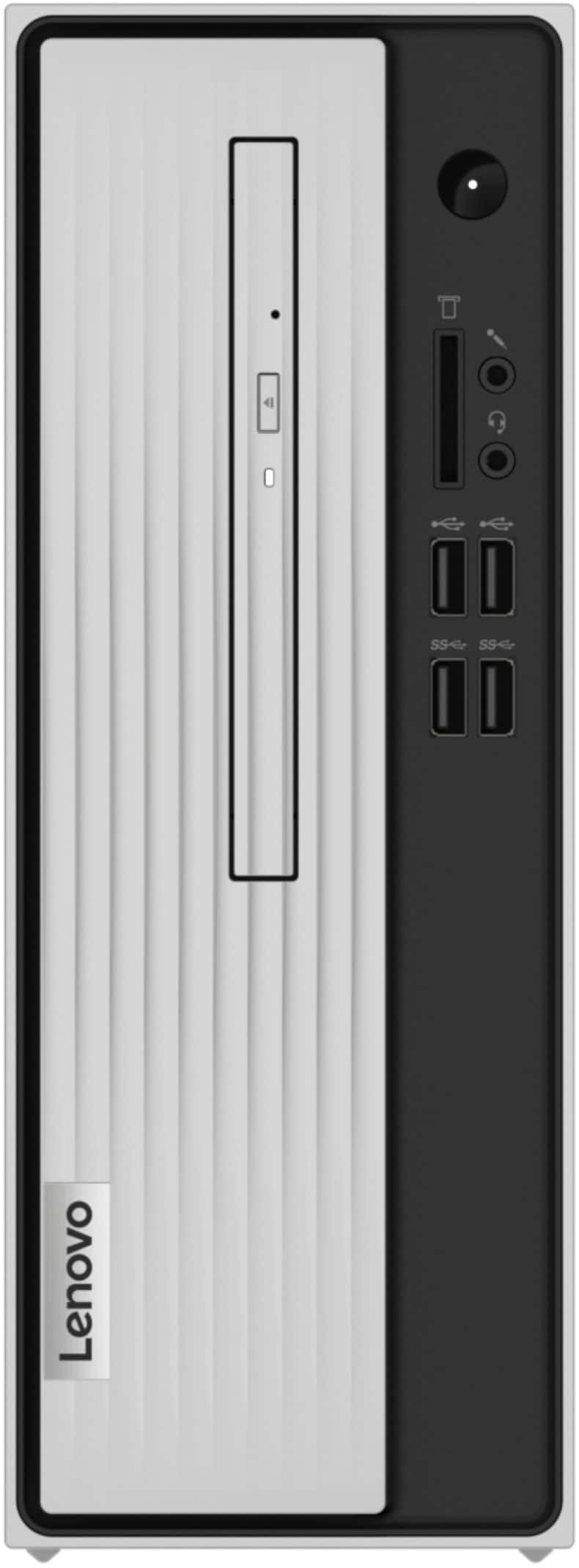

- Model:
- 90MV0001US
- SKU:
- 6398133
Rating by feature
- Value
Rating 3.9 out of 5 stars
- Quality
Rating 3.8 out of 5 stars
- Ease of Use
Rating 4.0 out of 5 stars
Customers are saying
Customers are impressed with the Lenovo IdeaCentre 3's ease of use, performance, and compact size, frequently citing its value for the price. Many appreciate the straightforward setup and sufficient storage, although some users found the RAM to be limiting and suggested an upgrade. A few customers experienced issues with the hard drive's speed and software compatibility. Overall, the positive feedback on ease of use and performance outweighs the negative comments regarding limited RAM and hard drive performance.
This summary was generated by AI based on customer reviews.
Nice for the price desktop computer.
||Posted .This reviewer received promo considerations or sweepstakes entry for writing a review.Had to purchase speakers and a DVD player separately.
I would recommend this to a friendNice computer
||Posted . Owned for 3 weeks when reviewed.This reviewer received promo considerations or sweepstakes entry for writing a review.Pretty fast computer. I haven't had any issues with it since purchased
I would recommend this to a friendBrand response from Lenovo Product Expert
Posted .Thank you for choosing the lenovo IdeaCentre 3 Desktop Computer. We are pleased to hear that the IdeaCentre 3 meets your computing needs so well.

Not for a business office!
||Posted . Owned for 3 weeks when reviewed.This reviewer received promo considerations or sweepstakes entry for writing a review.We are going to have to replace this computer already and we've only had it for roughly 30 days. It is NOT for a multi-tasking business environment. It is SO SLOW! Switching between applications takes over 10 seconds. You cannot have multiple applications open without it running incredibly slow. Very displeased.
No, I would not recommend this to a friendBrand response from Lenovo Product Expert
Posted .We always recommend you check the requirements and compatibility of any software you will be installing on your new computer, before you invest in any computer. Be sure your new computer can support the software you will need to use and your workload.
A different feel
||Posted . Owned for 3 weeks when reviewed.This reviewer received promo considerations or sweepstakes entry for writing a review.Freeze up a little but other than that it works great so far only been a month
I would recommend this to a friendBrand response from Lenovo Product Expert
Posted .The Lenovo 3 Desktop, model number 90MV0001US, ships with Windows 10 Home 64-bit Operating System and should not freeze. Be sure any software you installed is compatible with Windows 10. There is no need to install Microsoft Office software. The software is already part of the operating system, you just need to activate the software with a purchased product key. If you have installed a copy of Microsoft Office, this is conflicting with the existing copy on the system and this will slow your system down. If you have installed a 3rd party anti-virus program, be sure that Windows Defender is turned off and that the trial version of McAfee Anti-Virus software is uninstalled. There can only be one anti-virus program on the system. You may need to restore your system to original factory default settings if any of the programming errors have occurred. You can do that by typing "restore" in the Cortana search window. Just click on the magnifying glass icon at the bottom left of your Windows 10 Desktop. Click on "Reset This PC" Then click on "Get Started" and follow the on screen directions to restore to factory defaults. If the problem persists, we recommend you contact Lenovo Tech Support at: 877-453-6686.
- Cons mentioned:Speed
wouldn't buy this again.
||Posted . Owned for 8 months when reviewed.This reviewer received promo considerations or sweepstakes entry for writing a review.very slow. That's all I can say. I hear it running and running, but it seems to take forever to actually see something on the screen.
No, I would not recommend this to a friendBrand response from Lenovo Product Expert
Posted .We are sorry to hear that the Lenovo IdeaCentre 3 Desktop Computer, model number 90MV0001US, does not meet your computing needs. This model configuration is an entry-level, light use model, with its 2-Core AMD Athlon Silver 3050U Processor, supported by 4GB DDR4-2400MHz RAM. This configuration is meant for light workloads with non-demanding software such as Microsoft Office, working with small file-size documents. This configuration is not meant for multi-tasking work. This model ships with both 2x2 802.11ac WiFi and an ethernet RJ-45 port for wired network WiFi connectivity and is good for light internet browsing. We always recommend you check the requirements and compatibility of any software you will be installing on your new computer, before you invest in any computer. Be sure your new computer can support the software you will need to use.
Worth The Price
||Posted . Owned for 1 month when reviewed.This reviewer received promo considerations or sweepstakes entry for writing a review.This is a great computer if you don't need super fast operating system. I use it for watching videos, writing, and navigating business and favorite websites. If you watch DVD's, you won't be disappointed in the playback quality.
I would recommend this to a friendSo far good!
||Posted . Owned for 1 month when reviewed.This reviewer received promo considerations or sweepstakes entry for writing a review.So far so good! The initial reaction is good... I will update later
I would recommend this to a friendBrand response from Lenovo Product Expert
Posted .Thank you for choosing the Lenovo IdeaCentre 3 Desktop Computer. We are pleased to hear that the IdeaCentre 3 is working out so well for you.
- Cons mentioned:Hard drive
Crap for a computer
||Posted . Owned for 1 month when reviewed.This reviewer received promo considerations or sweepstakes entry for writing a review.Wasn't what I expected. It ran so slow and would crash quite few times on me. Wouldn't even let me put some things on the hard drive when I needed the item. Times it would freeze up and do so quite few times. Here's how bad it had gotten. After almost six months of so many things going wrong with this computer I took an eleven pound sledge hammer to it and got rid of it. Have order a Dell computer from Amazon . I WOULD NEVER BUY a COMPUTER FROM THIS COMPANY AGAIN.
No, I would not recommend this to a friendBrand response from Lenovo Product Expert
Posted .Hello, we are sorry to hear you had this experience with your Lenovo IdeaCentre 3 Desktop. Your Desktop should not behave in this manner. Be sure any software you installed is compatible with Windows 10. There is no need to install Microsoft Office software. The software is already part of the operating system, you just need to activate the software with a purchased product key. If you have installed a copy of Microsoft Office, this is conflicting with the existing copy on the system and this will slow your system down. If you have installed a 3rd party anti-virus program, be sure that Windows Defender is turned off and that the trial version of McAfee Anti-Virus software is uninstalled. There can only be one anti-virus program on the system. You may need to restore your system to original factory default settings if any of the programming errors have occurred. You can do that by typing "restore" in the Cortana search window. Just click on the magnifying glass icon at the bottom left of your Windows 10 Desktop. Click on "Reset This PC” Then click on "Get Started" and follow the on-screen directions to restore to factory defaults. If the problem persists, we recommend you contact Lenovo Tech Support at: 877-453-6686.
Desktop Computer Purchase
||Posted . Owned for 1 month when reviewed.This reviewer received promo considerations or sweepstakes entry for writing a review.Ordering and pickup smooth. Computer purchased was last one in stock and had broken port. A workaround was completed by our tech rather than return and start over with file transfers
No, I would not recommend this to a friendDesktop
||Posted .This reviewer received promo considerations or sweepstakes entry for writing a review.Average product for a customer. Fits perfect for the family.
I would recommend this to a friendBrand response from Lenovo Product Expert
Posted .Thanks for choosing the Lenovo IdeaCentre 3 Desktop. We are so happy to hear the features, performance, and user-friendly design of the IdeaCentre 3 Desktop is meeting your computing needs so well!
Good for first Pc
||Posted . Owned for 1 month when reviewed.This reviewer received promo considerations or sweepstakes entry for writing a review.A good pc to start of with. I’m using it for gaming and it’s okay.
I would recommend this to a friendBrand response from Lenovo Product Expert
Posted .Thank you for choosing the Lenovo IdeaCentre 3 Desktop, model number 90MV0001US. We are pleased to hear that the performance of the IdeaCentre 3 meets your computing needs so well. The Lenovo IdeaCentre 310s desktop, model number 90G90068US, is a mid-level, moderate use configuration, with its AMD Athlon 3050U processor. This Dual-Core processor has a base speed of 2.3GHz and a boost speed of up to 3.2GHz. This configuration has 4GB of DDR4-2666MHz RAM. It is good with Microsoft Office type programs, internet browsing and other moderate work. If this describes your computing needs, the IdeaCentre 3 desktop would be a good choice for you.
reliable compuer
||Posted . Owned for 1 month when reviewed.This reviewer received promo considerations or sweepstakes entry for writing a review.we use it for an extra work computer for basic items
I would recommend this to a friendBrand response from Lenovo Product Expert
Posted .Thank you for choosing the Lenovo IdeaCentre 3 Desktop computer. We are pleased to hear that the IdeaCentre 3 meets your computing needs.
Don't waste your money
||Posted . Owned for 9 months when reviewed.This reviewer received promo considerations or sweepstakes entry for writing a review.Didn't work worth a darn even when I first set it up. It became a worthless piece of junk after 3 months
No, I would not recommend this to a friendBrand response from Lenovo Product Expert
Posted .We are sorry to hear that you are having issues with your Lenovo IdeaCentre 3 Desktop Computer. Since the issue developed over time and the computer was working normally initially, be sure any software you installed is compatible with Windows 10. There is no need to install Microsoft Office software. The software is already part of the operating system, you just need to activate the software with a purchased product key. If you have installed a copy of Microsoft Office, this is conflicting with the existing copy on the system and this will slow your system down. If you have installed a 3rd party anti-virus program, be sure that Windows Defender is turned off and that the trial version of McAfee Anti-Virus software is uninstalled. There can only be one anti-virus program on the system. You may need to restore your system to original factory default settings if any of the programming errors have occurred. You can do that by typing "restore" in the Cortana search window. Just click on the magnifying glass icon at the bottom left of your Windows 10 Desktop. Click on "Reset This PC" Then click on "Get Started" and follow the on screen directions to restore to factory defaults. If the problem persists, we recommend you contact Lenovo Tech Support at: 877-453-6686.
- Cons mentioned:Speed
Bad buy
||Posted . Owned for 1 month when reviewed.This reviewer received promo considerations or sweepstakes entry for writing a review.Very slow, have to restart alot of the time. Sometimes shuts down by it self. Wish I could return without loosing money for it.
No, I would not recommend this to a friendBrand response from Lenovo Product Expert
Posted .We are sorry to hear that you are having issues with your Lenovo IdeaCentre 3 Desktop Computer, model number 90MV0001US. Be sure any software you installed is compatible with Windows 10. There is no need to install Microsoft Office software. The software is already part of the operating system, you just need to activate the software with a purchased product key. If you have installed a copy of Microsoft Office, this is conflicting with the existing copy on the system and this will slow your system down. If you have installed a 3rd party anti-virus program, be sure that Windows Defender is turned off and that the trial version of McAfee Anti-Virus software is uninstalled. There can only be one anti-virus program on the system. You may need to restore your system to original factory default settings if any of the programming errors have occurred. You can do that by typing "restore" in the Cortana search window. Just click on the magnifying glass icon at the bottom left of your Windows 10 Desktop. Click on "Reset This PC" Then click on "Get Started" and follow the on screen directions to restore to factory defaults. If the problem persists, we recommend you contact Lenovo Tech Support at: 877-453-6686.
Desktop
||Posted .This reviewer received promo considerations or sweepstakes entry for writing a review.Perfect replacement for an elderly internet only user
I would recommend this to a friend- Cons mentioned:Speed
Compact but Slow!
||Posted . Owned for less than 1 week when reviewed.This reviewer received promo considerations or sweepstakes entry for writing a review.Slow as pond water. I purchased this to use at work to get around Office 365 and use my own version. IE locks up after 30 seconds and tapping my thumbs waiting for the rest to happen is exhausting. Now it does come with a whopping 4GB memory but this thing is slow. Probably taking it back I don't have all day to open and print a document or wait for IE to get done being locked up to check the weather.
No, I would not recommend this to a friendBrand response from Lenovo Product Expert
Posted .Be sure any software you installed is compatible with Windows 10. There is no need to install Microsoft Office software. The software is already part of the operating system, you just need to activate the software with a purchased product key. If you have installed a copy of Microsoft Office, this is conflicting with the existing copy on the system and this will slow your system down. If you have installed a 3rd party anti-virus program, be sure that Windows Defender is turned off and that the trial version of McAfee Anti-Virus software is uninstalled. There can only be one anti-virus program on the system. You may need to restore your system to original factory default settings if any of the programming errors have occurred. You can do that by typing "restore" in the Cortana search window. Just click on the magnifying glass icon at the bottom left of your Windows 10 Desktop. Click on "Reset This PC" Then click on "Get Started" and follow the on screen directions to restore to factory defaults. If the problem persists, we recommend you contact Lenovo Tech Support at: 877-453-6686.
Lenovo Ideacentre desktop
||Posted . Owned for 1 month when reviewed.This reviewer received promo considerations or sweepstakes entry for writing a review.While the people in the store were okay, the product I wanted was not in stock and had to wait and have it shipped to me. Less than 2 months and it has quit working.
No, I would not recommend this to a friendBrand response from Lenovo Product Expert
Posted .We are sorry to hear that you are having issues with your Lenovo IdeaCentre 3 Desktop Computer. Try resetting your computer back to original factory settings. Power the computer completely off. Unplug the computer next and let it sit for 15-minutes. Now plug the computer back in. As you press the Power On button, at the same time, repeatedly tap the F2 Key until you see the Lenovo One Key Recovery Screen. Once at the One Key Recovery Screen, follow the on-screen directions to factory reset the computer. If the issue is not fixed after the reset or you are unable to complete the reset, we recommend you contact Lenovo Tech Support for additional help at: 866-426-0911.
Slow
||Posted . Owned for 3 weeks when reviewed.This reviewer received promo considerations or sweepstakes entry for writing a review.Purchased this last month as replacement for an HP. It's decent and usable but slower than expected - almost upgraded but decided not to spend the extra money.
No, I would not recommend this to a friend- Cons mentioned:Hard drive
Worthless
||Posted . Owned for 7 months when reviewed.This reviewer received promo considerations or sweepstakes entry for writing a review.Absolute garbage if you want to browse the web without frustration. The only thing this PC seems good for is ...well, I can't think of anything. I think I got less than I paid for, and I returned it. Load-time for bootup is painfully slow. When you have to wait between clicking the mouse and something happening, a PC is useless.
No, I would not recommend this to a friendBrand response from Lenovo Product Expert
Posted .We are sorry to hear that you are having issues with your entry-level configuration of this Lenovo IdeaCentre 3 Desktop Computer. Although this model configuration is an entry-level configuration with its 2-Core AMD Athlon Silver 3050U Processor and 4GB DDR4-2400MHz RAM, the Windows 10 Home 64-bit Operating System installed on this configuration should not produce a delay between user input via the mouse or keyboard and the onscreen response. Be sure any software you installed is compatible with Windows 10. There is no need to install Microsoft Office software. The software is already part of the operating system, you just need to activate the software with a purchased product key. If you have installed a copy of Microsoft Office, this is conflicting with the existing copy on the system and this will slow your system down. If you have installed a 3rd party anti-virus program, be sure that Windows Defender is turned off and that the trial version of McAfee Anti-Virus software is uninstalled. There can only be one anti-virus program on the system. Here is a link to instructions for uninstalling McAfee from a Windows computer: https://service.mcafee.com/?articleId=TS101331&page=shell&shell=article-view. You may need to restore your system to original factory default settings if any of the programming errors have occurred. You can do that by typing "restore" in the Cortana search window. Just click on the magnifying glass icon at the bottom left of your Windows 10 Desktop. Click on "Reset This PC" Then click on "Get Started" and follow the on screen directions to restore to factory defaults. We always recommend you check the requirements and compatibility of any software you will be installing on your new computer, before you invest in any computer. Be sure your new computer can support the software you will need to use and your workload. If the problem persists, we recommend you contact Lenovo Tech Support at: 877-453-6686.
Da best
||Posted . Owned for 1 month when reviewed.This reviewer received promo considerations or sweepstakes entry for writing a review.Seems to be working great. Installed it the other day to take the place of a 7 year old Dell that was half there and half frozen, like a popsicle on the sidewalk. I like the size of this thing and the speed. Thanks Best Buy, you da best.
I would recommend this to a friend