Customer Ratings & Reviews

- Model:
- 90MV0001US
- SKU:
- 6398133
Rating by feature
- Value
Rating 3.9 out of 5 stars
- Quality
Rating 3.8 out of 5 stars
- Ease of Use
Rating 4.0 out of 5 stars
Customers are saying
Customers are impressed with the Lenovo IdeaCentre 3's ease of use, performance, and compact size, frequently citing its value for the price. Many appreciate the straightforward setup and sufficient storage, although some users found the RAM to be limiting and suggested an upgrade. A few customers experienced issues with the hard drive's speed and software compatibility. Overall, the positive feedback on ease of use and performance outweighs the negative comments regarding limited RAM and hard drive performance.
This summary was generated by AI based on customer reviews.
Very nice
||Posted . Owned for 1 month when reviewed.This reviewer received promo considerations or sweepstakes entry for writing a review.This is a nifty low profile cpu that has the basics and more. I am pleased with the ease of start up and ability to customize for my needs. It boots quickly but I am surprised at the lag time when opening or switching programs and internet. But that is negligible really compared to the memory and available features.
I would recommend this to a friendBrand response from Lenovo Product Expert
Posted .We are sorry to hear that you are having issues with your Lenovo IdeaCentre 3 Desktop Computer, model number 90MV0001US. This system will boot from off to the Windows 10 Desktop Screen in less than 40-seconds. If you are experiencing slower boot times and/or generally slower than expected performance, be sure any software you installed is compatible with Windows 10. There is no need to install Microsoft Office software. The software is already part of the operating system, you just need to activate the software with a purchased product key. If you have installed a copy of Microsoft Office, this is conflicting with the existing copy on the system and this will slow your system down. If you have installed a 3rd party anti-virus program, be sure that Windows Defender is turned off and that the trial version of McAfee Anti-Virus software is uninstalled. There can only be one anti-virus program on the system. You may need to restore your system to original factory default settings if any of the programming errors have occurred. You can do that by typing "restore" in the Cortana search window. Just click on the magnifying glass icon at the bottom left of your Windows 10 Desktop. Click on "Reset This PC" Then click on "Get Started" and follow the on screen directions to restore to factory defaults. If the problem persists, we recommend you contact Lenovo Tech Support at: 877-453-6686.

- Pros mentioned:Price, Size
Lenovo Tower
||Posted . Owned for 1 month when reviewed.This reviewer received promo considerations or sweepstakes entry for writing a review.Works as advertised. Enjoying the compact size on my desk top. Nice design and size. Price is goo as well.
I would recommend this to a friend - Pros mentioned:Ease of use, Performance
Hubby’s PC
||Posted . Owned for 3 weeks when reviewed.This reviewer received promo considerations or sweepstakes entry for writing a review.Just enough got my husband who just likes to search and lookup everything!!! It’s perfect for him.
I would recommend this to a friend - Pros mentioned:Size
Great little tower!
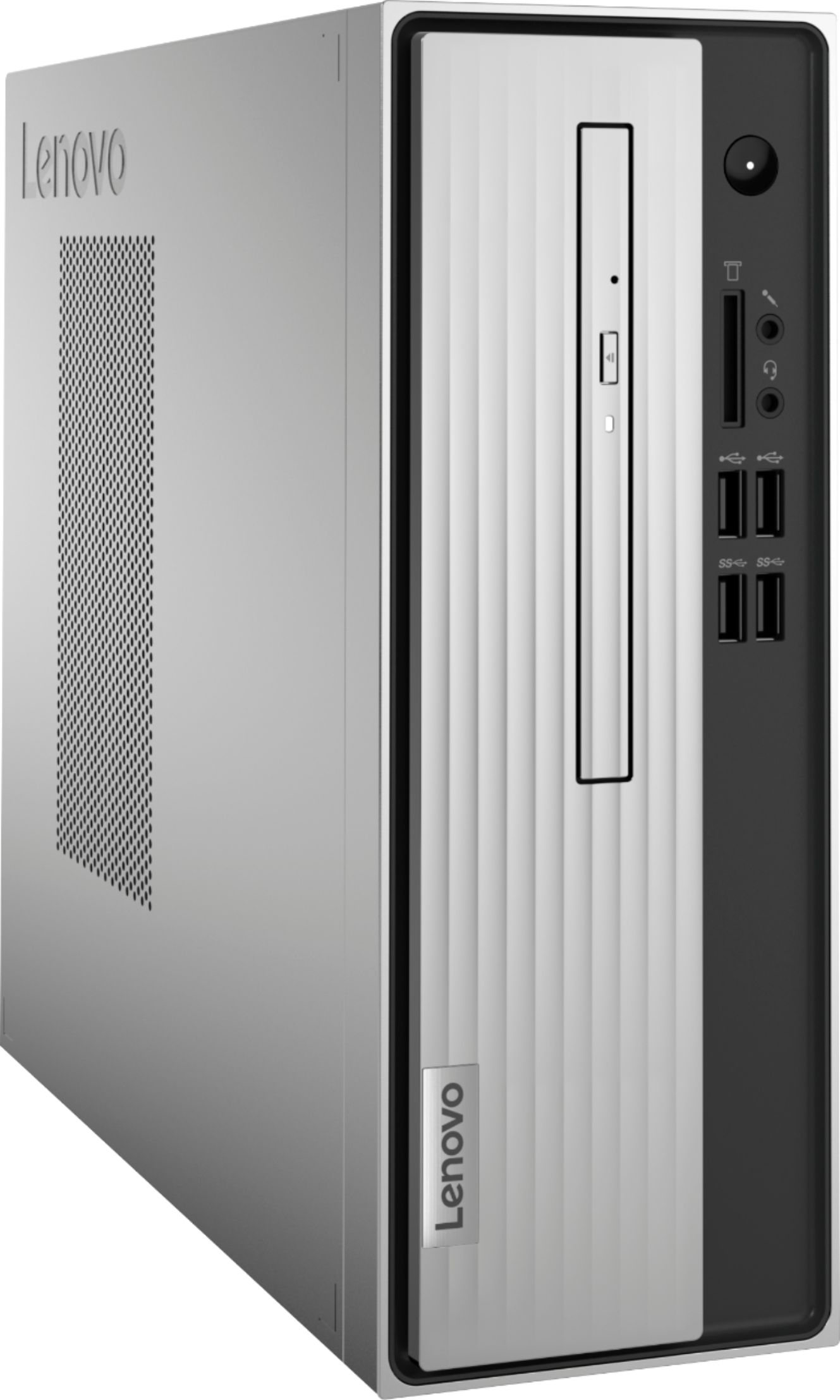
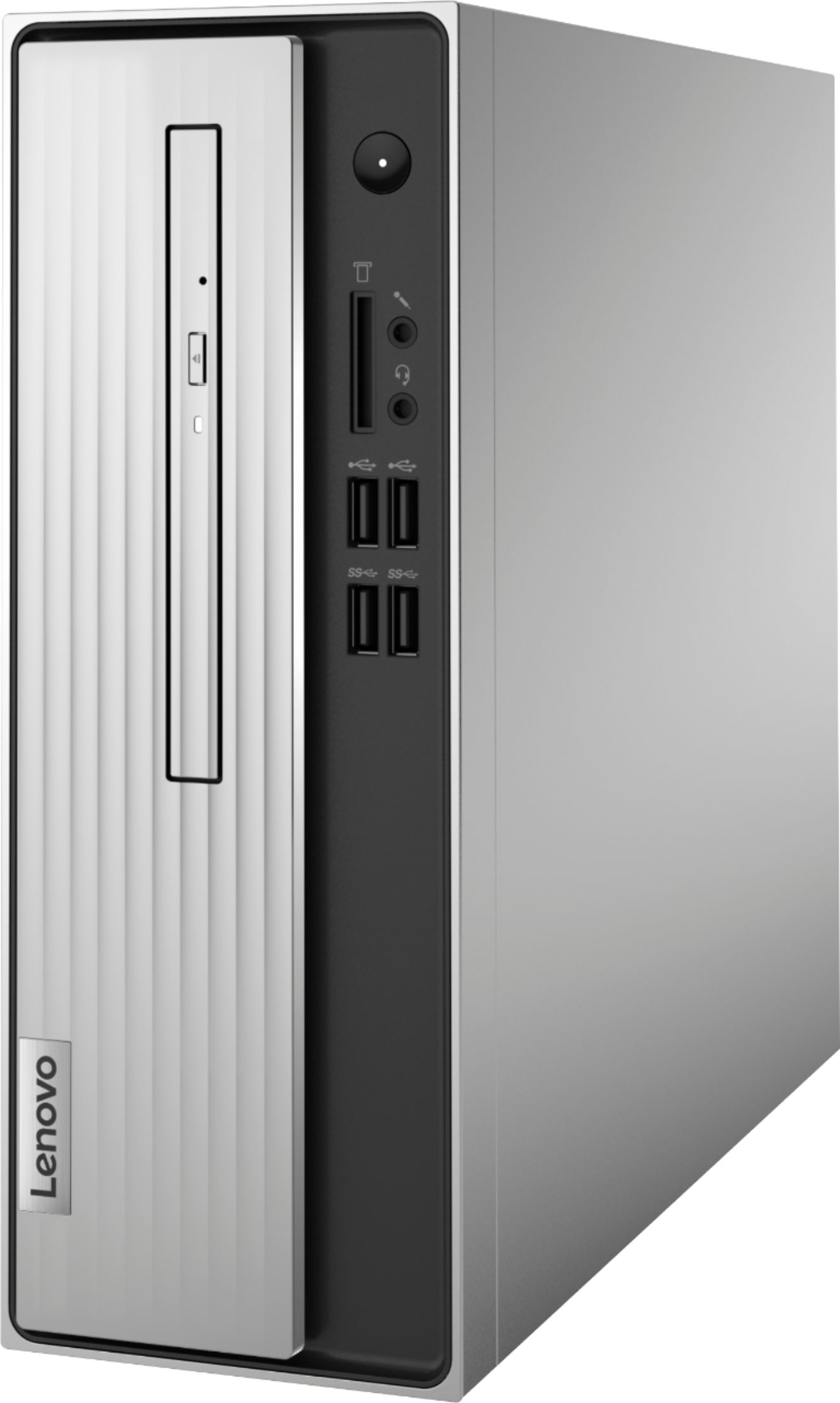
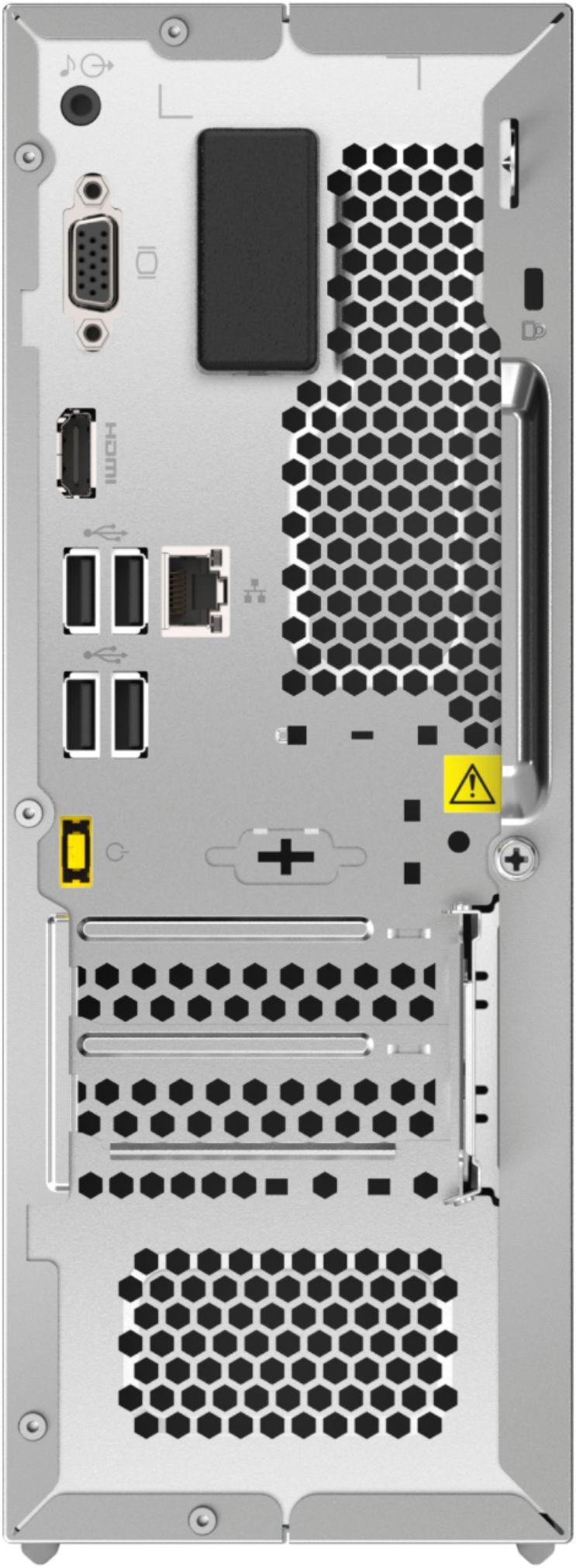
||Posted . Owned for 3 weeks when reviewed.This reviewer received promo considerations or sweepstakes entry for writing a review.I purchased this Lenovo tower for my parents. One of the reasons for selecting this tower was the size. While you can keep it on the floor, it’s small enough to place on a desk as well without taking up much space. I was able to have the computer up and running within a short time. Because we did NOT need a new monitor we did need to purchase different hardware to hook up the monitor. We used a DVI-D to HDMI 6 foot cord, because the hardware in the back of the tower for a monitor is a little different maybe because the it’s size. Overall, the Lenovo Ideacenter 3 has plenty of capacity for what my parents need for their computer use. The price was great too.
I would recommend this to a friendBrand response from Lenovo Product Expert
Posted .Thank you for choosing the Lenovo IdeaCentre 3 Desktop computer, model number 90MV0001US. The IdeaCentre 3 ships with both VGA and standard HDMI video out connections for connecting a monitor to this computer.
- Pros mentioned:Size
Yeeeeeaaaahhh Lenovo
||Posted . Owned for 4 months when reviewed.This reviewer received promo considerations or sweepstakes entry for writing a review.Great desktop. This is fast and easy to set up. I love the size. This is my first lenovo and im impressed.
I would recommend this to a friendBrand response from Lenovo Product Expert
Posted .Thank you for choosing the Lenovo IdeaCentre 3 Desktop Computer. We are pleased to hear that the IdeaCentre 3 is working out so well for you.
- Pros mentioned:Size
Compact Powerful
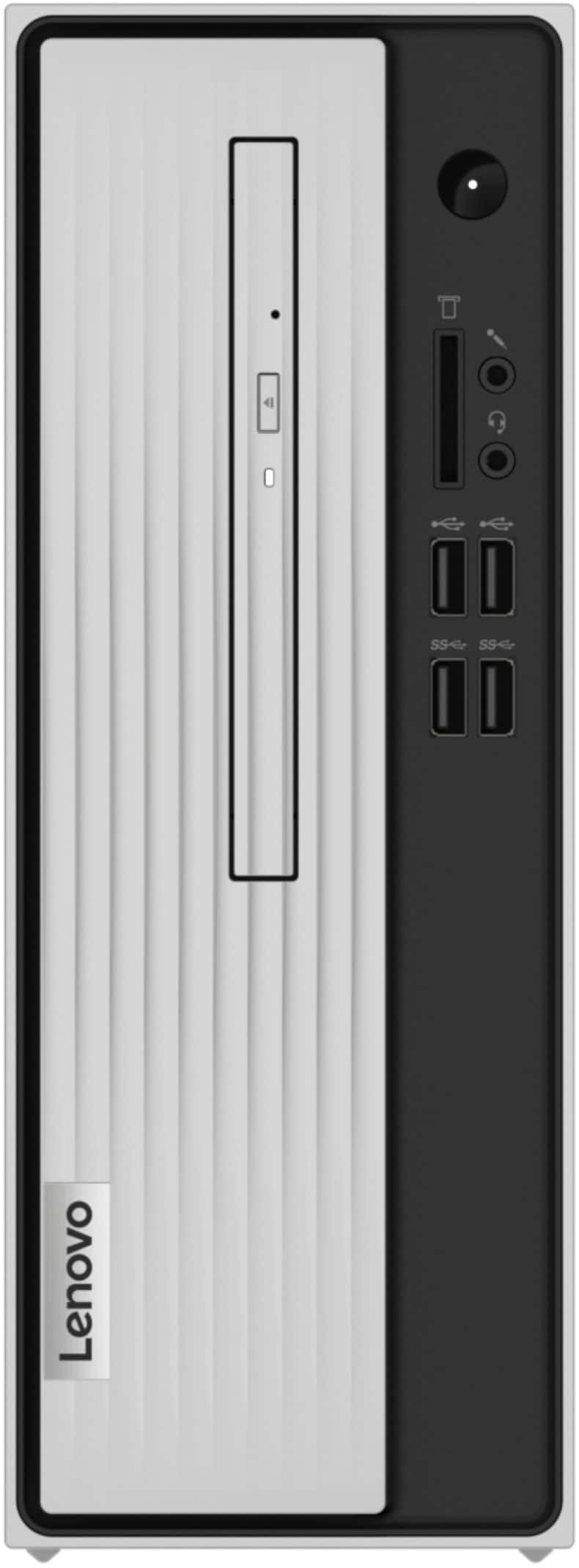
||Posted . Owned for 2 weeks when reviewed.This reviewer received promo considerations or sweepstakes entry for writing a review.I love this little power house I exchanged a Lenovo Think Tank at a local Best Buy for this one it has the disc drawer I wanted. Runs quietly light weight doesn't take up much space a big + stays cool best computer I ever had I love the color. Thanks Lenovo and Best Buy
I would recommend this to a friend - Pros mentioned:Performance, Size
Space Saver
||Posted . Owned for 3 weeks when reviewed.This reviewer received promo considerations or sweepstakes entry for writing a review.It is a real space saver. It performs as good if not better than the larger model we had.
I would recommend this to a friendBrand response from Lenovo Product Expert
Posted .Thank you for choosing the Lenovo IdeaCentre 3 Desktop computer. We are pleased to hear that the IdeaCentre 3 meets your computing needs so well.
- Pros mentioned:Ease of use, Size
shopperfeedback
||Posted . Owned for 1 month when reviewed.This reviewer received promo considerations or sweepstakes entry for writing a review.For the money and for our basic needs this computer is a hit! Small, light and user friendly.
I would recommend this to a friend - Pros mentioned:Ease of use, Size
desktop
||Posted . Owned for 1 month when reviewed.This reviewer received promo considerations or sweepstakes entry for writing a review.small and compact.very quiet boots up quickly easy to use
I would recommend this to a friendBrand response from Lenovo Product Expert
Posted .Thanks for choosing the Lenovo IdeaCentre 3 Desktop. We are so happy to hear the features, performance, and user-friendly design of the IdeaCentre 3 Desktop is meeting your computing needs so well!
- Cons mentioned:Speed
Sufficient for basic needs
||Posted . Owned for 1 month when reviewed.This reviewer received promo considerations or sweepstakes entry for writing a review.We purchased this system because my computers were friend from a power surge. We needed something quick to be able to pay our bills on time and to do online meetings. Unfortunately, I need a gaming system that is capable of handling the system demands that I have even though most of my system use is not for gaming. The setup was simple and we were up and operational in over an hour. Between horrible CenturyLink service and this low-end system, it was enough to take care of our basic needs but not powerful enough for everything I do. This would be sufficient for basic end-users like kids in school or social media dwellers that have high speed internet service.
No, I would not recommend this to a friend - Pros mentioned:Ease of use, Size
Lenovo IdeaCentre 3 serves the purpose.
||Posted . Owned for 1 month when reviewed.This reviewer received promo considerations or sweepstakes entry for writing a review.Easy to set up, compact and ideal for my (non-gaming) uses, Word, surfing the Net.
I would recommend this to a friendBrand response from Lenovo Product Expert
Posted .Thank you for choosing the Lenovo IdeaCentre 3 Desktop Computer. We are pleased to hear that the IdeaCentre 3 meets your computing needs so well.
- Pros mentioned:Ease of use, Size
Like it!
||Posted . Owned for 3 weeks when reviewed.This reviewer received promo considerations or sweepstakes entry for writing a review.So far it’s great and small and easy to install. I like it.
I would recommend this to a friendBrand response from Lenovo Product Expert
Posted .Thank you for choosing the Lenovo IdeaCentre 3 Desktop Computer. We are pleased to hear that the easy installation, features and performance of the IdeaCentre 3 meets your computing needs so well.
- Pros mentioned:PerformanceCons mentioned:Speed
Great for basic tasks
||Posted . Owned for 3 weeks when reviewed.This reviewer received promo considerations or sweepstakes entry for writing a review.Purchased as a replacement for an old desktop computer. Great for basic tasks.
I would recommend this to a friend - Cons mentioned:Ram
Intuitive Set-up
||Posted . Owned for less than 1 week when reviewed.This reviewer received promo considerations or sweepstakes entry for writing a review.I bought this computer for my 81 year old grandma to replace her old computer that died. The set-up was very easy, and it is running perfectly for what she will use it for. 4gb is pretty low, but she's not going to be running multiple programs at once...at least not on purpose.
I would recommend this to a friendBrand response from Lenovo Product Expert
Posted .Thank you for choosing the Lenovo IdeaCentre 3 Desktop computer for your grand mother. We are pleased to hear that the easy setup and performance of the IdeaCentre 3 meets your grand mother's computing needs so well.
- Cons mentioned:Software, Speed
Slow computers
||Posted . Owned for 1 month when reviewed.This reviewer received promo considerations or sweepstakes entry for writing a review.A bit slower than I expected, I hope I can put a faster card in this. Also McAfee is pretty invasive. I'm going to hack many useless programs from this machine.
No, I would not recommend this to a friend - Pros mentioned:Performance, Size
Perfect!
||Posted . Owned for 1 month when reviewed.This reviewer received promo considerations or sweepstakes entry for writing a review.I'm so happy I decided to go with this computer. It's perfect! It has everything I need and runs like a dream! It also is a great size! My old one was huge and had to be on the floor, but this one is much smaller, sleeker, and fits on my desk! I couldn't be happier with this purchase! 10/10 would recommend.
I would recommend this to a friendBrand response from Lenovo Product Expert
Posted .Thank you for choosing the Lenovo IdeaCentre 3 Desktop, model number 90MV0001US. We are pleased to hear that the features and performance of the IdeaCentre 3 meets your computing needs so well. The Lenovo IdeaCentre 3 desktop, model number 90MV0001US, is a mid-level, moderate use configuration, with its AMD Athlon 3050U processor. This Dual-Core processor has a base speed of 2.3GHz and a boost speed of up to 3.2GHz. This configuration has 4GB of DDR4-2666MHz RAM. It is good with Microsoft Office type programs, internet browsing and other moderate work. If this describes your computing needs, the IdeaCentre 3 desktop would be a good choice for you.
- Pros mentioned:Ease of useCons mentioned:Ram
Great for work at home
||Posted . Owned for 3 weeks when reviewed.This reviewer received promo considerations or sweepstakes entry for writing a review.This computer is perfect for work at home situations. It only comes with 4gb of ram but an easy swap to 8gb makes it perfect. And you want to do super light gaming, it can actually handle that as well. But you're only looking for an easy to set up work computer, I highly recommend this.
I would recommend this to a friend - Pros mentioned:Ease of use, Performance
Good Inexpensive PC
||Posted . Owned for 3 weeks when reviewed.This reviewer received promo considerations or sweepstakes entry for writing a review.I bought this machine for my 85 year old father in law to replace a machine that was at the end of its useful life. This one works well and so far so good. It doesn't have too many features other than straight forward PC and internet access. Which is perfect for his needs.
I would recommend this to a friendBrand response from Lenovo Product Expert
Posted .Thank you for choosing the Lenovo IdeaCentre 3 Desktop Computer for your father-in-law. We are pleased to hear that the IdeaCentre 3 is working out so well.
- Pros mentioned:Price
Reasonably priced
||Posted . Owned for 3 weeks when reviewed.This reviewer received promo considerations or sweepstakes entry for writing a review.I wanted to replace my old tower (did not need a keyboard or monitor) and I did not want to spend a lot since I mostly use my iPad. This item was reasonably priced so I purchased. However, I did not realize that the plug for my old monitor would not fit so I ended up having to replace the monitor too.
I would recommend this to a friend - Pros mentioned:Performance, Size
Great Tower
||Posted . Owned for 2 months when reviewed.This reviewer received promo considerations or sweepstakes entry for writing a review.This tower has been great so far. Its small and super light, and even with my moving and its traveling in the car with me, this tower has held up and still works perfectly. I highly recommend it. It doesnt look like much but man does it perform!
I would recommend this to a friendBrand response from Lenovo Product Expert
Posted .Thank you for choosing the Lenovo IdeaCentre 3 Desktop Computer. We are pleased to hear that the features and performance of the IdeaCentre 3 meets your computing needs so well. This is an entry-level configuration. We always recommend you check the requirements and compatibility of any software you will be installing on your new computer, before you invest in any computer. Be sure your new computer can support the software you will need to use.