Customer Ratings & Reviews
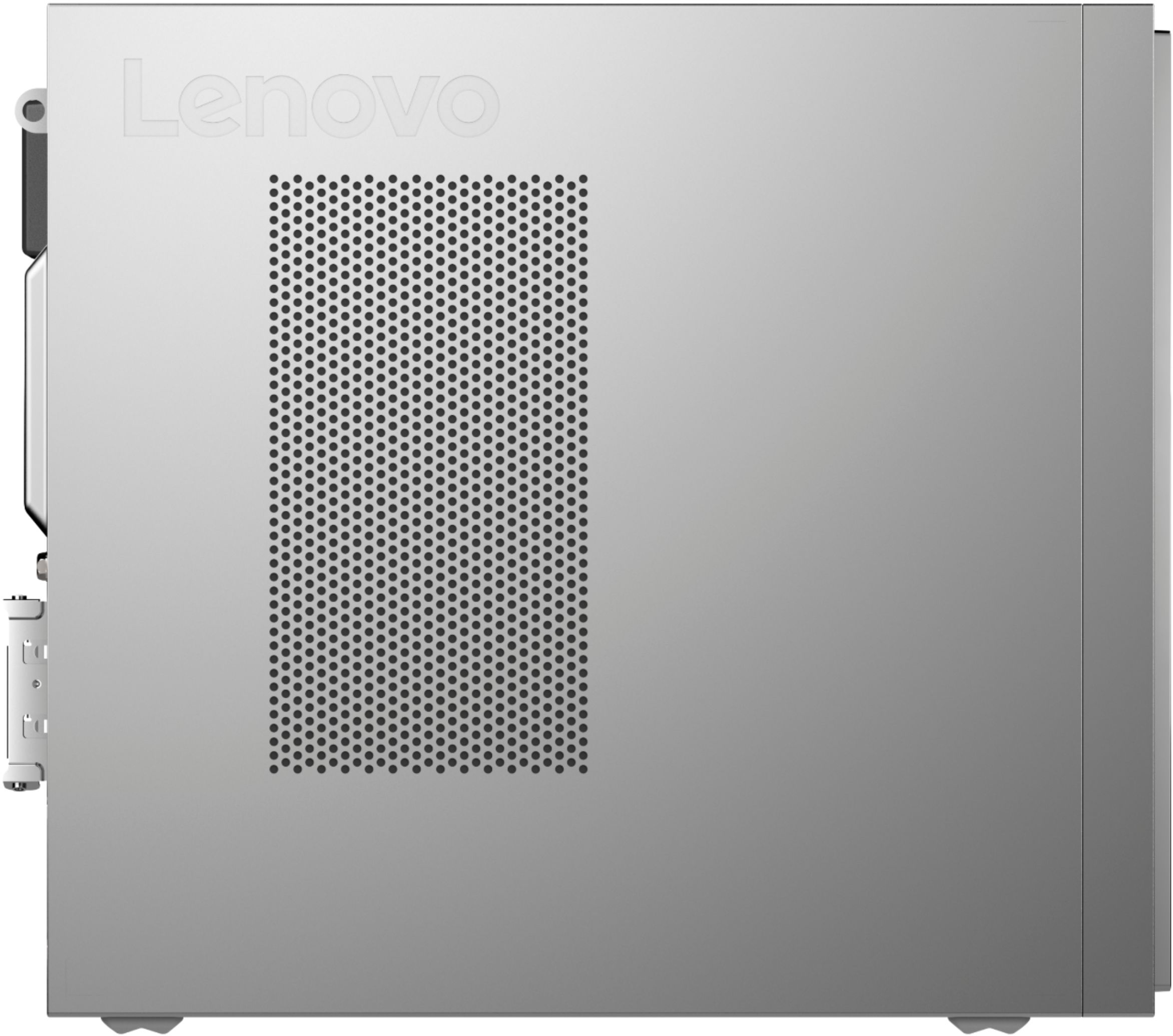

- Model:
- 90MV0001US
- SKU:
- 6398133
Rating by feature
- Value
Rating 3.9 out of 5 stars
- Quality
Rating 3.8 out of 5 stars
- Ease of Use
Rating 4.0 out of 5 stars
Customers are saying
Customers are impressed with the Lenovo IdeaCentre 3's ease of use, performance, and compact size, frequently citing its value for the price. Many appreciate the straightforward setup and sufficient storage, although some users found the RAM to be limiting and suggested an upgrade. A few customers experienced issues with the hard drive's speed and software compatibility. Overall, the positive feedback on ease of use and performance outweighs the negative comments regarding limited RAM and hard drive performance.
This summary was generated by AI based on customer reviews.
To Slow to even bother using
||Posted . Owned for 9 months when reviewed.This reviewer received promo considerations or sweepstakes entry for writing a review.This computer is a waste of money. I can't even open my brokerage account online and perform a simple task without it taking 3 minutes to process. I am very unhappy with the speed of this computer.
No, I would not recommend this to a friendBrand response from Lenovo Product Expert
Posted .This Lenovo IdeaCentre 3 Desktop Computer, model number 90MV0001US, is an entry-level configuration with its 2-Core AMD Athlon Silver 3050U Processor and 4GB DDR4-2400MHz RAM. It is configured for entry-level work with light workload software like Microsoft Office, using basic files. This computer is good with light internet browsing. It is not meant for heavy workloads with high-demand software and files. It is not meant for multi-tasking or video streaming applications. We always recommend you check the requirements and compatibility of any software you will be installing on your new computer, before you invest in any computer. Be sure your new computer can support the software you will need to use.

Slow
||Posted . Owned for 1 year when reviewed.This reviewer received promo considerations or sweepstakes entry for writing a review.The price does not justify the horrible startup times and long waiting times just to open a web browser. I deeply resent this purchase and will dispose of the item once i back up files.
No, I would not recommend this to a friendBrand response from Lenovo Product Expert
Posted .This Lenovo IdeaCentre 3 Desktop Computer, model number 90MV0001US, will boot from off to the Windows Login Screen in less than 40-seconds. If you are getting slower boot times, be sure any software you installed is compatible with Windows 10. This would include any legacy software installed from an old computer. Additionally, there is no need to install Microsoft Office software. The software is already part of the operating system, you just need to activate the software with a purchased product key. If you have installed a copy of Microsoft Office, this is conflicting with the existing copy on the system and this will slow your system down. If you have installed a 3rd party anti-virus program, be sure that Windows Defender is turned off and that the trial version of McAfee Anti-Virus software is uninstalled. There can only be one anti-virus program on the system. Here is a link to instructions for uninstalling McAfee from a Windows computer: https://service.mcafee.com/?articleId=TS101331&page=shell&shell=article-view You may need to restore your system to original factory default settings if any of the programming errors have occurred. You can do that by typing "restore" in the Cortana search window. Just click on the magnifying glass icon at the bottom left of your Windows 10 Desktop. Click on "Reset This PC" Then click on "Get Started" and follow the on screen directions to restore to factory defaults. If the problem persists, we recommend you contact Lenovo Tech Support at: 866-426-0911.
Will not wireless connect
||Posted .This reviewer received promo considerations or sweepstakes entry for writing a review.Bought it online last night. Picked it up today. Spent 45 minutes trying to get it to connect to the wifi. I have phones, laptops, desktop pc's and a printer all hooked to wifi. No reason for this. Says I need an Ethernet line. Returning it tomorrow. Would not recommend.
No, I would not recommend this to a friendBrand response from Lenovo Product Expert
Posted .The Lenovo IdeaCentre 3 Desktop, model number 90MV0001US, ships with 5G, 802.11AC WiFi capability. Here is a link to instructions for connecting your Windows 10 computer to your at Home WiFi Network: https://www.windowscentral.com/how-connect-wi-fi-network-windows-10. If the issue continues, we recommend you contact Lenovo Tech Support at: 877-453-6686.
Computer blues
||Posted . Owned for 3 weeks when reviewed.This reviewer received promo considerations or sweepstakes entry for writing a review.Slowest computer we have ever had. Consultant told us it would be fine. It’s not. Geek squad recommended we bring it back and upgrade. Big disappointment.
No, I would not recommend this to a friendBrand response from Lenovo Product Expert
Posted .Hello, we are sorry to hear you experienced this issue with your Lenovo IdeaCentre 3 desktop. We appreciate your feedback and patience regarding this matter. We do recommend reaching out to customer support at 877-453-6686
Wouldn't connect to network
||Posted . Owned for 1 month when reviewed.This reviewer received promo considerations or sweepstakes entry for writing a review.Returned because the pre-loaded OS absolutely would not connect via wireless connection, regardless of many various "fix Microsoft 10" attempts, range extender, putting next to modem, etc. The unit itself worked fine when connected via ethernet.
No, I would not recommend this to a friendBrand response from Lenovo Product Expert
Posted .We are sorry to hear that you are having issues connecting your Lenovo IdeaCentre 3 Desktop, to your wireless network. First here are the instructions for connecting a Windows 10 computer to a WiFi Network: https://support.microsoft.com/en-us/help/4027030/windows-10-connect-to-a-wi-fi-network. After performing these steps, if the device still will not connect to your WiFi network, since you can connect via ethernet, use your wired connection to check that you have the latest version of Windows 10 on the computer, then update all of the BIOS file and drivers up to that latest version of Windows 10. You can easily accomplish this by scanning the computer with the Lenovo Utility software available on this computer. This system has Lenovo utilities installed to help maintain the health of the device and keep the operating system software up to date. Type "Lenovo Vantage" in the Cortana Search window (if Lenovo Vantage is not installed on your device, you can download the APP and install it now). Select Lenovo Vantage from the list. In the window that opens, click on "Health and Support". In the expanded menu, select "Hardware Scan" In the window that opens, select "Run Quick Tests". This will scan your entire system for errors. Follow any directions that may pop up. If the problem continues after this scan, now click on "System Update". First select Windows update from the menu. Scan your system to be sure you have the latest version of Windows 10. Once that scan is complete, select "Additional Updates". This will scan your device to be sure there are no new BIOS/Driver updates needed. Follow any instructions that may pop up. If the issue still continues after these updates, we recommend you call Lenovo Tech Support at: 877-453-6686 for additional help.
Teacher unable to Teach :(
||Posted . Owned for 3 weeks when reviewed.This reviewer received promo considerations or sweepstakes entry for writing a review.Worst computer I’ve ever purchased. Crashing constantly, unable to do any of my virtual meetings or teach my students. This was a complete waste of my money. I hate that I can no longer return it. Last Lenova for me.
No, I would not recommend this to a friendBrand response from Lenovo Product Expert
Posted .We are sorry to hear that you are having issues with your Lenovo IdeaCentre 3 Desktop Computer. Be sure any software you installed is compatible with Windows 10. There is no need to install Microsoft Office software. The software is already part of the operating system, you just need to activate the software with a purchased product key. If you have installed a copy of Microsoft Office, this is conflicting with the existing copy on the system and this will slow your system down. If you have installed a 3rd party anti-virus program, be sure that Windows Defender is turned off and that the trial version of McAfee Anti-Virus software is uninstalled. There can only be one anti-virus program on the system. You may need to restore your system to original factory default settings if any of the programming errors have occurred. You can do that by typing "restore" in the Cortana search window. Just click on the magnifying glass icon at the bottom left of your Windows 10 Desktop. Click on "Reset This PC" Then click on "Get Started" and follow the on screen directions to restore to factory defaults. If the problem persists, we recommend you contact Lenovo Tech Support at: 877-453-6686.
Not worth the hassle
||Posted . Owned for 1 week when reviewed.This reviewer received promo considerations or sweepstakes entry for writing a review.Straight out of the box and it wouldn't hold a consistent Wi-Fi connection. Spent three days trying to figure it out and finally gave up and returned it back to the store.
No, I would not recommend this to a friendBrand response from Lenovo Product Expert
Posted .We are sorry to hear that you had issues connecting your lenovo IdeaCentre 3 Desktop, model number 90MV0001US to your WiFi network. The IdeaCentre 3 ships with 5G, 802.11AC WiFi as well as ethernet wired connectivity. We recommend you call Lenovo Tech Support for additional help at: 877-453-6686.
Only for internet use
||Posted . Owned for 1 month when reviewed.This reviewer received promo considerations or sweepstakes entry for writing a review.This unit can only be used for web browsing. Nothing more and nothing less. It was supposed to have above Windows 10 and it did not.
No, I would not recommend this to a friendBrand response from Lenovo Product Expert
Posted .This Lenovo IdeaCentre 3 Desktop Computer, model number 90MV0001US, ships with Windows 10, Home 64-bit Operating System installed. This IdeaCentre 3 also ships with the Firmware TPM 2.0 integrated in SoC, Security Chip that is required for upgrading to Windows 11. Here is a link to more information about upgrading to Windows 11: https://docs.microsoft.com/en-us/windows/whats-new/windows-11-requirements. This IdeaCentre 3 Desktop computer can be used offline with any compatible programs you have installed on the computer. There is a 30-day trial of Microsoft Office 365 included as part of the Windows 10 operating system, that can be used offline during the 30-day trial period. To keep the program active after the trial period, you will need to purchase a product key. You will not need to download any additional software. If you have questions about your Lenovo IdeaCentre 3 Desktop Computer, we recommend you contact Lenovo Tech Support for additional information at: 877-453-6686.
Lenovo
||Posted . Owned for 3 months when reviewed.This reviewer received promo considerations or sweepstakes entry for writing a review.This computer is extremely slow and can't even perform basic tasks. We are extremely disappointed in the performance and felt like it was a waste of money
No, I would not recommend this to a friendDO NOT PURCHASE!
||Posted . Owned for 3 weeks when reviewed.This reviewer received promo considerations or sweepstakes entry for writing a review.worst computer slow to start-up constant pop-ups by Lenovo and McAfee calendar does not work will return when snow melts
No, I would not recommend this to a friendBrand response from Lenovo Product Expert
Posted .The Lenovo IdeaCentre 3 Desktop Computer, model number 90MV0001US, will boot from off to the Windows 10 Desktop in less than 40-seconds. If you are experiencing slower boot times, be sure any software you installed is compatible with Windows 10. There is no need to install Microsoft Office software. The software is already part of the operating system, you just need to activate the software with a purchased product key. If you have installed a copy of Microsoft Office, this is conflicting with the existing copy on the system and this will slow your system down. If you have installed a 3rd party anti-virus program, be sure that Windows Defender is turned off and that the trial version of McAfee Anti-Virus software is uninstalled. There can only be one anti-virus program on the system. You may need to restore your system to original factory default settings if any of the programming errors have occurred. You can do that by typing "restore" in the Cortana search window. Just click on the magnifying glass icon at the bottom left of your Windows 10 Desktop. Click on "Reset This PC" Then click on "Get Started" and follow the on screen directions to restore to factory defaults. If the problem persists, we recommend you contact Lenovo Tech Support at: 877-453-6686. The Lenovo IdeaCentre 3 Desktop ships with just two adware programs, a 30-day trial of Microsoft Office 365 (as part of Windows 10 operating system) and a 30-day trial of McAfee virus protection. Lenovo computers ship with one of the cleanest factory software installs within the consumer computer industry.
Computer didn't work, period.
||Posted . Owned for 1 month when reviewed.This reviewer received promo considerations or sweepstakes entry for writing a review.Wasn't able to see the capabilities of the computer. For over an hour after being plugged in, it kept flashing with a message that it was diagnosing computer.
No, I would not recommend this to a friendBrand response from Lenovo Product Expert
Posted .We are sorry to hear that you are having issues with your Lenovo IdeaCentre 3 Desktop, model number 90MV0001US. We recommend you call Lenovo Tech Support for help with your specific issue at: 877-453-6686.
Horrible
||Posted . Owned for 3 weeks when reviewed.This reviewer received promo considerations or sweepstakes entry for writing a review.It was too slow. I returned it. I won’t buy Lenovo products again.
No, I would not recommend this to a friendBrand response from Lenovo Product Expert
Posted .Hello, we are sorry to hear you experienced this issue with your Lenovo IdeaCentre 3 desktop. Be sure any software you installed is compatible with Windows 10. There is no need to install Microsoft Office software. The software is already part of the operating system, you just need to activate the software with a purchased product key. If you have installed a copy of Microsoft Office, this is conflicting with the existing copy on the system and this will slow your system down. If you have installed a 3rd party anti-virus program, be sure that Windows Defender is turned off and that the trial version of McAfee Anti-Virus software is uninstalled. There can only be one anti-virus program on the system. You may need to restore your system to original factory default settings if any of the programming errors have occurred. You can do that by typing "restore" in the Cortana search window. Just click on the magnifying glass icon at the bottom left of your Windows 10 Desktop. Click on "Reset This PC” Then click on "Get Started" and follow the on-screen directions to restore to factory defaults. If the problem persists, we recommend you contact Lenovo Tech Support at: 877-453-6686.
Not what I purchased
||Posted . Owned for 1 month when reviewed.This reviewer received promo considerations or sweepstakes entry for writing a review.Very dissatisfied with this unit. You sent something that has less memory than the unit I purchased.
No, I would not recommend this to a friendtoz
||Posted . Owned for 1 year when reviewed.This reviewer received promo considerations or sweepstakes entry for writing a review.lousy unit very slow it takes a long time to start and starting any application
No, I would not recommend this to a friendBrand response from Lenovo Product Expert
Posted .We are sorry to hear that the performance of the IdeaCentre 3 Desktop computer does not meet your computing needs. We always recommend you check the requirements and compatibility of any software you will be installing on your new computer, before you invest in any computer. Be sure your new computer can support the software you will need to use and your workload.
do not buy this !!!!!!!!!!!!!!!
||Posted .This reviewer received promo considerations or sweepstakes entry for writing a review.very very very very very slow do not buy this desktop
No, I would not recommend this to a friendBrand response from Lenovo Product Expert
Posted .This Lenovo IdeaCentre 3 Desktop Computer, is an entry-level, light workload configuration. We always recommend you check the requirements and compatibility of any software you will be installing on your new computer, before you invest in any computer. Be sure your new computer can support the software you will need to use and your workload.
Cant use it
||Posted .This reviewer received promo considerations or sweepstakes entry for writing a review.I've been unable to use as a word processor due to system lockup. . I don't. Have internet.
No, I would not recommend this to a friendBrand response from Lenovo Product Expert
Posted .There is a 30-day trial of Microsoft Office 365 included as part of the Windows 10 operating system. In order to keep the program active after the trial period, you will need to purchase a product key. You will not need to download any additional software and you will be able to use Microsoft Office offline.
spending more money
||Posted . Owned for 3 weeks when reviewed.This reviewer received promo considerations or sweepstakes entry for writing a review.Again another computer that cannot keep up with the tasks that I was ensured it would be.
No, I would not recommend this to a friendBrand response from Lenovo Product Expert
Posted .If you are getting less than expected performance from your Lenovo IdeaCentre 3 Desktop computer, be sure any software you installed is compatible with Windows 10. There is no need to install Microsoft Office software. The software is already part of the operating system, you just need to activate the software with a purchased product key. If you have installed a copy of Microsoft Office, this is conflicting with the existing copy on the system and this will slow your system down. If you have installed a 3rd party anti-virus program, be sure that Windows Defender is turned off and that the trial version of McAfee Anti-Virus software is uninstalled. There can only be one anti-virus program on the system. You may need to restore your system to original factory default settings if any of the programming errors have occurred. You can do that by typing "restore" in the Cortana search window. Just click on the magnifying glass icon at the bottom left of your Windows 10 Desktop. Click on "Reset This PC" Then click on "Get Started" and follow the on screen directions to restore to factory defaults. If the problem persists, we recommend you contact Lenovo Tech Support at: 877-453-6686.
No Good
||Posted . Owned for 3 months when reviewed.This reviewer received promo considerations or sweepstakes entry for writing a review.Really slow device. I returned it and got a better model.
No, I would not recommend this to a friendStopped working
||Posted . Owned for 1 month when reviewed.This reviewer received promo considerations or sweepstakes entry for writing a review.stopped working after 29 days. Not returnable, no customer service
No, I would not recommend this to a friendBrand response from Lenovo Product Expert
Posted .We are sorry to hear that you are having issues with your Lenovo IdeaCentre 3 Desktop Computer. We recommend you contact Lenovo Tech Support for help at: 866-426-0911.
Random lockups
||Posted . Owned for 11 months when reviewed.This reviewer received promo considerations or sweepstakes entry for writing a review.Lots of random lockups. When it stays running, is fast and quiet.
I would recommend this to a friendBrand response from Lenovo Product Expert
Posted .The Lenovo IdeaCentre 3 Desktop Computer ships with Windows 10 Home 64-bit Operating System and should not freeze or lock up. Be sure any software you installed is compatible with both Windows 10 operating system and this computer's specific configuration. Check the requirements of any software you have installed to be sure it is Windows 10 compatible and the specific configuration of this computer meets the minimum/recommended requirements of the software you have installed. There is no need to install Microsoft Office software. The software is already part of the operating system, you just need to activate the software with a purchased product key. If you have installed a copy of Microsoft Office, this is conflicting with the existing copy on the system and this will slow your system down. If you have installed a 3rd party anti-virus program, be sure that Windows Defender is turned off and that the trial version of McAfee Anti-Virus software is uninstalled. There can only be one anti-virus program on the system. You may need to restore your system to original factory default settings if any of the programming errors have occurred. You can do that by typing "restore" in the Cortana search window. Just click on the magnifying glass icon at the bottom left of your Windows 10 Desktop. Click on "Reset This PC" Then click on "Get Started" and follow the on screen directions to restore to factory defaults. We always recommend you check the requirements and compatibility of any software you will be installing on your new computer, before you invest in any computer. Be sure your new computer can support the software you will need to use. If the problem persists, we recommend you contact Lenovo Tech Support at: 877-453-6686.