Customer Ratings & Reviews

- Model:
- 90VT008MUS
- SKU:
- 6574647
Rating by feature
- Value
Rating 4.7 out of 5 stars
- Quality
Rating 4.6 out of 5 stars
- Ease of Use
Rating 4.6 out of 5 stars
Customers are saying
Customers express satisfaction with the IdeaCentre 3 Desktop's performance and speed, finding it fast and easy to use. Many appreciate its small size and quiet operation, with some upgrading the RAM for enhanced capabilities. While the desktop offers a good selection of connectivity options, a few customers wished for more USB-C ports. Some also noted the storage capacity is limited without upgrades.
This summary was generated by AI based on customer reviews.
- Pros mentioned:Size, Speed
A great upgrade for the office.
||Posted . Owned for 3 weeks when reviewed.This reviewer received promo considerations or sweepstakes entry for writing a review.We have used Lenovo products for years and this small computer has been a great upgrade for office work. The speed increase over the previous Lenovo (8 years old) is significant. My wife is the main user on this computer and she is very pleased and satisfied. The number of connections made the set up easy and the size is a great fit.
I would recommend this to a friendBrand response from Lenovo Product Expert
Posted .Hi,
Thanks for choosing Lenovo and for sharing your feedback with us!
We are glad to read that you are satisfied with your purchase.
Please don't hesitate to reach out to us via the Q& A section of this product page or contact Lenovo Support should you have any questions or need assistance.
Regards,
Lenovo
- Pros mentioned:Size, SpeedCons mentioned:Storage capacity

Compact, Cool, and Powerful
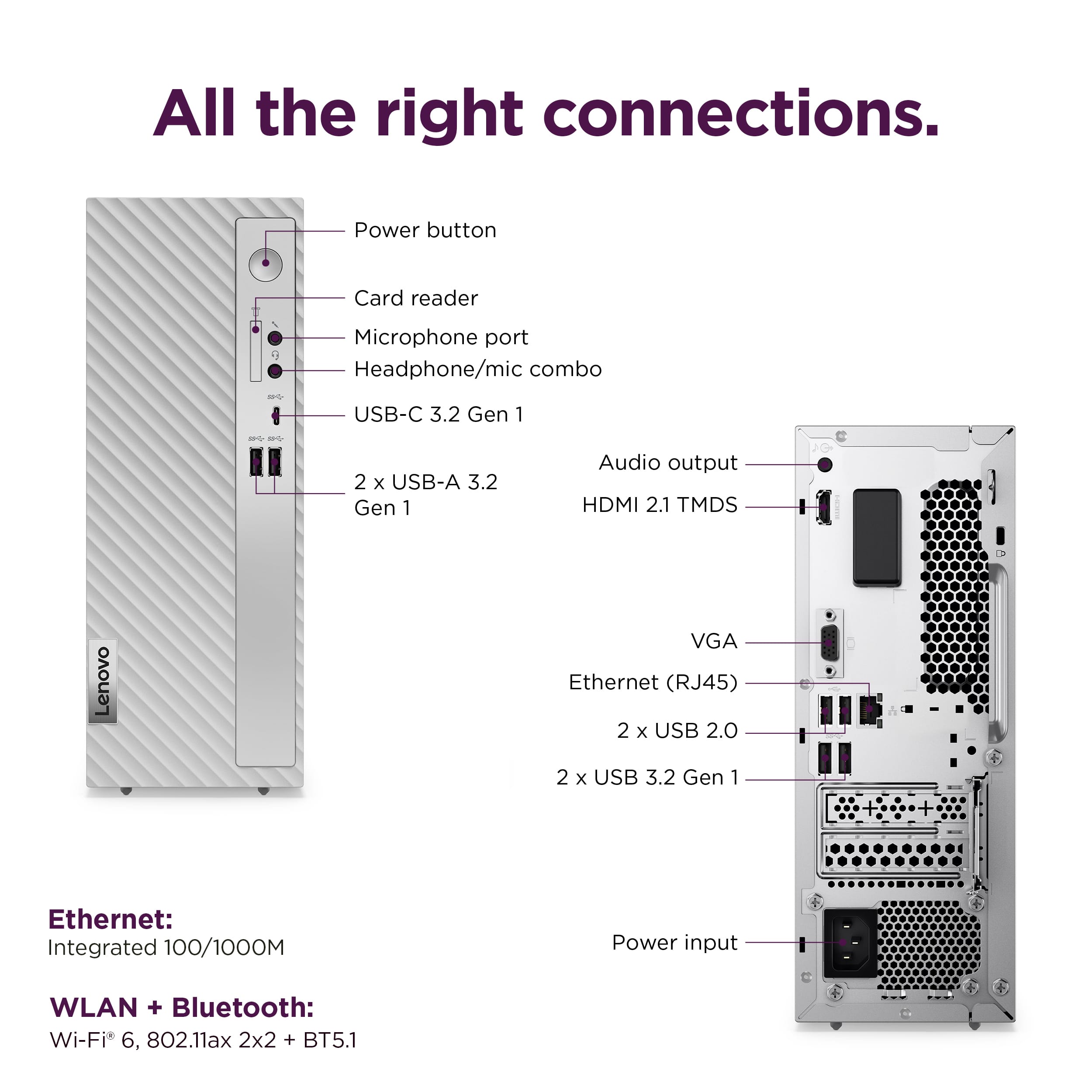
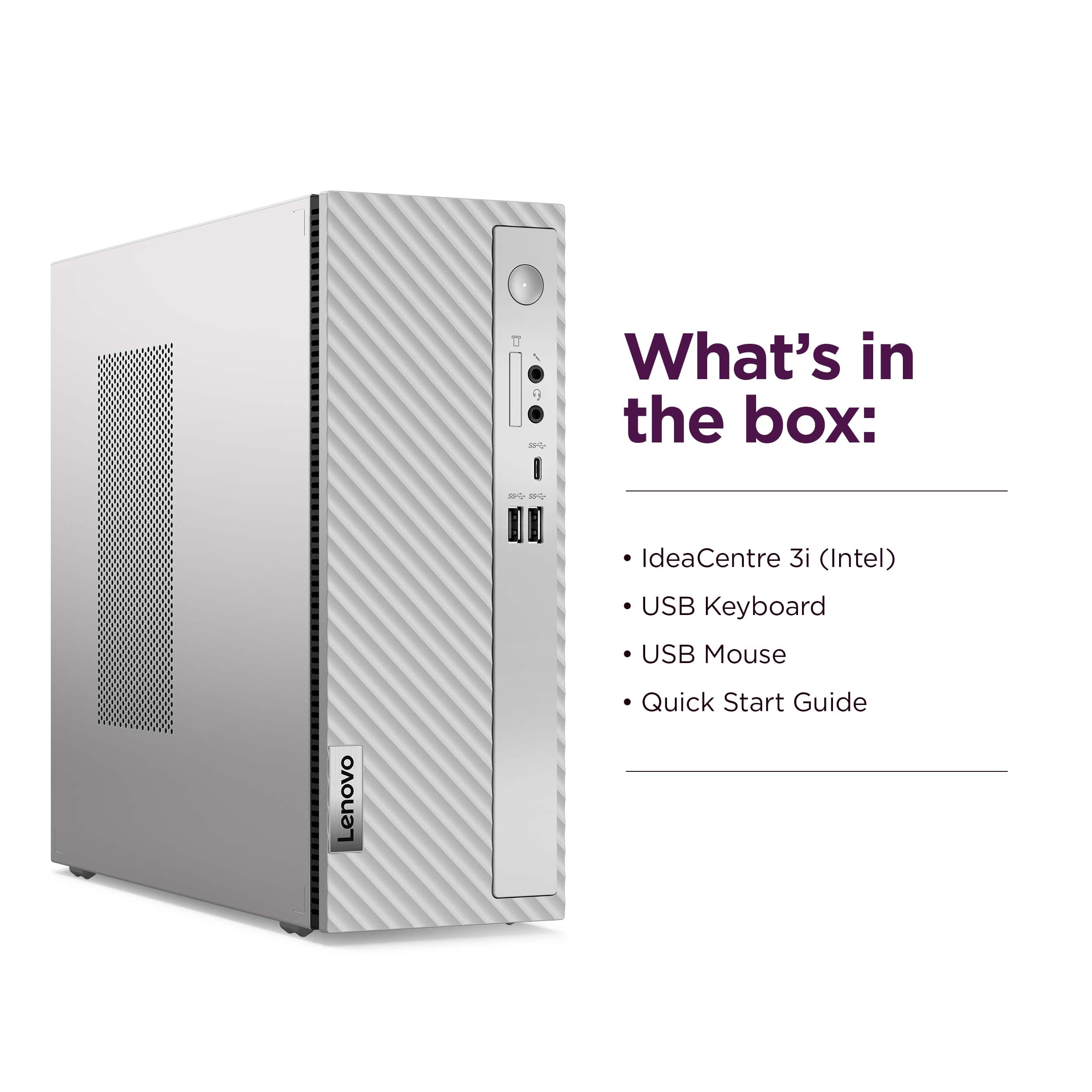
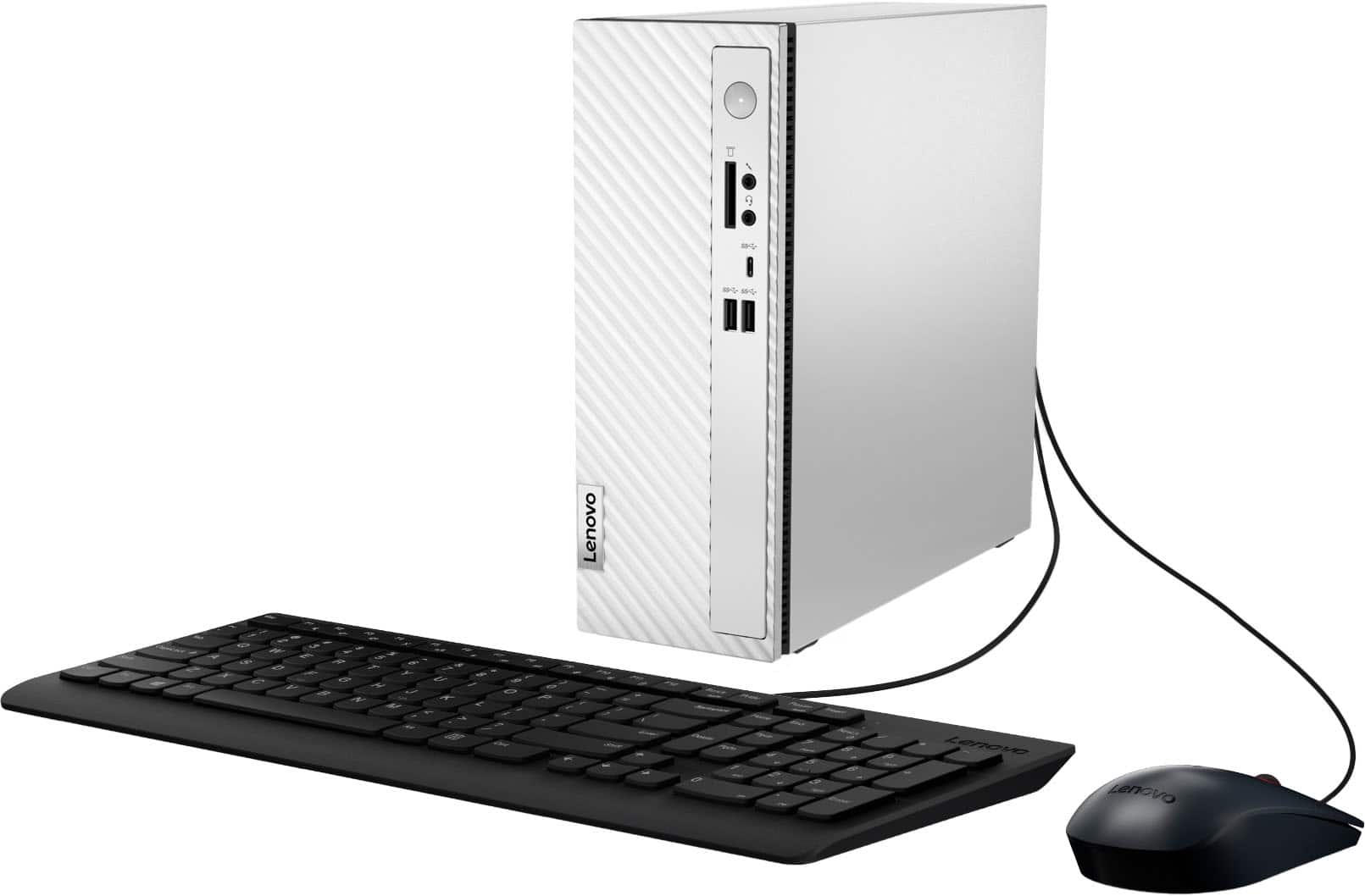
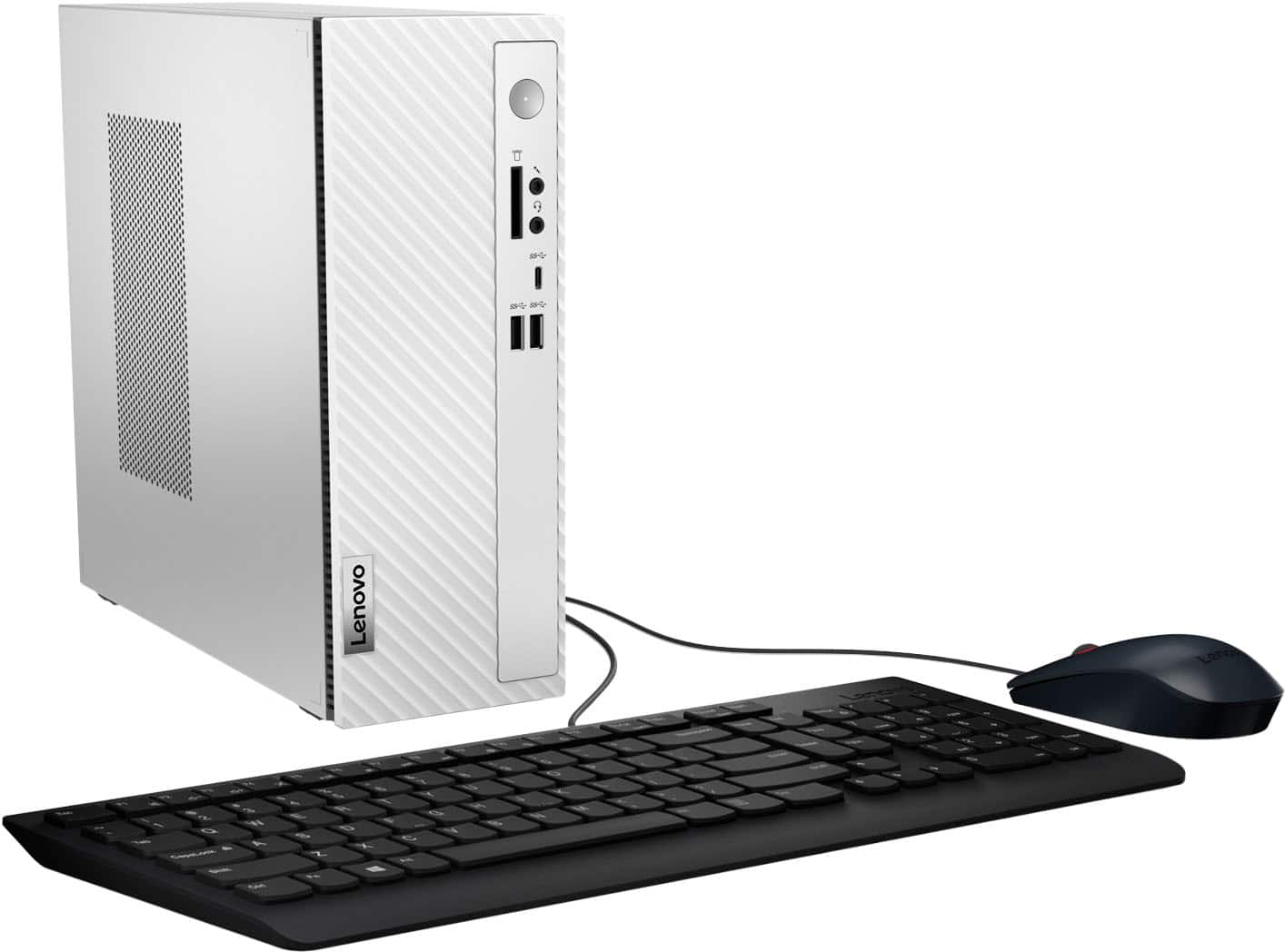
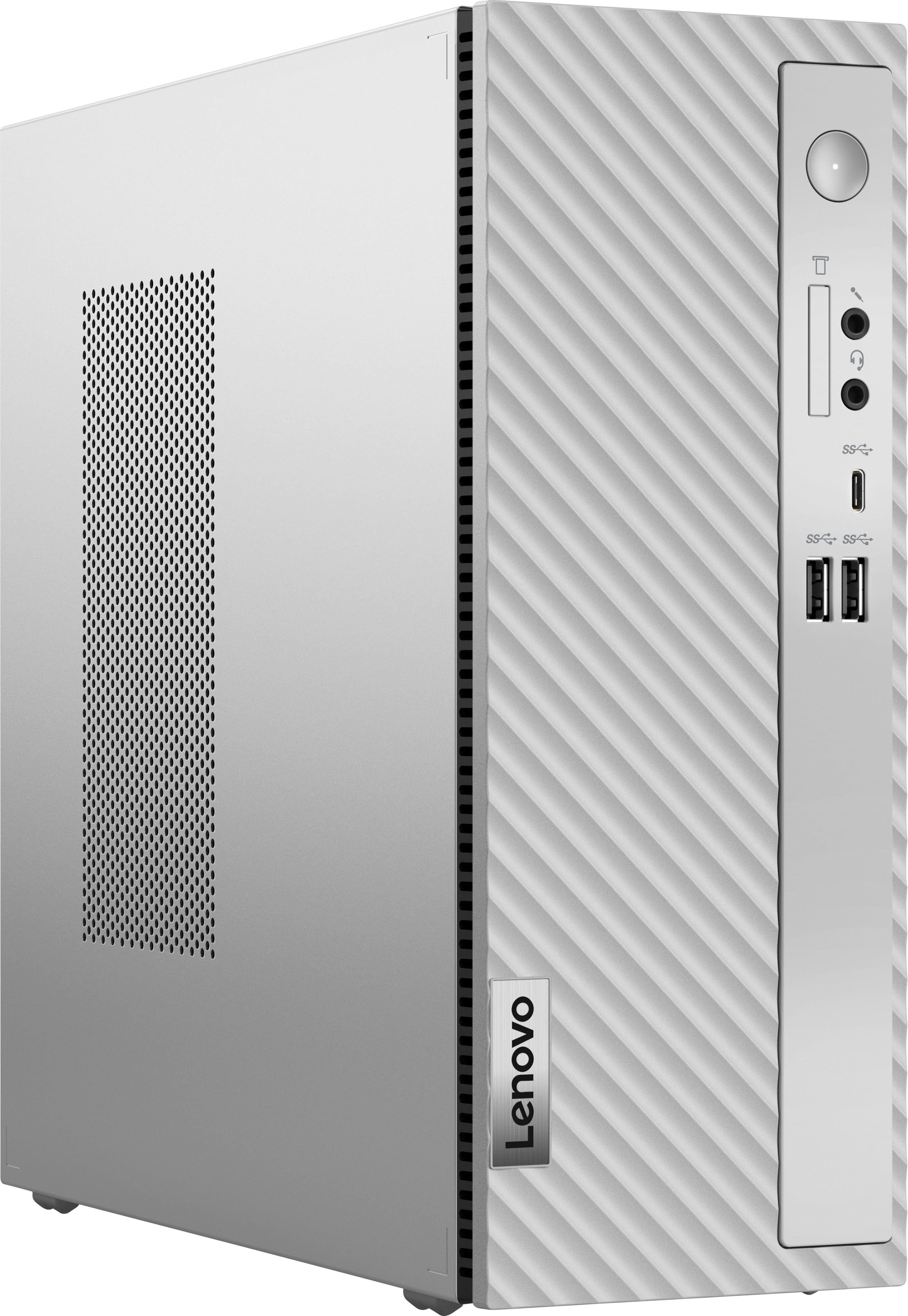
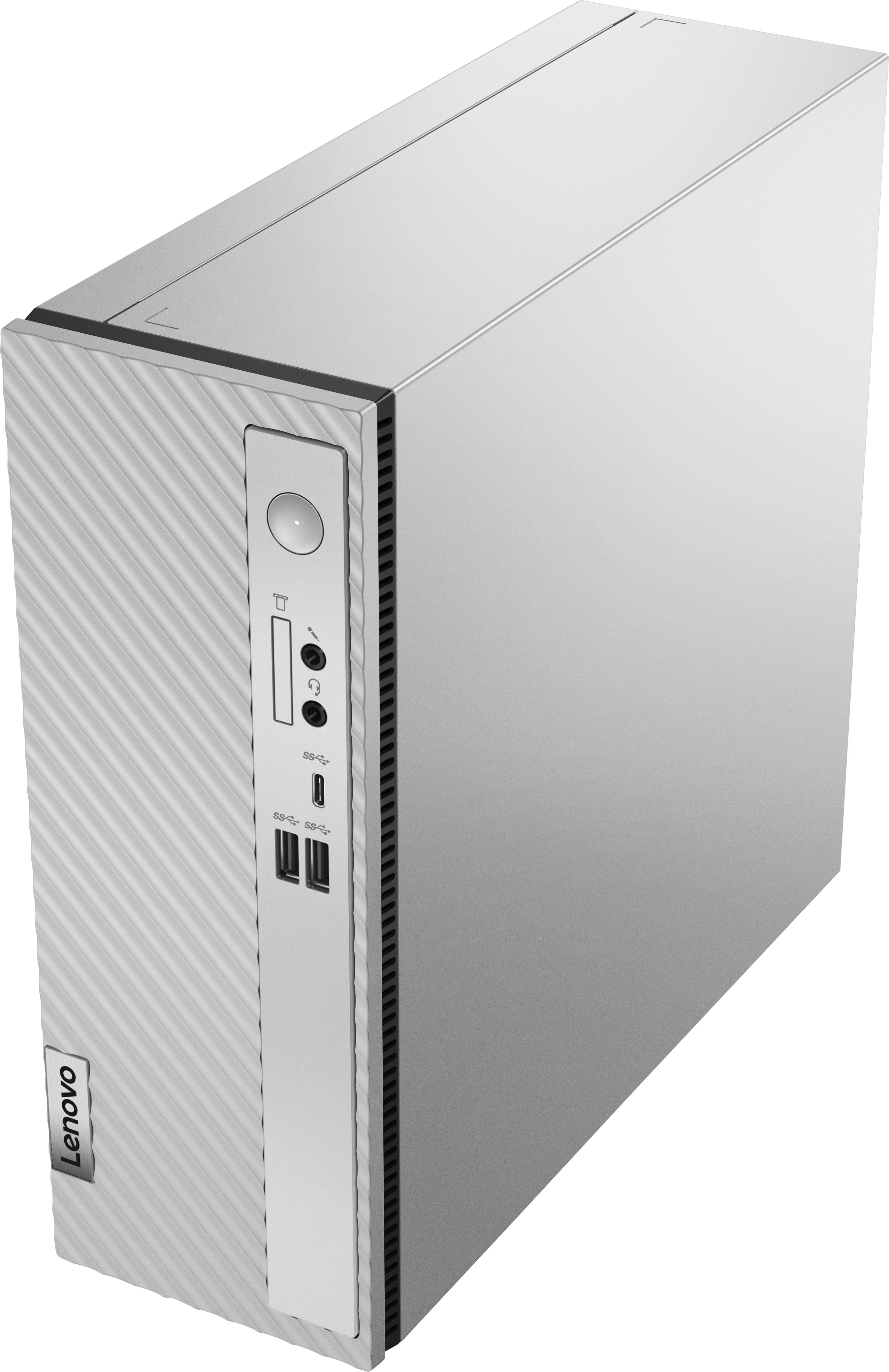
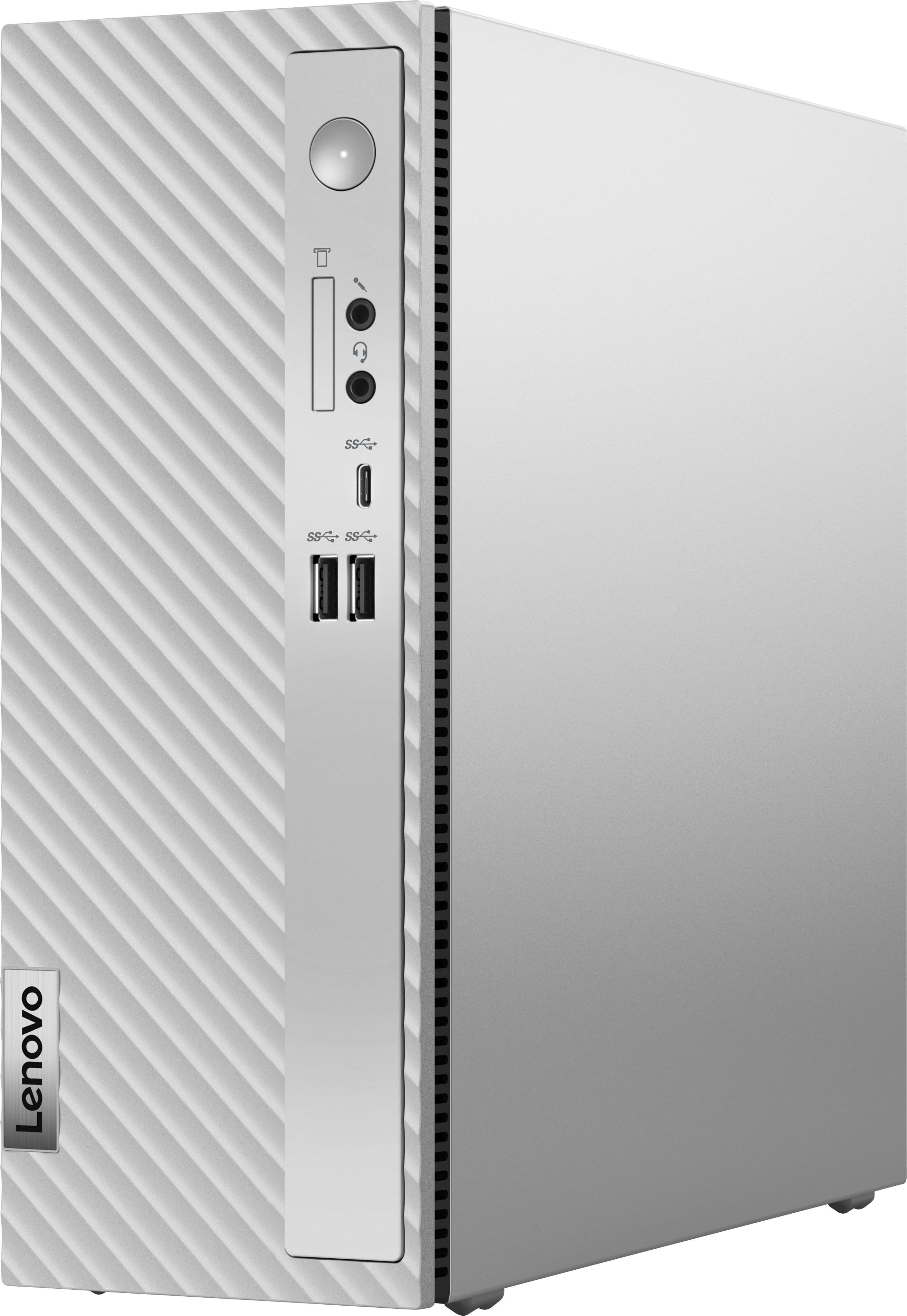
|Posted .This reviewer received promo considerations or sweepstakes entry for writing a review.The Lenovo IdeaCentre 3 Desktop, equipped with the Intel i5-14400 processor, is a compact yet powerful machine designed to cater to a wide range of users, from work professionals to content creators to students. As a long-time Lenovo laptop user, I was eager to test their desktop offering. The support at Lenovo is top-notch and affordable so you know you're in good hands. This computer compes with a 1-year warranty and there are upgrade options in the Lenovo Vantage software equipped with the computer. I would recommend extending the warranty if you have limited experience with computers. For me, the 1-year warranty will typically be enough time to make sure everything is working properly. **Setup** You get a computer, and a basic keyboard and mouse. It comes with a power cable and an instruction booklet. Unpacking, setting up cables, and powering up takes about 15 minutes. You will need an external monitor and display cable. This computer comes with 2 input options for an external monitor, HDMI & an old school VGA. If you use the HDMI AND the VGA you can hook up 2 monitors at 60Hz. There are (2) USB-A 2.0 inputs to connect your USB mouse and USB keyboard. There are 4 USB-A 3.2 superspeed inputs (2 are in the front.) Finally, you will have 1 USB-C 3.2 input in the front as well. I hooked up a nice webcam through one of the USB inputs with no problem. There is a mic and a headphone jack in front, along with a 7-in-1 card reader. These are convenient if you have a camera and you want to transfer photos to your computer. Once I booted up into Windows 11 home, there weren't many Windows updates, so I downloaded and installed software as necessary and I was up and running. I uninstalled McAfee and used the built-in Windows 11 antivirus which has suited me fine. If you're not comfortable with computers, leave on McAfee Antivirus and leave it to the experts. **Performance** The heart of this machine is the Intel i5-14400 processor, a true beast released in early 2024. With 10 cores and 16 threads, it delivers exceptional performance, handling demanding tasks with ease. This processor was released in early 2024 so it's brand new. There's a max frequency of 4.7 GHz. There are 6 P-cores with 12 threads (these tackle the more intensive tasks) and 4 E-cores with 4 threads (these are take on the easy tasks.) Frequency on P-cores range from 2.5 to 4.7 GHz. E-cores range from 1.8 to 3.5 GHz. On the Microsoft Edge browser, I opened up 11 tabs and it zipped right through them, no slowdown at all. Memory ran up to 85% capacity during this test. Even at high utilization, I noticed no slowdown at all. The processor is air-cooled with a basic intel fan that does its job well. The highest temps arrived when testing Adobe Creative Suite at about 75 degrees Celsius, and when I ran Cinenbench R23 I saw a max temp of 84 degrees Celsius. Cooling is excellent and I wouldn't expect any less from a Lenovo machine. These Intel processors will throttle at 100 degrees Celsius if necessary, so you are getting full power when running even the most demanding apps with a max temp of 84. The integrated Intel UHD 730 graphics may not be top-of-the-line or dedicated graphics, but it surprised me with its capabilities. A few details on the 730: It launched March of 2021 with 14 nm technology. It will game pretty good at 720p, but most importantly it supports DirectX 12 which is essential for today's games. I tested Minecraft Windows 10 version and it ran smooth, no lag, and looked great on default settings. For anyone that wants some light gaming on the side. This computer will have no problem gaming at 720p. I installed Adobe Creative Suite and played around with InDesign and Illustrator. Both of these apps were quite zippy. Memory is adequate but was pushed to the max around 92% on the performance monitor in Creative Suite. I would highly recommend adding a second stick of memory at 8GB to allow you more room to open up more apps. Suprisingly, there was no lag even when memory hit 92% of its capacity. Cinebench R23 Scores: Multicore 13800, Single-Core 1743, Excellent scores here. CrystalMark NVME Speed Test: Read/Write Scores were 4000/2000 MB/s These are very good scores. For reference I've had top of the line hard drives hit between 5000 and 7000 MB/s on read/write. **Design and Build** The IdeaCentre's compact size (12 x 10 x 4 inches) makes it ideal for small spaces. It can be positioned either upright or on its side, and the large cooling vent ensures efficient heat dissipation. The plastic front is made from 75% recycled materials, a plus for the environmentally conscious. This computer runs cool and there's almost no noise at all from cooling fans, impressive. This computer can go almost anywhere, just keep it clean and allow the large vent to breathe. The keyboard is very basic with the 10 Key Number pad. Keys are a little squishy so there will be some fatigue. I would recommend upgrading to an entry level keyboard with ergonomic keys that are easier to press. The mouse worked well for me. It has the scroll wheel making it easy to browse web pages. Hard Drive - Supports a 3.5 SATA HDD w/a SATA 6 Gb/s (these are very affordable) & a M.2 2280 SSD, 4.0 NVME. If you choose to upgrade and fill the 3.5 HDD, it will run a little hotter than your NVME that is installed, but with CPU temps this low you won't have any issues with heat. Memory - Up to 32GB DDR4-3200 (Memory is one generation behind, but solid), 2 Slots. It comes with 8GB, and it's very efficient w/8GB but again, I would recommend getting 16GB (Fairly cheap.) More details below. **Upgradability** While the included 8GB of memory is efficient, I recommend upgrading to 16GB for smoother multitasking and optimal performance in memory-intensive applications. The computer only has 256GB of storage space, which might work for some. For those of you needing more space, you have 2 options to upgrade HD space. Your best option would be to add a 3.5" HDD to the empty bay. I will most likely add a 2TB HDD to the empty 3.5"SATA bay. The great things about the 3.5" HDD (ones that spin) is they are very affordable, and this computer has an empty bay waiting for the upgrade. You can remove the side cover very easily by unscrewing 2 screws and pressing the metal tab. The memory is a little bit harder to get to (it's under the 3.5 SATA bay) but I would upgrade this as well. You can also add an external hard drive and plug it into one of the many 3.2 USB-A ports or even USB-C if you prefer a more portable option for extra space. **Connectivity and Features** The IdeaCentre boasts a wide array of ports, including six USB 3.2 ports (five USB-A and one USB-C), a 7-in-1 card reader, and both Wi-Fi 6E and 1 GB Ethernet connectivity if you want to run a network cable. It also comes with a free trial of McAfee antivirus software, but thankfully, there's no bloatware to clutter the system. There are no speakers so plug in a pair unless you choose to go the headphone route. If using headphones fortunately you can go bluetooth, USB, or headphone jack. **Conclusion** This is an excellent option for a home, family, students, work professionals, or content creators. Lenovo saved a little bit of money offering only 8GB of memory and 256GB of hard drive space. I would have like at least 500GB of space and 16GB of memory to future proof the machine, but you can easily upgrade both the memory and space when necessary for less than $100. The performance and efficiency of both the CPU and memory are exceptional. You can play a ton of games at 720p. You will have to move graphics to low or medium on some of the more graphics intensive titles but 720p is still good enough visually. For a desktop computer, I would highly recommend this model. There's excellent support from Lenovo, it runs cool, and the Intel I5-14400 is a really good CPU for this price. This workhorse will perform really well for at least 3 or 4 years and possibly longer. In the price category it's hard to beat. **Pros** * Powerful Intel i5-14400 processor * Compact and space-saving design * Efficient cooling system * Upgradable memory and storage * Wide range of ports and connectivity options * Wifi on a desktop is a convenient option (nice where network cables aren't available) **Cons** * Included 8GB of memory may be limiting for some users * Limited storage capacity out of the box * Integrated graphics may not be sufficient for demanding tasks **Recommendation** A compact yet powerful desktop computer. A leading brand with excellent support. It's a versatile machine that can handle a wide range of tasks and offers adequate room for future upgrades. Recommended.
I would recommend this to a friendBrand response from Lenovo Product Expert
Posted .Hi, NanoEthan. First, thank you for choosing Lenovo! Second, what a detailed review. Thank you for taking the time to share your experience and feedback with us. We are happy to hear that your IdeaCentre not only meets your needs but impresses in some respects.
- Pros mentioned:Performance
Lenovo IdeaCentre
||Posted . Owned for 4 months when reviewed.This reviewer received promo considerations or sweepstakes entry for writing a review.This is the best for Windows usage. All the hookups works great . I truly recommend this product
I would recommend this to a friendBrand response from Lenovo Product Expert
Posted .Hey cookie, thanks for choosing Lenovo! We are thrilled to hear that your IdeaCentre 3 works great for you. We appreciate you taking the time to share your experience with us.
- Pros mentioned:SizeCons mentioned:Usb-c
Powerful, Compact, and Silent
|Posted .This reviewer received promo considerations or sweepstakes entry for writing a review.The thing I enjoyed about the Lenovo Idea Centre 3 was the form factor. The case looks sleek and micro. I didn't expect the desktop to be this compact. With the size, it did not compromise much space. With this came silence. I have yet to head the fans outside of running some stress tests. The CPU managed everything I asked of it. From Livestreaming for days at a time. To recording OBS videos as a backup. Checking emails, Web browsing, and Working from Home. I had no hiccups or bumps while using the desktop. Again, the desktop was extremely quiet doing all the task. The HDMI port is lacking and 4 USB-A gen 2 ports are lacking in 2024. There are NO PCI Express Lanes. It does come with 8GB of RAM which should be upgraded as soon as possible. The storage is not enough because my 250GB went quickly. The breakdown was easy to remember. The inside looks like a work PC. With the benefits of the low power draw, compact size, and very quiet fans. The only major issue is more RAM. Upgrading the RAM to fully utilize.
I would recommend this to a friendBrand response from Lenovo Product Expert
Posted .Hi, thank you for choosing Lenovo! We are glad to hear that the design and performance of your IdeaCentre satisfies, and we appreciate you taking the time to share your experience with us.
- Pros mentioned:Performance
Simple Small Form Factor Office PC
|Posted .This reviewer received promo considerations or sweepstakes entry for writing a review.I needed a small and simple PC for an office setup. Nothing fancy, but something that could sit on top of a desk and be upgraded in the future. Picked up the Lenovo IdeaCentre 3 model 90VT as it fit my requirements. Pros: - Small Form Factor. - Upgradeable. - Simple PC. Cons: - Bloatware installed. - Need to be careful when selecting RAM upgrade to ensure clearance with HDD cage. Setup: Opening the box, the PC is safely and simply packed with hard foam spacers. In the box is the PC, a basic wired mouse and keyboard, and a power cable. Everything you need, except a monitor, to get started. The setup was uneventful, simple windows setup that took about 10-15 minutes. Lenovo only includes a page at the end of the windows setup for registration, otherwise the standard bloatware of Lenovo Now, Lenovo Vantage, and McAfee are installed but not forced to activate. Will probably do a clean install of windows after updating the firmware anyway to avoid any unnecessary software. Hardware: Lenovo has designed the IdeaCentre 3’s case to fit nicely on a desk or under a monitor, the small form factor case measures roughly 11.5in by 4in by 10.5in. For the internals, Lenovo has included an Intel Core i5 14400 which has 10 cores, 6 performance and 4 efficient cores, for a total of 16 threads. Plenty of power for standard office work. Paired with the CPU is Intel’s UHD Graphics 730, this is an integrated graphics so not going to high those high frame rates playing any games but plenty of power for 2K office monitors. The base Memory is only 8GB of DDR4 3200MT/s, which is the bare minimum these days, with a maximum of 32GB. The choice of DDR4 might throw off some, as the performance will be much lower than DDR5, but for a budget desktop it is a great way to keep the cost down when high performance is not a focus. There is only 1 M.2 slot, which has a 256GB SSD installed. Connectivity wise, there is a Wi-Fi 6 card, this supports both WiFi and Bluetooth. Externally there is 1xHDMI, 1xVGA, 2xUSB-A 2.0 (rear), 4xUSB-A 3.2 (2 front & 2 rear), 1xUSB-C 3.2 (front). Additionally on the front is an SD card slot, a headphone jack, and microphone jack. Plenty of ports for my use. Upgradeability: Right out of the box, I’d probably consider dropping in 1 more stick of 8GB of DDR4 3200 MT/s, just to get up to 16GB to help with multi-tasking and productivity applications. I’ll most likely be updating this to 32GB down the road but will have to be careful of the RAM height due to the hard disk drive cage sitting right above the RAM Slots. Will need to select low-profile RAM at 1.5in or less to ensure it fits, the included RAM stick is only 1.23in in height. The M.2 can be upgraded to a larger capacity to increase the storage space. Additionally, there is a 3.5 drive bay right above the RAM, as mentioned above, which Lenovo has included a SATA data and power cable for, though the mother board has space for 2 SATA ports, it seems to only have power cables for 1. Performance: Let’s be honest, this is not going to be anywhere near a high-performance machine, even without a dedicated GPU, the overall specifications put it near the lower end of the rung due mainly to the 8GB of DDR4 memory. But I didn’t get it for the high performance, it does spread sheets and email with ease, even with only 8GB of RAM! Jokes aside, Passmark rates it in the 28th percentile against all other computers tested. Conclusion: This did exactly what I wanted from it, to be a good simple office machine, I couldn’t ask for more. I’ll need to upgrade the RAM in the future and probably the M.2 or add another drive, but the price verse performance and upgradeability is perfect with not many other options on the market that beat IdeaCentre’s. I will be recommending this to anyone who’s looking for a simple office or store PC that just needs to work with no complexity.
I would recommend this to a friendBrand response from Lenovo Product Expert
Posted .Hi, BradfordBT. Thank you for choosing Lenovo! The only application we would urge you to retain in Lenovo Vantage, for a number of reasons, but most notably, for ease of contact with our support teams and system updates that aren't pushed through Windows updates. We are glad to hear that your IdeaCentre is an exact fit for your needs and meets your expectations. We also appreciate you taking the time to share your feedback and experience with us.
- Pros mentioned:SpeedCons mentioned:Usb-c
Compact and efficient for school and office needs
|Posted .This reviewer received promo considerations or sweepstakes entry for writing a review.I saw this computer as a good simple computer for my daughter to use for high school this August, since she mostly used her fruit-brand tablet for middle school. I've always trusted the Lenovo brand and wanted to get her this for simple document creating and internet. Upon receiving this computer, I was amazed at how small the tower was. I already had a large 32" monitor to attach. The IdeCentre 3 comes with a simple wired mouse and keyboard, and I knew immediately I wanted to her something bluetooth enabled later. But for set up purposes, the original keyboard and mouse would be sufficient. The mouse and keyboard are nothing too fancy, plugs in using usb-A in the back. Set up was simple as are all window's computers nowadays. I really like the basic look and aesthetics of this tower. In the front you have the power button, 3.5mm microphone and audio jacks, two USB-A and 1 USB-C IO. The back has 4 additional USB-A ports and the HDMI port. I wished this had more USB-C since it is 2024. The performance is very good for this computer. The core i5 14th gen does not slow down at all. I appreciated that this came with 8GB of RAM, would have liked if this had double that, but I am not expecting her to be gaming on this. The 256GB SSD is more than enough and felt that SSD is something she would be accustomed to with her tablet. What was frustrating was after initial set up, 50 GB's were used up already! Don't expect to save a lot of large sized files on this computer. For simple gaming like Roblox and Minecraft, this handled really well with no dropped frames. This Lenovo IdeaCentre 3 excels in documents/office files and internet browsing. I already have an account to utilize the full Microsoft Suite and it perfectly synced with all of her documents. Browsing the internet is really snappy for her (and me), and felt this is a very decent entry-level computer for home/school usages. We watched videos on YouTube and they loaded fast (not as fast as I would have hoped) but fast enough. Going back to the keyboard, the travel is fine but I don't like the tactile feel of the keys themselves. They are hard but the depth of them is strange for me as I noticed I was making a lot of mistakes typing since I feel their depth is shallow. Overall, this is again a very good computer for those on a budget or are just wanting a simple device for school and office usage. It is very quiet and compact, but in need of more up-to-date IO.
I would recommend this to a friendBrand response from Lenovo Product Expert
Posted .Hi, APFLORES413. Thank you for choosing Lenovo! We are glad to hear that your IdeaCentre meets the needs of you and your daughter, and we appreciate you taking the time to share your feedback and experience with us.
- Pros mentioned:Performance, Ram
Nothing Stands Out
|Posted .This reviewer received promo considerations or sweepstakes entry for writing a review.TLDR: This is a difficult PC to review. On the one hand, it falls right in line with machines in its price range as far as included options, but offers only the basics for upgrading. The lack of upgradeability is something I don’t like & a laptop is a much better option. SPECS & PORTS Intel Core i5-14400 Processor (10 Cores – 6P / 4E) 8GB DDR4 RAM 256GB Western Digital SN740 NVMe SSD Wi-Fi 6 / Bluetooth 5.2 1 USB-C 3.2 Gen 1 Port (Front) - This DOES NOT support video out 2 USB-A 2.0 Ports (Rear) 4 USB-A 3.2 Gen 1 (2 Front / 2 Rear) SD Card Reader (Front) 3.5mm Headphone Jack & Mic Jack (Front) 1 Ethernet Port (Rear) 1 VGA Port (Rear) 1 HDMI 2.0 Port (Supports 4k output @ 60Hz) INITIAL CONFIGURATION & INSTALLED APPS Lenovo includes minimal bloatware with the IdeaCentre. Just 3 unnecessary apps are included: McAfee and 2 Lenovo added apps. The Lenovo apps are not horrible and honestly do a decent job of helping a new, unsavvy computer user get set-up and going. However, most folks will find their nagging alerts annoying and just remove them like I did. The Lenovo set-up was not perfect. While the little IdeaCentre did an admirable job of walking me through the initial set-up and registration process, there were some inconsistencies with the pre-installed drivers and bios. While the Lenovo updated Windows without issue, it seemed laboriously slow. Using Computer Management, all drivers showed up to date, but in an attempt to download a 6.6GB, I had to give up. Total download time was showing 2 – 3 hours. This same download took approximately 2.5 minutes on my other desktop. Fortunately, downloading a set of fresh drivers from the Lenovo website seems to have cured the issue, but it is puzzling as to why they weren’t picked up via Windows Update, or as to why Lenovo’s homegrown apps didn’t pick them up. I blame part of the problem on Lenovo choosing to pair a Realtek Wi-Fi card with the Intel chipset. I have had mixed results with the two together. For me, Realtek has always performed better on an AMD based system and an AX based Wi-Fi card with an Intel system. The initial bios update was quite concerning as well. While the bios updated with little fanfare, the screen had images overlapping with each other and at first blush honestly appeared like it was corrupted. Thankfully, the bios did update, but I was concerned during the entire process. Hopefully, future updates will cure the inconsistent video. USE After the first few hiccups were overcome, the Lenovo has performed decently for what little it must work with. I would advise anyone buying the desktop to seek drivers directly from either Lenovo or from Intel as Windows struggles getting the latest options. This is something I haven’t noticed so much with other vendors, but for some reason, Lenovo’s submissions to Microsoft seem to lag drastically behind. This is a decent computer for doing basic tasks. Emails, surfing, watching videos, typing, etc. are handled well. I am using the desktop to write this review and it has given me zero issues. If you set your expectations accordingly, the desktop should serve you decently. But understand, this machine has extremely limited upgrade potential. While the case supports a dual slot PCI-E component (think low-profile SFF graphics card), the motherboard does not. Thankfully, Lenovo does include the ability to upgrade the RAM and SSD, which the machine sorely needs, as the 256GB / 8GB is really the bare minimums these days. The IdeaCentre supports 3200MHz DDR-4 RAM up to 32GB and accepts a standard 2280 NVMe SSD. There is even a tray to accommodate a 3.5” HDD, along with the necessary power connectors that come pre-installed. NEGATIVES Like I have said before, the major negative is the lack of upgrade options. Not being able to add a PCI-E component is surprising. The header is on the motherboard, but there is no connector soldered to it. The second negative to me is the lack of Display Port output. VGA tech is antiquated enough at this point that I think an HDMI and DP port would be better served versus a VGA port. I get why its included, I’m sure Lenovo is going for absolute best in compatibility, but the VGA interface is obsolete. I would rather do a HDMI or DP to VGA adapter. Especially since the included Intel Arc 730 GPU can support resolutions up to 4k / 60Hz. FINAL THOUGHTS There isn’t a lot of graphics horsepower to play many games other than the basics. But, as far as chips go, the i5 is decently powerful and can handle most any task thrown at, assuming you aren’t trying to do any gaming to speak of. The IdeaCentre sits there, quietly working away, making a barely a whisper. The Lenovo keeps its composure, even when asking it do things it isn’t intended to do. While the fan does get louder, it is one of the quietest PC’s I’ve used to date. Frankly, that’s the whole point. The main issue holding this PC back is the lack of a video card, even a basic one. But that isn’t the point of this machine. A simple desktop, with no frills, that will do what is asked (within reason) and do it quietly and unobtrusively. I will reluctantly give this laptop a recommendation, but I think the average consumer would be better served by opting for a laptop. You can get a similarly spec’d and priced laptop from Lenovo at the price point of the IdeaCentre. In the long run, I think a laptop makes far more sense than this desktop, but if a small desktop is your need, this is a decent option. RECOMMENDED
I would recommend this to a friendBrand response from Lenovo Product Expert
Posted .Hi, NAMO. Thank you for choosing Lenovo! We appreciate you taking the time to share your experience with us and detailing your feedback. It shall be considered as we look to always improve our products for all.
- Pros mentioned:Ease of use
Great PC for the right user
|Posted .This reviewer received promo considerations or sweepstakes entry for writing a review.I’m typically not a Windows person but I have been delving into the platform lately for gaming purposes and I’ve made an interesting hobby out of trying to make my PC machines as efficient as possible by eliminating bloatware from them. One of my favorite new machines has been the Lenovo Legion 9 gaming laptop. It’s powerful but the machine runs very efficiently — even before removing any programs from it. When I got this IdeaCentre mini tower, I was very excited to give it a whirl since I have a new found love of the Lenovo brand. When I unboxed the tower, I was shocked to find such a small tower. It’s very space-efficient and could fit most places. I currently have it just sitting on my desktop and it doesn’t clutter up the space at all. The tower comes with a basic wired keyboard and mouse. They aren’t great, but they work. One thing I would suggest to anyone purchasing this computer is to upgrade these accessories to something that will last longer. In addition to the keyboard and mouse, the IdeaCentre comes with a power cable and some documentation. There are no other cables though. I had to use my own HDMI cable to connect it to my monitor. After the computer updated and was up and running it only had 62 background processes running. There were 52 applications pre-installed including McAfee and Microsoft Office 365. Even if you decline the trial the applications are still installed on the machine. So that’s one of the first things I did — remove the unnecessary programs that I didn’t want. Then I did a few benchmarking tests including — Geekbench and Novabench. Geekbench gave it a rating of 2374 for single-core and 6754 for multi-core. The single-core score is in line with the benchmarks for the i5-14400 but the multi-core score was 41% lower than the benchmark shown by Geekbench’s data. The Novabench score was 2279. The report provided by Novabench showed that the IdeaCentre performed 82% betther than all systems that were tested. Relative performance of the CPU and GPU were below the expected range but the temperature, power, clock speed, bottleneck and stutter were all within normal range. In addition to the benchmarking tools, I did a few real world tests. Since this computer is intended for basic users, I did some basic tasks like Internet browsing, word processing, and watching videos. Since there is only 8GB of RAM on this system, I didn’t feel that it could handle any advanced gaming but I did attempt to play Counter Strike 2. It loaded but very slowly and it had a horrible stutter. So, I immediately exited the game and uninstalled it. The computer didn’t seem to have any problems playing videos through Netflix. I did have to connect it to external speakers though. I used a set of Bluetooth speakers that are set up on my desk. While they didn’t have any issue connecting, it did seem like the audio was slightly out of sync. The video quality was very good though — even blown up to full screen. The same was true of YouTube, but the audio didn’t seem as out of sync. Word Processing and Internet Browsing were super easy with the IdeaCentre. It didn’t seem to take many processes at all. I’m a big fan of this tiny tower. It’s budget-friendly and very easy to use — as long as you use it for the right tasks. I think it’s great for school or basic office work but it might end up feeling sluggish if you attempt to do any photo/video editing. It might work with some basic games, but nothing too graphic intensive. All in all, it’s a solid PC.
I would recommend this to a friendBrand response from Lenovo Product Expert
Posted .Hi, nickcal. Thank you for choosing Lenovo! We are glad to hear that your IdeaCentre sufficiently meets your needs and even impresses in some ways, and we appreciate you taking the time to share your experience with us.
- Pros mentioned:Performance
Great desktop
||Posted . Owned for 1 week when reviewed.This reviewer received promo considerations or sweepstakes entry for writing a review.I have only had this computer set up for a little over maybe two weeks, but I like it. It is a small form factor very quiet and powerful. It is not a gaming machine, but it is capable of handling above average task. It’s Price was very affordable and did not break the bank. It is very lightweight. I have it standing vertical. It could be knocked over easy. I may lay it flat in the future.
I would recommend this to a friendBrand response from Lenovo Product Expert
Posted .Hi, WilliamD, thank you for choosing Lenovo! We are glad to hear that you are liking your IdeaCentre 3, and we appreciate you taking the time to share your thoughts with us.
- Pros mentioned:Performance, Size
Helen C
||Posted . Owned for 1 week when reviewed.This reviewer received promo considerations or sweepstakes entry for writing a review.Small, light sleek and powerful. AI aims to please and though there is a learning cure, the breakthroughs just keep coming! Thanks, a great product!
I would recommend this to a friendBrand response from Lenovo Product Expert
Posted .Hey DavidC, thanks for choosing Lenovo! We are glad to hear that your IdeaCentre 3 has been great, and we appreciate you sharing your perspective.
- Pros mentioned:Ram, Size
Music.
||Posted . Owned for 2 weeks when reviewed.This reviewer received promo considerations or sweepstakes entry for writing a review.It works great for an artist music producer if you are recording small to moderate recordings just with these specs. But I do recommend 16 gigs and at least 512 ssd storage, I am planning to upgrade the specs. Great computer that works efficiently. Built well, and doesn't not make noise or take space. I'm hoping it will last some years.
I would recommend this to a friendBrand response from Lenovo Product Expert
Posted .Hi, RodG, thank you for choosing Lenovo! We are pleased to hear that your IdeaCentre 3 works great for your use, and we appreciate your time taken to share your experience and feedback with us.
- Pros mentioned:Ease of use, Size, Speed
Incredible value!!
||Posted . Owned for 2 weeks when reviewed.This reviewer received promo considerations or sweepstakes entry for writing a review.Quiet as a mouse!! Super easy to install and fast response speed. Small footprint. An incredible value from Best Buy!!
I would recommend this to a friendBrand response from Lenovo Product Expert
Posted .Hi, azfoodies. Thank you for choosing Lenovo! We are glad to know that your IdeaCentre 3 has incredible value to you, and we appreciate your time taken to share your experience and feedback with us.
- Pros mentioned:Speed
Great Overall PC
||Posted . Owned for 2 weeks when reviewed.This reviewer received promo considerations or sweepstakes entry for writing a review.I bought this PC for my IT job. It is wonderful and handles everything I use it for work. Its fast and reliable. I enjoy the compact form factor because it does not take much space. The PC is quiet.
I would recommend this to a friendBrand response from Lenovo Product Expert
Posted .Hi Timothy, thanks for choosing Lenovo! We are glad to hear that your IdeaCentre works wonderfully for you, and we appreciate you sharing your feedback with us.
- Pros mentioned:Performance, Size, Speed
Good deal,
||Posted . Owned for 1 week when reviewed.This reviewer received promo considerations or sweepstakes entry for writing a review.Compact unit with more than enough power for my use. I like the fact it automatically retrieved all pertinent files from the cloud. It's a lot faster than you would think.
I would recommend this to a friendBrand response from Lenovo Product Expert
Posted .Hi miked, thanks for choosing Lenovo! We are glad to hear that your IdeaCentre is a good fit for you and your use, and we appreciate you taking the time to share this perspective with us.
- Pros mentioned:Performance, Size
Good buy
||Posted .This reviewer received promo considerations or sweepstakes entry for writing a review.Works great for casual use and cozy games. Good price. Nice compact size.
I would recommend this to a friend - Pros mentioned:Ease of use, Speed
BEST DEAL and RELIABILITY
||Posted . Owned for 1 week when reviewed.This reviewer received promo considerations or sweepstakes entry for writing a review.Very reliable, fast, and easy access to anything. This was a quick decision to make as the one I had was out of date. Overall, this is a great product. It also came with a keyboard and mouse for the price. The Monitor was purchased separate, and I got a Lenovo Monitor as well. It has been great to use too. First time using Lenovo and very happy with the products.
I would recommend this to a friendBrand response from Lenovo Product Expert
Posted .Hi JulieH, thanks for choosing Lenovo! We are glad to hear that your IdeaCentre 3 has been great for you overall, and we appreciate you taking the time to share this perspective with us.
- Pros mentioned:Performance
Small, powerful, quiet
||Posted . Owned for 2 weeks when reviewed.This reviewer received promo considerations or sweepstakes entry for writing a review.Great little micro tower PC. High performance and very quiet. Lots of connections.
I would recommend this to a friendBrand response from Lenovo Product Expert
Posted .Hi, dlee. Thank you for choosing Lenovo! We are glad to know that your IdeaCentre 3 has been great, and we appreciate your time taken to share your experience and feedback with us.
- Pros mentioned:Performance
Great computer for home.
||Posted . Owned for 3 weeks when reviewed.This reviewer received promo considerations or sweepstakes entry for writing a review.Excellent computer. I just transferred everything from the old to the new. Very quiet with the ss hard drive. So far, flawless and at a great price.
I would recommend this to a friendBrand response from Lenovo Product Expert
Posted .Hey Steve,
Thanks for choosing Lenovo and for sharing your feedback with us!
We are glad to read that this IdeaCentre 3 is working excellently for you thus far.
Please feel free to reach out to us via the Q&A section of the product page should you have any questions or need assistance.
Best,
Lenovo
- Cons mentioned:Usb-c
Great for Home Use
||Posted . Owned for 1 week when reviewed.This reviewer received promo considerations or sweepstakes entry for writing a review.This is a really nice, compact desktop. Plenty fast and more than sufficient storage for my use which does not include gaming or intensive graphics and such. It's great for home use but and I wanted more memory which was simple enough to add. I also added a SATA drive from my old computer which is where I had some trouble. User guides provided online by Lenovo do not provide any guidance so you're on your own to figure out how to add a drive. I also found out the bay is an unusual design that needs grommets and longer screws (not provided, I got them at Lowe's) in order to secure the drive in the enclosure. Simple enough once I figured it out, but really? C'mon Lenovo, you can do better. The only minor quibble I have is that there is only one USB-C input and it's in the front. I would've liked to see one in the back. Still, a great choice for home use, especially with Best Buy's deal of $349.
I would recommend this to a friendBrand response from Lenovo Product Expert
Posted .Hi, SteveM. Thank you for choosing Lenovo! We are glad to know that your IdeaCentre 3 has been great for your use, and we appreciate your time taken to share your experience and feedback with us.
- Pros mentioned:Performance, Size
Does it all
||Posted . Owned for 1 month when reviewed.This reviewer received promo considerations or sweepstakes entry for writing a review.Small but does everything I need. Like my computer and not a laptop.
I would recommend this to a friendBrand response from Lenovo Product Expert
Posted .Hi,
Thanks for choosing Lenovo and for sharing your feedback with us!
We are glad to read that you are satisfied with your purchase.
Please don't hesitate to reach out to us via the Q& A section of this product page or contact Lenovo Support should you have any questions or need assistance.
Regards,
Lenovo