Customer Ratings & Reviews
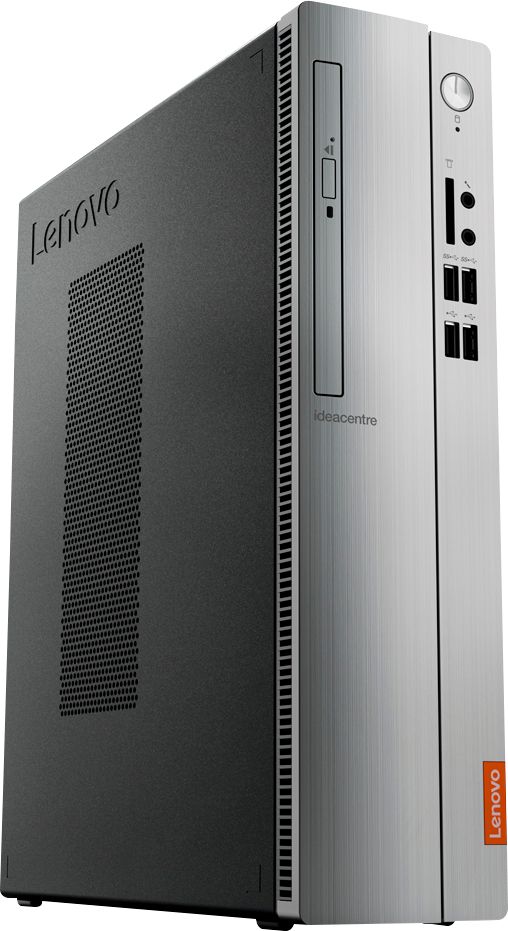
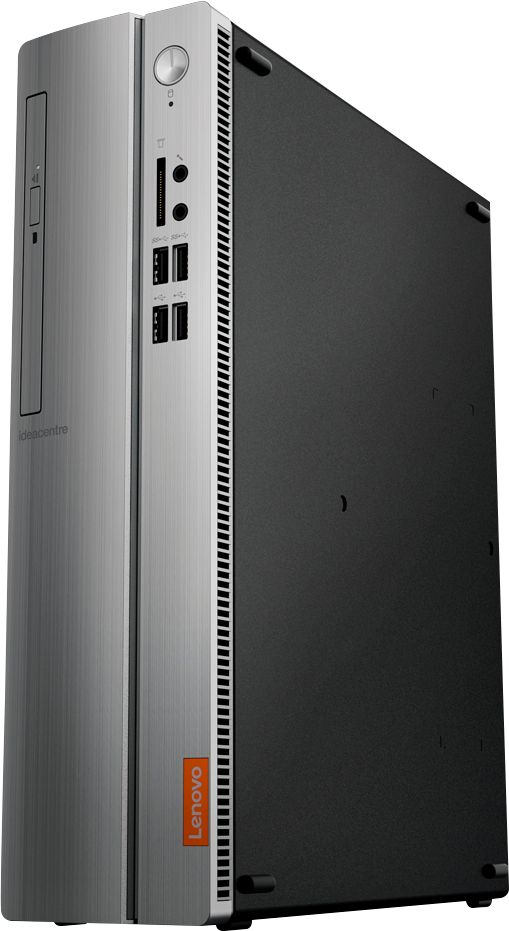
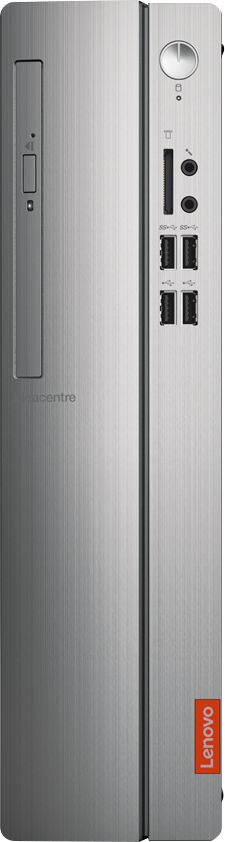
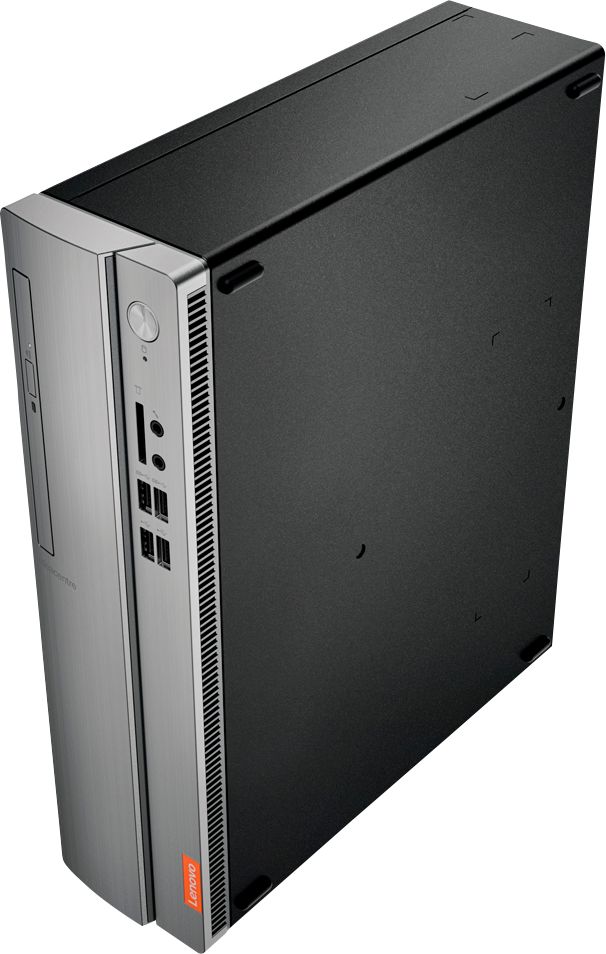

- Model:
- IDEACENTRE 310S-08 - 90G90068U
- SKU:
- 6291839
Rating by feature
- Value
Rating 4.3 out of 5 stars
- Quality
Rating 4.1 out of 5 stars
- Ease of Use
Rating 4.2 out of 5 stars
Customers are saying
Customers admire the IdeaCentre 310S Desktop for its affordability, ease of use, and solid performance. Many appreciate its compact size and the option to upgrade the RAM and storage. Positive feedback also highlights the straightforward setup process. While some users experienced minor issues with the Wi-Fi, the overall experience appears largely positive.
This summary was generated by AI based on customer reviews.
Lenovo Desktop
||Posted . Owned for 4 months when reviewed.This reviewer received promo considerations or sweepstakes entry for writing a review.Bought this computer for work as mine was getting old already, pretty fast for my needs, a good and affordable computer.
I would recommend this to a friendBrand response from Lenovo Product Expert
Posted .Once again, thank you for choosing the Lenovo IdeaCentre 310s Desktop. You can keep your computer running at its best by keeping the Windows 10 Operating System and all supporting BIOS files and drivers up to date. You can easily accomplish this by scanning the computer with the Lenovo Utility software available on this computer. This system has Lenovo utilities installed to help maintain the health of the device and keep the operating system software up to date. Type "Lenovo Vantage" in the Cortana Search window (if Lenovo Vantage is not installed on your device, you can download the APP and install it now). Select Lenovo Vantage from the list. In the window that opens, click on "Health and Support". In the expanded menu, select "Hardware Scan" In the window that opens, select "Run Quick Tests". This will scan your entire system for errors. Follow any directions that may pop up. If the problem continues after this scan, now click on "System Update". First select Windows update from the menu. Scan your system to be sure you have the latest version of Windows 10. Once that scan is complete, select "Additional Updates". This will scan your device to be sure there are no new BIOS/Driver updates needed. Follow any instructions that may pop up. If you ever need additional help with your Lenovo computer, we recommend you call Lenovo Tech Support at: 877-453-6686 for additional help.

very easy system to operate
||Posted .This reviewer received promo considerations or sweepstakes entry for writing a review.like the easy to get my chores done on computer. I like the option to make viewing larger. I'm now a fan of Lenovo.
I would recommend this to a friendBrand response from Lenovo Product Expert
Posted .Once again, thank you for choosing the Lenovo IdeaCentre 310s Desktop. You can keep your computer running at its best by keeping the Windows 10 Operating System and all supporting BIOS files and drivers up to date. You can easily accomplish this by scanning the computer with the Lenovo Utility software available on this computer. This system has Lenovo utilities installed to help maintain the health of the device and keep the operating system software up to date. Type "Lenovo Vantage" in the Cortana Search window (if Lenovo Vantage is not installed on your device, you can download the APP and install it now). Select Lenovo Vantage from the list. In the window that opens, click on "Health and Support". In the expanded menu, select "Hardware Scan" In the window that opens, select "Run Quick Tests". This will scan your entire system for errors. Follow any directions that may pop up. If the problem continues after this scan, now click on "System Update". First select Windows update from the menu. Scan your system to be sure you have the latest version of Windows 10. Once that scan is complete, select "Additional Updates". This will scan your device to be sure there are no new BIOS/Driver updates needed. Follow any instructions that may pop up. If you ever need additional help with your Lenovo computer, we recommend you call Lenovo Tech Support at: 877-453-6686 for additional help.
- Pros mentioned:Size
excellent pc
||Posted . Owned for 1 year when reviewed.This reviewer received promo considerations or sweepstakes entry for writing a review.great product. fast enough almost for everything. very quiet and compact. very happy with the product.
I would recommend this to a friend - Pros mentioned:Price
Greart Buy
||Posted .This reviewer received promo considerations or sweepstakes entry for writing a review.So, my family was just looking for a basic solid desk top. This Lenovo desk top did the trick. Great computer for the price.
I would recommend this to a friendBrand response from Lenovo Product Expert
Posted .Thank you for choosing the Lenovo IdeaCentre 310s desktop for your family. We are pleased to hear that the performance of the IdeaCentre 310s meets your family's computing needs so well.
- Cons mentioned:Speed
PERFECT FOR ENTRY LEVEL
||Posted . Owned for 1 month when reviewed.This reviewer received promo considerations or sweepstakes entry for writing a review.THIS IS A GREAT DESKTOP FOR PEOPLE THAT ARENT SUPER TECH SAVVY AND DONT NEED THE FASTEST TOWER ON EARTH TO WORK WITH.
I would recommend this to a friendBrand response from Lenovo Product Expert
Posted .Thank you for choosing the Lenovo IdeaCentre 310s desktop. The Lenovo IdeaCentre 310s desktop is a mid-level, moderate use configuration, with its AMD A9-9430 processor. This Dual-Core processor has a base speed of 3.2GHz and a boost speed of up to 3.5GHz. This configuration has 4GB of DDR4-2400MHz RAM. It is good with Microsoft Office type programs, internet browsing and other moderate work. If this describes your computing needs, the IdeaCentre 310s desktop would be a good choice for you.
GREAT ITEM
||Posted . Owned for 6 months when reviewed.This reviewer received promo considerations or sweepstakes entry for writing a review.great item. very fast computer. you cant add extensions or modify though. otherwise great product.
I would recommend this to a friendBrand response from Lenovo Product Expert
Posted .Hi Nathalie. Thanks for choosing the Lenovo IdeaCentre 310s Desktop. We are so happy to hear the features, performance, and user-friendly design of the IdeaCentre 310s Desktop is meeting your computing needs so well!
- Pros mentioned:Size
Desktop perfect for us
||Posted . Owned for 1 month when reviewed.This reviewer received promo considerations or sweepstakes entry for writing a review.We are really enjoying this desktop! It suits our needs perfectly and takes up very little room on roll top desk!
I would recommend this to a friendBrand response from Lenovo Product Expert
Posted .Thank you for choosing the Lenovo IdeaCentre 310s Desktop. We are pleased to hear that the features and performance of the IdeaCentre 310s meets your computing needs so well. The Lenovo IdeaCentre 310s desktop is a mid-level, moderate use configuration, with its AMD A9-9430 processor. This Dual-Core processor has a base speed of 3.2GHz and a boost speed of up to 3.5GHz. This configuration has 4GB of DDR4-2400MHz RAM. It is good with Microsoft Office type programs, internet browsing and other moderate work. If this describes your computing needs, the IdeaCentre 310s desktop would be a good choice for you.
Just what we needed
||Posted .This reviewer received promo considerations or sweepstakes entry for writing a review.My computer that I had bought from you about 10 years ago quit working so bought this one and it is just what we needed
I would recommend this to a friendBrand response from Lenovo Product Expert
Posted .Thank you for choosing the Lenovo IdeaCentre 310s desktop. We are pleased to hear that the performance of the IdeaCentre 310s meets your computing needs so well.
Nice change from all in one
||Posted . Owned for 3 weeks when reviewed.This reviewer received promo considerations or sweepstakes entry for writing a review.This is a nice change from an all in one computer. Very fast start up. It a little slower starting programs, games and such but not annoyingly slow. After getting started in a game or on line operation seems to be very good.
I would recommend this to a friendBrand response from Lenovo Product Expert
Posted .The Lenovo IdeaCentre 310s desktop is a mid-level, moderate use configuration, with its AMD A9-9430 processor. This Dual-Core processor has a base speed of 3.2GHz and a boost speed of up to 3.5GHz. This configuration has 4GB of DDR4-2400MHz RAM. It is good with Microsoft Office type programs, internet browsing and other moderate work. If this describes your computing needs, the IdeaCentre 310s desktop would be a good choice for you.
- Pros mentioned:Ease of use
Great Desk top computer
||Posted . Owned for 3 weeks when reviewed.This reviewer received promo considerations or sweepstakes entry for writing a review.My new Lenovo desk top computer was very easy to set up and does all the functions that I need. I'm very happy.
I would recommend this to a friendBrand response from Lenovo Product Expert
Posted .Thank you for choosing the Lenovo IdeaCentre 310s desktop. The Lenovo IdeaCentre 310s desktop is a mid-level, moderate use configuration, with its AMD A9-9430 processor. This Dual-Core processor has a base speed of 3.2GHz and a boost speed of up to 3.5GHz. This configuration has 4GB of DDR4-2400MHz RAM. It is good with Microsoft Office type programs, internet browsing and other moderate work. If this describes your computing needs, the IdeaCentre 310s desktop would be a good choice for you.
- Pros mentioned:Performance
Great, fast computer
||Posted . Owned for 1 month when reviewed.This reviewer received promo considerations or sweepstakes entry for writing a review.Bought this for my kids homeschool work and websites. Fast computer and works great for what i needed.
I would recommend this to a friendBrand response from Lenovo Product Expert
Posted .Once again, thank you for choosing the Lenovo IdeaCentre 310s Desktop for your children. You can keep your computer running at its best by keeping the Windows 10 Operating System and all supporting BIOS files and drivers up to date. You can easily accomplish this by scanning the computer with the Lenovo Utility software available on this computer. This system has Lenovo utilities installed to help maintain the health of the device and keep the operating system software up to date. Type "Lenovo Vantage" in the Cortana Search window (if Lenovo Vantage is not installed on your device, you can download the APP and install it now). Select Lenovo Vantage from the list. In the window that opens, click on "Health and Support". In the expanded menu, select "Hardware Scan" In the window that opens, select "Run Quick Tests". This will scan your entire system for errors. Follow any directions that may pop up. If the problem continues after this scan, now click on "System Update". First select Windows update from the menu. Scan your system to be sure you have the latest version of Windows 10. Once that scan is complete, select "Additional Updates". This will scan your device to be sure there are no new BIOS/Driver updates needed. Follow any instructions that may pop up. If you ever need additional help with your Lenovo computer, we recommend you call Lenovo Tech Support at: 877-453-6686 for additional help.
- Pros mentioned:Ease of use
Great for beginners
||Posted .This reviewer received promo considerations or sweepstakes entry for writing a review.This is an inexpensive computer for those with basic computing needs such as web surfing and social media applications.
I would recommend this to a friendBrand response from Lenovo Product Expert
Posted .Thank you for choosing the Lenovo IdeaCentre 310s desktop. We are pleased to hear that the value and performance of the IdeaCentre 310s meets your computing needs so well.
Good computer
||Posted . Owned for 3 weeks when reviewed.This reviewer received promo considerations or sweepstakes entry for writing a review.Brought this computer for my wife’s failing old computer. The computer runs fast and very happy with the upgrade
I would recommend this to a friendBrand response from Lenovo Product Expert
Posted .Thank you for choosing the Lenovo IdeaCentre 310s Desktop. The Lenovo IdeaCentre 310s desktop is a mid-level, moderate use configuration, with its AMD A9-9430 processor. This Dual-Core processor has a base speed of 3.2GHz and a boost speed of up to 3.5GHz. This configuration has 4GB of DDR4-2400MHz RAM. It is good with Microsoft Office type programs, internet browsing and other moderate work. If this describes your computing needs, the IdeaCentre 310s desktop would be a good choice for you.
- Pros mentioned:Performance
Great Basic Computer
||Posted . Owned for 8 months when reviewed.This reviewer received promo considerations or sweepstakes entry for writing a review.This is a great basic computer for internet browsing and basic tasks. I am pleased with my purchase.
I would recommend this to a friendBrand response from Lenovo Product Expert
Posted .Thank you for choosing the Lenovo IdeaCentre 310s Desktop, model number 90G90068US. We are pleased to hear that the performance of the IdeaCentre 310s meets your computing needs so well. The Lenovo IdeaCentre 310s desktop, model number 90G90068US, is a mid-level, moderate use configuration, with its AMD A9-9425 processor. This Dual-Core processor has a base speed of 3.1GHz and a boost speed of up to 3.7GHz. This configuration has 4GB of DDR4-2666MHz RAM. It is good with Microsoft Office type programs, internet browsing and other moderate work. If this describes your computing needs, the IdeaCentre 310s desktop would be a good choice for you.
- Pros mentioned:Performance
Great Desktop for light to moderate office work
||Posted . Owned for 3 weeks when reviewed.This reviewer received promo considerations or sweepstakes entry for writing a review.Purchased to replace an office PC that was several years old. Works great for Office 365, web browsing ,etc.
I would recommend this to a friendBrand response from Lenovo Product Expert
Posted .Once again, thank you for choosing the Lenovo IdeaCentre 310s Desktop. You can keep your computer running at its best by keeping the Windows 10 Operating System and all supporting BIOS files and drivers up to date. You can easily accomplish this by scanning the computer with the Lenovo Utility software available on this computer. This system has Lenovo utilities installed to help maintain the health of the device and keep the operating system software up to date. Type "Lenovo Vantage" in the Cortana Search window (if Lenovo Vantage is not installed on your device, you can download the APP and install it now). Select Lenovo Vantage from the list. In the window that opens, click on "Health and Support". In the expanded menu, select "Hardware Scan" In the window that opens, select "Run Quick Tests". This will scan your entire system for errors. Follow any directions that may pop up. If the problem continues after this scan, now click on "System Update". First select Windows update from the menu. Scan your system to be sure you have the latest version of Windows 10. Once that scan is complete, select "Additional Updates". This will scan your device to be sure there are no new BIOS/Driver updates needed. Follow any instructions that may pop up. If you ever need additional help with your Lenovo computer, we recommend you call Lenovo Tech Support at: 877-453-6686 for additional help.
Great computer for simple office
||Posted . Owned for 2 weeks when reviewed.This reviewer received promo considerations or sweepstakes entry for writing a review.We run a business and just needed a for payroll and other things. This one is affordable fast and reliable.
I would recommend this to a friendBrand response from Lenovo Product Expert
Posted .Thank you for choosing the Lenovo IdeaCentre 310s Desktop for your business. We are pleased to hear that the value and performance of the IdeaCentre 310s meets your business computing needs so well. The Lenovo IdeaCentre 310s desktop is a mid-level, moderate use configuration, with its AMD A9-9430 processor. This Dual-Core processor has a base speed of 3.2GHz and a boost speed of up to 3.5GHz. This configuration has 4GB of DDR4-2400MHz RAM. It is good with Microsoft Office type programs, internet browsing and other moderate work. If this describes your computing needs, the IdeaCentre 310s desktop would be a good choice for you.
Not so great computer!
||Posted . Owned for 1 month when reviewed.This reviewer received promo considerations or sweepstakes entry for writing a review.Bought this for my son with autism; his had quit after 12 years. Bought this because Lenovo, I thought, was a great computer for the money. Set it up and was great UNTIL on day 34 the dreaded "blue screen" appeared. Had it diagnosed; hardware failure. Did research and it seems this is a common problem with this brand. Unable to return for repair/replacement I purchased a different brand and couldn't be happier. Reading reviews is good, but do your homework before purchasing!
No, I would not recommend this to a friendBrand response from Lenovo Product Expert
Posted .The Lenovo IdeaCentre 310s desktop, model number 90G90068US, is a mid-level, moderate use configuration, with its AMD A9-9425 processor. This Dual-Core processor has a base speed of 3.1GHz and a boost speed of up to 3.7GHz. This configuration has 4GB of DDR4-2666MHz RAM. It is good with Microsoft Office type programs, internet browsing and other moderate work. If this describes your computing needs, the IdeaCentre 310s desktop would be a good choice for you.
- Pros mentioned:Ease of use
Solid base model computer
||Posted . Owned for 1 year when reviewed.This reviewer received promo considerations or sweepstakes entry for writing a review.Don’t use it much except for word processing and internet. Works extremely well for basic computing.
I would recommend this to a friendBrand response from Lenovo Product Expert
Posted .Once again, thank you for choosing the Lenovo IdeaCentre 310s Desktop. You can keep your computer running at its best by keeping the Windows 10 Operating System and all supporting BIOS files and drivers up to date. You can easily accomplish this by scanning the computer with the Lenovo Utility software available on this computer. This system has Lenovo utilities installed to help maintain the health of the device and keep the operating system software up to date. Type "Lenovo Vantage" in the Cortana Search window (if Lenovo Vantage is not installed on your device, you can download the APP and install it now). Select Lenovo Vantage from the list. In the window that opens, click on "Health and Support". In the expanded menu, select "Hardware Scan" In the window that opens, select "Run Quick Tests". This will scan your entire system for errors. Follow any directions that may pop up. If the problem continues after this scan, now click on "System Update". First select Windows update from the menu. Scan your system to be sure you have the latest version of Windows 10. Once that scan is complete, select "Additional Updates". This will scan your device to be sure there are no new BIOS/Driver updates needed. Follow any instructions that may pop up. If you ever need additional help with your Lenovo computer, we recommend you call Lenovo Tech Support at: 877-453-6686 for additional help.
- Pros mentioned:Ease of use
Easy to use
||Posted .This reviewer received promo considerations or sweepstakes entry for writing a review.Easy. I have projects and trainings at work that this is perfect for, as well as surfing the web
I would recommend this to a friendBrand response from Lenovo Product Expert
Posted .Once again, thank you for choosing the Lenovo IdeaCentre 310s desktop. You can keep your computer running at its best by keeping the Windows 10 Operating System and all supporting BIOS files and drivers up to date. You can easily accomplish this by scanning the computer with the Lenovo Utility software available on this computer. Just type "Lenovo Vantage" in the Cortana Search window (if Lenovo Vantage is not installed on your device, you can download the APP and install it now). Select Lenovo Vantage from the list. In the window that opens, click on "Health and Support". In the expanded menu, select "Hardware Scan" In the window that opens, select "Run Quick Tests". This will scan your entire system for errors. Follow any directions that may pop up. If the problem continues after this scan, now click on "System Update". First select Windows update from the menu. Scan your system to be sure you have the latest version of Windows 10. Once that scan is complete, select "Additional Updates". This will scan your device to be sure there are no new BIOS/Driver updates needed. Follow any instructions that may pop up. If you ever need additional help with your Lenovo computer, we recommend you call Lenovo Tech Support at: 877-453-6686 for additional help.
- Pros mentioned:Ease of use
Great coputer
||Posted . Owned for 1 month when reviewed.This reviewer received promo considerations or sweepstakes entry for writing a review.I am very satisfied with this computer. It was easy to install and I have had no issues using it.
I would recommend this to a friendBrand response from Lenovo Product Expert
Posted .Once again, thank you for choosing the Lenovo IdeaCentre 310s Desktop. You can keep your computer running at its best by keeping the Windows 10 Operating System and all supporting BIOS files and drivers up to date. You can easily accomplish this by scanning the computer with the Lenovo Utility software available on this computer. This system has Lenovo utilities installed to help maintain the health of the device and keep the operating system software up to date. Type "Lenovo Vantage" in the Cortana Search window (if Lenovo Vantage is not installed on your device, you can download the APP and install it now). Select Lenovo Vantage from the list. In the window that opens, click on "Health and Support". In the expanded menu, select "Hardware Scan" In the window that opens, select "Run Quick Tests". This will scan your entire system for errors. Follow any directions that may pop up. If the problem continues after this scan, now click on "System Update". First select Windows update from the menu. Scan your system to be sure you have the latest version of Windows 10. Once that scan is complete, select "Additional Updates". This will scan your device to be sure there are no new BIOS/Driver updates needed. Follow any instructions that may pop up. If you ever need additional help with your Lenovo computer, we recommend you call Lenovo Tech Support at: 877-453-6686 for additional help.