Customer Ratings & Reviews

- Model:
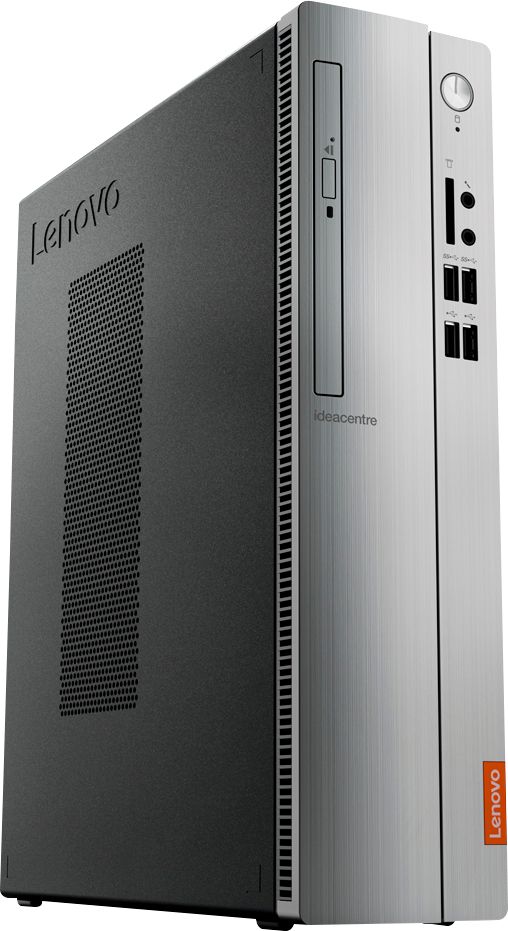
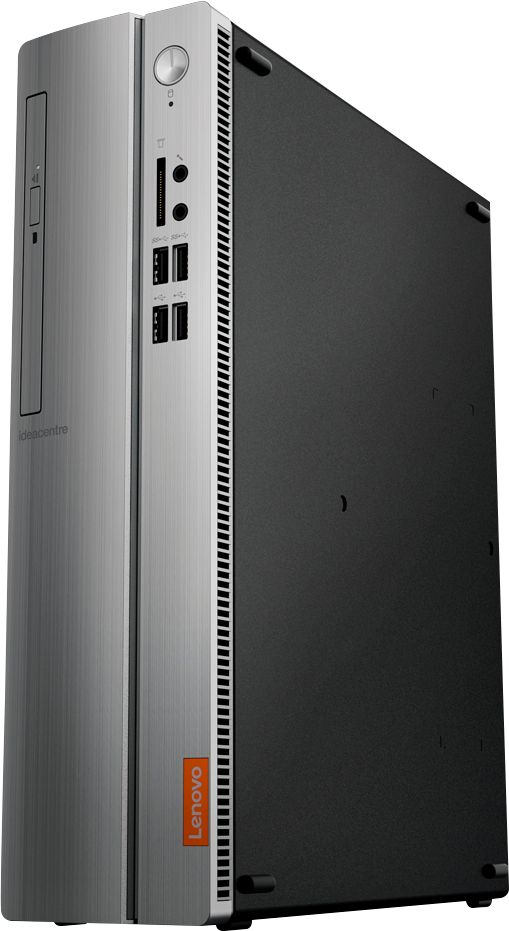
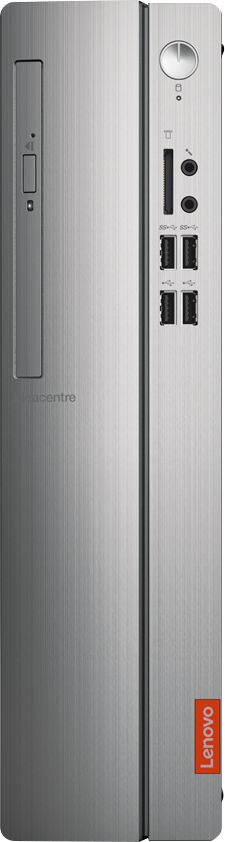
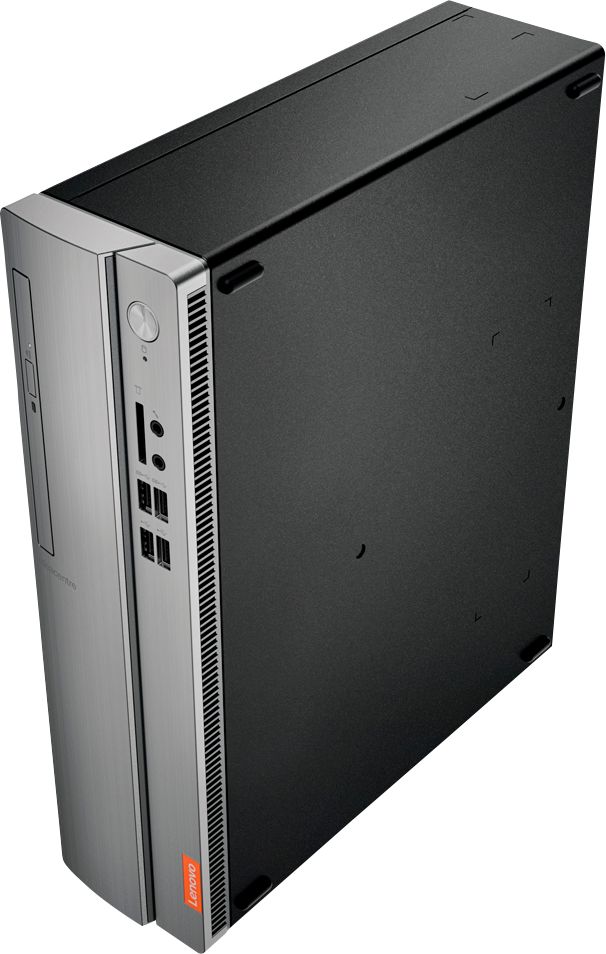
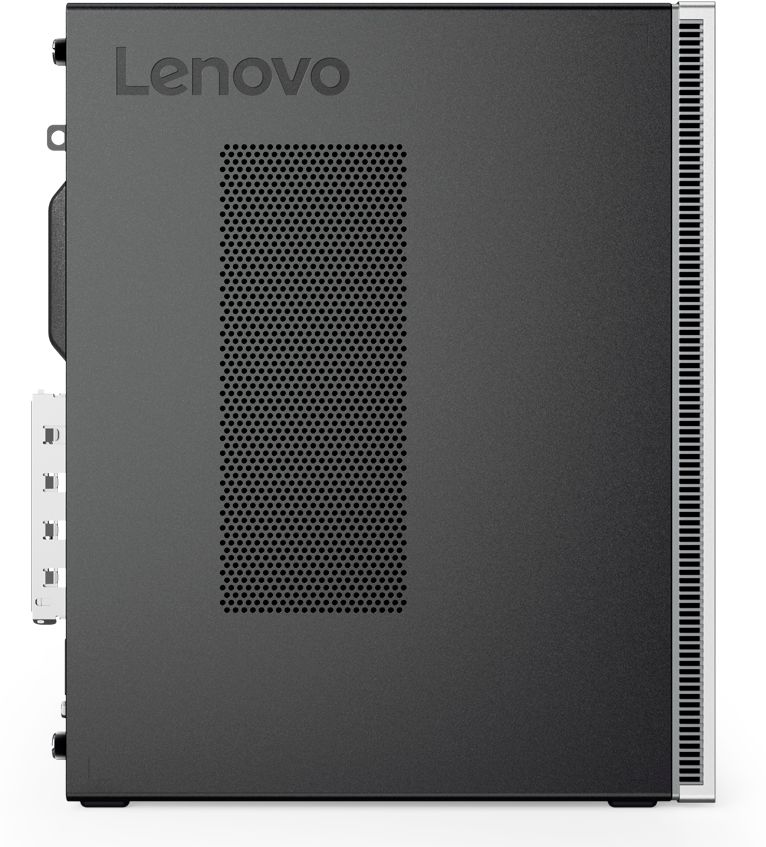
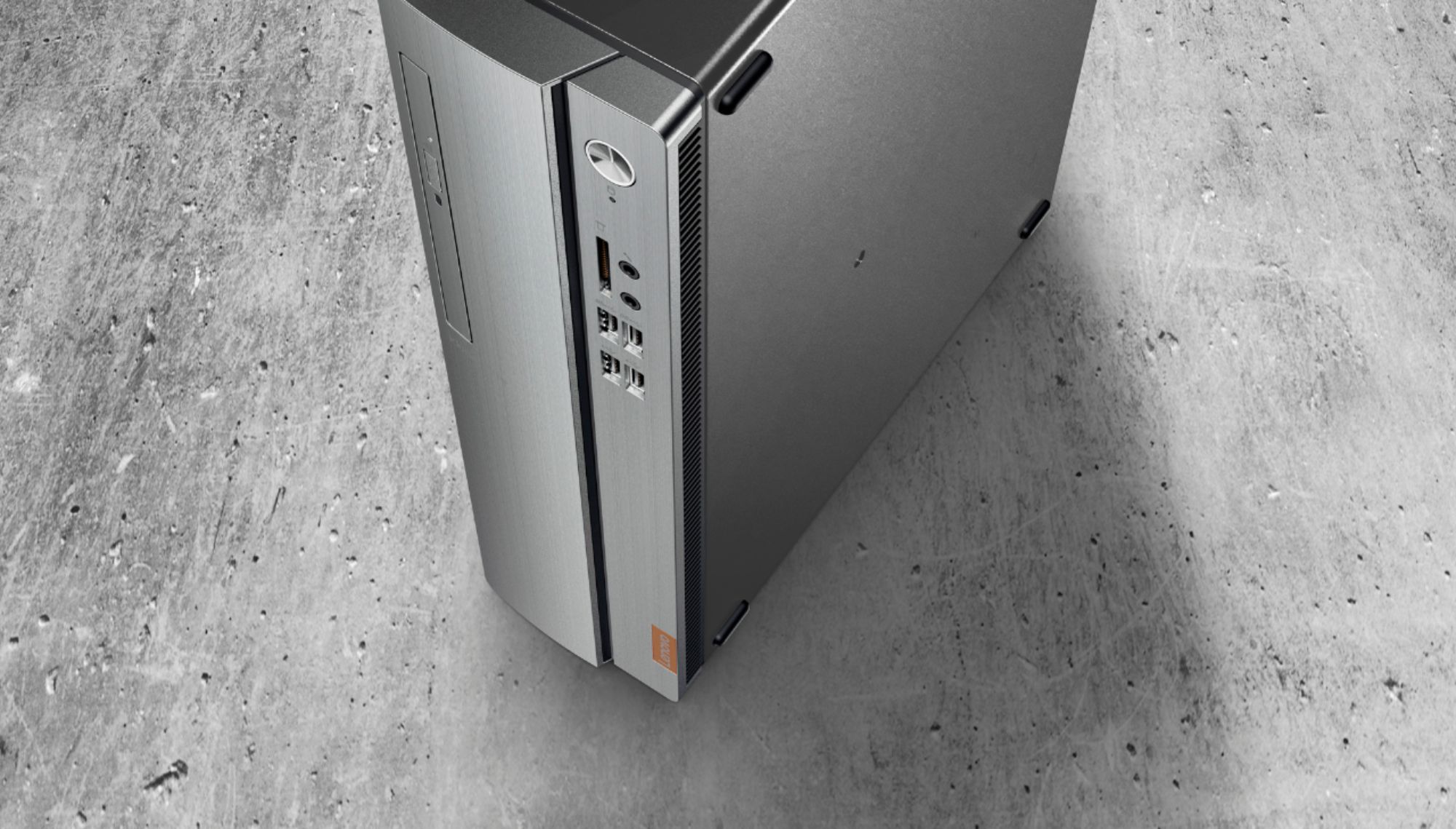
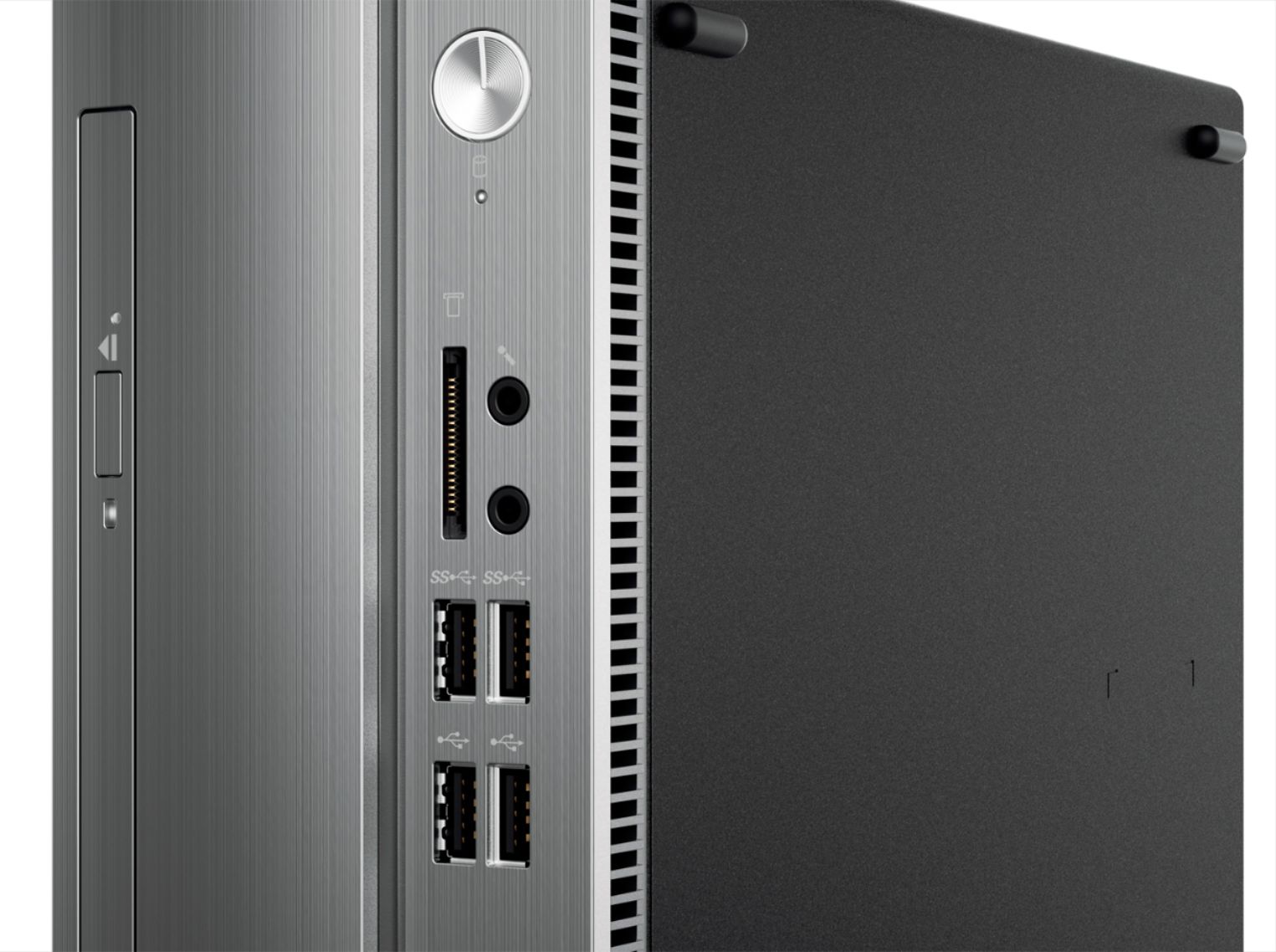
- IDEACENTRE 310S-08 - 90G90068U
- SKU:
- 6291839
Rating by feature
- Value
Rating 4.3 out of 5 stars
- Quality
Rating 4.1 out of 5 stars
- Ease of Use
Rating 4.2 out of 5 stars
Customers are saying
Customers admire the IdeaCentre 310S Desktop for its affordability, ease of use, and solid performance. Many appreciate its compact size and the option to upgrade the RAM and storage. Positive feedback also highlights the straightforward setup process. While some users experienced minor issues with the Wi-Fi, the overall experience appears largely positive.
This summary was generated by AI based on customer reviews.
- Pros mentioned:Size
Great for basic needs
||Posted .This reviewer received promo considerations or sweepstakes entry for writing a review.I just needed a basic computer and this is perfect
I would recommend this to a friendBrand response from Lenovo Product Expert
Posted .Thank you for choosing the Lenovo IdeaCentre 310s desktop. We are pleased to hear that the performance of the IdeaCentre 310s meets your computing needs so well.

Great computer overall
||Posted . Owned for 1 month when reviewed.This reviewer received promo considerations or sweepstakes entry for writing a review.the only problem I have is that it has be set up for use through Microsoft account, instead of just a general set up.
I would recommend this to a friendBrand response from Lenovo Product Expert
Posted .You can setup a local account if you do not have internet access. Here is a link to a YouTube video with more information: https://www.youtube.com/watch?v=P9oquwkVkpM
Lenovo brand perfect.
||Posted . Owned for less than 1 week when reviewed.This reviewer received promo considerations or sweepstakes entry for writing a review.Needed to replace a Windows 7 Dell tower that was hooked up to my smart tv for teleworking. Lenovo is a really great brand and was thankful that this was in stock. Easy hookup and very quiet when needing to do work from home. Curbside pickup was easy and fast. Thank you for your help.
I would recommend this to a friendBrand response from Lenovo Product Expert
Posted .Thanks for choosing the Lenovo IdeaCentre 310S Desktop, We are so happy to hear the features, performance, and user friendly design of the IdeaCentre 310S Desktop is meeting your computing needs so well!
Good Computer for paying bills
||Posted . Owned for 3 weeks when reviewed.This reviewer received promo considerations or sweepstakes entry for writing a review.This computer has just the right speed for paying bills and shopping online. It's also used for working from home.
I would recommend this to a friendBrand response from Lenovo Product Expert
Posted .Once again, thank you for choosing the Lenovo IdeaCentre 310s Desktop. You can keep your computer running at its best by keeping the Windows 10 Operating System and all supporting BIOS files and drivers up to date. You can easily accomplish this by scanning the computer with the Lenovo Utility software available on this computer. This system has Lenovo utilities installed to help maintain the health of the device and keep the operating system software up to date. Type "Lenovo Vantage" in the Cortana Search window (if Lenovo Vantage is not installed on your device, you can download the APP and install it now). Select Lenovo Vantage from the list. In the window that opens, click on "Health and Support". In the expanded menu, select "Hardware Scan" In the window that opens, select "Run Quick Tests". This will scan your entire system for errors. Follow any directions that may pop up. If the problem continues after this scan, now click on "System Update". First select Windows update from the menu. Scan your system to be sure you have the latest version of Windows 10. Once that scan is complete, select "Additional Updates". This will scan your device to be sure there are no new BIOS/Driver updates needed. Follow any instructions that may pop up. If you ever need additional help with your Lenovo computer, we recommend you call Lenovo Tech Support at: 877-453-6686 for additional help.
Good product
||Posted . Owned for 1 month when reviewed.This reviewer received promo considerations or sweepstakes entry for writing a review.Replacement of older hard drive unit went well. Computer speed is excellent. Would definitely recommend this product.
I would recommend this to a friendBrand response from Lenovo Product Expert
Posted .Thank you for choosing the Lenovo IdeaCentre 310s Desktop. The Lenovo IdeaCentre 310s desktop, model number 90G90068US, is a mid-level, moderate use configuration, with its AMD A9-9425 processor. This Dual-Core processor has a base speed of 3.1GHz and a boost speed of up to 3.7GHz. This configuration has 4GB of DDR4-2666MHz RAM. It is good with Microsoft Office type programs, internet browsing and other moderate work. If this describes your computing needs, the IdeaCentre 310s desktop would be a good choice for you.
- Pros mentioned:Performance
Good Desktop Computer
||Posted . Owned for 1 month when reviewed.This reviewer received promo considerations or sweepstakes entry for writing a review.Great bang for the buck, plenty of storage space and very capable for business use.
I would recommend this to a friendBrand response from Lenovo Product Expert
Posted .The Lenovo IdeaCentre 310s desktop is a mid-level, moderate use configuration, with its AMD A9-9430 processor. This Dual-Core processor has a base speed of 3.2GHz and a boost speed of up to 3.5GHz. This configuration has 4GB of DDR4-2400MHz RAM. It is good with Microsoft Office type programs, internet browsing and other moderate work. If this describes your computing needs, the IdeaCentre 310s desktop would be a good choice for you.
Great Computer
||Posted . Owned for 2 months when reviewed.This reviewer received promo considerations or sweepstakes entry for writing a review.I had to buy a new computer to replace my old one (Windows 7). This new computer (Windows 10) works just fine.
I would recommend this to a friendBrand response from Lenovo Product Expert
Posted .Once again, thank you for choosing the Lenovo IdeaCentre 310s Desktop. You can keep your computer running at its best by keeping the Windows 10 Operating System and all supporting BIOS files and drivers up to date. You can easily accomplish this by scanning the computer with the Lenovo Utility software available on this computer. This system has Lenovo utilities installed to help maintain the health of the device and keep the operating system software up to date. Type "Lenovo Vantage" in the Cortana Search window (if Lenovo Vantage is not installed on your device, you can download the APP and install it now). Select Lenovo Vantage from the list. In the window that opens, click on "Health and Support". In the expanded menu, select "Hardware Scan" In the window that opens, select "Run Quick Tests". This will scan your entire system for errors. Follow any directions that may pop up. If the problem continues after this scan, now click on "System Update". First select Windows update from the menu. Scan your system to be sure you have the latest version of Windows 10. Once that scan is complete, select "Additional Updates". This will scan your device to be sure there are no new BIOS/Driver updates needed. Follow any instructions that may pop up. If you ever need additional help with your Lenovo computer, we recommend you call Lenovo Tech Support at: 877-453-6686 for additional help.
Good computer.. do "Fresh Start" and upgrade parts
Posted .This reviewer received promo considerations or sweepstakes entry for writing a review.This is a decent computer, after some minimal work (depends on your experience with IT). We bought this computer for my company (under a different login) about 2 weeks ago, basically to do VERY simple tasks. We will run a few different shipping programs, do web browsing/email, and some file shares.. again, nothing that will really tax the computer. It works great for that, but I can't say how bigger programs would run. PROS: -CAN BE a pretty quick computer.. see recommendations below. -Small form factor/lightweight. Can fit anywhere -Inexpensive compared to others -Looks nice, and seems somewhat sturdy -Can add more RAM CONS: -No internal fan... hmmm.... Sure there is a very very small one on top of the processor, but nothing pushing or pulling the hot air out of the case. This will SLOW the computer down or make it crash as well. I'm surprised the manufacturer didn't add one, since it probably would avoid a lot of people going through warranty/call centers for an overheated/malfunctioning computer. -Wifi antenna/connector seems delicate, but I haven't had issues with it connecting yet. The antenna panel is oddly placed, and blocks anything being inserted into the PCI Express slot. Once moved, it leaves an open hole in the case, letting excess dirt/dust in, but you can at least use the express slot after. -Only 1 mount for 2.5" hard drive/only 2 SATA plugs. The CD drive uses one SATA, and you can "technically" place a second hard drive, but you will lose the CD drive. RECOMMENDATIONS: -First things first, clean off the bloatware ASAP. Windows 10 has something built into the software, called "Fresh Start". This re-installs windows 10 without most of the 3rd party apps from Lenovo or other mysterious companies. This will improve speeds drastically. Go through the initial setup of your computer, and Google search how to do it. It'll take you 5-10 mins, then walk away as it installs for an hour. -Add AT LEAST another 4GB RAM stick ($15-$20). 4GB just isn't enough for most tasks. Well worth the effort and inexpensive cost! -Add some sort of internal fan IF you can find the right size. I have to re-measure the mount holes, but fans can usually be inexpensive. The motherboard already has 2 empty plugs and 2 mounting points on the case, specifically for fans. This will extend the life of the computer greatly. -Move the Wifi antenna panel if you have any desire to use the PCI Express slot.. again, it was originally placed in a weird spot. You can also get a better Wifi Card if you are having issues.. You can use one of the PCI express slots or just put it back into the same M.2 slot. All-in-all.. For the price, the computer isn't bad. This IS NOT made to be a high-end, lightning-fast computer. However,if you buy it knowing that, then you'll be happy. You don't have to use any of my recommendations, but I would at least increase the RAM if you want to do anything on the computer a little quicker. Only 4GB of RAM just shouldn't be a standard in 2019.
I would recommend this to a friendBrand response from Lenovo Product Expert
Posted .The Lenovo IdeaCentre 310s Desktop ships with just two adware programs, a 30-day trial of Microsoft Office 365 (as part of Windows 10 operating system) and a 30-day trial of McAfee virus protection. Lenovo computers ship with one of the cleanest factory software installs within the consumer computer industry.The Lenovo IdeaCentre 310s desktop is a mid-level, moderate use configuration, with its AMD A9-9430 processor. This Dual-Core processor has a base speed of 3.2GHz and a boost speed of up to 3.5GHz. This configuration has 4GB of DDR4-2400MHz RAM. It is good with Microsoft Office type programs, internet browsing and other moderate work. If this describes your computing needs, the IdeaCentre 310s desktop would be a good choice for you. Lenovo is the number #1 manufacturer of computers in the World:
https://venturebeat.com/2019/01/10/gartner-and-idc-hp-and-lenovo-shipped-the-most-pcs-in-2018-but-total-numbers-fell/
Great Desktop
||Posted . Owned for 5 months when reviewed.This reviewer received promo considerations or sweepstakes entry for writing a review.I needed enough space and this desktop qualifies and I am very satisfied.
I would recommend this to a friendBrand response from Lenovo Product Expert
Posted .Thank you for choosing the Lenovo IdeaCentre 310s Desktop, model number 90G90068US. The Lenovo IdeaCentre 310s desktop, model number 90G90068US, is a mid-level, moderate use configuration, with its AMD A9-9425 processor. This Dual-Core processor has a base speed of 3.1GHz and a boost speed of up to 3.7GHz. This configuration has 4GB of DDR4-2666MHz RAM. It is good with Microsoft Office type programs, internet browsing and other moderate work. If this describes your computing needs, the IdeaCentre 310s desktop would be a good choice for you.
- Cons mentioned:Speed
ok
||Posted .This reviewer received promo considerations or sweepstakes entry for writing a review.a little slow but works fine and gets everything done that i need
I would recommend this to a friend Great for home use
||Posted . Owned for 1 month when reviewed.This reviewer received promo considerations or sweepstakes entry for writing a review.Purchased for father-in-law, primarily for internet use and some word processing. Does what he needs it to do.
I would recommend this to a friendBrand response from Lenovo Product Expert
Posted .The Lenovo IdeaCentre 310s desktop, model number 90G90068US, is a mid-level, moderate use configuration, with its AMD A9-9425 processor. This Dual-Core processor has a base speed of 3.1GHz and a boost speed of up to 3.7GHz. This configuration has 4GB of DDR4-2666MHz RAM. It is good with Microsoft Office type programs, internet browsing and other moderate work. If this describes your computing needs, the IdeaCentre 310s desktop would be a good choice for you.
- Cons mentioned:Speed
You get what you pay for.
||Posted . Owned for 3 weeks when reviewed.This reviewer received promo considerations or sweepstakes entry for writing a review.We bought this computer for my son to do school work on and it has trouble opening a single video. It took four attempts to start it and then a restart of the windows media player. If you are looking for something with a decent response time to any action you do, this is not the computer for you.
No, I would not recommend this to a friendBrand response from Lenovo Product Expert
Posted .We are sorry to hear that you are having issues with your Lenovo IdeaCentre 310s Desktop, model number 90G90068U. This model ships with Windows 10 Home Operating System, which should boot without any issue. Be sure any software you installed is compatible with Windows 10. There is no need to install Microsoft Office software. The software is already part of the operating system, you just need to activate the software with a purchased product key. If you have installed a copy of Microsoft Office, this is conflicting with the existing copy on the system and this will slow your system down. If you have installed a 3rd party anti-virus program, be sure that Windows Defender is turned off and that the trial version of McAfee Anti-Virus software is uninstalled. There can only be one anti-virus program on the system. You may need to restore your system to original factory default settings if any of the programming errors have occurred. You can do that by typing "restore" in the Cortana search window. Just click on the magnifying glass icon at the bottom left of your Windows 10 Desktop. Click on "Reset This PC" Then click on "Get Started" and follow the on screen directions to restore to factory defaults. If the problem persists, we recommend you contact Lenovo Tech Support at: 877-453-6686.
Great Product
||Posted .This reviewer received promo considerations or sweepstakes entry for writing a review.Nice entry level computer to store data. It serves its purpose as a file server.
I would recommend this to a friendBrand response from Lenovo Product Expert
Posted .The Lenovo IdeaCentre 310s desktop is a mid-level, moderate use configuration, with its AMD A9-9430 processor. This Dual-Core processor has a base speed of 3.2GHz and a boost speed of up to 3.5GHz. This configuration has 4GB of DDR4-2400MHz RAM. It is good with Microsoft Office type programs, internet browsing and other moderate work. If this describes your computing needs, the IdeaCentre 310s desktop would be a good choice for you. Lenovo is the number #1 manufacturer of computers in the World:
https://venturebeat.com/2019/01/10/gartner-and-idc-hp-and-lenovo-shipped-the-most-pcs-in-2018-but-total-numbers-fell/
Good value for price
||Posted . Owned for 1 year when reviewed.This reviewer received promo considerations or sweepstakes entry for writing a review.Good value for the price, needed to upgrade RAM to play games smoothly
I would recommend this to a friend- Cons mentioned:Speed
good for the money
||Posted . Owned for 3 weeks when reviewed.This reviewer received promo considerations or sweepstakes entry for writing a review.It's a decent computer. No really as fast as other s I have owned.
I would recommend this to a friend - Cons mentioned:Speed
Ok but extremely slow
||Posted . Owned for 1 month when reviewed.This reviewer received promo considerations or sweepstakes entry for writing a review.Basic desktop but it’s so slow. Would not purchase again
No, I would not recommend this to a friend - Cons mentioned:Wifi
Lenova Desktop
||Posted .This reviewer received promo considerations or sweepstakes entry for writing a review.Got this for a good price, Have had issues with it's wifi, finally hardwired it. Machine is slow, they should probably ship it with more ram. If I had it to do over again, I would probably have bought an Apple computer. I guess if you just need a REAL basic computer with no need for speed, buy it.
No, I would not recommend this to a friendBrand response from Lenovo Product Expert
Posted .The Lenovo IdeaCentre 310s desktop ships with the latest 5G 802.11AC frequency WiFi. Be sure your router has the latest firmware updates from the router manufacturer's web site. This is a mid-level, moderate use configuration, with its AMD A9-9425 processor. This Dual-Core processor has a base speed of 3.1GHz and a boost speed of up to 3.7GHz. This configuration has 4GB of RAM. It is good with Microsoft Office type programs, internet browsing and other moderate work. If this describes your computing needs, the IdeaCentre 310s would be a good choice for you.
- Cons mentioned:Speed
Lenovo
||Posted . Owned for 3 weeks when reviewed.This reviewer received promo considerations or sweepstakes entry for writing a review.Works good but just have a slow processor but is friendly
I would recommend this to a friendBrand response from Lenovo Product Expert
Posted .The Lenovo IdeaCentre 310s desktop, model number 90G90068US, is a mid-level, moderate use configuration, with its AMD A9-9425 processor. This Dual-Core processor has a base speed of 3.1GHz and a boost speed of up to 3.7GHz. This configuration has 4GB of DDR4-2666MHz RAM. It is good with Microsoft Office type programs, internet browsing and other moderate work. If this describes your computing needs, the IdeaCentre 310s desktop would be a good choice for you.
Good computer for the price.
||Posted . Owned for 3 weeks when reviewed.This reviewer received promo considerations or sweepstakes entry for writing a review.Bought this to replace a desktop that was having issues. Boots fast and has worked fine so far. The only complaint would be the dvd drive is a bit clunky to use since it sits sideways but doesn't get used that often so it's a minor issue.
I would recommend this to a friendBrand response from Lenovo Product Expert
Posted .Once again, thank you for choosing the Lenovo IdeaCentre 310s Desktop. You can keep your computer running at its best by keeping the Windows 10 Operating System and all supporting BIOS files and drivers up to date. You can easily accomplish this by scanning the computer with the Lenovo Utility software available on this computer. This system has Lenovo utilities installed to help maintain the health of the device and keep the operating system software up to date. Type "Lenovo Vantage" in the Cortana Search window (if Lenovo Vantage is not installed on your device, you can download the APP and install it now). Select Lenovo Vantage from the list. In the window that opens, click on "Health and Support". In the expanded menu, select "Hardware Scan" In the window that opens, select "Run Quick Tests". This will scan your entire system for errors. Follow any directions that may pop up. If the problem continues after this scan, now click on "System Update". First select Windows update from the menu. Scan your system to be sure you have the latest version of Windows 10. Once that scan is complete, select "Additional Updates". This will scan your device to be sure there are no new BIOS/Driver updates needed. Follow any instructions that may pop up. If you ever need additional help with your Lenovo computer, we recommend you call Lenovo Tech Support at: 877-453-6686 for additional help.
- Pros mentioned:Performance
Affordable gaming computer
||Posted .This reviewer received promo considerations or sweepstakes entry for writing a review.It keeps my 11 year old entertained in roblox and doesn't crash.
I would recommend this to a friendBrand response from Lenovo Product Expert
Posted .The Lenovo IdeaCentre 310s desktop is a mid-level, moderate use configuration, with its AMD A9-9425 processor. This Dual-Core processor has a base speed of 3.1GHz and a boost speed of up to 3.7GHz. This configuration has 4GB of DDR4-2666MHz RAM. It is good with Microsoft Office type programs, internet browsing and other moderate work. If this describes your computing needs, the IdeaCentre 310s desktop would be a good choice for you. We recommend you check the requirements and compatibility of the games/software you will need to use on your new computer, before you invest. Be sure your new computer will do the work you want to do, before you invest in any new computer.