Customer Ratings & Reviews
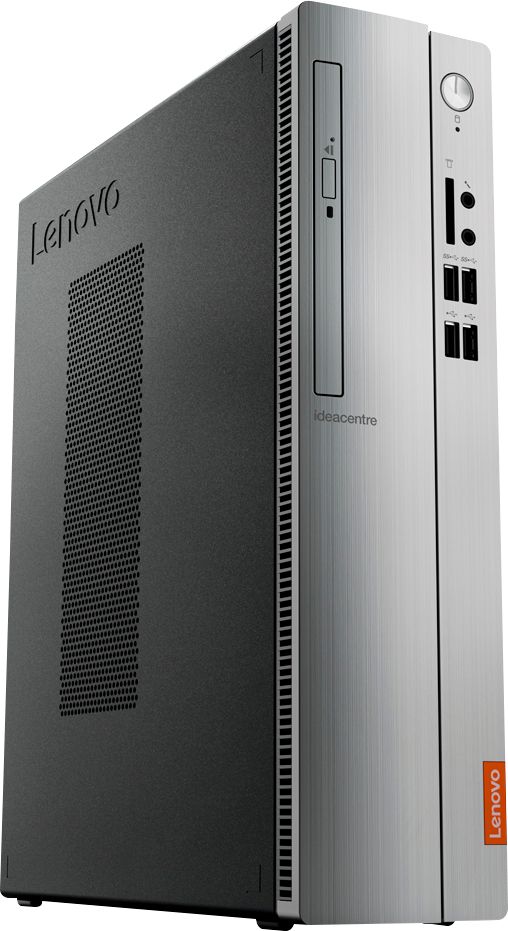
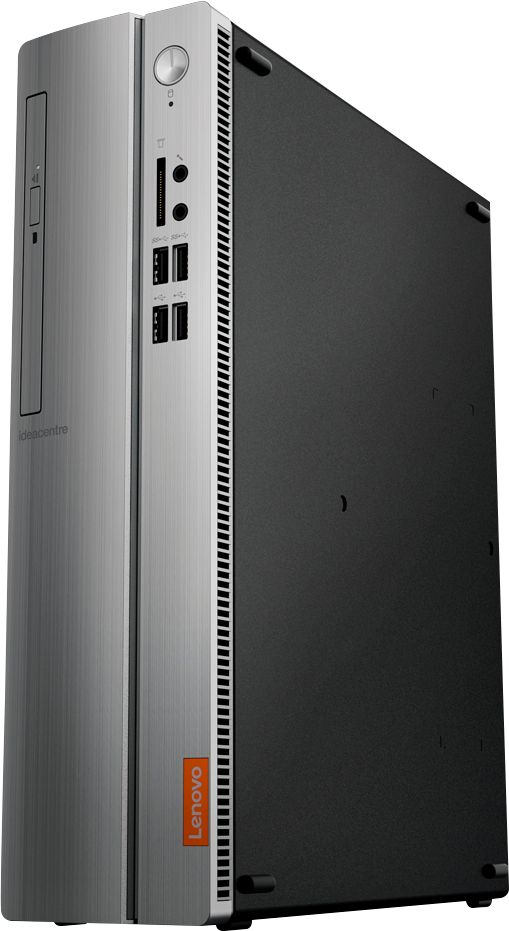
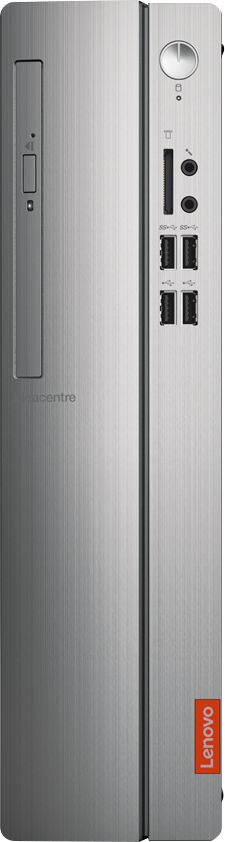
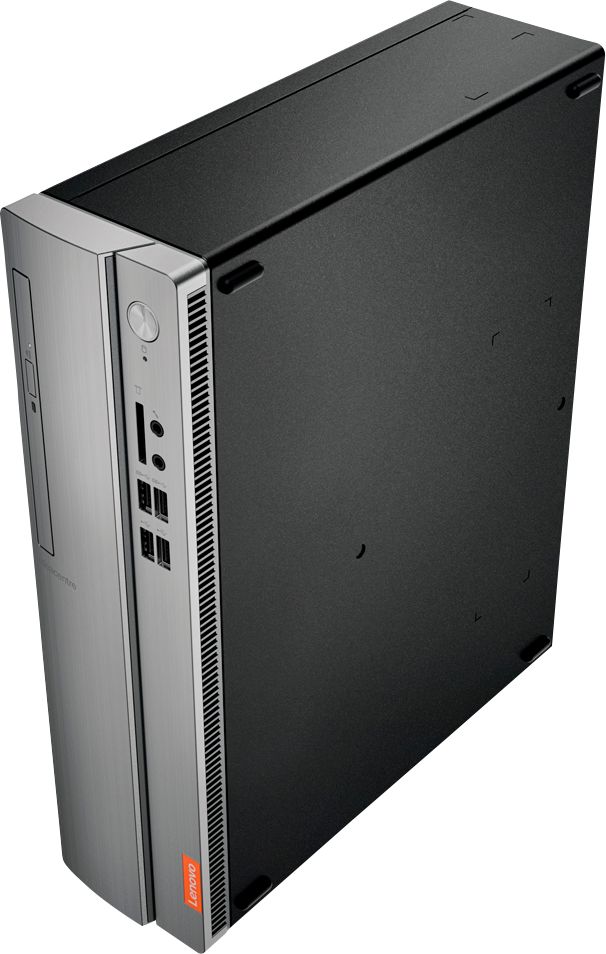

- Model:
- IDEACENTRE 310S-08 - 90G90068U
- SKU:
- 6291839
Rating by feature
- Value
Rating 4.3 out of 5 stars
- Quality
Rating 4.1 out of 5 stars
- Ease of Use
Rating 4.2 out of 5 stars
Customers are saying
Customers admire the IdeaCentre 310S Desktop for its affordability, ease of use, and solid performance. Many appreciate its compact size and the option to upgrade the RAM and storage. Positive feedback also highlights the straightforward setup process. While some users experienced minor issues with the Wi-Fi, the overall experience appears largely positive.
This summary was generated by AI based on customer reviews.
- Pros mentioned:Performance, Price
Space saving and easy on the checkbook
||Posted . Owned for 1 year when reviewed.This reviewer received promo considerations or sweepstakes entry for writing a review.This is not a gaming tower but it will do most everything else for an inexpensive moderate performance desktop for daily use.
I would recommend this to a friendBrand response from Lenovo Product Expert
Posted .The Lenovo IdeaCentre 310s desktop, model number 90G90068US, is a mid-level, moderate use configuration, with its AMD A9-9425 processor. This Dual-Core processor has a base speed of 3.1GHz and a boost speed of up to 3.7GHz. This configuration has 4GB of DDR4-2666MHz RAM. It is good with Microsoft Office type programs, internet browsing and other moderate work. If this describes your computing needs, the IdeaCentre 310s desktop would be a good choice for you.

- Pros mentioned:Ease of use, Performance
Good
||Posted . Owned for 3 weeks when reviewed.This reviewer received promo considerations or sweepstakes entry for writing a review.I am pleased with the user friendliness of the Lenovo computer I bought from Best Buy. It was easy to set up and has performed well.
I would recommend this to a friendBrand response from Lenovo Product Expert
Posted .Thank you for choosing the Lenovo IdeaCentre 310s Desktop. We are pleased to hear that the easy setup and performance of the IdeaCentre 310s meets your computing needs so well. The Lenovo IdeaCentre 310s desktop, model number 90G90068US, is a mid-level, moderate use configuration, with its AMD A9-9425 processor. This Dual-Core processor has a base speed of 3.1GHz and a boost speed of up to 3.7GHz. This configuration has 4GB of DDR4-2666MHz RAM. It is good with Microsoft Office type programs, internet browsing and other moderate work. If this describes your computing needs, the IdeaCentre 310s desktop would be a good choice for you.
Great desktop PC - All you need for under $300!!
||Posted . Owned for 1 month when reviewed.This reviewer received promo considerations or sweepstakes entry for writing a review.This PC is perfect for a normal individual who works and shops from home!! Enough speed to have 15 things happening at once, with the amount of storage it takes to manage a family of 5’s online files/documents! This PC is great and cost less than I pay at the grocery store for my weekly shopping trip!! Highly recommend:)
I would recommend this to a friendBrand response from Lenovo Product Expert
Posted .Thank you for choosing the Lenovo IdeaCentre 310s Desktop, model number 90G90068US. We are pleased to hear that the value and performance of the IdeaCentre 310s meets your computing needs so well. The Lenovo IdeaCentre 310s desktop, model number 90G90068US, is a mid-level, moderate use configuration, with its AMD A9-9425 processor. This Dual-Core processor has a base speed of 3.1GHz and a boost speed of up to 3.7GHz. This configuration has 4GB of DDR4-2666MHz RAM. It is good with Microsoft Office type programs, internet browsing and other moderate work. If this describes your computing needs, the IdeaCentre 310s desktop would be a good choice for you.
- Pros mentioned:Ease of useCons mentioned:Speed
Ok computer
||Posted .This reviewer received promo considerations or sweepstakes entry for writing a review.The computer was purchased for an office. It was easy to set up and use but unfortunately we ran a lot of programs at a time and the computer couldn’t keep up. It started freezing up and operating slowing when we tried doing multiple things at a time. I would recommend it for small day to day activities like Microsoft office and checking emails.
No, I would not recommend this to a friendBrand response from Lenovo Product Expert
Posted .The Lenovo IdeaCentre 310s desktop is a mid-level, moderate use configuration, with its AMD A9-9430 processor. This Dual-Core processor has a base speed of 3.2GHz and a boost speed of up to 3.5GHz. This configuration has 4GB of DDR4-2400MHz RAM. It is good with Microsoft Office type programs, internet browsing and other moderate work. If this describes your computing needs, the IdeaCentre 310s desktop would be a good choice for you.
- Pros mentioned:Ram
Great for price!
||Posted .This reviewer received promo considerations or sweepstakes entry for writing a review.It's basically a laptop in a desktop case. Immediately upgraded the ram to 16gb (max), and changed out the hd to ssd for speed.
I would recommend this to a friend New Computer New Problems
||Posted . Owned for 1 month when reviewed.This reviewer received promo considerations or sweepstakes entry for writing a review.Only bought this computer because I needed a windows 10 from a Windows 7. The beginning was rough and it will cost me a lot more a year because of the way windows is set up now. Not happy about that! It seems to run fine. Took some time to get used to. The technician was very helpful with the install. At 72 it is hard to change. I am working on it. So far it is a really good computer and I hope that I will be able to accomplish all I need to keep up with it.
No, I would not recommend this to a friendBrand response from Lenovo Product Expert
Posted .Thank you for choosing the lenovo IdeaCentre 310s Desktop. With regard to learning your way around Windows 10, you may want to try YouTube.com (just type that address in your browser address window). There are hundreds for free instructional videos there about Windows 10. Just type Windows 10 Introduction in to the YouTube search window. You can watch free videos there that will show you the basics all the way up to tips and tricks videos and they're all free.
- Pros mentioned:Ram
A Bit disappointed
||Posted .This reviewer received promo considerations or sweepstakes entry for writing a review.I bought this desktop computer for my office, I am self employed and figured that it would do the job for the basic everyday work stuff (spreadsheets, email, web browsing). It does, but the computer is really slow and quite frankly, very noisy. The fan is ALWAYS on and you can hear the hard drive turning every time. And I only have the Edge web browser open on a single page and one spreadsheet or word document at a time. I should have known because it has an AMD processor and it is not as easy to know if it is a fast or slow one, like with Intel where you can see if it's i3, i5 or i7. I can recommend it for a high school or university student, but they might be disappointed as well. The good thing is that I can upgrade the RAM and maybe that will speed it up.
No, I would not recommend this to a friendBrand response from Lenovo Product Expert
Posted .The Lenovo IdeaCentre 310s desktop ships with the Dual-Core AMD A9-9425 processor, supported by 4GB of DDR4-1866MHz RAM. This processor has a base speed of 2.6GHz and a boost speed of up to 3.0GHz. Be sure any software you installed is compatible with Windows 10. There is no need to install Microsoft Office software. The software is already part of the operating system, you just need to activate the software with a purchased product key. If you have installed a copy of Microsoft Office, this is conflicting with the existing copy on the system and this will slow your system down. If you have installed a 3rd party anti-virus program, be sure that Windows Defender is turned off and that the trial version of McAfee Anti-Virus software is uninstalled. There can only be one anti-virus program on the system. You may need to restore your system to original factory default settings if any of the programing errors have occurred. You can do that by typing "restore" in the Cortana search window. Just click on the magnifying glass icon at the bottom left of your Windows 10 Desktop. Click on "Reset This PC" Then click on "Get Started" and follow the on screen directions to restore to factory defaults. If the problem persists, we recommend you contact Lenovo Tech Support at: 877-453-6686.
- Pros mentioned:Performance, Price
very nice for the price
||Posted . Owned for 3 weeks when reviewed.This reviewer received promo considerations or sweepstakes entry for writing a review.good value for a low prices tower..does everything i need without any problems..very satisfied!
I would recommend this to a friendBrand response from Lenovo Product Expert
Posted .The Lenovo IdeaCentre 310s desktop, model number 90G90068US, is a mid-level, moderate use configuration, with its AMD A9-9425 processor. This Dual-Core processor has a base speed of 3.1GHz and a boost speed of up to 3.7GHz. This configuration has 4GB of DDR4-2666MHz RAM. It is good with Microsoft Office type programs, internet browsing and other moderate work. If this describes your computing needs, the IdeaCentre 310s desktop would be a good choice for you.
Speed is good, WiFi not so good
||Posted . Owned for 3 weeks when reviewed.This reviewer received promo considerations or sweepstakes entry for writing a review.I replaced an old Acer tower with this new tower and immediately noticed that the newer model had much faster boot time and search and find functions than I was accustomed to with the old machine. The surprising thing was the old computer had much better all around WiFi stability than the Lenovo, out of the box. I had to add an extender to my WiFi for a range of only about 25' from my router which is down stairs and operated from another computer. Considering that the upstairs consists of an open loft area where my new computer is sitting, I was surprised to find that it would not stay on WiFi during any daily operation of more than 15 minutes on up to a few hours before losing the network signal.
I would recommend this to a friendBrand response from Lenovo Product Expert
Posted .The Lenovo IdeaCentre 310s Desktop, model number 90G90068U, ships with 5G, 802.11AC frequency WiFi built in. If you are having connectivity issues with WiFi, be sure you have the latest version of Windows 10 on the computer and then update all of the BIOS files and drivers up to that latest version of Windows 10. You can easily accomplish this by scanning the computer with the Lenovo Utility software installed on the computer. This system has Lenovo utilities installed to help maintain the health of the device and keep the operating system software up to date. Type "Lenovo Vantage" in the Cortana Search window (if Lenovo Vantage is not installed on your device, you can download the APP and install it now). Select Lenovo Vantage from the list. In the window that opens, click on "Health and Support". In the expanded menu, select "Hardware Scan" In the window that opens, select "Run Quick Tests". This will scan your entire system for errors. Follow any directions that may pop up. If the problem continues after this scan, now click on "System Update". First select Windows update from the menu. Scan your system to be sure you have the latest version of Windows 10. Once that scan is complete, select "Additional Updates". This will scan your device to be sure there are no new BIOS/Driver updates needed. Follow any instructions that may pop up. If the issue still continues after these updates, we recommend you call Lenovo Tech Support at: 877-453-6686 for additional help.
- Pros mentioned:Performance, Price
Lenovo Desktop
||Posted .This reviewer received promo considerations or sweepstakes entry for writing a review.Bought this to have an inexpensive but good computer for personal use. It has worked out well.
I would recommend this to a friendBrand response from Lenovo Product Expert
Posted .Thank you for choosing the lenovo IdeaCentre 310s desktop. We are pleased to hear that the value and performance of the IdeaCentre 310s meets your computing needs so well. The Lenovo IdeaCentre 310s desktop is a mid-level, moderate use configuration, with its AMD A9-9430 processor. This Dual-Core processor has a base speed of 3.2GHz and a boost speed of up to 3.5GHz. This configuration has 4GB of DDR4-2400MHz RAM. It is good with Microsoft Office type programs, internet browsing and other moderate work. If this describes your computing needs, the IdeaCentre 310s desktop would be a good choice for you. Lenovo is the number #1 manufacturer of computers in the World:
https://venturebeat.com/2019/01/10/gartner-and-idc-hp-and-lenovo-shipped-the-most-pcs-in-2018-but-total-numbers-fell/
- Pros mentioned:Ram
Good budget computer with limitations
||Posted . Owned for 1 month when reviewed.This reviewer received promo considerations or sweepstakes entry for writing a review.Overall, this is a decent computer for most purposes. Wi-Fi is a little weak, though that may be more an issue in Windows rather than with the computer. Performance is not bad, though if you are going to be using it for serious surfing or work from home, I would recommend buying extra RAM.
I would recommend this to a friendBrand response from Lenovo Product Expert
Posted .The Lenovo IdeaCentre 310s Desktop, model number 90G90068U, ships with 5G, 802.11AC frequency WiFi, which is up to 3X faster than standard 802.11N WiFi. The Lenovo IdeaCentre 310s desktop, model number 90G90068US, is a mid-level, moderate use configuration, with its AMD A9-9425 processor. This Dual-Core processor has a base speed of 3.1GHz and a boost speed of up to 3.7GHz. This configuration has 4GB of DDR4-2666MHz RAM. It is good with Microsoft Office type programs, internet browsing and other moderate work. If this describes your computing needs, the IdeaCentre 310s desktop would be a good choice for you.
- Pros mentioned:Ease of use
Nice computer
||Posted . Owned for 1 month when reviewed.This reviewer received promo considerations or sweepstakes entry for writing a review.So I needed a new computer and didn't want a gaming computer because that wasn't what I needed so after looking at a few this one looked good enough for the basics that I wanted. So far it performs well. Runs fairly fast and is fairly easy to get accustomed to. I would recommend this computer
I would recommend this to a friendBrand response from Lenovo Product Expert
Posted .The Lenovo IdeaCentre 310s desktop, model number 90G90068US, is a mid-level, moderate use configuration, with its AMD A9-9425 processor. This Dual-Core processor has a base speed of 3.1GHz and a boost speed of up to 3.7GHz. This configuration has 4GB of DDR4-2666MHz RAM. It is good with Microsoft Office type programs, internet browsing and other moderate work. If this describes your computing needs, the IdeaCentre 310s desktop would be a good choice for you.
- Pros mentioned:Ease of use, Size
Great Small Computer
||Posted . Owned for 3 weeks when reviewed.This reviewer received promo considerations or sweepstakes entry for writing a review.Easily set up and uploading programs was a cinch. Fits nicely in the office.
I would recommend this to a friendBrand response from Lenovo Product Expert
Posted .Thank you for choosing the Lenovo IdeaCentre 310s desktop for your office. The Lenovo IdeaCentre 310s desktop is a mid-level, moderate use configuration, with its AMD A9-9430 processor. This Dual-Core processor has a base speed of 3.2GHz and a boost speed of up to 3.5GHz. This configuration has 4GB of DDR4-2400MHz RAM. It is good with Microsoft Office type programs, internet browsing and other moderate work. If this describes your computing needs, the IdeaCentre 310s desktop would be a good choice for you.
- Pros mentioned:Ease of use
Well rounded
||Posted .This reviewer received promo considerations or sweepstakes entry for writing a review.Bought this for internet surfing and for downloading, no issues.
I would recommend this to a friendBrand response from Lenovo Product Expert
Posted .Thank you for choosing the Lenovo IdeaCentre 310s desktop. We are pleased to hear that the IdeaCentre 310s is working out so well for you.
- Pros mentioned:Price
Good PC for Web Browsing
||Posted . Owned for 4 months when reviewed.This reviewer received promo considerations or sweepstakes entry for writing a review.I needed a PC for my father to browse the web and look at pictures after our last one died. This machine won't play games or blow you away with it's performance. I don't think it's even designed to be able to allow you to upgrade it into a gaming PC. However it was an outstanding value for the price and does just want we needed it to do.
I would recommend this to a friendBrand response from Lenovo Product Expert
Posted .The Lenovo IdeaCentre 310s desktop, model number 90G90068US, is a mid-level, moderate use configuration, with its AMD A9-9425 processor. This Dual-Core processor has a base speed of 3.1GHz and a boost speed of up to 3.7GHz. This configuration has 4GB of DDR4-2666MHz RAM. It is good with Microsoft Office type programs, internet browsing and other moderate work. If this describes your computing needs, the IdeaCentre 310s desktop would be a good choice for you.
- Pros mentioned:Ram, Size
Great buy
||Posted . Owned for 10 months when reviewed.This reviewer received promo considerations or sweepstakes entry for writing a review.Great unit. Easy to max out ram. Small enough to hid.
I would recommend this to a friend - Pros mentioned:Price, Ram
A great entry level PC.
||Posted . Owned for 1 month when reviewed.This reviewer received promo considerations or sweepstakes entry for writing a review.A great entry level PC. Has everything you'd need for basic computing. I'm using it for a media server for home theater. Even at 4gb of RAM this machine does a great job for it's intended purpose. Good value.
I would recommend this to a friendBrand response from Lenovo Product Expert
Posted .Once again, thank you for choosing the Lenovo IdeaCentre 310s Desktop. You can keep your computer running at its best by keeping the Windows 10 Operating System and all supporting BIOS files and drivers up to date. You can easily accomplish this by scanning the computer with the Lenovo Utility software available on this computer. This system has Lenovo utilities installed to help maintain the health of the device and keep the operating system software up to date. Type "Lenovo Vantage" in the Cortana Search window (if Lenovo Vantage is not installed on your device, you can download the APP and install it now). Select Lenovo Vantage from the list. In the window that opens, click on "Health and Support". In the expanded menu, select "Hardware Scan" In the window that opens, select "Run Quick Tests". This will scan your entire system for errors. Follow any directions that may pop up. If the problem continues after this scan, now click on "System Update". First select Windows update from the menu. Scan your system to be sure you have the latest version of Windows 10. Once that scan is complete, select "Additional Updates". This will scan your device to be sure there are no new BIOS/Driver updates needed. Follow any instructions that may pop up. If you ever need additional help with your Lenovo computer, we recommend you call Lenovo Tech Support at: 877-453-6686 for additional help.
good if you don't need a lot of memory
||Posted . Owned for 3 weeks when reviewed.This reviewer received promo considerations or sweepstakes entry for writing a review.good computer - easy set up - but added additional 8GB of memory
I would recommend this to a friendBrand response from Lenovo Product Expert
Posted .Thank you for choosing the Lenovo IdeaCentre 310s Desktop. The Lenovo IdeaCentre 310s desktop is a mid-level, moderate use configuration, with its AMD A9-9430 processor. This Dual-Core processor has a base speed of 3.2GHz and a boost speed of up to 3.5GHz. This configuration has 4GB of DDR4-2400MHz RAM. It is good with Microsoft Office type programs, internet browsing and other moderate work. If this describes your computing needs, the IdeaCentre 310s desktop would be a good choice for you.
- Pros mentioned:Price, Size
nice and compact
||Posted . Owned for 8 months when reviewed.This reviewer received promo considerations or sweepstakes entry for writing a review.I love the design and the compactness, however, I am still learning some of the features, I brought this because of price and space, I had a large Compaq but because of space I gave up Compaq for Lenovo
I would recommend this to a friendBrand response from Lenovo Product Expert
Posted .Once again, thank you for choosing the Lenovo IdeaCentre 310s Desktop. You can keep your computer running at its best by keeping the Windows 10 Operating System and all supporting BIOS files and drivers up to date. You can easily accomplish this by scanning the computer with the Lenovo Utility software available on this computer. This system has Lenovo utilities installed to help maintain the health of the device and keep the operating system software up to date. Type "Lenovo Vantage" in the Cortana Search window (if Lenovo Vantage is not installed on your device, you can download the APP and install it now). Select Lenovo Vantage from the list. In the window that opens, click on "Health and Support". In the expanded menu, select "Hardware Scan" In the window that opens, select "Run Quick Tests". This will scan your entire system for errors. Follow any directions that may pop up. If the problem continues after this scan, now click on "System Update". First select Windows update from the menu. Scan your system to be sure you have the latest version of Windows 10. Once that scan is complete, select "Additional Updates". This will scan your device to be sure there are no new BIOS/Driver updates needed. Follow any instructions that may pop up. If you ever need additional help with your Lenovo computer, we recommend you call Lenovo Tech Support at: 877-453-6686 for additional help.
- Pros mentioned:Ram
Small desktop, very quite
||Posted . Owned for 3 weeks when reviewed.This reviewer received promo considerations or sweepstakes entry for writing a review.Decent desktop, very basic. 4 GB ram is a little light for Windows 10, didn't see much delay when setting up before the additional 4 GB memory I order arrived. I would definitely recommend adding an additional 4 GB of ram to bring it up to 8GB. Bought it for light open office work and internet use, seems fine for that
I would recommend this to a friendBrand response from Lenovo Product Expert
Posted .The Lenovo IdeaCentre 310s desktop, model number 90G90068US, is a mid-level, moderate use configuration, with its AMD A9-9425 processor. This Dual-Core processor has a base speed of 3.1GHz and a boost speed of up to 3.7GHz. This configuration has 4GB of DDR4-2666MHz RAM. It is good with Microsoft Office type programs, internet browsing and other moderate work. If this describes your computing needs, the IdeaCentre 310s desktop would be a good choice for you. The minimum RAM required for Windows 10 is 2GB: https://support.microsoft.com/en-us/help/4028142/windows-10-system-requirements