Customer Ratings & Reviews
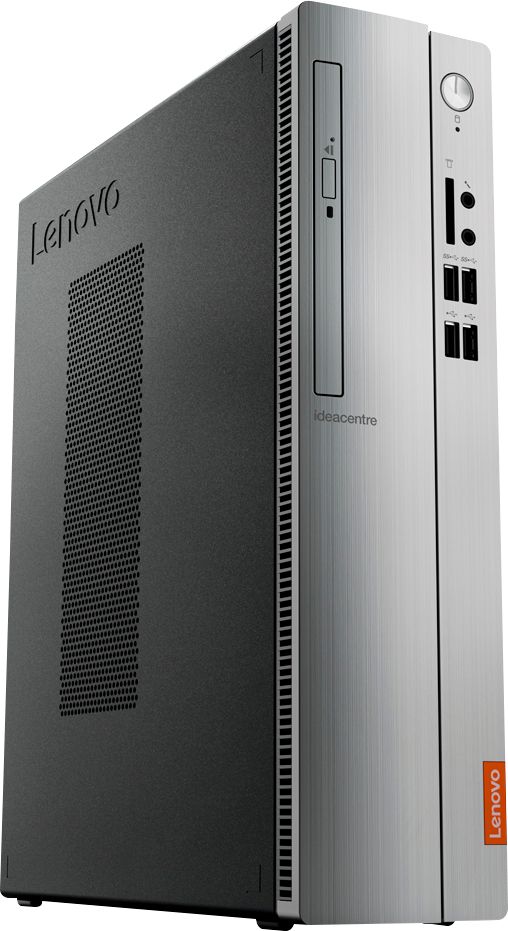
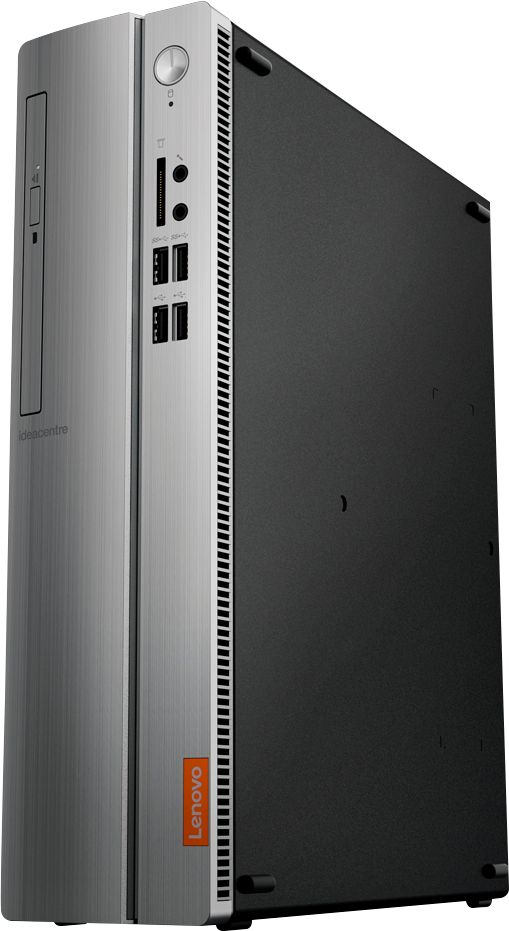
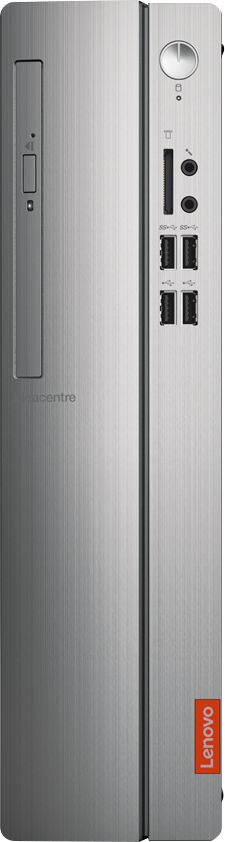
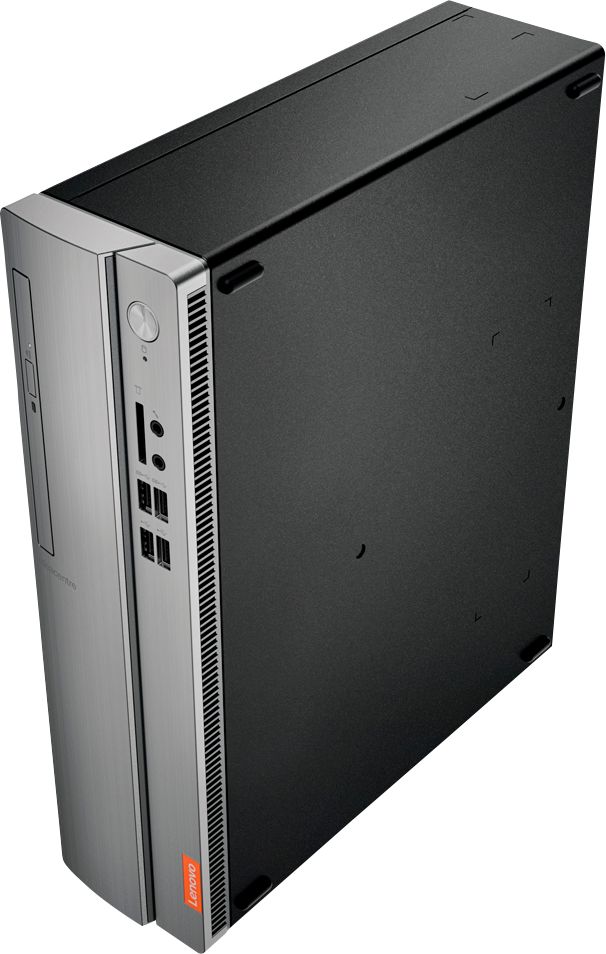

- Model:
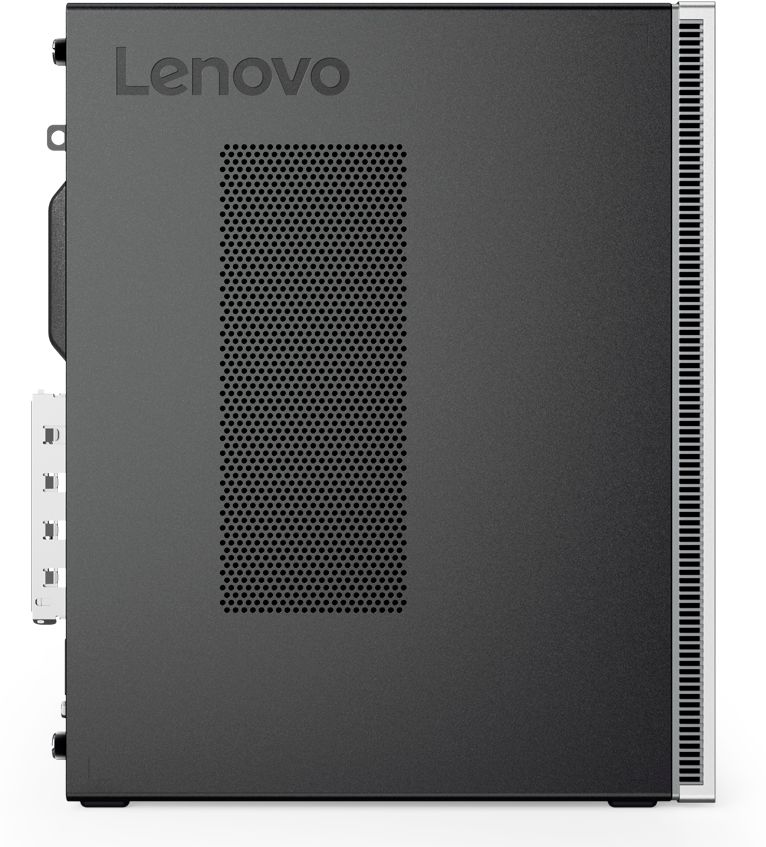
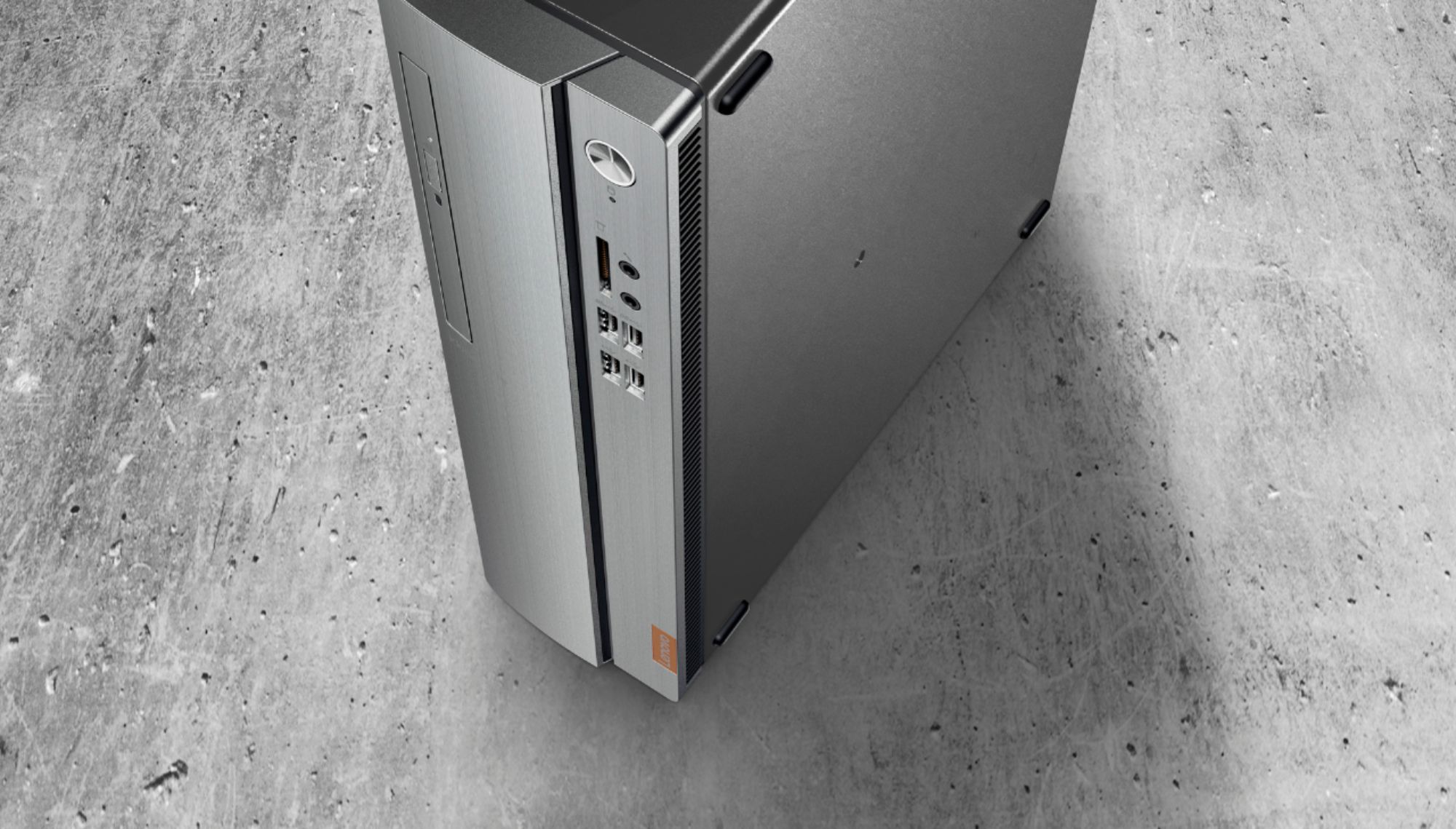
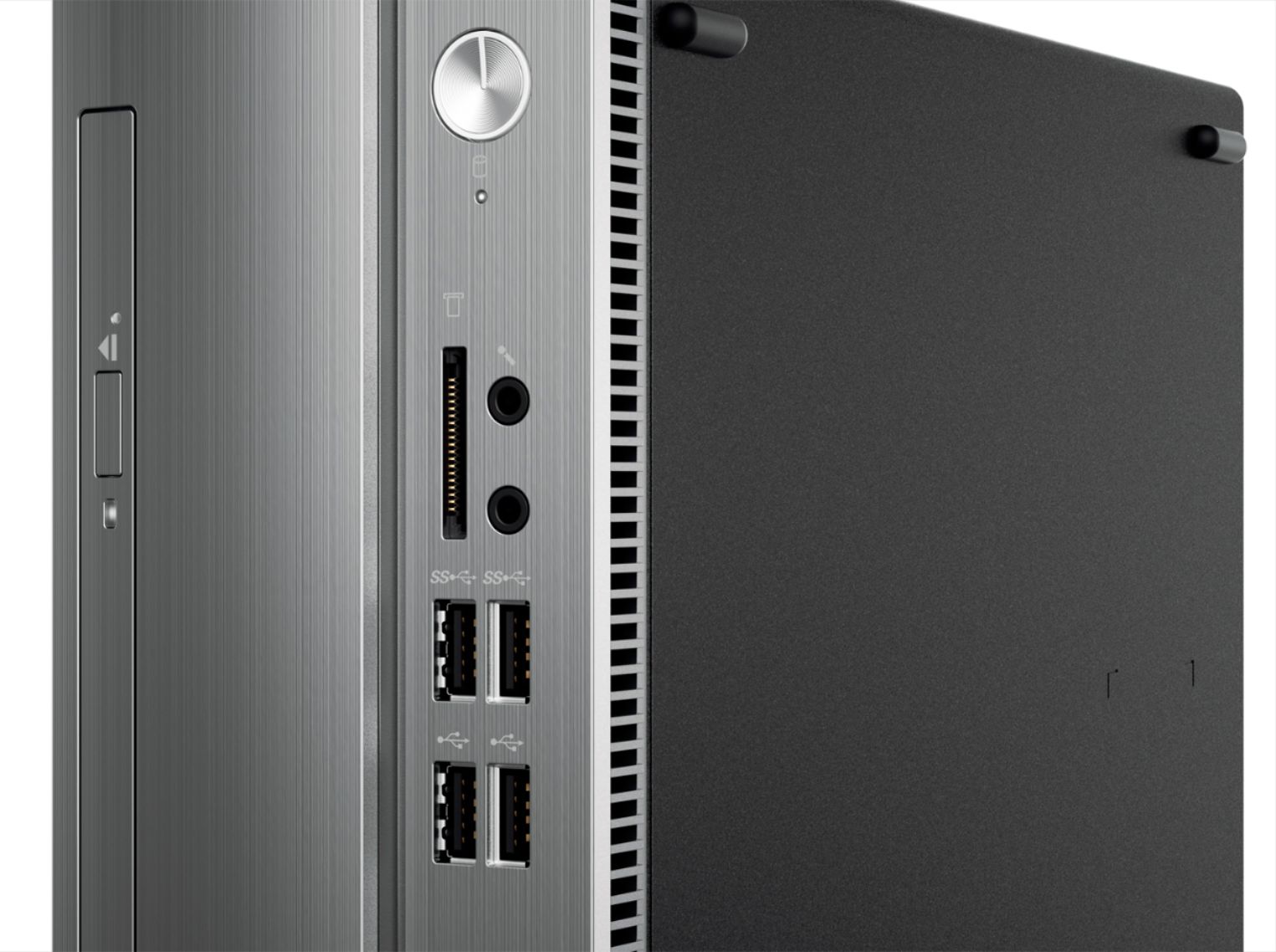
- IDEACENTRE 310S-08 - 90G90068U
- SKU:
- 6291839
Rating by feature
- Value
Rating 4.3 out of 5 stars
- Quality
Rating 4.1 out of 5 stars
- Ease of Use
Rating 4.2 out of 5 stars
Customers are saying
Customers admire the IdeaCentre 310S Desktop for its affordability, ease of use, and solid performance. Many appreciate its compact size and the option to upgrade the RAM and storage. Positive feedback also highlights the straightforward setup process. While some users experienced minor issues with the Wi-Fi, the overall experience appears largely positive.
This summary was generated by AI based on customer reviews.
- Pros mentioned:PerformanceCons mentioned:Wifi
just ok
||Posted . Owned for 3 weeks when reviewed.This reviewer received promo considerations or sweepstakes entry for writing a review.i bought it to replace a laptop that died on me and i am satisfied with this tower just wish i didnt have to buy an extra piece so i could connect to my wifi i had to purchase the little antenna because it was missing from this open box unit
I would recommend this to a friendBrand response from Lenovo Product Expert
Posted .The Lenovo IdeaCentre 310s Desktop, model number 90G90068U, has 5G, 802.11AC WiFi built in, to connect to your existing WiFi network. There is no additional parts needed for this computer to connect to an existing WiFi network.

- Pros mentioned:Ram
Mediocre and inadequate service
||Posted . Owned for 6 months when reviewed.This reviewer received promo considerations or sweepstakes entry for writing a review.I bought this in March and have found the RAM terribly inadequate (4 gig). Trying to get RAM upgrade has been tedious and, so far, unsuccessful. Best Buy does not have the RAM needed, nor can they get it. This web page's questions list three different capacities for upgrade: 8 gig (Lenovo rep), 18 gig (in the specs), and 32 gig (a user). I need at least 16 to run the programs I need. I would not buy this model again.
No, I would not recommend this to a friend Not a bad computer
||Posted . Owned for 11 months when reviewed.This reviewer received promo considerations or sweepstakes entry for writing a review.I bought this computer mainly for video playback and it does an excellent job at that... It's a little low on RAM but that can be fixed pretty easily... The only thing that really bugs me about this computer is the preloaded obnoxious software from the manufacturer that's always trying to update itself...
I would recommend this to a friendBrand response from Lenovo Product Expert
Posted .The Lenovo IdeaCentre 310s Desktop ships with just two adware programs, a 30-day trial of Microsoft Office 365 (as part of Windows 10 operating system) and a 30-day trial of McAfee virus protection. Lenovo computers ship with one of the cleanest factory software installs within the consumer computer industry. If you are getting popup alerts, they are coming from the McAfee Virus Protection software, alerting you that the trial period is over and your computer is not protected from virus attack. If you have installed another 3rd. party virus protection software, you need to uninstall McAfee. There can only be one active virus protection software on the computer. Here is a link to information on uninstalling McAfee from Windows 10: https://service.mcafee.com/webcenter/portal/oracle/webcenter/page/scopedMD/s55728c97_466d_4ddb_952d_05484ea932c6/Page29.jspx?wc.contextURL=%2Fspaces%2Fcp&articleId=TS101331&_afrLoop=1355161020222084&leftWidth=0%25&showFooter=false&showHeader=false&rightWidth=0%25¢erWidth=100%25#!%40%40%3FshowFooter%3Dfalse%26_afrLoop%3D1355161020222084%26articleId%3DTS101331%26leftWidth%3D0%2525%26showHeader%3Dfalse%26wc.contextURL%3D%252Fspaces%252Fcp%26rightWidth%3D0%2525%26centerWidth%3D100%2525%26_adf.ctrl-state%3Dx25crirbo_9
- Pros mentioned:Ease of use, Price
Solid device
||Posted . Owned for 3 weeks when reviewed.This reviewer received promo considerations or sweepstakes entry for writing a review.I bought this for my mother who is on a fixed income and was really surprised at how easy the setup was and functionality is key for my mother. Definitely well worth the price
I would recommend this to a friendBrand response from Lenovo Product Expert
Posted .Once again, thank you for choosing the Lenovo IdeaCentre 310s Desktop computer for your mother. You can keep this computer running at its best by keeping the Windows 10 Operating System and all supporting BIOS files and drivers up to date. You can easily accomplish this by scanning the computer with the Lenovo Utility software available on this computer. This system has Lenovo utilities installed to help maintain the health of the device and keep the operating system software up to date. Type "Lenovo Vantage" in the Cortana Search window (if Lenovo Vantage is not installed on your device, you can download the APP and install it now). Select Lenovo Vantage from the list. In the window that opens, click on "Health and Support". In the expanded menu, select "Hardware Scan" In the window that opens, select "Run Quick Tests". This will scan your entire system for errors. Follow any directions that may pop up. If the problem continues after this scan, now click on "System Update". First select Windows update from the menu. Scan your system to be sure you have the latest version of Windows 10. Once that scan is complete, select "Additional Updates". This will scan your device to be sure there are no new BIOS/Driver updates needed. Follow any instructions that may pop up. If you ever need additional help with your Lenovo computer, we recommend you call Lenovo Tech Support at: 877-453-6686 for additional help.
- Pros mentioned:Ease of useCons mentioned:Speed
Basic computer
||Posted . Owned for 9 months when reviewed.This reviewer received promo considerations or sweepstakes entry for writing a review.Bought this for an elderly parent for an easy to use internet capable computer. It is not the fastest or the most robust, but definitely fit the bill.
I would recommend this to a friend - Pros mentioned:Price, Size
New brand for me
||Posted .This reviewer received promo considerations or sweepstakes entry for writing a review.Nice desk top.my other computers have been fell.so this brand is new for me.so far I like it.plus the sales person who helped me was very knowledgeable and quite pleasent
I would recommend this to a friendBrand response from Lenovo Product Expert
Posted .Thank you for choosing the Lenovo IdeaCentre 310s desktop. The Lenovo IdeaCentre 310s desktop is a mid-level, moderate use configuration, with its AMD A9-9430 processor. This Dual-Core processor has a base speed of 3.2GHz and a boost speed of up to 3.5GHz. This configuration has 4GB of DDR4-2400MHz RAM. It is good with Microsoft Office type programs, internet browsing and other moderate work. If this describes your computing needs, the IdeaCentre 310s desktop would be a good choice for you.
- Pros mentioned:Price
Good computer for the money
||Posted .This reviewer received promo considerations or sweepstakes entry for writing a review.I bought a refurbished PC about 2.5 years ago and started getting error messages frequently. I found this Lenovo on the deal of the day and decided to order it. The price was good as were reviews. I am still adjusting to it but it is functioning quite well. It's faster and more reliable than the last 2 I've had.
I would recommend this to a friendBrand response from Lenovo Product Expert
Posted .Thank you for choosing the Lenovo IdeaCentre 310s desktop. We are pleased to hear that the value and performance of the IdeaCentre 310s meets your computing needs so well. The heart of the IdeaCentre 310s is the Windows 10 operating system. With regard to learning your way around Windows 10, you may want to try YouTube.com (just type that address in your browser address window). There are hundreds for free instructional videos there about Windows 10. Just type Windows 10 Introduction in to the YouTube search window. You can watch free videos there that will show you the basics all the way up to tips and tricks videos and they're all free.
- Pros mentioned:Performance
Good home computer
||Posted .This reviewer received promo considerations or sweepstakes entry for writing a review.I bought a computer for my son and for my wife, thinking that could be s good start for them, but when I was installing the computer WOW! This PC is really for a professional. Process and speed are excellent for many tasks. I am really happy with this purchase, that's why I bought another one! :)
I would recommend this to a friendBrand response from Lenovo Product Expert
Posted .Thank you for choosing the Lenovo IdeaCentre 310s desktop for your family. We are pleased to hear that the IdeaCentre 310s is working out so well for your family, that you purchased another for yourself. We appreciate your loyalty to the IdeaCentre 310s desktop and the Lenovo Brand.
- Pros mentioned:Price
Great deal
||Posted . Owned for 3 weeks when reviewed.This reviewer received promo considerations or sweepstakes entry for writing a review.We are just using our computer for basic needs but it’s fast and doing great for us. Great price and I’ve always had good luck with Lenovo products
I would recommend this to a friendBrand response from Lenovo Product Expert
Posted .Once again, thank you for choosing the Lenovo IdeaCentre 310s Desktop. We appreciate your loyalty to the Lenovo Brand. You can keep your computer running at its best by keeping the Windows 10 Operating System and all supporting BIOS files and drivers up to date. You can easily accomplish this by scanning the computer with the Lenovo Utility software available on this computer. This system has Lenovo utilities installed to help maintain the health of the device and keep the operating system software up to date. Type "Lenovo Vantage" in the Cortana Search window (if Lenovo Vantage is not installed on your device, you can download the APP and install it now). Select Lenovo Vantage from the list. In the window that opens, click on "Health and Support". In the expanded menu, select "Hardware Scan" In the window that opens, select "Run Quick Tests". This will scan your entire system for errors. Follow any directions that may pop up. If the problem continues after this scan, now click on "System Update". First select Windows update from the menu. Scan your system to be sure you have the latest version of Windows 10. Once that scan is complete, select "Additional Updates". This will scan your device to be sure there are no new BIOS/Driver updates needed. Follow any instructions that may pop up. If you ever need additional help with your Lenovo computer, we recommend you call Lenovo Tech Support at: 877-453-6686 for additional help.
Good computer
||Posted . Owned for 3 weeks when reviewed.This reviewer received promo considerations or sweepstakes entry for writing a review.Nicely packaged! Easy to use looking forward to using it mostly for storing pictures and music. Fan or drive a little noisy but it’s tolerable.
I would recommend this to a friendBrand response from Lenovo Product Expert
Posted .If the fan within your Lenovo IdeaCentre 310s Desktop seems to be running all the time on maximum cooling, be sure any software you installed is compatible with Windows 10. Incompatible software will increase the system workload which causes the fan to work longer and harder. There is no need to install Microsoft Office software. The software is already part of the operating system, you just need to activate the software with a purchased product key. If you have installed a copy of Microsoft Office, this is conflicting with the existing copy on the system and this will slow your system down. If you have installed a 3rd party anti-virus program, be sure that Windows Defender is turned off and that the trial version of McAfee Anti-Virus software is uninstalled. There can only be one anti-virus program on the system. You may need to restore your system to original factory default settings if any of the programming errors have occurred. You can do that by typing "restore" in the Cortana search window. Just click on the magnifying glass icon at the bottom left of your Windows 10 Desktop. Click on "Reset This PC" Then click on "Get Started" and follow the on screen directions to restore to factory defaults. If the problem persists, we recommend you contact Lenovo Tech Support at: 877-453-6686.
- Pros mentioned:Performance
Had issues with pre-installed Windows 10.
||Posted . Owned for 1 month when reviewed.This reviewer received promo considerations or sweepstakes entry for writing a review.The hardware is good. Windows 10 has issues. Changed out hard drive and installed windows 8.1. Saving factory Hard drive with pre-installed windows 10 for possible future usage. Lenovo 310S runs well with Windows 8.1,
I would recommend this to a friendBrand response from Lenovo Product Expert
Posted .With regard to learning your way around Windows 10, you may want to try YouTube.com (just type that address in your browser address window). There are hundreds for free instructional videos there about Windows 10. Just type Windows 10 Introduction in to the YouTube search window. You can watch free videos there that will show you the basics all the way up to tips and tricks videos and they're all free.
- Pros mentioned:Ease of use, Ram
perfect desktop to upgrade to windows 10
||Posted . Owned for 3 weeks when reviewed.This reviewer received promo considerations or sweepstakes entry for writing a review.Very easy to set up and to upgrade memory. Boots up quickly when adding more than 4 gig of memory. Added another 8 gig of memory fast boot up.
I would recommend this to a friendBrand response from Lenovo Product Expert
Posted .Thank you for choosing the Lenovo IdeaCentre 310s Desktop. The Lenovo IdeaCentre 310s desktop, model number 90G90068US, is a mid-level, moderate use configuration, with its AMD A9-9425 processor. This Dual-Core processor has a base speed of 3.1GHz and a boost speed of up to 3.7GHz. This configuration has 4GB of DDR4-2666MHz RAM. It is good with Microsoft Office type programs, internet browsing and other moderate work. If this describes your computing needs, the IdeaCentre 310s desktop would be a good choice for you.
- Pros mentioned:Price
Reasonably priced; excellent product!
||Posted . Owned for 1 month when reviewed.This reviewer received promo considerations or sweepstakes entry for writing a review.Had a Lenovo hard drive previous to this purchase which lasted me over 10 years. Good value for the money. Pleased with the product.
I would recommend this to a friendBrand response from Lenovo Product Expert
Posted .Thank you for choosing the Lenovo IdeaCentre 310s Desktop model number 90G90068US. We appreciate your loyalty to the Lenovo Brand. The Lenovo IdeaCentre 310s desktop, model number 90G90068US, is a mid-level, moderate use configuration, with its AMD A9-9425 processor. This Dual-Core processor has a base speed of 3.1GHz and a boost speed of up to 3.7GHz. This configuration has 4GB of DDR4-2666MHz RAM. It is good with Microsoft Office type programs, internet browsing and other moderate work. If this describes your computing needs, the IdeaCentre 310s desktop would be a good choice for you.
- Pros mentioned:Performance, Price
Very good Bang for the buck
||Posted . Owned for 1 month when reviewed.This reviewer received promo considerations or sweepstakes entry for writing a review.I have set up at least for 4 or 5 of these for clients in the past year. Very good performance for the money paid, a good basic machine!
I would recommend this to a friend good computer but some annoying things
||Posted . Owned for 3 weeks when reviewed.This reviewer received promo considerations or sweepstakes entry for writing a review.Computer is good but could use a bit more RAM and the MaCaffee popping up all the time is really annoying. I'd suppose Lenova gets a lot of money for it and it can be disabled but so annoying. I'd never get Mcaffee just because of how annoying it was.
I would recommend this to a friendBrand response from Lenovo Product Expert
Posted .We hope that the issue with McAfee Virus Protection software has been successfully resolved by this time. There is a 30-day trial of McAfee Virus Protection software installed on the computer. If you are seeing pop up messages from McAfee, that means the 30-day trial period has ended and your computer is unprotected. If you have installed another 3rd party virus protection, uninstall the McAfee software, as it will cause conflicts with your chosen virus protection software. Here is a link to information on uninstalling McAfee from Windows 10: https://service.mcafee.com/webcenter/portal/oracle/webcenter/page/scopedMD/s55728c97_466d_4ddb_952d_05484ea932c6/Page29.jspx?wc.contextURL=%2Fspaces%2Fcp&articleId=TS101331&_afrLoop=1355161020222084&leftWidth=0%25&showFooter=false&showHeader=false&rightWidth=0%25¢erWidth=100%25#!%40%40%3FshowFooter%3Dfalse%26_afrLoop%3D1355161020222084%26articleId%3DTS101331%26leftWidth%3D0%2525%26showHeader%3Dfalse%26wc.contextURL%3D%252Fspaces%252Fcp%26rightWidth%3D0%2525%26centerWidth%3D100%2525%26_adf.ctrl-state%3Dx25crirbo_9
- Pros mentioned:Price
Great Buy for Value
||Posted . Owned for less than 1 week when reviewed.This reviewer received promo considerations or sweepstakes entry for writing a review.This is a great buy for value. The only problem I has was it did not have the usb-c port or more than 1 HDMI port. Other than that this desktop tower is a great buy for the price. If you do not need a UBS-C port then I would highly recommend.
I would recommend this to a friendBrand response from Lenovo Product Expert
Posted .The Lenovo IdeaCentre 310s Desktop, model number 90G90068U, does not have a USB-c port. This model uses a VGA and an HDMI port for video out. The Lenovo IdeaCentre 310s desktop, model number 90G90068US, is a mid-level, moderate use configuration, with its AMD A9-9425 processor. This Dual-Core processor has a base speed of 3.1GHz and a boost speed of up to 3.7GHz. This configuration has 4GB of DDR4-2666MHz RAM. It is good with Microsoft Office type programs, internet browsing and other moderate work. If this describes your computing needs, the IdeaCentre 310s desktop would be a good choice for you.
- Pros mentioned:Ease of use, Ram
computer tower
||Posted .This reviewer received promo considerations or sweepstakes entry for writing a review.this is truly a great tower for me I did not need alot of extra stuff that I never use this one has enough for me easy to use and was easy to learn
I would recommend this to a friendBrand response from Lenovo Product Expert
Posted .Thank you for choosing the Lenovo IdeaCentre 310s desktop. We are pleased to hear that the performance of the IdeaCentre 310s meets your computing needs so well.
- Pros mentioned:RamCons mentioned:Speed
Very slow Processor/Drive combo.
||Posted . Owned for 1.5 years when reviewed.This reviewer received promo considerations or sweepstakes entry for writing a review.Bought as an emergency. The system was VERY slow in stock form. Changed to an SSD, upgraded ram to 8GB and it became much better. Still a VERY slow processor though. Would NOT recommend.
No, I would not recommend this to a friendBrand response from Lenovo Product Expert
Posted .The Lenovo IdeaCentre 310s desktop, model number 90G90068US, is a mid-level, moderate use configuration, with its AMD A9-9425 processor. This Dual-Core processor has a base speed of 3.1GHz and a boost speed of up to 3.7GHz. This configuration has 4GB of DDR4-2666MHz RAM. It is good with Microsoft Office type programs, internet browsing and other moderate work. If this describes your computing needs, the IdeaCentre 310s desktop would be a good choice for you.
- Pros mentioned:PriceCons mentioned:Speed
Great desktop for beginners
||Posted . Owned for 3 weeks when reviewed.This reviewer received promo considerations or sweepstakes entry for writing a review.its pretty good since I have purchased it the only minor thing is that its a tad bit slow but other than that great product
I would recommend this to a friend - Pros mentioned:Performance
Bought for my son
||Posted .This reviewer received promo considerations or sweepstakes entry for writing a review.I can't say much about the item, as I purchased it for my son. He has not had any complaints about it. He wanted something to play games on and I wasn't going to pay $1500 on a gaming computer so we compromised on this. He enjoys it so I assume it's a win.
I would recommend this to a friendBrand response from Lenovo Product Expert
Posted .Thank you for choosing the Lenovo IdeaCentre 310s desktop for your son. We are pleased to hear that the value and performance of the IdeaCentre 310s meets your son's computing needs so well.