Customer Ratings & Reviews
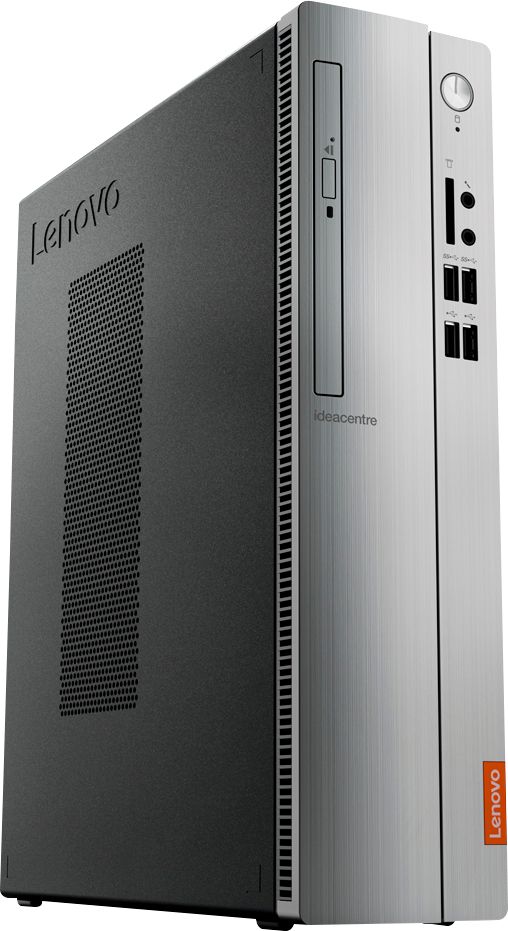
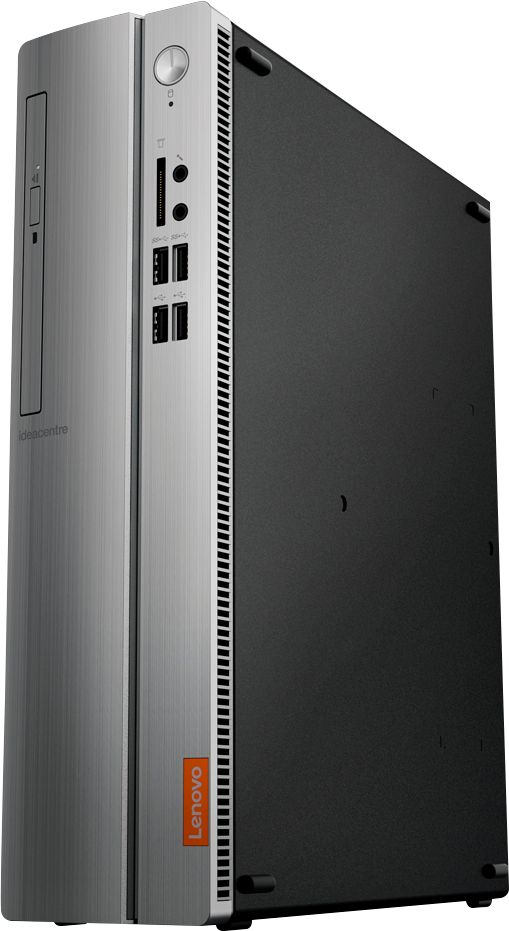
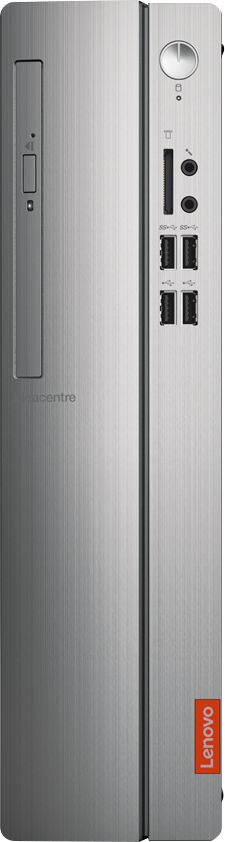
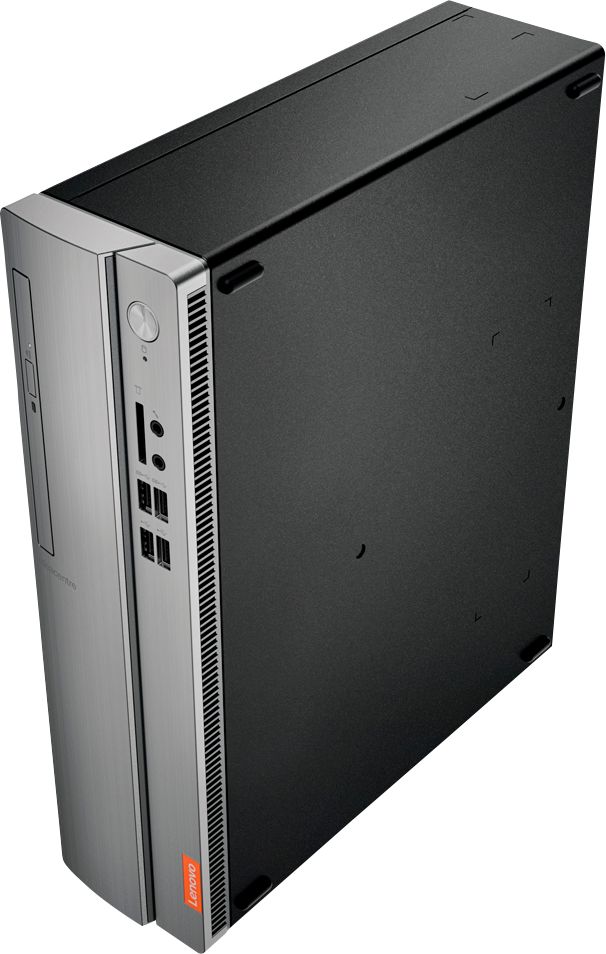

- Model:
- IDEACENTRE 310S-08 - 90G90068U
- SKU:
- 6291839
Rating by feature
- Value
Rating 4.3 out of 5 stars
- Quality
Rating 4.1 out of 5 stars
- Ease of Use
Rating 4.2 out of 5 stars
Customers are saying
Customers admire the IdeaCentre 310S Desktop for its affordability, ease of use, and solid performance. Many appreciate its compact size and the option to upgrade the RAM and storage. Positive feedback also highlights the straightforward setup process. While some users experienced minor issues with the Wi-Fi, the overall experience appears largely positive.
This summary was generated by AI based on customer reviews.
- Pros mentioned:SizeCons mentioned:Speed
Expected better.
||Posted . Owned for 1 month when reviewed.This reviewer received promo considerations or sweepstakes entry for writing a review.I had to purchase a new computer due Windows 7 becoming obsolete. My old pc was getting slower buy the year (had it ever since 2012) and I wasn't ready to "break-up" with it just yet. So I was hesitant about shopping for another. I wanted to find something for a good price and a good value. I had never owned a Lenovo so I thought I'd give a shot. It was physically smaller than what I had and a bigger hard drive, Windows 10. And the biggest selling point of all was it is supposed to be FAST. What I realized with this purchase is just because it's a good price doesn't mean it is of good value. This thing is slower than my 8 year old machine! I have tried some tricks of the trade to boost it's speed but this is brand new. I shouldn't have to worry about speed. I admit I did read some of the reviews prior to buying this computer and lack of speed was mentioned. I wish I would have taken heed to some of the reviews. However, there is a plus side: Windows 10.
No, I would not recommend this to a friendBrand response from Lenovo Product Expert
Posted .The Lenovo IdeaCentre 310s desktop, model number 90G90068US, is a mid-level, moderate use configuration, with its AMD A9-9425 processor. This Dual-Core processor has a base speed of 3.1GHz and a boost speed of up to 3.7GHz. This configuration has 4GB of DDR4-2666MHz RAM. It is good with Microsoft Office type programs, internet browsing and other moderate work. If this describes your computing needs, the IdeaCentre 310s desktop would be a good choice for you.

- Pros mentioned:Ease of use, Size
Great computer perfect for me.
||Posted . Owned for 3 weeks when reviewed.This reviewer received promo considerations or sweepstakes entry for writing a review.Ease of use. Works perfect for me. Small and compact fits perfect in my space.
I would recommend this to a friendBrand response from Lenovo Product Expert
Posted .Thank you for choosing the Lenovo IdeaCentre 310s Desktop. We are pleased to hear that the features and performance of the IdeaCentre 310s meets your computing needs so well. The Lenovo IdeaCentre 310s desktop, model number 90G90068US, is a mid-level, moderate use configuration, with its AMD A9-9425 processor. This Dual-Core processor has a base speed of 3.1GHz and a boost speed of up to 3.7GHz. This configuration has 4GB of DDR4-2666MHz RAM. It is good with Microsoft Office type programs, internet browsing and other moderate work. If this describes your computing needs, the IdeaCentre 310s desktop would be a good choice for you.
Family Desk top
||Posted .This reviewer received promo considerations or sweepstakes entry for writing a review.My family has enjoyed using this desk top. During these times of social distancing it has allowed everyone to interact with each other by playing music and family games.
I would recommend this to a friendBrand response from Lenovo Product Expert
Posted .Once again, thank you for choosing the Lenovo IdeaCentre 310s Desktop for your family. You can keep this computer running at its best by keeping the Windows 10 Operating System and all supporting BIOS files and drivers up to date. You can easily accomplish this by scanning the computer with the Lenovo Utility software available on this computer. This system has Lenovo utilities installed to help maintain the health of the device and keep the operating system software up to date. Type "Lenovo Vantage" in the Cortana Search window (if Lenovo Vantage is not installed on your device, you can download the APP and install it now). Select Lenovo Vantage from the list. In the window that opens, click on "Health and Support". In the expanded menu, select "Hardware Scan" In the window that opens, select "Run Quick Tests". This will scan your entire system for errors. Follow any directions that may pop up. If the problem continues after this scan, now click on "System Update". First select Windows update from the menu. Scan your system to be sure you have the latest version of Windows 10. Once that scan is complete, select "Additional Updates". This will scan your device to be sure there are no new BIOS/Driver updates needed. Follow any instructions that may pop up. If you ever need additional help with your Lenovo computer, we recommend you call Lenovo Tech Support at: 877-453-6686 for additional help.
- Pros mentioned:Ease of use, Performance
Good product
||Posted . Owned for 1 month when reviewed.This reviewer received promo considerations or sweepstakes entry for writing a review.Use to install and easy to use. Product works well. Reasonable for the price
I would recommend this to a friendBrand response from Lenovo Product Expert
Posted .Thank you for choosing the Lenovo IdeaCentre 310s Desktop. The Lenovo IdeaCentre 310s desktop, model number 90G90068US, is a mid-level, moderate use configuration, with its AMD A9-9425 processor. This Dual-Core processor has a base speed of 3.1GHz and a boost speed of up to 3.7GHz. This configuration has 4GB of DDR4-2666MHz RAM. It is good with Microsoft Office type programs, internet browsing and other moderate work. If this describes your computing needs, the IdeaCentre 310s desktop would be a good choice for you.
- Pros mentioned:Ram
Great for the price.
||Posted .This reviewer received promo considerations or sweepstakes entry for writing a review.Needed a computer to replace my seven year old Windows 7 computer after the antivirus program corrupted the Windows operating system. This computer was on clearance at a price I could not pass up. It runs fast enough for my uses and I have upgraded the memory to 16 gigabytes.. Wish now I have bought two of them.
I would recommend this to a friendBrand response from Lenovo Product Expert
Posted .Thank you for choosing the Lenovo IdeaCentre 310s desktop. We are pleased to hear that the performance of the IdeaCentre 310s meets your computing needs so well. The Lenovo IdeaCentre 310s desktop is a mid-level, moderate use configuration, with its AMD A9-9430 processor. This Dual-Core processor has a base speed of 3.2GHz and a boost speed of up to 3.5GHz. This configuration has 4GB of DDR4-2400MHz RAM. It is good with Microsoft Office type programs, internet browsing and other moderate work. If this describes your computing needs, the IdeaCentre 310s desktop would be a good choice for you. Lenovo is the number #1 manufacturer of computers in the World:
https://venturebeat.com/2019/01/10/gartner-and-idc-hp-and-lenovo-shipped-the-most-pcs-in-2018-but-total-numbers-fell/
- Pros mentioned:Performance, Price
it works great
||Posted . Owned for 1 month when reviewed.This reviewer received promo considerations or sweepstakes entry for writing a review.For the price works great needed something in the middle of this pandemic
I would recommend this to a friendBrand response from Lenovo Product Expert
Posted .Once again, thank you for choosing the Lenovo IdeaCentre 310s Desktop. You can keep your computer running at its best by keeping the Windows 10 Operating System and all supporting BIOS files and drivers up to date. You can easily accomplish this by scanning the computer with the Lenovo Utility software available on this computer. This system has Lenovo utilities installed to help maintain the health of the device and keep the operating system software up to date. Type "Lenovo Vantage" in the Cortana Search window (if Lenovo Vantage is not installed on your device, you can download the APP and install it now). Select Lenovo Vantage from the list. In the window that opens, click on "Health and Support". In the expanded menu, select "Hardware Scan" In the window that opens, select "Run Quick Tests". This will scan your entire system for errors. Follow any directions that may pop up. If the problem continues after this scan, now click on "System Update". First select Windows update from the menu. Scan your system to be sure you have the latest version of Windows 10. Once that scan is complete, select "Additional Updates". This will scan your device to be sure there are no new BIOS/Driver updates needed. Follow any instructions that may pop up. If you ever need additional help with your Lenovo computer, we recommend you call Lenovo Tech Support at: 877-453-6686 for additional help.
- Pros mentioned:Price
Great basic computer
||Posted .This reviewer received promo considerations or sweepstakes entry for writing a review.Easy to set up, much faster than the one it replaced, overall very good for the price. Definitely would recommend for a inexpensive desktop
I would recommend this to a friendBrand response from Lenovo Product Expert
Posted .Thank you for choosing the lenovo IdeaPad 310s desktop. We are pleased to hear that the value and performance of the IdeaCentre 310s meets your computing needs so well.
To say I am disappointed is an understatement
||Posted . Owned for 1 week when reviewed.This reviewer received promo considerations or sweepstakes entry for writing a review.I bought this expecting a new machine that would run as well if not better then the one I was replacing, turns out I was wrong. My son is a computer tech and knowing when I bought this we would need to add 4GB of RAM we ordered some just for it to get here and the machine not completely boot up when it was put in place, meaning the power would come on the fan would start running very hard but the monitors would not come on, we had to remove the additional RAM put the original back by itself for the system to boot up. While the case was opened my son also noticed that the processor can not be upgraded because it is welded directly to the mother board as if it is a laptop instead of a desktop pc. I would return it but we already threw the box away. On top of that because of COVID-19 the fact that I purchased Geek Squad protection with it does no good since apparently they aren't currently working.
No, I would not recommend this to a friendBrand response from Lenovo Product Expert
Posted .We are sorry to hear that you are having issues with upgrading the RAM within your lenovo IdeaCentre 310s Desktop, model number 90G90068U. This model ships with 4GB of DDR4-2666MHz RAM in one of the two RAM memory slots. This system can support 8GB of RAM, so you can add an additional 4GB of DDR4-2666MHz RAM. Be sure the RAM you are trying to install is compatible with the RAM already within this system. You are correct the processor within this configuration is not upgradable. If you continue to have issues, we recommend you call Lenovo Tech Support at: 877-453-6686.
- Pros mentioned:Size
Love the Computer
||Posted . Owned for 2 months when reviewed.This reviewer received promo considerations or sweepstakes entry for writing a review.great computer with alot of storage. Does not take up alot of space
I would recommend this to a friendBrand response from Lenovo Product Expert
Posted .Thank you for choosing the Lenovo IdeaCentre 310s Desktop model number 90G90068US. The Lenovo IdeaCentre 310s desktop, model number 90G90068US, is a mid-level, moderate use configuration, with its AMD A9-9425 processor. This Dual-Core processor has a base speed of 3.1GHz and a boost speed of up to 3.7GHz. This configuration has 4GB of DDR4-2666MHz RAM. It is good with Microsoft Office type programs, internet browsing and other moderate work. If this describes your computing needs, the IdeaCentre 310s desktop would be a good choice for you.
- Pros mentioned:Ram
Great and cheap !
||Posted .This reviewer received promo considerations or sweepstakes entry for writing a review.Great computer for the price. Reasonable RAM and plenty of storage. Customizable.
I would recommend this to a friendBrand response from Lenovo Product Expert
Posted .Thank you for choosing the Lenovo IdeaCentre 310s desktop. We are pleased to hear that the IdeaCentre 310s is working out so well for you. The Lenovo IdeaCentre 310s desktop is a mid-level, moderate use configuration, with its AMD A9-9430 processor. This Dual-Core processor has a base speed of 3.2GHz and a boost speed of up to 3.5GHz. This configuration has 4GB of DDR4-2400MHz RAM. It is good with Microsoft Office type programs, internet browsing and other moderate work. If this describes your computing needs, the IdeaCentre 310s desktop would be a good choice for you. For 2018, Lenovo retained its place for a second year as the best laptop vendor:
https://www.laptopmag.com/articles/laptop-brand-ratings
- Pros mentioned:Ram
Good desktop for a reasonable price
||Posted . Owned for 1 month when reviewed.This reviewer received promo considerations or sweepstakes entry for writing a review.My home laptop died in the early days of the stay-at-home. I decided to replace it with a desktop. I purchsed the Lenovo and I am very pleased. I did at 8Gig of RAM (12 total) and that improved performance significantly. Also this was very early in the stay-at-home. I order on-line and I did curb-side same day. Fantastic service by Best Buy. Thank you!
I would recommend this to a friendBrand response from Lenovo Product Expert
Posted .Thank you for choosing the Lenovo IdeaCentre 310s Desktop, model number 90G90068US. The Lenovo IdeaCentre 310s desktop, model number 90G90068US, is a mid-level, moderate use configuration, with its AMD A9-9425 processor. This Dual-Core processor has a base speed of 3.1GHz and a boost speed of up to 3.7GHz. This configuration has 4GB of DDR4-2666MHz RAM. It is good with Microsoft Office type programs, internet browsing and other moderate work. If this describes your computing needs, the IdeaCentre 310s desktop would be a good choice for you.
- Pros mentioned:Price
A good basic computer. Increased RAM to 8 GB.
||Posted . Owned for 3 weeks when reviewed.This reviewer received promo considerations or sweepstakes entry for writing a review.Bought this for a good fair price. It is really a basic computer and I wanted one simple and not cluttered with a lot of EXTRA stuff. And that is what this is.
I would recommend this to a friendBrand response from Lenovo Product Expert
Posted .Once again, thank you for choosing the Lenovo IdeaCentre 310s Desktop. You can keep your computer running at its best by keeping the Windows 10 Operating System and all supporting BIOS files and drivers up to date. You can easily accomplish this by scanning the computer with the Lenovo Utility software available on this computer. This system has Lenovo utilities installed to help maintain the health of the device and keep the operating system software up to date. Type "Lenovo Vantage" in the Cortana Search window (if Lenovo Vantage is not installed on your device, you can download the APP and install it now). Select Lenovo Vantage from the list. In the window that opens, click on "Health and Support". In the expanded menu, select "Hardware Scan" In the window that opens, select "Run Quick Tests". This will scan your entire system for errors. Follow any directions that may pop up. If the problem continues after this scan, now click on "System Update". First select Windows update from the menu. Scan your system to be sure you have the latest version of Windows 10. Once that scan is complete, select "Additional Updates". This will scan your device to be sure there are no new BIOS/Driver updates needed. Follow any instructions that may pop up. If you ever need additional help with your Lenovo computer, we recommend you call Lenovo Tech Support at: 877-453-6686 for additional help.
- Pros mentioned:Ease of use
Solid basic computer
||Posted . Owned for 1 year when reviewed.This reviewer received promo considerations or sweepstakes entry for writing a review.A good value for a basic computer. Easy setup. No drama.
I would recommend this to a friendBrand response from Lenovo Product Expert
Posted .thank you for choosing the Lenovo IdeaCentre 310s Desktop computer. We are pleased to hear that the value, easy setup and performance of the IdeaCentre 310s meets your computing needs so well.
- Pros mentioned:Ease of use, Size
great price
||Posted .This reviewer received promo considerations or sweepstakes entry for writing a review.very happy with my recent purchase. takes up less space and was easy to hook up
I would recommend this to a friendBrand response from Lenovo Product Expert
Posted .Thank you for choosing the Lenovo IdeaCentre 310s desktop. We are pleased to hear that the ease of setup and performance of the IdeaCentre 310s meets your computing needs so well.
- Pros mentioned:Ease of use, Size
Great
||Posted .This reviewer received promo considerations or sweepstakes entry for writing a review.Easy to use....footprint small and clean...perfect for our needs.
I would recommend this to a friendBrand response from Lenovo Product Expert
Posted .Once again, thank you for choosing the Lenovo IdeaCentre 310s Desktop. You can keep your computer running at its best by keeping the Windows 10 Operating System and all supporting BIOS files and drivers up to date. You can easily accomplish this by scanning the computer with the Lenovo Utility software available on this computer. This system has Lenovo utilities installed to help maintain the health of the device and keep the operating system software up to date. Type "Lenovo Vantage" in the Cortana Search window (if Lenovo Vantage is not installed on your device, you can download the APP and install it now). Select Lenovo Vantage from the list. In the window that opens, click on "Health and Support". In the expanded menu, select "Hardware Scan" In the window that opens, select "Run Quick Tests". This will scan your entire system for errors. Follow any directions that may pop up. If the problem continues after this scan, now click on "System Update". First select Windows update from the menu. Scan your system to be sure you have the latest version of Windows 10. Once that scan is complete, select "Additional Updates". This will scan your device to be sure there are no new BIOS/Driver updates needed. Follow any instructions that may pop up. If you ever need additional help with your Lenovo computer, we recommend you call Lenovo Tech Support at: 877-453-6686 for additional help.
- Pros mentioned:Ease of use, Performance
GREAT CHOICE OF A PC.
||Posted . Owned for 3 weeks when reviewed.This reviewer received promo considerations or sweepstakes entry for writing a review.LOVE THE PC, WORKS WELL. GOOD FOR A FRIEND. PLUG IN AND PLAY.
I would recommend this to a friend - Pros mentioned:Ease of use, Price
Great for price
||Posted . Owned for 1 month when reviewed.This reviewer received promo considerations or sweepstakes entry for writing a review.I use for emailS, internet, easy install , good value for price
I would recommend this to a friendBrand response from Lenovo Product Expert
Posted .Thank you for choosing the Lenovo IdeaCentre 310s Desktop. We are pleased to hear that the value, ease of setup and performance of the IdeaCentre 310s Desktop meets your computing needs so well. The Lenovo IdeaCentre 310s desktop, model number 90G90068US, is a mid-level, moderate use configuration, with its AMD A9-9425 processor. This Dual-Core processor has a base speed of 3.1GHz and a boost speed of up to 3.7GHz. This configuration has 4GB of DDR4-2666MHz RAM. It is good with Microsoft Office type programs, internet browsing and other moderate work. If this describes your computing needs, the IdeaCentre 310s desktop would be a good choice for you.
- Pros mentioned:Price
Awesome!!!
||Posted .This reviewer received promo considerations or sweepstakes entry for writing a review.I bought this computer for my granddaughter and she loves it. The only complaint that I have is that it is a little noisy, other than that, it is an awesome buy!!!!!
I would recommend this to a friendBrand response from Lenovo Product Expert
Posted .Thank you for choosing the Lenovo IdeaCentre 310s desktop. The Lenovo IdeaCentre 310s desktop is a mid-level, moderate use configuration, with its AMD A9-9430 processor. This Dual-Core processor has a base speed of 3.2GHz and a boost speed of up to 3.5GHz. This configuration has 4GB of DDR4-2400MHz RAM. This system will generate heat whenever it is turned on, even at idle, this is normal. The onboard fan will maintain the proper operating temperature for the device. You will hear the fan whenever it runs, this too is normal. It is good with Microsoft Office type programs, internet browsing and other moderate work. If this describes your computing needs, the IdeaCentre 310s desktop would be a good choice for you. Lenovo is the number #1 manufacturer of computers in the World:
https://venturebeat.com/2019/01/10/gartner-and-idc-hp-and-lenovo-shipped-the-most-pcs-in-2018-but-total-numbers-fell/
- Pros mentioned:Ease of use, Performance
Good computer for beginners
||Posted . Owned for 1 month when reviewed.This reviewer received promo considerations or sweepstakes entry for writing a review.A very easy computer to set up and use. Function is right on
I would recommend this to a friendBrand response from Lenovo Product Expert
Posted .Thank you for choosing the Lenovo IdeaCentre 310s Desktop. We are pleased to hear that the easy setup and performance of the IdeaCentre 310s meets your computing needs so well. The Lenovo IdeaCentre 310s desktop, model number 90G90068US, is a mid-level, moderate use configuration, with its AMD A9-9425 processor. This Dual-Core processor has a base speed of 3.1GHz and a boost speed of up to 3.7GHz. This configuration has 4GB of DDR4-2666MHz RAM. It is good with Microsoft Office type programs, internet browsing and other moderate work. If this describes your computing needs, the IdeaCentre 310s desktop would be a good choice for you.
- Pros mentioned:Size
Good Desktop for Internet and Picture Use
||Posted . Owned for 3 weeks when reviewed.This reviewer received promo considerations or sweepstakes entry for writing a review.I got this to replace an old huge SYX Desktop I had for about 8 years. This is small, lightweight, and comes with Win 10. It did not come with a bunch of bloatware that needed to be uninstalled. If you are looking for something to just connect to the internet, store your pictures and do some light word processing or spread sheets, this is a great buy.
I would recommend this to a friendBrand response from Lenovo Product Expert
Posted .Thank you for choosing the lenovo Idea Centre 310s desktop. The Lenovo IdeaCentre 310s desktop is a mid-level, moderate use configuration, with its AMD A9-9430 processor. This Dual-Core processor has a base speed of 3.2GHz and a boost speed of up to 3.5GHz. This configuration has 4GB of DDR4-2400MHz RAM. It is good with Microsoft Office type programs, internet browsing and other moderate work. If this describes your computing needs, the IdeaCentre 310s desktop would be a good choice for you.