Customer Ratings & Reviews
- Model:
- F0D50000US
- SKU:
- 6009201
Rating by feature
- Value
Rating 4.7 out of 5 stars
- Quality
Rating 4.6 out of 5 stars
- Ease of Use
Rating 4.7 out of 5 stars
Customers are saying
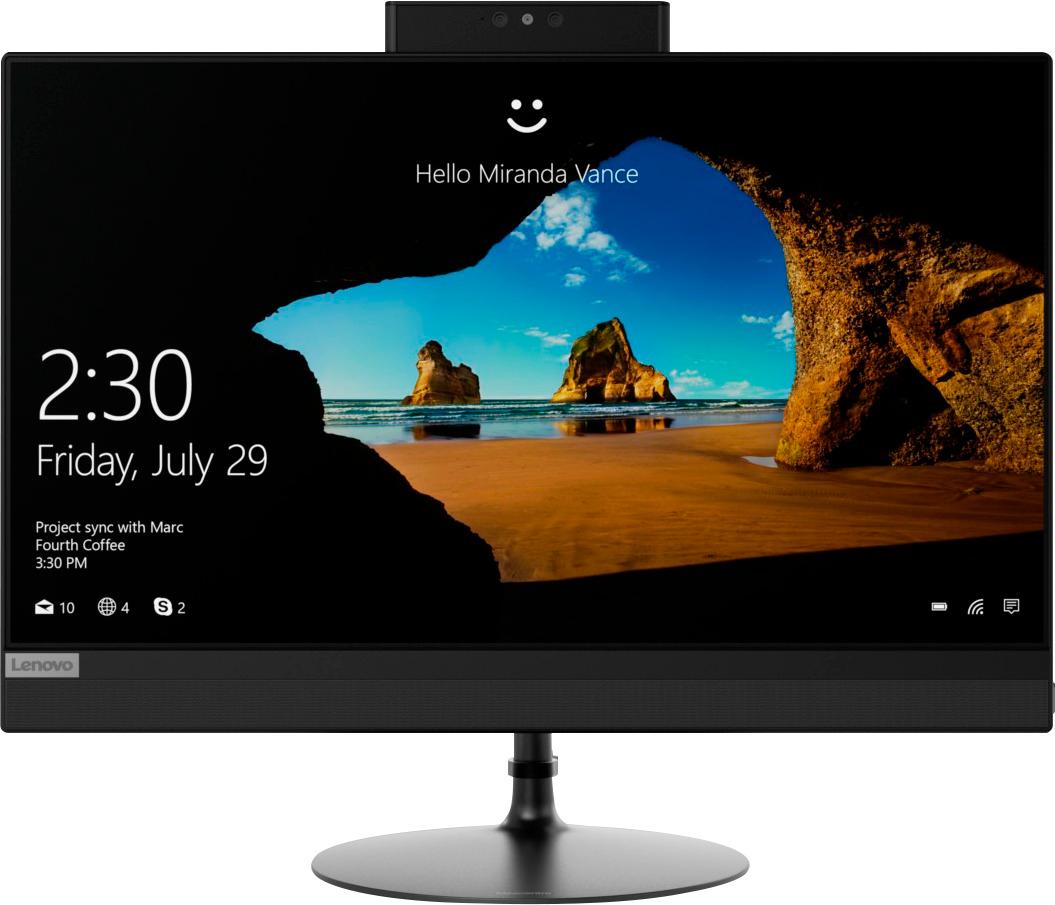
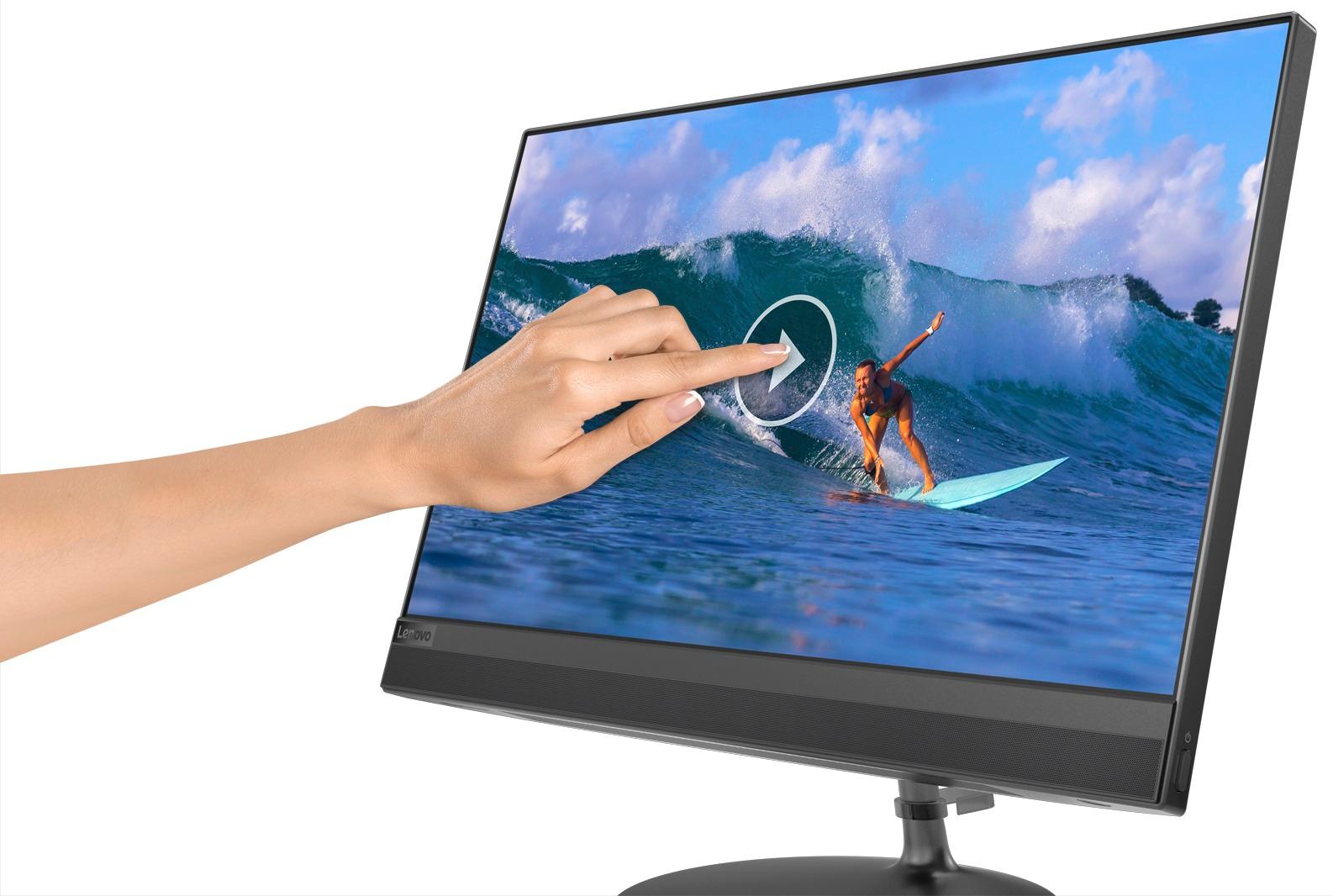
Customers enjoy the IdeaCentre 520's touch screen clarity and ease of use, finding it easy to set up and use. Many appreciate the performance and competitive price, especially given its compact size and space-saving design. While some experienced slow boot times, the overall user experience was positive.
This summary was generated by AI based on customer reviews.
Bad Experience
||Posted .This reviewer received promo considerations or sweepstakes entry for writing a review.I bought this when I was in dire need of a computer to replace the one that I had that had gone bad. The salesman mentioned a Geek plan which; I took to mean support from the technicians but never mentiwould the extra warranty. ;As I set it up, the desktop unit would no seem to fit securely on the stand. l did my best to try and get it there. While doing some work, the desktop fell forward and cracked. Now I'm stuck with paying for something that is useless. In fact, I left it at the store to be recyxlws.
No, I would not recommend this to a friend- Cons mentioned:Boot time
WORST COMPUTER!!
||Posted .This reviewer received promo considerations or sweepstakes entry for writing a review.SLOWER than the computers we had in the 90's & then won't boot after the first shutdown!
No, I would not recommend this to a friendBrand response from Lenovo Product Expert
Posted .This is an entry level, light use system with its Intel Pentium processor. It is not meant for multi-tasking or demanding programs. It is good for Microsoft Office and light internet browsing. Regarding your computer not booting up, be sure any software you installed is compatible with Windows 10. There is no need to install Microsoft Office software. The software is already part of the operating system, you just need to activate the software with a purchased product key. If you have installed a copy of Microsoft Office, this is conflicting with the existing copy on the system and this will slow your system down. If you have installed a 3rd party anti-virus program, be sure that Windows Defender is turned off and that the trial version of McAfee Anti-Virus software is uninstalled. There can only be one anti-virus program on the system. You may need to restore your system to original factory default settings if any of the programing errors have occurred. You can do that by typing "restore" in the Cortana search window. Just click on the magnifying glass icon at the bottom left of your Windows 10 Desktop. Click on "Reset This PC" Then click on "Get Started" and follow the on screen directions to restore to factory defaults. If the problem persists, we recommend you contact Lenovo Tech Support at: 877-453-6686.

Worked great until....
||Posted .This reviewer received promo considerations or sweepstakes entry for writing a review.Worked great until the power button got stuck and the entire thing got fried. DO NOT FORGET TO FILL OUT THE FACTORY WARRANTY.
No, I would not recommend this to a friendBrand response from Lenovo Product Expert
Posted .We are sorry to hear that you are having issues with your Lenovo IdeaCentre 520-22 All-In-One system. We recommend you call Lenovo Tech Support for additional help at: 877-453-6686.
Not as expected
||Posted .This reviewer received promo considerations or sweepstakes entry for writing a review.Since setting up the computer it has not worked very well different screens pop up at different times and runs slow.
No, I would not recommend this to a friendBrand response from Lenovo Product Expert
Posted .It sounds like there may have been an issue with the initial setup. We recommend you call Lenovo Tech Support at: 877-453-6686.

Bad Experience
||Posted .This reviewer received promo considerations or sweepstakes entry for writing a review.The stand for the unit was hard to set up. Later it toppled onto the keyboard and was damaged for which I cannot use. I was not told about the extended warranty so Now I'm paying around $720 for something I cannot use. The most horrible experience I've ever had in buying a computer. In no way, would I recommend this to a friend. I'm now happy using a wonderful HP laptop.
No, I would not recommend this to a friendDon't care for the set up.
||Posted .This reviewer received promo considerations or sweepstakes entry for writing a review.I utterly hate the way the computer butchers our names !
No, I would not recommend this to a friendNot for the long run
||Posted .This reviewer received promo considerations or sweepstakes entry for writing a review.I've always trusted lenovo PCs. But this failed somehow. I got it only for a year & it was already breaking down on me. Like, the monitor doesn't turn back on right away when the pc was left on for a long time. Totally disappointed me
No, I would not recommend this to a friendBrand response from Lenovo Product Expert
Posted .We are sorry to hear that you are having issues with your Lenovo IdeaCentre 520-22 All-In-One system. To keep the device running at its best, be sure you have the latest version of Windows 10 on the computer and that the supporting BIOS files and drivers are also up to date. You can easily accomplish this by scanning the computer with the Lenovo Utility software installed on the computer. This system has Lenovo utilities installed to help maintain the health of the device and keep the operating system software up to date. Type "Lenovo Vantage" in the Cortana Search window (if Lenovo Vantage is not installed on your device, you can download the APP and install it now). Select Lenovo Vantage from the list. In the window that opens, click on "Health and Support". In the expanded menu, select "Hardware Scan" In the window that opens, select "Run Quick Tests". This will scan your entire system for errors. Follow any directions that may pop up. If the problem continues after this scan, now click on "System Update". First select Windows update from the menu. Scan your system to be sure you have the latest version of Windows 10. Once that scan is complete, select "Additional Updates". This will scan your device to be sure there are no new BIOS/Driver updates needed. Follow any instructions that may pop up. If the issue still continues after these updates, we recommend you call Lenovo Tech Support at: 877-453-6686 for additional help. Lenovo is the number #1 manufacturer of computers in the World:
https://venturebeat.com/2019/01/10/gartner-and-idc-hp-and-lenovo-shipped-the-most-pcs-in-2018-but-total-numbers-fell/
not good
||Posted .This reviewer received promo considerations or sweepstakes entry for writing a review.apps did not connect. Contacts did not carry over; bookmarks did not carry over. Microsoft techs were unavailable to assist; in fact there was no way to speak to a real MS tech.
No, I would not recommend this to a friendBrand response from Lenovo Product Expert
Posted .We are sorry to hear that you are having issues with the setup of your Lenovo IdeaCentre 520-22 All-In-One system. Be sure the APPs you are trying to install are compatible with Windows 10.
Going back
||Posted .This reviewer received promo considerations or sweepstakes entry for writing a review.Had to send it back to Lenovo via geek squad screen was going crazy but I plan to return it once it returns they have had it for Four weeks now
No, I would not recommend this to a friendBrand response from Lenovo Product Expert
Posted .We are sorry to hear that you are having issues with your Lenovo IdeaCentre 520-22 All-In-One system. You can call Lenovo Tech support for help with issues at: 877-453-6686.
- Pros mentioned:Ease of use, Price, Speed
Great All in One
Posted .This reviewer received promo considerations or sweepstakes entry for writing a review.I needed to update my home work station from a laptop to a desk top and was not aware taht desktop arena had changed. Now you buy the PC, monitor, Mouse and keyboard separately. Not so with the all in one. A great price for what you get. For basic computing, internet searches, and remote access from work this is a workhorse. It is fast, easy to set up and use. The negative reviews I read gave me pause but unnecessarily because I am completely satisfied and would tell anyone looking to upgrade that this is the ticket.
I would recommend this to a friendBrand response from Lenovo Product Expert
Posted .Thank you for choosing the Lenovo IdeaCentre 520-22 All-In-One system. We are pleased to hear that the features and performance of the IdeaCentre 520-22 AIO meets your computing needs so well. This is an entry level, light use system with its Intel Pentium processor. It is not meant for multi-tasking or demanding programs. It is good for Microsoft Office and light internet browsing. If this describes your computing needs, the IdeaCentre 520-22 AIO would be a good choice.
no power cord
||Posted .This reviewer received promo considerations or sweepstakes entry for writing a review.I cant even turn it on.. didn't come with a power cord. i cant even tell you how it runs.
No, I would not recommend this to a friendBrand response from Lenovo Product Expert
Posted .Be sure to check all of the packing material within the shipping box. The power cord should be encased in a cardboard box within the shipping box.
Shuts off and cannot turn back on for 5 minutes.
||Posted . Owned for 1 month when reviewed.This reviewer received promo considerations or sweepstakes entry for writing a review.Taking it back in to be gone through for second time. Disappointed.
No, I would not recommend this to a friendBrand response from Lenovo Product Expert
Posted .We are sorry to hear that you are having issues with the operating system within your lenovo IdeaCentre 520-22 All-In-One system. Be sure any software you installed is compatible with Windows 10. There is no need to install Microsoft Office software. The software is already part of the operating system, you just need to activate the software with a purchased product key. If you have installed a copy of Microsoft Office, this is conflicting with the existing copy on the system and this will slow your system down. If you have installed a 3rd party anti-virus program, be sure that Windows Defender is turned off and that the trial version of McAfee Anti-Virus software is uninstalled. There can only be one anti-virus program on the system. You may need to restore your system to original factory default settings if any of the programing errors have occurred. You can do that by typing "restore" in the Cortana search window. Just click on the magnifying glass icon at the bottom left of your Windows 10 Desktop. Click on "Reset This PC" Then click on "Get Started" and follow the on screen directions to restore to factory defaults. If the problem persists, we recommend you contact Lenovo Tech Support at: 877-453-6686
- Pros mentioned:Touch screen
Excellent Buy!!
Posted .This reviewer received promo considerations or sweepstakes entry for writing a review.I spent nearly 2 months going through reviews on-line and up till the last week before my purchase I was dead set to buy an HP and just kept over looking the Lenovo due to the fact I did not like the matte screens we have at work ... after getting bored reading the spotty reviews on the HP ... I finally opened up the reviews on this computer ... and it totally changed my mind!! I bought it ... brought it home ... ran the normal set up which took about 3 hours ... and there has not been 1 single issue ... the screen which was a turn off for me to begin with is simply outstanding!! I upgraded to a wireless keyboard and mouse which I feel was a great decision!! Everyone loves it!! I also bought a card reader ... it either does not have one or I can't find it ... but that was less then $20! Thought I was getting a great deal at the time of purchase and the computer went $75 lower the next week ... one phone call and a few days later my account was credited!! Hoping this computer lasts for years to come!
I would recommend this to a friendBrand response from Lenovo Product Expert
Posted .Thank you for choosing the Lenovo IdeaCentre 520-22 All-In-One system. This system does have a 3 in 1 SD card reader that is compatible with SD, SDHC, SDXC cards. It is located under the bottom left edge of the device.
- Pros mentioned:Performance
Graphics driver failed on two machines
Posted .This reviewer received promo considerations or sweepstakes entry for writing a review.All research led me to believe this was a machine where I would maximize the bang for my buck with an all-in-one. It is fast and handles all programs well. It looks nice. Overall, it has a lot of positive features. The negative greatly outweighs the positive in this case. My first machine constantly glitched and flashed to a black screen. No driver update, factory reset, or any other problem solving (Levono support or Microsoft support) remedied the issue. Finally, I exchanged the machine at Best Buy. Within 24-hours of the new machine being out of it's box it began behaving in the exact same manner. Lenovo support logged into my machine and downloaded a different graphics driver. No change. Finally, they recommended exchanging the machine -- again. My best guess is there's something in the initial "updates" that the machine/Windows 10 downloads onto itself that results in the graphics driver faulting. I've completely reset this machine -- not adding a single app, program, or browser -- and using all manufacturer installed programs and it has flashed to black seven times as I've typed this. I really want to like this machine. I would like to keep it for the next six years. It *should* be a great computer, but it's not. I am on my way to Best Buy to exchange it for a different brand.
No, I would not recommend this to a friend - Pros mentioned:Ease of use
great computer.
Posted .This reviewer received promo considerations or sweepstakes entry for writing a review.Best desktop computer I've ever owned. I've had it since 2018 and have never had a single problem with it.
I would recommend this to a friend - Pros mentioned:Ease of use, Speed
Computer works well but.....
Posted .This reviewer received promo considerations or sweepstakes entry for writing a review.Exactly what I was looking for, it's space saving, setup was easy and it's fast for what I'm using it for. I'm very happy about the computer. The reason I'm got giving it 5 stars is, I bought the computer over the weekend and now it's on sale for $50 less, shouldn't they have told me it was going on sale?
I would recommend this to a friendBrand response from Lenovo Product Expert
Posted .Thank you for choosing the Lenovo IdeaCentre 520-22 All-In-One system. Best Buy has a lowest price two-week guarantee, if the product goes on sale within two weeks of your purchase, Best Buy will refund the difference. Bring your receipt to the store and check with customer service before the sale ends for a refund.
- Cons mentioned:Boot time
Do not buy if you want to upgrade ram, hdd, etc
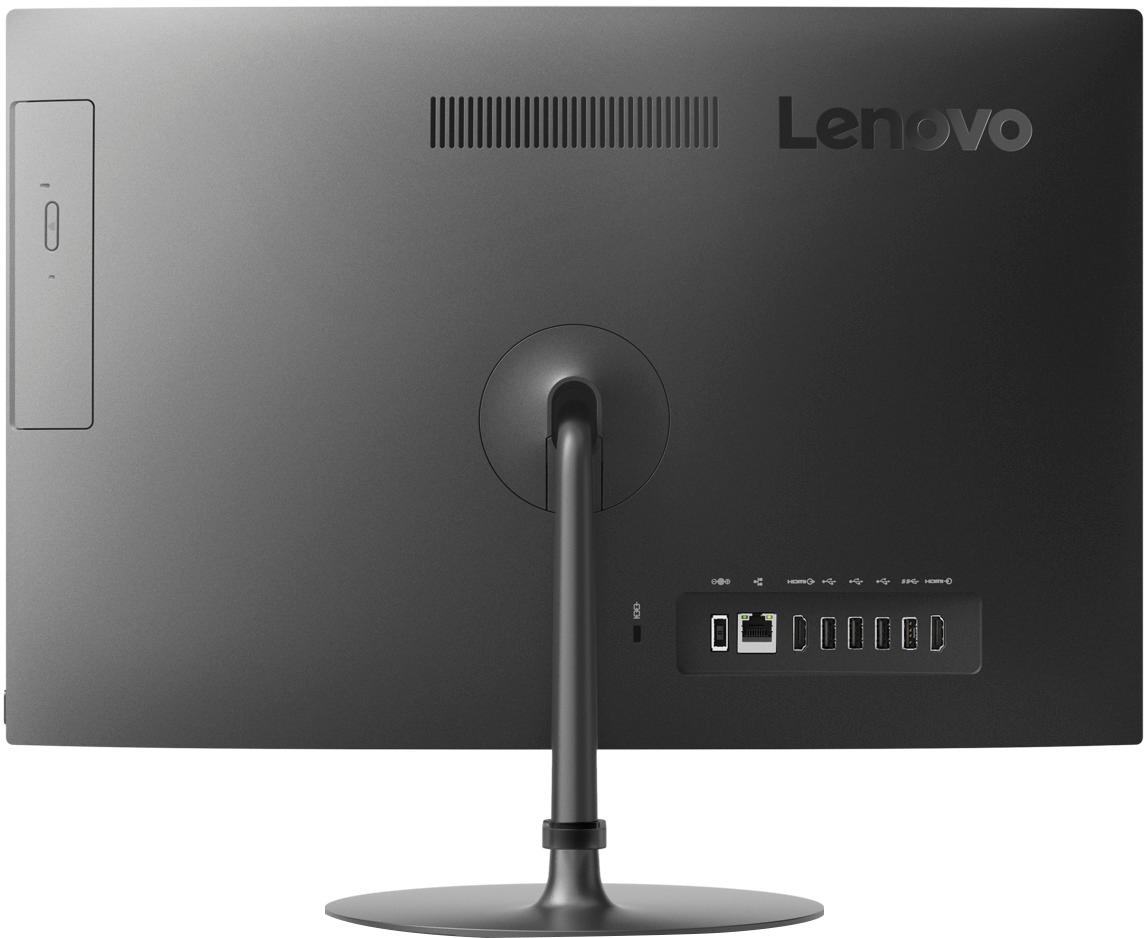
Posted .This reviewer received promo considerations or sweepstakes entry for writing a review.The hard drive and memory are too hard to get at with this computer. It is very difficult to open it up without damaging the screen. Also, be careful while using the computer because it is easy to crack the screen while moving it around if you hold it by its edge. The connectors inside on wires connected to the screen are flimsy with thin pins (e.g. for the backlight) that can snap or bend easily, and the plastic holes on the connectors don't seem to be manufactured to good tolerances. Many computer experts have damaged the computer while trying to upgrade. Think - more difficult than a laptop. You'd think they'd have thought of putting in a panel for the hard drive and memory. If you are going to upgrade the hard drive, add an nvme ssd or add ram, send it to an insured shop who may crack the screen on you and have to replace it. That's if they even agree to work on it. Well, other than that, the computer is very nice. That is - if you are careful with it, and you don't try to do any work on it. But I can't get past - in 2019 - such poor attention placed on the packaging and no access panels.
No, I would not recommend this to a friendBrand response from Lenovo Product Expert
Posted .The RAM and hard drive are user upgradable on this model. We recommend if you are not comfortable with doing the work yourself or have any questions about replacing the RAM and hard drive within this configuration, you have a certified technician like the Best Buy Geek Squad do the work for you. The Lenovo IdeaCentre 520-22 All-In-One is an entry level, light use system with its Intel Pentium processor. It is not meant for multi-tasking or demanding programs. It is good for Microsoft Office and light internet browsing. If this describes your computing needs, the IdeaCentre 520-22 AIO would be a good choice.
- Pros mentioned:Touch screen
All in one
Posted .This reviewer received promo considerations or sweepstakes entry for writing a review.It's a good all-in-one computer, not very quick but does the job. Very nice touchscreen.
I would recommend this to a friend Good for general use
Posted .This reviewer received promo considerations or sweepstakes entry for writing a review.I needed a computer at home to use for work mainly using Microsoft Office 365 products and general internet browsing and it works for my intended use. The processing power isn't very robust (which I knew going into) so if you're needing to multi-task A LOT and use heavy CPU software, I'd look elsewhere. For anyone else, for the price this is an excellent computer for what it is.
I would recommend this to a friendBrand response from Lenovo Product Expert
Posted .Thank you for choosing the Lenovo IdeaCentre 520-22 All-In-One system. This is an entry level, light use system with its Intel Pentium processor. It is not meant for multi-tasking or demanding programs. It is good for Microsoft Office and light internet browsing. If this describes your computing needs, the IdeaCentre 520-22 AIO would be a good choice. Lenovo is the number #1 manufacturer of computers in the World:
https://venturebeat.com/2019/01/10/gartner-and-idc-hp-and-lenovo-shipped-the-most-pcs-in-2018-but-total-numbers-fell/
Great value PC
Posted .This reviewer received promo considerations or sweepstakes entry for writing a review.Purchased this for my mother and she loves it! Plenty of storage and memory for everyday use.
I would recommend this to a friend