Customer Ratings & Reviews

- Model:
- F0DN005UUS
- SKU:
- 6325580
to a friend
Customers are saying
Customers frequently mention the ease of use and the responsive touch screen as significant advantages. The fast solid state drive and the space-saving design are also frequently praised. While some users noted pre-installed software, the overall experience is largely positive due to its performance and reasonable price.
This summary was generated by AI based on customer reviews.
The All-In-One is a great option!
||Posted . Owned for 1 month when reviewed.This reviewer received promo considerations or sweepstakes entry for writing a review.I didn't want a laptop or the clutter of a tower. The All-In-One was the best option for me.
I would recommend this to a friendBrand response from Lenovo Product Expert
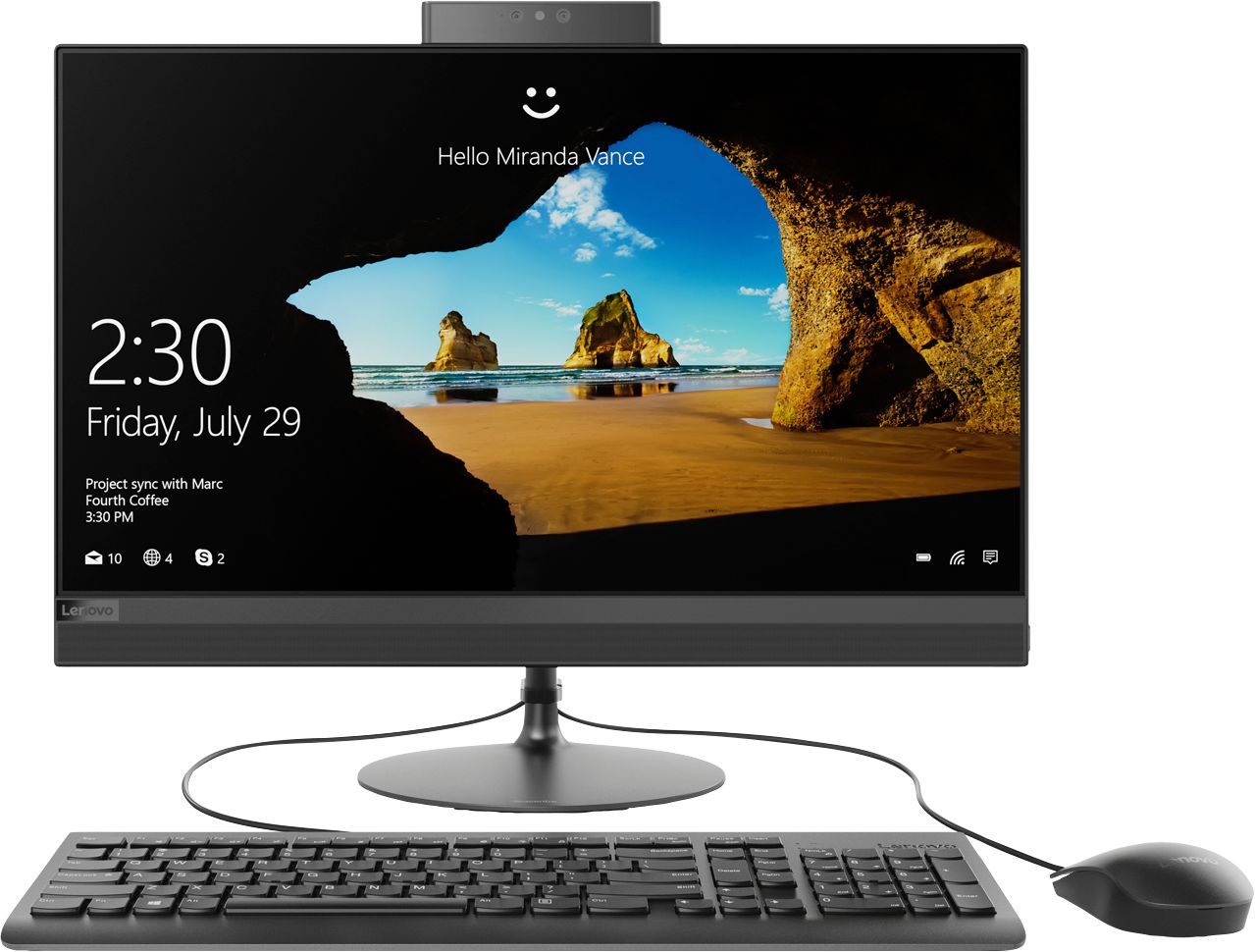
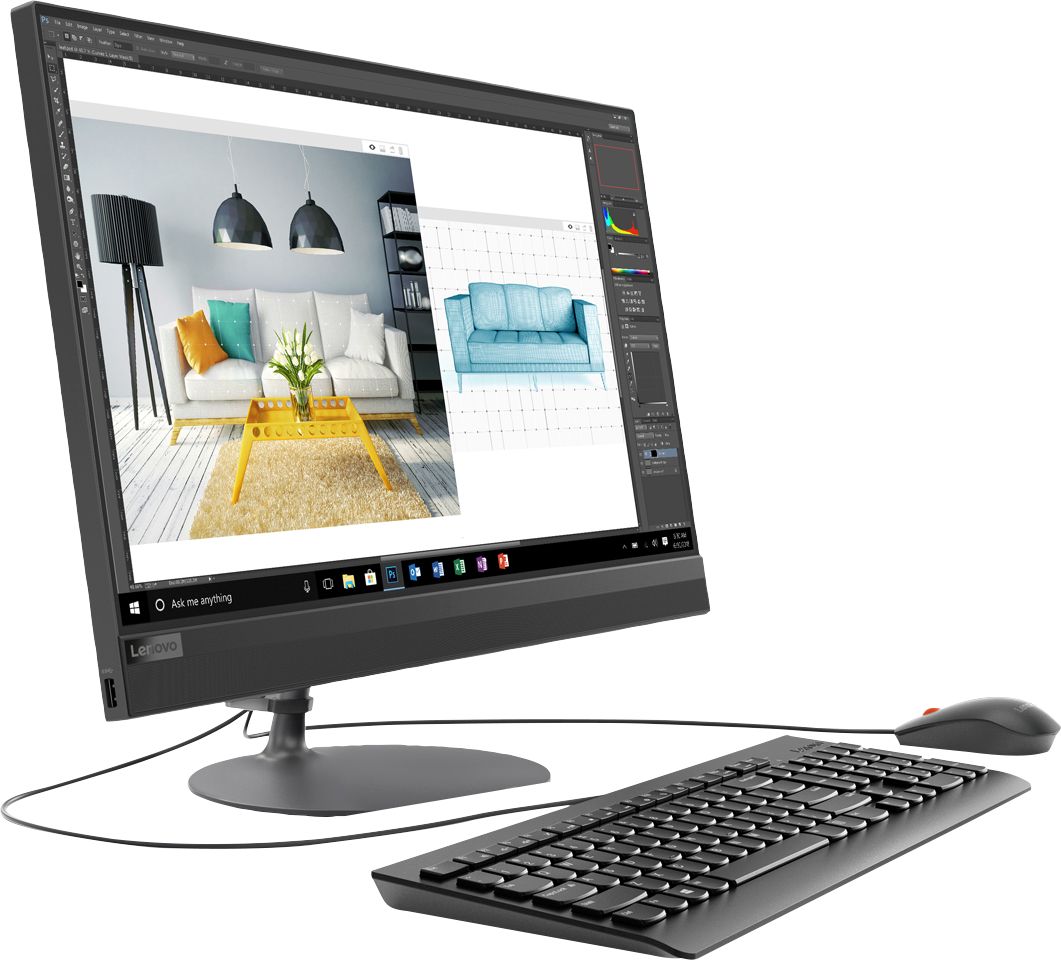
Posted .Thank you for choosing the Lenovo IdeaCentre 520-24 All-In-One system. We are pleased to hear that the features and performance of the IdeaCentre 520-24 AIO meets your computing needs so well. The Lenovo IdeaCentre AIO 520 is as compact and lightweight as it is elegant. It features a widely adjustable, 24-inch borderless multi-touch display. Add to that improved processing power, lots of storage, and immersive stereo sound, and this all-in-one is the perfect solution for no-hassle entertainment.

Love it!
||Posted . Owned for 2 months when reviewed.This reviewer received promo considerations or sweepstakes entry for writing a review.This display works great! Everything looks just as I hoped.
I would recommend this to a friendBrand response from Lenovo Product Expert
Posted .Thank you for choosing the Lenovo IdeaCentre 520-24 All-In-One system. We are pleased to hear that the features and performance of the IdeaCentre 520-24 AIO meets your computing needs so well.
love the no glare screen
||Posted . Owned for 3 weeks when reviewed.This reviewer received promo considerations or sweepstakes entry for writing a review.not too difficult to set- the no glare screen really helps.
I would recommend this to a friendBrand response from Lenovo Product Expert
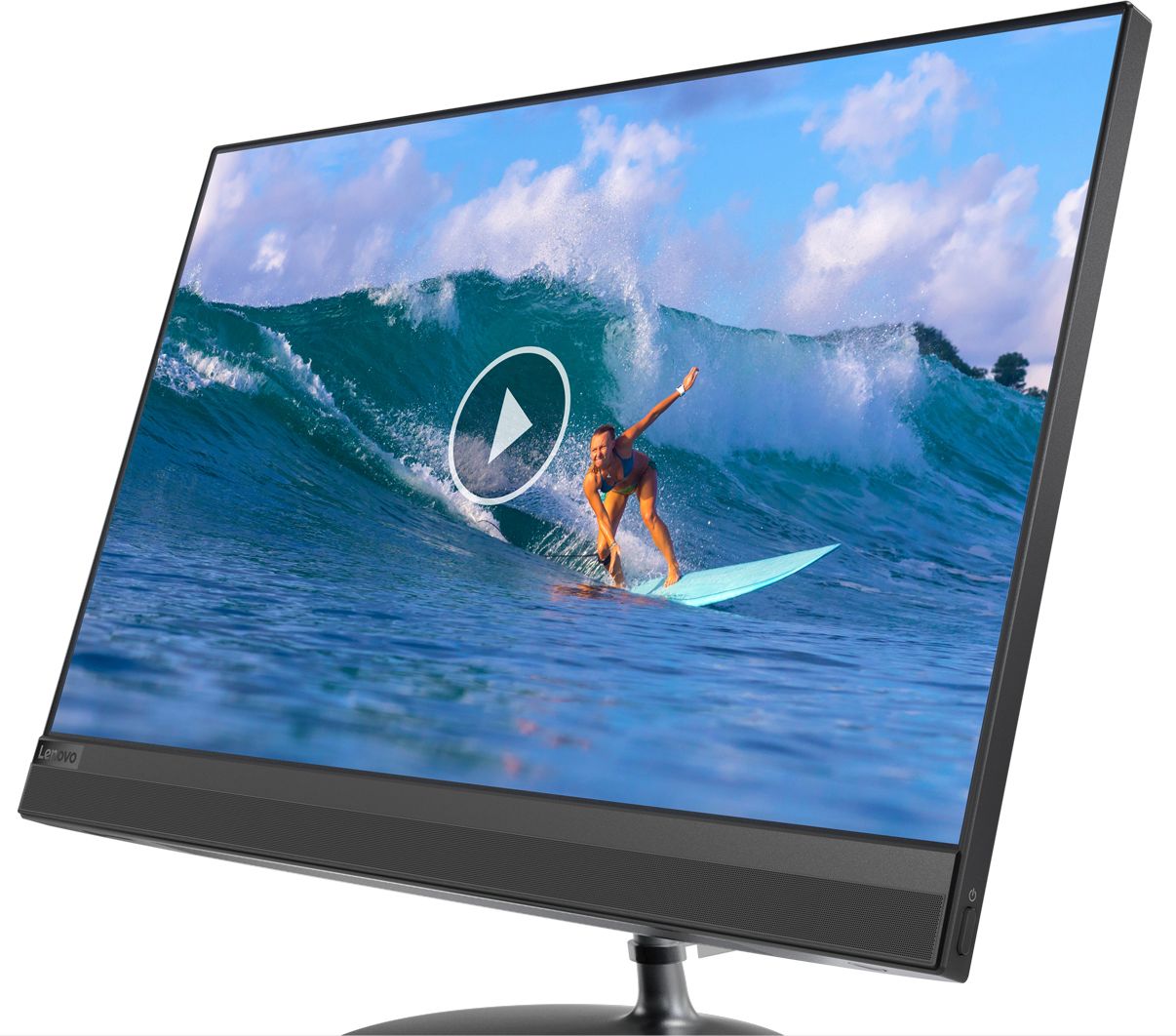
Posted .Thank you for choosing the Lenovo IdeaCentre 520-24 All-in-One system. This model ships with a IPS WVA Borderless screen, with a resolution of 1920x1080 (FHD) and a brightness level of 250 nits. We are pleased to hear that the features and performance of the IdeaCentre 520-24 AIO meets your computing needs so well.
- Pros mentioned:Ease of use
average , nice pic
||Posted . Owned for 1 month when reviewed.This reviewer received promo considerations or sweepstakes entry for writing a review.average purchase, nice picture, easy to use, would recommend
I would recommend this to a friendBrand response from Lenovo Product Expert
Posted .The Lenovo IdeaCentre AIO 520 is as compact and lightweight as it is elegant. It features a widely adjustable, 24-inch borderless multi-touch display. Add to that improved processing power, lots of storage, and immersive stereo sound, and this all-in-one is the perfect solution for no-hassle entertainment.
Large screen to enjoy
||Posted . Owned for 3 weeks when reviewed.This reviewer received promo considerations or sweepstakes entry for writing a review.I am enjoying the desk top style computer, easy to use.
I would recommend this to a friendBrand response from Lenovo Product Expert
Posted .Thank you for choosing the Lenovo IdeaCentre 520-24 All-In-One system.
The IdeaCentre AIO 520 has been redesigned with a slim monitor with a razor-thin border, and matching elegant looking stand. This modern profile is a perfect accent for your home or workspace. The Lenovo IdeaCentre AIO 520 is as compact and lightweight as it is elegant. It features a widely adjustable, 24-inch borderless multi-touch display. Add to that improved processing power, lots of storage, and immersive stereo sound, and this all-in-one is the perfect solution for no-hassle entertainment.
Great computer
||Posted .This reviewer received promo considerations or sweepstakes entry for writing a review.Great computer I recommend this computer to my friends
I would recommend this to a friendBrand response from Lenovo Product Expert
Posted .Thank you for choosing the Lenovo IdeaCentre 520-24 All-In-One system. We are pleased to hear that the IdeaCentre 520-24 AIO meets your computing needs so well.
Faster ever
||Posted .This reviewer received promo considerations or sweepstakes entry for writing a review.It wss an awesome computer, reliable and so efficient.
I would recommend this to a friendBrand response from Lenovo Product Expert
Posted .Thank you for choosing the Lenovo IdeaCentre 520-24 All-In-One system. We are pleased to hear that the features and performance of the IdeaCentre 520-24 AIO meets your computing needs so well. Lenovo is the number #1 manufacturer of computers in the World:
https://venturebeat.com/2019/01/10/gartner-and-idc-hp-and-lenovo-shipped-the-most-pcs-in-2018-but-total-numbers-fell/
Great for Business!
||Posted .This reviewer received promo considerations or sweepstakes entry for writing a review.This computer is perfect for general business purposes! Very affordable and practical.
I would recommend this to a friendComputer
||Posted . Owned for 1 month when reviewed.This reviewer received promo considerations or sweepstakes entry for writing a review.So far it works good. The only thing I need to figure out is work the split screen.
I would recommend this to a friendGood price and reliable
||Posted . Owned for 1 month when reviewed.This reviewer received promo considerations or sweepstakes entry for writing a review.I have bought many of these for our business and they are very good!
I would recommend this to a friendGood value
||Posted . Owned for 1 month when reviewed.This reviewer received promo considerations or sweepstakes entry for writing a review.Good value for an AIO with solid state drive and DVD burner included
I would recommend this to a friendGood computer
||Posted .This reviewer received promo considerations or sweepstakes entry for writing a review.Prime was good and speed its hours for the specs of the machine.
I would recommend this to a friendDecent computer
||Posted . Owned for 3 weeks when reviewed.This reviewer received promo considerations or sweepstakes entry for writing a review.Decent computer for every day uses different to surf the internet
I would recommend this to a friendBrand response from Lenovo Product Expert
Posted .The Lenovo IdeaCentre 520-24 All-In-One system. This model ships with the latest 5G 802.11AC frequency WiFi, the fastest available. The Lenovo IdeaCentre AIO 520 is as compact and lightweight as it is elegant. It features a widely adjustable, 24-inch borderless multi-touch display. Add to that improved processing power, lots of storage, and immersive stereo sound, and this all-in-one is the perfect solution for no-hassle entertainment.
- Pros mentioned:Performance
Loved until it died
||Posted . Owned for 11 months when reviewed.This reviewer received promo considerations or sweepstakes entry for writing a review.I loved this computer right up until it died less than one year after owning it, right in the middle of a pandemic which we are working from home. Now work from home is impossible, contacted Lenovo directly and opened a case never received a call back at the designated time. Now trying to resolve through Best Buy and had to schedule an appointment in the middle of a work day at the store. This computer right up until the moment it wouldn’t tur on was fantastic... now regretting moving from an HP product to Lenovo
No, I would not recommend this to a friend Problems after 2 months
||Posted . Owned for 2 months when reviewed.This reviewer received promo considerations or sweepstakes entry for writing a review.At first I was very happy with this computer. The screen was big and the picture was clear and bright. After two months, the speakers started having issues with static and breaking up. A week later, the screen started flickering and the picture became fuzzy and 'pixeled'. This is not what you expect when you've only had the computer less than three months!
No, I would not recommend this to a friendBrand response from Lenovo Product Expert
Posted .We are sorry to hear that you are having issues with your Lenovo IdeaCentre 520-24 All-In-One system. Since the system was working well initially, then the issues developed, first, be sure any software you installed is compatible with Windows 10. There is no need to install Microsoft Office software. The software is already part of the operating system, you just need to activate the software with a purchased product key. If you have installed a copy of Microsoft Office, this is conflicting with the existing copy on the system and this will slow your system down. If you have installed a 3rd party anti-virus program, be sure that Windows Defender is turned off and that the trial version of McAfee Anti-Virus software is uninstalled. There can only be one anti-virus program on the system. You may need to restore your system to original factory default settings if any of the programing errors have occurred. You can do that by typing "restore" in the Cortana search window. Just click on the magnifying glass icon at the bottom left of your Windows 10 Desktop. Click on "Reset This PC" Then click on "Get Started" and follow the on screen directions to restore to factory defaults. Second, be sure you have the latest version of Windows 10 on the computer and that all of the supporting BIOS files and drivers are up to date. You can easily accomplish this by scanning the device with the Lenovo Utility Software installed on the computer. This system has Lenovo utilities installed to help maintain the health of the device and keep the operating system software up to date. Type "Lenovo Vantage" in the Cortana Search window (if Lenovo Vantage is not installed on your device, you can download the APP and install it now). Select Lenovo Vantage from the list. In the window that opens, click on "Health and Support". In the expanded menu, select "Hardware Scan" In the window that opens, select "Run Quick Tests". This will scan your entire system for errors. Follow any directions that may pop up. If the problem continues after this scan, now click on "System Update". First select Windows update from the menu. Scan your system to be sure you have the latest version of Windows 10. Once that scan is complete, select "Additional Updates". This will scan your device to be sure there are no new BIOS/Driver updates needed. Follow any instructions that may pop up. Finally, if the issue still continues after these updates, we recommend you call Lenovo Tech Support at: 877-453-6686 for additional help.
So many sites and things to learn.
||Posted . Owned for 1 month when reviewed.This reviewer received promo considerations or sweepstakes entry for writing a review.Lot to learn on your own. Computer should come with a human tutor. It's a good product and I think I'll love it when I learn all the new programs.
I would recommend this to a friendBrand response from Lenovo Product Expert
Posted .Actually your Lenovo IdeaCentre 520-24 All-In-One system does have an audio "tutor", in the form of Cortana Voice Assistant. Here is a link to tips for getting the most out of Cortana on your IdeaCentre 520-24 AIO: https://www.techradar.com/how-to/computing/20-tips-for-getting-more-out-of-cortana-on-windows-10-1328316. With regard to learning your way around Windows 10, you may want to try YouTube.com (just type that address in your browser address window). There are hundreds for free instructional videos there about Windows 10. Just type Windows 10 Introduction in to the YouTube search window. You can watch free videos there that will show you the basics all the way up to tips and tricks videos and they're all free. Lenovo is the number #1 manufacturer of computers in the World:
https://venturebeat.com/2019/01/10/gartner-and-idc-hp-and-lenovo-shipped-the-most-pcs-in-2018-but-total-numbers-fell/
Didn't work
||Posted .This reviewer received promo considerations or sweepstakes entry for writing a review.Keyboard was flimsy at first, which was disappointing. The risers on the back - so it does not sit flat - are very short, making typing awkward. There are not many USB ports - like 3 - and 2 are taken up by the mouse and the keyboard, so there is little ability to expand. Plugged in the keyboard, and nothing. Will have to take keyboard back and see if it is only the keyboard or the entire thing is broken.
No, I would not recommend this to a friendBrand response from Lenovo Product Expert
Posted .We are sorry to hear that you are having issues with your Lenovo IdeaCentre 520-24 All-In-One system. We recommend you call Lenovo Tech Support for help with the issue you are having with your keyboard at: 877-453-6686. Lenovo is the number #1 manufacturer of computers in the World:
https://venturebeat.com/2019/01/10/gartner-and-idc-hp-and-lenovo-shipped-the-most-pcs-in-2018-but-total-numbers-fell/
Not a happy customer
||Posted . Owned for 2 weeks when reviewed.This reviewer received promo considerations or sweepstakes entry for writing a review.It's not what I wanted my first computer did not work and it was referred to me that was the best computer. My second choice they wanted me to start my protection plan over and pay the difference of the computer. So, now I just settled for a computer because I needed one..
No, I would not recommend this to a friendGood computer for home use
||Posted . Owned for 1 month when reviewed.This reviewer received promo considerations or sweepstakes entry for writing a review.It’s a good product for the cost and was easy to set up.
I would recommend this to a friendBrand response from Lenovo Product Expert
Posted .The Lenovo IdeaCentre AIO 520 is as compact and lightweight as it is elegant. It features a widely adjustable, 24-inch borderless multi-touch display. Add to that improved processing power, lots of storage, and immersive stereo sound, and this all-in-one is the perfect solution for no-hassle entertainment.
Not a great experience
||Posted . Owned for 11 months when reviewed.This reviewer received promo considerations or sweepstakes entry for writing a review.Had this computer less than a year and the last few months this computer has been nothing but trouble. Keeps blacking out. Keepa kicking me out the system. Did not believe this computer would be so mich trouble.
No, I would not recommend this to a friendBrand response from Lenovo Product Expert
Posted .We are sorry to hear that you are having issues with your Lenovo IdeaCentre 520-24 All-In-One system. Windows 10 should cause your system to backout. First, be sure you have the latest version of Windows 10 on the computer, then update all of the BIOS files and drivers up to that latest version of Windows 10. You can easily accomplished this with Lenovo Utility software. This system has Lenovo utilities installed to help maintain the health of the device and keep the operating system software up to date. Type "Lenovo Vantage" in the Cortana Search window (if Lenovo Vantage is not installed on your device, you can download the APP and install it now). Select Lenovo Vantage from the list. In the window that opens, click on "Health and Support". In the expanded menu, select "Hardware Scan" In the window that opens, select "Run Quick Tests". This will scan your entire system for errors. Follow any directions that may pop up. If the problem continues after this scan, now click on "System Update". First select Windows update from the menu. Scan your system to be sure you have the latest version of Windows 10. Once that scan is complete, select "Additional Updates". This will scan your device to be sure there are no new BIOS/Driver updates needed. Follow any instructions that may pop up. If you update all of the operating software and the issue continues, be sure any software you installed is compatible with Windows 10. There is no need to install Microsoft Office software. The software is already part of the operating system, you just need to activate the software with a purchased product key. If you have installed a copy of Microsoft Office, this is conflicting with the existing copy on the system and this will slow your system down. If you have installed a 3rd party anti-virus program, be sure that Windows Defender is turned off and that the trial version of McAfee Anti-Virus software is uninstalled. There can only be one anti-virus program on the system. You may need to restore your system to original factory default settings if any of the programming errors have occurred. You can do that by typing "restore" in the Cortana search window. Just click on the magnifying glass icon at the bottom left of your Windows 10 Desktop. Click on "Reset This PC" Then click on "Get Started" and follow the on screen directions to restore to factory defaults. If the problem persists, we recommend you contact Lenovo Tech Support at: 877-453-6686.