Customer Ratings & Reviews
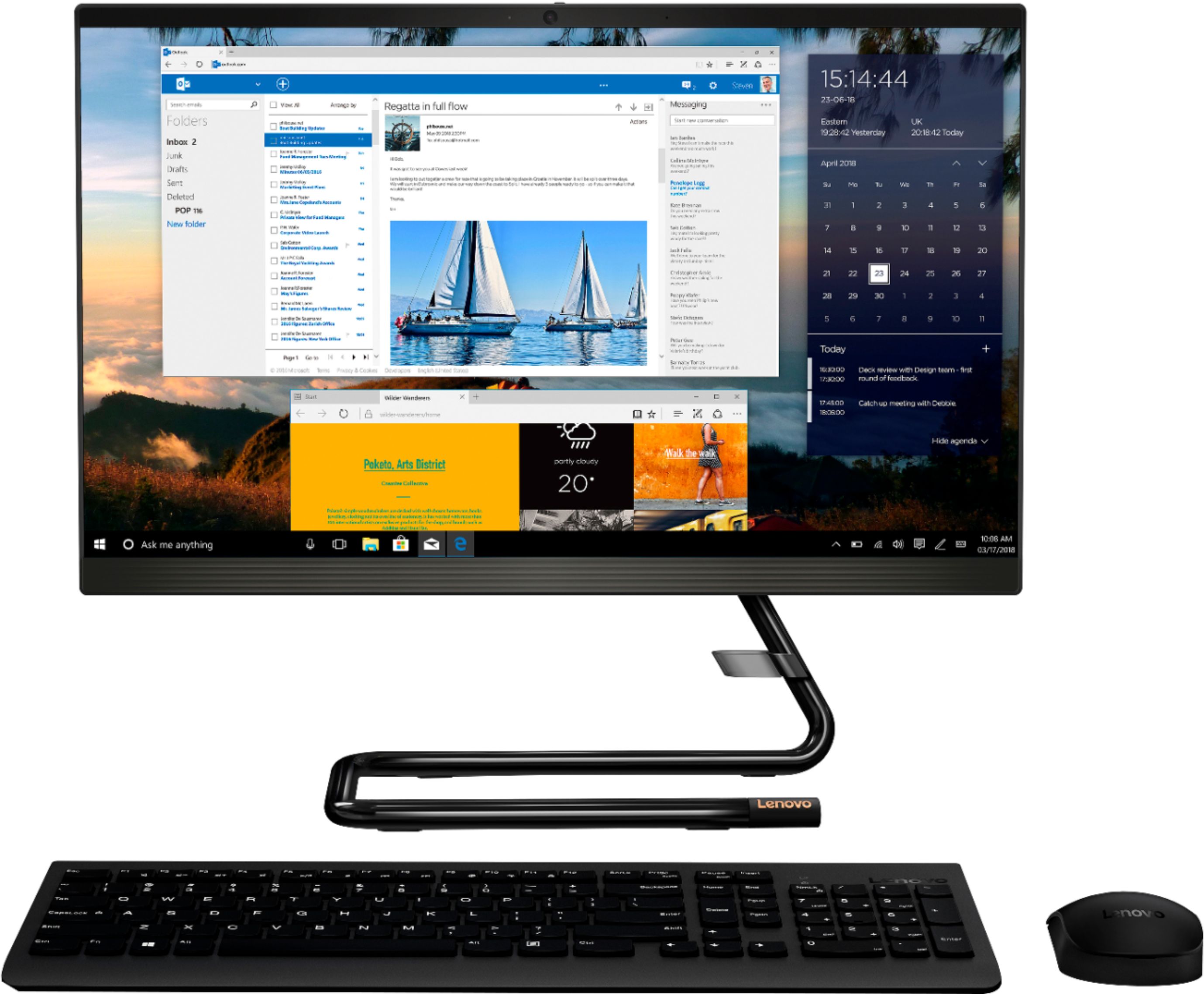
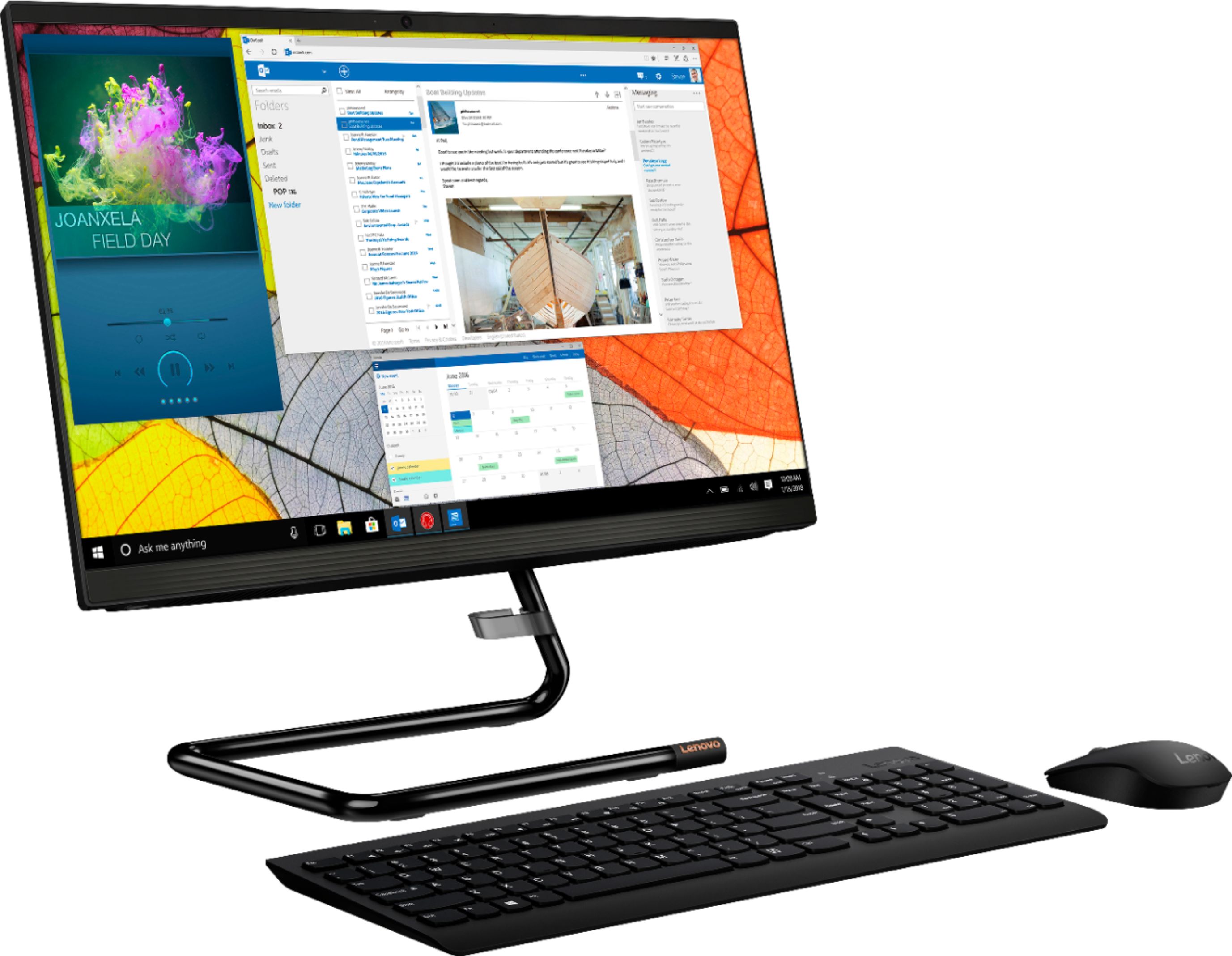
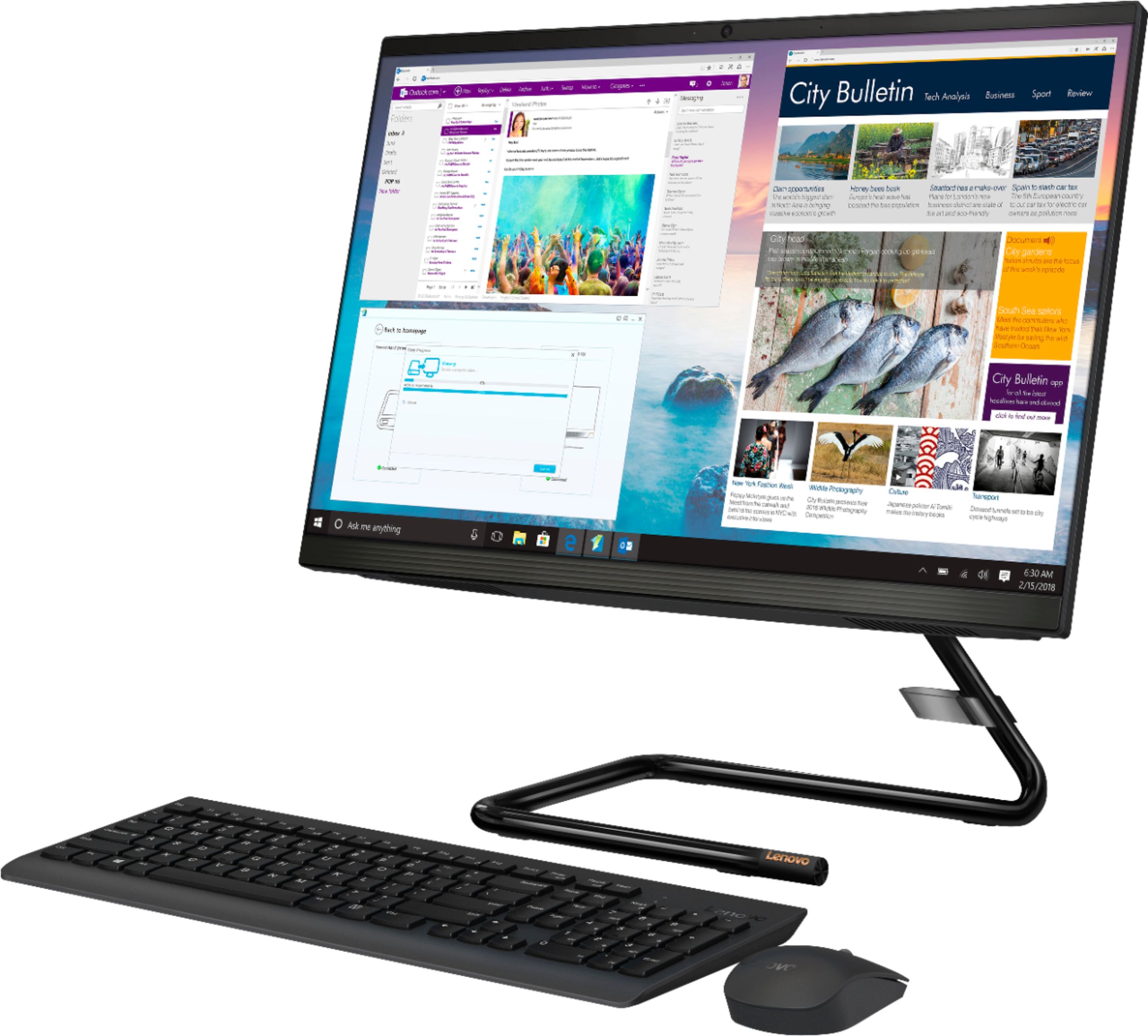
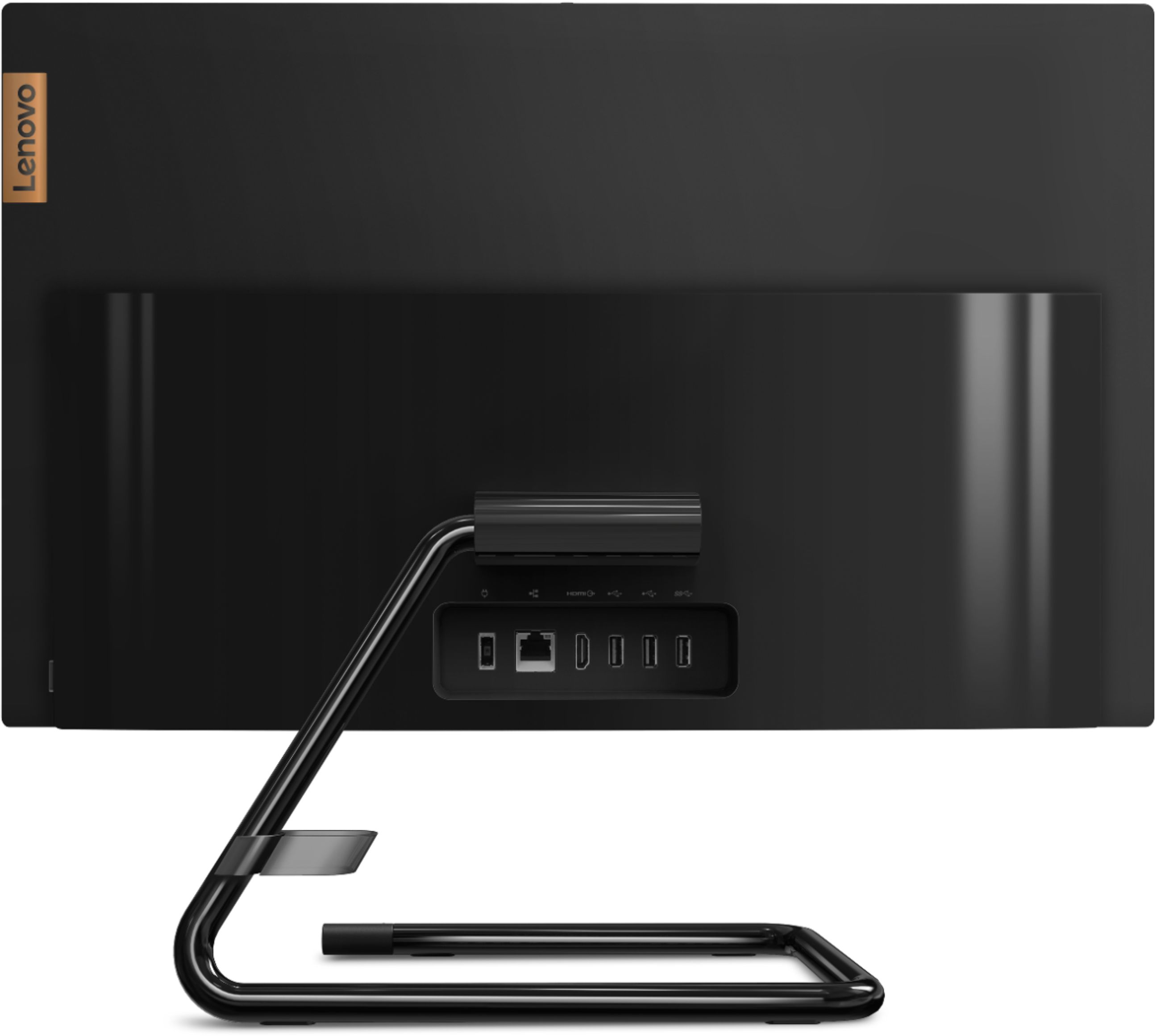

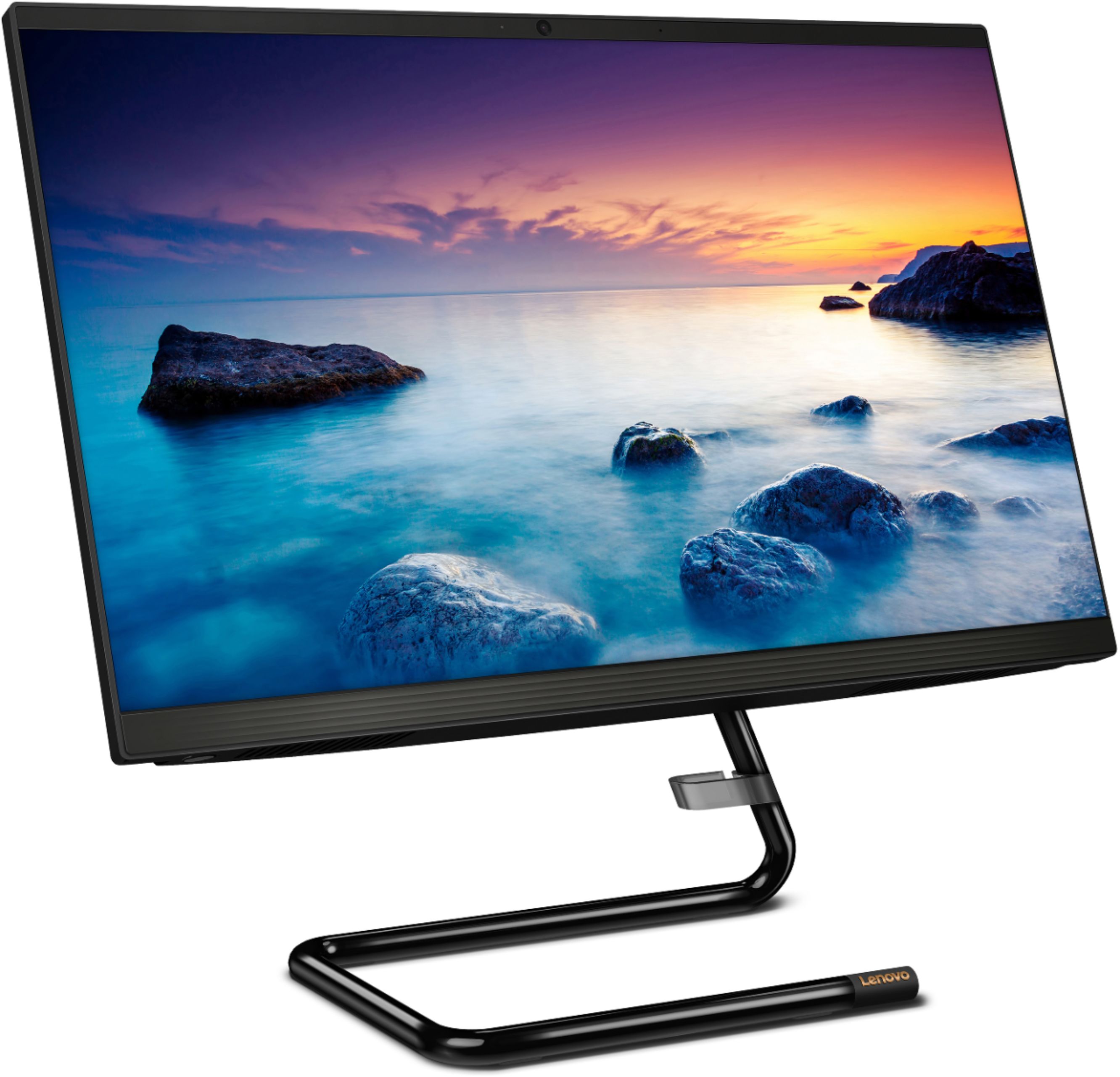
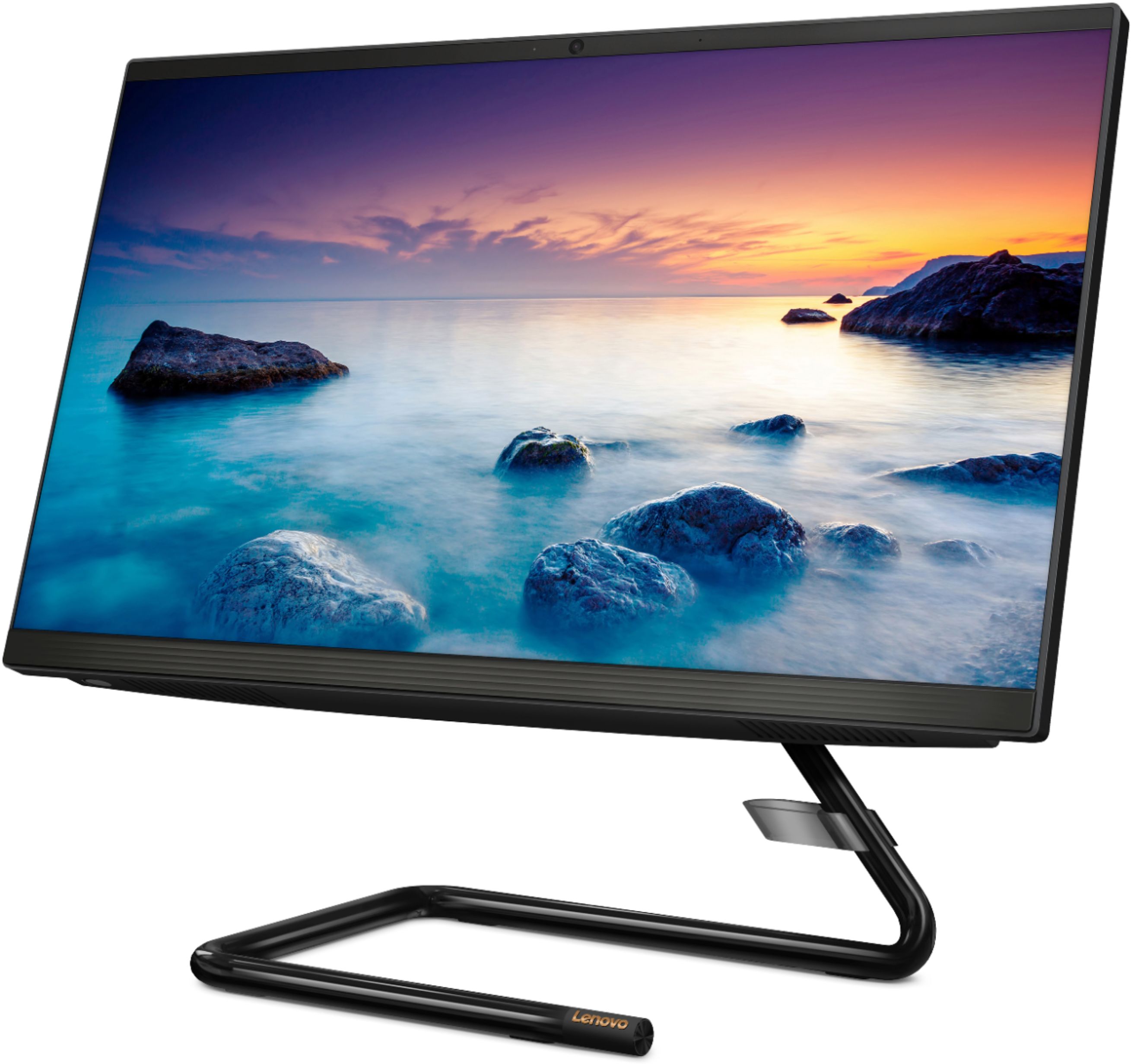

- Model:
- F0EA003RUS
- SKU:
- 6398131
Rating by feature
- Value
Rating 4.3 out of 5 stars
- Quality
Rating 4.2 out of 5 stars
- Ease of Use
Rating 4.3 out of 5 stars
Customers are saying
Customers highly value the IdeaCentre A340's ease of use and touchscreen functionality, frequently praising its performance and attractive price. Positive feedback also highlights the compact size and sleek design, making it a convenient and appealing option. While some users noted slow boot times and limitations with the processor and available USB ports, the overall experience appears positive for many buyers.
This summary was generated by AI based on customer reviews.
- Cons mentioned:Speed
Slow
||Posted . Owned for 11 months when reviewed.This reviewer received promo considerations or sweepstakes entry for writing a review.Bought this for my 10 YO son for Christmas. The computer was so slow to boot up and move from program to program. I ended up returning it to Best Buy who upgraded the PC.
No, I would not recommend this to a friendBrand response from Lenovo Product Expert
Posted .This Lenovo IdeaCentre A340 22 All-In-One system model number F0EA003RUS, will boot from off to the Windows Desktop Screen in less than 40-seconds. If you are getting slower boot times, be sure any software you installed is compatible with Windows 10. There is no need to install Microsoft Office software. The software is already part of the operating system, you just need to activate the software with a purchased product key. If you have installed a copy of Microsoft Office, this is conflicting with the existing copy on the system and this will slow your system down. If you have installed a 3rd party anti-virus program, be sure that Windows Defender is turned off and that the trial version of McAfee Anti-Virus software is uninstalled. There can only be one anti-virus program on the system. You may need to restore your system to original factory default settings if any of the programming errors have occurred. You can do that by typing "restore" in the Cortana search window. Just click on the magnifying glass icon at the bottom left of your Windows 10 Desktop. Click on "Reset This PC" Then click on "Get Started" and follow the on screen directions to restore to factory defaults. If the problem persists, we recommend you contact Lenovo Tech Support at: 877-453-6686.

- Cons mentioned:Speed
Slow
||Posted . Owned for 2 months when reviewed.This reviewer received promo considerations or sweepstakes entry for writing a review.Very slow computer. I have not downloaded anything on it whatsoever and it is super slow. Good computer for email and that is about it.
No, I would not recommend this to a friendBrand response from Lenovo Product Expert
Posted .This Lenovo IdeaCentre A340 22 All-In-One System, model number F0EA003RUS, is a light to moderate workload configuration, with its 4-Core, Intel Pentium Silver J5040 Processor, supported by 8GB DDR4-2666MHz RAM installed (1x 8GB SO-DIMM DDR4-2666MHz RAM). We always recommend you check the requirements and compatibility of any software you will be installing on your new computer, before you invest in any computer. Be sure your new computer can support the software you will need to use and your workload.
Wrong description
||Posted .This reviewer received promo considerations or sweepstakes entry for writing a review.Either a bad product or Wrong description.. this is the 2nd unit after returning the 1st one and the touchscreen is not available..told Twice by Lenovo online support..don't really need touchscreen but fix the description!!!!
No, I would not recommend this to a friendBrand response from Lenovo Product Expert
Posted .The Lenovo IdeaCentre A340-22 All-In-One system model number F0EA003RUS, ships with a 10-Point Active Touchscreen. If the touchscreen on your device is not functioning, first, Be sure any software you installed is compatible with Windows 10. Incompatible software mat be the cause of your touchscreen feature not being functional. There is no need to install Microsoft Office software. The software is already part of the operating system, you just need to activate the software with a purchased product key. If you have installed a copy of Microsoft Office, this is conflicting with the existing copy on the system and this will slow your system down. If you have installed a 3rd party anti-virus program, be sure that Windows Defender is turned off and that the trial version of McAfee Anti-Virus software is uninstalled. There can only be one anti-virus program on the system. You may need to restore your system to original factory default settings if any of the programming errors have occurred. You can do that by typing "restore" in the Cortana search window. Just click on the magnifying glass icon at the bottom left of your Windows 10 Desktop. Click on "Reset This PC" Then click on "Get Started" and follow the on screen directions to restore to factory defaults. If there is no incompatible software installed, then check to be sure you have the latest version of Windows 10 on the computer. Then update all BIOS files and drivers up to that latest version of Windows 10. You can easily accomplish this by scanning the computer with the Lenovo Utility software available on this computer. This system has Lenovo utilities installed to help maintain the health of the device and keep the operating system software up to date. Type "Lenovo Vantage" in the Cortana Search window (if Lenovo Vantage is not installed on your device, you can download the APP and install it now). Select Lenovo Vantage from the list. In the window that opens, click on "Health and Support". In the expanded menu, select "Hardware Scan" In the window that opens, select "Run Quick Tests". This will scan your entire system for errors. Follow any directions that may pop up. If the problem continues after this scan, now click on "System Update". First select Windows update from the menu. Scan your system to be sure you have the latest version of Windows 10. Once that scan is complete, select "Additional Updates". This will scan your device to be sure there are no new BIOS/Driver updates needed. Follow any instructions that may pop up. If the issue still continues after these updates, we recommend you call Lenovo Tech Support at: 877-453-6686 for additional help.
- Cons mentioned:Speed
Bad for business use
||Posted . Owned for 3 weeks when reviewed.This reviewer received promo considerations or sweepstakes entry for writing a review.Very slow and aggravating! Takes forever to open anything.! Never had such a ridiculous problem. Definitely don't recommend for a business of any kind.
No, I would not recommend this to a friendBrand response from Lenovo Product Expert
Posted .The Lenovo IdeaCentre A340-22 All-In-One system will boot from off to the Windows Desktop Screen in less than 40-seconds. We always recommend you check the requirements and compatibility of any software you will be installing on your new computer, before you invest in any computer. Be sure your new computer can support the software you will need to use.
All in one computer
||Posted . Owned for 1 month when reviewed.This reviewer received promo considerations or sweepstakes entry for writing a review.Ever since I had this computer it have not worked it's a code on it when you go to set it up Microsoft keep giving you all the different codes to put in now I can't get on the computer the computer just sitting in my dining area in a box the worst mess I ever seen my daughter took it back to the store and they told me it was nothing they can do and I hadn't he had a computer a week the first computer when they sent it to me they sent it to the company to Lenovo then they had to turn around and shoot me another one the worst mess you can get a computer from the pawn shop better than this one
No, I would not recommend this to a friend- Cons mentioned:Speed
Very slow
||Posted . Owned for 1 month when reviewed.This reviewer received promo considerations or sweepstakes entry for writing a review.We were using this in our office to check out clients but it became extremely slow and unsuable after just a few weeks. I am going to have to return this now.
No, I would not recommend this to a friendBrand response from Lenovo Product Expert
Posted .We are sorry to hear that you are having issues with your Lenovo IdeaCentre A340-22 All-In-One system, model number F0EA003RUS. Since you describe your computer as getting slower over time, be sure any software you installed is compatible with Windows 10. There is no need to install Microsoft Office software. The software is already part of the operating system, you just need to activate the software with a purchased product key. If you have installed a copy of Microsoft Office, this is conflicting with the existing copy on the system and this will slow your system down. If you have installed a 3rd party anti-virus program, be sure that Windows Defender is turned off and that the trial version of McAfee Anti-Virus software is uninstalled. There can only be one anti-virus program on the system. You may need to restore your system to original factory default settings if any of the programming errors have occurred. You can do that by typing "restore" in the Cortana search window. Just click on the magnifying glass icon at the bottom left of your Windows 10 Desktop. Click on "Reset This PC" Then click on "Get Started" and follow the on screen directions to restore to factory defaults. If the problem persists, we recommend you contact Lenovo Tech Support at: 877-453-6686.
- Cons mentioned:Speed
Slow
||Posted . Owned for 11 months when reviewed.This reviewer received promo considerations or sweepstakes entry for writing a review.I usually would by a computer because of its speed. Unfortunately this one is extremely slow. Now im stuck with it.
No, I would not recommend this to a friendBrand response from Lenovo Product Expert
Posted .We are sorry to hear that the performance of the Lenovo IdeaCentre A340 22 All-In-One System does not meet your computing needs. We always recommend you check the requirements and compatibility of any software you will be installing on your new computer, before you invest in any computer. Be sure your new computer can support the software you will need to use and your workload.
Disappointed
||Posted . Owned for 1 month when reviewed.This reviewer received promo considerations or sweepstakes entry for writing a review.I don’t like the policy that I must give my name and get on a wait list for a “sales person” to ring up my purchase. I also wish the people working were knowledgeable about the products.
No, I would not recommend this to a friend- Cons mentioned:Boot time
For the priceyou could do mutch better
||Posted .This reviewer received promo considerations or sweepstakes entry for writing a review.Had everything I thought I would need, but alas! It took for ever to boot up and then it took forever to open any programs and files.
No, I would not recommend this to a friendBrand response from Lenovo Product Expert
Posted .We are sorry to hear that you are having issues with your Lenovo IdeaCentre A340-22 All-In-One system. This configuration will boot from off to the Windows 10 Desktop Screen in less than 40-seconds and files will open that are native to the computer within seconds. If you are experiencing slower than expected performance, be sure any software you installed is compatible with Windows 10. There is no need to install Microsoft Office software. The software is already part of the operating system, you just need to activate the software with a purchased product key. If you have installed a copy of Microsoft Office, this is conflicting with the existing copy on the system and this will slow your system down. If you have installed a 3rd party anti-virus program, be sure that Windows Defender is turned off and that the trial version of McAfee Anti-Virus software is uninstalled. There can only be one anti-virus program on the system. You may need to restore your system to original factory default settings if any of the programming errors have occurred. You can do that by typing "restore" in the Cortana search window. Just click on the magnifying glass icon at the bottom left of your Windows 10 Desktop. Click on "Reset This PC" Then click on "Get Started" and follow the on screen directions to restore to factory defaults. If the problem persists, we recommend you contact Lenovo Tech Support at: 877-453-6686.
- Cons mentioned:Speed
Piece of junk
||Posted . Owned for less than 1 week when reviewed.This reviewer received promo considerations or sweepstakes entry for writing a review.The monitor didn’t even last 24 hours until the screen was burned in and started running extremely slow. Returned for a different brand.
No, I would not recommend this to a friend Disappointing All-In-one
||Posted . Owned for 3 weeks when reviewed.This reviewer received promo considerations or sweepstakes entry for writing a review.Got this for my children's home schooling. Processing is a little too slow. Sometimes takes around a minute to respond to any input. I would not recommend it due to processing speed.
No, I would not recommend this to a friendBrand response from Lenovo Product Expert
Posted .The Lenovo IdeaCentre A340-22 All-In-One system, model number F0EA003RUS, will boot from off to the Windows 10 Desktop Screen in less than 40-seconds. If you are getting slower boot times and/or generally slower than expected performance, be sure any software you installed is compatible with Windows 10. There is no need to install Microsoft Office software. The software is already part of the operating system, you just need to activate the software with a purchased product key. If you have installed a copy of Microsoft Office, this is conflicting with the existing copy on the system and this will slow your system down. If you have installed a 3rd party anti-virus program, be sure that Windows Defender is turned off and that the trial version of McAfee Anti-Virus software is uninstalled. There can only be one anti-virus program on the system. You may need to restore your system to original factory default settings if any of the programming errors have occurred. You can do that by typing "restore" in the Cortana search window. Just click on the magnifying glass icon at the bottom left of your Windows 10 Desktop. Click on "Reset This PC" Then click on "Get Started" and follow the on screen directions to restore to factory defaults. If the problem persists, we recommend you contact Lenovo Tech Support at: 877-453-6686.
- Cons mentioned:Speed
Slloooow
||Posted . Owned for 1 year when reviewed.This reviewer received promo considerations or sweepstakes entry for writing a review.Worst computer ever.. extremely slow. Right out of the box we noticed how slow and crappy it is
No, I would not recommend this to a friendBrand response from Lenovo Product Expert
Posted .We are sorry to hear that the Lenovo IdeaCentre A340 22 All-In-One System does not meet your computing needs. We always recommend you check the requirements and compatibility of any software you will be installing on your new computer, before you invest in any computer. Be sure your new computer can support the software you will need to use and your workload.
- Cons mentioned:Speed
Crappy computer.
||Posted . Owned for 3 weeks when reviewed.This reviewer received promo considerations or sweepstakes entry for writing a review.Slowest computer I have ever owned. Very disappointed in the Lenovo company and disappointed that Bestbuy would charge so much for crap.
No, I would not recommend this to a friend - Cons mentioned:Speed
Money wasted. Want my money back
||Posted . Owned for 1 year when reviewed.This reviewer received promo considerations or sweepstakes entry for writing a review.The slowest computer so far. It really sucks. Best Buy I want my money back.
No, I would not recommend this to a friend New Computer Problems
||Posted . Owned for 1 month when reviewed.This reviewer received promo considerations or sweepstakes entry for writing a review.Constant problems with screen freezing. Geek Squad system tune up no help. Returning may be too much for me to handle so I may have to just live with it.
No, I would not recommend this to a friendBrand response from Lenovo Product Expert
Posted .We are sorry to hear that you are having issues with your Lenovo IdeaCentre A340-22 All-In-One system. This system ships with Windows 10 Home 64-bit Operating System and should not freeze. Be sure any software you installed is compatible with Windows 10. There is no need to install Microsoft Office software. The software is already part of the operating system, you just need to activate the software with a purchased product key. If you have installed a copy of Microsoft Office, this is conflicting with the existing copy on the system and this will slow your system down. If you have installed a 3rd party anti-virus program, be sure that Windows Defender is turned off and that the trial version of McAfee Anti-Virus software is uninstalled. There can only be one anti-virus program on the system. You may need to restore your system to original factory default settings if any of the programming errors have occurred. You can do that by typing "restore" in the Cortana search window. Just click on the magnifying glass icon at the bottom left of your Windows 10 Desktop. Click on "Reset This PC" Then click on "Get Started" and follow the on screen directions to restore to factory defaults. If the problem persists, we recommend you contact Lenovo Tech Support at: 877-453-6686.
Slowest computer I've ever known.
||Posted . Owned for 3 months when reviewed.This reviewer received promo considerations or sweepstakes entry for writing a review.I have purchased about 10 computers in my life. This one is the worst one of all . I can you not, this computer is slower than the computers I owned in the mid-90s. The keyboard has like a 5- second lag, something from the moment you press the key until the moment the letter actually shows up on screen. Don't buy this computer. Best Buy should have never had this computer in stock. This computer should not be for sale anywhere.
No, I would not recommend this to a friendBrand response from Lenovo Product Expert
Posted .The Lenovo IdeaCentre A340 22 All-In-One system will boot from off to the Windows Desktop Screen in less than 40-seconds. User input through the device keyboard is virtually instantaneous. If you are getting less than expected performance, be sure any software you installed is compatible with Windows 10. There is no need to install Microsoft Office software. The software is already part of the operating system, you just need to activate the software with a purchased product key. If you have installed a copy of Microsoft Office, this is conflicting with the existing copy on the system and this will slow your system down. If you have installed a 3rd party anti-virus program, be sure that Windows Defender is turned off and that the trial version of McAfee Anti-Virus software is uninstalled. There can only be one anti-virus program on the system. You may need to restore your system to original factory default settings if any of the programming errors have occurred. You can do that by typing "restore" in the Cortana search window. Just click on the magnifying glass icon at the bottom left of your Windows 10 Desktop. Click on "Reset This PC" Then click on "Get Started" and follow the on screen directions to restore to factory defaults. If the problem persists, we recommend you contact Lenovo Tech Support at: 877-453-6686.
Stay away!
||Posted . Owned for 1 week when reviewed.This reviewer received promo considerations or sweepstakes entry for writing a review.I Purchased one of these computers. It lasted three days and crashed. I took it back and exchange it for another identical model and it lasted five days, but the CD drive never did work and after those five days it wouldn’t turn on. Best Buy was wonderful to deal with on the matter and took both defective items back with no problem but I would never purchase another computer of this brand.
No, I would not recommend this to a friendBrand response from Lenovo Product Expert
Posted .We are sorry to hear that you had issues with your Lenovo IdeaCentre A340-22 All-In-One system. Be sure any software you installed is compatible with Windows 10. There is no need to install Microsoft Office software. The software is already part of the operating system, you just need to activate the software with a purchased product key. If you have installed a copy of Microsoft Office, this is conflicting with the existing copy on the system and this will slow your system down. If you have installed a 3rd party anti-virus program, be sure that Windows Defender is turned off and that the trial version of McAfee Anti-Virus software is uninstalled. There can only be one anti-virus program on the system. You may need to restore your system to original factory default settings if any of the programming errors have occurred. You can do that by typing "restore" in the Cortana search window. Just click on the magnifying glass icon at the bottom left of your Windows 10 Desktop. Click on "Reset This PC" Then click on "Get Started" and follow the on screen directions to restore to factory defaults. If the problem persists, we recommend you contact Lenovo Tech Support at: 877-453-6686.
Do not buy
||Posted . Owned for less than 1 week when reviewed.This reviewer received promo considerations or sweepstakes entry for writing a review.I’ve always loved Lenovo. This computer is not Lenovo quality. Just opened the box today. The product initially wouldn’t turn on, was able to turn it on and started to set up my computer. It should off randomly and couldn’t turn it back on. At this point if I can get it to stay on long enough and ensure my info is wiped off the computer I’m returning it. It’s a basically 21 inches of junk.
No, I would not recommend this to a friendBrand response from Lenovo Product Expert
Posted .We are sorry to hear that you are having issues with the initial setup and activation of your Lenovo IdeaCentre A340-22 All-In-One system. The restarting of the Operating System software indicates that the Operating System is downloading and installing updates. This is normal. Allow the Operating System to complete the download and installation process for a successful activation of the Windows Operating System. If you continue to have issues, we recommend you contact Lenovo Tech Support at: 877-453-6686.
Freezes, Touch Screen Doesn’t Work, KeyPad Broken
||Posted . Owned for 1 month when reviewed.This reviewer received promo considerations or sweepstakes entry for writing a review.Poor Quality Computer! Bought for my kids to do Virtual learning and only worked great on day one! Started glitching and screen kept freezing! Touch screen didn’t work! Key Board came Broken in Box! A big waste of $600 and wasn’t able to return because of the 15 day policy. Yet it took 15 days to come in mail!! Very unsatisfied! Do not buy this!!!!
No, I would not recommend this to a friend- Cons mentioned:Speed
Very slow
||Posted . Owned for 1 month when reviewed.This reviewer received promo considerations or sweepstakes entry for writing a review.Computer is so slow and lags, My computer with a virus was faster. super disappointed
No, I would not recommend this to a friendBrand response from Lenovo Product Expert
Posted .The Lenovo IdeaCentre A340-22 All-In-One system, model number F0EA003RUS, is an entry-level to moderate use configuration with its 4-Core Intel Pentium J5005 processor, with a base speed of 1.5GHz and a boost speed of up to 2.8GHz. This processor is supported by 1x 8GB SO-DIMM DDR4-2666Mhz RAM. This configuration is good with light to moderate workloads using such Productivity Software as Microsoft Office. It can browse the internet and do light multi-tasking. This configuration will boot from off to the Windows 10 Desktop Screen in less than 40-seconds. If you are experiencing slower boot times and/or general slower processing, be sure any software you installed is compatible with Windows 10. There is no need to install Microsoft Office software. The software is already part of the operating system, you just need to activate the software with a purchased product key. If you have installed a copy of Microsoft Office, this is conflicting with the existing copy on the system and this will slow your system down. If you have installed a 3rd party anti-virus program, be sure that Windows Defender is turned off and that the trial version of McAfee Anti-Virus software is uninstalled. There can only be one anti-virus program on the system. You may need to restore your system to original factory default settings if any of the programming errors have occurred. You can do that by typing "restore" in the Cortana search window. Just click on the magnifying glass icon at the bottom left of your Windows 10 Desktop. Click on "Reset This PC" Then click on "Get Started" and follow the on screen directions to restore to factory defaults. If the problem persists, we recommend you contact Lenovo Tech Support at: 877-453-6686.