Customer Ratings & Reviews


- Model:
- F0FA008GUS
- SKU:
- 6476239
Rating by feature
- Value
Rating 3.7 out of 5 stars
- Quality
Rating 3.6 out of 5 stars
- Ease of Use
Rating 3.9 out of 5 stars
Customers are saying
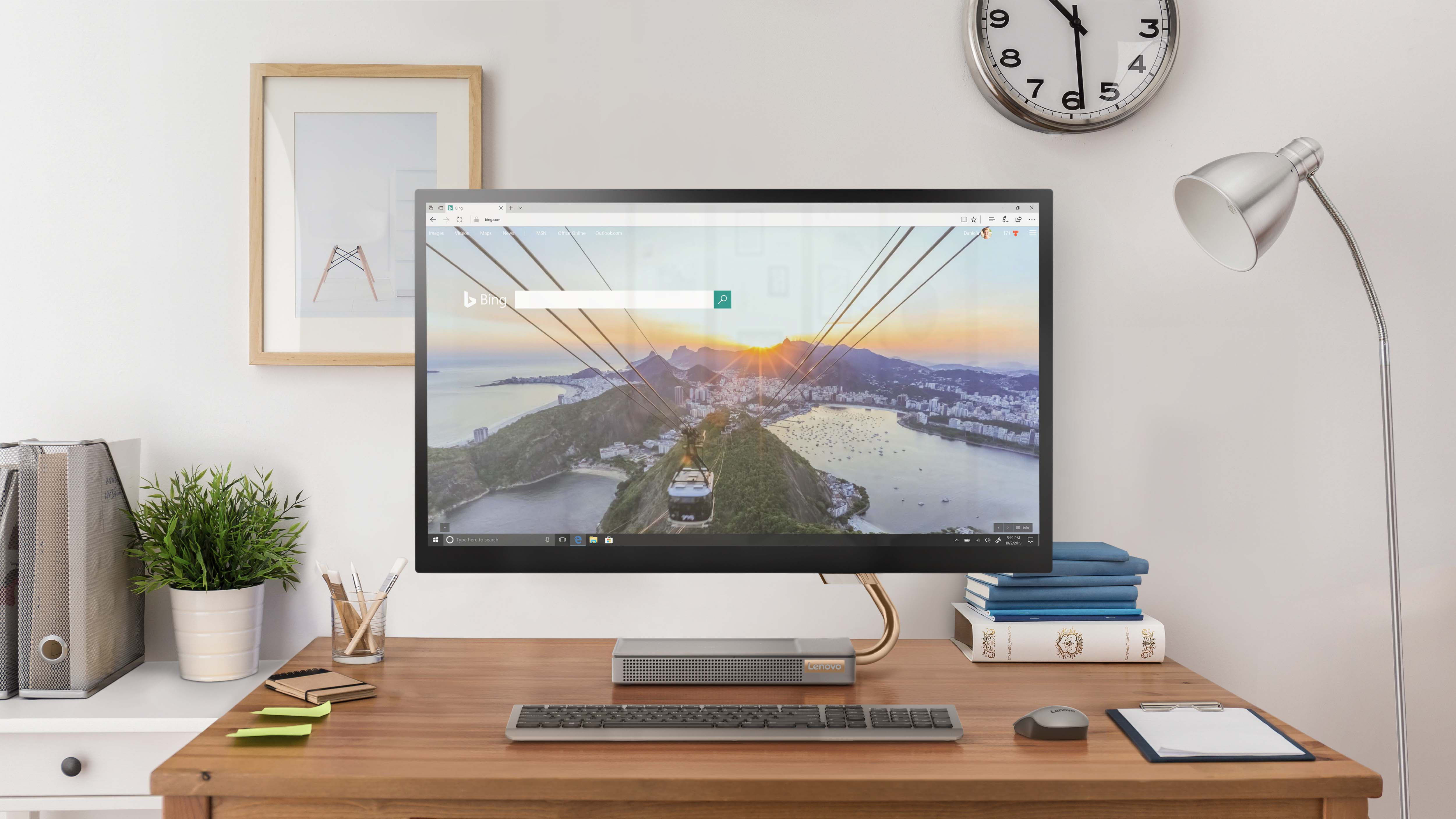
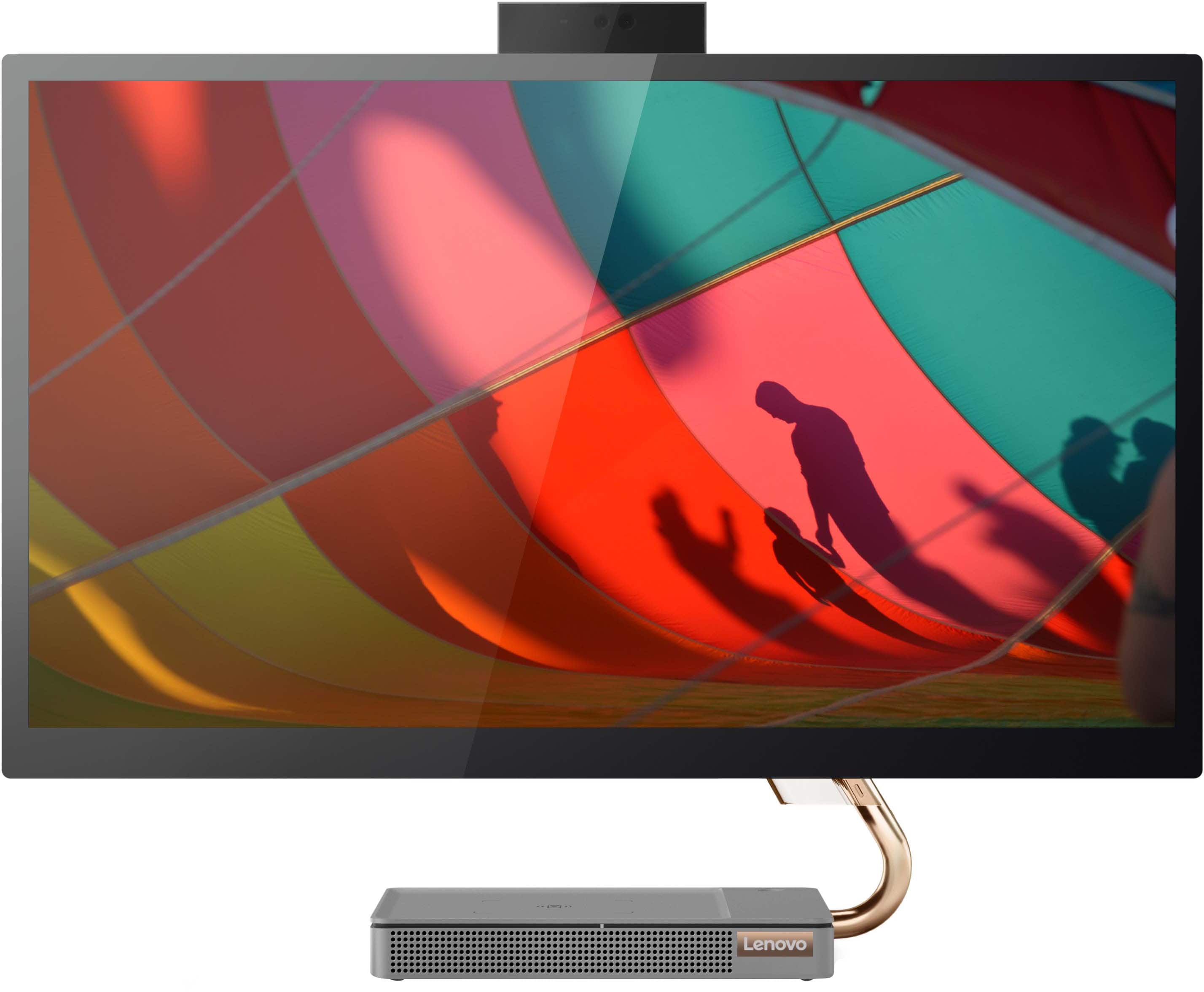
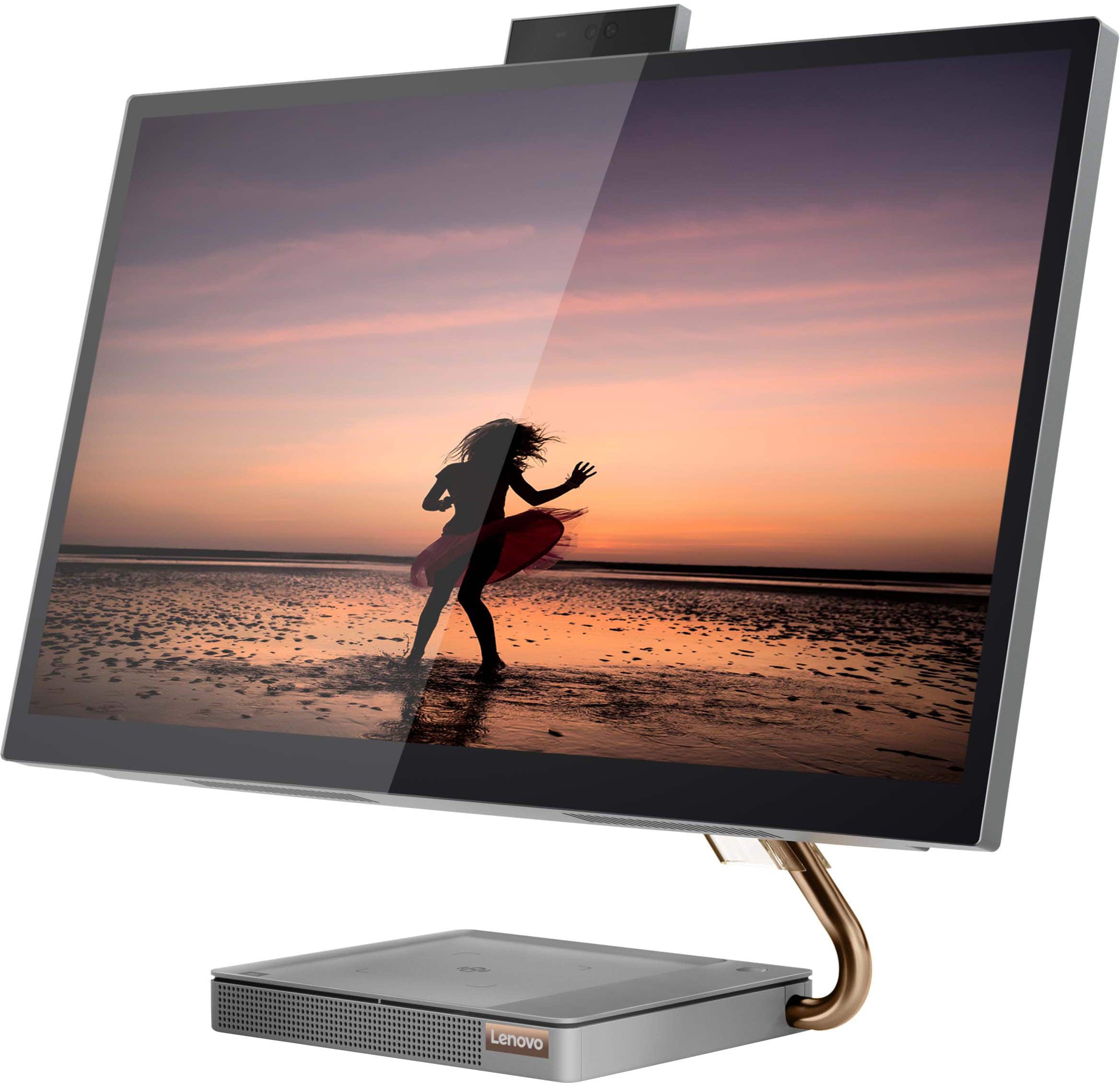
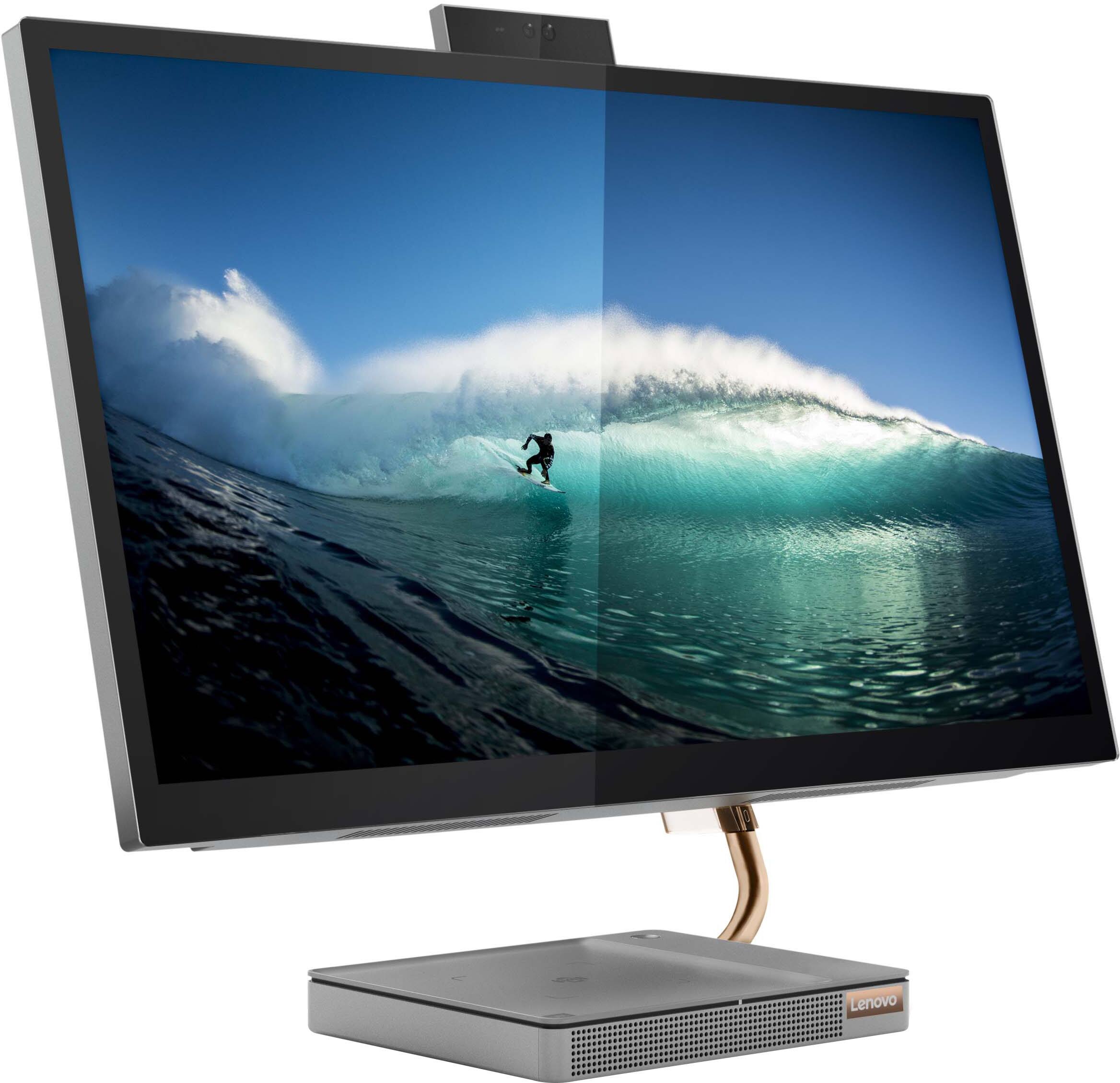
Customers consistently note the large, clear touch screen and the ease of use as significant advantages of the IdeaCentre AIO 5i 27". Many also appreciate its attractive design and competitive price. However, a recurring concern centers around performance issues and instances of the system freezing. Some users also reported problems with the mouse and wireless charger.
This summary was generated by AI based on customer reviews.
- Pros mentioned:Screen size, Speed
Great all in one
||Posted . Owned for 1 month when reviewed.This reviewer received promo considerations or sweepstakes entry for writing a review.Nice screen, and speakers , good power for price, pretty snappy, power button feels mushy so I put it to sleep and wake with space bar
I would recommend this to a friendBrand response from Lenovo Product Expert
Posted .Thank you for choosing the Lenovo IdeaCentre 5i 27 All-In-One System. We are pleased to hear that the value, features and performance of the IdeaCentre 5i 27 AIO meets your computing needs so well.

- Cons mentioned:Performance
Terrible!
||Posted . Owned for 1 month when reviewed.This reviewer received promo considerations or sweepstakes entry for writing a review.This thing freezes at random and has to be rebooted. The letters come off the keyboard within a month too. None of my other Lenovos have been this bad, avoid.
No, I would not recommend this to a friendBrand response from Lenovo Product Expert
Posted .Hello, Jlc657, we are sorry to hear that you have experienced an issue with your IdeaCentre All-In-One 5i 27. In advance, this is a lengthy response, however we want to give you and other readers of this response as much information as possible to help ensure your issue is resolved should you encounter something similar in the future. First, ensure that the installed software is compatible with Windows. Incompatible software can cause your computer to misbehave. Additionally, we recommend checking for updates through Windows Update settings. These updates can help resolve issues from operating system bugs to driver software improvements. To navigate there, select start on the taskbar (windows logo) or press the windows key on the keyboard then select Settings. In Settings, select Windows Update, and then select the Check For Updates button. Install any available updates and restart your PC if required. If you didn’t have any updates that required a restart, it’s still a good idea to restart your device to make sure any pending updates are installed. Additionally, check for updates in the Lenovo Vantage application that is preinstalled on Windows devices. You can check by opening the app, navigating to the device tab, and selecting the “check for updates” option. If there are updates to install, follow the onscreen directions to finalize those updates. If your issues persists after these steps, we also recommend that you reach out to Lenovo Tech Support at this number for additional assistance: 866-426-0911.
- Cons mentioned:Performance
Would look into a different model/brand
||Posted . Owned for 1.5 years when reviewed.This reviewer received promo considerations or sweepstakes entry for writing a review.Love the sleek look but it does freeze up A lot! Have made sure it’s updated but still continues to freeze up
No, I would not recommend this to a friend Freezing Issue & TouchScreen Glitch
||Posted . Owned for 1 year when reviewed.This reviewer received promo considerations or sweepstakes entry for writing a review.Bought this January ‘22 for business usage so nothing strenuous for the computer, rately ever ised the touchscreen. Within one month it started to randomly freeze but could never pinpoint it. Recently it started glitching on the left sode of the screen as if something is touching it. It’s currently with Geek Squad now to get reparied, was called once to inform me it was done but upon inspection at pickup it was still doing the glitch. Needless to say im highly disappointed in this product & i hope its just removed from the shelves.
No, I would not recommend this to a friendBrand response from Lenovo Product Expert
Posted .Hello, Kobes, we are sorry to hear that you have experienced an issue with your IdeaCentre AIO 27. In advance, this is a lengthy response, however we want to give you and other readers of this response as much information as possible to help ensure your issue is resolved should you encounter something similar in the future. We recommend checking for updates through Windows Update settings. These updates can help resolve issues from operating system bugs to driver software improvements. To navigate there, select start on the taskbar (windows logo) or press the windows key on the keyboard then select Settings. In Settings, select Windows Update, and then select the Check For Updates button. Install any available updates and restart your PC if required. If you didn’t have any updates that required a restart, it’s still a good idea to restart your device to make sure any pending updates are installed. Additionally, check for updates in the Lenovo Vantage application that is preinstalled on Windows devices. You can check by opening the app, navigating to the device tab, and selecting the “check for updates” option. If there are updates to install, follow the onscreen directions to finalize those updates. If your issues persists after these steps, we also recommend that you reach out to Lenovo Tech Support at this number for additional assistance: 866-426-0911.
- Pros mentioned:Ease of use, Screen size
Great product!
||Posted .This reviewer received promo considerations or sweepstakes entry for writing a review.Big monitor screen & love that it’s all in one! Easy set up & got as an open box. Great deal!
I would recommend this to a friend - Cons mentioned:Performance
Defective
||Posted . Owned for 3 months when reviewed.This reviewer received promo considerations or sweepstakes entry for writing a review.I have had this computer for 4 months now… at first it was working well then after about a month it started to slow down a little… Fast forward, now, the screen is unstable. The cursor keep moving up and down itself, the top of the screen reacts as if someone is left clicking on the mouse, page keep zooming in and out etc. I’m just confused. I have had it for 4 months only! Antivirus has been on from the get go. Resetting it! I doubt it’ll fix the problem!
No, I would not recommend this to a friendBrand response from Lenovo Product Expert
Posted .We are sorry to hear that you are having issue with your Lenovo IdeaCentre 5i 27 All-In-One System. Since the IdeaCentre 5i 27 AIO was working properly and has slowed down and developed issued over time, be sure any software you installed is compatible with Windows 11, this includes any legacy software you have installed from an old computer. Additionally, there is no need to install Microsoft Office software. The software is already part of the operating system, you just need to activate the software with a purchased product key. If you have installed a copy of Microsoft Office, this is conflicting with the existing copy on the system and this will slow your system down. If you have installed a 3rd party anti-virus program, be sure that Windows Defender is turned off and that the trial version of McAfee Anti-Virus software is uninstalled. There can only be one anti-virus program on the system. Here is a link to instructions for uninstalling McAfee from a Windows computer: https://service.mcafee.com/?articleId=TS101331&page=shell&shell=article-view You may need to restore your system to original factory default settings if any of the programming errors have occurred. You can do that by typing "restore" in the Cortana search window. Just click on the magnifying glass icon at the bottom of your Windows 11 Desktop. Click on "Reset This PC" Then click on "Get Started" and follow the on screen directions to restore to factory defaults. If the problem persists, we recommend you contact Lenovo Tech Support at: 877-453-6686.
- Cons mentioned:Performance
do not buy
||Posted . Owned for 5 months when reviewed.This reviewer received promo considerations or sweepstakes entry for writing a review.do not buy. I bought this only a few months ago and it always gets frozen and you cannot turn it back on for few days.
No, I would not recommend this to a friendBrand response from Lenovo Product Expert
Posted .Hello, Sidd, we are sorry to hear that you have experienced an issue with your IdeaCentre All-In-One 5i 27. In advance, this is a lengthy response, however we want to give you and other readers of this response as much information as possible to help ensure your issue is resolved should you encounter something similar in the future. First, ensure that the installed software is compatible with Windows. Incompatible software can cause your computer to misbehave. Additionally, we recommend checking for updates through Windows Update settings. These updates can help resolve issues from operating system bugs to driver software improvements. To navigate there, select start on the taskbar (windows logo) or press the windows key on the keyboard then select Settings. In Settings, select Windows Update, and then select the Check For Updates button. Install any available updates and restart your PC if required. If you didn’t have any updates that required a restart, it’s still a good idea to restart your device to make sure any pending updates are installed. Additionally, check for updates in the Lenovo Vantage application that is preinstalled on Windows devices. You can check by opening the app, navigating to the device tab, and selecting the “check for updates” option. If there are updates to install, follow the onscreen directions to finalize those updates. If your issues persists after these steps, we also recommend that you reach out to Lenovo Tech Support at this number for additional assistance: 866-426-0911.
- Cons mentioned:Freezing
Beautiful but Freezes
||Posted . Owned for 2 months when reviewed.This reviewer received promo considerations or sweepstakes entry for writing a review.I really love how this computer looks and the wireless charging base is so nice and fancy. But oh my god, this computer freezes so often and the only way to get it to work again is to restart the hard way. I honestly regret my purchase and wish I could take it back but am past the return date. I have only had it for two months now.
No, I would not recommend this to a friendBrand response from Lenovo Product Expert
Posted .We are sorry to hear that you are having issues with your Lenovo IdeaCentre 5i 27 All-In-One System, model number F0FA008GUS. Updating the BIOS files and drivers may correct the issue you are having with system freezing. First, check to be sure you have the latest version of Windows 11 on the computer. Then update all BIOS files and drivers up to that latest version of Windows 11. You can easily accomplish this by scanning the computer with the Lenovo Utility software available on this computer. This system has Lenovo utilities installed to help maintain the health of the device and keep the operating system software up to date. Type "Lenovo Vantage" in the Cortana Search window (if Lenovo Vantage is not installed on your device, you can download the APP and install it now). Select Lenovo Vantage from the list. In the window that opens, click on "Health and Support". In the expanded menu, select "Hardware Scan" In the window that opens, select "Run Quick Tests". This will scan your entire system for errors. Follow any directions that may pop up. If the problem continues after this scan, now click on "System Update". First select Windows update from the menu. Scan your system to be sure you have the latest version of Windows 11. Once that scan is complete, select "Additional Updates". This will scan your device to be sure there are no new BIOS/Driver updates needed. Follow any instructions that may pop up. If the issue continues after these updates, we recommend you call Lenovo Tech Support at: 877-453-6686 for additional help.
- Cons mentioned:Performance
Piece of Crap
||Posted . Owned for 1 year when reviewed.This reviewer received promo considerations or sweepstakes entry for writing a review.This is the biggest piece of crap PC I've ever owned. Constantly freezing up. Avoid this PC at all cost.
No, I would not recommend this to a friendBrand response from Lenovo Product Expert
Posted .Hello, RobertM, we are sorry to hear that you have experienced an issue with your IdeaCentre All-In-One 5i 27. In advance, this is a lengthy response, however we want to give you and other readers of this response as much information as possible to help ensure your issue is resolved should you encounter something similar in the future. First, ensure that the installed software is compatible with Windows. Incompatible software can cause your computer to misbehave. Additionally, we recommend checking for updates through Windows Update settings. These updates can help resolve issues from operating system bugs to driver software improvements. To navigate there, select start on the taskbar (windows logo) or press the windows key on the keyboard then select Settings. In Settings, select Windows Update, and then select the Check For Updates button. Install any available updates and restart your PC if required. If you didn’t have any updates that required a restart, it’s still a good idea to restart your device to make sure any pending updates are installed. Additionally, check for updates in the Lenovo Vantage application that is preinstalled on Windows devices. You can check by opening the app, navigating to the device tab, and selecting the “check for updates” option. If there are updates to install, follow the onscreen directions to finalize those updates. If your issues persists after these steps, we also recommend that you reach out to Lenovo Tech Support at this number to work with a representative to rectify the problem: 866-426-0911.
Nice computer!
||Posted . Owned for 1 year when reviewed.This reviewer received promo considerations or sweepstakes entry for writing a review.Got this for myself and do not regret it! Super fast and reliable!
I would recommend this to a friend- Pros mentioned:Screen size, Speed
Great All-in-one
||Posted . Owned for 1 month when reviewed.This reviewer received promo considerations or sweepstakes entry for writing a review.Love the speed of the computer and the sharpness and clarity of the large screen.
I would recommend this to a friendBrand response from Lenovo Product Expert
Posted .Thank you for choosing the Lenovo IdeaCentre 5i 27 All-In-One System. We are pleased to hear that the features and performance of the IdeaCentre 5i 27 AIO meets your computing needs so well.
mr
||Posted . Owned for 3 weeks when reviewed.This reviewer received promo considerations or sweepstakes entry for writing a review.Really like but had some issues with pre-loaded software. Geek Squad fixed it but it too 2 attempts and waiting to see if it worked
I would recommend this to a friendBrand response from Lenovo Product Expert
Posted .We are sorry to hear that you are having issues with the Lenovo IdeaCentre AIO 5i 27 Touch Screen All-In-One. The Lenovo IdeaCentre AIO 5i 27 Touch Screen AIl-In-One ships with just two adware programs, a 30-day trial of Microsoft Office 365 (as part of Windows operating system) and a 30-day trial of McAfee virus protection. Lenovo computers ship with one of the cleanest factory software installs within the consumer computer industry.
owner
||Posted . Owned for 11 months when reviewed.This reviewer received promo considerations or sweepstakes entry for writing a review.Have been extremly pleased with this item,had a hacker get into it but the Geek Squad corrected that very quick.
I would recommend this to a friendPoor quality
||Posted . Owned for 6 months when reviewed.This reviewer received promo considerations or sweepstakes entry for writing a review.Paint came off keyboard after a month and after a few months latter had to replace. Could get no where with Lenova support.
No, I would not recommend this to a friendcomputer
||Posted . Owned for 6 months when reviewed.This reviewer received promo considerations or sweepstakes entry for writing a review.over all easy to use and hook up I like the fact that it is all one unit and it is a wireless keyboard
I would recommend this to a friend- Pros mentioned:Ease of use
Desk space
||Posted .This reviewer received promo considerations or sweepstakes entry for writing a review.So far it is working great and easy to use. Takes up less space on the desk
I would recommend this to a friendBrand response from Lenovo Product Expert
Posted .Thank you for choosing the Lenovo IdeaCentre AIO 5i 27in. Touch-Screen All-In-One. We are very pleased to hear that the specifications and features of the Lenovo IdeaCentre 5i AIO meet your computing needs so well.
- Pros mentioned:Design, Ease of use
Great Computer
||Posted . Owned for 3 weeks when reviewed.This reviewer received promo considerations or sweepstakes entry for writing a review.Easy set up. Nice sleek look and runs like a champ. So far, very please.
I would recommend this to a friendBrand response from Lenovo Product Expert
Posted .Thank you for choosing the Lenovo IdeaCentre AIO 5i 27in. Touch-Screen All-In-One. We are very pleased to hear that the specifications and features of the Lenovo IdeaCentre AIO 5i meet your computing needs so well.
- Pros mentioned:Ease of use, Screen size
All good
||Posted .This reviewer received promo considerations or sweepstakes entry for writing a review.All good. No issues. Easy to use. Nice screen. Good buy.
I would recommend this to a friendBrand response from Lenovo Product Expert
Posted .Thank you for choosing the Lenovo IdeaCentre 5i 27 All-In-One System. We are pleased to hear that the ease of use, features and performance of the IdeaCentre 5i 27 AIO meets your computing needs so well.
- Pros mentioned:Ease of use, Speed
Desk top computer
||Posted . Owned for 3 weeks when reviewed.This reviewer received promo considerations or sweepstakes entry for writing a review.Picture is great ease of use set was easy and it’s fast!
I would recommend this to a friendBrand response from Lenovo Product Expert
Posted .Thank you for choosing the Lenovo IdeaCentre AIO 5i 27in. Touch Screen All-In-One. We are very pleased to see that the specifications and features of the Lenovo IdeaCentre AIO 5i 27in. Touch Screen AIO meet your computing needs so well.
- Cons mentioned:Performance
Freezing Screen
||Posted . Owned for 1 month when reviewed.This reviewer received promo considerations or sweepstakes entry for writing a review.Computer freezes up multiple times in the day. Really affects workflow.
No, I would not recommend this to a friendBrand response from Lenovo Product Expert
Posted .We are sorry to hear that you are having issues with your Lenovo IdeaCentre 5i 27 All-In-One System, model number F0FA008GUS. Check to be sure you have the latest version of Windows 11 on the computer. Then update all BIOS files and drivers up to that latest version of Windows 11. You can easily accomplish this by scanning the computer with the Lenovo Utility software available on this computer. This system has Lenovo utilities installed to help maintain the health of the device and keep the operating system software up to date. Type "Lenovo Vantage" in the Cortana Search window (if Lenovo Vantage is not installed on your device, you can download the APP and install it now). Select Lenovo Vantage from the list. In the window that opens, click on "Health and Support". In the expanded menu, select "Hardware Scan" In the window that opens, select "Run Quick Tests". This will scan your entire system for errors. Follow any directions that may pop up. If the problem continues after this scan, now click on "System Update". First select Windows update from the menu. Scan your system to be sure you have the latest version of Windows 11. Once that scan is complete, select "Additional Updates". This will scan your device to be sure there are no new BIOS/Driver updates needed. Follow any instructions that may pop up. If the issue continues after these updates, we recommend you call Lenovo Tech Support at: 877-453-6686 for additional help.