Customer Ratings & Reviews


- Model:
- F0FA008GUS
- SKU:
- 6476239
Rating by feature
- Value
Rating 3.7 out of 5 stars
- Quality
Rating 3.6 out of 5 stars
- Ease of Use
Rating 3.9 out of 5 stars
Customers are saying
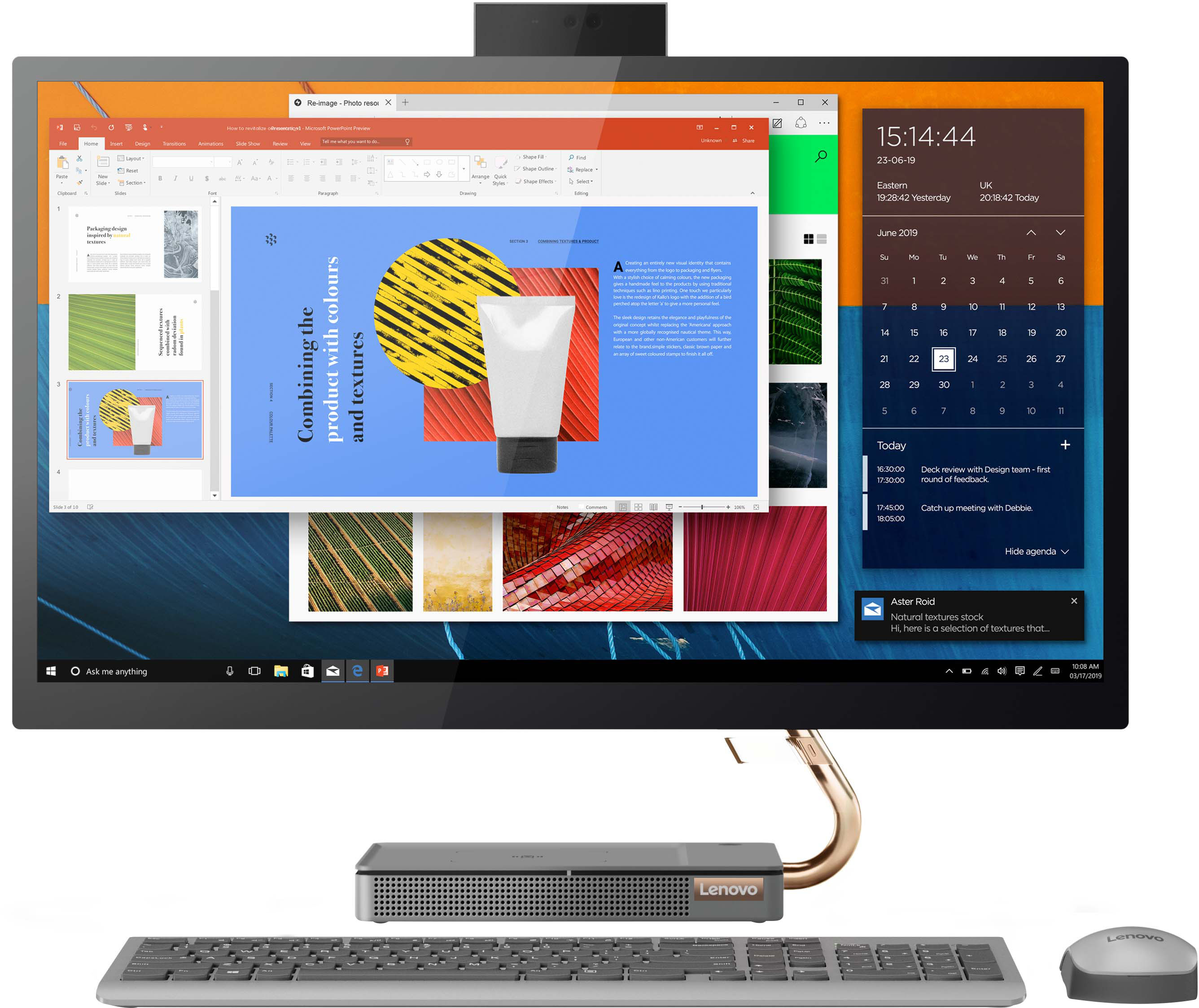
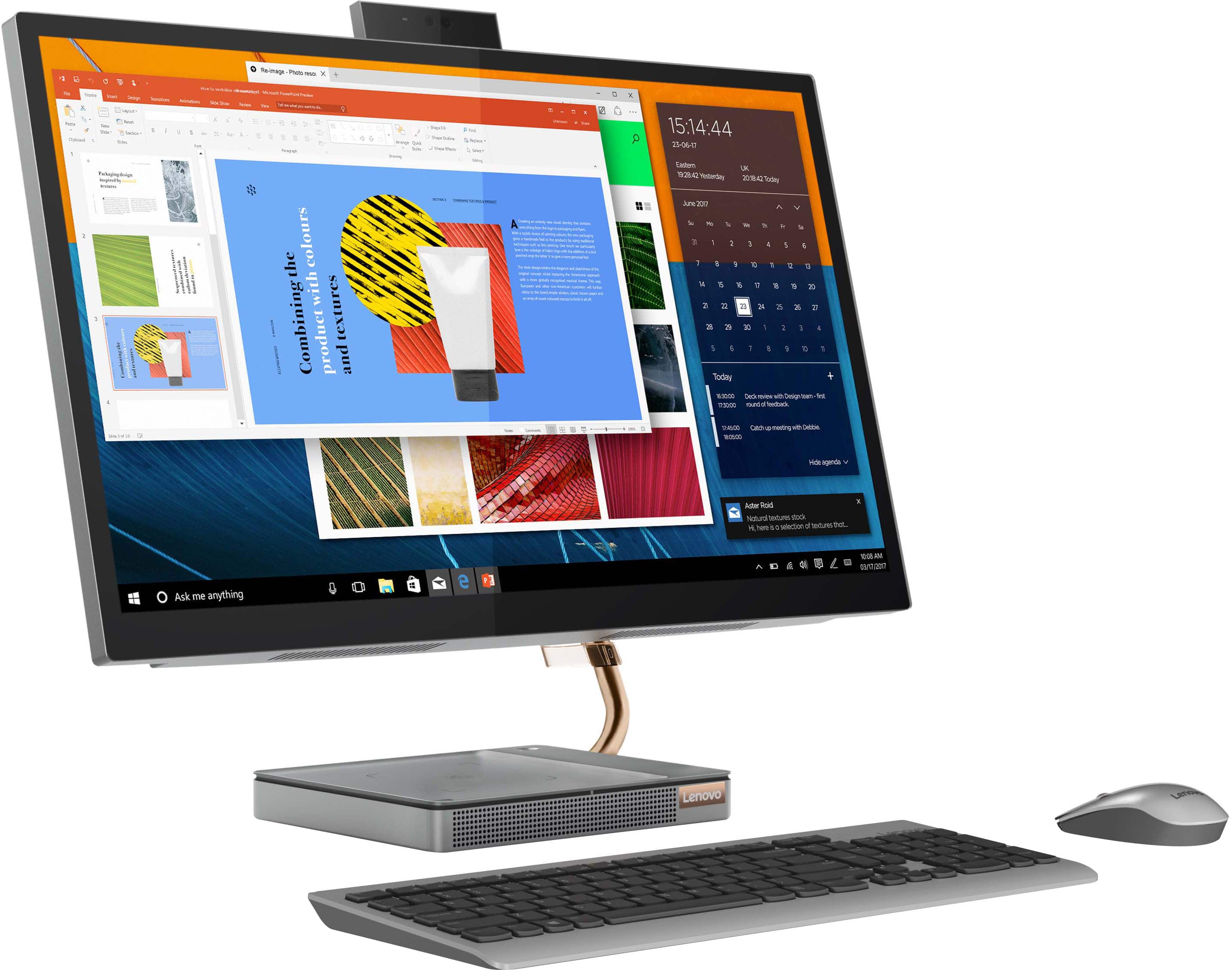
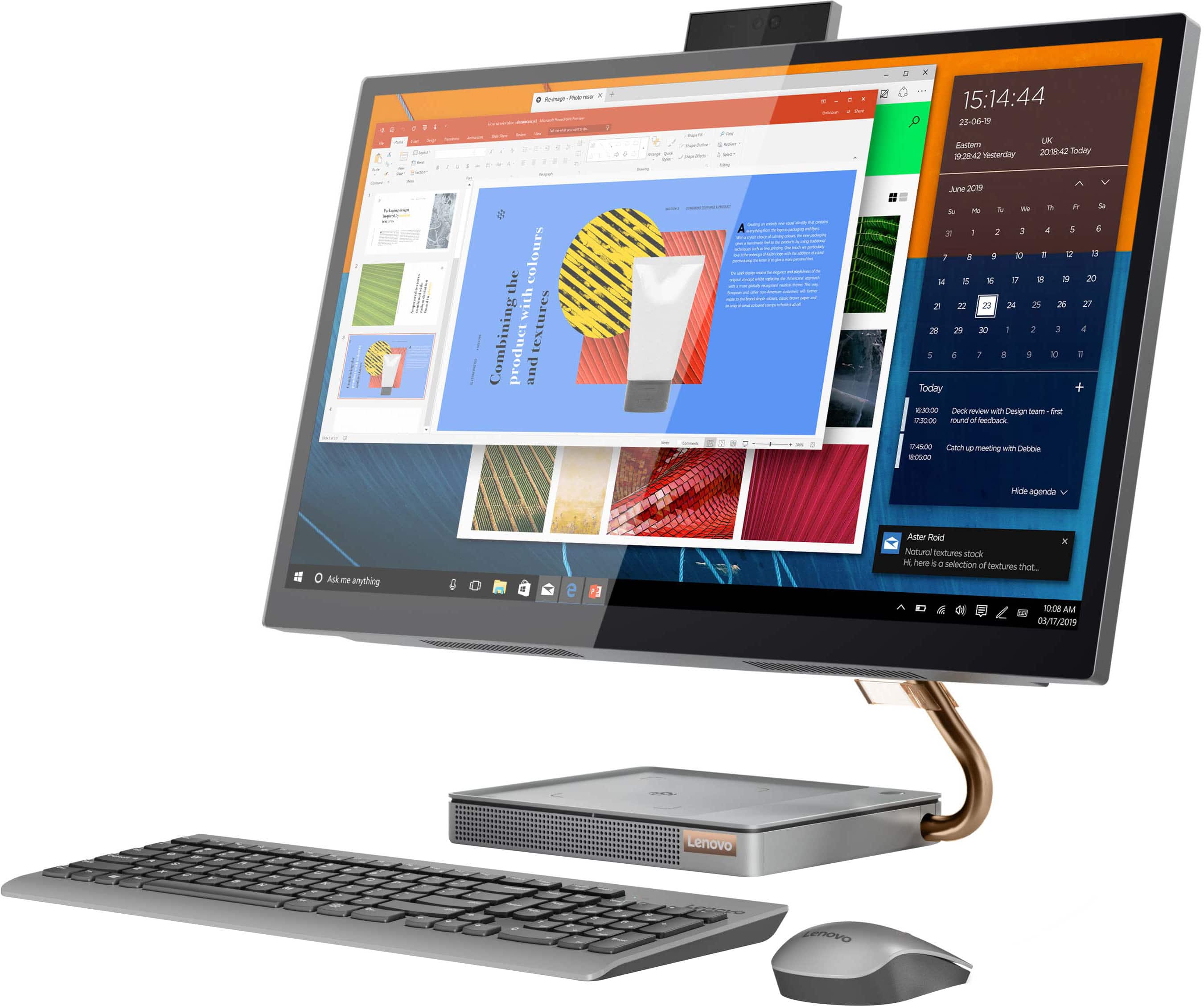
Customers consistently note the large, clear touch screen and the ease of use as significant advantages of the IdeaCentre AIO 5i 27". Many also appreciate its attractive design and competitive price. However, a recurring concern centers around performance issues and instances of the system freezing. Some users also reported problems with the mouse and wireless charger.
This summary was generated by AI based on customer reviews.
- Pros mentioned:Speed
Great all in one
||Posted . Owned for 3 weeks when reviewed.This reviewer received promo considerations or sweepstakes entry for writing a review.Used for home office. Great computer. Super fast. No problems so far.
I would recommend this to a friendBrand response from Lenovo Product Expert
Posted .Thank you for choosing the Lenovo IdeaCentre 5i 27 All-In-One System. We are pleased to hear that the performance of the IdeaCentre 5i 27 AIO meets your Home Office computing needs so well.

- Pros mentioned:Screen size
Nice
||Posted .This reviewer received promo considerations or sweepstakes entry for writing a review.Really enjoy the big screen for my games and it has a lot of futures
I would recommend this to a friendBrand response from Lenovo Product Expert
Posted .Thank you for choosing the Lenovo IdeaCentre 5i 27 All-In-One System. We are pleased to hear that the features and performance of the IdeaCentre 5i 27 AIO meets your computing needs so well. We always recommend you check the requirements and compatibility of any software/games you will be installing on your new computer, before you invest in any computer. Be sure your new computer can support the software/games you will need to use and your workload.
- Pros mentioned:Ease of use
Lenovo AIO
||Posted . Owned for 1 week when reviewed.This reviewer received promo considerations or sweepstakes entry for writing a review.Great Machine! Setup was super easy. Best Buy made it convenient
I would recommend this to a friendBrand response from Lenovo Product Expert
Posted .Thank you for choosing the Lenovo IdeaCentre 5i 27 All-In-One System. We are pleased to hear that the easy setup and performance of the IdeaCentre 5i 27 AIO meets your computing needs so well.
- Pros mentioned:Screen size
Lenovo
||Posted . Owned for 1 month when reviewed.This reviewer received promo considerations or sweepstakes entry for writing a review.I love this computer, its been really flawless and love the screen size!
I would recommend this to a friendBrand response from Lenovo Product Expert
Posted .Thank you for choosing the Lenovo IdeaCentre 5i 27 All-In-One System. We are pleased to hear that the features and performance of the IdeaCentre 5i 27 AIO meets your computing needs so well.
Worst touchscreen ever!
||Posted . Owned for 1 year when reviewed.This reviewer received promo considerations or sweepstakes entry for writing a review.Would not recommend. The touchscreen kept making the screen jump.
No, I would not recommend this to a friend- Pros mentioned:Screen size
Office Computer
||Posted . Owned for 2 months when reviewed.This reviewer received promo considerations or sweepstakes entry for writing a review.Purchase for my office. It works well and love the screen size.
I would recommend this to a friendBrand response from Lenovo Product Expert
Posted .Thank you for choosing the Lenovo IdeaCentre 5i 27 All-In-One System for your office. We are pleased to hear that the features and performance of the IdeaCentre 5i 27 AIO meets your business computing needs so well.
truth
||Posted . Owned for 3 weeks when reviewed.This reviewer received promo considerations or sweepstakes entry for writing a review.the charging stop working after one day.I dont need 50 characters
I would recommend this to a friendBrand response from Lenovo Product Expert
Posted .This Lenovo IdeaCentre 5i 27 All-In-One System has a wireless charging dock within the base of the stand. It is compatible with phones and other wireless charging compatible devices that are compatible with Qi or MagSafe wireless charging formats. If you are unable to charge your phone or other device, be sure the device is compatible with either Qi or MagSafe wireless charging formats. If your device is compatible, check to be sure you have the latest version of Windows 11 on the computer. Then update all BIOS files and drivers up to that latest version of Windows 11. You can easily accomplish this by scanning the computer with the Lenovo Utility software available on this computer. This system has Lenovo utilities installed to help maintain the health of the device and keep the operating system software up to date. Type "Lenovo Vantage" in the Cortana Search window (if Lenovo Vantage is not installed on your device, you can download the APP and install it now). Select Lenovo Vantage from the list. In the window that opens, click on "Health and Support". In the expanded menu, select "Hardware Scan" In the window that opens, select "Run Quick Tests". This will scan your entire system for errors. Follow any directions that may pop up. If the problem continues after this scan, now click on "System Update". First select Windows update from the menu. Scan your system to be sure you have the latest version of Windows 11. Once that scan is complete, select "Additional Updates". This will scan your device to be sure there are no new BIOS/Driver updates needed. Follow any instructions that may pop up. If the issue continues after these updates, we recommend you call Lenovo Tech Support at: 877-453-6686 for additional help.
- Pros mentioned:Speed
Buster
||Posted . Owned for 3 weeks when reviewed.This reviewer received promo considerations or sweepstakes entry for writing a review.Super Fast. I like some of the new windows features .
I would recommend this to a friendBrand response from Lenovo Product Expert
Posted .Thank you for choosing the Lenovo IdeaCentre 5i 27 All-In-One System. We are pleased to hear that the IdeaCentre 5i 27 AIO is working out so well for you. Here is a link to a YouTube video that demonstrates some Windows 11 tips and tricks: https://www.youtube.com/watch?v=26dXRnc0EHc&t=29s. If you have questions about your Lenovo IdeaCentre 5i 27 AIO, we recommend you contact lenovo Tech Support for additional information at: 877-453-6686.
- Pros mentioned:Screen size
CEO
||Posted . Owned for 1 week when reviewed.This reviewer received promo considerations or sweepstakes entry for writing a review.The size & clarity are nice. Touch screen makes it easier to use.
I would recommend this to a friendBrand response from Lenovo Product Expert
Posted .Thank you for choosing the Lenovo IdeaCentre 5i 27 All-In-One System. We are pleased to hear that the ease of use, features and performance of the IdeaCentre 5i 27 AIO meets your computing needs so well.
Finally
||Posted . Owned for 2 months when reviewed.This reviewer received promo considerations or sweepstakes entry for writing a review.Computer freeze up during any program. Overall, the Lenovo is an excellent buy.
I would recommend this to a friendBrand response from Lenovo Product Expert
Posted .We are sorry to hear that you are having issues with your Lenovo IdeaCentre 5i 27 All-In-One System, model number F0FA008GUS. Check to be sure you have the latest version of Windows 11 on the computer. Then update all BIOS files and drivers up to that latest version of Windows 11. You can easily accomplish this by scanning the computer with the Lenovo Utility software available on this computer. This system has Lenovo utilities installed to help maintain the health of the device and keep the operating system software up to date. Type "Lenovo Vantage" in the Cortana Search window (if Lenovo Vantage is not installed on your device, you can download the APP and install it now). Select Lenovo Vantage from the list. In the window that opens, click on "Health and Support". In the expanded menu, select "Hardware Scan" In the window that opens, select "Run Quick Tests". This will scan your entire system for errors. Follow any directions that may pop up. If the problem continues after this scan, now click on "System Update". First select Windows update from the menu. Scan your system to be sure you have the latest version of Windows 11. Once that scan is complete, select "Additional Updates". This will scan your device to be sure there are no new BIOS/Driver updates needed. Follow any instructions that may pop up. If the issue continues after these updates, we recommend you call Lenovo Tech Support at: 877-453-6686 for additional help.
Dissappointed
||Posted . Owned for 1 week when reviewed.This reviewer received promo considerations or sweepstakes entry for writing a review.I've had this product 9 days. In that time it has completely frozen 6 times, twice in 3 hours this morning. The only way to fix it is to do a hard reset (unplug it). The only thing open was Firefox and 3 tabs. Just before it crashed the task manager showed I was only using 43% of memory. I've run the Lenovo Vantage diagnostics and everything is current, no problems found. Very disappointing experience. It's going back if the problem isn't resolved. I see another buyer has experienced the same problem below. The only software I've installed is Firefox, and activated Microsoft 365. My Lenovo Yoga laptop works fine, same usage.
No, I would not recommend this to a friendBrand response from Lenovo Product Expert
Posted .We are sorry to hear that you are having issues with your Lenovo IdeaCentre 5i 27 All-In-One System, model number F0FA008GUS. This model configuration can support moderate to heavy workloads and ships with Windows 11 Home 640-bit Operating System installed. You mention activating Microsoft Office 365 on this computer. There is no need to install additional Microsoft Office software. The software is already part of the operating system, you just need to activate the existing software with a purchased product key. If you have installed a copy of Microsoft Office software, this is conflicting with the existing copy on the system and this will slow your system down. Also, you don't mention Virus Protection Software installation/activation. If you have installed a 3rd party anti-virus program, be sure that Windows Defender is turned off and that the trial version of McAfee Anti-Virus software is uninstalled. There can only be one anti-virus program on the system. You may need to restore your system to original factory default settings if any of the programming errors have occurred. You can do that by typing "restore" in the Cortana search window. Just click on the magnifying glass icon at the bottom left of your Windows 10 Desktop. Click on "Reset This PC" Then click on "Get Started" and follow the on screen directions to restore to factory defaults. If the issue continues and there is no incompatible software installed - including any legacy software and or files you have installed from an old computer, we recommend you call Lenovo Tech Support at for additional help, let the Lenovo Customer Service Specialist know the troubleshooting steps you have already taken, at: 877-453-6686.
- Pros mentioned:Ease of use
great desktop
||Posted . Owned for 1 month when reviewed.This reviewer received promo considerations or sweepstakes entry for writing a review.great desk top, meets all my needs. easy to navigate.
I would recommend this to a friendBrand response from Lenovo Product Expert
Posted .Thank you for choosing the Lenovo IdeaCentre 5i 27 All-In-One System. We are pleased to hear that the ease of use and performance of the IdeaCentre 5i 27 AIO meets your computing needs so well.
Pretty good
||Posted . Owned for 1 month when reviewed.This reviewer received promo considerations or sweepstakes entry for writing a review.Pretty good works for what i need it to. Time will tell. Email, web browsing streaming.
I would recommend this to a friendBrand response from Lenovo Product Expert
Posted .Thank you for choosing the Lenovo IdeaCentre 5i 27 All-In-One System. We are pleased to hear that the IdeaCentre 5i 27 AIO meets your computing needs so well.
Computer
||Posted . Owned for 1 month when reviewed.This reviewer received promo considerations or sweepstakes entry for writing a review.Computer is working good so far. No problems at all
I would recommend this to a friendBrand response from Lenovo Product Expert
Posted .Thank you for choosing the Lenovo IdeaCentre 5i 27 All-In-One System. We are pleased to hear that the IdeaCentre 5i 27 AIO meets your computing needs so well.
- Cons mentioned:Freezing
Do not buy this one
||Posted . Owned for 1 month when reviewed.This reviewer received promo considerations or sweepstakes entry for writing a review.This pc has to be restarted 2 time a day because of freezing! Looks great but not worth the money. Only reason I have not returned it because of time.
No, I would not recommend this to a friendBrand response from Lenovo Product Expert
Posted .We are sorry to hear that you are having issues with your Lenovo IdeaCentre 5i 27 All-In-One System, model number F0FA008GUS. This model ships with Windows 11 Home, 64-bit Operating System installed and should not freeze. Be sure any software you installed is compatible with Windows 11. This includes any legacy software you may install from an old computer. Additionally, there is no need to install Microsoft Office software. The software is already part of the operating system, you just need to activate the software with a purchased product key. If you have installed a copy of Microsoft Office, this is conflicting with the existing copy on the system and this will slow your system down. If you have installed a 3rd party anti-virus program, be sure that Windows Defender is turned off and that the trial version of McAfee Anti-Virus software is uninstalled. There can only be one anti-virus program on the system. Here is a link to instructions for uninstalling McAfee from a Windows computer: https://service.mcafee.com/?articleId=TS101331&page=shell&shell=article-view You may need to restore your system to original factory default settings if any of the programming errors have occurred. You can do that by typing "restore" in the Cortana search window. Just click on the magnifying glass icon at the bottom of your Windows 11 Desktop. Click on "Reset This PC" Then click on "Get Started" and follow the on screen directions to restore to factory defaults. If the problem persists, we recommend you contact Lenovo Tech Support at: 877-453-6686.
The Lenovo all in one
||Posted . Owned for 1 month when reviewed.This reviewer received promo considerations or sweepstakes entry for writing a review.The only things I don't like is the key board and mouse. Seems that letters and numbers repeat and the pointer disappears. Replaced with old keyboard and mouse and all is ok. Having a charging station on the base is enjoyable.
No, I would not recommend this to a friendBrand response from Lenovo Product Expert
Posted .We are sorry to hear that you are having issues with the included wireless keyboard and mouse shipped with this Lenovo IdeaCentre 5i 27 All-In-One System. Check to be sure you have the latest version of Windows 11 on the computer. Then update all BIOS files and drivers up to that latest version of Windows 11. You can easily accomplish this by scanning the computer with the Lenovo Utility software available on this computer. This system has Lenovo utilities installed to help maintain the health of the device and keep the operating system software up to date. Type "Lenovo Vantage" in the Cortana Search window (if Lenovo Vantage is not installed on your device, you can download the APP and install it now). Select Lenovo Vantage from the list. In the window that opens, click on "Health and Support". In the expanded menu, select "Hardware Scan" In the window that opens, select "Run Quick Tests". This will scan your entire system for errors. Follow any directions that may pop up. If the problem continues after this scan, now click on "System Update". First select Windows update from the menu. Scan your system to be sure you have the latest version of Windows 11. Once that scan is complete, select "Additional Updates". This will scan your device to be sure there are no new BIOS/Driver updates needed. Follow any instructions that may pop up. If the issue continues after these updates, we recommend you call Lenovo Tech Support at: 877-453-6686 for additional help.
Pretty good for an all in 1
||Posted . Owned for 1 month when reviewed.This reviewer received promo considerations or sweepstakes entry for writing a review.Though for the price the specs could be better and its on the heavier side.. its a pretty good all in one. Been great so far plus, its got a large touchscreen, includes a camera, and the base even has wireless charging for your phone.
I would recommend this to a friendBrand response from Lenovo Product Expert
Posted .Thank you for choosing the Lenovo IdeaCentre AIO 5i 27in. Touch Screen All-In-One. We are very pleased to see that the specifications and features of the Lenovo IdeaCentre AIO 5i 27in. Touch Screen AIO meet your computing needs so well.
It's pretty crummy
||Posted . Owned for 1 month when reviewed.This reviewer received promo considerations or sweepstakes entry for writing a review.Have had this computer 1 month. It's pretty crummy, it freezes literally a few times a week an the file transfer rates are maddening sllllooowwww. I'm a pretty avid windows and mac user and use a few different computers, and this is the most annoying one. Too late to return. Dealt with Lenovo and they told me to exchange at store, Best Buy told me I had to have geek squad look at it... no thanks. So I guess it's mine. Next time I'm going to buy from somewhere that cares.
No, I would not recommend this to a friendBrand response from Lenovo Product Expert
Posted .We are sorry to hear that you are having issues with your Lenovo IdeaCentre 5i 27 All-In-One System, model number F0FA008GUS. There have been recent driver updates made available that my correct the issue you are having. First, check to be sure you have the latest version of Windows 11 on the computer. Then update all BIOS files and drivers up to that latest version of Windows 11, this should correct the issues you are having. You can easily accomplish this by scanning the computer with the Lenovo Utility software available on this computer. This system has Lenovo utilities installed to help maintain the health of the device and keep the operating system software up to date. Type "Lenovo Vantage" in the Cortana Search window (if Lenovo Vantage is not installed on your device, you can download the APP and install it now). Select Lenovo Vantage from the list. In the window that opens, click on "Health and Support". In the expanded menu, select "Hardware Scan" In the window that opens, select "Run Quick Tests". This will scan your entire system for errors. Follow any directions that may pop up. If the problem continues after this scan, now click on "System Update". First select Windows update from the menu. Scan your system to be sure you have the latest version of Windows 11. Once that scan is complete, select "Additional Updates". This will scan your device to be sure there are no new BIOS/Driver updates needed. Follow any instructions that may pop up. If the issue continues after these updates, we recommend you call Lenovo Tech Support at: 877-453-6686 for additional help.
- Cons mentioned:Performance
Don't waste your money
||Posted . Owned for 4 months when reviewed.This reviewer received promo considerations or sweepstakes entry for writing a review.Already having major issues with this computer after only after 4 months. What a disaster. Paid over 1,000
No, I would not recommend this to a friendBrand response from Lenovo Product Expert
Posted .We are sorry to hear that you are having issues with your Lenovo IdeaCentre 5i 27 All-In-One System, model number F0FA008GUS. To correct any Windows 11 based issues, first check to be sure you have the latest version of Windows 11 on the computer. Then update all BIOS files and drivers up to that latest version of Windows 11. You can easily accomplish this by scanning the computer with the Lenovo Utility software available on this computer. This system has Lenovo utilities installed to help maintain the health of the device and keep the operating system software up to date. Type "Lenovo Vantage" in the Cortana Search window (if Lenovo Vantage is not installed on your device, you can download the APP and install it now). Select Lenovo Vantage from the list. In the window that opens, click on "Health and Support". In the expanded menu, select "Hardware Scan" In the window that opens, select "Run Quick Tests". This will scan your entire system for errors. Follow any directions that may pop up. If the problem continues after this scan, now click on "System Update". First select Windows update from the menu. Scan your system to be sure you have the latest version of Windows 11. Once that scan is complete, select "Additional Updates". This will scan your device to be sure there are no new BIOS/Driver updates needed. Follow any instructions that may pop up. If the issue continues after these updates, we recommend you call Lenovo Tech Support at: 877-453-6686 for additional help.
Love it
||Posted . Owned for 3 weeks when reviewed.This reviewer received promo considerations or sweepstakes entry for writing a review.I am one who uses my computer almost entirely as a word processor, and I love this. The screen is bright and very readable. I am learning more about it all the time, and it suits my purposes very well.
I would recommend this to a friendBrand response from Lenovo Product Expert
Posted .Thank you for choosing the Lenovo IdeaCentre 5i 27 All-In-One System. We are pleased to hear that the IdeaCentre 5i 27 AIO meets your computing needs so well. Here is a link to a YouTube video that demonstrates some Windows 11 tips and tricks: https://www.youtube.com/watch?v=26dXRnc0EHc&t=29s