Customer Ratings & Reviews







- Model:
- 81VS009GUS
- SKU:
- 6359222
Rating by feature
- Battery Life
Rating 3.8 out of 5 stars
- Speed
Rating 3.2 out of 5 stars
- Display
Rating 3.8 out of 5 stars
Customers are saying
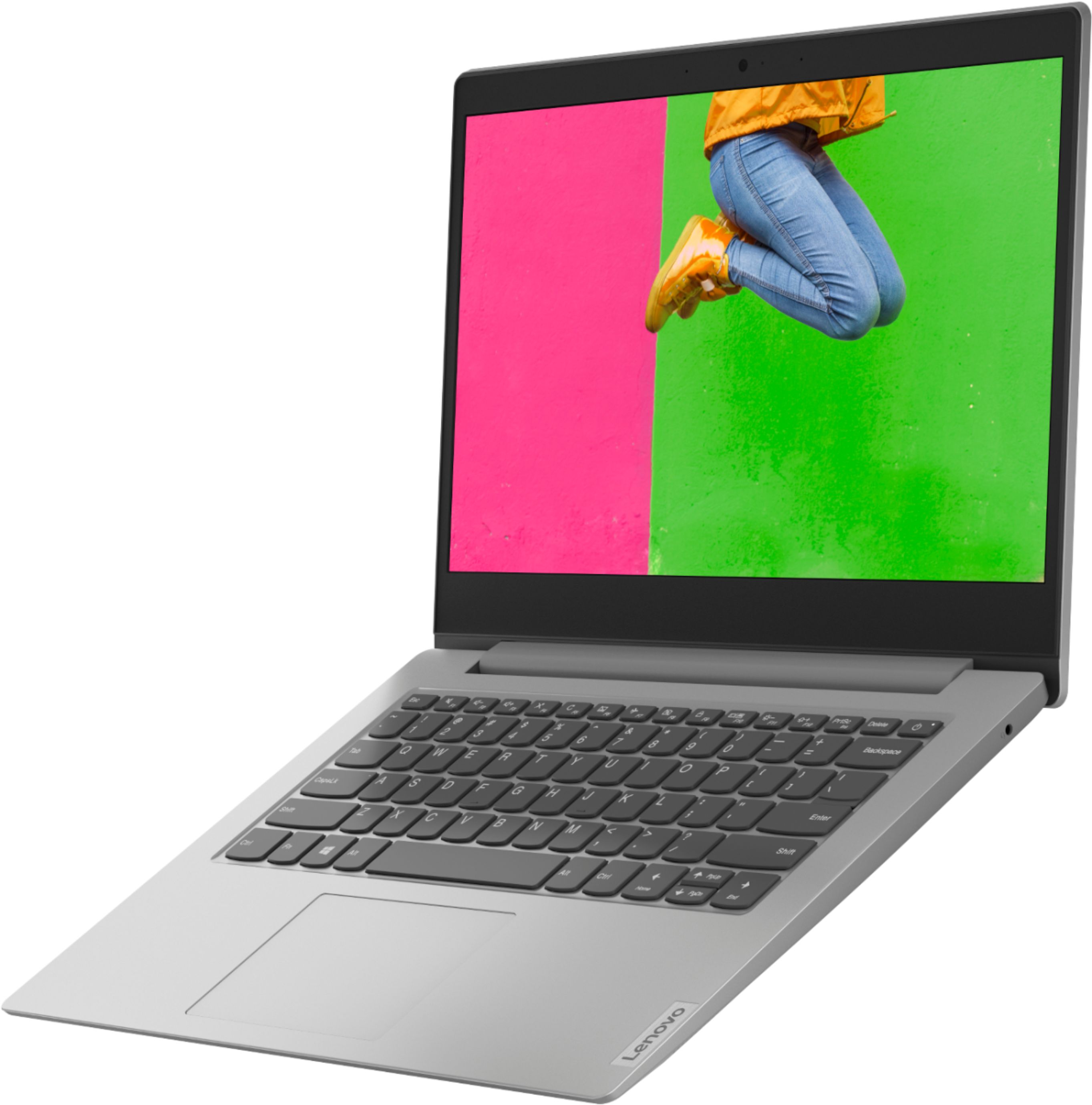
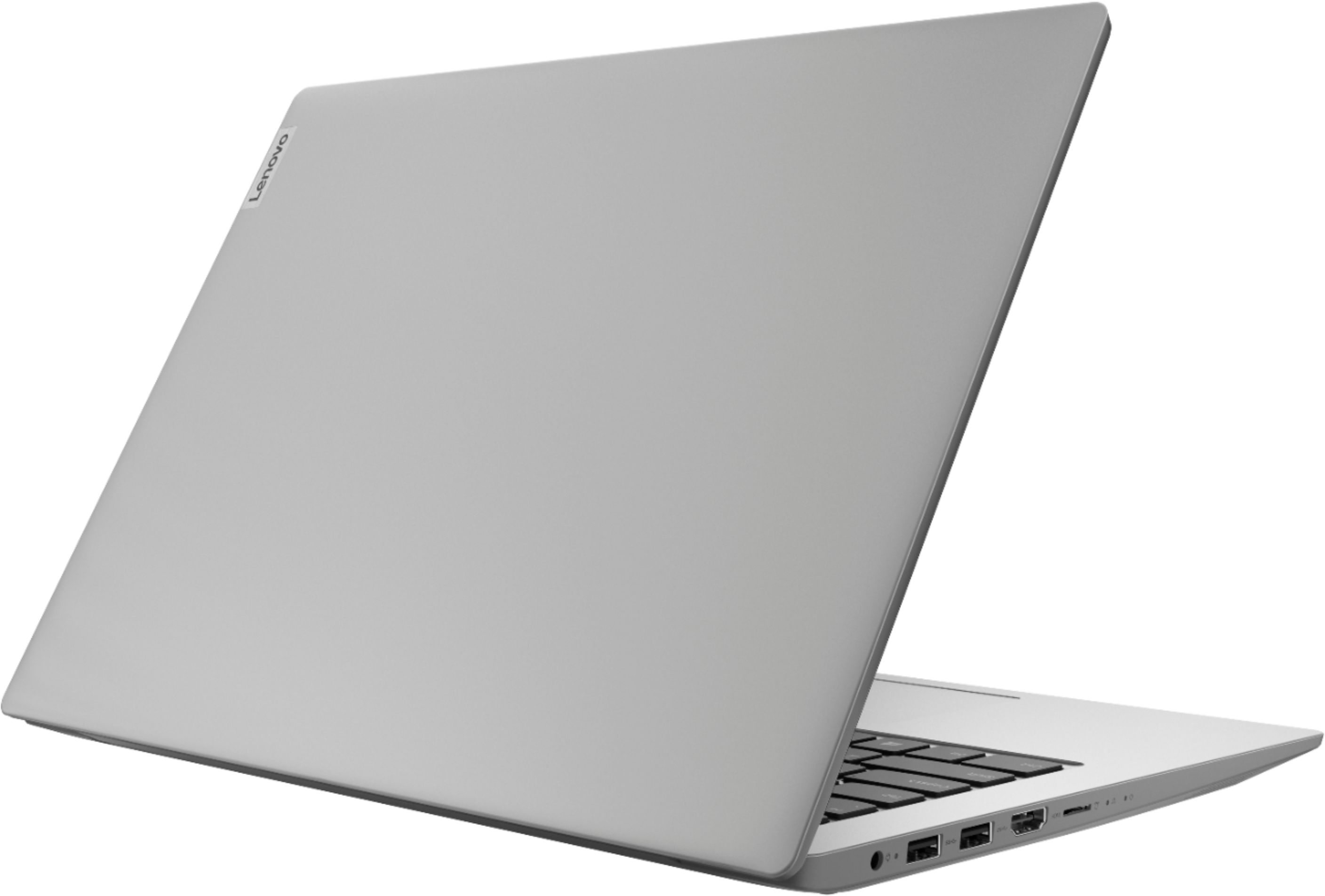
Customers are satisfied with the price, ease of use, lightweight design, and usability of the IdeaPad 1 14" Laptop. They find it to be a good value for the price, easy to navigate, lightweight, and suitable for basic tasks like schoolwork. However, customers have concerns about its slow performance, limited storage space, multitasking capabilities, and occasional freezing issues.
This summary was generated by AI based on customer reviews.
It’s a pretty good laptop for the price
||Posted . Owned for 3 weeks when reviewed.This reviewer received promo considerations or sweepstakes entry for writing a review.It’s a pretty nice laptop pretty fast for my standards and needs.
I would recommend this to a friendBrand response from Lenovo Product Expert
Posted .Once again, thank you for choosing the Lenovo IdeaPad 1 14 Laptop. You can keep your computer running at its best by keeping the Windows 10 Operating System and all supporting BIOS files and drivers up to date. You can easily accomplish this by scanning the computer with the Lenovo Utility software available on this computer. This system has Lenovo utilities installed to help maintain the health of the device and keep the operating system software up to date. Type "Lenovo Vantage" in the Cortana Search window (if Lenovo Vantage is not installed on your device, you can download the APP and install it now). Select Lenovo Vantage from the list. In the window that opens, click on "Health and Support". In the expanded menu, select "Hardware Scan" In the window that opens, select "Run Quick Tests". This will scan your entire system for errors. Follow any directions that may pop up. If the problem continues after this scan, now click on "System Update". First select Windows update from the menu. Scan your system to be sure you have the latest version of Windows 10. Once that scan is complete, select "Additional Updates". This will scan your device to be sure there are no new BIOS/Driver updates needed. Follow any instructions that may pop up. If you ever need additional help with your Lenovo computer, we recommend you call Lenovo Tech Support at: 877-453-6686 for additional help.

Computer
||Posted . Owned for 1 year when reviewed.This reviewer received promo considerations or sweepstakes entry for writing a review.Bought for corona school for the kids. Wasn't the worst computer but wish I would of spent a little more and got a better one
No, I would not recommend this to a friendGreat Deal
||Posted . Owned for 3 weeks when reviewed.This reviewer received promo considerations or sweepstakes entry for writing a review.Great value for price - especially with Black Friday sale
I would recommend this to a friendLaptop
||Posted . Owned for 1 month when reviewed.This reviewer received promo considerations or sweepstakes entry for writing a review.This is a great product. My sister purchased two of them.
I would recommend this to a friendIt’s a good laptop
||Posted . Owned for 1 month when reviewed.This reviewer received promo considerations or sweepstakes entry for writing a review.My only problem is the camera but other then that it’s great
I would recommend this to a friendBrand response from Lenovo Product Expert
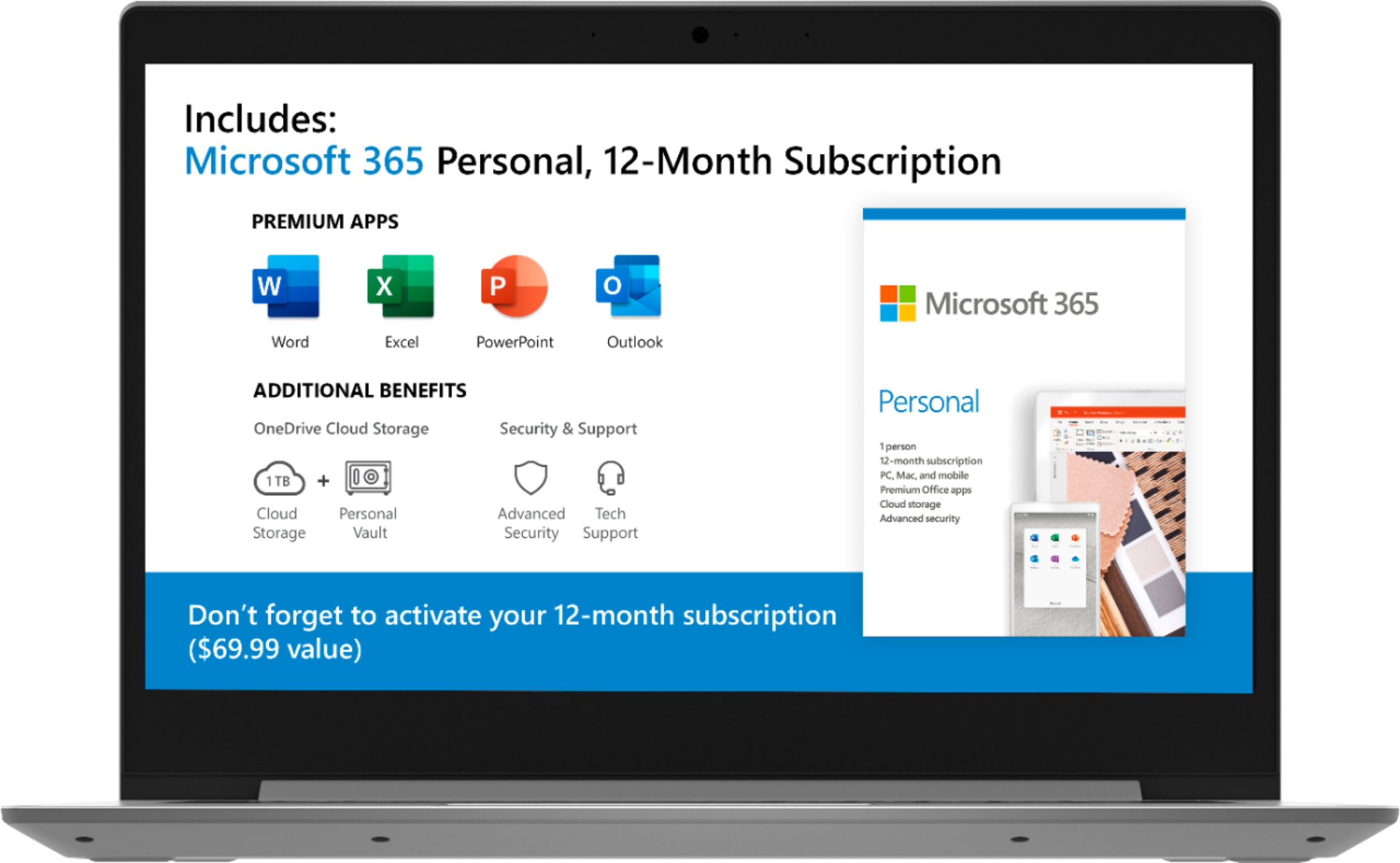
Posted .Thank you for choosing the Lenovo IdeaPad 1 14 Laptop model number 81VS009GUS. This model ships with a 300p webcam and microphone built in. The Lenovo IdeaPad 1-14 laptop is an entry level, light use system with its AMD A6-9220e processor, with a base speed of 1.6GHz and a boost speed of up to 2.4GHz, 4GB of RAM and a 64GB eMMC solid state hard drive, for quick access to files and programs. This model ships with Windows 10 S-Mode Operating System. Windows 10 S-Mode provides added security by only allowing APPs available ( and therefore certified by Microsoft) at the Microsoft Store. If you don't need the added security or you need to install APPs not available at the Microsoft Store, you can switch to standard Windows 10 Home 64-bit Operating System, at no additional cost. The Lenovo IdeaPad 1-14 laptop is not meant for multi-tasking or demanding programs. It is good for Microsoft Office and light internet browsing. The Lenovo IdeaPad 1-14 laptop ships with a free 1-year subscription to Microsoft Office 365 (a $69.00 value). We always recommend you check the requirements and compatibility of any software you will be installing on your new computer, before you invest in any computer. Be sure your new computer can support the software you will need to use.
Nice
||Posted . Owned for 1 month when reviewed.This reviewer received promo considerations or sweepstakes entry for writing a review.Good product good buy will refer a friend to buy the same model
I would recommend this to a friendBrand response from Lenovo Product Expert
Posted .Thank you for choosing the Lenovo IdeaPad 1-14 Laptop, model number 81VS0001US. We are pleased to hear that the IdeaPad 1-14 is working out so well for you. The Lenovo IdeaPad 1-14 laptop is an entry level, light use system with its AMD A6-9220e processor, with a base speed of 1.6GHz and a boost speed of up to 2.4GHz, 4GB of RAM and a 64GB eMMC solid state hard drive, for quick access to files and programs. This model ships with Windows 10 S-Mode Operating System. Windows 10 S-Mode provides added security by only allowing APPs available ( and therefore certified by Microsoft) at the Microsoft Store. If you don't need the added security or you need to install APPs not available at the Microsoft Store, you can switch to standard Windows 10 Home 64-bit Operating System, at no additional cost. The Lenovo IdeaPad 1-14 laptop is not meant for multi-tasking or demanding programs. It is good for Microsoft Office and light internet browsing. The Lenovo IdeaPad 1-14 laptop ships with a free 1-year subscription to Microsoft Office 365 (a $69.00 value).
Great computer!
||Posted . Owned for 3 weeks when reviewed.This reviewer received promo considerations or sweepstakes entry for writing a review.I've never done this before; buy an open box computer, "sight unseen" like this. But I'll definitely do it again! The computer is in great shape and has worked well the moment I brought it home. The folks at Best Buy were super friendly and helpful. Thanks!
I would recommend this to a friendGood
||Posted . Owned for 1 week when reviewed.This reviewer received promo considerations or sweepstakes entry for writing a review.It’s good to use. The keyboards are comfortable. And it’s looks cool.
I would recommend this to a friendBrand response from Lenovo Product Expert
Posted .The Lenovo IdeaPad 1-14 laptop is an entry level, light use system with its AMD A6-9220e processor, 4GB of RAM and a 64GB eMMC solid state hard drive. It ships with Windows 10 Home Operating System. The Lenovo IdeaPad 1-14 laptop is not meant for multi-tasking or demanding programs. It is good for Microsoft Office and light internet browsing. The Lenovo IdeaPad 1-14 laptop ships with a free 1-year subscription to Microsoft Office 365 (a $69.00 value). If this describes your computing needs, The Lenovo IdeaPad 1-14 laptop would be a good choice.
- Cons mentioned:Performance
Dissapointment
||Posted . Owned for 2 weeks when reviewed.This reviewer received promo considerations or sweepstakes entry for writing a review.I purchased this laptop for my 10 year old boy, I knew it wouldn't have capabilities to manage different programming at a time, but I thought it would manage Microsoft Office & Zoom meetings at ease. Well it has feel like a complete waste of money but not only that... waste of time. Now I know I should've paid more to get a better product. Disappointing.
No, I would not recommend this to a friendBrand response from Lenovo Product Expert
Posted .The Lenovo IdeaPad 1-14 laptop is an entry level, light use system with its AMD A6-9220e processor, with a base speed of 1.6GHz and a boost speed of up to 2.4GHz, 4GB of RAM and a 64GB eMMC solid state hard drive, for quick access to files and programs. This model ships with Windows 10 S-Mode Operating System. Windows 10 S-Mode provides added security by only allowing APPs available ( and therefore certified by Microsoft) at the Microsoft Store. If you don't need the added security or you need to install APPs not available at the Microsoft Store, you can switch to standard Windows 10 Home 64-bit Operating System, at no additional cost. The Lenovo IdeaPad 1-14 laptop is not meant for multi-tasking or demanding programs. It is good for Microsoft Office and light internet browsing. The Lenovo IdeaPad 1-14 laptop ships with a free 1-year subscription to Microsoft Office 365 (a $69.00 value).
NEVER operate machinery uncaffeinated ...
||Posted . Owned for 7 months when reviewed.This reviewer received promo considerations or sweepstakes entry for writing a review.For an inexpensive little computer it has really been put through its paces. Pretty impressive, really weird when used to touch screen and trying to move something on the screen but caffeine deprived and could NOT figure out WHY it wouldn’t.... #1stWorldProblems
I would recommend this to a friendWould recommend
||Posted . Owned for 3 weeks when reviewed.This reviewer received promo considerations or sweepstakes entry for writing a review.Easy to set up. Very light weight. Good color on screen.
I would recommend this to a friendLaptopComputer
||Posted . Owned for 3 weeks when reviewed.This reviewer received promo considerations or sweepstakes entry for writing a review.Inexpensive lap top but able to help solve some problems
I would recommend this to a friendLaptop is ok
||Posted . Owned for 3 weeks when reviewed.This reviewer received promo considerations or sweepstakes entry for writing a review.This is a nice entry level laptop, performs as expected.
I would recommend this to a friendLaptop Lenovo
||Posted . Owned for 1 month when reviewed.This reviewer received promo considerations or sweepstakes entry for writing a review.Great economically priced laptop, perfect for a student.
I would recommend this to a friendLaptop recién case
||Posted . Owned for 1 month when reviewed.This reviewer received promo considerations or sweepstakes entry for writing a review.A very useful laptop and adaptable to almost every place
I would recommend this to a friendNot bad gets the job done
||Posted . Owned for 3 weeks when reviewed.This reviewer received promo considerations or sweepstakes entry for writing a review.A bit lagging at times but does the things I want to accomplish.
I would recommend this to a friendBrand response from Lenovo Product Expert
Posted .Once again, thank you for choosing the Lenovo IdeaPad 1 14 Laptop. You can keep your computer running at its best by keeping the Windows 10 Operating System and all supporting BIOS files and drivers up to date. You can easily accomplish this by scanning the computer with the Lenovo Utility software available on this computer. This system has Lenovo utilities installed to help maintain the health of the device and keep the operating system software up to date. Type "Lenovo Vantage" in the Cortana Search window (if Lenovo Vantage is not installed on your device, you can download the APP and install it now). Select Lenovo Vantage from the list. In the window that opens, click on "Health and Support". In the expanded menu, select "Hardware Scan" In the window that opens, select "Run Quick Tests". This will scan your entire system for errors. Follow any directions that may pop up. If the problem continues after this scan, now click on "System Update". First select Windows update from the menu. Scan your system to be sure you have the latest version of Windows 10. Once that scan is complete, select "Additional Updates". This will scan your device to be sure there are no new BIOS/Driver updates needed. Follow any instructions that may pop up. If you ever need additional help with your Lenovo computer, we recommend you call Lenovo Tech Support at: 877-453-6686 for additional help.
- Cons mentioned:Slow
Just ok
||Posted . Owned for 1 month when reviewed.This reviewer received promo considerations or sweepstakes entry for writing a review.Slow and has a bad lag. Just not enough memory in computer!
No, I would not recommend this to a friendBrand response from Lenovo Product Expert
Posted .The entry-level Lenovo IdeaPad 1 14 Laptop should not lag when using compatible software. Be sure any software you installed is compatible with Windows 10. There is no need to install Microsoft Office software. The software is already part of the operating system, you just need to activate the software with a purchased product key. If you have installed a copy of Microsoft Office, this is conflicting with the existing copy on the system and this will slow your system down. If you have installed a 3rd party anti-virus program, be sure that Windows Defender is turned off and that the trial version of McAfee Anti-Virus software is uninstalled. There can only be one anti-virus program on the system. You may need to restore your system to original factory default settings if any of the programming errors have occurred. You can do that by typing "restore" in the Cortana search window. Just click on the magnifying glass icon at the bottom left of your Windows 10 Desktop. Click on "Reset This PC" Then click on "Get Started" and follow the on screen directions to restore to factory defaults. Also, check the requirements and compatibility of any software you will be installing on your new computer, before you invest in any computer. Be sure your new computer can support the software you will need to use. If the problem persists, we recommend you contact Lenovo Tech Support at: 877-453-6686.
- Pros mentioned:School work
It’s good for work but nothing else
||Posted . Owned for less than 1 week when reviewed.This reviewer received promo considerations or sweepstakes entry for writing a review.I don’t particularly hate this laptop, it’s just more good for school work or work work than anything.
No, I would not recommend this to a friendBrand response from Lenovo Product Expert
Posted .The Lenovo IdeaPad 1-14 laptop is an entry level, light use system with its AMD A6-9220e processor, with a base speed of 1.6GHz and a boost speed of up to 2.4GHz, 4GB of RAM and a 64GB eMMC solid state hard drive, for quick access to files and programs. This model ships with Windows 10 S-Mode Operating System. Windows 10 S-Mode provides added security by only allowing APPs available ( and therefore certified by Microsoft) at the Microsoft Store. If you don't need the added security or you need to install APPs not available at the Microsoft Store, you can switch to standard Windows 10 Home 64-bit Operating System, at no additional cost. The Lenovo IdeaPad 1-14 laptop is not meant for multi-tasking or demanding programs. It is good for Microsoft Office and light internet browsing. The Lenovo IdeaPad 1-14 laptop ships with a free 1-year subscription to Microsoft Office 365 (a $69.00 value).
Don't Recommend
||Posted . Owned for 3 weeks when reviewed.This reviewer received promo considerations or sweepstakes entry for writing a review.I regret buying this laptop. It's true that you get what you pay for. Full of bloatware - I managed to remove some of it. The keyboard is not comfortable; the "page down" key does not take you a full page down at all. Typing on the laptop does not seem fluid and seamless - it seems choppy and difficult. I will hang on to this for a while, but I do see that I'm going to have to spend more to get a decent laptop
No, I would not recommend this to a friendBrand response from Lenovo Product Expert
Posted .Hello, we are sorry to hear you are having issues with the Lenovo IdeaPad 1 14" laptop. Lenovo computers ship with just two adware programs, a 30-day trial of Microsoft Office 365 (as part of Windows 10 operating system) and a 30-day trial of McAfee virus protection. Lenovo computers ship with one of the cleanest factory software installs within the consumer computer industry. The Lenovo IdeaPad 1-14 laptop is an entry level, light use system with its AMD A6-9220e processor, with a base speed of 1.6GHz and a boost speed of up to 2.4GHz, 4GB of RAM and a 64GB eMMC solid state hard drive, for quick access to files and programs. This model ships with Windows 10 S-Mode Operating System. Windows 10 S-Mode provides added security by only allowing APPs available ( and therefore certified by Microsoft) at the Microsoft Store. If you don't need the added security or you need to install APPs not available at the Microsoft Store, you can switch to standard Windows 10 Home 64-bit Operating System, at no additional cost. The Lenovo IdeaPad 1-14 laptop is not meant for multi-tasking or demanding programs. It is good for Microsoft Office and light internet browsing. The Lenovo IdeaPad 1-14 laptop ships with a free 1-year subscription to Microsoft Office 365 (a $69.00 value). This model ships with a 300p webcam and microphone built in. . If you are experiencing slower than expected performance, be sure any software you installed is compatible with Windows 10. There is no need to install Microsoft Office software. The software is already part of the operating system, you just need to activate the software with a purchased product key. If you have installed a copy of Microsoft Office, this is conflicting with the existing copy on the system and this will slow your system down. If you have installed a 3rd party anti-virus program, be sure that Windows Defender is turned off and that the trial version of McAfee Anti-Virus software is uninstalled. There can only be one anti-virus program on the system. You may need to restore your system to original factory default settings if any of the programming errors have occurred. You can do that by typing "restore" in the Cortana search window. Just click on the magnifying glass icon at the bottom left of your Windows 10 Desktop. Click on "Reset This PC" Then click on "Get Started" and follow the on screen directions to restore to factory defaults. If the problem persists, we recommend you contact Lenovo Tech Support at 877-453-6686.
Great computer for kids school work
||Posted . Owned for 1 month when reviewed.This reviewer received promo considerations or sweepstakes entry for writing a review.Great computer for kids school work. We bought 2 and they are solely for school related activities. They come in S mode windows, but u can upload an app to configure Microsoft edge. You can however come out of s mode, but you can never go back to s mode once you have done that.
I would recommend this to a friendBrand response from Lenovo Product Expert
Posted .Thank you for choosing the Lenovo IdeaPad 1 14 Laptops, model number 81VS0001US for your children. We are pleased to hear that the IdeaPad 1 14 is working out so well for your children. The Lenovo IdeaPad 1-14 laptop is an entry level, light use system with its AMD A6-9220e processor, with a base speed of 1.6GHz and a boost speed of up to 2.4GHz, 4GB of RAM and a 64GB eMMC solid state hard drive, for quick access to files and programs. This model ships with Windows 10 S-Mode Operating System. Windows 10 S-Mode provides added security by only allowing APPs available ( and therefore certified by Microsoft) at the Microsoft Store. If you don't need the added security or you need to install APPs not available at the Microsoft Store, you can switch to standard Windows 10 Home 64-bit Operating System, at no additional cost. The Lenovo IdeaPad 1-14 laptop is not meant for multi-tasking or demanding programs. It is good for Microsoft Office and light internet browsing. The Lenovo IdeaPad 1-14 laptop ships with a free 1-year subscription to Microsoft Office 365 (a $69.00 value). We always recommend you check the requirements and compatibility of any software you will be installing on your new computer, before you invest in any computer. Be sure your new computer can support the software you will need to use.