Customer Ratings & Reviews







- Model:
- 81VS009GUS
- SKU:
- 6359222
Rating by feature
- Battery Life
Rating 3.8 out of 5 stars
- Speed
Rating 3.2 out of 5 stars
- Display
Rating 3.8 out of 5 stars
Customers are saying
Customers are satisfied with the price, ease of use, lightweight design, and usability of the IdeaPad 1 14" Laptop. They find it to be a good value for the price, easy to navigate, lightweight, and suitable for basic tasks like schoolwork. However, customers have concerns about its slow performance, limited storage space, multitasking capabilities, and occasional freezing issues.
This summary was generated by AI based on customer reviews.
Love my laptop
||Posted . Owned for 3 weeks when reviewed.This reviewer received promo considerations or sweepstakes entry for writing a review.I will recommend this laptop to a friend. Its a nice size, fast easy to setup and updated. I purchase for my 12 year old to complete her school assignment. It has word, excel, and power point.
I would recommend this to a friendGreat laptop for a great price
||Posted . Owned for 2 weeks when reviewed.This reviewer received promo considerations or sweepstakes entry for writing a review.I got this for a family member for late xmas gift and it is amazing. They are very thankful for it and they said it handles their daily internet tasks easily. Would buy again if needed for more family members.
I would recommend this to a friendBrand response from Lenovo Product Expert
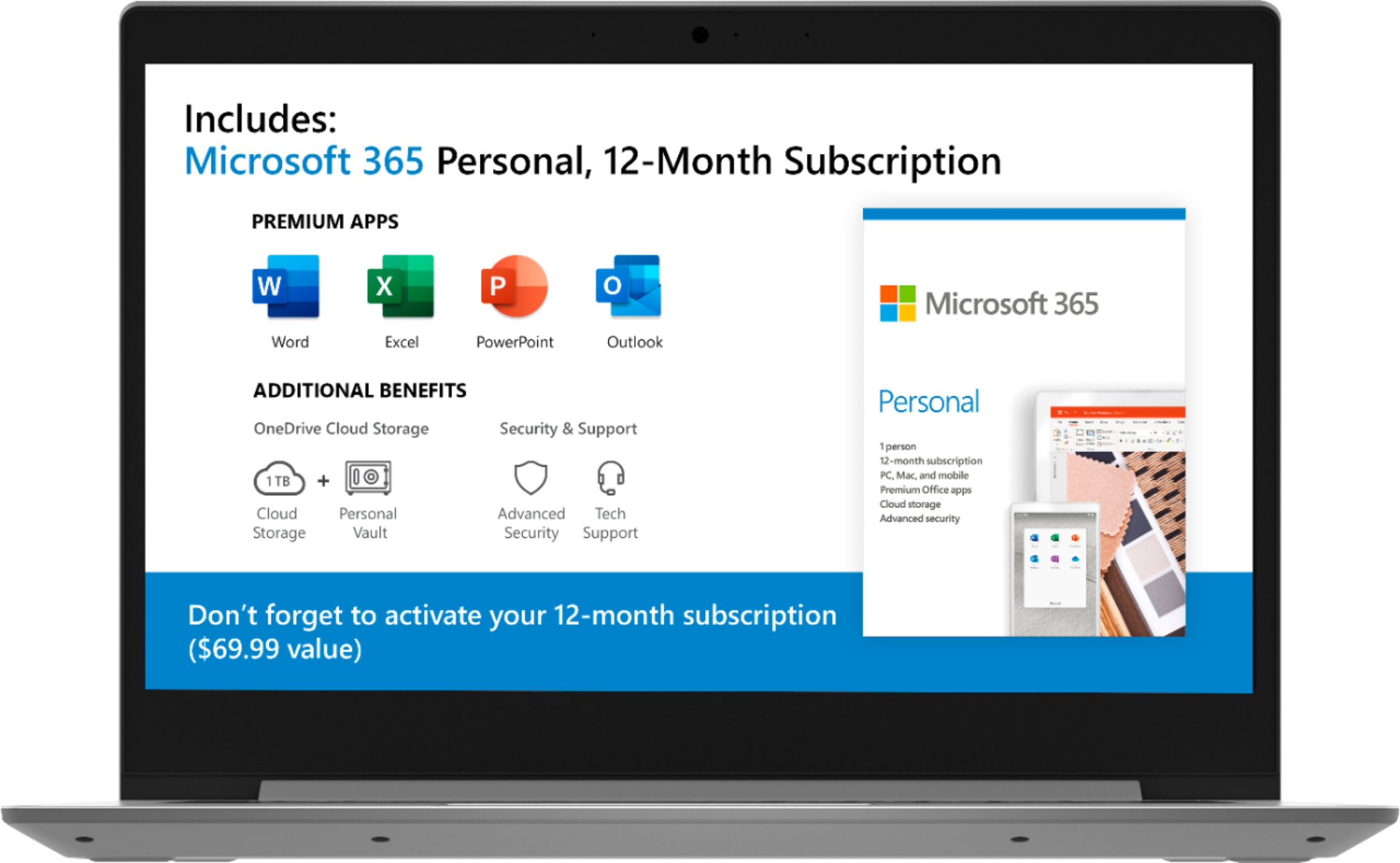
Posted .Thank you for choosing the Lenovo IdeaPad 1-14 laptop as a gift. We are pleased to hear that the IdeaPad 1-14 is working out so well for the user. The Lenovo IdeaPad 1-14 laptop is an entry level, light use system with its AMD A6-9220e processor, with a base speed of 1.6GHz and a boost speed of up to 2.4GHz, 4GB of RAM and a 64GB eMMC solid state hard drive, for quick access to files and programs. This model ships with Windows 10 S-Mode Operating System. Windows 10 S-Mode provides added security by only allowing APPs available ( and therefore certified by Microsoft) at the Microsoft Store. If you don't need the added security or you need to install APPs not available at the Microsoft Store, you can switch to standard Windows 10 Home 64-bit Operating System, at no additional cost. The Lenovo IdeaPad 1-14 laptop is not meant for multi-tasking or demanding programs. It is good for Microsoft Office and light internet browsing. The Lenovo IdeaPad 1-14 laptop ships with a free 1-year subscription to Microsoft Office 365 (a $69.00 value).

ChrisK
||Posted . Owned for 1 month when reviewed.This reviewer received promo considerations or sweepstakes entry for writing a review.This is a great laptop for the price. Have been using it pretty much everyday. It’s lightning fast. Light weight and holds a charge. Lenovo has always had great laptops. Bought two idea pads.
I would recommend this to a friendGreat camera for starters
||Posted . Owned for 1 month when reviewed.This reviewer received promo considerations or sweepstakes entry for writing a review.Works well for casual use. Starts up slow but gets better once ut is up and running.
I would recommend this to a friendBasic
||Posted . Owned for 1 month when reviewed.This reviewer received promo considerations or sweepstakes entry for writing a review.Very basic entry level laptop. Got this just for running the software to tune a vehicle.
I would recommend this to a friendBrand response from Lenovo Product Expert
Posted .The Lenovo IdeaPad 1-14 laptop is an entry level, light use system with its AMD A6-9220e processor, with a base speed of 1.6GHz and a boost speed of up to 2.4GHz, 4GB of RAM and a 64GB eMMC solid state hard drive, for quick access to files and programs. This model ships with Windows 10 S-Mode Operating System. Windows 10 S-Mode provides added security by only allowing APPs available ( and therefore certified by Microsoft) at the Microsoft Store. If you don't need the added security or you need to install APPs not available at the Microsoft Store, you can switch to standard Windows 10 Home 64-bit Operating System, at no additional cost. The Lenovo IdeaPad 1-14 laptop is not meant for multi-tasking or demanding programs. It is good for Microsoft Office and light internet browsing. The Lenovo IdeaPad 1-14 laptop ships with a free 1-year subscription to Microsoft Office 365 (a $69.00 value).
Laptop Review
||Posted .This reviewer received promo considerations or sweepstakes entry for writing a review.I find it to be fast and works very well for my grandson and his virtual schooling. I allows the platforms that he needs (Zoom, MS Teams) it operates better, in my opinion, than a Chromebook.
I would recommend this to a friendBrand response from Lenovo Product Expert
Posted .Thank you for choosing the entry-level, Lenovo IdeaPad 1 14 laptop for your grandson. We are pleased to hear that the IdeaPad 1 14 meets your grandson's computing needs so well.
- Cons mentioned:Slow
Slow
||Posted . Owned for 3 weeks when reviewed.This reviewer received promo considerations or sweepstakes entry for writing a review.Good enough for running on app at a time, not much more.
No, I would not recommend this to a friendBrand response from Lenovo Product Expert
Posted .The Lenovo IdeaPad 1-14 laptop is an entry level, light use system with its AMD A6-9220e processor, with a base speed of 1.6GHz and a boost speed of up to 2.4GHz, 4GB of RAM and a 64GB eMMC solid state hard drive, for quick access to files and programs. This model ships with Windows 10 S-Mode Operating System. Windows 10 S-Mode provides added security by only allowing APPs available ( and therefore certified by Microsoft) at the Microsoft Store. If you don't need the added security or you need to install APPs not available at the Microsoft Store, you can switch to standard Windows 10 Home 64-bit Operating System, at no additional cost. The Lenovo IdeaPad 1-14 laptop is not meant for multi-tasking or demanding programs. It is good for Microsoft Office and light internet browsing. The Lenovo IdeaPad 1-14 laptop ships with a free 1-year subscription to Microsoft Office 365 (a $69.00 value).
Great Laptop Brand
||Posted . Owned for 1 month when reviewed.This reviewer received promo considerations or sweepstakes entry for writing a review.I had never purchased a Lenova brand before, but I’m glad that I did. The setup was easy. It’s a nice laptop to have and it doesn’t matter if they are beginners or not. It is not heavy, easy to carry.
I would recommend this to a friendGot me through college, great deal
||Posted . Owned for 1.5 years when reviewed.This reviewer received promo considerations or sweepstakes entry for writing a review.Purchased this 2 years ago for completion of my bachelors degree. It did the job! Web cam, PowerPoint presentations and papers…a lot cheaper than a a Mac Book
I would recommend this to a friendGreat purchase!
||Posted . Owned for 1 year when reviewed.This reviewer received promo considerations or sweepstakes entry for writing a review.I’ve only had it for a week so trace the review at base level but I really love this computer! It’s light weight, has a big screen ! It was a great price for a nice computer!
I would recommend this to a friend- Pros mentioned:Lightweight
Slow
||Posted .This reviewer received promo considerations or sweepstakes entry for writing a review.Only does basic functions. Very light. Cheap feeling.
No, I would not recommend this to a friendBrand response from Lenovo Product Expert
Posted .The Lenovo IdeaPad 1-14 laptop is an entry level, light use system with its AMD A6-9220e processor, with a base speed of 1.6GHz and a boost speed of up to 2.4GHz, 4GB of RAM and a 64GB eMMC solid state hard drive, for quick access to files and programs. This model ships with Windows 10 S-Mode Operating System. Windows 10 S-Mode provides added security by only allowing APPs available ( and therefore certified by Microsoft) at the Microsoft Store. If you don't need the added security or you need to install APPs not available at the Microsoft Store, you can switch to standard Windows 10 Home 64-bit Operating System, at no additional cost. The Lenovo IdeaPad 1-14 laptop is not meant for multi-tasking or demanding programs. It is good for Microsoft Office and light internet browsing. The Lenovo IdeaPad 1-14 laptop ships with a free 1-year subscription to Microsoft Office 365 (a $69.00 value).
Nice
||Posted . Owned for 1 year when reviewed.This reviewer received promo considerations or sweepstakes entry for writing a review.It was something I need last minute. ITs okay and works fine
I would recommend this to a friendNice size.
||Posted . Owned for 1 month when reviewed.This reviewer received promo considerations or sweepstakes entry for writing a review.Ok, able to do what it was intended for, which was for kids to do schoolwork daily.
I would recommend this to a friendBrand response from Lenovo Product Expert
Posted .Once again, thank you for choosing the Lenovo IdeaPad 1 14 Laptop for your children. You can keep this computer running at its best by keeping the Windows 10 Operating System and all supporting BIOS files and drivers up to date. You can easily accomplish this by scanning the computer with the Lenovo Utility software available on this computer. This system has Lenovo utilities installed to help maintain the health of the device and keep the operating system software up to date. Type "Lenovo Vantage" in the Cortana Search window (if Lenovo Vantage is not installed on your device, you can download the APP and install it now). Select Lenovo Vantage from the list. In the window that opens, click on "Health and Support". In the expanded menu, select "Hardware Scan" In the window that opens, select "Run Quick Tests". This will scan your entire system for errors. Follow any directions that may pop up. If the problem continues after this scan, now click on "System Update". First select Windows update from the menu. Scan your system to be sure you have the latest version of Windows 10. Once that scan is complete, select "Additional Updates". This will scan your device to be sure there are no new BIOS/Driver updates needed. Follow any instructions that may pop up. If you ever need additional help with your Lenovo computer, we recommend you call Lenovo Tech Support at: 877-453-6686 for additional help.
mediocre!
||Posted . Owned for 1 month when reviewed.This reviewer received promo considerations or sweepstakes entry for writing a review.Not enough USB ports, no CD/DVD drive, inexpensive but not what I was looking for.
No, I would not recommend this to a friendBrand response from Lenovo Product Expert
Posted .The Lenovo IdeaPad 1-14 laptop is an entry level, light use system with its AMD A6-9220e processor, with a base speed of 1.6GHz and a boost speed of up to 2.4GHz, 4GB of RAM and a 64GB eMMC solid state hard drive, for quick access to files and programs. This model ships with Windows 10 S-Mode Operating System. Windows 10 S-Mode provides added security by only allowing APPs available ( and therefore certified by Microsoft) at the Microsoft Store. If you don't need the added security or you need to install APPs not available at the Microsoft Store, you can switch to standard Windows 10 Home 64-bit Operating System, at no additional cost. The Lenovo IdeaPad 1-14 laptop is not meant for multi-tasking or demanding programs. It is good for Microsoft Office and light internet browsing. The Lenovo IdeaPad 1-14 laptop ships with a free 1-year subscription to Microsoft Office 365 (a $69.00 value).
Better option
||Posted . Owned for 1 month when reviewed.This reviewer received promo considerations or sweepstakes entry for writing a review.Needed a new laptop for my daughter in jr. high. We were going to get a Chromebook, but for the same price (due to the sale) we were able to get a computer that she can use offline as well.
I would recommend this to a friendThe kids’ laptop
||Posted . Owned for 7 months when reviewed.This reviewer received promo considerations or sweepstakes entry for writing a review.Good light duty laptop for remote learning. Struggled on video conferencing
I would recommend this to a friend- Cons mentioned:Slow
Is good for a kid
||Posted . Owned for 1 month when reviewed.This reviewer received promo considerations or sweepstakes entry for writing a review.Is really slowed and frezzes alot i would rathers a hp
No, I would not recommend this to a friendBrand response from Lenovo Product Expert
Posted .The Lenovo IdeaPad 1-14 laptop is an entry level, light use system with its AMD A6-9220e processor, with a base speed of 1.6GHz and a boost speed of up to 2.4GHz, 4GB of RAM and a 64GB eMMC solid state hard drive, for quick access to files and programs. This model ships with Windows 10 S-Mode Operating System. Windows 10 S-Mode provides added security by only allowing APPs available ( and therefore certified by Microsoft) at the Microsoft Store. If you don't need the added security or you need to install APPs not available at the Microsoft Store, you can switch to standard Windows 10 Home 64-bit Operating System, at no additional cost. The Lenovo IdeaPad 1-14 laptop is not meant for multi-tasking or demanding programs. It is good for Microsoft Office and light internet browsing. The Lenovo IdeaPad 1-14 laptop ships with a free 1-year subscription to Microsoft Office 365 (a $69.00 value).
- Cons mentioned:Slow
Slow processing
||Posted . Owned for 1 month when reviewed.This reviewer received promo considerations or sweepstakes entry for writing a review.Unfortunately this was not Abel to meet my needs. It is NOT a chromebook but somehow it got pulled up within my search. It is a Microsoft Laptop but very very slow. Ended up returning. Not ideal unless for granny maybe who has low expectations.
No, I would not recommend this to a friendBrand response from Lenovo Product Expert
Posted .The Lenovo IdeaPad 1-14 laptop is an entry level, light use system with its AMD A6-9220e processor, with a base speed of 1.6GHz and a boost speed of up to 2.4GHz, 4GB of RAM and a 64GB eMMC solid state hard drive, for quick access to files and programs. This model ships with Windows 10 S-Mode Operating System. Windows 10 S-Mode provides added security by only allowing APPs available ( and therefore certified by Microsoft) at the Microsoft Store. If you don't need the added security or you need to install APPs not available at the Microsoft Store, you can switch to standard Windows 10 Home 64-bit Operating System, at no additional cost. The Lenovo IdeaPad 1-14 laptop is not meant for multi-tasking or demanding programs. It is good for Microsoft Office and light internet browsing. The Lenovo IdeaPad 1-14 laptop ships with a free 1-year subscription to Microsoft Office 365 (a $69.00 value).
Lenovo
||Posted .This reviewer received promo considerations or sweepstakes entry for writing a review.The Lenovo IdeaPad is middle level laptop compared overall.
I would recommend this to a friendGreat laptop for beginners
||Posted . Owned for 1 month when reviewed.This reviewer received promo considerations or sweepstakes entry for writing a review.I brought this laptop for my 6th grader , to complete her online school work. Everything works very smooth. Zoom works with no interruptions. Mouse pad is easy, not hard like another laptop with have.
I would recommend this to a friendBrand response from Lenovo Product Expert
Posted .Once again, thank you for choosing the Lenovo IdeaPad 1 14 Laptop for your child. You can keep this computer running at its best by keeping the Windows 10 Operating System and all supporting BIOS files and drivers up to date. You can easily accomplish this by scanning the computer with the Lenovo Utility software available on this computer. This system has Lenovo utilities installed to help maintain the health of the device and keep the operating system software up to date. Type "Lenovo Vantage" in the Cortana Search window (if Lenovo Vantage is not installed on your device, you can download the APP and install it now). Select Lenovo Vantage from the list. In the window that opens, click on "Health and Support". In the expanded menu, select "Hardware Scan" In the window that opens, select "Run Quick Tests". This will scan your entire system for errors. Follow any directions that may pop up. If the problem continues after this scan, now click on "System Update". First select Windows update from the menu. Scan your system to be sure you have the latest version of Windows 10. Once that scan is complete, select "Additional Updates". This will scan your device to be sure there are no new BIOS/Driver updates needed. Follow any instructions that may pop up. If you ever need additional help with your Lenovo computer, we recommend you call Lenovo Tech Support at: 877-453-6686 for additional help.