Customer Ratings & Reviews







- Model:
- 81VS009GUS
- SKU:
- 6359222
Rating by feature
- Battery Life
Rating 3.8 out of 5 stars
- Speed
Rating 3.2 out of 5 stars
- Display
Rating 3.8 out of 5 stars
Customers are saying
Customers are satisfied with the price, ease of use, lightweight design, and usability of the IdeaPad 1 14" Laptop. They find it to be a good value for the price, easy to navigate, lightweight, and suitable for basic tasks like schoolwork. However, customers have concerns about its slow performance, limited storage space, multitasking capabilities, and occasional freezing issues.
This summary was generated by AI based on customer reviews.
Just what I needed
||Posted . Owned for 3 weeks when reviewed.This reviewer received promo considerations or sweepstakes entry for writing a review.This laptop meets my needs perfectly. I told the sales associate at Best Buy I was a light user found a little with excel but mainly surfing web and emails They matched me to this and I love it
I would recommend this to a friendReturned
||Posted .This reviewer received promo considerations or sweepstakes entry for writing a review.I only had it for a day before setting up a return to the store, every single website I attempted to view took a very long time to fully load, and some nevery fully loaded using Microsoft Edge, I installed Google Chrome and later Firefox (which both took some time to download) thinking maybe Edge was the problem but there was no improvement. I compared loading websites with my phone and my old laptop to rule out internet speed and it was definetely an issue with the Lenovo laptop. Yes, it is on the cheaper side, appereance is ok, it was easy to set up, but it simply does not meet my needs. I can't speak for any other features since I didn't have it for very long.
No, I would not recommend this to a friendBrand response from Lenovo Product Expert
Posted .The Lenovo IdeaPad 1-14 Laptop, model number 81VS0001US, ships with 5G, 802.11AC frequency WiFi which is up to 3X faster than standard 802.11N WiFi. If you are experiencing slower than expected performance, be sure any software you installed is compatible with Windows 10. There is no need to install Microsoft Office software. The software is already part of the operating system, you just need to activate the software with a purchased product key. If you have installed a copy of Microsoft Office, this is conflicting with the existing copy on the system and this will slow your system down. If you have installed a 3rd party anti-virus program, be sure that Windows Defender is turned off and that the trial version of McAfee Anti-Virus software is uninstalled. There can only be one anti-virus program on the system. You may need to restore your system to original factory default settings if any of the programming errors have occurred. You can do that by typing "restore" in the Cortana search window. Just click on the magnifying glass icon at the bottom left of your Windows 10 Desktop. Click on "Reset This PC" Then click on "Get Started" and follow the on screen directions to restore to factory defaults. If the problem persists, we recommend you contact Lenovo Tech Support at: 877-453-6686.

Cheap laptop.
||Posted . Owned for 10 months when reviewed.This reviewer received promo considerations or sweepstakes entry for writing a review.Cheap laptop. You get what you pay for. Decent for the price.
No, I would not recommend this to a friend- Cons mentioned:Slow
Would not recommend
||Posted . Owned for 3 weeks when reviewed.This reviewer received promo considerations or sweepstakes entry for writing a review.This is by far one if slowest laptops I’ve ever had!!! It reboots in the middle of m me doing important work. I get extremely frustrated when browsing any apps or even the internet. It works fine if you haven’t been on it all day, maybe the first 30 minutes.
No, I would not recommend this to a friendBrand response from Lenovo Product Expert
Posted .We are sorry to hear that you are having issue with your Lenovo IdeaPad 1-14 laptop, model number 81VS0001US. This model ships with Windows 10 S-Mode Operating System, which should not reboot during normal work. Be sure any software you installed is compatible with Windows 10. There is no need to install Microsoft Office software. The software is already part of the operating system, you just need to activate the software with a purchased product key. If you have installed a copy of Microsoft Office, this is conflicting with the existing copy on the system and this will slow your system down. If you have installed a 3rd party anti-virus program, be sure that Windows Defender is turned off and that the trial version of McAfee Anti-Virus software is uninstalled. There can only be one anti-virus program on the system. You may need to restore your system to original factory default settings if any of the programming errors have occurred. You can do that by typing "restore" in the Cortana search window. Just click on the magnifying glass icon at the bottom left of your Windows 10 Desktop. Click on "Reset This PC" Then click on "Get Started" and follow the on screen directions to restore to factory defaults. If the problem persists, we recommend you contact Lenovo Tech Support at: 877-453-6686.
Lenovo Should Be Embarrassed
||Posted . Owned for 7 months when reviewed.This reviewer received promo considerations or sweepstakes entry for writing a review.I am thoroughly disappointed with this laptop. Lenovo is usually a workhorse laptop brand. While I understand that Lenovo touts the laptop as "entry level," whatever is 3-4 level less than entry level is where this laptop would rank. The processor is anemic at best and it boots up slowly as if it arrived with a virus already installed. I purchased this for my 10 year old to do basic web surfing, (homework research, light entertainment surfing and basic word processing). This laptop will P@#! you off. I paid full price for this laptop and I see that the product is now on clearance. (There is a reason for this.) This is such a horrible product, I would feel bad selling it to someone, Not even an enemy would deserve this trash. Great paperweight...otherwise RUN and don't look back.
No, I would not recommend this to a friendGreat bargain
||Posted . Owned for 3 weeks when reviewed.This reviewer received promo considerations or sweepstakes entry for writing a review.A great little unit for basic computing! Reliable, great sound for its size, and excellent picture quality. Highly recommend for a user who is just looking for essential computing skills.
I would recommend this to a friendDoes what it needs to
||Posted . Owned for 1 month when reviewed.This reviewer received promo considerations or sweepstakes entry for writing a review.You get what you pay for. Needed a cheap laptop. Works. Would buy again.
I would recommend this to a friendBrand response from Lenovo Product Expert
Posted .Hello. Thank you for choosing the Lenovo IdeaPad 1 laptop. We are pleased to hear that the value and performance of the IdeaPad 1 meets your computing needs so well. We appreciate your recommendation.
Much smaller than I though
||Posted . Owned for 1 month when reviewed.This reviewer received promo considerations or sweepstakes entry for writing a review.It seems very cheaply made but runs good. I new it was to good to be true
No, I would not recommend this to a friendI couldn't hold zoom mtg. and have other tabs open
||Posted . Owned for 2 weeks when reviewed.This reviewer received promo considerations or sweepstakes entry for writing a review.Every time I would get on zoom mtg with other tabs open, the zoom meeting would freeze. The internet was not the problem. 2 other computers in the house with no problems at all. I returned it within a week and purchased a different brand. Worth it to spend a little more money to get something that works better!
No, I would not recommend this to a friendBrand response from Lenovo Product Expert
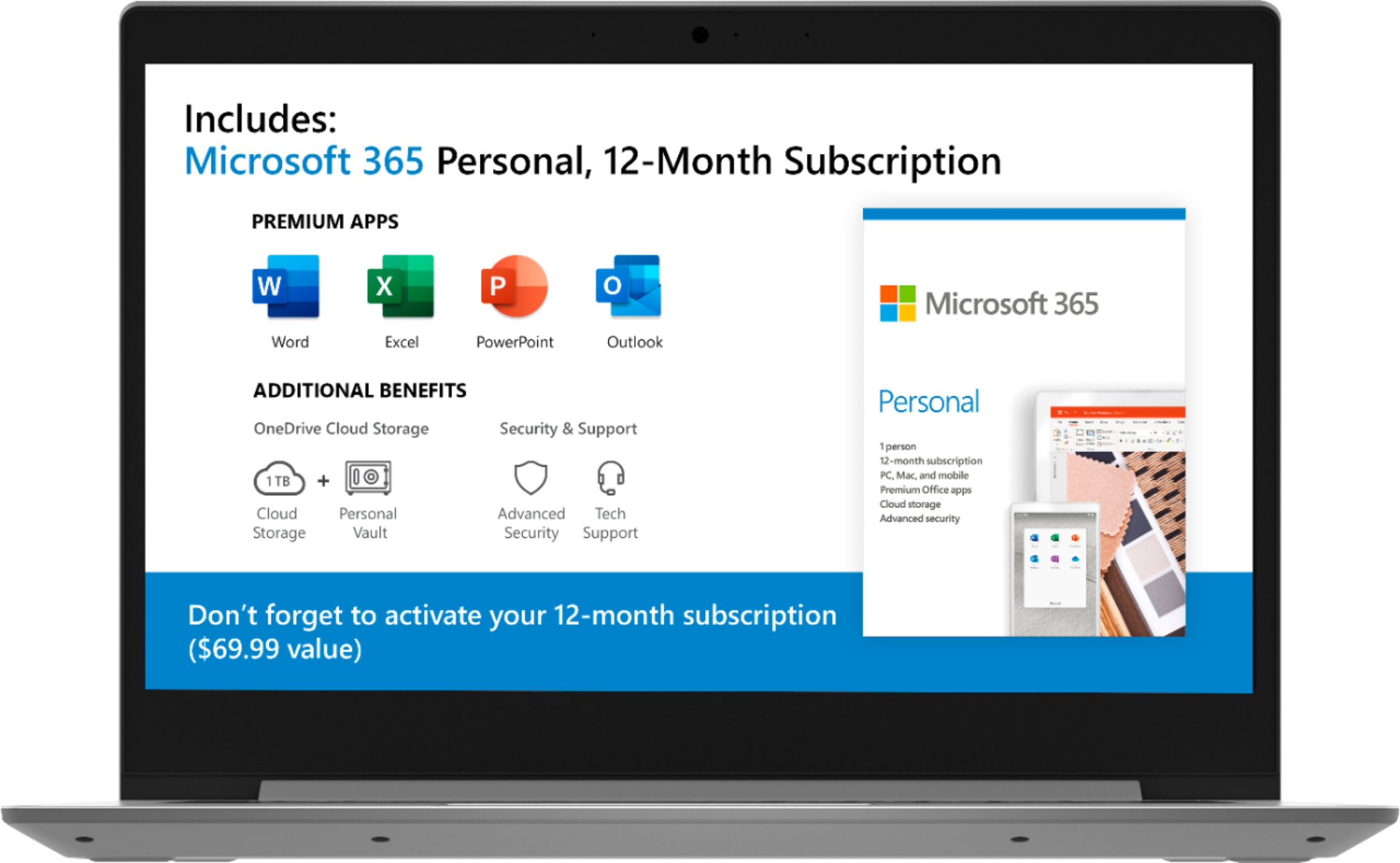
Posted .The Lenovo IdeaPad 1-14 laptop is an entry level, light use system with its AMD A6-9220e processor, with a base speed of 1.6GHz and a boost speed of up to 2.4GHz, 4GB of RAM and a 64GB eMMC solid state hard drive, for quick access to files and programs. This model ships with Windows 10 S-Mode Operating System. Windows 10 S-Mode provides added security by only allowing APPs available ( and therefore certified by Microsoft) at the Microsoft Store. If you don't need the added security or you need to install APPs not available at the Microsoft Store, you can switch to standard Windows 10 Home 64-bit Operating System, at no additional cost. The Lenovo IdeaPad 1-14 laptop is not meant for multi-tasking or demanding programs. It is good for Microsoft Office and light internet browsing. The Lenovo IdeaPad 1-14 laptop ships with a free 1-year subscription to Microsoft Office 365 (a $69.00 value). We always recommend you check the requirements and compatibility of any software you will be installing on your new computer, before you invest in any computer. Be sure your new computer can support the software you will need to use.
excellent value
||Posted . Owned for 1 month when reviewed.This reviewer received promo considerations or sweepstakes entry for writing a review.Basic laptop, excellent value. This laptop works well for my needs, email, browsing, etc. not a lot of storage or processing power, so would not be good for downloading movies, gaming.
I would recommend this to a friendWorks pretty good
||Posted . Owned for 1 week when reviewed.This reviewer received promo considerations or sweepstakes entry for writing a review.I am pleased with the computer for the price but did not have ethernet port I needed.
I would recommend this to a friendBrand response from Lenovo Product Expert
Posted .You can connect this device to an ethernet cable by using a USB to ethernet adapter. The Lenovo IdeaPad 1-14 laptop is an entry level, light use system with its AMD A6-9220e processor, with a base speed of 1.6GHz and a boost speed of up to 2.4GHz, 4GB of RAM and a 64GB eMMC solid state hard drive, for quick access to files and programs. This model ships with Windows 10 S-Mode Operating System. Windows 10 S-Mode provides added security by only allowing APPs available ( and therefore certified by Microsoft) at the Microsoft Store. If you don't need the added security or you need to install APPs not available at the Microsoft Store, you can switch to standard Windows 10 Home 64-bit Operating System, at no additional cost. The Lenovo IdeaPad 1-14 laptop is not meant for multi-tasking or demanding programs. It is good for Microsoft Office and light internet browsing. The Lenovo IdeaPad 1-14 laptop ships with a free 1-year subscription to Microsoft Office 365 (a $69.00 value).
Christmas gift
||Posted . Owned for 1 month when reviewed.This reviewer received promo considerations or sweepstakes entry for writing a review.Christmas present. He hasn't used it yet so I am not sure how good it is
I would recommend this to a friendGood basic computer
||Posted . Owned for 3 weeks when reviewed.This reviewer received promo considerations or sweepstakes entry for writing a review.Good for basic computing. Not powerful enough for Zoom, sharing and multitasking.
No, I would not recommend this to a friendGreat starter laptop.
||Posted . Owned for 1 month when reviewed.This reviewer received promo considerations or sweepstakes entry for writing a review.I enjoy how easy it is to use this laptop. It offers voice operated greetings and is extremely light weight. For novices like myself, I was able to install the Microsoft products with no problem.
I would recommend this to a friendBrand response from Lenovo Product Expert
Posted .Thank you for choosing the Lenovo IdeaPad 1-14 laptop, model number 81VS0001US. The Lenovo IdeaPad 1-14 laptop is an entry level, light use system with its AMD A6-9220e processor, with a base speed of 1.6GHz and a boost speed of up to 2.4GHz, 4GB of RAM and a 64GB eMMC solid state hard drive, for quick access to files and programs. This model ships with Windows 10 S-Mode Operating System. Windows 10 S-Mode provides added security by only allowing APPs available ( and therefore certified by Microsoft) at the Microsoft Store. If you don't need the added security or you need to install APPs not available at the Microsoft Store, you can switch to standard Windows 10 Home 64-bit Operating System, at no additional cost. The Lenovo IdeaPad 1-14 laptop is not meant for multi-tasking or demanding programs. It is good for Microsoft Office and light internet browsing. The Lenovo IdeaPad 1-14 laptop ships with a free 1-year subscription to Microsoft Office 365 (a $69.00 value).
- Cons mentioned:Slow
Wouldn't buy it for even $50
||Posted .This reviewer received promo considerations or sweepstakes entry for writing a review.Got this to do simple data processing and some simple web games. Even on Google documents the laptop lags as if I'm trying to run 5 programs at once. This was right after I turned on the laptop for the first time. Even with Black Friday pricing it's not worth it.
No, I would not recommend this to a friendBrand response from Lenovo Product Expert
Posted .The Lenovo IdeaPad 1-14 laptop is an entry level, light use system with its AMD A6-9220e processor, 4GB of RAM and a 64GB eMMC solid state hard drive. This model ships with Windows 10 S-Mode Operating System. Windows 10 S-Mode provides added security by only allowing APPs available ( and therefore certified by Microsoft) at the Microsoft Store. If you don't need the added security or you need to install APPs not available at the Microsoft Store, you can switch to standard Windows 10 Home 64-bit Operating System, at no additional cost. The Lenovo IdeaPad 1-14 laptop is not meant for multi-tasking or demanding programs. It is good for Microsoft Office and light internet browsing. The Lenovo IdeaPad 1-14 laptop ships with a free 1-year subscription to Microsoft Office 365 (a $69.00 value).
Worth the Money.
||Posted . Owned for 3 weeks when reviewed.This reviewer received promo considerations or sweepstakes entry for writing a review.The best you can get for the lowest price. I wasn't sure about an IdeaPad but it suits my purposes. Pages load quickly and my accounts transferred easily from my old Toshiba laptop.
I would recommend this to a friendBrand response from Lenovo Product Expert
Posted .Thank you for choosing the entry-level, Lenovo IdeaPad 1 14 Laptop, model number 81VS009GUS. We are pleased to hear that the IdeaPad 1 14 meets your computing needs so well.
Good Laptop for temporary use
||Posted . Owned for 2 weeks when reviewed.This reviewer received promo considerations or sweepstakes entry for writing a review.It is an OK laptop for quick tasks that do no require too much processing power.
I would recommend this to a friendNot bad
||Posted . Owned for 3 weeks when reviewed.This reviewer received promo considerations or sweepstakes entry for writing a review.This is a nice computer for the price. Could be a little better to use.
I would recommend this to a friendIt’s ok
||Posted . Owned for 1 month when reviewed.This reviewer received promo considerations or sweepstakes entry for writing a review.Product is fine for a basic computer. Bought it a few days before Black Friday deal and went back to location and they wouldn’t honor the new price and I was still in my 14 days. Bummer
I would recommend this to a friendGreat for school aged children
||Posted . Owned for 3 weeks when reviewed.This reviewer received promo considerations or sweepstakes entry for writing a review.Bought this for our youngest daughter (11) to use for school work while home from the current pandemic. Worked out of the box with minimal fuss and has been fantastic as far as battery life goes.
I would recommend this to a friendBrand response from Lenovo Product Expert
Posted .Once again, thank you for choosing the Lenovo IdeaPad 1 14 Laptop for your daughter. You can keep this computer running at its best by keeping the Windows 10 Operating System and all supporting BIOS files and drivers up to date. You can easily accomplish this by scanning the computer with the Lenovo Utility software available on this computer. This system has Lenovo utilities installed to help maintain the health of the device and keep the operating system software up to date. Type "Lenovo Vantage" in the Cortana Search window (if Lenovo Vantage is not installed on your device, you can download the APP and install it now). Select Lenovo Vantage from the list. In the window that opens, click on "Health and Support". In the expanded menu, select "Hardware Scan" In the window that opens, select "Run Quick Tests". This will scan your entire system for errors. Follow any directions that may pop up. If the problem continues after this scan, now click on "System Update". First select Windows update from the menu. Scan your system to be sure you have the latest version of Windows 10. Once that scan is complete, select "Additional Updates". This will scan your device to be sure there are no new BIOS/Driver updates needed. Follow any instructions that may pop up. If you ever need additional help with your Lenovo computer, we recommend you call Lenovo Tech Support at: 877-453-6686 for additional help.