Customer Ratings & Reviews




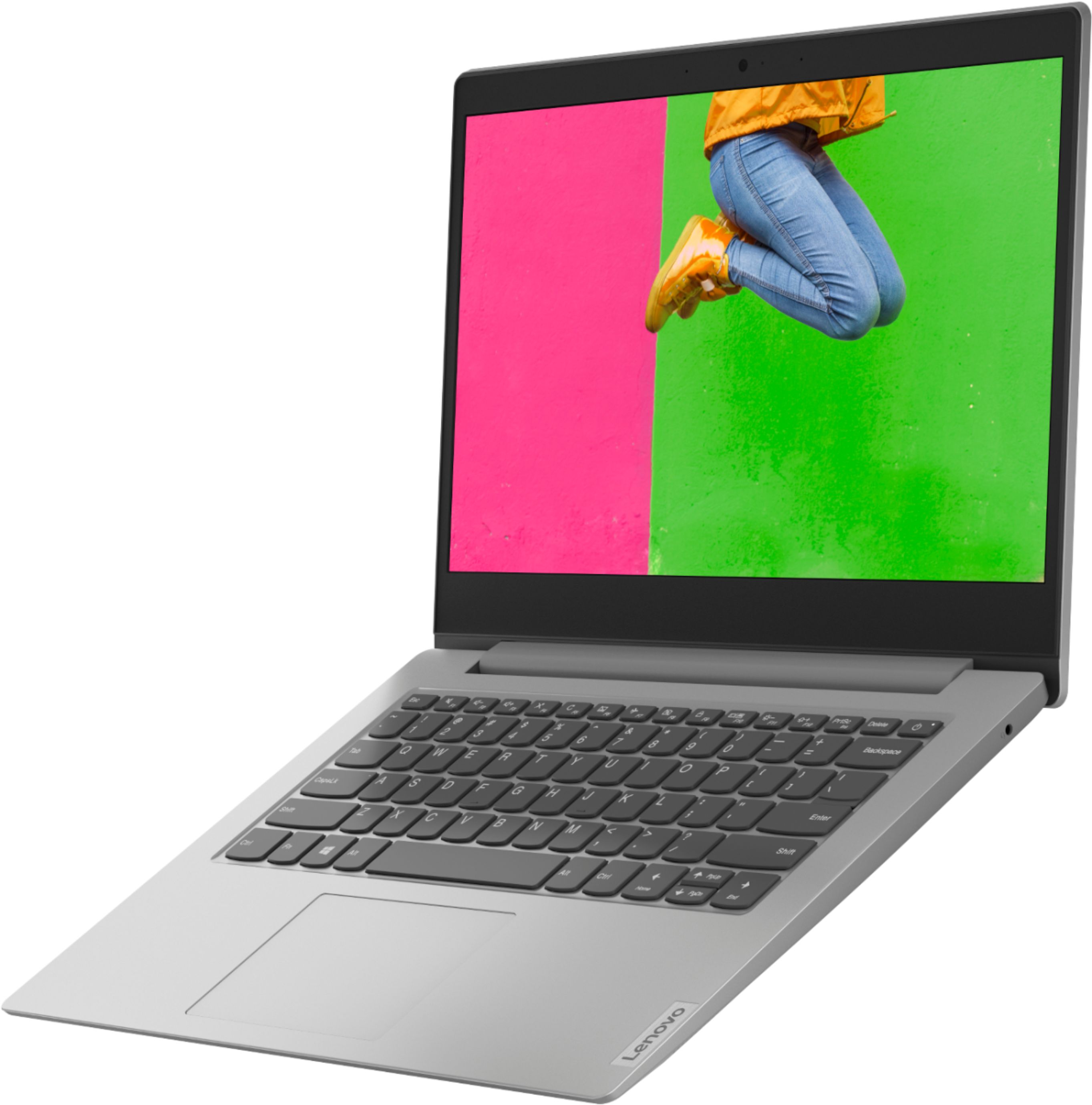

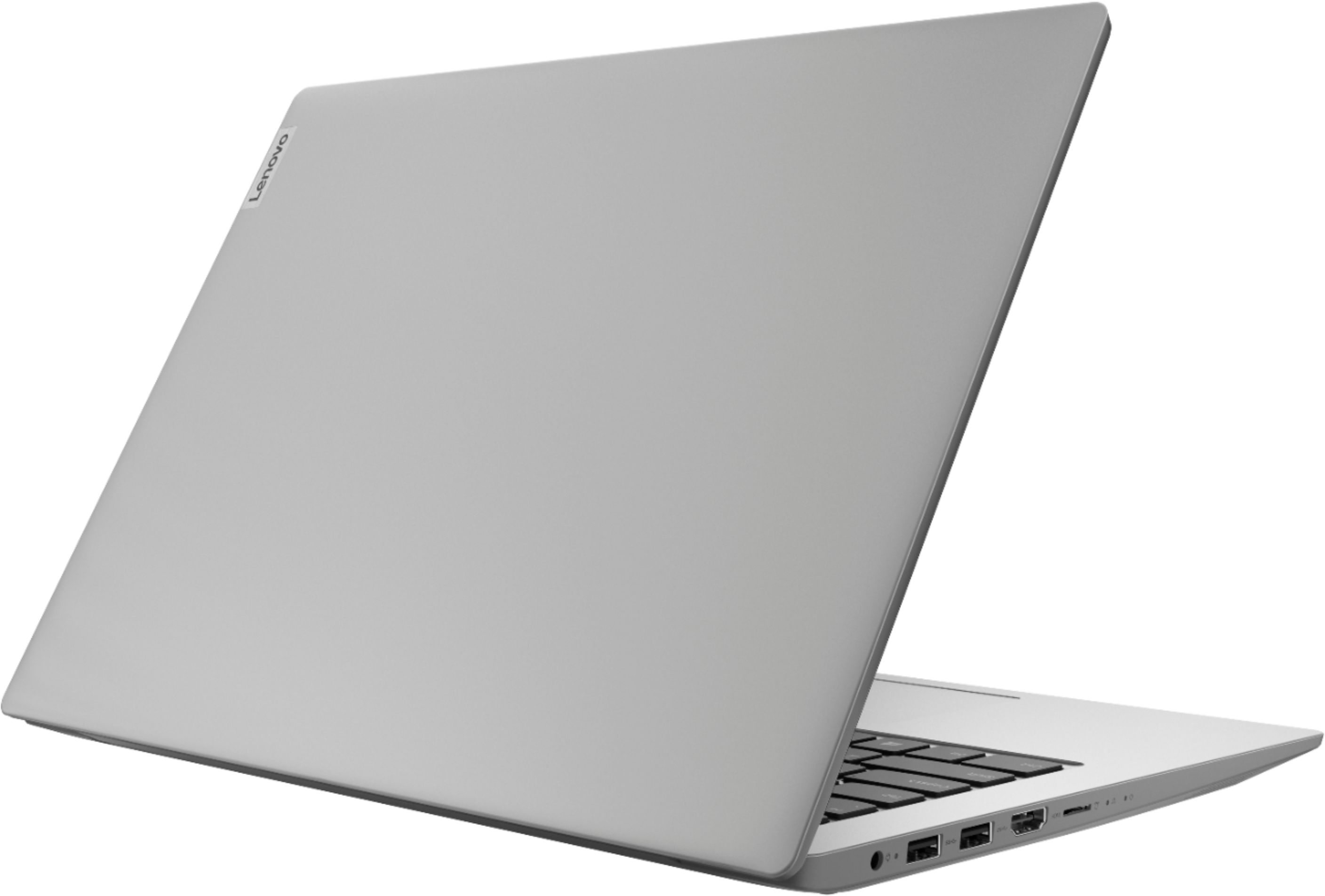


- Model:
- 81VS009GUS
- SKU:
- 6359222
Rating by feature
- Battery Life
Rating 3.8 out of 5 stars
- Speed
Rating 3.2 out of 5 stars
- Display
Rating 3.8 out of 5 stars
Customers are saying
Customers are satisfied with the price, ease of use, lightweight design, and usability of the IdeaPad 1 14" Laptop. They find it to be a good value for the price, easy to navigate, lightweight, and suitable for basic tasks like schoolwork. However, customers have concerns about its slow performance, limited storage space, multitasking capabilities, and occasional freezing issues.
This summary was generated by AI based on customer reviews.
- Pros mentioned:Price
Great price
||Posted . Owned for 1 month when reviewed.This reviewer received promo considerations or sweepstakes entry for writing a review.When this pandemic hit, there was not much choices left on the shelf! Since parents were running out because e-learning was going to be the new norm. Three stores later, I found this. Wasn’t sure about it, but I didn’t have a choice. It was this or nothing in my price range. I lost my job, like many, but I still needed it to apply for jobs. Let’s just say , I love it! Great laptop!!
I would recommend this to a friend - Cons mentioned:Performance
Good computer!
||Posted . Owned for 1 month when reviewed.This reviewer received promo considerations or sweepstakes entry for writing a review.It’s a great little laptop for browsing or school. It is not powerful enough for multitasking or gaming.
I would recommend this to a friendBrand response from Lenovo Product Expert
Posted .Hi, thank you for choosing the Lenovo IdeaPad 1 laptop. We are pleased to hear that the value and performance of the IdeaPad 1 meets your computing needs so well.

- Pros mentioned:Easy to use
Buy It!
||Posted . Owned for 2 months when reviewed.This reviewer received promo considerations or sweepstakes entry for writing a review.This is a neat laptop! It was easy to start up and is just as easy to use. My only complaint that it doesn't have enough ports. (USB) Could use one more! Overall, it is a great purchase!
I would recommend this to a friendBrand response from Lenovo Product Expert
Posted .The entry-level Lenovo IdeaPad 1 14 Laptop, model number 81VS009GUS, ships with two standard USB Type A 3.0 version ports. If you need more standard USB ports you may want to consider using a portable USB Hub like this one with the IdeaPad 1 14: https://www.bestbuy.com/site/insignia-4-port-usb-3-0-hub-black/4333600.p?skuId=4333600
- Pros mentioned:Easy to use, Price
happy
||Posted . Owned for 1 year when reviewed.This reviewer received promo considerations or sweepstakes entry for writing a review.Best bang for your buck! Easiest laptop to use that I’ve ever owned
I would recommend this to a friendBrand response from Lenovo Product Expert
Posted .Thank you for choosing the entry-level, Lenovo IdeaPad 1 14 Laptop, model number 81VS009GUS. We are pleased to hear that the IdeaPad 1 14 is working out so well for you.
- Pros mentioned:Easy to use
Good
||Posted . Owned for 3 weeks when reviewed.This reviewer received promo considerations or sweepstakes entry for writing a review.Nice article, easy to set up, to be used for basic tasks like browsing, watching videos and video calls.
I would recommend this to a friend Great casual use laptop!
||Posted .This reviewer received promo considerations or sweepstakes entry for writing a review.My mom needed a cheap, easy to use laptop for doing online classes related to being a preschool teacher. We got her this laptop and she loves it. Says it’s fast loading and does a great job at maintaining a charge and staying connected during zoom calls. Works great for her and was easy to set up. She was up and running in less than 15 minutes. Highly recommend for the casual laptop user. Not for gamers or those with major computing needs,
I would recommend this to a friendBrand response from Lenovo Product Expert
Posted .Thank you for choosing the entry-level,. Lenovo IdeaPad 1 14 laptop, model number 81VS009GUS, for your mother. We are pleased to hear that the value, features and performance of the IdeaPad 1 14 meets your mother's computing needs so well.
- Pros mentioned:Price
LENOVO IDEAPAD 1 14" LAPTOP
||Posted . Owned for less than 1 week when reviewed.This reviewer received promo considerations or sweepstakes entry for writing a review.Great product at a great price. If you just want Basic Internet Service, this one will be OK. It only has 4GB. I own one with 4GB and use it when traveling to Europe. It's a 11.6" Lenovo that weighs 2.8 lbs and paid closer to $150.00 than $200.00 out the door. If you can afford 8GB, you might want to do that. It's all a matter of price and your usage.
I would recommend this to a friend - Pros mentioned:Easy to use, Lightweight
Great laptop
||Posted . Owned for 3 weeks when reviewed.This reviewer received promo considerations or sweepstakes entry for writing a review.Easy to use and setup, lightweight and durable as well, overall great product
I would recommend this to a friendBrand response from Lenovo Product Expert
Posted .Once again, thank you for choosing the entry-level Lenovo IdeaPad 1 14 Laptop. You can keep your computer running at its best by keeping the Windows 10 Operating System and all supporting BIOS files and drivers up to date. You can easily accomplish this by scanning the computer with the Lenovo Utility software available on this computer. This system has Lenovo utilities installed to help maintain the health of the device and keep the operating system software up to date. Type "Lenovo Vantage" in the Cortana Search window (if Lenovo Vantage is not installed on your device, you can download the APP and install it now). Select Lenovo Vantage from the list. In the window that opens, click on "Health and Support". In the expanded menu, select "Hardware Scan" In the window that opens, select "Run Quick Tests". This will scan your entire system for errors. Follow any directions that may pop up. If the problem continues after this scan, now click on "System Update". First select Windows update from the menu. Scan your system to be sure you have the latest version of Windows 10. Once that scan is complete, select "Additional Updates". This will scan your device to be sure there are no new BIOS/Driver updates needed. Follow any instructions that may pop up. If you ever need additional help with your Lenovo computer, we recommend you call Lenovo Tech Support at: 877-453-6686 for additional help.
- Cons mentioned:Slow
Good for basic functions. Slow for videos.
||Posted . Owned for 1 month when reviewed.This reviewer received promo considerations or sweepstakes entry for writing a review.This is a basic laptop that does the basic functions. However it’s slow for online video conferencing.
I would recommend this to a friend - Pros mentioned:Price, Usability
Great for my son.
||Posted . Owned for 10 months when reviewed.This reviewer received promo considerations or sweepstakes entry for writing a review.Great computer for the price. My 9 year old sons loves it. Easy to use
No, I would not recommend this to a friendBrand response from Lenovo Product Expert
Posted .Thank you for choosing the Lenovo IdeaPad 1 14" laptop. We are pleased to hear that the IdeaPad 1 is working out so well for you. We appreciate your loyalty to the Lenovo Brand.
- Pros mentioned:Price
review
||Posted . Owned for 3 weeks when reviewed.This reviewer received promo considerations or sweepstakes entry for writing a review.love it .. light and just what i needed ....it is just what i was hunting for ... the price was great ...
I would recommend this to a friend - Pros mentioned:Lightweight
Great product
||Posted . Owned for 1 month when reviewed.This reviewer received promo considerations or sweepstakes entry for writing a review.Great laptop runs great and no issues so far. Very easy to pack and carry when you need to work mobile.
I would recommend this to a friend - Cons mentioned:Slow
Great laptop for beginners.
||Posted . Owned for 3 weeks when reviewed.This reviewer received promo considerations or sweepstakes entry for writing a review.I found this laptop is good to do simple thinks but wasn't up to speed for someone lacking patience like myself.
No, I would not recommend this to a friend - Pros mentioned:Price
Good buy.
||Posted .This reviewer received promo considerations or sweepstakes entry for writing a review.Functions well for the price. I was looking for an affordable laptop for working from home. Great for beginners.
I would recommend this to a friendBrand response from Lenovo Product Expert
Posted .Once again, thank you for choosing the Lenovo IdeaPad 1 14 Laptop. You can keep your computer running at its best by keeping the Windows 10 Operating System and all supporting BIOS files and drivers up to date. You can easily accomplish this by scanning the computer with the Lenovo Utility software available on this computer. This system has Lenovo utilities installed to help maintain the health of the device and keep the operating system software up to date. Type "Lenovo Vantage" in the Cortana Search window (if Lenovo Vantage is not installed on your device, you can download the APP and install it now). Select Lenovo Vantage from the list. In the window that opens, click on "Health and Support". In the expanded menu, select "Hardware Scan" In the window that opens, select "Run Quick Tests". This will scan your entire system for errors. Follow any directions that may pop up. If the problem continues after this scan, now click on "System Update". First select Windows update from the menu. Scan your system to be sure you have the latest version of Windows 10. Once that scan is complete, select "Additional Updates". This will scan your device to be sure there are no new BIOS/Driver updates needed. Follow any instructions that may pop up. If you ever need additional help with your Lenovo computer, we recommend you call Lenovo Tech Support at: 877-453-6686 for additional help
- Cons mentioned:Slow
It's ok for beginners
||Posted .This reviewer received promo considerations or sweepstakes entry for writing a review.A little slow but great for younger children, Otherwise, its a really good computer.
I would recommend this to a friend The IdeaPad is a great laptop for basic computing
||Posted . Owned for 1 month when reviewed.This reviewer received promo considerations or sweepstakes entry for writing a review.I've purchased 4 of these over the years for my wife and son. It's an inexpensive device for email and web surfing. I initially purchased two, one for my wife who has a habit of destroying laptops and one for my toddler son. While it's far from a performance or gaming laptop, it's an inexpensive device that isn't too painful to replace. My son still uses his original on occasion when he's visiting his grandparents. For the price, the IdeaPad is hard to beat.
I would recommend this to a friendBrand response from Lenovo Product Expert
Posted .Once again, thank you for choosing the Lenovo IdeaPad 1 14 Laptops. We appreciate your loyalty to the IdeaPad and the Lenovo Brand. You can keep your computer running at its best by keeping the Windows 10 Operating System and all supporting BIOS files and drivers up to date. You can easily accomplish this by scanning the computer with the Lenovo Utility software available on this computer. This system has Lenovo utilities installed to help maintain the health of the device and keep the operating system software up to date. Type "Lenovo Vantage" in the Cortana Search window (if Lenovo Vantage is not installed on your device, you can download the APP and install it now). Select Lenovo Vantage from the list. In the window that opens, click on "Health and Support". In the expanded menu, select "Hardware Scan" In the window that opens, select "Run Quick Tests". This will scan your entire system for errors. Follow any directions that may pop up. If the problem continues after this scan, now click on "System Update". First select Windows update from the menu. Scan your system to be sure you have the latest version of Windows 10. Once that scan is complete, select "Additional Updates". This will scan your device to be sure there are no new BIOS/Driver updates needed. Follow any instructions that may pop up. If you ever need additional help with your Lenovo computer, we recommend you call Lenovo Tech Support at: 877-453-6686 for additional help.
- Pros mentioned:Price
fast laptop
||Posted . Owned for 1 month when reviewed.This reviewer received promo considerations or sweepstakes entry for writing a review.a good basic laptop for the price.bought this to web surf and check email and it does that just fine.
I would recommend this to a friendBrand response from Lenovo Product Expert
Posted .Thank you for choosing the entry-level Lenovo IdeaPad 1 14 Laptop, model number 81VS009GUS. We are pleased to hear that the value, and performance of the IdeaPad 1 14 meets your computing needs so well.
- Pros mentioned:Price
Pretty good product
||Posted . Owned for 1 month when reviewed.This reviewer received promo considerations or sweepstakes entry for writing a review.Pretty good product for the price. I got this for my grandmother and she is enjoying it. No complaints so far.
I would recommend this to a friendBrand response from Lenovo Product Expert
Posted .Once again, thank you for choosing the Lenovo IdeaPad 1 14 Laptop for your grand mother. This computer can continue running at its best by keeping the Windows 10 Operating System and all supporting BIOS files and drivers up to date. You can easily accomplish this by scanning the computer with the Lenovo Utility software available on this computer. This system has Lenovo utilities installed to help maintain the health of the device and keep the operating system software up to date. Type "Lenovo Vantage" in the Cortana Search window (if Lenovo Vantage is not installed on your device, you can download the APP and install it now). Select Lenovo Vantage from the list. In the window that opens, click on "Health and Support". In the expanded menu, select "Hardware Scan" In the window that opens, select "Run Quick Tests". This will scan your entire system for errors. Follow any directions that may pop up. If the problem continues after this scan, now click on "System Update". First select Windows update from the menu. Scan your system to be sure you have the latest version of Windows 10. Once that scan is complete, select "Additional Updates". This will scan your device to be sure there are no new BIOS/Driver updates needed. Follow any instructions that may pop up. If you ever need additional help with your Lenovo computer, we recommend you call Lenovo Tech Support at: 877-453-6686 for additional help.
Lenovo Laptop
||Posted . Owned for 5 months when reviewed.This reviewer received promo considerations or sweepstakes entry for writing a review.So once you realize that you didn't spend an arm and a leg on this laptop you have more of a grounded view of this laptop. It's not bad to be honest for the money you pay for it it's a great little machine. We mainly just use it for small things like checking emails and using it to stream on our TV sometimes. Don't expect to be playing COD on it but for what you pay I recommend it if you just need a small work laptop.
I would recommend this to a friendBrand response from Lenovo Product Expert
Posted .Thank you for choosing the entry-level, Lenovo IdeaPad 1 14 Laptop, model number 81VS009GUS. We are pleased to hear that the IdeaPad 1 14 meets your computing needs so well. We always recommend you check the requirements and compatibility of any software/games you will be installing on your new computer, before you invest in any computer. Be sure your new computer can support the software/games you will need to use.
- Cons mentioned:Performance
Slow computer
||Posted . Owned for 6 months when reviewed.This reviewer received promo considerations or sweepstakes entry for writing a review.The computer works for light stuff like checking email and light work. It does run slow if your looking for something for schoolwork I would spend a extra 100 dollars to get something better
No, I would not recommend this to a friend