Customer Ratings & Reviews



- Model:
- 81A40025US
- SKU:
- 6061800
Rating by feature
- Battery Life
Rating 4.7 out of 5 stars
- Speed
Rating 3.8 out of 5 stars
- Value
Rating 3.6 out of 5 stars
Customers are saying
Customers love the IdeaPad 11.6" Laptop for its budget-friendly price, portability, and lightweight design. Many reviewers mentioned that it is a great laptop for basic tasks and everyday use. However, some customers expressed concerns about its limited storage space, slow performance, and low memory, which may not be suitable for more demanding tasks or multitasking.
This summary was generated by AI based on customer reviews.
Good computer for beginners
||Posted . Owned for 1 year when reviewed.This reviewer received promo considerations or sweepstakes entry for writing a review.It works perfectly and it’s good computer for the beginner.
I would recommend this to a friendI love cheap laptops
||Posted .This reviewer received promo considerations or sweepstakes entry for writing a review.This thing does everything you would want from a "cheap" laptop. good battery life reasonable speed. It isn't going to play the latest 3d video game but it will surf the web and play simple kids games with ease. Use it for the kids educational games and my son loves having his own computer.
I would recommend this to a friendBrand response from Lenovo Product Expert
Posted .Thank you for choosing the Lenovo IdeaPad 120s-11 laptop. We are pleased to hear that the value and performance of the IdeaPad 120s-11 meets your computing needs so well.

Good lap top
||Posted . Owned for 1.5 years when reviewed.This reviewer received promo considerations or sweepstakes entry for writing a review.Bought it as a gift. It’s a good lap top for small tasks.
I would recommend this to a friendInexpensive laptop
||Posted . Owned for 1 year when reviewed.This reviewer received promo considerations or sweepstakes entry for writing a review.I use this at work just to look up labor rates and information.
I would recommend this to a friendGood laptop
||Posted .This reviewer received promo considerations or sweepstakes entry for writing a review.I think this is a good laptop to use if you need something for classes.
I would recommend this to a friendBrand response from Lenovo Product Expert
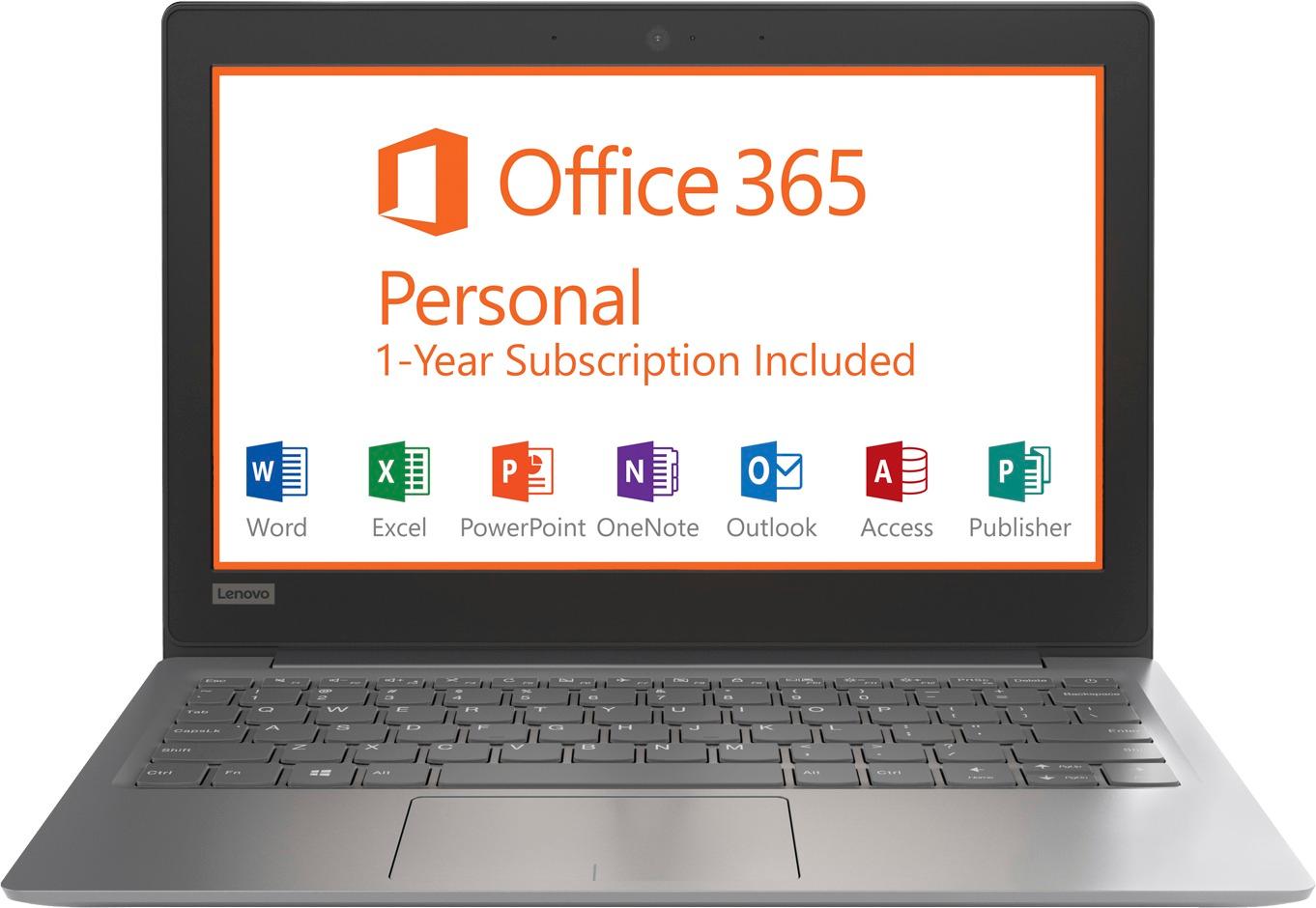
Posted .Thank you for choosing the Lenovo IdeaPad 120s-11 laptop. We are pleased to hear that the performance of the IdeaPad 120s-11 meets your computing needs so well. This is an entry level, light use computer system. It uses Windows 10 Home 64-Bit as its operating system, which requires less than 2GB of RAM to run. There is a 32GB solid state hard drive on this device for fast boot up and file recall. This device has the latest WiFi capability, with 802.11AC connectivity. There is a free 1-year subscription to Microsoft Office 365, a $69.00 value on this device. If your requirements fit this profile, this device is a good choice.

lite weight
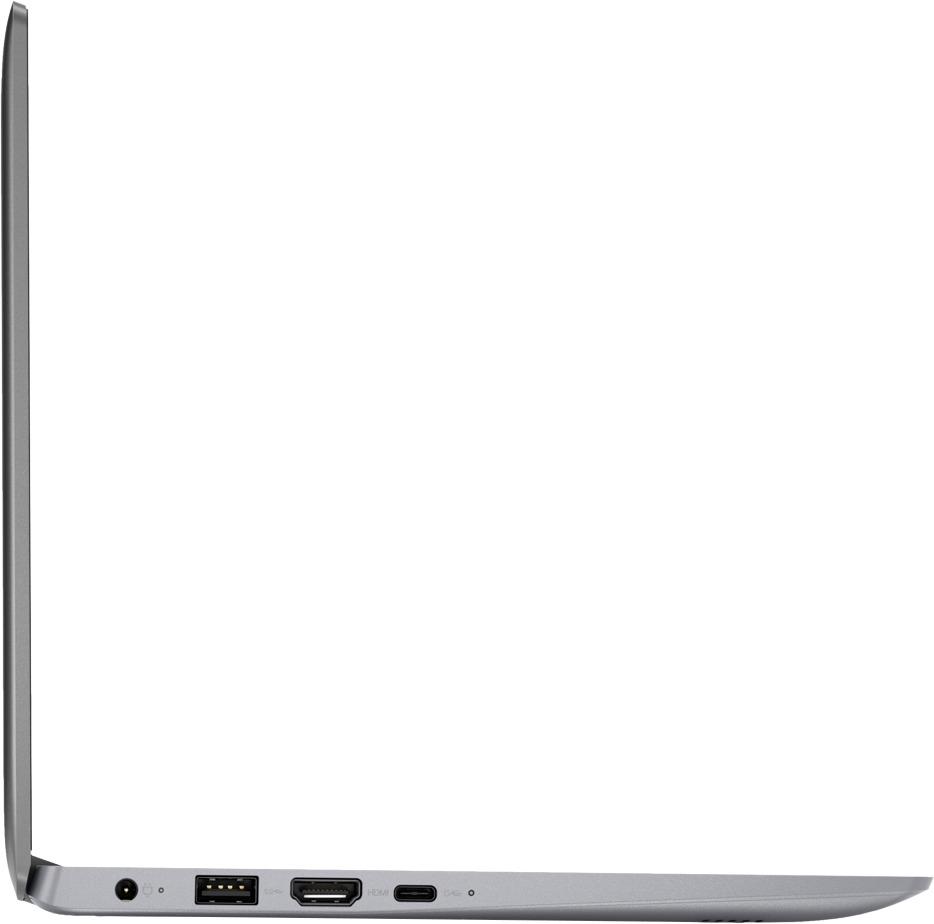
||Posted .This reviewer received promo considerations or sweepstakes entry for writing a review.does what I want and is just the right size plugs into tv with hdmi cable
I would recommend this to a friendBrand response from Lenovo Product Expert
Posted .Thank you for choosing the Lenovo IdeaPad 120s-11 laptop. We are pleased to hear that that the IdeaPad 120s-11 meets your computing needs so well. This is an entry level, light use computer system. It uses Windows 10 Home 64-Bit as its operating system, which requires less than 2GB of RAM to run. There is a 32GB solid state hard drive on this device for fast boot up and file recall. This device has the latest WiFi capability, with 802.11AC connectivity. There is a free 1-year subscription to Microsoft Office 365, a $69.00 value on this device. If your requirements fit this profile, this device is a good choice.
Great for price
||Posted .This reviewer received promo considerations or sweepstakes entry for writing a review.I purchased the ideal pad for my daughter to use at school and it is perfect!
I would recommend this to a friendBrand response from Lenovo Product Expert
Posted .Thank you for choosing the Lenovo IdeaPad 120s-11 laptop for your daughter. We are pleased to hear that the IdeaPad 120s-11 is working out so well for your daughter.
Lap top Lenovo
||Posted . Owned for more than 2 years when reviewed.This reviewer received promo considerations or sweepstakes entry for writing a review.My kids love the laptop we purchased from best buy.
I would recommend this to a friendfor the price it serves my purpose
||Posted .This reviewer received promo considerations or sweepstakes entry for writing a review.this is adequate for surfing the web and shopping as well as email
I would recommend this to a friendNice laptop
||Posted .This reviewer received promo considerations or sweepstakes entry for writing a review.I got this for my twelve yeah old son so far so good. No problems easy set up
I would recommend this to a friendBrand response from Lenovo Product Expert
Posted .Thank you for choosing the Lenovo IdeaPad 120s-11 laptop for your son. We are pleased to hear that the easy setup and performance of the IdeaPad 120s-11 meets your son's computing needs so well.
- Cons mentioned:Slow
You get what you pay for.
||Posted .This reviewer received promo considerations or sweepstakes entry for writing a review.Yes, this was a very inexpensive computer, and we definitely got what we paid for. Got this for our son to use for school assignments. This is the slowest computer I’ve ever seen, and it’s just collecting dust because it’s such a pain to use.
No, I would not recommend this to a friendBrand response from Lenovo Product Expert
Posted .This is an entry level, light use computer system with its Intel Celeron processor and 2GB of RAM. It uses Windows 10 Home 64-Bit as its operating system, which requires less than 2GB of RAM to run. There is a 32GB solid state hard drive on this device for fast boot up and file recall. This device has the latest WiFi capability, with 802.11AC connectivity. There is a free 1-year subscription to Microsoft Office 365, a $69.00 value on this device. If your requirements fit this profile, this device is a good choice.
EXCELLENT CUSTOMER SERVICE
||Posted .This reviewer received promo considerations or sweepstakes entry for writing a review.The kind gentleman that helped me was so knowledgeable on computers and the models. I got the best deal in 5min. He was also very patient and kind to the Spanish speaking families before me as he made them feel so comfortable , speaking to them in Spanish as he did. Thanks Best Buy!
I would recommend this to a friendBrand response from Lenovo Product Expert
Posted .Thank you for choosing the Lenovo IdeaPad 120s-11 laptop. We are pleased to know that the IdeaPad 120s-11 is working out so well for you.
Lenovo Ideapad
||Posted . Owned for 1.5 years when reviewed.This reviewer received promo considerations or sweepstakes entry for writing a review.This one is perfect for children who are learning at home
I would recommend this to a friendGreat for school
||Posted .This reviewer received promo considerations or sweepstakes entry for writing a review.Bought this for my son for college so far it is working great for him.
I would recommend this to a friendBrand response from Lenovo Product Expert
Posted .Thank you for choosing the Lenovo IdeaPad 120s-11 laptop for your son. We are pleased to hear that the IdeaPad 120s-11 meets your son's computing needs so well. This is an entry level, light use computer system. It uses Windows 10 Home 64-Bit as its operating system, which requires less than 2GB of RAM to run. There is a 32GB solid state hard drive on this device for fast boot up and file recall. This device has the latest WiFi capability, with 802.11AC connectivity. There is a free 1-year subscription to Microsoft Office 365, a $69.00 value on this device. If your requirements fit this profile, this device is a good choice.
Not enough space
||Posted .This reviewer received promo considerations or sweepstakes entry for writing a review.Spend a little bit more money and get something better. I returned the item.
No, I would not recommend this to a friendBrand response from Lenovo Product Expert
Posted .This is an entry level, light use system. It uses Windows 10 Home 64-Bit as its operating system, which requires less than 2GB of RAM to run. There is a 32GB solid state hard drive for quick boot up and quick loading of programs and files. If you need more storage space, there is a micro-SD card slot on this device that can be used to add more storage space. This device has the latest WiFi capability, with 802.11AC connectivity. It comes with a free 1-year subscription to Microsoft Office 365, a $69.00 value. If your requirements fit this profile, this device is a good choice.
Good Small Laptop
||Posted .This reviewer received promo considerations or sweepstakes entry for writing a review.I really liked the computer form factor and weight, and thought it would be a great alternative for taking around to do some writing and browsing. This computer's 32gb hard drive cannot even fit the updates. So you basically cannot save anything to the hard drive at all, even tiny wordpad files.
No, I would not recommend this to a friendBrand response from Lenovo Product Expert
Posted .The Lenovo IdeaPad 120s-11 laptop has a Micro-SD card slot that you can use to add more storage space to the device. You can also use external USB Flash drive or and USB-based external hard drive to add storage to this device. According to Microsoft Support, you can use an external hard drive, formatted NTFS, when downloading Windows 10 updates for the needed temporary files. Here is a link to an explanation:
https://support.microsoft.com/en-us/help/4013876/windows-10-freeing-up-space-to-install-latest-update
Great computer
||Posted .This reviewer received promo considerations or sweepstakes entry for writing a review.I loved this computer! Very small and it had included the office.
I would recommend this to a friendBrand response from Lenovo Product Expert
Posted .Thank you for choosing the Lenovo IdeaPad 120s-11 laptop. This is an entry level, light use system with its Intel Celeron processor, 2GB of RAM and a 32GB eMMC solid state hard drive. It is not meant for multi-tasking or demanding programs. It is good for Microsoft Office and light internet browsing. There is a free 1-year subscription to Microsoft Office 365 (a $69.00 value). If this describes your computing needs, the IdeaPad 330-15 would be a good choice.
Small but gets it done!
||Posted .This reviewer received promo considerations or sweepstakes entry for writing a review.Dispite the size...it gets the job done. Comes highly recommended.
I would recommend this to a friendBrand response from Lenovo Product Expert
Posted .Thank you for choosing the lenovo IdeaPad 120s-11 laptop. This is an entry level, light use computer system. It uses Windows 10 Home 64-Bit as its operating system, which requires less than 2GB of RAM to run. There is a 32GB solid state hard drive on this device for fast boot up and file recall. This device has the latest WiFi capability, with 802.11AC connectivity. There is a free 1-year subscription to Microsoft Office 365, a $69.00 value on this device. If your requirements fit this profile, this device is a good choice.
Ok
||Posted .This reviewer received promo considerations or sweepstakes entry for writing a review.I. Rought threw of these for my children for christmas. It is ok for the money. Takes a long time to boot. Not recommended for office work but perfectly fine for school work. I had to call Lenovo because the sound stopped working after about a month in one of them and we had to reinstall the driver.
I would recommend this to a friendBrand response from Lenovo Product Expert
Posted .The IdeaPad 120s-11 laptop should boot from off in less than 20 seconds. There are Lenovo utilities on this device that can help you check the health of the device and keep software updated. Type "Lenovo Vantage" in the Cortana Search window. Select Lenovo Vantage from the list. In the window that opens, click on "Health and Support". In the expanded menu, select "Hardware Scan" In the window that opens, select "Run Quick Tests". This will scan your entire system for errors. Follow any directions that may pop up. If the problem continues after this scan, now click on "System Update". First select Windows update from the menu. Scan your system to be sure you have the latest version of Windows 10. Once that scan is complete, select "Additional Updates". This will scan your device to be sure there are no new BIOS/Driver updates needed. Follow any instructions that may pop up. If the issue still continues after these updates, we recommend you call Lenovo Tech Support at: 877-453-6686 for additional help.
Great laptop for specific use
||Posted .This reviewer received promo considerations or sweepstakes entry for writing a review.I picked this up since it was the cheapest one I could find. I can’t use my Mac for the program I need to run to tune my car. So I picked this up for that purpose only. I haven’t used this to it’s full capability. But for what I use it for it works perfectly.
I would recommend this to a friend