Customer Ratings & Reviews



- Model:
- 81A40025US
- SKU:
- 6061800
Rating by feature
- Battery Life
Rating 4.7 out of 5 stars
- Speed
Rating 3.8 out of 5 stars
- Value
Rating 3.6 out of 5 stars
Customers are saying
Customers love the IdeaPad 11.6" Laptop for its budget-friendly price, portability, and lightweight design. Many reviewers mentioned that it is a great laptop for basic tasks and everyday use. However, some customers expressed concerns about its limited storage space, slow performance, and low memory, which may not be suitable for more demanding tasks or multitasking.
This summary was generated by AI based on customer reviews.
great computer
Posted .This reviewer received promo considerations or sweepstakes entry for writing a review.I have had this computer for over 5 years, I still have it and still use it for a lot of things. I have so many pictures on it, as well as documentation - and it has so much memory leftover. I use it for personal and leisure, here and there. The battery and charger still work well. I don't really notice a difference from day 1 to 5+ years later. I did replace the charger recently only because I miss placed the original, so now I have two. but everything still works smoothly! I had an issue with it year three - about it being a little slow, but geek squad looked it over and fixed it in 1 hr, and i was able to pick it back up. No other issues! highly reccomend
I would recommend this to a friend- Cons mentioned:Storage
Storage
Posted .This reviewer received promo considerations or sweepstakes entry for writing a review.bought this laptop for my little brother. He just needed it to use browser to access google classroom and basic apps like word, excel, etc. Laptop arrived in great condition. Turned it on, did set up, laptop started upgrading to newest version of windows and it failed with the error message saying it doesn't have enough space to install new updates. I guess having even basic apps is far fetched when you cannot even upgrade OS.
No, I would not recommend this to a friend - Cons mentioned:Ram, Storage
Not a Chromebook Killer
Posted .This reviewer received promo considerations or sweepstakes entry for writing a review.I bought this for my grandmother to just try as her computer is still running XP. The RAM is adequate for a Chromebook, not a full Windows OS computer. Storage is another issue. It only had 14 gb left when I got it up in running, not a good start to what looked promising. This would be better than a chromebook since you can run other programs, but with this storage, there's no point of buying this laptop anymore. I would just stick to chromebooks for this price-point.
No, I would not recommend this to a friendBrand response from Lenovo Product Expert
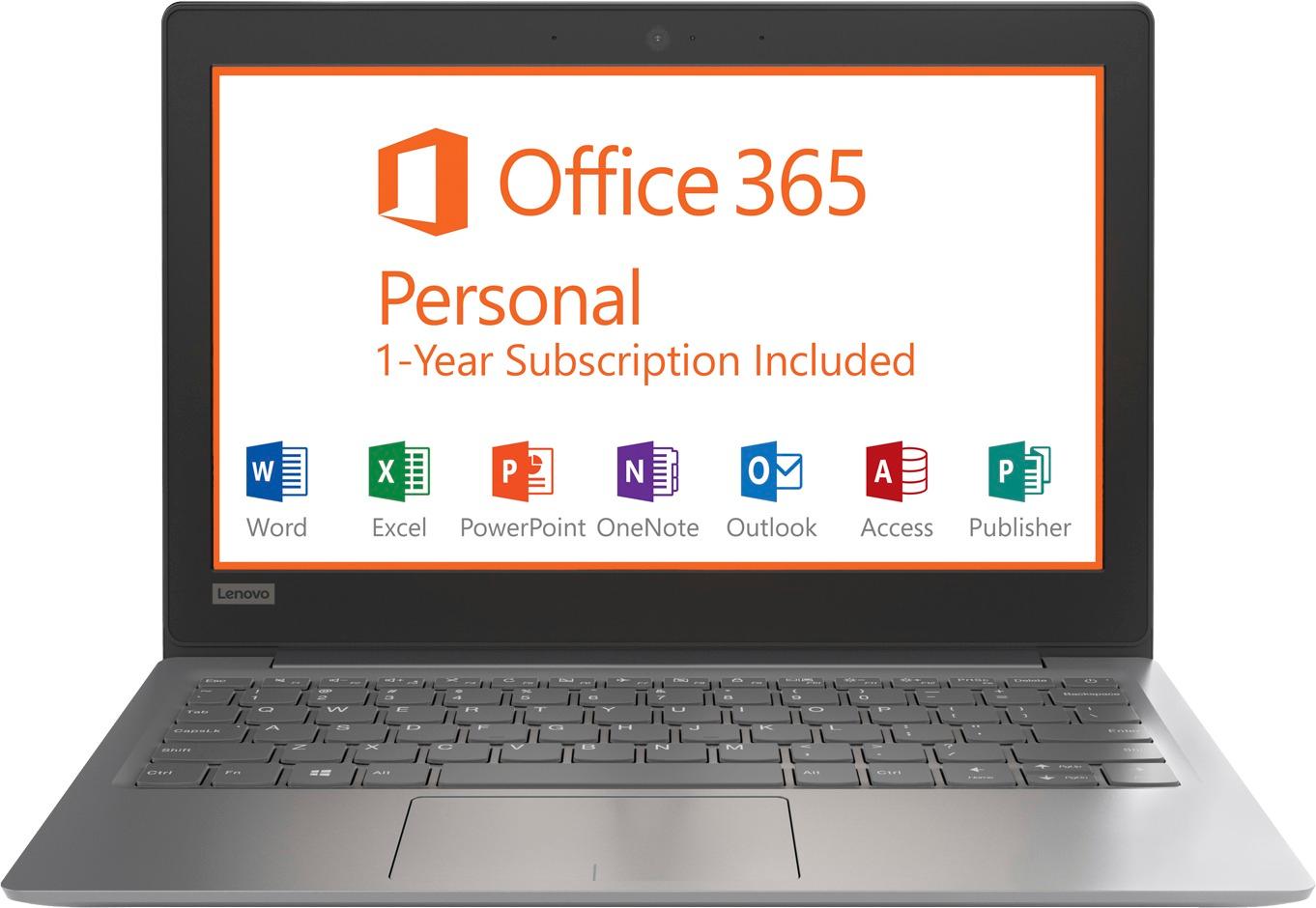
Posted .This is an entry level, light use system. It uses Windows 10 Home 32-Bit as its operating system, which requires less than 1GB of RAM to run. There is a 32GB solid state hard drive for quick boot up and quick loading of programs and files. If you need more storage space, there is a Micro-SD card slot that can be used to add storage space. This device has the latest WiFi capability, with 802.11AC connectivity. It comes with a free 1-year subscription to Microsoft Office 365, a $69.00 value. If your requirements fit this profile, this device is a good choice.

- Pros mentioned:Price
Great price
Posted .This reviewer received promo considerations or sweepstakes entry for writing a review.Pricing was to good to pass up on love it and it very conscientious
I would recommend this to a friend - Pros mentioned:Light weight
Lenovo
Posted .This reviewer received promo considerations or sweepstakes entry for writing a review.It is just perfect, battery life is good. It's light weight. I recommend to everyone to buy it.
I would recommend this to a friendBrand response from Lenovo Product Expert
Posted .Thank you for choosing the Lenovo IdeaPad 120s-11 laptop. We are pleased to hear that the features and performance of the IdeaPad 120s-11 meets your computing needs so well.
Nice but slow
Posted .This reviewer received promo considerations or sweepstakes entry for writing a review.This is a very nice computer. As far as looks anyway. Since purchasing, I've only been able to search the internet and accomplish a task once. The Internet is so slow, and now I am unable to open it. Windows 10 will not update, I've tried many times. I even tried rebooting and it still won't update. I can't open emails from my Gmail account. I was surprise when that loaded. But then stopped running. I feel like it wasn't worth the money. I don't do gaming. I have no music saved. Can't get to anything. I've read that there are steps I can take to speed it up. Doesn't work. I shouldn't have to spend more money just to be able to search the internet. I paid $330 for my ideapad. I read that its good if you want only to do small tasks. That's just perfect for me. However, I can't even do that.
No, I would not recommend this to a friendBrand response from Lenovo Product Expert
Posted .This is an entry level, light use system. Be sure any software you installed is compatible with Windows 10. There is no need to install Microsoft Office software. The software is already part of the operating system, you just need to activate the software with a purchased product key. If you have installed a copy of Microsoft Office, this is conflicting with the existing copy on the system and this will slow your system down. If you have installed a 3rd party anti-virus program, be sure that Windows Defender is turned off and that the trial version of McAfee Anti-Virus software is uninstalled. There can only be one anti-virus program on the system. You may need to restore your system to original factory default settings if any of the programing errors have occurred. You can do that by typing "restore" in the Cortana search window. Just click on the magnifying glass icon at the bottom left of your Windows 10 Desktop. Click on "Reset This PC" Then click on "Get Started" and follow the on screen directions to restore to factory defaults.
- Pros mentioned:Portable, Price
Lenovo netbook
Posted .This reviewer received promo considerations or sweepstakes entry for writing a review.If you’re looking for a cheap, lightweight “netbook” that you don’t mind if it gets tossed around or stolen, this is a great product! (browse internet, check emails, used Microsoft Word/PowerPoint/Excel) I brought this netbook along with me when I didn’t want to take my more valuable personal or work laptop. Great price for what it does!
I would recommend this to a friend - Cons mentioned:Performance, Ram, Storage
Place a bet on horses instead
Posted .This reviewer received promo considerations or sweepstakes entry for writing a review.Absolute garbage of a product. No ability to upgrade RAM. As for the 32 GB of memory, when I bought my brand new computer, I was already down to a maximum of 27.5 GB. Add in all of the malware they pre install and I am left with a "whopping" 11.5 GB before doing anything. So, around $20 a GB of actual useful memory and RAM that will create a lag of 5-10 seconds to open any page. Try opening ESPN and you might as well take a coffee break as the page will take minutes to completely load. Pathetic product at the absolute best. I would rather smash the thing with a hammer as that would bring more satisfaction than this absolute waste of technology.. This was my one Lenove purchase and I can honestly say, NEVER AGAIN!
No, I would not recommend this to a friendBrand response from Lenovo Product Expert
Posted .This is an entry level, light use computer system. It uses Windows 10 Home 64-Bit as its operating system, which requires less than 2GB of RAM to run. There is a 32GB solid state hard drive on this device for fast boot up and file recall. If you need more storage space for this device, there is a Micro-SD card slot that can be used to add more storage space to the device. This device has the latest WiFi capability, with 802.11AC connectivity. There is a free 1-year subscription to Microsoft Office 365, a $69.00 value on this device. If your requirements fit this profile, this device is a good choice.
I love my Lenovo
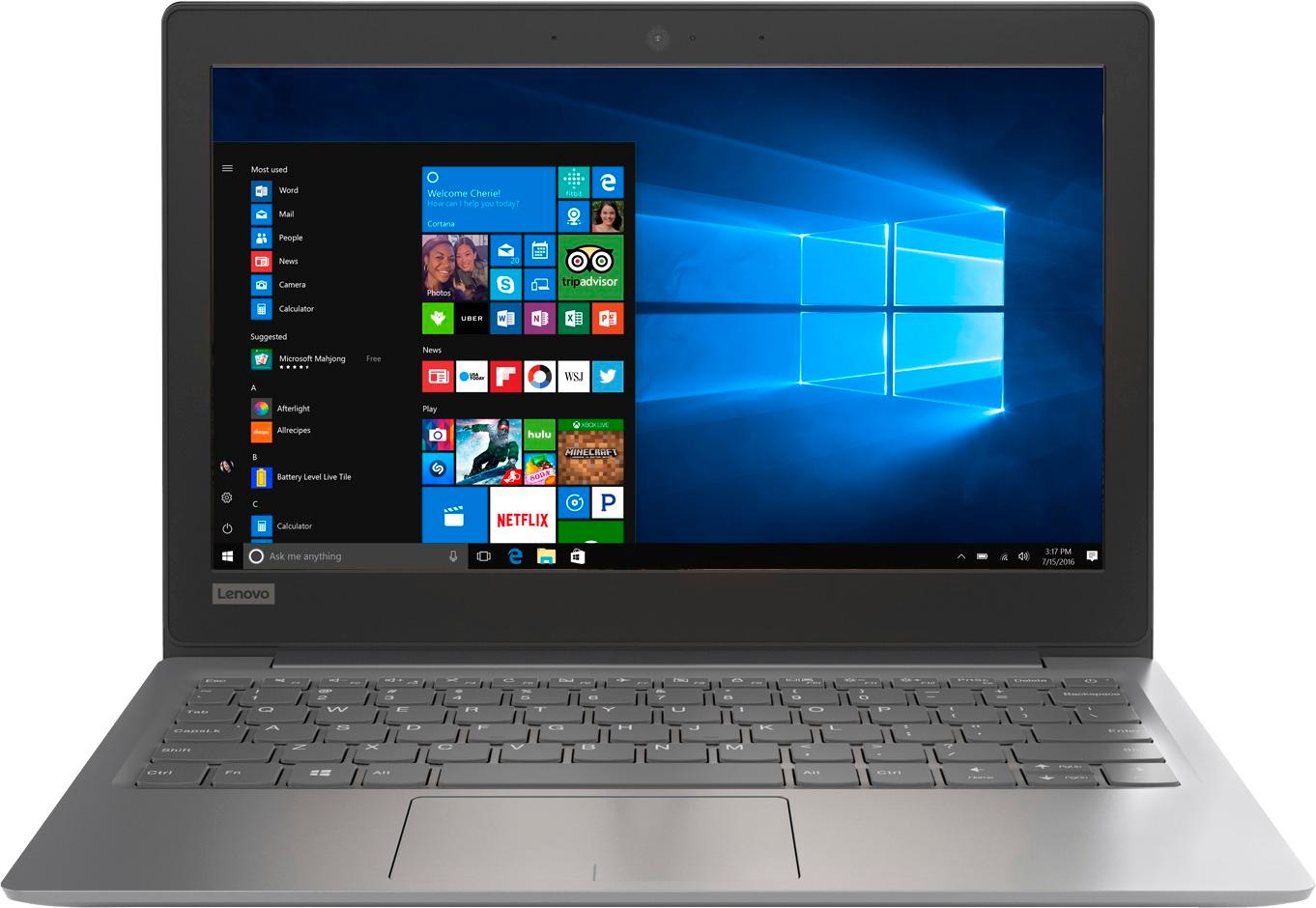
Posted .This reviewer received promo considerations or sweepstakes entry for writing a review.I bought my Lenovo - IdeaPad 11.6" Laptop - Intel Celeron - 2GB Memory - 32GB eMMC Flash Memory - Mineral Gray for my nice and she has been using it without any problem.
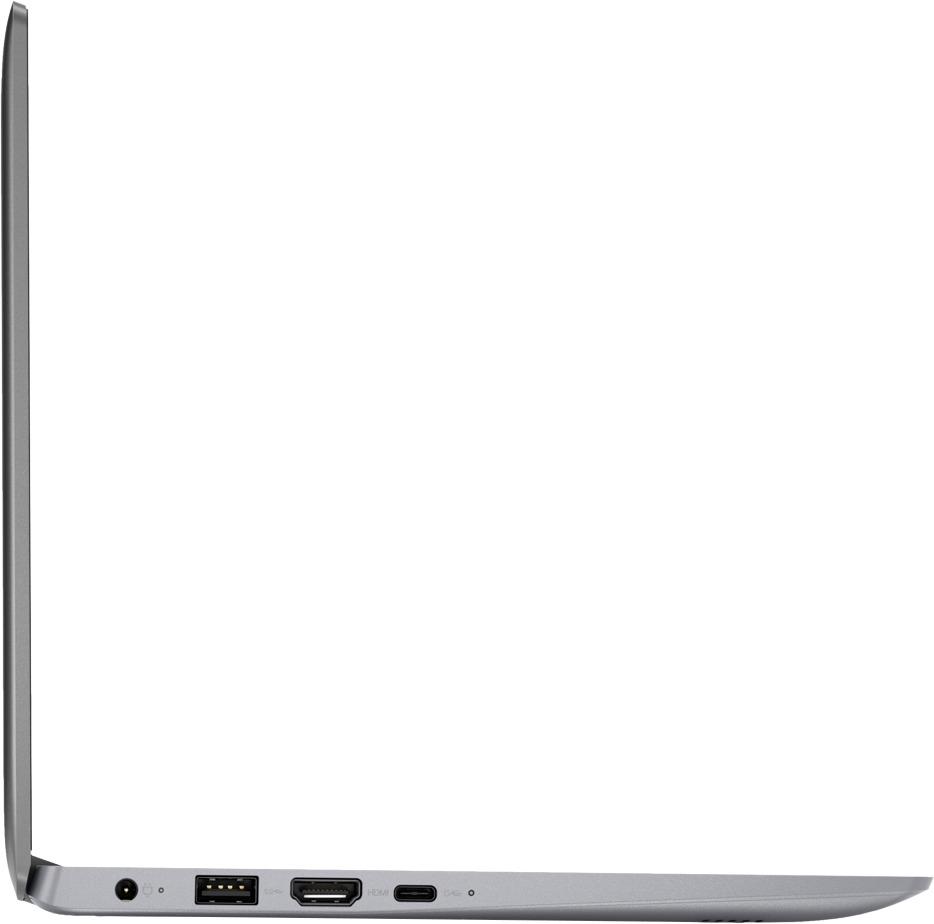
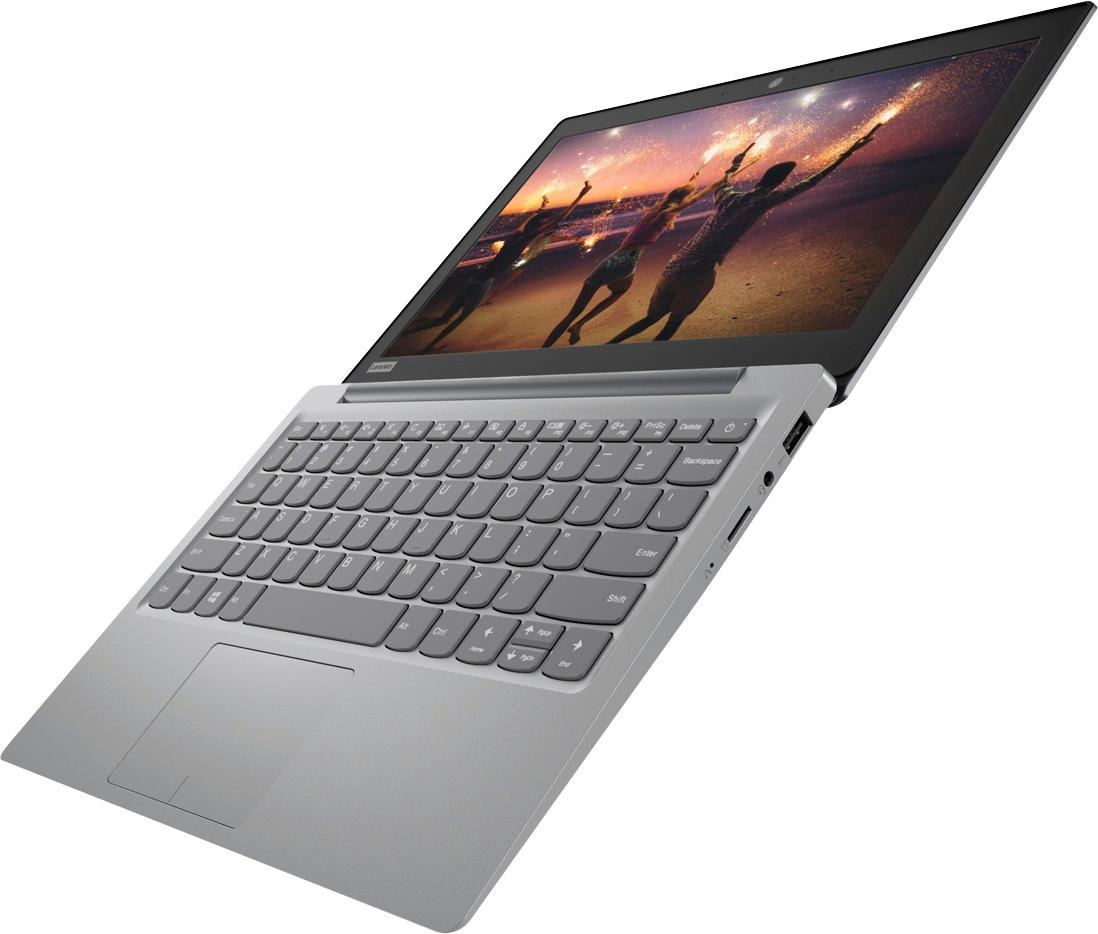
I would recommend this to a friendNice and small, lightweight, good port selection.
Posted .This reviewer received promo considerations or sweepstakes entry for writing a review.Small and very light. Screen is on the cheaper side but for the price it's decent and decently bright too. Having a battery issue though. When plugged in it says 100% but as soon as I pull the charger it dies. Won't turn on at all without being plugged in (just got it today).
I would recommend this to a friendBrand response from Lenovo Product Expert
Posted .We are sorry to hear that you are having battery charging issues with your IdeaPad 120s-11 laptop. We recommend you call Lenovo Tech Support at: 877-453-6686.
- Cons mentioned:Slow, Storage
Not worth a quater of the cost
Posted .This reviewer received promo considerations or sweepstakes entry for writing a review.This piece of garbage is worth more for scrap than it is a computer. I got the laptop on sale for $100 dollars. I am a high school student who works less than 24 hrs a week so I needed something cheap that could get the job done and this is definitely not it. The computer can not even start up without intense lag or even watch a YouTube video on 144p without freaking out and having the video fall behind the audio. I downloaded Spotify and it can’t even run that without freaking out(It lags like crazy and runs the cpu is to 100% when nothing else is even opened). If I have even a single application open the computer’s cpu goes all the way up to 100% instantaneously. Also, after a quarter of high school and having about 10 documents no more than 3 pages each, the computer is giving me low storage warnings. Every time I start up the computer it wants me to download an update that needs at least 8GB. Which is far more than this thing even has initially. All in all, do not buy this for anybody unless you sincerely hate the person. There is also a line of dust that always appears on the exact same spot on the screen. Which is probably fie to the fact that when it closes, it never leaves a deal like a laptop is SUPPOSED TO.
No, I would not recommend this to a friendBrand response from Lenovo Product Expert
Posted .We are sorry to hear you are having issues with your Lenovo IdeaPad 120s-11 laptop. This system is built to boot up in less than 20 seconds from the off position. Be sure any programs you have installed are compatible with Windows 10 and this system's specific configuration. You can check the health of this device and look for software updates by using Lenovo utilities installed on the device. Type "Lenovo Vantage" in the Cortana Search window. Select Lenovo Vantage from the list. In the window that opens, click on "Health and Support". In the expanded menu, select "Hardware Scan" In the window that opens, select "Run Quick Tests". This will scan your entire system for errors. Follow any directions that may pop up. If the problem continues after this scan, now click on "System Update". First select Windows update from the menu. Scan your system to be sure you have the latest version of Windows 10. Once that scan is complete, select "Additional Updates". This will scan your device to be sure there are no new BIOS/Driver updates needed. Follow any instructions that may pop up. If the issue still continues after these updates, we recommend you call Lenovo Tech Support at: 877-453-6686 for additional help.
Great Size, Microsoft Not As Advertised
Posted .This reviewer received promo considerations or sweepstakes entry for writing a review.I love the size of the device. It is perfect for my purposes. However, I was told that I would have a year's subscription of 365 and when I loaded it, the subscription was only for 6 months. The Windows suite was part of the selling point for this device over the Chromebook I was considering.
No, I would not recommend this to a friendBrand response from Lenovo Product Expert
Posted .We are sorry to hear that there is an issue with the free 1-year subscription of Microsoft Office 365. We recommend you call Lenovo Tech Support at: 877-453-6686.
Little bit old review
Posted .This reviewer received promo considerations or sweepstakes entry for writing a review.Excellent product, meet all the standards and satisfies me.
I would recommend this to a friend- Pros mentioned:Price
Great Budget Laptop/Chromebook Replacement
Posted .This reviewer received promo considerations or sweepstakes entry for writing a review.Bought as an open box special for $90 and love it. While not a power house, I bought it to replace my aging Chromebook. It's good enough for web surfing/basic word processing. The 32GB internal drive is pretty meager, but I ended up buying a slim 64GB USB 3.0 flash drive for $20 that I leave in it full time for extra storage. All in all no major complaints given the very cheap initial price tag.
I would recommend this to a friendBrand response from Lenovo Product Expert
Posted .Thank you for choosing the Lenovo IdeaPad 120s-11 laptop. We are pleased to hear that the IdeaPad 120s-11 meets your computing needs so well.
- Pros mentioned:Light weight, Price
Great product
Posted .This reviewer received promo considerations or sweepstakes entry for writing a review.This laptop is exactly what i'm looking for. Lightweight and not so expensive.
I would recommend this to a friendBrand response from Lenovo Product Expert
Posted .Thank you for choosing the Lenovo IdeaPad 120s-11 laptop. We are pleased to hear that the value and performance of the IdeaPad 120s-11 meets your computing needs so well.
- Pros mentioned:Price
exciting
Posted .This reviewer received promo considerations or sweepstakes entry for writing a review.This is my second laptop in the 11 inch size. My other is a dell. This lenova is pretty snappy. I tried youtube and it loads pretty quick. For $139 it is amazing. I am pretty amazed for the price and speed. I didn't do any updates to it. I left the operating system as it is from the factory. For an entry level laptop, this is pretty good. Quick and small.
I would recommend this to a friendBrand response from Lenovo Product Expert
Posted .Thank you for choosing the Lenovo IdeaPad 120s-11 laptop. We are pleased to hear that the IdeaPad 120s-11 is working out so well for you.
- Cons mentioned:Slow
Too Slow
Posted .This reviewer received promo considerations or sweepstakes entry for writing a review.Big Lenovo Fan, and purchased this machine on Black Friday for $99. Build quality is nice, great size and light but the thing is just too slow for general tasks. I checked the CPU while running just the OS and Chrome and it was over 100%. While returned, I validated the floor model was performing just as poorly.
No, I would not recommend this to a friendBrand response from Lenovo Product Expert
Posted .This is an entry level, light use system. It uses Windows 10 Home 64-Bit as its operating system, which requires less than 2GB of RAM to run. There is a 32GB solid state hard drive for quick boot up and quick loading of programs and files. This device has the latest WiFi capability, with 802.11AC connectivity. It comes with a free 1-year subscription to Microsoft Office 365, a $69.00 value. If your requirements fit this profile, this device is a good choice.
- Cons mentioned:Slow, Storage
Horrible laptop, so disappointed
Posted .This reviewer received promo considerations or sweepstakes entry for writing a review.The price hooked me into this awful thing. I planned to use it for school and I'm regretting this purchase. The laptop worked good for a couple months then it just kept getting slower and slower and now it's basically unusable. I can't even change the volume without it freezing sometimes. Also, the CPU is ALWAYS at 100%. I checked the storage and it's not even half full. I tried deleting temporary files and that did not help either. I wouldn't pay $5 for this laptop if I would have know what it was like. Just splurge a little more if you need a decent laptop.
No, I would not recommend this to a friendBrand response from Lenovo Product Expert
Posted .We are sorry to hear that you are having issues with your Lenovo IdeaPad 120s-11 laptop. Obviously, your system should not be freezing up. Be sure any software you installed is compatible with Windows 10. There is no need to install Microsoft Office software. The software is already part of the operating system, you just need to activate the software with a purchased product key. If you have installed a copy of Microsoft Office, this is conflicting with the existing copy on the system and this will slow your system down. If you have installed a 3rd party anti-virus program, be sure that Windows Defender is turned off and that the trial version of McAfee Anti-Virus software is uninstalled. There can only be one anti-virus program on the system. You may need to restore your system to original factory default settings if any of the programing errors have occurred. You can do that by typing "restore" in the Cortana search window. Just click on the magnifying glass icon at the bottom left of your Windows 10 Desktop. Click on "Reset This PC" Then click on "Get Started" and follow the on screen directions to restore to factory defaults. If the problem persists, we recommend you contact Lenovo Tech Support at: 877-453-6686.
- Cons mentioned:Performance, Storage
Terrible laptop even for a kid
Posted .This reviewer received promo considerations or sweepstakes entry for writing a review.The 32GB eMMC storage in this computer is a joke, the Windows system already takes up 25GB and just with a few windows opened in your browser and it will tell you that you don't have enough memory to keep working. The only thing I have installed was Office and Chrome. Even for less than $160, you will end up hating this laptop as soon as you use it. It's a shame because it's very light.
No, I would not recommend this to a friendBrand response from Lenovo Product Expert
Posted .This system ships with a free 1-year subscription of Microsoft Office 365. If you have installed another copy of Office on the device, this could cause the device to malfunction. We recommend you uninstall the copy of Microsoft Office you have installed.
- Cons mentioned:Slow, Storage
Get what you Pay for
Posted .This reviewer received promo considerations or sweepstakes entry for writing a review.Pretty much junk. It is extremely slow, has connection problems to Wi-Fi repeatedly, and has absolutely NO storage! I rarely use this laptop as internet is extremely slow on it, as well as connection problems, and can't store any school work. Pros-I got it in a pretty red color, very lightweight, long battery. Overall tho not practical or functional.
No, I would not recommend this to a friendBrand response from Lenovo Product Expert
Posted .This is an entry level, light use computer system. It uses Windows 10 Home 64-Bit as its operating system, which requires less than 2GB of RAM to run. There is a 32GB solid state hard drive on this device for fast boot up and file recall. If you need more storage space for this device, there is a Micro-SD card slot that can be used to add more storage space. This device has the latest WiFi capability, with 802.11AC connectivity. There is a free 1-year subscription to Microsoft Office 365, a $69.00 value on this device. If your requirements fit this profile, this device is a good choice.