Customer Ratings & Reviews



- Model:
- 81A40025US
- SKU:
- 6061800
Rating by feature
- Battery Life
Rating 4.7 out of 5 stars
- Speed
Rating 3.8 out of 5 stars
- Value
Rating 3.6 out of 5 stars
Customers are saying
Customers love the IdeaPad 11.6" Laptop for its budget-friendly price, portability, and lightweight design. Many reviewers mentioned that it is a great laptop for basic tasks and everyday use. However, some customers expressed concerns about its limited storage space, slow performance, and low memory, which may not be suitable for more demanding tasks or multitasking.
This summary was generated by AI based on customer reviews.
- Cons mentioned:Slow
New Laptop Perfromance
Posted .This reviewer received promo considerations or sweepstakes entry for writing a review.Just received this Lenovo Ideapad Laptop. Set up the new laptop and have found a couple issues that should be taken into consideration if you looking to get this unit. I'm displeased with the overall performance even thought it is an entry level computer. I just wanted to use this as a basic unit for checking email and some web browsing, I'm not doing any shuttle launches or gaming.. I have found the overall performance less than what I expected. The unit is Slow and a total Memory Hog. Still in the learning curve. I hope my experience improves over time, but I'm not that impressed so far...
No, I would not recommend this to a friendBrand response from Lenovo Product Expert
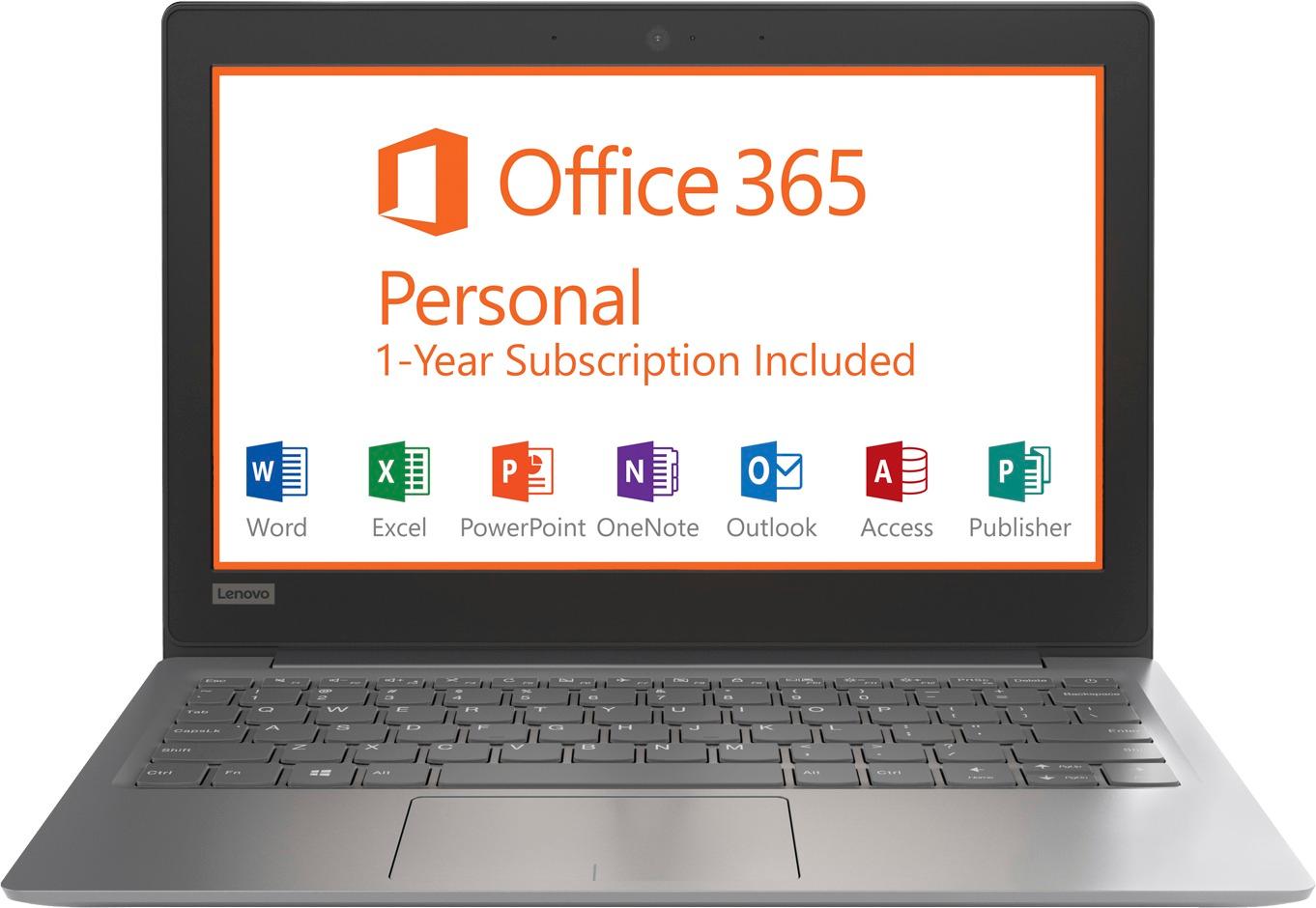
Posted .This is an entry level, light use system. It uses Windows 10 Home 64-Bit as its operating system, which requires less than 2GB of RAM to run. There is a 32GB solid state hard drive for quick boot up and quick loading of programs and files. This device has the latest WiFi capability, with 802.11AC connectivity. It comes with a free 1-year subscription to Microsoft Office 365, a $69.00 value. If your requirements fit this profile, this device is a good choice.

- Cons mentioned:Storage
The processor is super slow.
Posted .This reviewer received promo considerations or sweepstakes entry for writing a review.No, they're not good. Manufacturers use Celeron processors to balance the cost of low-end laptops. I have a Lenovo IdeaPad 100S, and it has a Celeron processor. It is not good. Opening more than one page open in Chrome will slow it down to a crawl. On YouTube I can watch videos @ 1080p, but it would buffer, 720p works normal. Good luck try to play modern games, the specs are terrible, (And before you say it, it "could" run Crysis) unless you're using it to play GTA: SA. Also you probably wouldn't be able to install the games, you wouldn't have enough storage to download them. You have a 32 gig drive. Even common apps will fill that drive up. Trying to download a game from Steam is like trying to fit an elephant in a briefcase. These specs would be good for running Windows Vista/7, but really terrible for modern operating systems. I suggest you spend a little more for a i7, you'll like it. Cheap doesn't always mean good.
No, I would not recommend this to a friendBrand response from Lenovo Product Expert
Posted .This is an entry level, light use computer system. It uses Windows 10 Home 64-Bit as its operating system, which requires less than 2GB of RAM to run. There is a 32GB solid state hard drive on this device for fast boot up and file recall. This device has the latest WiFi capability, with 802.11AC connectivity. There is a free 1-year subscription to Microsoft Office 365, a $69.00 value on this device. If your requirements fit this profile, this device is a good choice.
- Pros mentioned:Light weight
Terrible Wi-Fi connectivity
Posted .This reviewer received promo considerations or sweepstakes entry for writing a review.Let's start with the pros: it's light, compact, newest OS, and a great price. Cons: the processor is slow, which might be fine if you're not doing a ton of things at the same time, or any kind of gaming. I needed this for light internet browsing and didn't need a ton of storage capability, so I thought this would hit the mark. The other massive con is that the wi-fi connectivity is terrible. Unless I'm in the same room as my router at home, it won't even find the network. In contrast, I have 2 other latpops, mulitple tablets and cell phones, and they all connect no problem, even on different floors of the house and the yard. Wish I had realized sooner, while it was still in the return window!
No, I would not recommend this to a friendBrand response from Lenovo Product Expert
Posted .We are sorry to hear that you are having issues with WiFi connectivity with your Lenovo IdeaPad 120s-11. This device uses the latest and fastest WiFi frequency, 802.11AC. Though it is backward compatible to b/g/n frequencies, be sure your router has the latest firmware updates to take advantage of the speed of 802.11AC WiFi. Check your router manufacturer's web site for firmware updates for your model. Additionally, this device has Lenovo utilities installed to help maintain the health of the device and keep the operating software up to date. Type "Lenovo Vantage" in the Cortana Search window. Select Lenovo Vantage from the list. In the window that opens, click on "Health and Support". In the expanded menu, select "Hardware Scan" In the window that opens, select "Run Quick Tests". This will scan your entire system for errors. Follow any directions that may pop up. If the problem continues after this scan, now click on "System Update". First select Windows update from the menu. Scan your system to be sure you have the latest version of Windows 10. Once that scan is complete, select "Additional Updates". This will scan your device to be sure there are no new BIOS/Driver updates needed. Follow any instructions that may pop up. If the issue still continues after these updates, we recommend you call Lenovo Tech Support at: 877-453-6686 for additional help.
- Cons mentioned:Slow
Good for chrome casting
Posted .This reviewer received promo considerations or sweepstakes entry for writing a review.It was a thanksgiving sale so decided to get this for 100. Still works although slow
I would recommend this to a friend - Cons mentioned:Low memory
Running out of memory, no data, no extra softwares
Posted .This reviewer received promo considerations or sweepstakes entry for writing a review.Only 2GB left out of 32GB. I have no data or softwares. Windows is unable to install updates due to low memory. Not sure if others are facing the same.
No, I would not recommend this to a friendBrand response from Lenovo Product Expert
Posted .Thank you for choosing the Lenovo IdeaPad 120s-11 laptop. If you use a Flash Drive you can add extra storage for things like Windows 10 updates.
Good when it works
Posted .This reviewer received promo considerations or sweepstakes entry for writing a review.I got this laptop for my daughter for her school work in Nov 2016 (White), it was working well, a bit slow to start (expected), but once it started there were no issues to get connected to the internet or use Office 365. In Dec 2017, all of a sudden, one day, the power LED was off, when connected to charge. Battery was not charging. Thought it was the power adapter issue and bought a new power adapter from Amazon for $20. Even with the new power adapter the power on LED not the charge light was glowing. When searched on internet, I found 1000s of unsatisfied customer who had this power issue after the first year. Calling Lenovo was of no use, they said it was out of warrently and asked me to take it back to best buy. Obviously best buy would not do anything, as I do not have Geek squad coverage. So this left me in a very high disappointing state. So if you are planning to use it for only a year, then buy it. Else for a $200 laptop, plan to buy a warranty for half its price. Lost confidence in Lenovo portable laptops. My son's similar laptop from a different manufacturer is just working fine. 2*s taken out for power failure issue in 15 months (maybe it is the motherboard or power module), 2* taken out for Lenovo not fixing it.
No, I would not recommend this to a friend- Cons mentioned:Storage
Cost effective for basic tasks
Posted .This reviewer received promo considerations or sweepstakes entry for writing a review.Decent travel pc for basic activities. Reaches hdd capacity very quickly
I would recommend this to a friend - Cons mentioned:Storage
Piece of Junk
Posted .This reviewer received promo considerations or sweepstakes entry for writing a review.Stay away from this piece of junk! It only comes with 32GB storage memory. For a minimalist laptop I thought that would be sufficient. However, Windows 10 alone takes almost 15GB of that storage! The rest of the bloatware they stuff into this machine takes another 13GB leaving only 4GB for MY stuff! Even worse (yes, it really does get worse), when Windows 10 tries to update itself, it complains that it can't because it needs 8GB of storage to work with. So even brand new, out of the box Lenovo didn't leave enough room for Windows 10 to update itself. Further, the thing is now stuck in "Getting Windows ready" where it has been for HOURS! This thing is just an aggravating waste of money.
No, I would not recommend this to a friendBrand response from Lenovo Product Expert
Posted .According to Microsoft Support, you can use an external hard drive when downloading Windows 10 updates for the needed temporary files. Here is a link to an explanation:
https://support.microsoft.com/en-us/help/4013876/windows-10-freeing-up-space-to-install-latest-update. To clear the "Getting Windows Ready" loop, this system is equipped with OneKey Recovery System. There is a very small pin hole on the right side of the device, right near the Micro-SD card slot on the device. You will need a pin to push this reset button. Plug the device in. Let the battery charge for about 15 minutes. Push the reset button. The system should boot to a choice screen where you can choose "Restore To Factory Default". Select this. It will delete everything from the hard drive except the original factory install of the operating system. You will need to reinstall all programs and files after the reset. If you don't have copies of the files, try to make one before you restore by selecting "Boot to desktop" and trying to back up your files. If the problem persists after the factory reset, we recommend you contact Lenovo Tech Support at: 877-453-6686.
Good travel laptop
Posted .This reviewer received promo considerations or sweepstakes entry for writing a review.Great laptop for ease of access to files and typing. Would not recommend if you did anything beyond that.
I would recommend this to a friend- Cons mentioned:Storage
Laptop can't even apply its own security updates
Posted .This reviewer received promo considerations or sweepstakes entry for writing a review.I purchased this laptop as a travel companion for quick, lightweight access to email and web browsing. The fact that Windows was included was a plus since many of my apps aren't functional on Chromebook. While the design is great, the core function of the laptop is flawed. In an attempt to update the laptop, I was unable to complete security updates on the device since the 32gb was already near full. I even stripped many applications off to free up space and nothing worked. These will soon become the most vulnerable machines in the marketplace if security updates cant be applied. Additionally, the hard-drive and memory are soldered in. This is a throw-away device.
No, I would not recommend this to a friendBrand response from Lenovo Product Expert
Posted .We are sorry to hear that you are having issues with the Lenovo IdeaPad 120-11 laptop. You mention APPs you have installed on the device, it sounds like those APPs are filling up the hard drive. You should be able to update the McAfee Anti-Virus software on this device. Try uninstalling the APPs you have installed, then update the McAfee Security software. There is a micro-SD card slot on the device that can be used to add more storage. See if your APPs will allow you to install them on the micro-SD card.
Love small sleek look.
Posted .This reviewer received promo considerations or sweepstakes entry for writing a review.Works great but only issue I have that it said it comes with 1 yr Microsoft office but when I activated it. The software actually expires in 6 months..
I would recommend this to a friendBrand response from Lenovo Product Expert
Posted .Thank you for choosing the Lenovo IdeaPad 120s-11. This system ships with a Free 1-year subscription to Microsoft Office 365. We recommend you contact Microsoft about this. Here is a link to the Microsoft Office 365 web page, you can chat online with Microsoft support staff: https://www.microsoft.com/en-us/p/office-365-home/cfq7ttc0k5dm?activetab=pivot%3aoverviewtab
- Cons mentioned:Low memory
Not even a beginner laptop
Posted .This reviewer received promo considerations or sweepstakes entry for writing a review.The machine only lasted 2 weeks after purchase. The very first Win10 update (#1709) crashed because of low disk memory, even with the aid of a flash drive helping with the installation. Windows needed space and forced several apps that came with the machine to be uninstalled to free up space. Bottom line 32GB is too low for Win10 and if you download FB and Firefox you are pretty much done with the remainder of the memory. Invest a bit more in a better machine. Too bad for Lenovo to build this useless machine. Very bad impression from a first time Lenovo buyer. No point getting this product at any price.
No, I would not recommend this to a friendBrand response from Lenovo Product Expert
Posted .This is an entry level, light use computer system. It uses Windows 10 Home 64-Bit as its operating system, which requires less than 2GB of RAM to run. There is a 32GB solid state hard drive on this device for fast boot up and file recall. This device has the latest WiFi capability, with 802.11AC connectivity. There is a free 1-year subscription to Microsoft Office 365, a $69.00 value on this device. If your requirements fit this profile, this device is a good choice.
- Cons mentioned:Storage
Nothing but frustration!
Posted .This reviewer received promo considerations or sweepstakes entry for writing a review.I only needed a basic laptop as I recently purchased a tablet that accomplished most of my needs, but this was ridiculous. From the first time I plugged it in, the storage was already full and I couldn't even update Windows even though I repeatedly got messages to do so. Constant error that there was not enough available storage. Office 365 subscription offered free for a year, but no storage for it so why offer? Was told by Lenovo support to buy an external hard drive, but then found out after purchasing that it wouldn't work. Please don't buy this. Save yourself the many headaches it has caused me
No, I would not recommend this to a friendBrand response from Lenovo Product Expert
Posted .This model comes with a 1-year subscription of Microsoft Office 365 preinstalled, there is no additional software that needs to be installed for Office 365 to work. According to Microsoft Support, you can use an external hard drive when downloading Windows 10 updates for the needed temporary files. Here is a link to an explanation:
https://support.microsoft.com/en-us/help/4013876/windows-10-freeing-up-space-to-install-latest-update. You can also use an external hard drive to store your other files as well. Please keep in mind, this is an entry level, light use computer system. It uses Windows 10 Home 64-Bit as its operating system, which requires less than 2GB of RAM to run. There is a 32GB solid state hard drive on this device for fast boot up and file recall. This device has the latest WiFi capability, with 802.11AC connectivity. There is a free 1-year subscription to Microsoft Office 365, a $69.00 value on this device. If your requirements fit this profile, this device is a good choice.
- Cons mentioned:Storage
limited storage
Posted .This reviewer received promo considerations or sweepstakes entry for writing a review.After you set the computer up their is VERY limited space for anything else. Will not update to windows 10 because of this despite deleting apps and having literally no personal items on laptop storage. Other than the hard drive issue the computer works great.
No, I would not recommend this to a friendBrand response from Lenovo Product Expert
Posted .Thank you for choosing the Lenovo IdeaPad 120s-11 laptop. If you need more storage space for the device, there is a Micro-SD card slot that can be used to add more storage space.
- Cons mentioned:Storage
Good while it lasted
Posted .This reviewer received promo considerations or sweepstakes entry for writing a review.The biggest limitation on this system is the fact it is a Windows 10 Device. Bought this once my daughter's previous laptop broke to get her through the end of the last few months of school. It worked ok for that, but now that my son has tried to use it, Windows updates have filled the drive and it is no longer a viable laptop. The hardware seems to work fine, but I can't create a recover drive or factory reset to even install a new SDD, so this is now completely unusable.
No, I would not recommend this to a friendBrand response from Lenovo Product Expert
Posted .We are sorry to hear that you are having issues with your Lenovo IdeaPad 120s-11 laptop. Try using a USB Flash Drive as your media, to create a Recovery File. If you are still unable to create Recovery Media, we recommend you call Lenovo Tech Support at: 877-453-6686.
- Cons mentioned:Performance
What a waste of money!
Posted .This reviewer received promo considerations or sweepstakes entry for writing a review.If I could give this 0 stars I would. I’ve had this for a year and it’s completely useless. There’s not even enough memory to run Windows 10 updates. I’ve had to take nearly all documents off, and there are no pictures or music. I have the program from my printer and that’s all I’ve added. With all of that I still can’t update Windows and I constantly get messages to clear space. I went to Best Buy to try to do something to save it and they basically said all that could be done is to trade it in for $5. DO NOT BUY THIS COMPUTER!
No, I would not recommend this to a friendBrand response from Lenovo Product Expert
Posted .According to Microsoft Support, you can use an external hard drive, formatted NTFS, when downloading Windows 10 updates for the needed temporary files. Here is a link to an explanation:
https://support.microsoft.com/en-us/help/4013876/windows-10-freeing-up-space-to-install-latest-update
- Cons mentioned:Low memory, Slow
Don't waste your money
Posted .This reviewer received promo considerations or sweepstakes entry for writing a review.Don't be cheap and spend more money. This laptop is very very slow and will not work well for you. Just spend a little more and get some more memory. after 1 windows update its been TERRIBLE. Just avoid wasting money like i did!
No, I would not recommend this to a friendBrand response from Lenovo Product Expert
Posted .This is an entry level, light use computer system. It uses Windows 10 Home 64-Bit as its operating system, which requires less than 2GB of RAM to run. There is a 32GB solid state hard drive on this device for fast boot up and file recall. This device has the latest WiFi capability, with 802.11AC connectivity. There is a free 1-year subscription to Microsoft Office 365, a $69.00 value on this device. If your requirements fit this profile, this device is a good choice. According to Microsoft Support, you can use an external hard drive when downloading Windows 10 updates for the needed temporary files. Here is a link to an explanation:
https://support.microsoft.com/en-us/help/4013876/windows-10-freeing-up-space-to-install-latest-update
It is awesome!
Posted .This reviewer received promo considerations or sweepstakes entry for writing a review.I have been using a 6 year old HP computer. It sucked and kept getting worse. I finally decided to suck it up and buy a new one and said Ok I just need it to type for work and regular online stuff so decided to get this. I cannot believe how much of a difference it is. I have recommended this to everyone.
I would recommend this to a friendBrand response from Lenovo Product Expert
Posted .Thank you for choosing the Lenovo IdeaPad 120s-11 laptop. We are pleased to hear that the IdeaPad 120s-11 meets your computing needs so well. This is an entry level, light use computer system. It uses Windows 10 Home 64-Bit as its operating system, which requires less than 2GB of RAM to run. There is a 32GB solid state hard drive on this device for fast boot up and file recall. This device has the latest WiFi capability, with 802.11AC connectivity. There is a free 1-year subscription to Microsoft Office 365, a $69.00 value on this device. If your requirements fit this profile, this device is a good choice.
- Cons mentioned:Slow
FUDGE
Posted .This reviewer received promo considerations or sweepstakes entry for writing a review.JUS WANTED A COMPUTER FOR PICS AND INTERWEBS...THIS THING CANT EVEN TYPE! AS IM WRITING THIS I HOPE IM NOT TYPING ERRORS BECAUSE THE LETTERS ARE THREE LINES BEHIND! WANT TO GO TO A WEBSITE? NOPE WANT TO HOP ON REAL QUICK TO LOOK UP SOMETHING? NOPE I GUESS oh btw the way itlnadf;hxkzjbhsdfjbgjkdkuvhdsf;ughsd;fjlhvsdfb;gkjad;jvkbd;ljbv;dlfjg;afhbgjdsfh;jghadf;jlgh;dsflvb;jkdfh;gjadf;jghdfkjgh;kdfjhg;kds THE BEST THING IS I WALKED IN AND BOUGHT IT AND ITS A COOL COLOR. MAYBE IM JUST SPOILED WITH COMPUTERS THAT HAVE WORKED FOR ME IN THE PAST. YOU MAY LIKE IT THOUGH.
No, I would not recommend this to a friendBrand response from Lenovo Product Expert
Posted .This is an entry level, light use computer system. It uses Windows 10 Home 64-Bit as its operating system, which requires less than 2GB of RAM to run. There is a 32GB solid state hard drive on this device for fast boot up and file recall. This device has the latest WiFi capability, with 802.11AC connectivity. There is a free 1-year subscription to Microsoft Office 365, a $69.00 value on this device. If your requirements fit this profile, this device is a good choice.
- Cons mentioned:Storage
Be Warned
Posted .This reviewer received promo considerations or sweepstakes entry for writing a review.Beware this laptop! This laptop doesn’t have enough storage space to update Windows. Lenovo customer support is substandard to boot. Please consider spending a little more to purchase a laptop that will be supported beyond two months of ownership. To make this work, you will need to purchase an external hard drive, which may cost you another $60-$100. You might as well re-invest that into a more functional computer.
No, I would not recommend this to a friendBrand response from Lenovo Product Expert
Posted .According to Microsoft Support, you can use an external hard drive, formatted NTFS, when downloading Windows 10 updates for the needed temporary files. Here is a link to an explanation:
https://support.microsoft.com/en-us/help/4013876/windows-10-freeing-up-space-to-install-latest-update