Customer Ratings & Reviews

- Model:
- 81H5002FUS
- SKU:
- 6323661
Rating by feature
- Battery Life
Rating 3.7 out of 5 stars
- Speed
Rating 3.4 out of 5 stars
- Display
Rating 4.3 out of 5 stars
Customers are saying
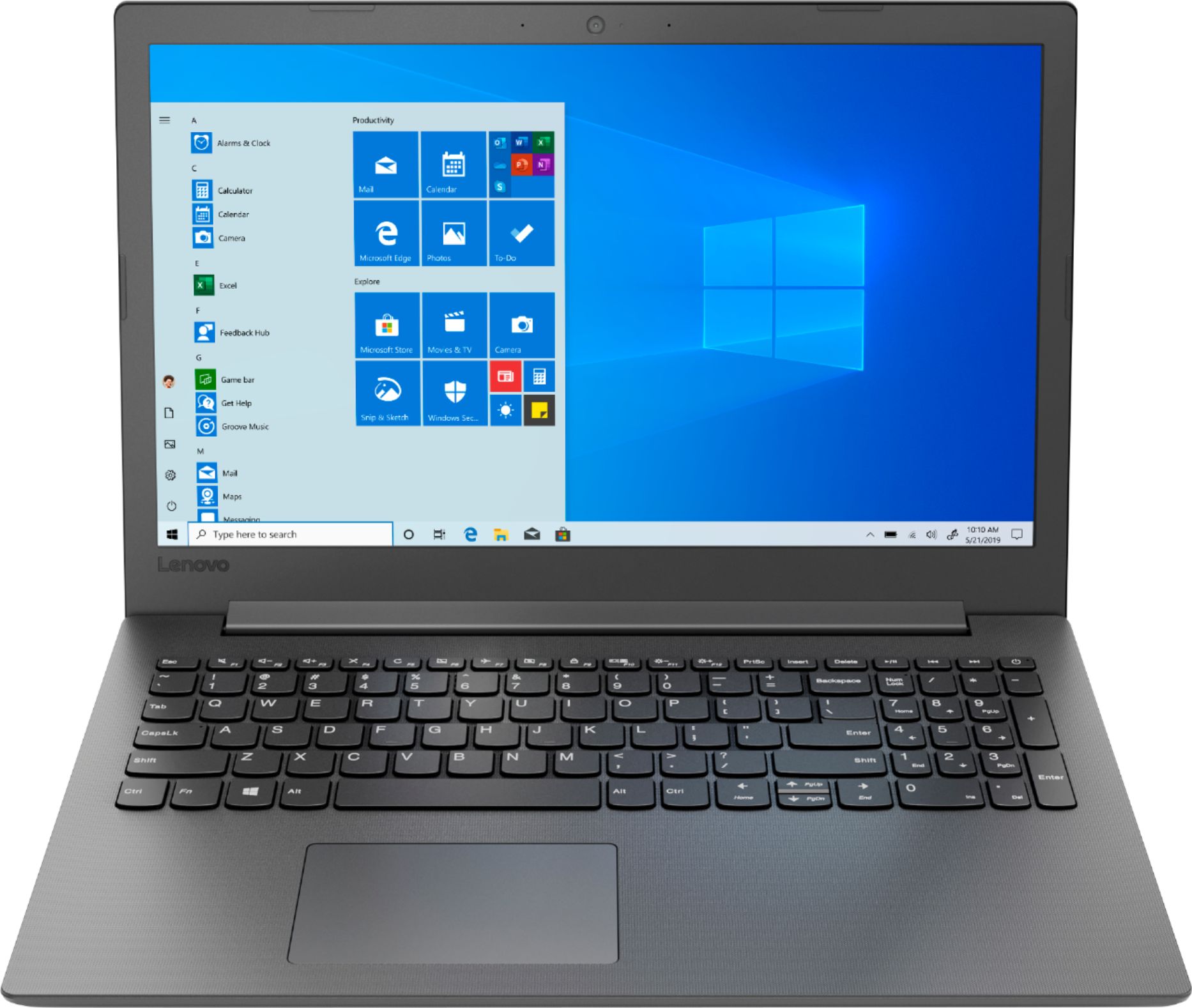
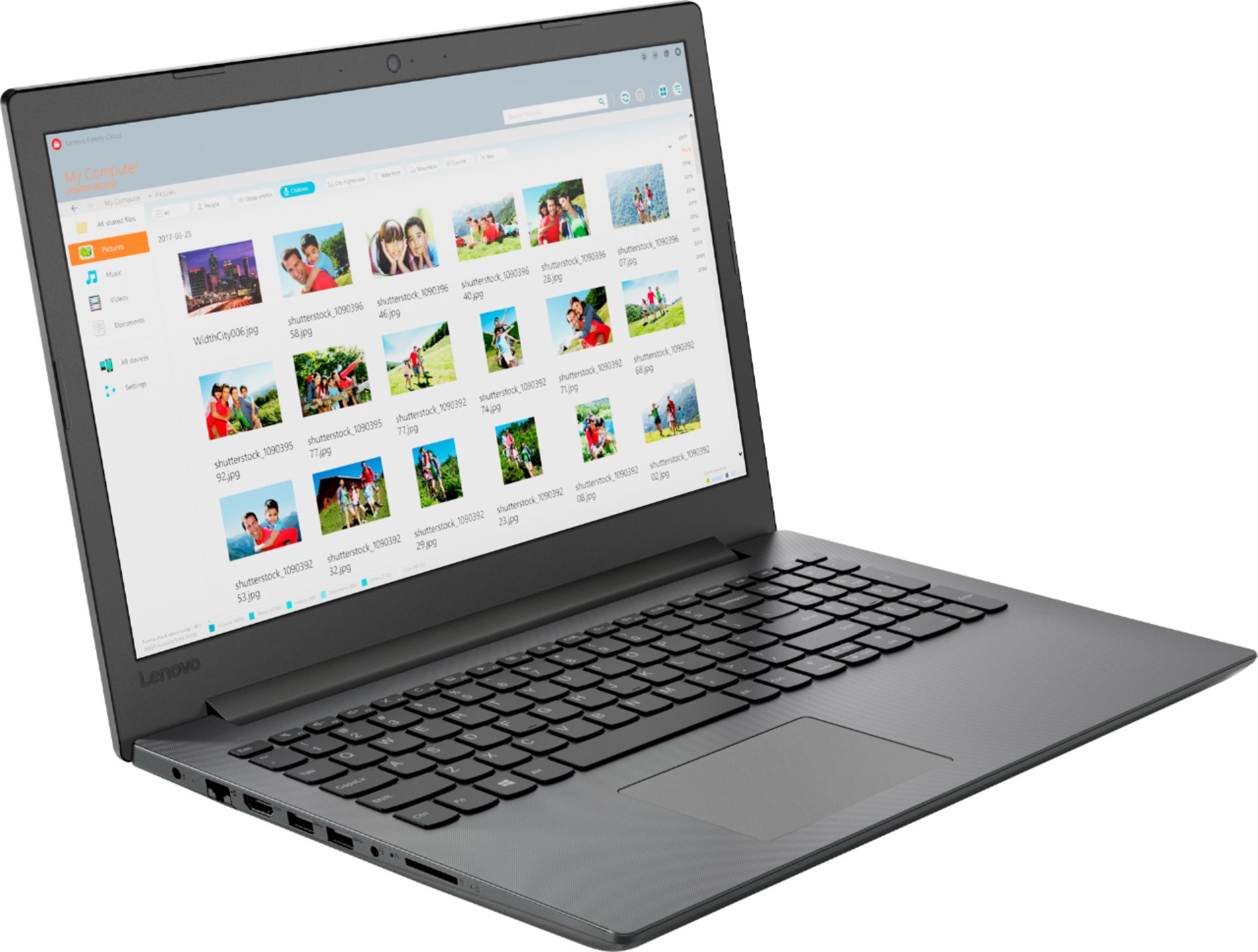
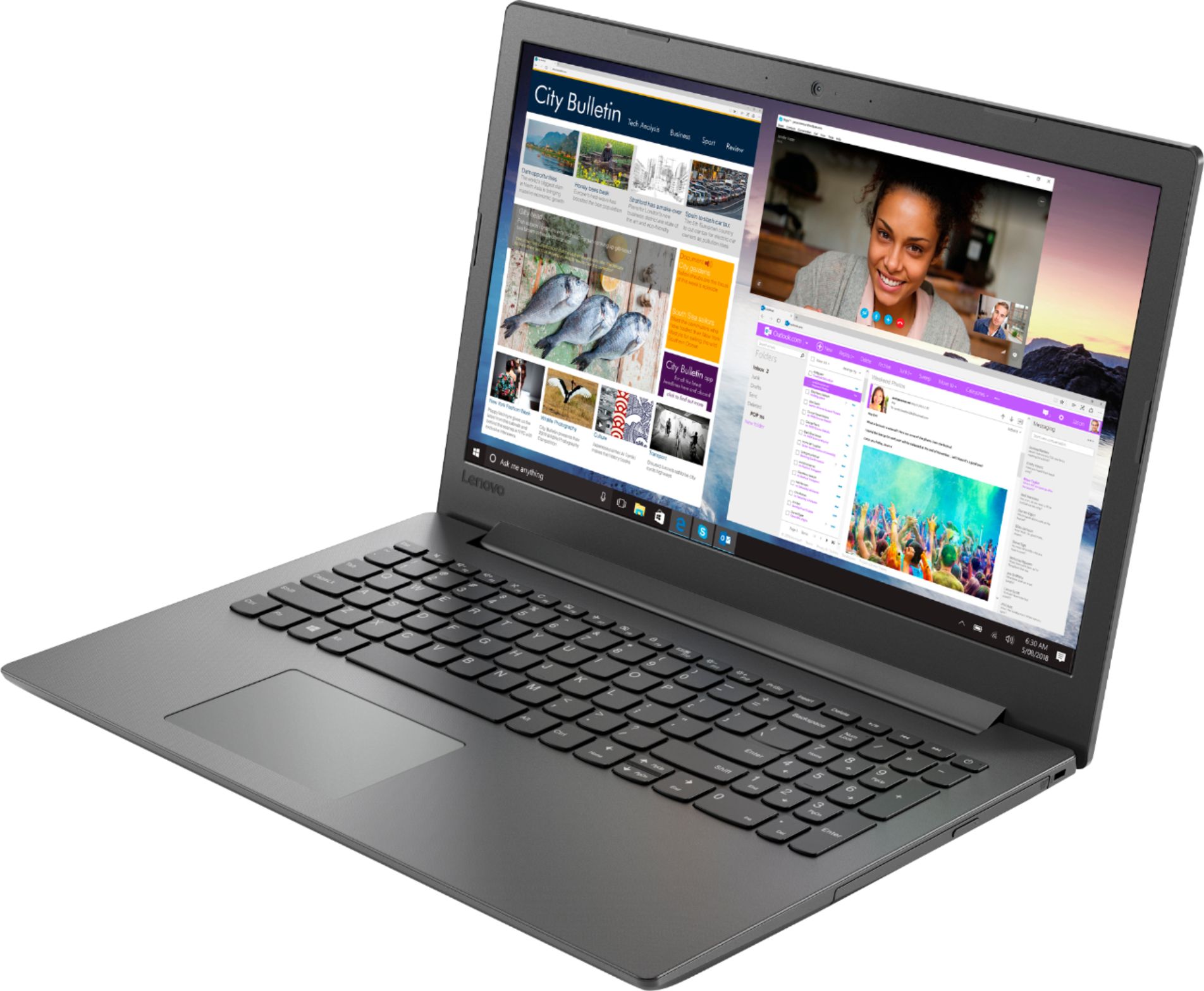
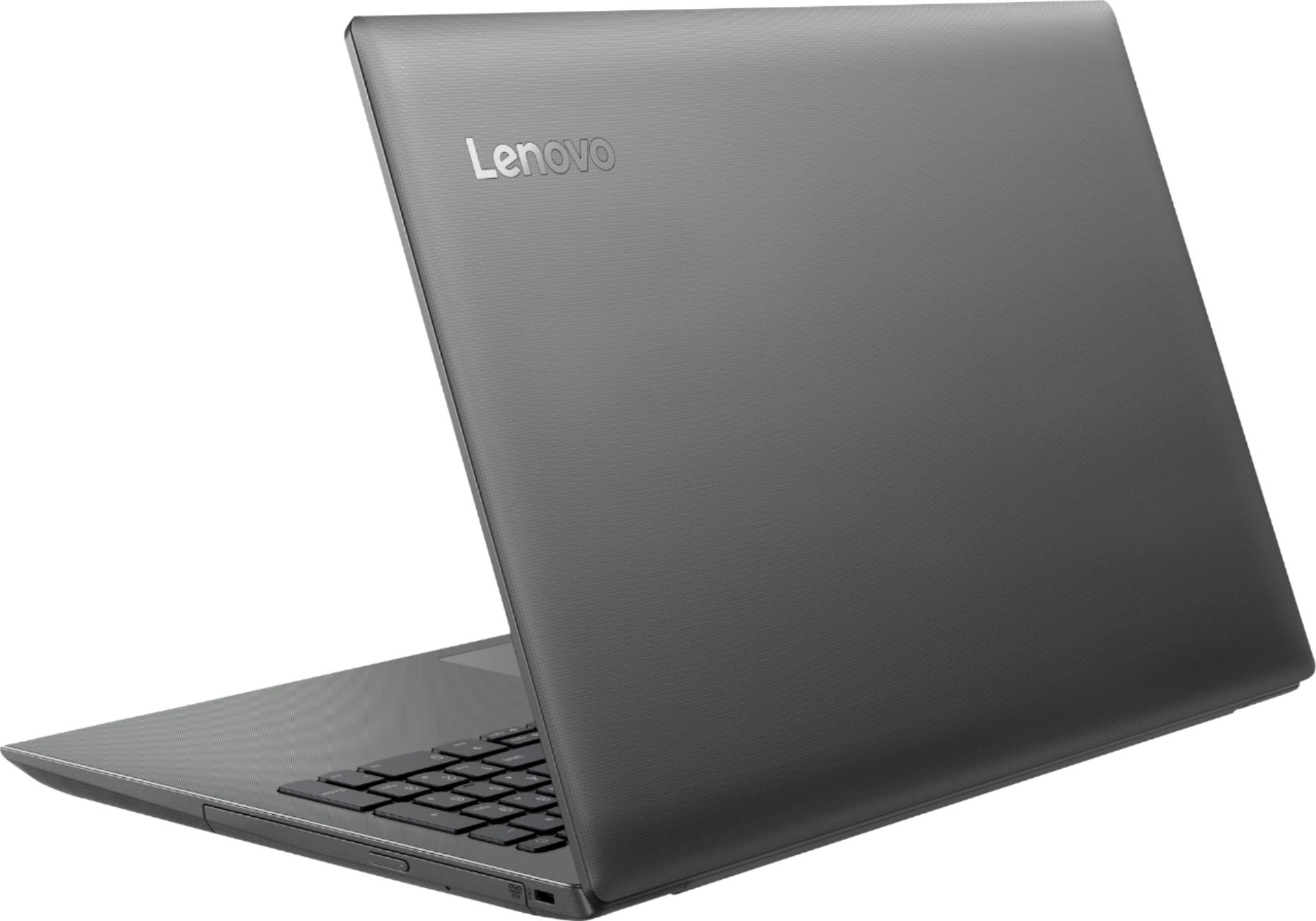
Customers commend the IdeaPad 130 for its budget-friendly price, with many stating it's worth the cost. The 15.6-inch screen size is also well-received, as are the inclusion of a DVD drive and solid-state storage. However, the laptop is criticized for its slow performance, short battery life, and limited RAM.
This summary was generated by AI based on customer reviews.
Great laptop for beginners
||Posted . Owned for 1 month when reviewed.This reviewer received promo considerations or sweepstakes entry for writing a review.Brought for my small business, so far so good. Microsoft 10
I would recommend this to a friendBrand response from Lenovo Product Expert
Posted .The Lenovo IdeaPad 130-15 laptop is a mid-level, moderate use configuration, with its AMD A9-9425 processor. This Dual-Core processor has a base speed of 3.1GHz and a boost speed of up to 3.7GHz. This configuration has 4GB of DDR4-1866MHz RAM and a 128GB solid state hard drive. It is good with Microsoft Office type programs, internet browsing and other moderate work. If this describes your computing needs, the IdeaPad 130-15 would be a good choice for you.

SO awesome
||Posted .This reviewer received promo considerations or sweepstakes entry for writing a review.so like the absolute best thing to come inside my home
I would recommend this to a friendBrand response from Lenovo Product Expert
Posted .The Lenovo IdeaPad 130-15 laptop is a mid-level, moderate use configuration, with its AMD A9-9425 processor. This Dual-Core processor has a base speed of 3.1GHz and a boost speed of up to 3.7GHz. This configuration has 4GB of DDR4-1866MHz RAM and a 128GB solid state hard drive. It is good with Microsoft Office type programs, internet browsing and other moderate work. If this describes your computing needs, the IdeaPad 130-15 would be a good choice for you. For 2018, Lenovo retained its place for a second year as the best laptop vendor:
https://www.laptopmag.com/articles/laptop-brand-ratings
good
||Posted . Owned for 3 weeks when reviewed.This reviewer received promo considerations or sweepstakes entry for writing a review.It is running good so far. I have no complaint yet.
I would recommend this to a friendVirtually Useless
||Posted . Owned for 2 months when reviewed.This reviewer received promo considerations or sweepstakes entry for writing a review.I am highly disappointed in this laptop. I'm not sure how it's gotten any positive reviews because it has dramatically under performed for me. Based on the specs, it should have at least average processor and memory functionality. I have not loaded any programs that demand anything more than basic everyday resources, and this computer is slow as molasses. It can run a couple applications simultaneously, which is less than I'd hope for, but it is horrible with WiFi and internet functions. It drops WiFi connection every time it goes to sleep and every couple hours beyond that. Loading ad or graphics heavy web pages takes longer than old Dial up speed. It takes forever to spool normal videos. I've tried this computer on other WiFi networks and other devices on my home network, and everything else works fine. I wish I'd returned this thing right away. I've had an Asus laptop costing $50 less than this that performed much better. Don't waste your money.
No, I would not recommend this to a friendBrand response from Lenovo Product Expert
Posted .We are sorry to hear that you are having issues with your Lenovo IdeaPad 130-15 laptop. This model ships with Windows 10 S-Mode Operating System. Windows 10 S-Mode provides added security by only allowing APPs available ( and therefore certified by Microsoft) at the Microsoft Store. If you don't need the added security or you need to install APPs not available at the Microsoft Store, you can switch to standard Windows 10 Home 64-bit Operating System, at no additional cost. Be sure any software you installed is compatible with Windows 10. There is no need to install Microsoft Office software. The software is already part of the operating system, you just need to activate the software with a purchased product key. If you have installed a copy of Microsoft Office, this is conflicting with the existing copy on the system and this will slow your system down. If you have installed a 3rd party anti-virus program, be sure that Windows Defender is turned off and that the trial version of McAfee Anti-Virus software is uninstalled. There can only be one anti-virus program on the system. You may need to restore your system to original factory default settings if any of the programing errors have occurred. You can do that by typing "restore" in the Cortana search window. Just click on the magnifying glass icon at the bottom left of your Windows 10 Desktop. Click on "Reset This PC" Then click on "Get Started" and follow the on screen directions to restore to factory defaults. If there are no incompatible software installed on the computer, be sure you have the latest version of Windows 10 installed on the computer and that all of the BIOS files and drivers are up to date. You can easily accomplish this by scanning the computer with the Lenovo Utility software installed on the computer. This system has Lenovo utilities installed to help maintain the health of the device and keep the operating system software up to date. Type "Lenovo Vantage" in the Cortana Search window (if Lenovo Vantage is not installed on your device, you can download the APP and install it now). Select Lenovo Vantage from the list. In the window that opens, click on "Health and Support". In the expanded menu, select "Hardware Scan" In the window that opens, select "Run Quick Tests". This will scan your entire system for errors. Follow any directions that may pop up. If the problem continues after this scan, now click on "System Update". First select Windows update from the menu. Scan your system to be sure you have the latest version of Windows 10. Once that scan is complete, select "Additional Updates". This will scan your device to be sure there are no new BIOS/Driver updates needed. Follow any instructions that may pop up. If the issue still continues after these updates, we recommend you call Lenovo Tech Support at: 877-453-6686 for additional help.
Great computer for moderate use
||Posted .This reviewer received promo considerations or sweepstakes entry for writing a review.Overall the computer is great but you get what you pay for. Runs smooth but not amazing speeds
No, I would not recommend this to a friendBrand response from Lenovo Product Expert
Posted .The Lenovo IdeaPad 130-15 laptop is a mid-level, moderate use configuration, with its AMD A9-9425 processor. This Dual-Core processor has a base speed of 3.1GHz and a boost speed of up to 3.7GHz. This configuration has 4GB of DDR4-1866MHz RAM and a 128GB solid state hard drive. It is good with Microsoft Office type programs, internet browsing and other moderate work. If this describes your computing needs, the IdeaPad 130-15 would be a good choice for you. For 2018, Lenovo retained its place for a second year as the best laptop vendor:
https://www.laptopmag.com/articles/laptop-brand-ratings
levoova
||Posted . Owned for 1 month when reviewed.This reviewer received promo considerations or sweepstakes entry for writing a review.this is something lenova has done right finally!!!
I would recommend this to a friendBrand response from Lenovo Product Expert
Posted .The Lenovo IdeaPad 130-15 laptop is a mid-level, moderate use configuration, with its AMD A9-9425 processor. This Dual-Core processor has a base speed of 3.1GHz and a boost speed of up to 3.7GHz. This configuration has 4GB of DDR4-1866MHz RAM and a 128GB solid state hard drive. It is good with Microsoft Office type programs, internet browsing and other moderate work. If this describes your computing needs, the IdeaPad 130-15 would be a good choice for you.
Nice laptop for the price.
||Posted . Owned for 3 weeks when reviewed.This reviewer received promo considerations or sweepstakes entry for writing a review.I like the Lenovo laptop, but this model didn't have a connection for a vga cable.
No, I would not recommend this to a friendNot as fast on internet
||Posted .This reviewer received promo considerations or sweepstakes entry for writing a review.This does not hook up to my internet and run as fast as my old laptop
No, I would not recommend this to a friendBrand response from Lenovo Product Expert
Posted .The Lenovo IdeaPad 130-15 laptop ships with the latest 5G 802.11AC frequency WiFi. It is the fastest frequency currently available. If you are using an older b/g/n router, 802.11AC frequency is backward compatible to the older frequencies, but be sure your router has the latest firmware updates available for your router from the router manufacturer's web site. You can also check to be sure you have the latest operating system files on the computer by scanning the computer with the Lenovo Utility software installed on the computer. This system has Lenovo utilities installed to help maintain the health of the device and keep the operating system software up to date. Type "Lenovo Vantage" in the Cortana Search window (if Lenovo Vantage is not installed on your device, you can download the APP and install it now). Select Lenovo Vantage from the list. In the window that opens, click on "Health and Support". In the expanded menu, select "Hardware Scan" In the window that opens, select "Run Quick Tests". This will scan your entire system for errors. Follow any directions that may pop up. If the problem continues after this scan, now click on "System Update". First select Windows update from the menu. Scan your system to be sure you have the latest version of Windows 10. Once that scan is complete, select "Additional Updates". This will scan your device to be sure there are no new BIOS/Driver updates needed. Follow any instructions that may pop up. If the issue still continues after these updates, we recommend you call Lenovo Tech Support at: 877-453-6686 for additional help. For 2018, Lenovo retained its place for a second year as the best laptop vendor:
https://www.laptopmag.com/articles/laptop-brand-ratings
Good value
||Posted .This reviewer received promo considerations or sweepstakes entry for writing a review.Had to return to Geek Squad to update operating system
I would recommend this to a friendBrand response from Lenovo Product Expert
Posted .You can easily update Windows 10 to the latest version and update all of the supporting BIOS files and drivers at the same time, by scanning the computer with the Lenovo Utility software installed on the computer. This system has Lenovo utilities installed to help maintain the health of the device and keep the operating system software up to date. Type "Lenovo Vantage" in the Cortana Search window (if Lenovo Vantage is not installed on your device, you can download the APP and install it now). Select Lenovo Vantage from the list. In the window that opens, click on "Health and Support". In the expanded menu, select "Hardware Scan" In the window that opens, select "Run Quick Tests". This will scan your entire system for errors. Follow any directions that may pop up. If the problem continues after this scan, now click on "System Update". First select Windows update from the menu. Scan your system to be sure you have the latest version of Windows 10. Once that scan is complete, select "Additional Updates". This will scan your device to be sure there are no new BIOS/Driver updates needed. Follow any instructions that may pop up. If the issue still continues after these updates, we recommend you call Lenovo Tech Support at: 877-453-6686 for additional help.
- Cons mentioned:Battery life
Battery time isn’t good
||Posted . Owned for 6 months when reviewed.This reviewer received promo considerations or sweepstakes entry for writing a review.I purchase this device for my husband work and he always have to have the charger available the battery time on this laptop wasn’t long
No, I would not recommend this to a friend Nice construction. Worthless OS
||Posted . Owned for 10 months when reviewed.This reviewer received promo considerations or sweepstakes entry for writing a review.Lenovo made a great machine here but Microsoft had completely failed at creating something that students can use. It is not compatible with basic student interfaces such as zoom or seesaw. There is an option to switch to full Windows 10 but then the hardware isn't made to support it, with too little ram, battery, and processing power. This is NOT a good alternative to a chromebook in the same price range. Run away!
No, I would not recommend this to a friendBrand response from Lenovo Product Expert
Posted .The Lenovo IdeaPad 130-15 laptop, model number 81H5002FUS, ships with the Windows 10 S-Mode Operating System. Windows 10 S-Mode provides added security by only allowing APPs available ( and therefore certified by Microsoft) at the Microsoft Store. If you don't need the added security or you need to install APPs not available at the Microsoft Store, you can switch to standard Windows 10 Home 64-bit Operating System, at no additional cost. The Lenovo IdeaPad 130-15 model number 81H5002FUS is completely compatible with Windows 10 Home. Here is a link to the requirements to run Windows 10 Home: https://support.microsoft.com/en-us/help/4028142/windows-10-system-requirements
Average At Best
||Posted . Owned for 1 year when reviewed.This reviewer received promo considerations or sweepstakes entry for writing a review.Very basic laptop. Was hoping for something a bit more powerful but you get what you pay for. Would not recommend this for anything other than surfing the web.
No, I would not recommend this to a friendProblem with sound volume
||Posted . Owned for 1 month when reviewed.This reviewer received promo considerations or sweepstakes entry for writing a review.Bought this mainly to watch videos and the sound is so low I can barely hear it. Not sure why this is. Haven’t used it for much else but seems like it will be fine for my needs.
No, I would not recommend this to a friendBrand response from Lenovo Product Expert
Posted .Regarding the audio volume on your Lenovo IdeaPad 130-15 laptop. First be sure the system audio is turned on, tap the HotKey in the F1 position on your keyboard to toggle the system audio on/off. Then increase the system audio volume by tapping the HotKey in the F3 position. This will increase the audio. If this does not fix the issue, here is a link to more troubleshooting tips for the audio: https://www.thewindowsclub.com/computer-volume-low-windows
- Cons mentioned:Slow
Poor quality
||Posted . Owned for 3 weeks when reviewed.This reviewer received promo considerations or sweepstakes entry for writing a review.Very slow even for school needs. Always freezing, have to restart all time
No, I would not recommend this to a friendBrand response from Lenovo Product Expert
Posted .Windows 10 S-Mode Operating System should not freeze. This system should be a fast system with its Core I-5 processor and 8GB of RAM. Be sure any software you installed is compatible with Windows 10. There is no need to install Microsoft Office software. The software is already part of the operating system, you just need to activate the software with a purchased product key. If you have installed a copy of Microsoft Office, this is conflicting with the existing copy on the system and this will slow your system down. If you have installed a 3rd party anti-virus program, be sure that Windows Defender is turned off and that the trial version of McAfee Anti-Virus software is uninstalled. There can only be one anti-virus program on the system. You may need to restore your system to original factory default settings if any of the programming errors have occurred. You can do that by typing "restore" in the Cortana search window. Just click on the magnifying glass icon at the bottom left of your Windows 10 Desktop. Click on "Reset This PC" Then click on "Get Started" and follow the on screen directions to restore to factory defaults. If the problem persists, we recommend you contact Lenovo Tech Support at: 877-453-6686.
- Cons mentioned:Windows 10
Defective
||Posted .This reviewer received promo considerations or sweepstakes entry for writing a review.The Windows 10 that came with the laptop would not set up, rendering the laptop useless. I returned it for a full refund
No, I would not recommend this to a friendBrand response from Lenovo Product Expert
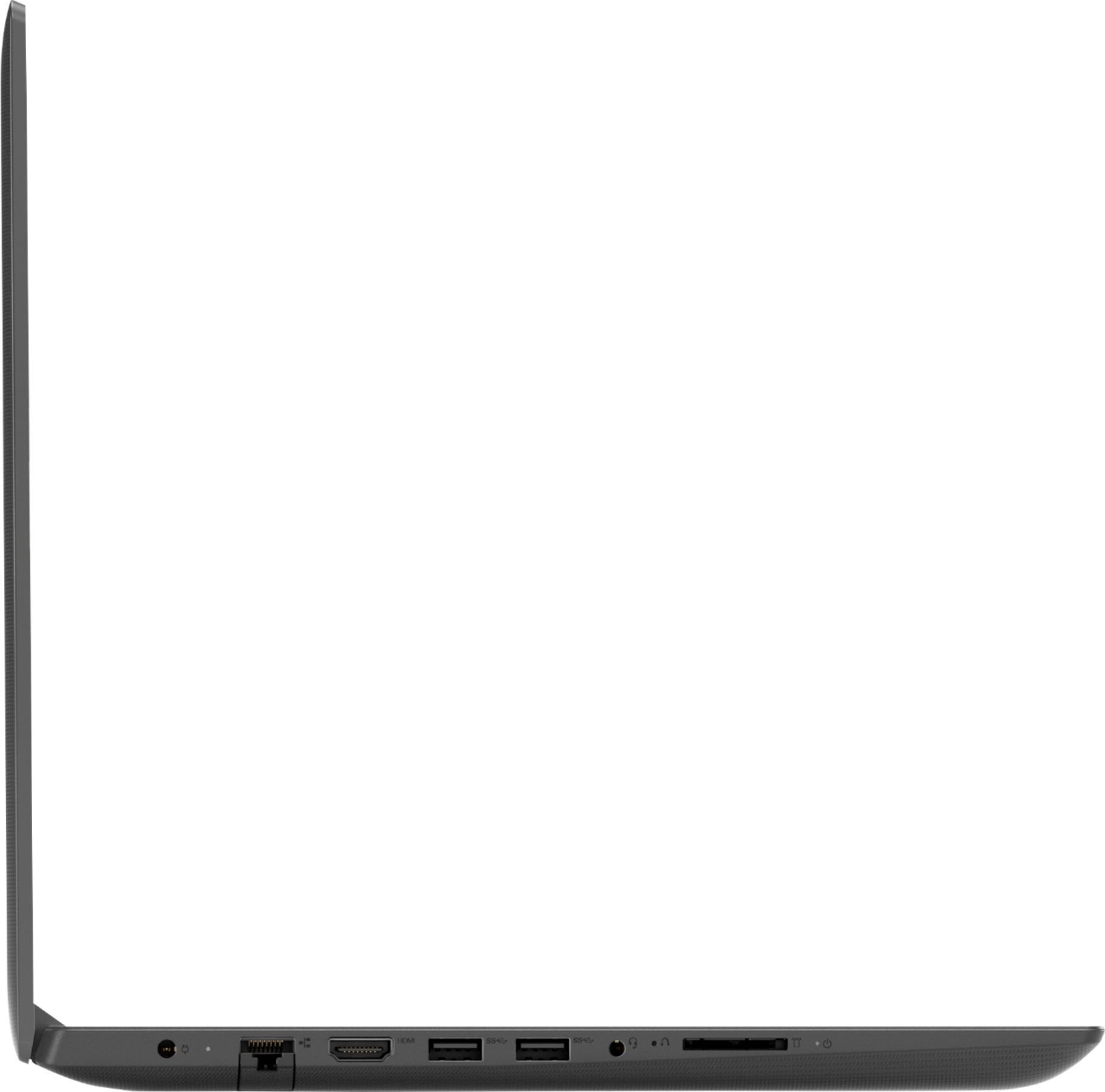
Posted .We are sorry to hear that you had issues with the initial activation of Windows 10. A reset to the original factory settings may correct the problem. This system is equipped with OneKey Recovery System. There is a very small pin hole on the left side of the device, right near the SD card slot on the device. You will need a pin to push this reset button. Plug the device in. Let the battery charge for about 15 minutes. Push the reset button. The system should boot to a choice screen where you can choose "Restore To Factory Default". Select this. It will delete everything from the hard drive except the original factory install of the operating system. You will need to reinstall all programs and files after the reset. If you don't have copies of the files, try to make one before you restore by selecting "Boot to desktop" and trying to back up your files. If the problem persists after the factory reset, we recommend you contact Lenovo Tech Support at: 877-453-6686.
- Cons mentioned:Slow
Very low quality.
||Posted .This reviewer received promo considerations or sweepstakes entry for writing a review.Bought it for a friend as a gift. She can’t use it as it heats up very quickly and it’s very slow. Wish I could return it.
No, I would not recommend this to a friendBrand response from Lenovo Product Expert
Posted .The Lenovo IdeaPad 130-15 laptop ships with Windows 10 S-Mode Operating System. S-Mode provides added security by only allowing APPs available at (and therefore certified by Microsoft) the Microsoft Store. If the user does not need the added security or needs to install programs not available at the Microsoft Store, the user can switch to the standard Windows 10 Home 64-bit operating system, at no additional cost. The Lenovo IdeaPad 130-15 laptop is a mid-level, moderate use configuration, with its AMD A9-9425 processor. This Dual-Core processor has a base speed of 3.1GHz and a boost speed of up to 3.7GHz. This configuration has 4GB of DDR4-1866MHz RAM and a 128GB solid state hard drive. It is good with Microsoft Office type programs, internet browsing and other moderate work. If this describes your computing needs, the IdeaPad 130-15 would be a good choice for you. For 2018, Lenovo retained its place for a second year as the best laptop vendor:
https://www.laptopmag.com/articles/laptop-brand-ratings
- Cons mentioned:Slow
Slow!
||Posted . Owned for 2 months when reviewed.This reviewer received promo considerations or sweepstakes entry for writing a review.It is so slow, I cannot do anything on it. Roblox can’t even perform right bc of how slow it is.
No, I would not recommend this to a friendBrand response from Lenovo Product Expert
Posted .The Lenovo IdeaPad 130-15 laptop is a mid-level, moderate use configuration, with its AMD A9-9425 processor. This Dual-Core processor has a base speed of 3.1GHz and a boost speed of up to 3.7GHz. This configuration has 4GB of DDR4-1866MHz RAM and a 128GB solid state hard drive. The IdeaPad 130-15 ships with Windows 10 S-Mode 64-bit Operating System (you can switch to Windows 10 Home 64-bit Operating System, if you choosing, without any additional cost) It is good with Microsoft Office type programs, internet browsing and other moderate work. If this describes your computing needs, the IdeaPad 130-15 would be a good choice for you. Be sure the games/programs you are installing are compatible with this specific configuration. For 2018, Lenovo retained its place for a second year as the best laptop vendor:
https://www.laptopmag.com/articles/laptop-brand-ratings
Battery
||Posted . Owned for 1 month when reviewed.This reviewer received promo considerations or sweepstakes entry for writing a review.The battery works very badly, lasts less than one hour for normal tasks
No, I would not recommend this to a friendBrand response from Lenovo Product Expert
Posted .The Lenovo IdeaPad 130-15 laptop, model number 81H5002FUS ships with a 2CELL 30WH, Lithium Polymer Battery, with a battery life of up to 4 hours, depending on the work the device is performing. If you are getting battery life of less than 1-hour, be sure any software you installed is compatible with Windows 10. Non-compatible software will drain your battery quicker. There is no need to install Microsoft Office software. The software is already part of the operating system, you just need to activate the software with a purchased product key. If you have installed a copy of Microsoft Office, this is conflicting with the existing copy on the system and this will slow your system down. If you have installed a 3rd party anti-virus program, be sure that Windows Defender is turned off and that the trial version of McAfee Anti-Virus software is uninstalled. There can only be one anti-virus program on the system. You may need to restore your system to original factory default settings if any of the programing errors have occurred. You can do that by typing "restore" in the Cortana search window. Just click on the magnifying glass icon at the bottom left of your Windows 10 Desktop. Click on "Reset This PC" Then click on "Get Started" and follow the on screen directions to restore to factory defaults. If the problem persists, we recommend you contact Lenovo Tech Support at: 877-453-6686
Camera
||Posted . Owned for 8 months when reviewed.This reviewer received promo considerations or sweepstakes entry for writing a review.Labtop ok, I stay having issues with the camera but everything else seems to work good.
No, I would not recommend this to a friendmeh
||Posted . Owned for 1 month when reviewed.This reviewer received promo considerations or sweepstakes entry for writing a review.The laptop platform is unwieldy and hard to navigate for my wife. She hardly uses it as a result.
No, I would not recommend this to a friendBrand response from Lenovo Product Expert
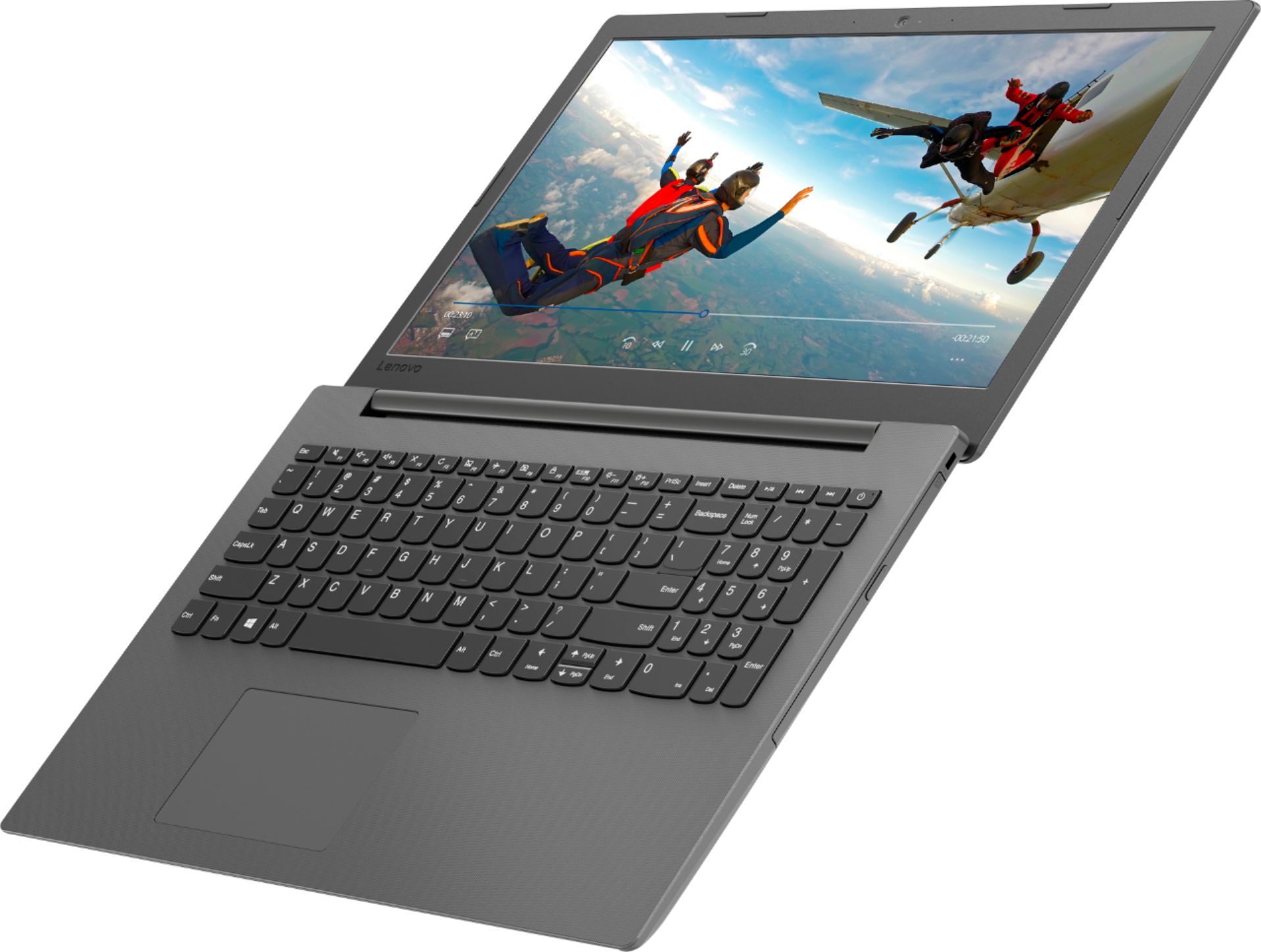
Posted .The Lenovo IdeaPad 130-15 laptop provides a full size, 15.6-inch screen (screen size measured diagonally), but the device only measures 14.79 x 9.98 x 0.89 inches and weighs just 4.62 lbs. The laptop has a standard QWERTY keyboard, with a 10-key numeric pad. The Lenovo IdeaPad 130-15 laptop is a mid-level, moderate use configuration, with its AMD A9-9425 processor. This Dual-Core processor has a base speed of 3.1GHz and a boost speed of up to 3.7GHz. This configuration has 4GB of DDR4-1866MHz RAM and a 128GB solid state hard drive. It is good with Microsoft Office type programs, internet browsing and other moderate work. This model ships with Windows 10 S-Mode Operating System. Windows 10 S-Mode provides added security by only allowing APPs available ( and therefore certified by Microsoft) at the Microsoft Store. If you don't need the added security or you need to install APPs not available at the Microsoft Store, you can switch to standard Windows 10 Home 64-bit Operating System, at no additional cost.