Customer Ratings & Reviews
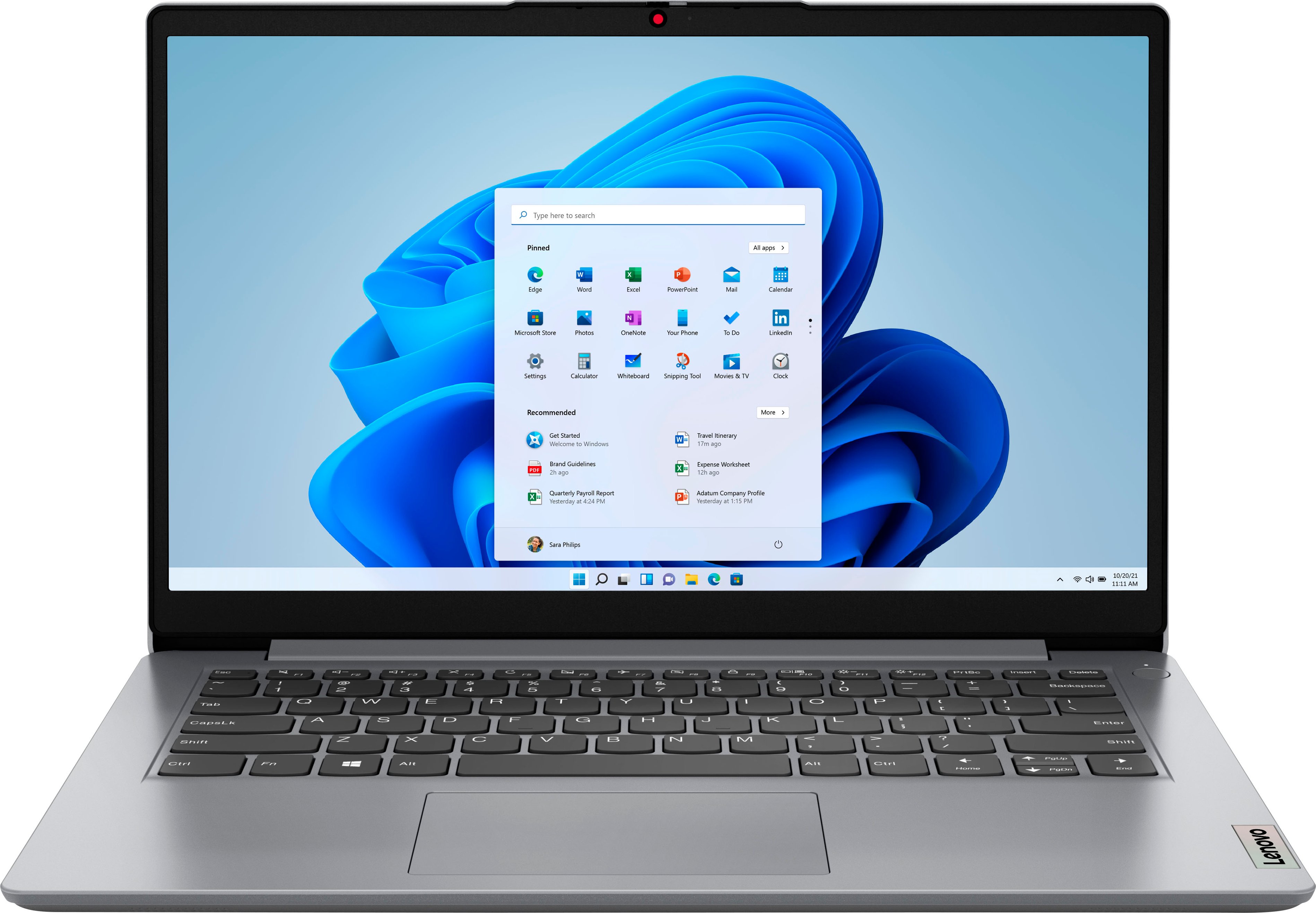
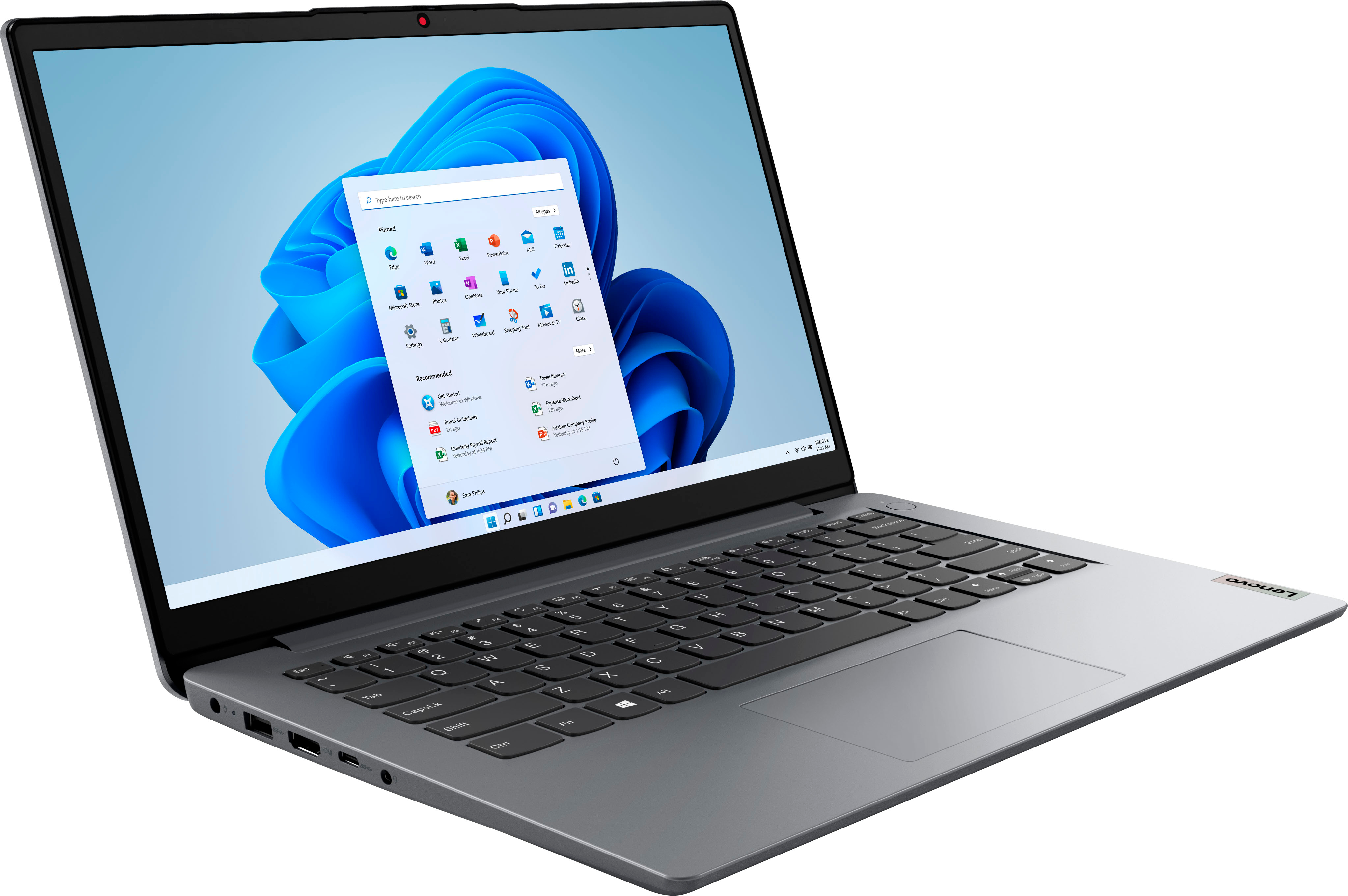
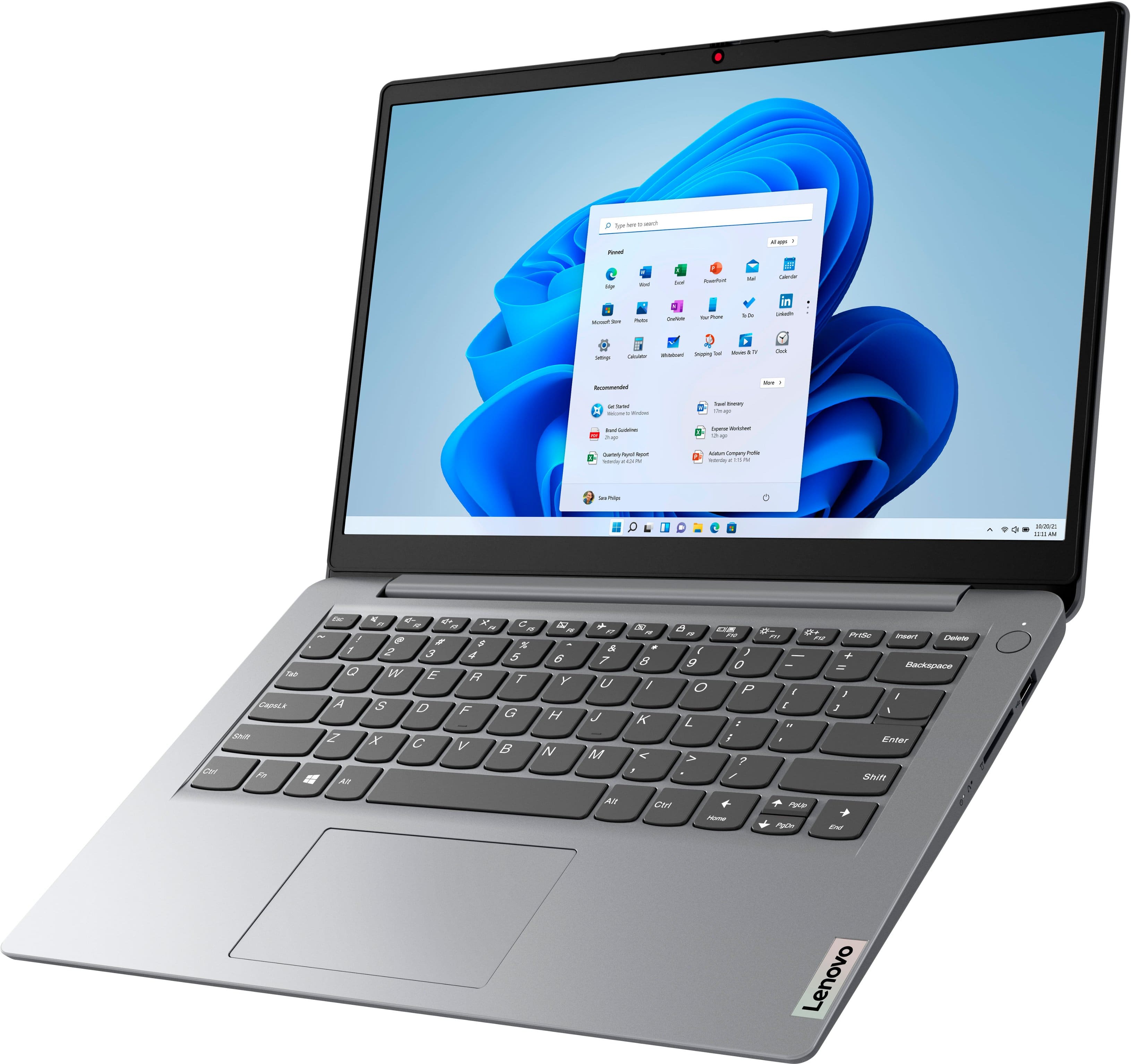
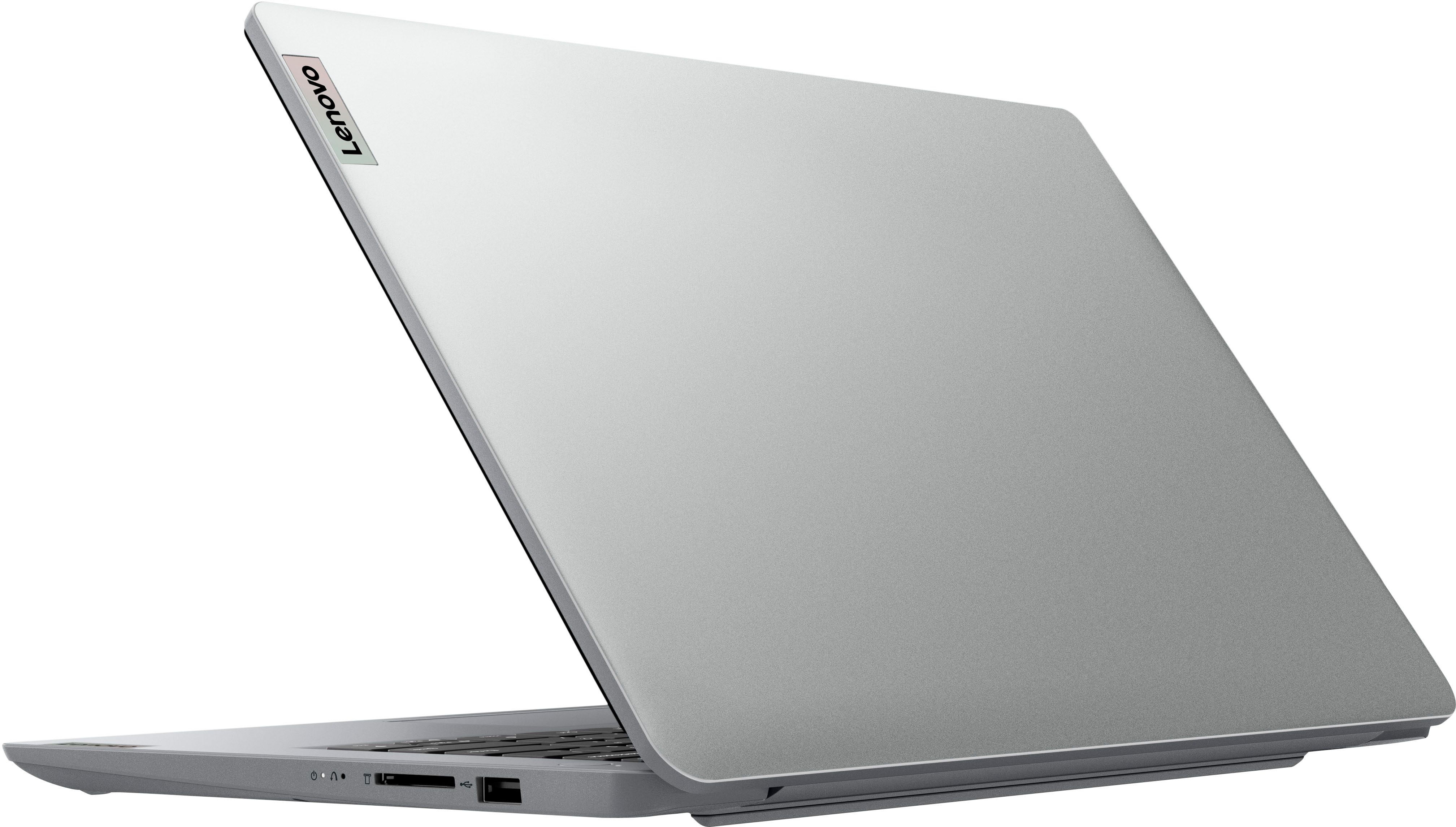


- Model:
- 82V6S00000
- SKU:
- 10898275
Rating by feature
- Battery Life
Rating 4.5 out of 5 stars
- Speed
Rating 3.9 out of 5 stars
- Display
Rating 4.3 out of 5 stars
Customers are saying
Customers express satisfaction with the Ideapad 1i 14.0" HD Laptop's overall performance, portability, and battery life. The laptop's compact size and sleek design are also appreciated by some users. However, some customers wish the laptop had a touchscreen and more storage capacity.
This summary was generated by AI based on customer reviews.
Ehh
||Posted . Owned for 2 months when reviewed.This reviewer received promo considerations or sweepstakes entry for writing a review.It’s is good and really not that bad but I want to return it
I would recommend this to a friendokay
||Posted . Owned for 3 weeks when reviewed.This reviewer received promo considerations or sweepstakes entry for writing a review.Its okay..some things a little confusing but is good for what I need
I would recommend this to a friendDont waste ur money
||Posted . Owned for 3 weeks when reviewed.This reviewer received promo considerations or sweepstakes entry for writing a review.It the worst laptop ive used. I Returned it immediately.
No, I would not recommend this to a friendBrand response from Lenovo Product Expert
Posted .Hello, ChristopherS, we are sorry to hear that your IdeaPad 1 14 did not meet your expectations. When searching for a computing solution, we recommend you check the requirements and compatibility of any software/games you will be installing on your computer or know what specifications and features you need to effectively complete various workflows and tasks if being use for work or education, personal use, and your preferences in design and features to help find the right solution before you invest in any computer.

Worst purchase
||Posted . Owned for 2 months when reviewed.This reviewer received promo considerations or sweepstakes entry for writing a review.Don’t buy this laptop waste of money .very slow processing.
No, I would not recommend this to a friendBrand response from Lenovo Product Expert
Posted .We are sorry to hear that you have had a poor experience with our product. The Lenovo IdeaPad 1i 14, model number 82V6S00000, is an entry level, light use system with an Intel Celeron N4020 processor, with a base speed of 1.1GHz and a boost speed of up to 2.8GHz, 4GB of RAM and a 64GB eMMC drive, for quick access to files and programs. This model ships with Windows 11 Home in S-Mode Operating System, a more secure, lighter version of the Windows 11 Operating System due to the computer’s entry level specifications. This Lenovo IdeaPad 1i 14 is not meant for multi-tasking or demanding programs. It is good for utilizing built-in and compatible applications available in the Microsoft App store and light internet browsing. We recommend you check the requirements and compatibility of any software you will be installing on your computer or know what specifications and features you need to effectively complete various workflows and tasks if being use for work, education, or personal use before you invest in any computer.
Get what you pay for. .
||Posted . Owned for 3 weeks when reviewed.This reviewer received promo considerations or sweepstakes entry for writing a review.Ok for light use but its lags a little when in moderate use
No, I would not recommend this to a friendCamera went out the next month
||Posted . Owned for 1 month when reviewed.This reviewer received promo considerations or sweepstakes entry for writing a review.I like the computer but my camera went out the next month.
No, I would not recommend this to a friendIt works
||Posted . Owned for 1 week when reviewed.This reviewer received promo considerations or sweepstakes entry for writing a review.It works. Wasnt expecting the world from it. Itworks.
I would recommend this to a friendBrand response from Lenovo Product Expert
Posted .This Lenovo IdeaPad 1i 14 Laptop is an entry-level, light workload configuration. We always recommend you check the requirements and compatibility of any software you will be installing on your new computer, before you invest in any computer. Be sure your new computer can support the software you will need to use and your workload.
Just too slow for Windows
||Posted . Owned for 1 week when reviewed.This reviewer received promo considerations or sweepstakes entry for writing a review.Got this because I needed something to connect to a VM at work. It handled that ok, but couldn't handle Microsoft Teams at the same time (specifically seemed like the processor couldn't keep up). Also tried a few tabs in Edge and YouTube would frequently be telling me to reboot my device. Within 10 days it randomly shutdown and wouldn't finish booting until I did a full Windows reset. I returned it. Tl;dr: These specs are too weak for Windows. If you are looking for a computer this cheap, get a Chromebook. If you need Windows, get better specs.
No, I would not recommend this to a friendBrand response from Lenovo Product Expert
Posted .We are sorry to hear that this entry-level, Lenovo IdeaPad 1i 14 Laptop, model number 82V6S00000, does not meet your computing needs. We always recommend you check the requirements and compatibility of any software you will be installing on your new computer, before you invest in any computer. Be sure your new computer can support the software you will need to use and your workload.
alright
||Posted . Owned for 1 week when reviewed.This reviewer received promo considerations or sweepstakes entry for writing a review.It does lag heavily for the first 5-10 minutes after turning on it has since ive owned it but besides that its ok.....wouldnt recommend to anyone gaming, school, or working remotely....
No, I would not recommend this to a friendBrand response from Lenovo Product Expert
Posted .This entry-level, Lenovo IdeaPad 1i 14 Laptop, model number 82V6S00000, with its 64GB eMMC solid state hard drive, will boot from off to the Windows 11 Login Screen in less than 20-seconds. If you are getting slower boot times with this entry-level, IdeaPad 1i 14, be sure any software you installed is compatible with Windows 11 and this entry-level configuration. There is no need to install Microsoft Office software. The software is already part of the operating system, you just need to activate the software with a purchased product key. If you have installed a copy of Microsoft Office, this is conflicting with the existing copy on the system and this will slow your system down. If you have installed a 3rd party anti-virus program, be sure that Windows Defender is turned off and that the trial version of McAfee Anti-Virus software is uninstalled. There can only be one anti-virus program on the system. Here is a link to instructions for uninstalling McAfee from a Windows computer: https://service.mcafee.com/?articleId=TS101331&page=shell&shell=article-view You may need to restore your system to original factory default settings if any of the programming errors have occurred. You can do that by typing "restore" in the Cortana search window. Just click on the magnifying glass icon at the bottom of your Windows 11 Desktop. Click on "Reset This PC" Then click on "Get Started" and follow the on screen directions to restore to factory defaults. If the problem persists, we recommend you contact Lenovo Tech Support at: 877-453-6686. We always recommend you check the requirements and compatibility of any software you will be installing on your new computer, before you invest in any computer. Be sure your new computer can support the software you will need to use and your workload.
Very slow- HDMI is awful
||Posted .This reviewer received promo considerations or sweepstakes entry for writing a review.You get what you pay for- super slow- I was excited about the HDMI output it has- projecting the laptop to a TV or monitor was an awful experience- returned this within 2hours- 4GB of memory is just not enough even for the basic stuff
No, I would not recommend this to a friendBrand response from Lenovo Product Expert
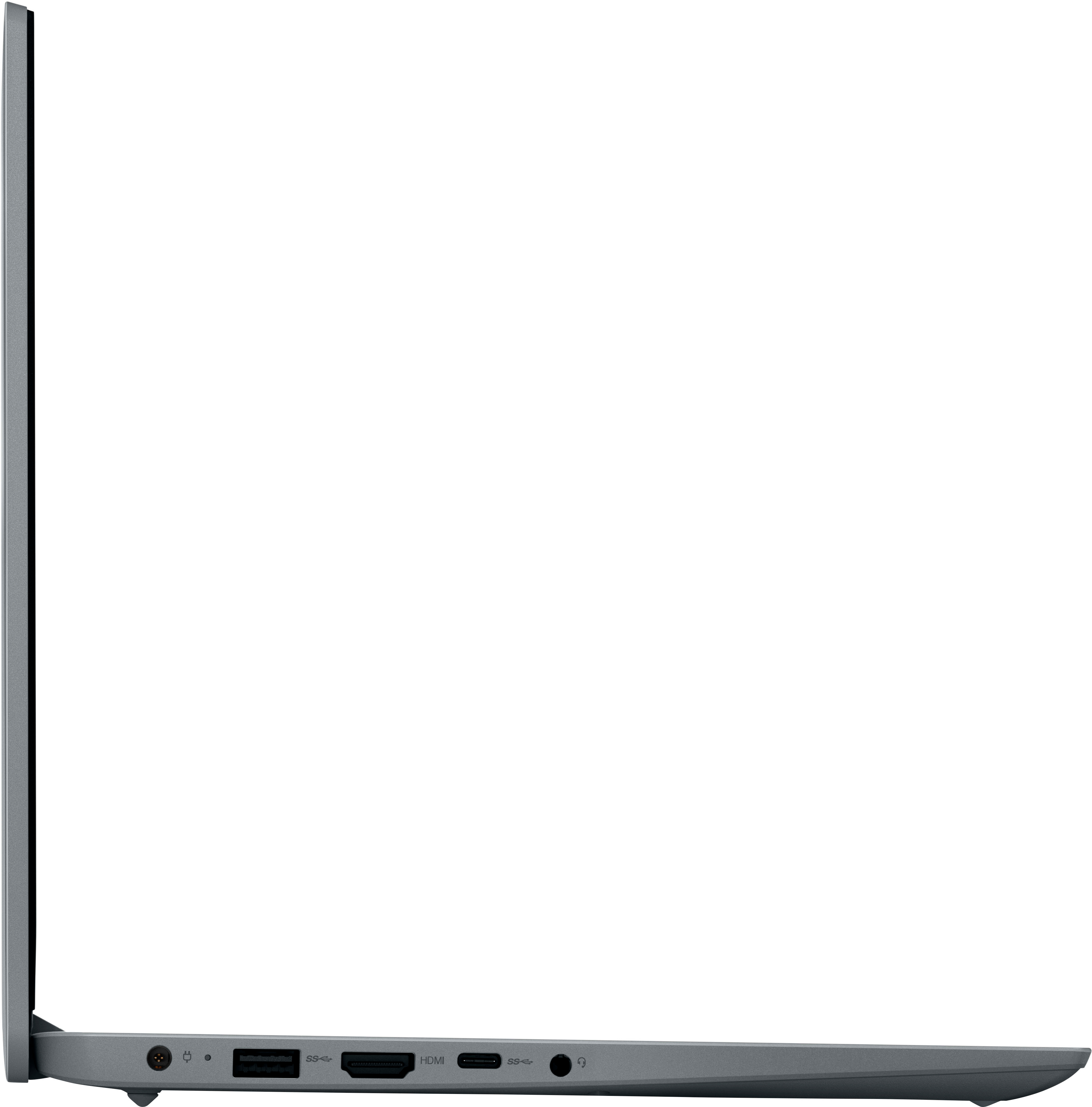
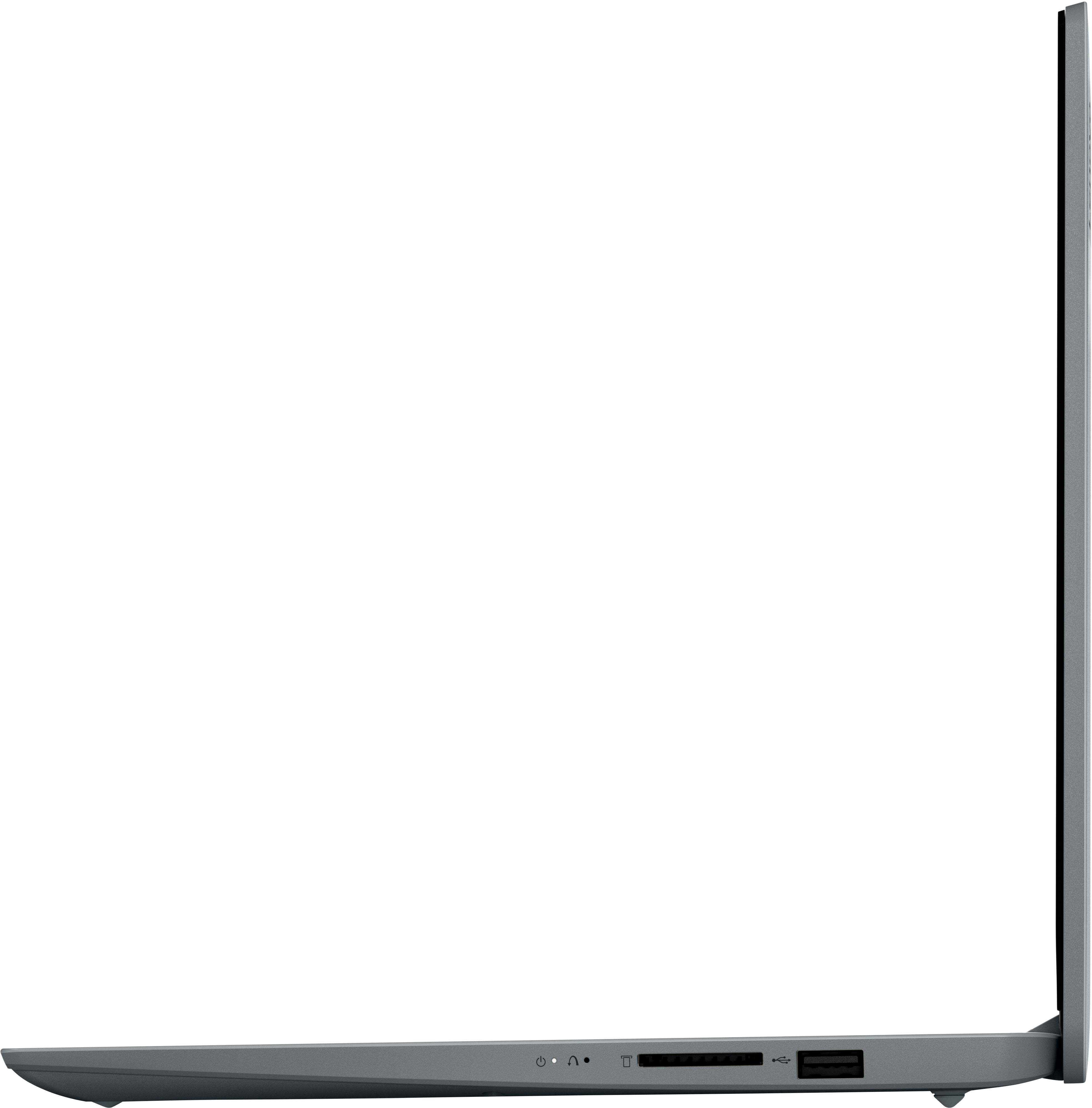
Posted .We are sorry to hear that this entry-level, IdeaPad 1i-14 Laptop, model number 82V6S00000, does not meet your computing needs. This entry-level, IdeaPad 1i-14 ships with these ports: 1x USB 2.0
1x USB 3.2 Gen 1, 1x USB-C 3.2 Gen 1 (support data transfer only), 1x HDMI 1.4b, 1x Card reader, 1x Headphone / microphone combo jack (3.5mm), 1x Power connector and supports up to 2 independent displays (native display and 1 external monitor via HDMI). • HDMI supports up to 4096x2160@30Hz. We always recommend you check the requirements and compatibility of any software you will be installing on your new computer, before you invest in any computer. Be sure your new computer can support the software you will need to use and your workload.
Slowwwww
||Posted . Owned for 2 weeks when reviewed.This reviewer received promo considerations or sweepstakes entry for writing a review.Like ridiculously sloooooow. I dont even know how this thing is considered. Bought it for tuning… decided to use our broken screen surface pro tablet 3 from years ago.
No, I would not recommend this to a friendBrand response from Lenovo Product Expert
Posted .This entry-level, Lenovo IdeaPad 1i 14 Laptop, model number 82V6S00000, is a light workload entry-level configuration. This IdeaPad 1i 14 Laptop ships with Windows 11 S-Mode, 64-bit Operating System installed. Windows 11 S-Mode provides added security by only allowing APPs available ( and therefore certified by Microsoft) at the Microsoft Store. If you don't need the added security or you need to install APPs not available at the Microsoft Store, you can switch to standard Windows 11 Home 64-bit Operating System, at no additional cost. We always recommend you check the requirements and compatibility of any software you will be installing on your new computer, before you invest in any computer. Be sure your new computer can support the software you will need to use and your workload.
Disappointing even for$100
||Posted . Owned for 1 month when reviewed.This reviewer received promo considerations or sweepstakes entry for writing a review.This laptop has alright sound, however when it comes to peepers move on as this can get to the point of frozen for many Manny minutes where it's unresponsive, My Toshiba from 2010 rings circles around this machine.
No, I would not recommend this to a friendBrand response from Lenovo Product Expert
Posted .We are sorry to hear that you have had a poor experience with our product. The Lenovo IdeaPad 1i 14, model number 82V6S00000, is an entry level, light use system with an Intel Celeron N4020 processor, with a base speed of 1.1GHz and a boost speed of up to 2.8GHz, 4GB of RAM and a 64GB eMMC drive, for quick access to files and programs. This model features stereo sound with user-facing speakers and ships with Windows 11 Home in S-Mode Operating System, a more secure, lighter version of the Windows 11 Operating System due to the computer’s entry level specifications. This Lenovo IdeaPad 1i 14 is not meant for multi-tasking or demanding programs. It is good for utilizing built-in and compatible applications available in the Microsoft App store and light internet browsing. We recommend you check the requirements and compatibility of any software you will be installing on your computer or know what specifications and features you need to effectively complete various workflows and tasks if being use for work, education, or personal use before you invest in any computer.
- Cons mentioned:Connectivity
DOn't buy it.
||Posted . Owned for 1 week when reviewed.This reviewer received promo considerations or sweepstakes entry for writing a review.When i went to reinstall win11 with a usb drive, MS said this machine isn't compatible with win11 LOL i returned it. I installed win10 and it didn't recognize the wifi.
No, I would not recommend this to a friendBrand response from Lenovo Product Expert
Posted .This entry-level, Lenovo IdeaPad 1i 14 laptop, model number 82V6S00000, ships with Windows 11 S-Mode, 64-bit Operating System installed. Windows 11 S-Mode provides added security by only allowing APPs available ( and therefore certified by Microsoft) at the Microsoft Store. If you don't need the added security or you need to install APPs not available at the Microsoft Store, you can switch to standard Windows 11 Home 64-bit Operating System, at no additional cost. If you choose to switch out of S-Mode for Windows 11 Home: Here is a link to instructions for switching from Windows 11 S-Mode to Windows 11 Home: https://support.microsoft.com/en-us/windows/switching-out-of-s-mode-in-windows-4f56d9be-99ec-6983-119f-031bfb28a307#WindowsVersion=Windows_11. We always recommend you check the requirements and compatibility of any software you will be installing on your new computer, before you invest in any computer. Be sure your new computer can support the software you will need to use and your workload.
Disappointed
||Posted . Owned for 1 month when reviewed.This reviewer received promo considerations or sweepstakes entry for writing a review.This laptop is not what I expected , It runs very slow , it’s hard to get a site loaded , i’ve had to reset it again and have only had a few weeks . I would not recommend .
No, I would not recommend this to a friendBrand response from Lenovo Product Expert
Posted .We are sorry to hear that you have had a poor experience with our product. The Lenovo IdeaPad 1i 14, model number 82V6S00000, is an entry level, light use system with an Intel Celeron N4020 processor, with a base speed of 1.1GHz and a boost speed of up to 2.8GHz, 4GB of RAM and a 64GB eMMC drive, for quick access to files and programs. This model ships with Windows 11 Home in S-Mode Operating System, a more secure, lighter version of the Windows 11 Operating System due to the computer’s entry level specifications. This Lenovo IdeaPad 1i 14 is not meant for multi-tasking or demanding programs. It is good for utilizing built-in and compatible applications available in the Microsoft App store and light internet browsing. We recommend you check the requirements and compatibility of any software you will be installing on your computer or know what specifications and features you need to effectively complete various workflows and tasks if being use for work, education, or personal use before you invest in any computer.
- Cons mentioned:Connectivity
No Wi-Fi connection
||Posted . Owned for 3 weeks when reviewed.This reviewer received promo considerations or sweepstakes entry for writing a review.Did not connect to my Wi-Fi but did connect to my hot spot on my phone. Other than that would have been a decent affordable laptop.
I would recommend this to a friendBrand response from Lenovo Product Expert
Posted .This entry-level, Lenovo IdeaPad 1i 14 Laptop ships with 2x2 802.11ax frequency WiFi installed, which is also backward compatible to older, a/b/g/n/ac frequency WiFi. Here is a link to tips for fixing issues with WiFi connectivity within Windows 11: https://www.lifewire.com/fix-when-windows-11-cant-connect-to-network-5191775#:~:text=Reset%20the%20network%20settings%20by,components%20to%20their%20default%20state. If the issue continues, we recommend you contact Lenovo Tech Support for additional help at: 877-453-6686. Once again, this Lenovo IdeaPad 1i 14 Laptop is an entry-level, light workload configuration. We always recommend you check the requirements and compatibility of any software you will be installing on your new computer, before you invest in any computer. Be sure your new computer can support the software you will need to use and your workload.
Slow
||Posted . Owned for 2 weeks when reviewed.This reviewer received promo considerations or sweepstakes entry for writing a review.Super slow both worth the purchase go with another computer
No, I would not recommend this to a friendBrand response from Lenovo Product Expert
Posted .We are sorry to hear that the performance of this entry-level, Lenovo IdeaPad 1i 14 Laptop does not meet your computing needs. We always recommend you check the requirements and compatibility of any software you will be installing on your new computer, before you invest in any computer. Be sure your new computer can support the software you will need to use and your workload.
Poor Performance
||Posted . Owned for 1 month when reviewed.This reviewer received promo considerations or sweepstakes entry for writing a review.This Laptop only works to read the news or check emails. It will freeze if you open zoom for a meeting and use the Bluetooth.
No, I would not recommend this to a friendBrand response from Lenovo Product Expert
Posted .We are sorry to hear that you have had a poor experience with our product. The Lenovo IdeaPad 1i 14, model number 82V6S00000, is an entry level, light use system with an Intel Celeron N4020 processor, with a base speed of 1.1GHz and a boost speed of up to 2.8GHz, 4GB of RAM and a 64GB eMMC drive, for quick access to files and programs. This model ships with Windows 11 Home in S-Mode Operating System, a more secure, lighter version of the Windows 11 Operating System due to the computer’s entry level specifications. This Lenovo IdeaPad 1i 14 is not meant for multi-tasking or demanding programs. It is good for utilizing built-in and compatible applications available in the Microsoft App store and light internet browsing. We recommend you check the requirements and compatibility of any software you will be installing on your computer or know what specifications and features you need to effectively complete various workflows and tasks if being use for work, education, or personal use before you invest in any computer.
Laptop
||Posted . Owned for 1 month when reviewed.This reviewer received promo considerations or sweepstakes entry for writing a review.This device is pretty slow the displays is ok bit the speed of laptop is slow and the battery quality is not that good too
No, I would not recommend this to a friendBrand response from Lenovo Product Expert
Posted .We are sorry to hear that the IdeaPad 1i 14 did not work out for you. The Lenovo IdeaPad 1i 14, model number 82V6S00000, is an entry level, light use system with an Intel Celeron N4020 processor, with a base speed of 1.1GHz and a boost speed of up to 2.8GHz, 4GB of RAM and a 64GB eMMC drive, for quick access to files and programs. This IdeaPad 1i features a 14" HD resolution, anti-glare display and an integrated 42Wh battery with a battery life of up to 11 hours depending on device settings and the workload it is put under. Also, this model ships with Windows 11 Home in S-Mode Operating System, a more secure, lighter version of the Windows 11 Operating System due to the computer’s entry level specifications. This Lenovo IdeaPad 1i 14 is not meant for multi-tasking or demanding programs. It is good for utilizing built-in and compatible applications available in the Microsoft App store and light internet browsing. We recommend you check the requirements and compatibility of any software you will be installing on your computer or know what specifications and features you need to effectively complete various workflows and tasks if being use for work, education, or personal use before you invest in any computer.
I don’t reccomend. So slow!
||Posted . Owned for less than 1 week when reviewed.This reviewer received promo considerations or sweepstakes entry for writing a review.Slowest laptop I've ever experienced straight put of the box. Plan to take back.
No, I would not recommend this to a friendBrand response from Lenovo Product Expert
Posted .We are sorry to hear that the entry-level, Lenovo IdeaPad 1i 14 Laptop does not meet your computing needs. This entry-level IdeaPad 1i 14 Laptop is meant for light workloads. We always recommend you check the requirements and compatibility of any software you will be installing on your new computer, before you invest in any computer. Be sure your new computer can support the software you will need to use and your workload.
Laptop is too slow
||Posted .This reviewer received promo considerations or sweepstakes entry for writing a review.Lenovo - Ideapad 1i 14.0" HD Laptop - Celeron N4020 - 4GB Memory - 64GB eMMC - Cloud Grey Laptop is too slow.
No, I would not recommend this to a friendBrand response from Lenovo Product Expert
Posted .This Lenovo IdeaPad 1i 14 Laptop is an entry-level, light workload configuration. We always recommend you check the requirements and compatibility of any software you will be installing on your new computer, before you invest in any computer. Be sure your new computer can support the software you will need to use and your workload.