Customer Ratings & Reviews
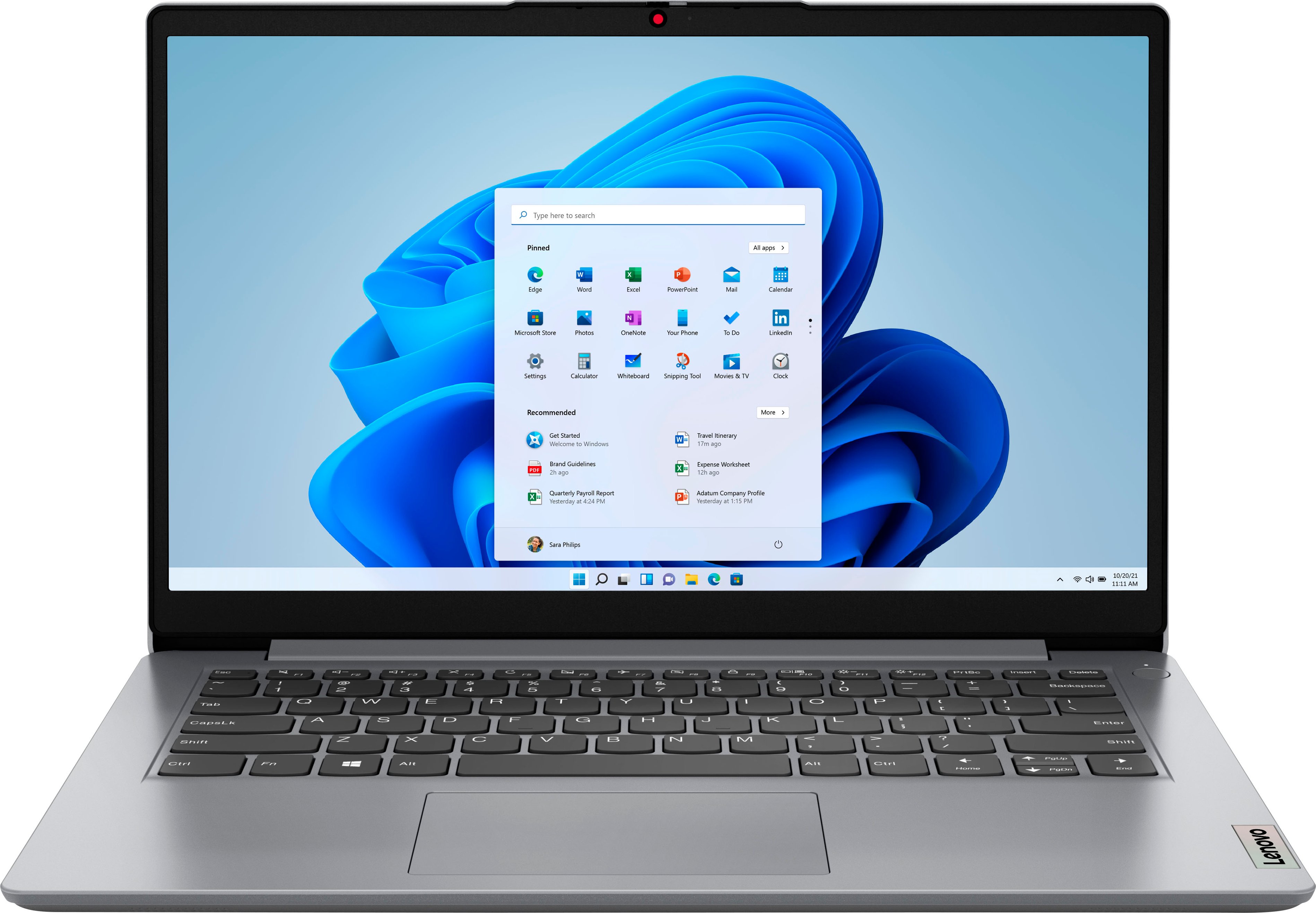
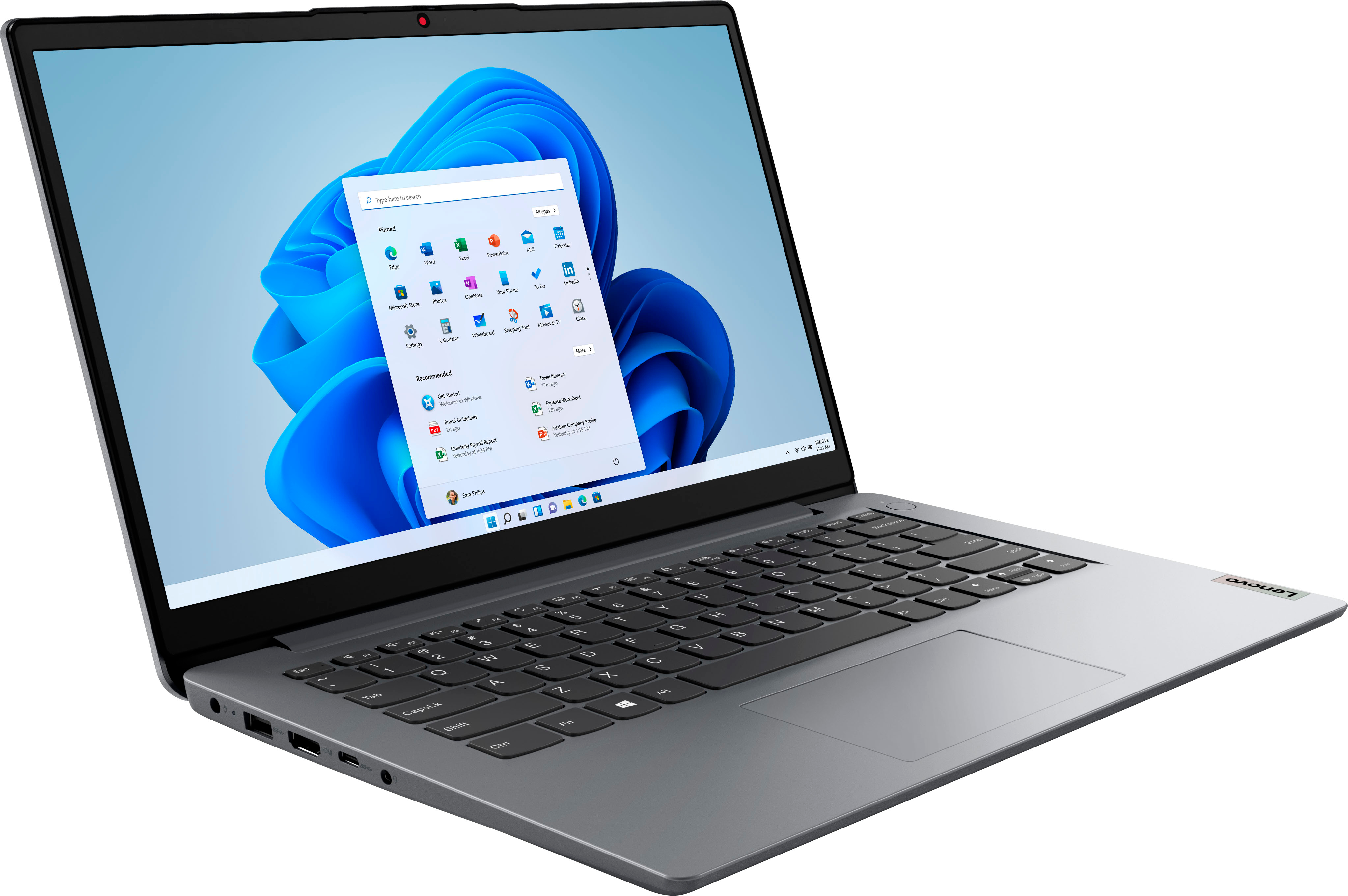
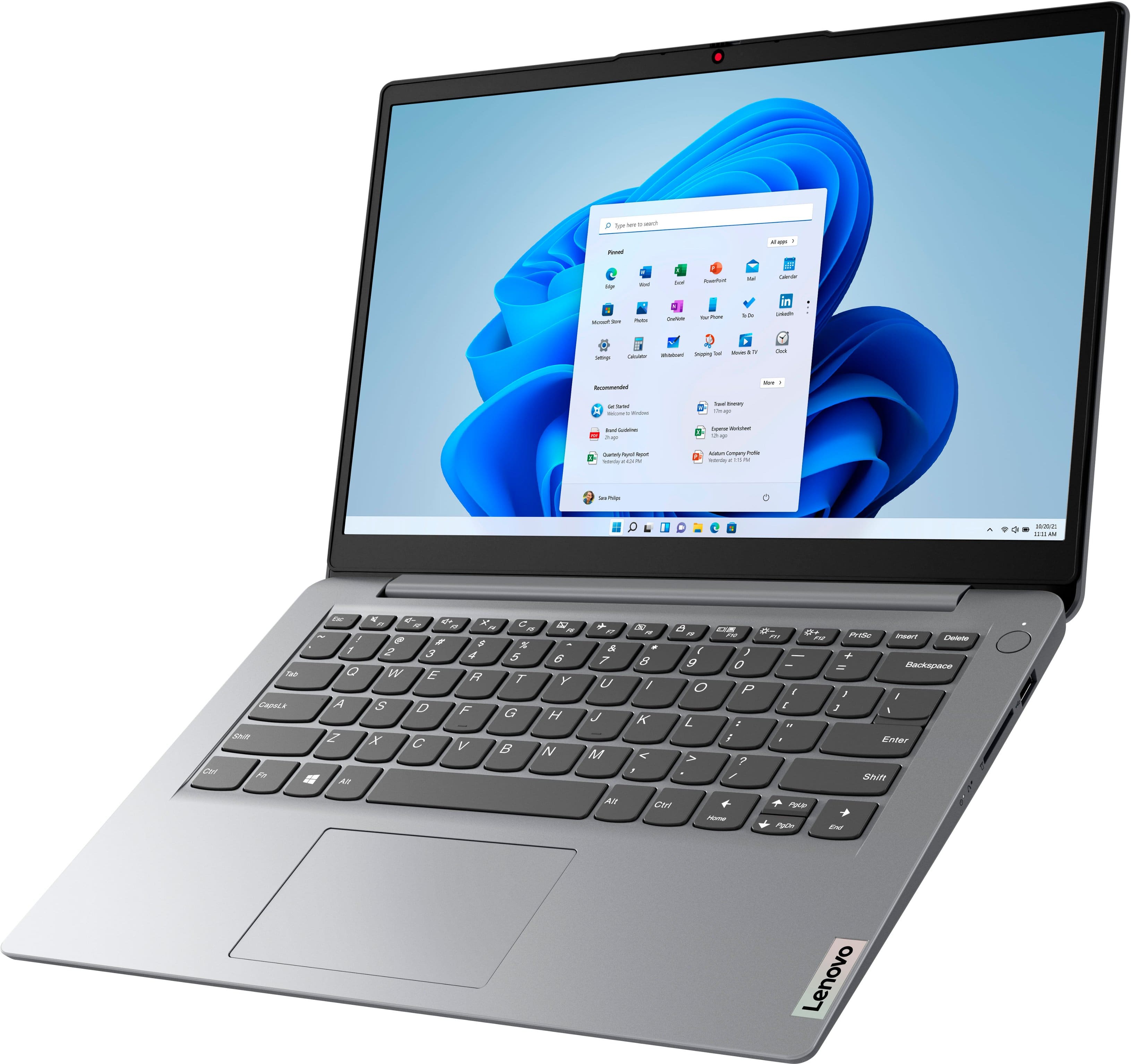
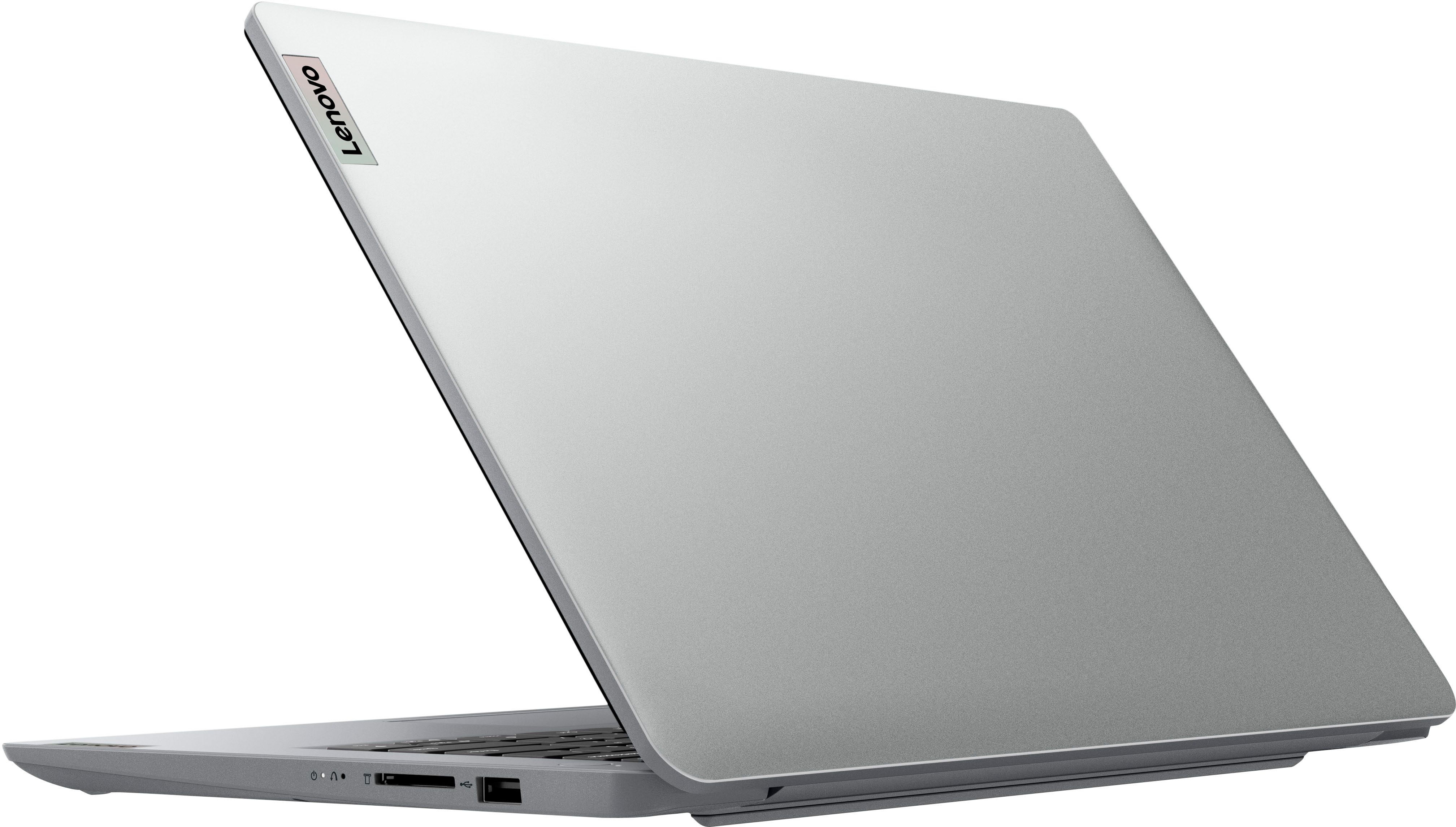


- Model:
- 82V6S00000
- SKU:
- 6511947
Rating by feature
- Battery Life
Rating 4.5 out of 5 stars
- Speed
Rating 3.9 out of 5 stars
- Display
Rating 4.3 out of 5 stars
Customers are saying
Customers express satisfaction with the Ideapad 1i 14.0" HD Laptop's overall performance, portability, and battery life. The laptop's compact size and sleek design are also appreciated by some users. However, some customers wish the laptop had a touchscreen and more storage capacity.
This summary was generated by AI based on customer reviews.
Slow
||Posted . Owned for 3 weeks when reviewed.This reviewer received promo considerations or sweepstakes entry for writing a review.Horrible company everytime i buy from them. Always slow, always have update. Bo matter now new it is
No, I would not recommend this to a friendBrand response from Lenovo Product Expert
Posted .This entry-level, Lenovo IdeaPad 1i 14 Laptop, model number 82V6S00000, is a light workload entry-level configuration. This IdeaPad 1i 14 Laptop ships with Windows 11 S-Mode, 64-bit Operating System installed. Windows 11 S-Mode provides added security by only allowing APPs available ( and therefore certified by Microsoft) at the Microsoft Store. The updates that occur over the Windows Update service are for device driver updates, program patches, and security and bug fixes to help your device be secure and running smoothly. If you don't need the added security or you need to install APPs not available at the Microsoft Store, you can switch to standard Windows 11 Home 64-bit Operating System, at no additional cost. We always recommend you check the requirements and compatibility of any software you will be installing on your new computer, before you invest in any computer. Be sure your new computer can support the software you will need to use and your workload.

Waste of Money
||Posted . Owned for 3 weeks when reviewed.This reviewer received promo considerations or sweepstakes entry for writing a review.Terrible. This computer is incredibly slow. Not worth the money. I bought during Black Friday sales.
No, I would not recommend this to a friendBrand response from Lenovo Product Expert
Posted .This Lenovo IdeaPad 1i 14 Laptop is an entry-level, light workload configuration. We always recommend you check the requirements and compatibility of any software you will be installing on your new computer, before you invest in any computer. Be sure your new computer can support the software you will need to use and your workload.
- Cons mentioned:Connectivity
Wifi wont connect
||Posted . Owned for 1 month when reviewed.This reviewer received promo considerations or sweepstakes entry for writing a review.Wont connect to our home wifi with wifi6. Works on other wifi however... not sure what the issue is.
No, I would not recommend this to a friendBrand response from Lenovo Product Expert
Posted .This entry-level Lenovo IdeaPad 1i 14 Laptop, model number 82V6S00000, ships with WiFi-6, 2x2 802.11ax frequency WiFi capability built in and will connect to a WiFi-6 router to deliver WiFi-6 speeds. If you are not using a WiFi-6 router, this entry-level IdeaPad 1i 14 is also backward compatible to older, a/b/g/n/ac frequency WiFi as well. Once again, this Lenovo IdeaPad 1i 14 Laptop is an entry-level, light workload configuration. We always recommend you check the requirements and compatibility of any software you will be installing on your new computer, before you invest in any computer. Be sure your new computer can support the software you will need to use and your workload.
- Cons mentioned:Connectivity
Hmmm
||Posted .This reviewer received promo considerations or sweepstakes entry for writing a review.Stop working just stop working turn it off now I can't connect to the internet or WI-FI
No, I would not recommend this to a friendBrand response from Lenovo Product Expert
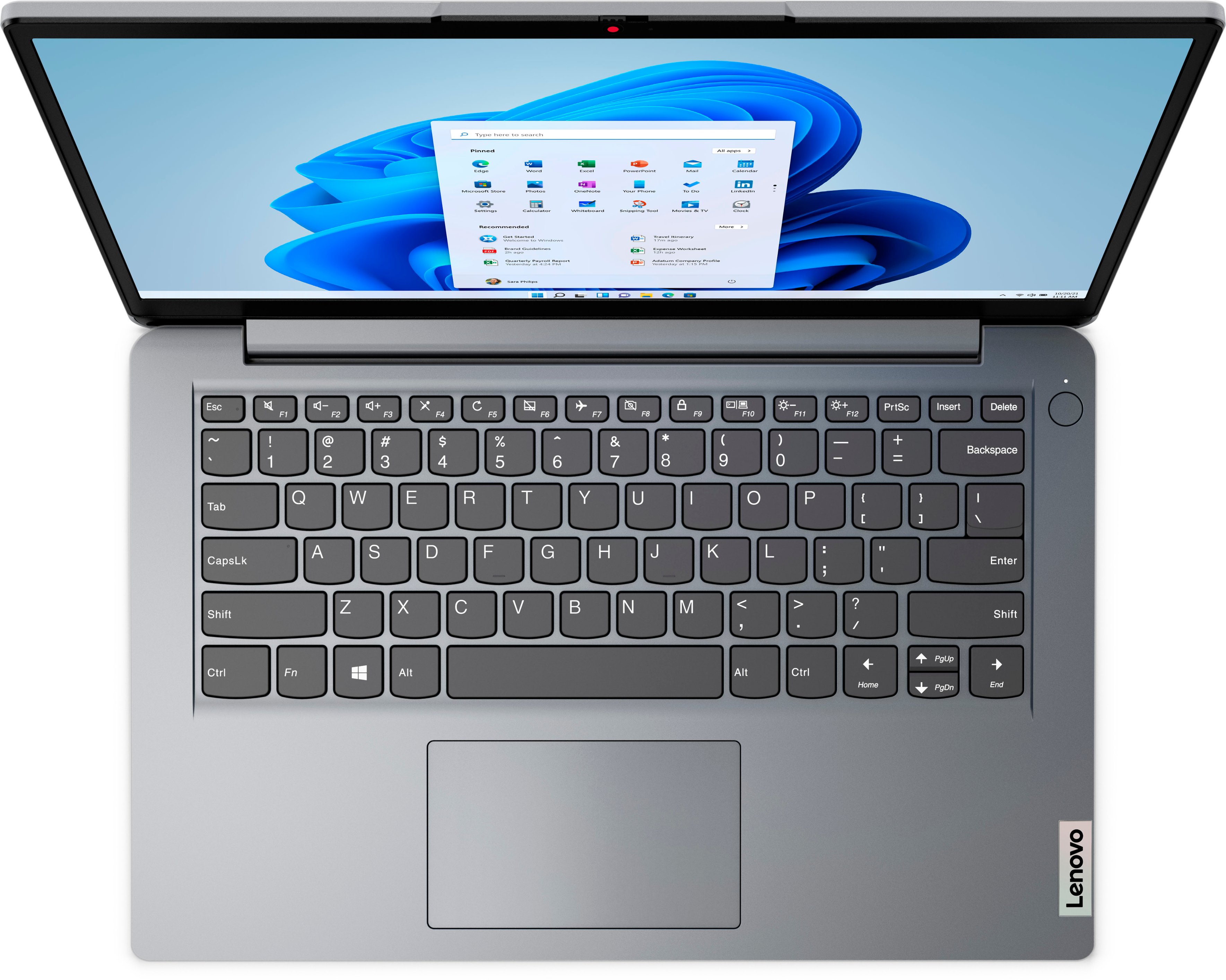
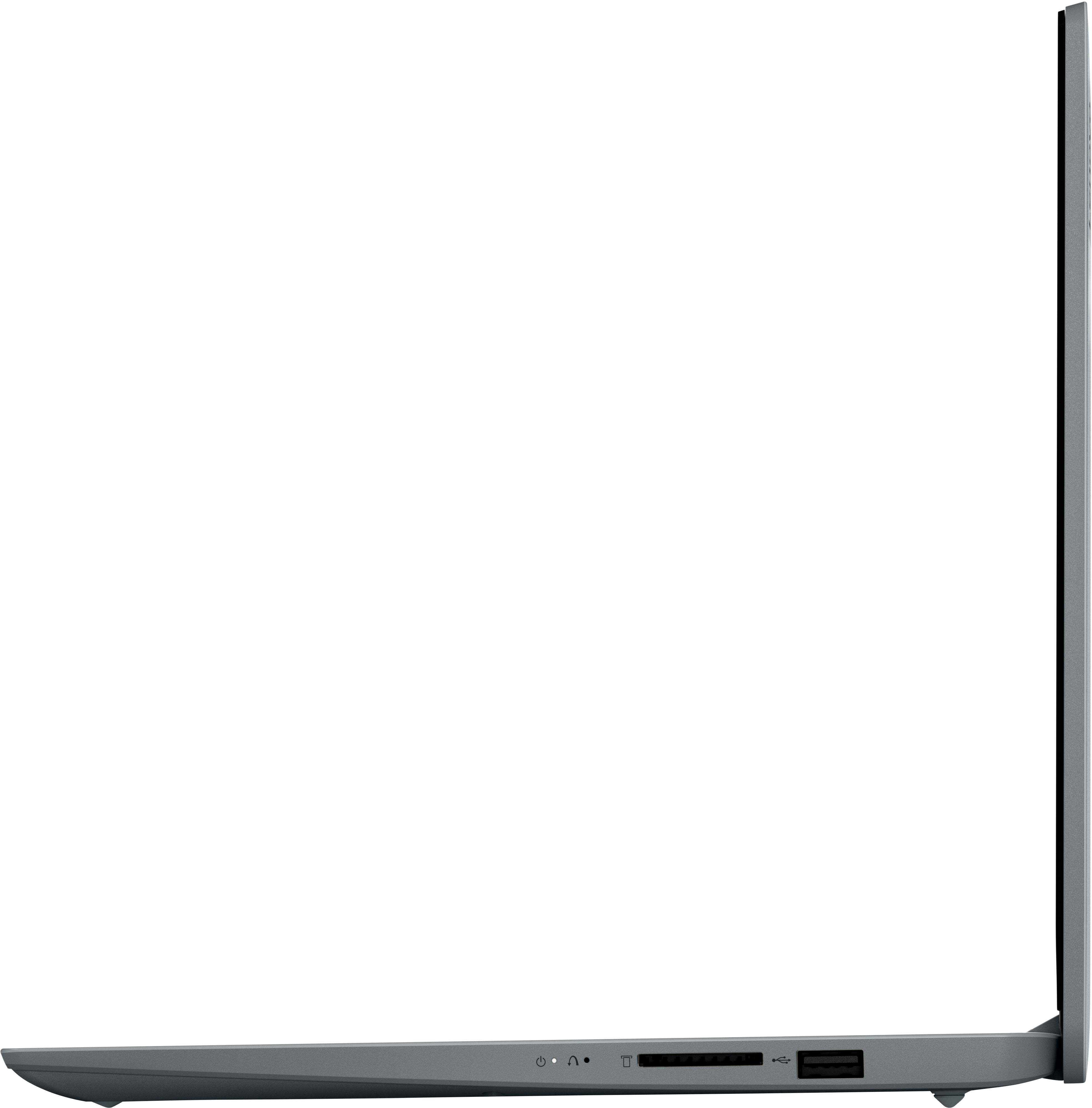
Posted .We are sorry to hear that you are having issues with your entry-level, Lenovo IdeaPad 1i 14 laptop. Resetting the computer back to original factory settings may fix the issue you are having. Power oof the computer, and plug in the 45W USB-C (3-pin) AC adapter/charger that shipped with the laptop, with the laptop still powered off. This system is equipped with OneKey Recovery System. There is a very small pin hole on the right side of the device, right near the SD card slot on the device. You will need a pin to push this reset button. Plug the device in. Let the battery charge for about 15 minutes, with the power off. Push the reset button. The system should boot to a choice screen where you can choose "Restore To Factory Default". Select this. It will delete everything from the hard drive except the original factory install of the operating system. You will need to reinstall all programs and files after the reset. If you don't have copies of the files, try to make one before you restore by selecting "Boot to desktop" and trying to back up your files. If the problem persists after the factory reset, we recommend you contact Lenovo Tech Support at: 877-453-6686.
Slow computer
||Posted . Owned for 1 month when reviewed.This reviewer received promo considerations or sweepstakes entry for writing a review.Slow computer. Slow to open even basic functions like google chrome. Very frustrating
No, I would not recommend this to a friendBrand response from Lenovo Product Expert
Posted .We are sorry to hear that you have had a poor experience with our product. The Lenovo IdeaPad 1i 14, model number 82V6S00000, is an entry level, light use system with an Intel Celeron N4020 processor, with a base speed of 1.1GHz and a boost speed of up to 2.8GHz, 4GB of RAM and a 64GB eMMC drive, for quick access to files and programs. This model ships with Windows 11 Home in S-Mode Operating System, a more secure, lighter version of the Windows 11 Operating System due to the computer’s entry level specifications. This Lenovo IdeaPad 1i 14 is not meant for multi-tasking or demanding programs. It is good for utilizing built-in and compatible applications available in the Microsoft App store and light internet browsing. We recommend you check the requirements and compatibility of any software you will be installing on your computer or know what specifications and features you need to effectively complete various workflows and tasks if being use for work, education, or personal use before you invest in any computer.
The worst laptop ever.
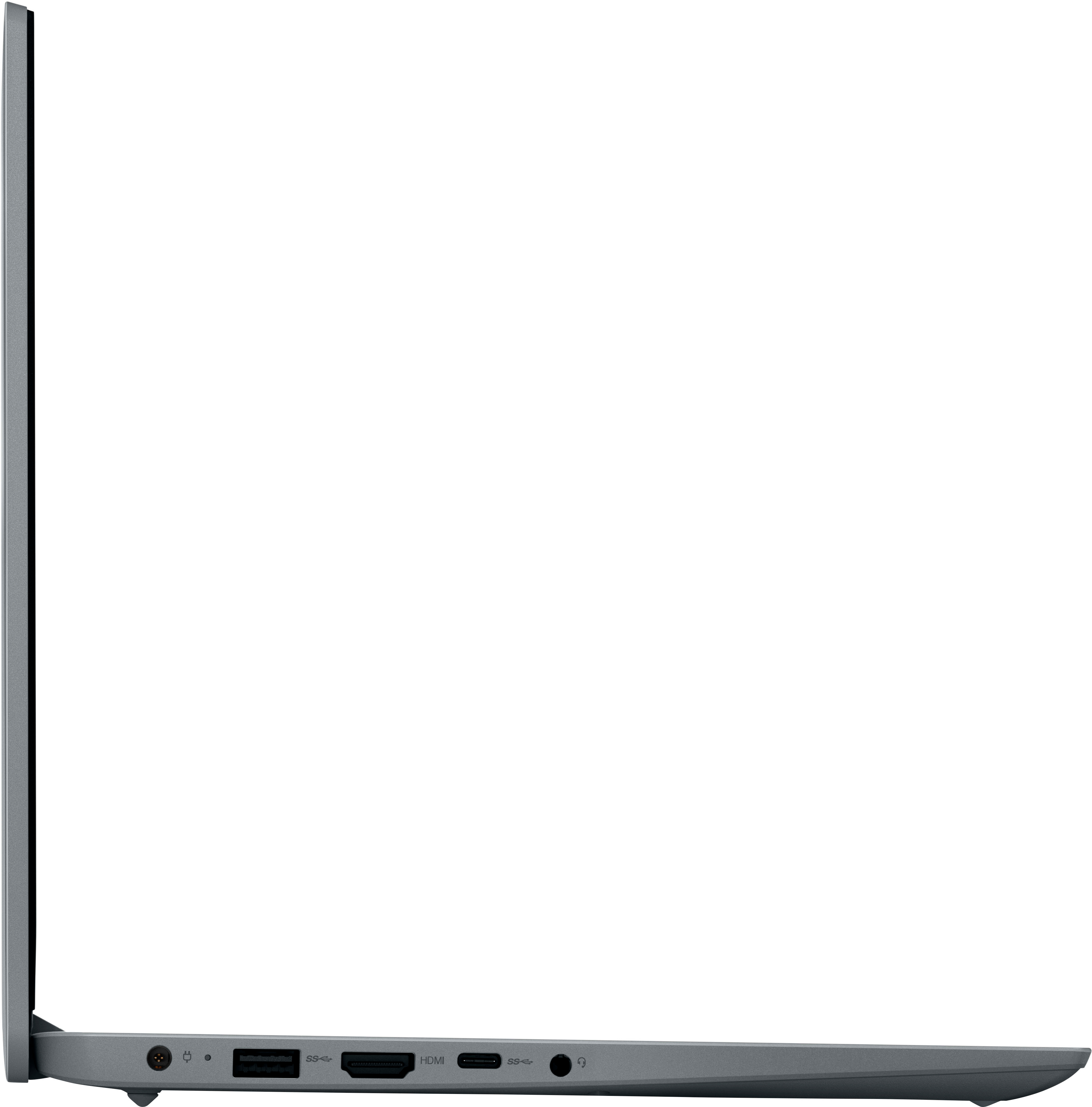
||Posted . Owned for less than 1 week when reviewed.This reviewer received promo considerations or sweepstakes entry for writing a review.I deeply regret buying this laptop. It froze as soon as I turned it on. I connected it to my Sony 4k TV and the picture would flicker. I will return this back to Best Buy as soon as I can. I should have realized a computer as low as $99.00 had to be too good to be true. I want my money back or a great deal on a better quality lap top. Don't buy this laptop because you will regret it like I do.
No, I would not recommend this to a friendBrand response from Lenovo Product Expert
Posted .This entry-level, Lenovo IdeaPad 1i 14 Laptop is a light workload configuration that ships with Windows 11 S-Mode, 64-bit Operating System installed. Windows 11 S-Mode provides added security by only allowing APPs available ( and therefore certified by Microsoft) at the Microsoft Store. If you don't need the added security or you need to install APPs not available at the Microsoft Store, you can switch to standard Windows 11 Home 64-bit Operating System, at no additional cost. Once again, this Lenovo IdeaPad 1i 14 Laptop is an entry-level, light workload configuration. We always recommend you check the requirements and compatibility of any software you will be installing on your new computer, before you invest in any computer. Be sure your new computer can support the software you will need to use and your workload.
Bad election
||Posted . Owned for 1 month when reviewed.This reviewer received promo considerations or sweepstakes entry for writing a review.Is too slow, I need to change this item. I do not recommend this product.
No, I would not recommend this to a friendBlurry
||Posted . Owned for less than 1 week when reviewed.This reviewer received promo considerations or sweepstakes entry for writing a review.Good computer. However, I felt like this computer in particular looked blurry. Otherwise, a good computer.
No, I would not recommend this to a friendBrand response from Lenovo Product Expert
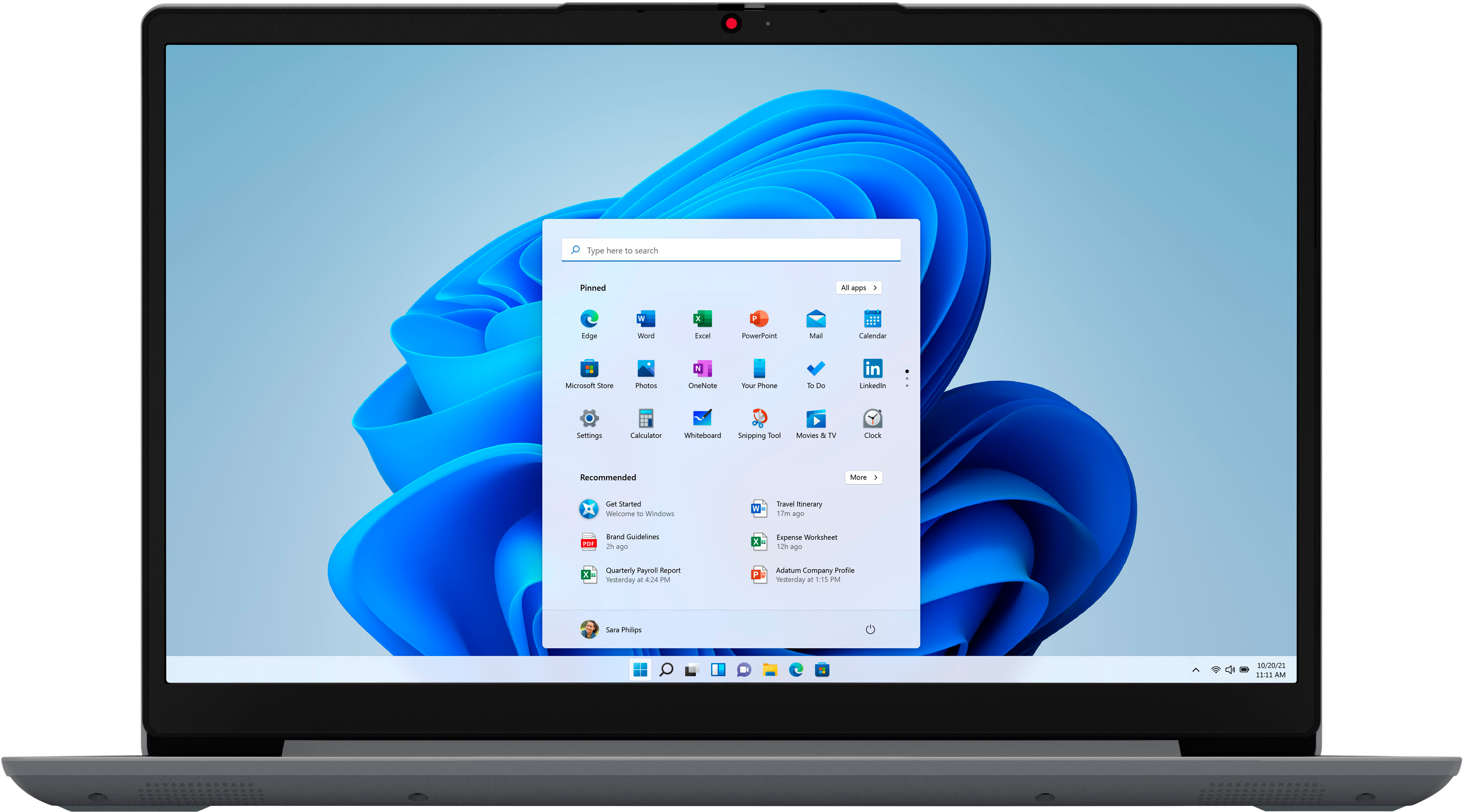
Posted .This entry-level, Lenovo IdeaPad 1i 14 laptop, model number 82V6S00000, ships with a 14 inch (screen size measured diagonally) TN - HD (1366x768) screen, with a brightness level of 220 nits and has an Anti-glare Coating. This screen provides 67 Percent of the sRGB (45 Percent NTSC) color gamut. We always recommend you check the requirements and compatibility of any software you will be installing on your new computer, before you invest in any computer. Be sure your new computer can support the software you will need to use and your workload.
Terrible
||Posted . Owned for 3 weeks when reviewed.This reviewer received promo considerations or sweepstakes entry for writing a review.Not what I expected. Want my money back so not buy this brand.
No, I would not recommend this to a friendBrand response from Lenovo Product Expert
Posted .We are sorry to hear that you have had a poor experience with our product. The Lenovo IdeaPad 1i, model number 82V6S00000, is an entry level, light use system with an Intel Celeron N4020 processor, with a base speed of 1.1GHz and a boost speed of up to 2.8GHz, 4GB of RAM and a 64GB eMMC drive, for quick access to files and programs. This model ships with Windows 11 Home in S-Mode Operating System, a more secure, lighter version of the Windows 11 Operating System due to the computer’s entry level specifications. This Lenovo IdeaPad 1i is not meant for multi-tasking or demanding programs. It is good for utilizing built-in and compatible applications available in the Microsoft App store and light internet browsing. We recommend you check the requirements and compatibility of any software/games you will be installing on your computer or know what specifications and features you need to effectively complete various workflows and tasks if being use for work or education, before you invest in any computer.
- Cons mentioned:Connectivity
Not good
||Posted .This reviewer received promo considerations or sweepstakes entry for writing a review.Bought this as a open box and it didnt get passed the wifi signin
No, I would not recommend this to a friendBrand response from Lenovo Product Expert
Posted .We are sorry to hear that you are having issues with your entry-level, Lenovo IdeaPad 1i 14 laptop. Resetting your computer back to original factory settings may fix the WiFi issue you are having. Power off the computer and plug in the AC adapter/charger that shipped with your entry-level, IdeaPad 1i 14 laptop, with the computer powered off. This system is equipped with OneKey Recovery System. There is a very small pin hole on the right side of the device, right near the SD Card Slot on the device. You will need a pin to push this reset button. Plug the device in. Let the battery charge for about 15 minutes, with the power off. Push the reset button. The system should boot to a choice screen where you can choose "Restore To Factory Default". Select this. It will delete everything from the hard drive except the original factory install of the operating system. You will need to reinstall all programs and files after the reset. If you don't have copies of the files, try to make one before you restore by selecting "Boot to desktop" and trying to back up your files. If the problem persists after the factory reset, we recommend you contact Lenovo Tech Support at: 877-453-6686.
DO NOT BUY THIS
||Posted . Owned for 1 week when reviewed.This reviewer received promo considerations or sweepstakes entry for writing a review.Horrible computer never will buy again, absolutely slow
No, I would not recommend this to a friendBrand response from Lenovo Product Expert
Posted .This entry-level, Lenovo IdeaPad 1i 14 Laptop, model number 82V6S00000, is a light workload entry-level configuration. This IdeaPad 1i 14 Laptop ships with Windows 11 S-Mode, 64-bit Operating System installed. Windows 11 S-Mode provides added security by only allowing APPs available ( and therefore certified by Microsoft) at the Microsoft Store. If you don't need the added security or you need to install APPs not available at the Microsoft Store, you can switch to standard Windows 11 Home 64-bit Operating System, at no additional cost. We always recommend you check the requirements and compatibility of any software you will be installing on your new computer, before you invest in any computer. Be sure your new computer can support the software you will need to use and your workload.
- Cons mentioned:Connectivity
WiFi issues
||Posted . Owned for less than 1 week when reviewed.This reviewer received promo considerations or sweepstakes entry for writing a review.Cute laptop but won’t connect to my Wifi. Taking back
No, I would not recommend this to a friendBrand response from Lenovo Product Expert
Posted .This entry-level, Lenovo IdeaPad 1i 14 laptop, model number 82V6S00000, ships with WiFi-6, 2x2 802.11ax frequency WiFi installed, which is also backward compatible to older, a/b/g/n/ac frequency WiFi. If you can not connect to your home WiFi, first check to be sure you have the latest version of Windows 11 on the computer. Then update all BIOS files and drivers up to that latest version of Windows 11. You can easily accomplish this by scanning the computer with the Lenovo Utility software available on this computer. This system has Lenovo utilities installed to help maintain the health of the device and keep the operating system software up to date. Type "Lenovo Vantage" in the Cortana Search window (if Lenovo Vantage is not installed on your device, you can download the APP and install it now). Select Lenovo Vantage from the list. In the window that opens, click on "Health and Support". In the expanded menu, select "Hardware Scan" In the window that opens, select "Run Quick Tests". This will scan your entire system for errors. Follow any directions that may pop up. If the problem continues after this scan, now click on "System Update". First select Windows update from the menu. Scan your system to be sure you have the latest version of Windows 11. Once that scan is complete, select "Additional Updates". This will scan your device to be sure there are no new BIOS/Driver updates needed. Follow any instructions that may pop up. If you get a message that there are no updates available, you can directly update/reinstall the WiFi Driver within the Windows 11 Operating System on this Laptop. Here is a link to instructions for doing this: https://allthings.how/how-to-install-or-update-windows-11-wifi-driver/#:~:text=In%20Settings%2C%20click%20on%20the,Download%20%26%20install'%20under%20it. If the issue continues, we recommend you contact Lenovo Tech Support for additional help at: 866-426-0911.
Depressing and annoyed
||Posted . Owned for 1 month when reviewed.This reviewer received promo considerations or sweepstakes entry for writing a review.Touch pad doesnt work. Reached out & no resolution
No, I would not recommend this to a friendBrand response from Lenovo Product Expert
Posted .Regarding the touchpad issues, first, determine if the model Lenovo you have has a touchpad toggle button mapped on your function row of keys at the top of the keyboard. This key should have a symbol that appears as a depiction of a touchpad with a diagonal line through it. If you have this button, try pressing it or pressing it while holding the function (Fn) key. If this does not resolve your issue, next you can adjust the touchpad in your system settings. You can get there by clicking on the magnifying glass at the bottom of your Windows 11 screen. Type "touchpad" in the search window. Select "Mouse & touchpad settings" from the list of choices. You can make general adjustments to the touchpad there. You can also select "Additional mouse options" for more detailed adjustments to the touchpad sensitivity by increasing the delay of the touchpad. Making the touchpad less sensitive may correct the issues you have experienced. If your issue persists, we recommend contacting Lenovo Tech Support at this number and give the representative information on any troubleshooting steps you have tried: 877-453-6686.
Lenovo is grabage
||Posted . Owned for 1 month when reviewed.This reviewer received promo considerations or sweepstakes entry for writing a review.Lenovo is garbage. The computer was supposed to come with a one year free Office 365 but when I tried to activate, it wouldn't extend my current subscription. Now there is no wat to activate the free subscription and support doesn't have a clue.
No, I would not recommend this to a friendBrand response from Lenovo Product Expert
Posted .We are sorry to hear that you have experienced an issue. Since Office is a Microsoft product, you can be assisted best with this issue using Microsoft’s resources. Built-in to Windows is an application called “Get Help”. This app is a way to reach out to Microsoft and gain access to information that may help resolve your issue. You can find this application by selecting start on the taskbar (windows logo) or press the windows key on the keyboard then selecting All Apps and scrolling until you see the Get Help application. Or, you can repeat the first step and enter into the search bar “Get Help”, and the application should populate.
Hangs
||Posted . Owned for 1 month when reviewed.This reviewer received promo considerations or sweepstakes entry for writing a review.When few browser instances are opened it hangs … wouldn’t work as expected.
No, I would not recommend this to a friendBrand response from Lenovo Product Expert
Posted .We are sorry to hear that you have had a poor experience with our product. The Lenovo IdeaPad 1i 14, model number 82V6S00000, is an entry level, light use system with an Intel Celeron N4020 processor, with a base speed of 1.1GHz and a boost speed of up to 2.8GHz, 4GB of RAM and a 64GB eMMC drive, for quick access to files and programs. This model ships with Windows 11 Home in S-Mode Operating System, a more secure, lighter version of the Windows 11 Operating System due to the computer’s entry level specifications. This Lenovo IdeaPad 1i 14 is not meant for multi-tasking or demanding programs. It is good for utilizing built-in and compatible applications available in the Microsoft App store and light internet browsing. We recommend you check the requirements and compatibility of any software you will be installing on your computer or know what specifications and features you need to effectively complete various workflows and tasks if being use for work, education, or personal use before you invest in any computer.
sufficient for web-browsing, but ...
||Posted . Owned for 3 weeks when reviewed.This reviewer received promo considerations or sweepstakes entry for writing a review.very good price as Thanksgiving promotion, but an under-powered laptop
No, I would not recommend this to a friendBrand response from Lenovo Product Expert
Posted .This Lenovo IdeaPad 1i 14 Laptop is an entry-level, light workload configuration. We always recommend you check the requirements and compatibility of any software you will be installing on your new computer, before you invest in any computer. Be sure your new computer can support the software you will need to use and your workload.
could do better
||Posted . Owned for 3 weeks when reviewed.This reviewer received promo considerations or sweepstakes entry for writing a review.freezes up alot but otherwise not too bad considering the price
No, I would not recommend this to a friendBrand response from Lenovo Product Expert
Posted .We are sorry to hear that you have not had a good experience with our product. The Lenovo IdeaPad 1i 14, model number 82V6S00000, is an entry level, light use system with an Intel Celeron N4020 processor, with a base speed of 1.1 GHz and a boost speed of up to 2.8GHz, 4GB of RAM and a 64GB eMMC drive, for quick access to files and programs. This model ships with Windows 11 Home in S-Mode Operating System, a more secure, lighter version of the Windows 11 Operating System due to the computer’s entry level specifications. This Lenovo IdeaPad 1i is not meant for multi-tasking or demanding programs. It is good for utilizing built-in and compatible applications available in the Microsoft App store and light internet browsing. We recommend you check the requirements and compatibility of any software you will be installing on your computer or know what specifications and features you need to effectively complete various workflows and tasks if being use for work, education, or personal use before you invest in any computer.
Lenovo
||Posted . Owned for 1 month when reviewed.This reviewer received promo considerations or sweepstakes entry for writing a review.It takes a really long time to load a moves really slow.
No, I would not recommend this to a friendBrand response from Lenovo Product Expert
Posted .We are sorry to hear that you have had a poor experience with our product. The Lenovo IdeaPad 1i 14, model number 82V6S00000, is an entry level, light use system with an Intel Celeron N4020 processor, with a base speed of 1.1GHz and a boost speed of up to 2.8GHz, 4GB of RAM and a 64GB eMMC drive, for quick access to files and programs. This model ships with Windows 11 Home in S-Mode Operating System, a more secure, lighter version of the Windows 11 Operating System due to the computer’s entry level specifications. This Lenovo IdeaPad 1i 14 is not meant for multi-tasking or demanding programs. It is good for utilizing built-in and compatible applications available in the Microsoft App store and light internet browsing. We recommend you check the requirements and compatibility of any software you will be installing on your computer or know what specifications and features you need to effectively complete various workflows and tasks if being use for work, education, or personal use before you invest in any computer.
Not recommended
||Posted . Owned for less than 1 week when reviewed.This reviewer received promo considerations or sweepstakes entry for writing a review.Display so fuzzy and blurryyyy sometime display dimmed at the top and bright at the edge of screen sometime so bright at the middle made me headache, no taste, just return!
No, I would not recommend this to a friendtoo bad
||Posted .This reviewer received promo considerations or sweepstakes entry for writing a review.waste of money.you cannot even do zoom meetings with it.
No, I would not recommend this to a friend