Customer Ratings & Reviews
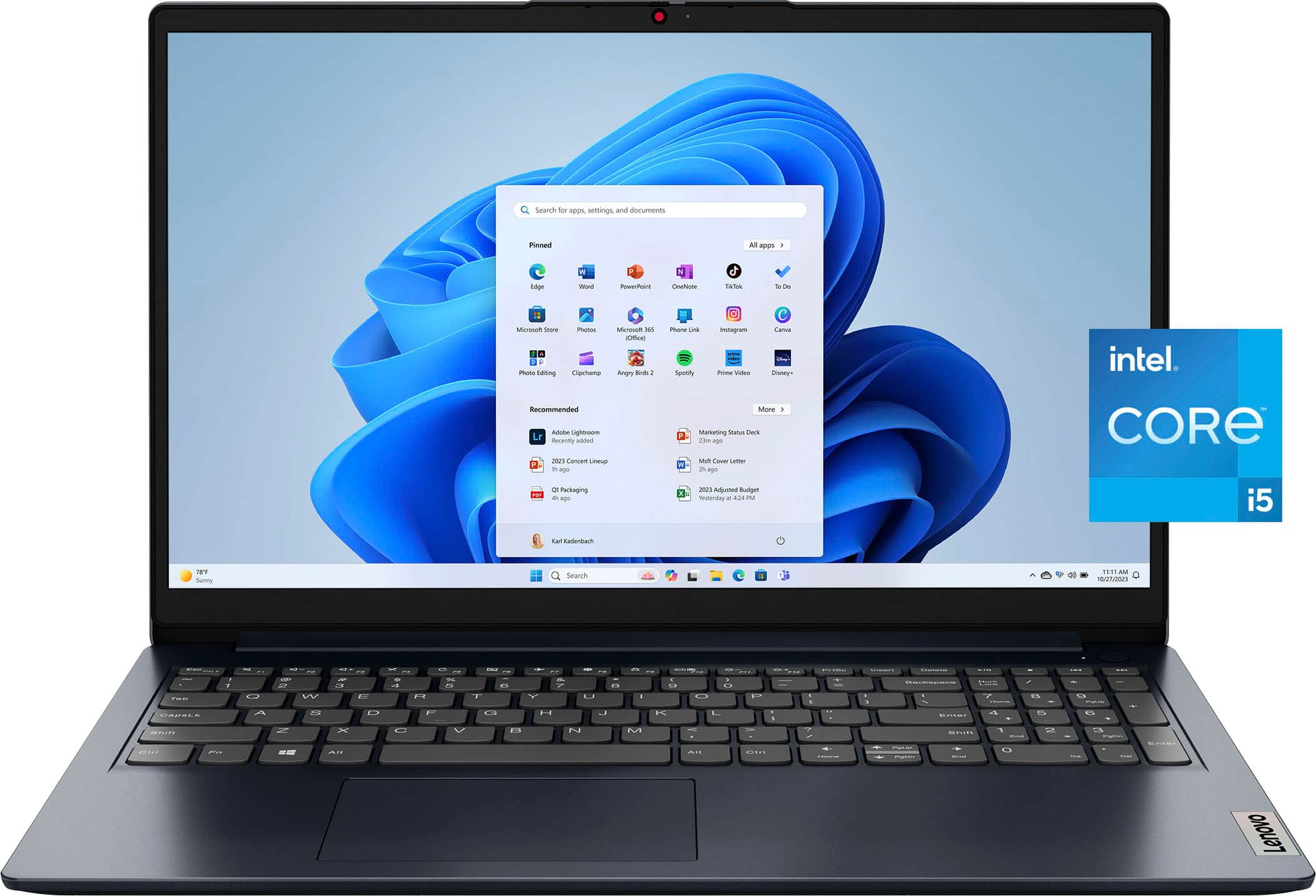
![Unmatched efficiency and mobility. Intel 16GB & 512GB 00 TM Intel* CoreM i5-1334U Processor 16GB DDR4-3200 Memory & 512GB SSD Storage Integrated Intel* Iris X Graphics I Subpure - [Proseware, Inc.] . - 10% - + Slim Zip Backpack $50 n - - tut - Lig - - NSN - - afat - MESIAN - - - - - e a - - . a - Blueke BAcS TESTNA - - -. - - - - - 18 - - - - - 5 I 3.](https://pisces.bbystatic.com/image2/BestBuy_US/images/products/c92879cf-1648-4df7-8b47-ff484ad5e044.jpg)


- Model:
- 83B40001US
- SKU:
- 6610890
Rating by feature
- Battery Life
Rating 4.6 out of 5 stars
- Speed
Rating 4.7 out of 5 stars
- Display
Rating 4.7 out of 5 stars
Customers are saying
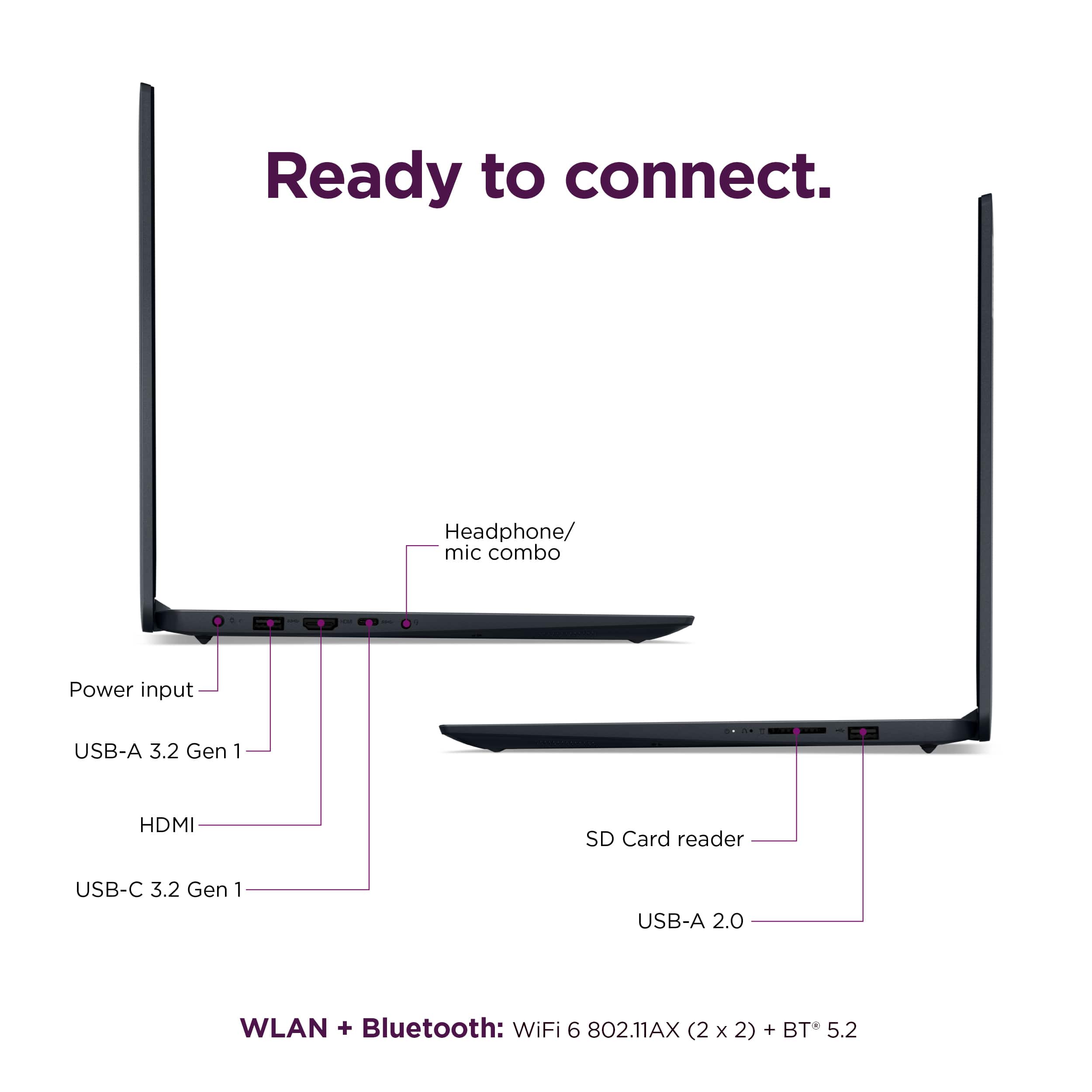
Customers are delighted by the Ideapad 1i's overall performance, speed, and touchscreen functionality. Many appreciate its portability, battery life, and lightweight design. However, some customers have expressed concerns regarding connectivity and port selection limitations. Specifically, they noted the lack of video support through docking stations and the inability to use the USB port for display output or charging.
This summary was generated by AI based on customer reviews.
Good deal!
||Posted .This reviewer received promo considerations or sweepstakes entry for writing a review.Shipping 2-days out of state, free, gift. Great price … too.
I would recommend this to a friendBrand response from Lenovo Product Expert
Posted .Hi Planes-
Thank you for choosing Lenovo and sharing your experience with us. We are excited to hear that you are enjoying the value of the IdeaPad 1i. We aim to provide fantastic user experience, and we are thrilled to hear that we met our goal.
Please reach out to us through the Q & A section of this product page if you have any questions or need assistance.
Best wishes,
Lenovo
Ideapad are very reliable
||Posted .This reviewer received promo considerations or sweepstakes entry for writing a review.Lenovo has the best laptops in the market. I used my previous Ideapad one for 8 years and it is still working. Now upgrading to get Windows 11
I would recommend this to a friendBrand response from Lenovo Product Expert
Posted .Hey SaiB,
Thanks for choosing Lenovo again and for sharing your feedback with us!
Please feel free to reach out to us via the Q&A section of the product page should you have any questions or need assistance.
Best,
Lenovo
Rated by the Stars, Powered by Joy
||Posted . Owned for 1 month when reviewed.This reviewer received promo considerations or sweepstakes entry for writing a review.Compact, comfy, and smart—typing’s a dream. Syncs to mobile like magic. #RatedByTheStars
I would recommend this to a friendBrand response from Lenovo Product Expert
Posted .Hey,
Thanks for choosing Lenovo and for sharing your feedback with us!
We are glad to read that this IdeaPad 1i has been magical for you.
Please feel free to reach out to us via the Q&A section of the product page should you have any questions or need assistance.
Best,
Lenovo
Nice laptop
||Posted .This reviewer received promo considerations or sweepstakes entry for writing a review.Only have had it a week but have owned other Lenovo laptops. All have been very good and lasted longer than most. I would recommend
I would recommend this to a friendBrand response from Lenovo Product Expert
Posted .Hey Thomas,
Thanks for choosing Lenovo and for sharing your feedback with us!
We are glad to read that this IdeaPad 1i is working out nicely for you thus far.
Please feel free to reach out to us via the Q&A section of the product page should you have any questions or need assistance.
Best,
Lenovo
- Pros mentioned:Overall performance
Title
||Posted .This reviewer received promo considerations or sweepstakes entry for writing a review.I thought it would be better It glitched up a few times but overall it works well OK for the price should have been better
I would recommend this to a friendBrand response from Lenovo Product Expert
Posted .Hi user778807,
Thank you for sharing your feedback with us. We are sorry to hear that your IdeaPad 1i has fallen short of your performance expectations. We wish to provide the best experience possible, so if you'd like, we want to work with you to address this.
To start, to help with performance and overall system functionality, we recommend ensuring you have the latest software by checking for updates, as this could correct the issue. To do so, first, open the Settings app > Select the Windows update tab > Select the Check for updates button, applying all available updates. Next, open the Lenovo Vantage app > on the homepage, select the Check for updates button, following on-screen prompts to apply all available updates here as well.
We hope that the information shared helps you.
Please let us know what else we can do to try to improve your experience, as your satisfaction is important to us.
Best regards,
Lenovo
Satisfied
||Posted .This reviewer received promo considerations or sweepstakes entry for writing a review.Easy set-up, Windows login brought all my preferences and shortcuts. Fast and responsive. Doesn't hold a charge for very long (15-20 hours)
I would recommend this to a friendBrand response from Lenovo Product Expert
Posted .Hey Claire,
Thank you for choosing Lenovo and for sharing your feedback with us!
We are pleased to read that you are satisfied with your purchase.
Please don't hesitate to reach out to us via the Q& A section of this product page or contact Lenovo Support should you have any questions or need assistance.
Regards,
Lenovo
Savior
||Posted .This reviewer received promo considerations or sweepstakes entry for writing a review.Great laptop brand. We were very pleased with the help to set up everything we needed on the laptop.
I would recommend this to a friendBrand response from Lenovo Product Expert
Posted .Hi RobertR,
Thanks for choosing Lenovo and for sharing your feedback with us!
We are pleased to read that your experience with this IdeaPad 1i has been great.
Please feel free to reach out to us via the Q& A section of this product page should you have any questions or need assistance.
Best,
Lenovo
Down under AI search in USA
||Posted .This reviewer received promo considerations or sweepstakes entry for writing a review.Hi I am in Australia such a good experience to buy from you. Thank you very much.
I would recommend this to a friendBrand response from Lenovo Product Expert
Posted .Hi user317838,
Thanks for choosing Lenovo and for sharing your feedback with us!
We are pleased to read that your shopping experience was good.
Please feel free to reach out to us via the Q& A section of this product page should you have any questions or need assistance.
Best,
Lenovo
Lenovo review
||Posted .This reviewer received promo considerations or sweepstakes entry for writing a review.Value is great, for the features that product offers. Quick setup as long as you have your microsoft account previously setup.
I would recommend this to a friendBrand response from Lenovo Product Expert
Posted .Hi,
Thanks for choosing Lenovo and for sharing your feedback with us!
We are glad to read that you are satisfied with your purchase.
Please don't hesitate to reach out to us via the Q& A section of this product page or contact Lenovo Support should you have any questions or need assistance.
Regards,
Lenovo
Very nice looking laptop.
||Posted .This reviewer received promo considerations or sweepstakes entry for writing a review.Arrived at the store sooner than predicted. Not set up yet, but perfect to far.
I would recommend this to a friendBrand response from Lenovo Product Expert
Posted .Hey PoconoResident,
Thanks for choosing Lenovo and for sharing your feedback with us!
We are glad to read that this IdeaPad 1i has been perfect for you thus far.
Please feel free to reach out to us via the Q& A section of this product page should you have any questions or need assistance.
Best,
Lenovo
Lap top
||Posted .This reviewer received promo considerations or sweepstakes entry for writing a review.Good, strong machine. Runs my program that requires a lot of memory
I would recommend this to a friendBrand response from Lenovo Product Expert
Posted .Hey MyrnaK,
Thank you for choosing Lenovo and for sharing your feedback with us!
We are pleased to read that you are satisfied with your purchase.
Please don't hesitate to reach out to us via the Q& A section of this product page or contact Lenovo Support should you have any questions or need assistance.
Regards,
Lenovo
Great Value
||Posted . Owned for 1 week when reviewed.This reviewer received promo considerations or sweepstakes entry for writing a review.This is an updated laptop from my previous one by this manufacturer.. A few changes to the keyboard, but I'm catching on quickly.. The price was right!
I would recommend this to a friendBrand response from Lenovo Product Expert
Posted .Hey,
Thanks for choosing Lenovo again and for sharing your feedback with us!
We are glad to read that this IdeaPad 1i offers great value to you.
Please feel free to reach out to us via the Q&A section of the product page should you have any questions or need assistance.
Best,
Lenovo
Excellent PC
||Posted .This reviewer received promo considerations or sweepstakes entry for writing a review.Great PC. Set up is very easy and straightforward
I would recommend this to a friendlaptop
||Posted .This reviewer received promo considerations or sweepstakes entry for writing a review.very easy process to by. ordered it online went to the and walked out in minutes
I would recommend this to a friendBrand response from Lenovo Product Expert
Posted .Hi WilliamH,
Thanks for choosing Lenovo and for sharing your feedback with us!
We are pleased to read that your purchasing experience was seamless and easy.
Please feel free to reach out to us via the Q& A section of this product page should you have any questions or need assistance.
Best,
Lenovo
Lenovo Ideapad
||Posted .This reviewer received promo considerations or sweepstakes entry for writing a review.It’s a good laptop for the price. Just wish it’s made of a better material. It has plastic feel to it. But overall it’s a decent one.
I would recommend this to a friendBrand response from Lenovo Product Expert
Posted .Hi SureshK,
Thanks for choosing Lenovo and for sharing your feedback with us!
We are pleased to read that this IdeaPad 1i is a good fit for you.
Please feel free to reach out to us via the Q& A section of this product page should you have any questions or need assistance.
Best,
Lenovo
Lenovo-Ideapad
||Posted . Owned for 1 month when reviewed.This reviewer received promo considerations or sweepstakes entry for writing a review.I'm very pleased with all the features on the Lenovo - Ideapad. It makes doing business so much easier.
I would recommend this to a friendBrand response from Lenovo Product Expert
Posted .Hey Tommy,
Thanks for choosing Lenovo and for sharing your feedback with us!
We are glad to read that you are quite pleased with all aspects of your IdeaPad 1i.
Please feel free to reach out to us via the Q& A section of this product page should you have any questions or need assistance.
Best,
Lenovo
Reliable
||Posted .This reviewer received promo considerations or sweepstakes entry for writing a review.Very reliable laptop. Good customer service as well from staff :)
I would recommend this to a friendBrand response from Lenovo Product Expert
Posted .Hi MaryO,
Thanks for choosing Lenovo and for sharing your feedback with us!
We are pleased to read that your IdeaPad 1i has been quite reliable for you and that your service received was good.
Please feel free to reach out to us via the Q& A section of this product page should you have any questions or need assistance.
Best,
Lenovo
Lenovo Laptop Computer
||Posted . Owned for 3 weeks when reviewed.This reviewer received promo considerations or sweepstakes entry for writing a review.Love my new computer has a big screen to display my games which I mainly play.
I would recommend this to a friendBrand response from Lenovo Product Expert
Posted .Hi MarilynF,
Thanks for choosing Lenovo and for sharing your feedback with us!
We are pleased to read that you love your IdeaPad 1i.
Please feel free to reach out to us via the Q& A section of this product page should you have any questions or need assistance.
Best,
Lenovo
great service and love my new laptop!
||Posted . Owned for 3 weeks when reviewed.This reviewer received promo considerations or sweepstakes entry for writing a review.I've always been a fan of Lenovo—it's a solid brand, and I've never had any problems with the other devices I've used
I would recommend this to a friendBrand response from Lenovo Product Expert
Posted .Hey TIMM,
Thanks for choosing Lenovo and for sharing your feedback with us!
We are glad to read that you love your IdeaPad 1i and that your service received was great.
Please feel free to reach out to us via the Q& A section of this product page should you have any questions or need assistance.
Best,
Lenovo
Great computer
||Posted .This reviewer received promo considerations or sweepstakes entry for writing a review.It is really good something that is cheap for how good it is
I would recommend this to a friendBrand response from Lenovo Product Expert
Posted .Hey Josh,
Thank you for choosing Lenovo and for sharing your feedback with us!
We are pleased to read that you are satisfied with your purchase.
Please don't hesitate to reach out to us via the Q& A section of this product page or contact Lenovo Support should you have any questions or need assistance.
Regards,
Lenovo