Customer Ratings & Reviews
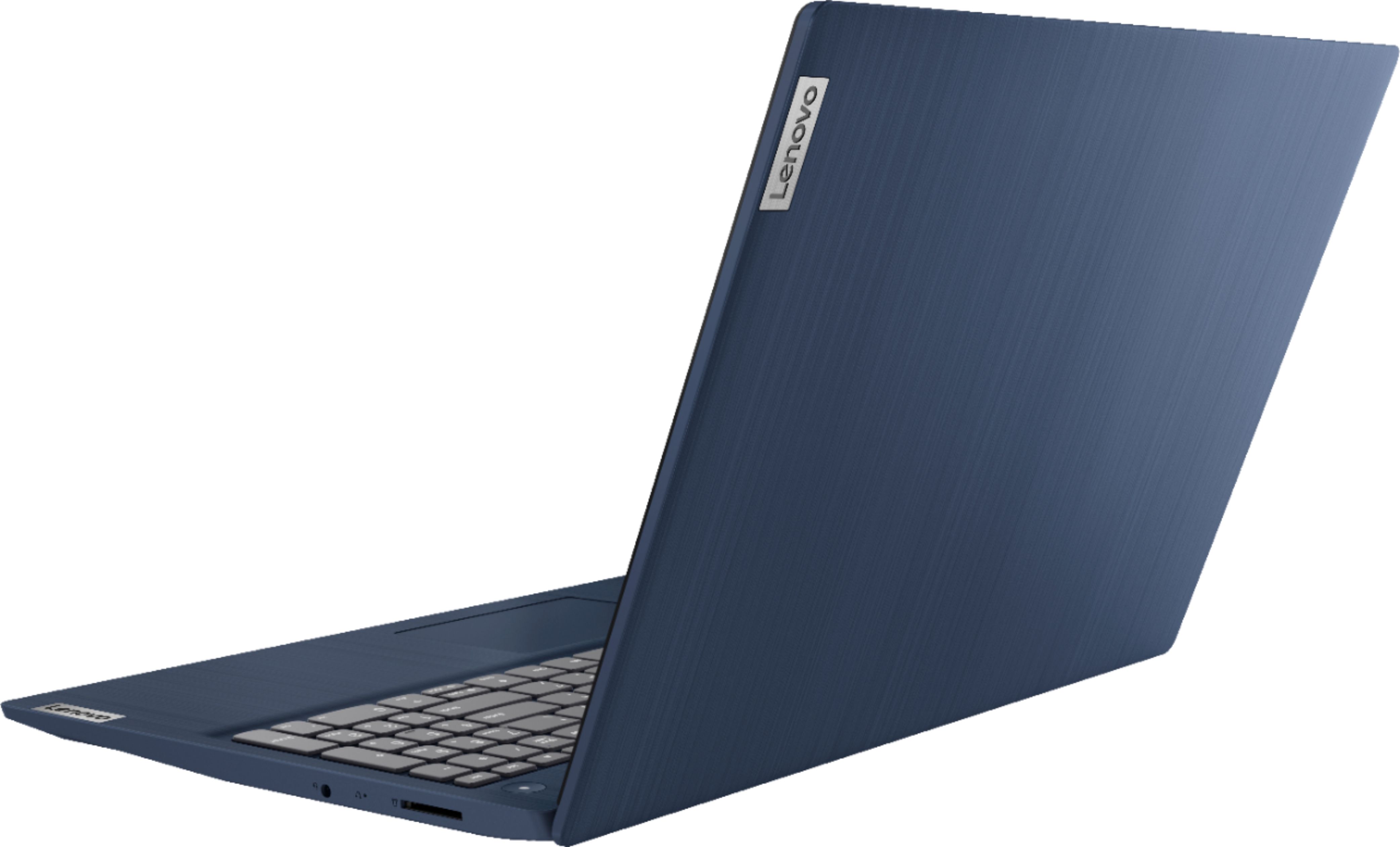
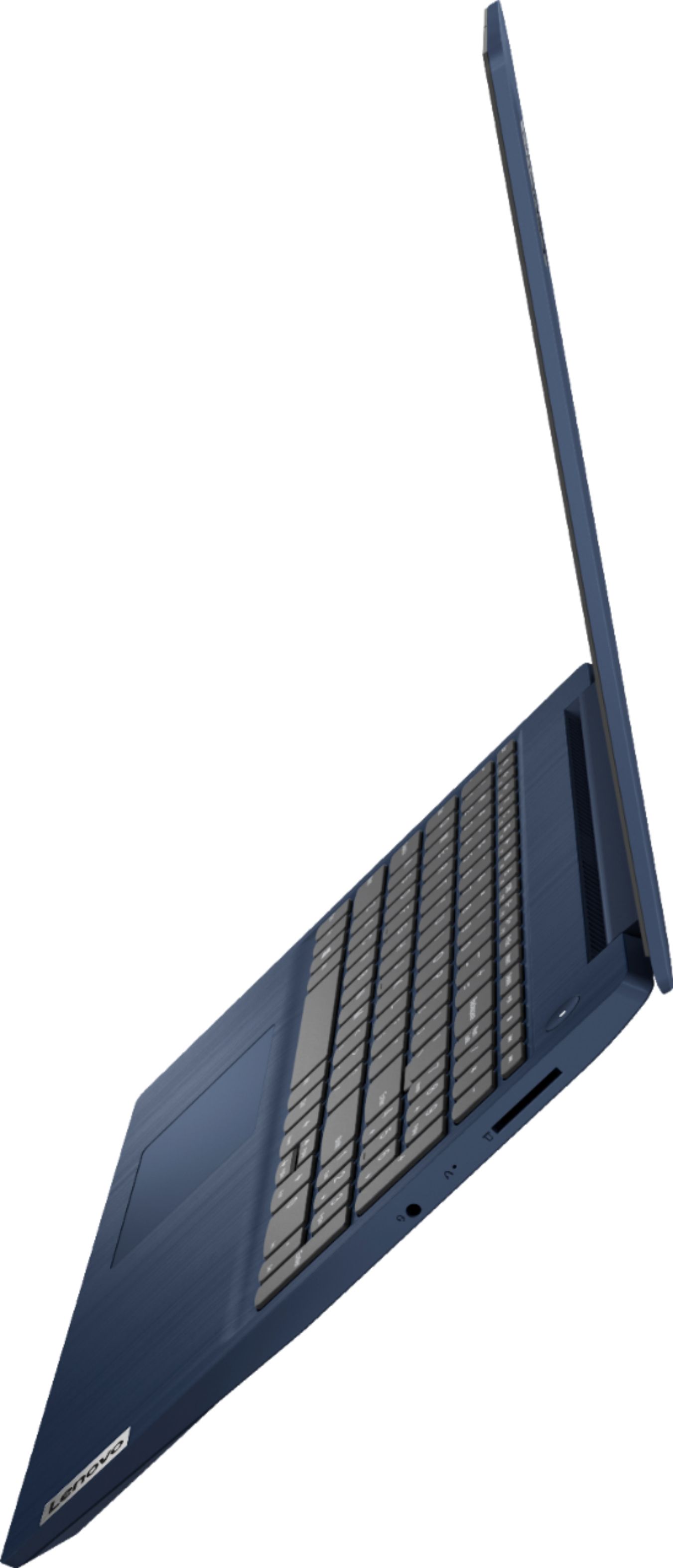
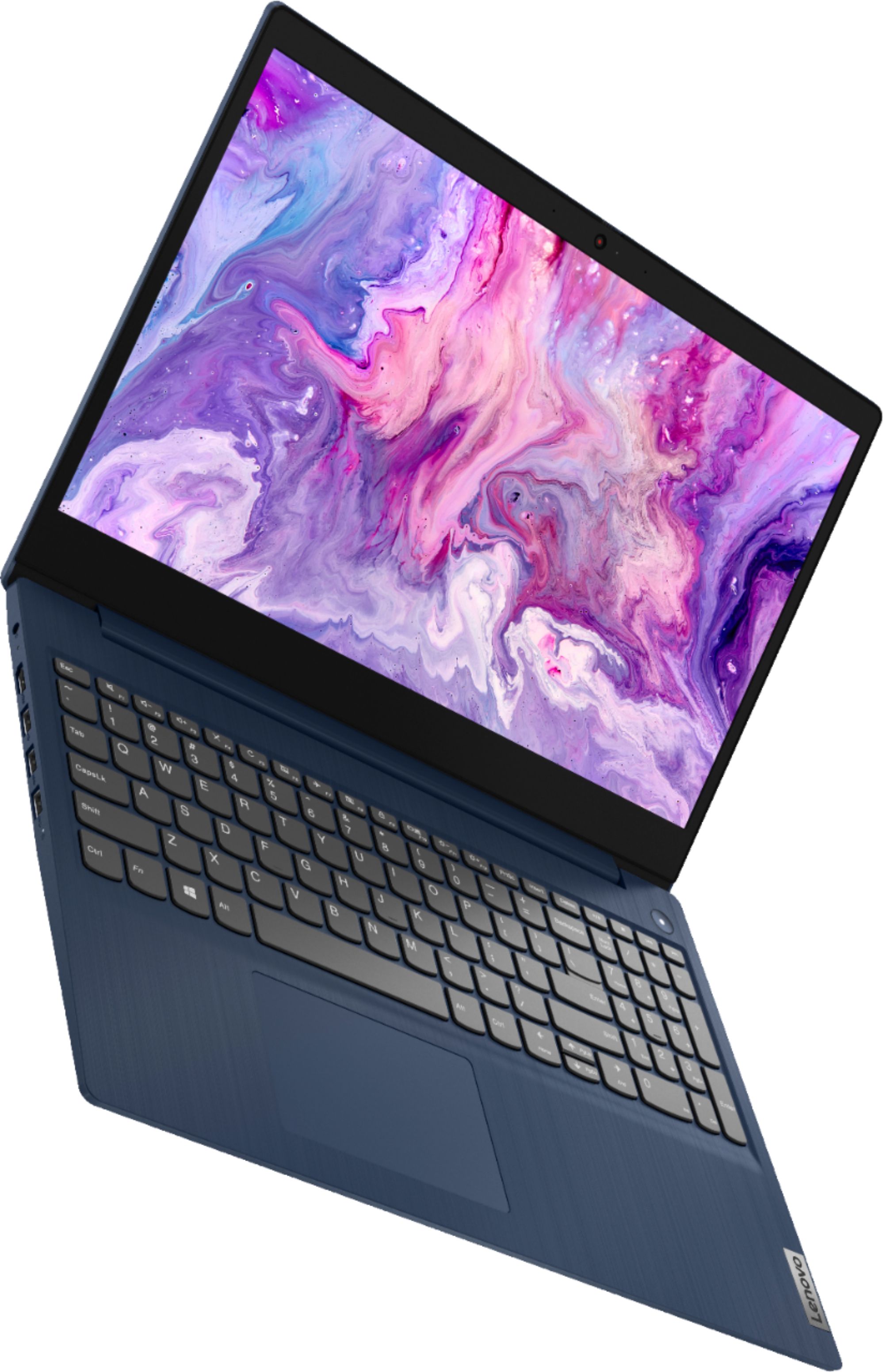
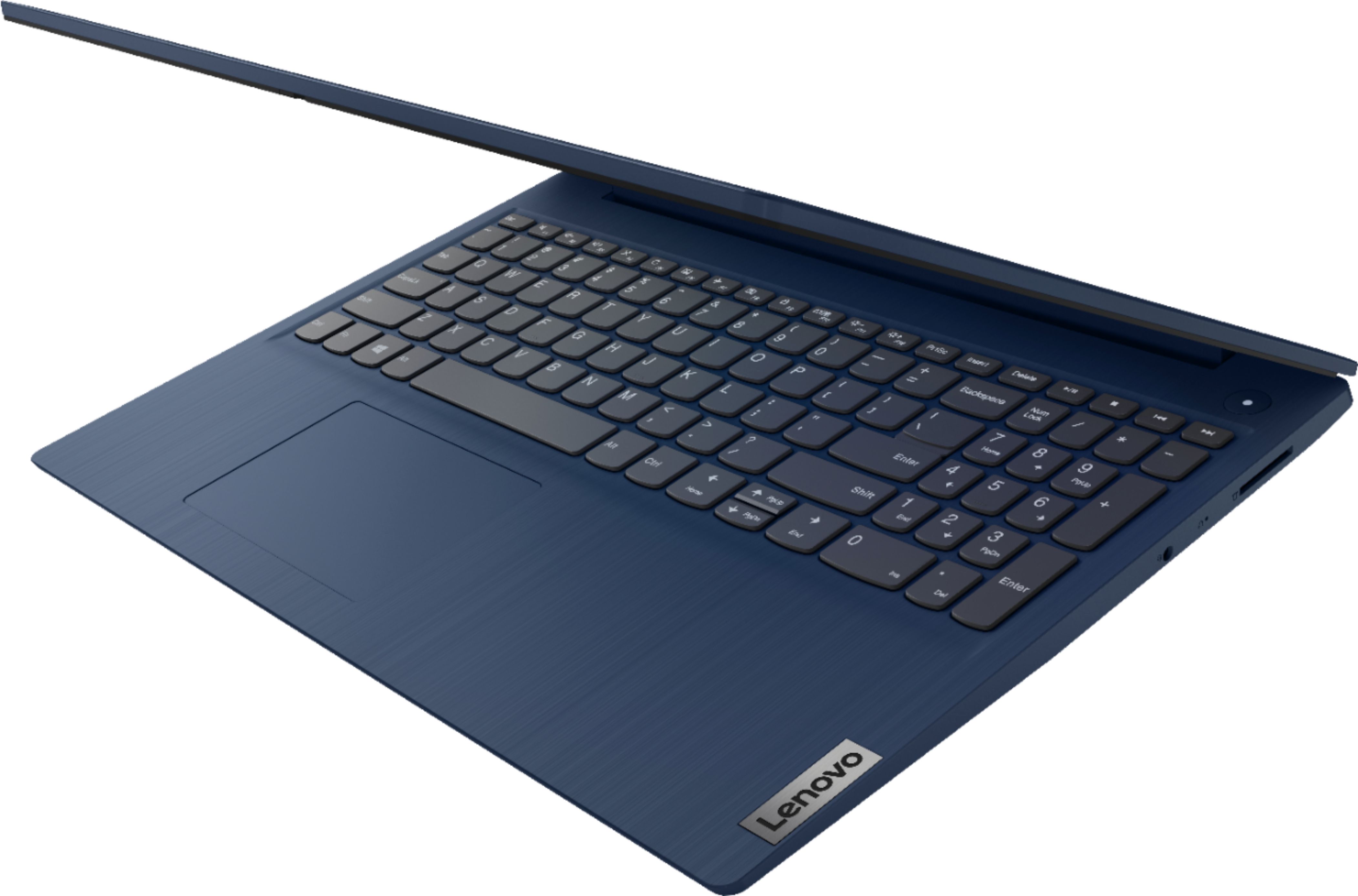
- Model:
- 81WR000FUS
- SKU:
- 6449496
Rating by feature
- Battery Life
Rating 4.4 out of 5 stars
- Speed
Rating 4.5 out of 5 stars
- Display
Rating 4.5 out of 5 stars
Customers are saying
Customers praise the Ideapad 3 15 for its affordability, touch screen capabilities, and fast performance. Many users appreciate its lightweight design and vibrant color options. While some users have concerns about battery life, most find it to be a great value for the price.
This summary was generated by AI based on customer reviews.
Don't buy Lenovo EVER
||Posted .This reviewer received promo considerations or sweepstakes entry for writing a review.I bought this Lenovo laptop to replace a HP that was a year and a half old (out of warranty by 6 months) it had 7 different keys sticking, decided to never buy another HP because of that, so I thought I would give the Lenovo a try, well........ I had the "M" and "N" keys stick right out of the box, I returned 5 hours later for refund!!! I guess the QA guys stepped out for lunch when it came down the line. Very disappointed in the Lenovo, with that said learn from my mistake and buy something other than a HP or worse yet a Lenovo!!! At least the HP made it 1.5 years. I did try and call the toll free number and imagines that there was a "LONGER THAN USUAL WAIT TIME" probably laptop buyers like me.
No, I would not recommend this to a friendBrand response from Lenovo Product Expert
Posted .We are sorry to hear that you are having issues with the keyboard on your Lenovo IdeaPad 3 15 Laptop, model number 81WR000FUS. This model ships with Windows 10 S-Mode 64-bit Operating System. Windows 10 S-Mode provides added security by only allowing APPs available ( and therefore certified by Microsoft) at the Microsoft Store. If you don't need the added security or you need to install APPs not available at the Microsoft Store, you can switch to standard Windows 10 Home 64-bit Operating System, at no additional cost. Even if you have switched out of S-Mode, be sure any software you installed is compatible with Windows 10. Incompatible software may be the cause of the keyboard malfunction you describe. There is no need to install Microsoft Office software. The software is already part of the operating system, you just need to activate the software with a purchased product key. If you have installed a copy of Microsoft Office, this is conflicting with the existing copy on the system and this will slow your system down. If you have installed a 3rd party anti-virus program, be sure that Windows Defender is turned off and that the trial version of McAfee Anti-Virus software is uninstalled. There can only be one anti-virus program on the system. You may need to restore your system to original factory default settings if any of the programming errors have occurred. You can do that by typing "restore" in the Cortana search window. Just click on the magnifying glass icon at the bottom left of your Windows 10 Desktop. Click on "Reset This PC" Then click on "Get Started" and follow the on screen directions to restore to factory defaults. If the problem persists, we recommend you contact Lenovo Tech Support at: 877-453-6686.

This computer is horrible
||Posted . Owned for 3 weeks when reviewed.This reviewer received promo considerations or sweepstakes entry for writing a review.I hate this computer. The color is faded and I cannot fix it. I can't tell if I have virus protection or not. I can't even use google earth, because it says this computer doesn't support...blah, blah. I don't have much money. I am now stuck with a computer I hate, and if anyone asks, I'll tell them to NOT buy this computer. I hate it.
No, I would not recommend this to a friendBrand response from Lenovo Product Expert
Posted .We are sorry to hear that you are having issues with your Lenovo IdeaPad 3 15 laptop, model number 81WR000FUS. This model ships with Windows 10 S-Mode 64-bit Operating System. Windows 10 S-Mode provides added security by only allowing APPs available ( and therefore certified by Microsoft) at the Microsoft Store. If you don't need the added security or you need to install APPs not available at the Microsoft Store, you can switch to standard Windows 10 Home 64-bit Operating System, at no additional cost. You can make adjustments to the screen image quality within your Windows 10 Settings. Here is a link to instructions for doing this: https://support.microsoft.com/en-us/office/change-the-brightness-contrast-or-sharpness-of-a-picture-48f8f54b-3db7-4652-8928-9ace995240c7. Additionally, The Lenovo IdeaPad 3 15 Laptop ships with a 30-day trial of McAfee Virus Protection Software installed. It will activate automatically with the initial activation of Windows 10 and protect your computer for the 30-day trial period. You do not need to use McAfee VPS. You can uninstall McAfee and use the free Windows Defender VPS that comes with Windows 10 or you can uninstall McAfee and then install your choice of any compatible 3rd party VPS. The key is to uninstall McAfee if you will not be using it, as there can only be one active VPS on the computer at a time. Here is a link to information on uninstalling McAfee from Windows 10: https://service.mcafee.com/webcenter/portal/oracle/webcenter/page/scopedMD/s55728c97_466d_4ddb_952d_05484ea932c6/Page29.jspx?wc.contextURL=%2Fspaces%2Fcp&articleId=TS101331&_afrLoop=1355161020222084&leftWidth=0%25&showFooter=false&showHeader=false&rightWidth=0%25¢erWidth=100%25#!%40%40%3FshowFooter%3Dfalse%26_afrLoop%3D1355161020222084%26articleId%3DTS101331%26leftWidth%3D0%2525%26showHeader%3Dfalse%26wc.contextURL%3D%252Fspaces%252Fcp%26rightWidth%3D0%2525%26centerWidth%3D100%2525%26_adf.ctrl-state%3Dx25crirbo_9. If you want to install APPs that are not available at the Microsoft Store, you will need to switch out of Windows 10 S-Mode to Windows 10 Home. Here is a link to instructions for switching from Windows 10 S-Mode to Windows 10 Home: https://support.microsoft.com/en-us/help/4456067/windows-10-switch-out-of-s-mode. If you need additional help with your Lenovo IdeaPad 3 15, we recommend you contact Lenovo Tech Support at: 877-453-6686.
Nice laptop
||Posted .This reviewer received promo considerations or sweepstakes entry for writing a review.Although it is a very handsome laptop it it's too heavy and large to fit in my bag. I opted for a smaller laptop.
No, I would not recommend this to a friendBrand response from Lenovo Product Expert
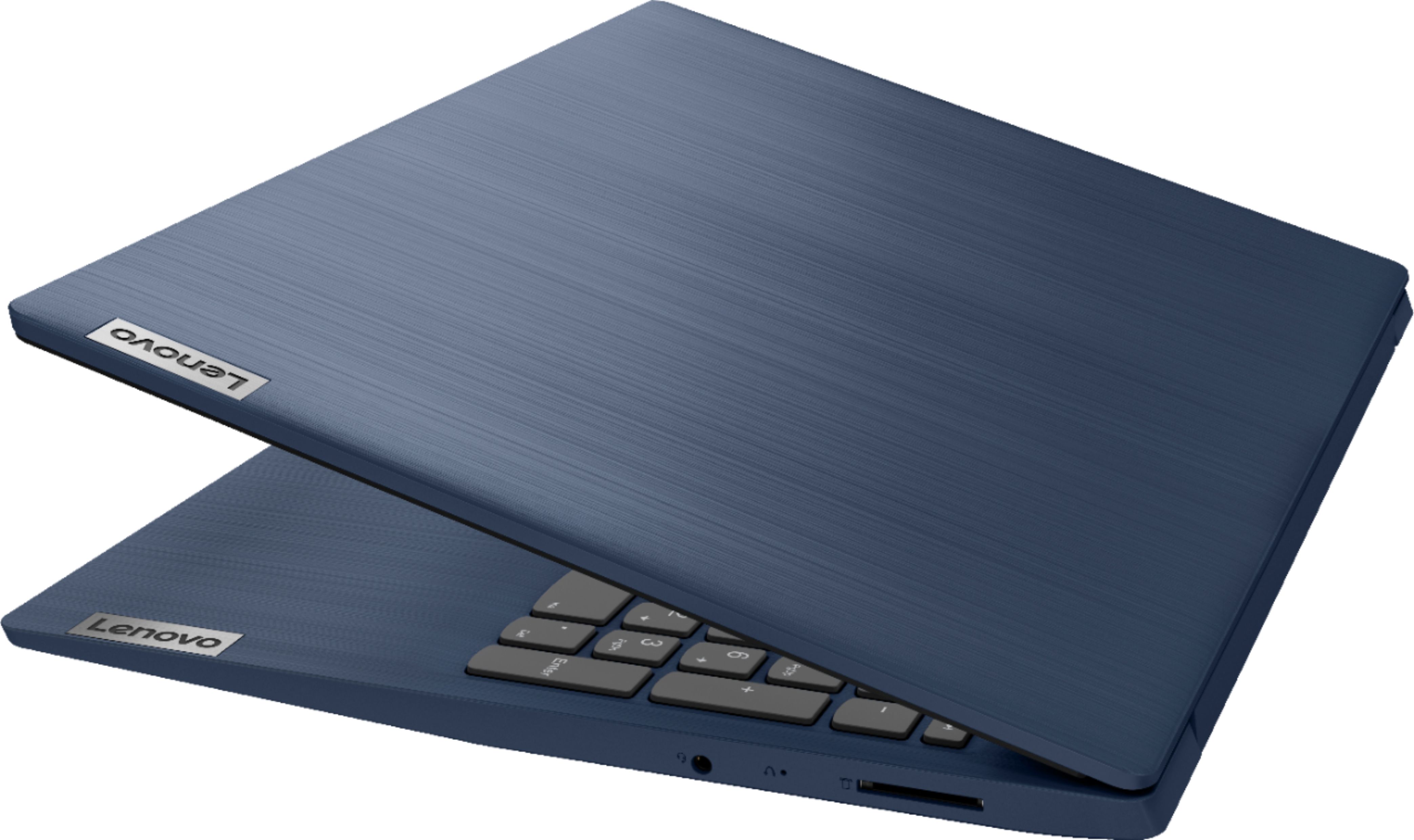
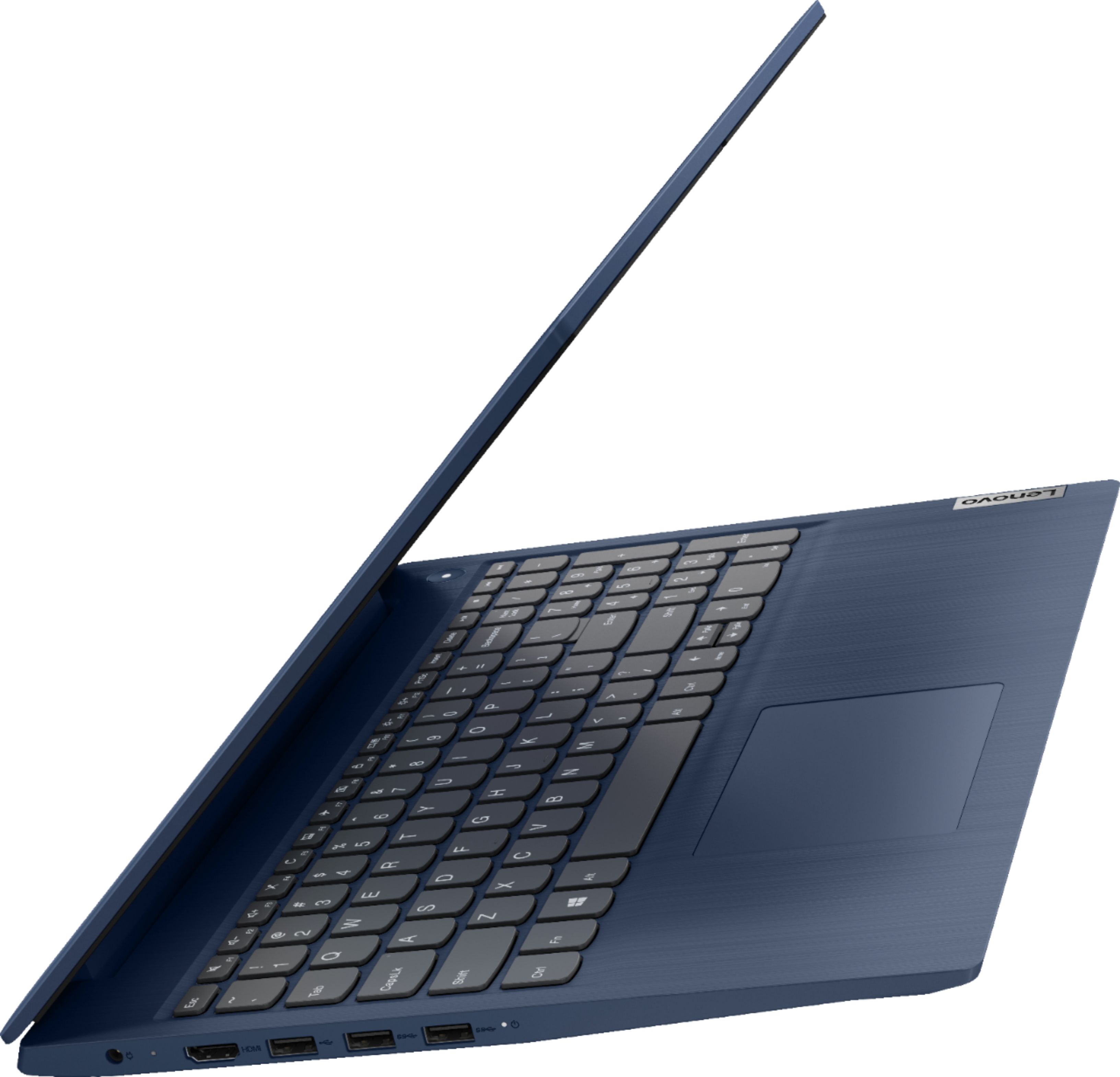
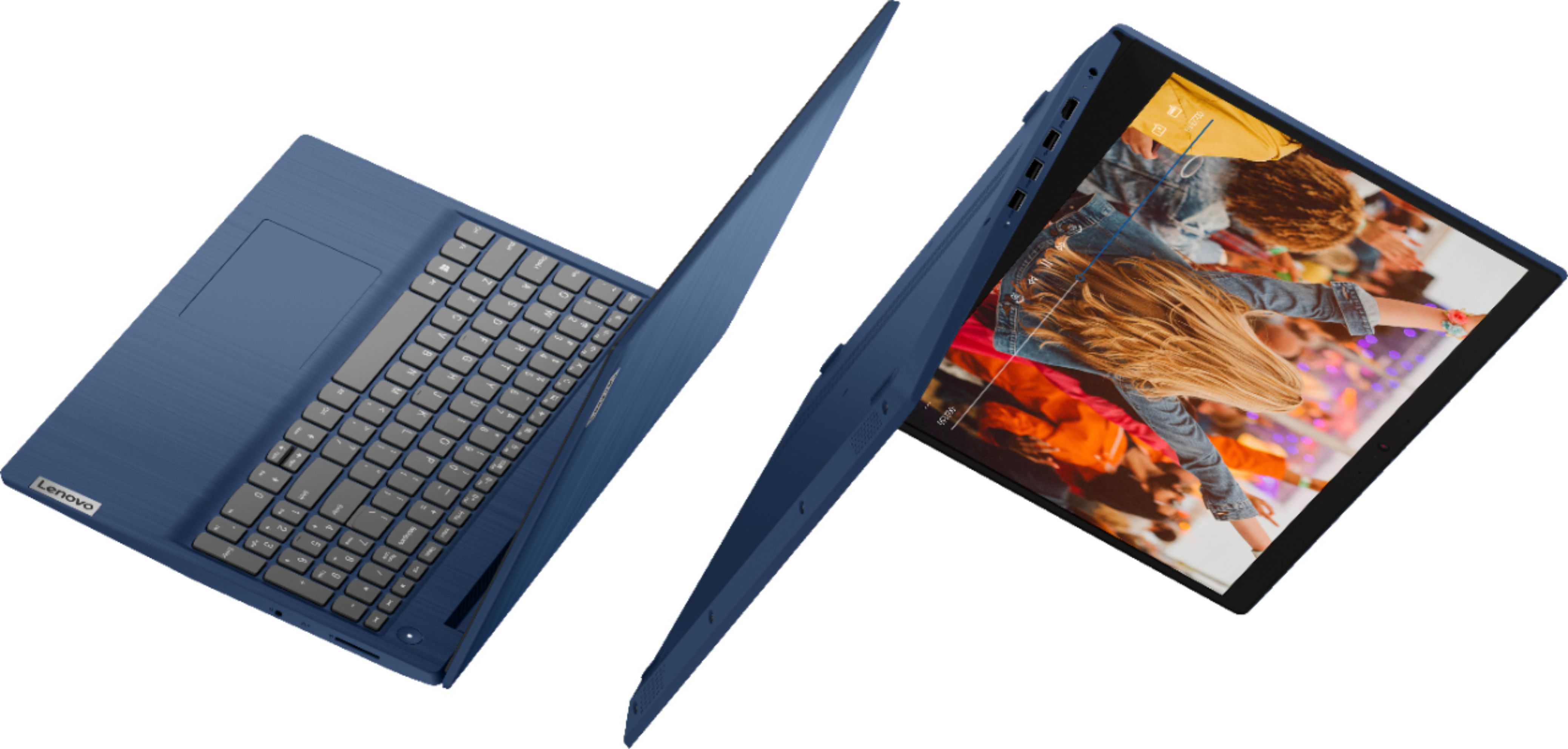
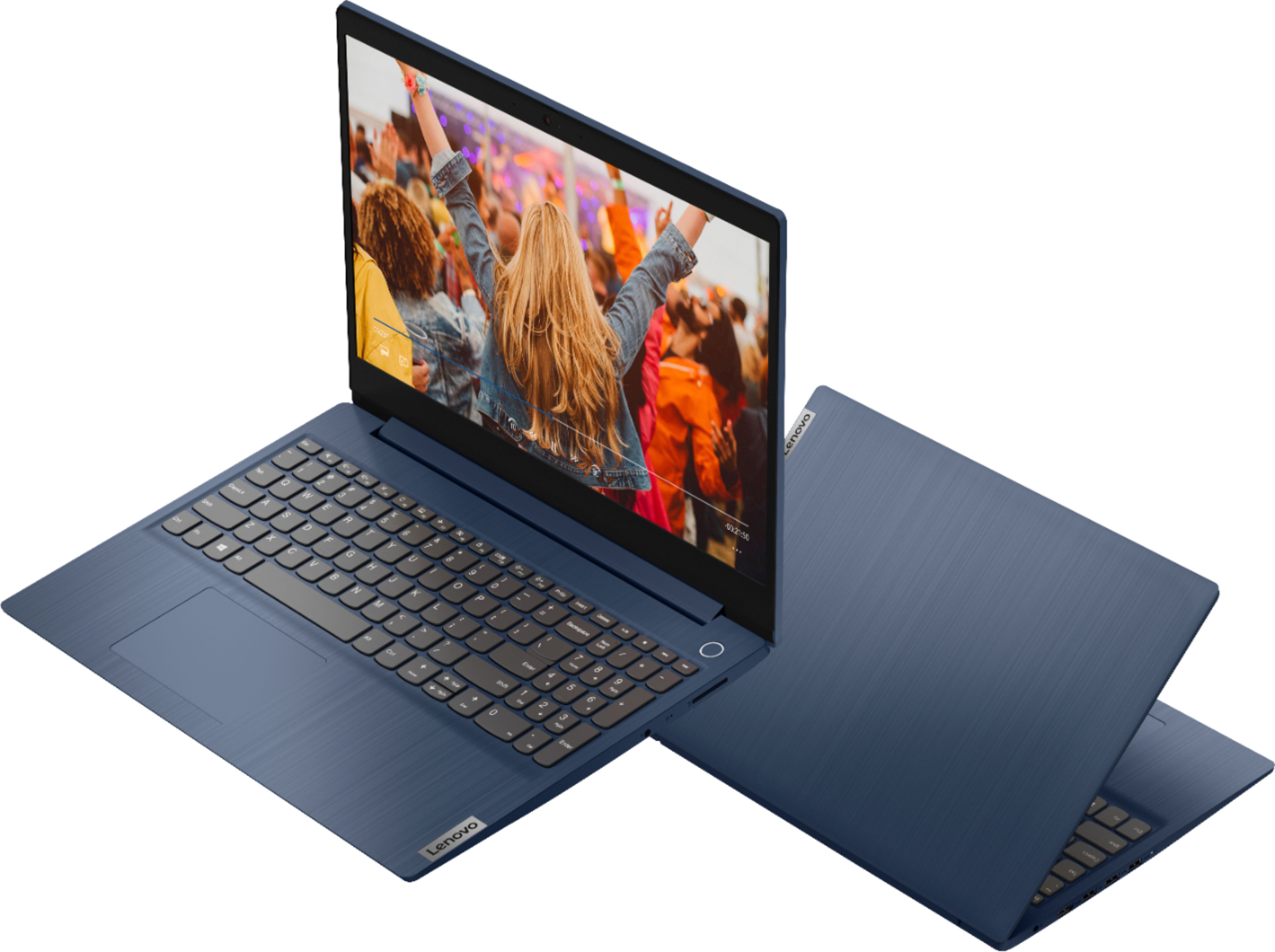
Posted .The Lenovo IdeaPad 3 15 Laptop, model number 81WR000FUS, weighs just 3.75 lbs and measures just: (WxDxH) - 14.26 x 9.98 x 0.78 inches.
Power Issues
||Posted . Owned for 9 months when reviewed.This reviewer received promo considerations or sweepstakes entry for writing a review.this is the 3rd Lenovo I have owned and 2 out of 3 off them just quit charging due to a loose plug in socket and it sucks !
I would recommend this to a friendSlow and lackluster
||Posted . Owned for 3 weeks when reviewed.This reviewer received promo considerations or sweepstakes entry for writing a review.Disappointing and slow, only option available as a replacement because geek squad refused to honor a warranty repair and instead gave a refund in the middle of a silicon shortage. Thanks. Apps are slow to load, screen lacks detail and battery life is terrible. But I needed a replacement. Guess it’s my own fault, but it’s all they had.
No, I would not recommend this to a friendBrand response from Lenovo Product Expert
Posted .The Lenovo IdeaPad 3 15 Laptop, model number 81WR000FUS, will boot from off to the Windows 10 Desktop Screen in less than 20-seconds. This configuration ships with Windows 10 S-Mode 64-bit Operating System. Windows 10 S-Mode provides added security by only allowing APPs available ( and therefore certified by Microsoft) at the Microsoft Store. If you don't need the added security or you need to install APPs not available at the Microsoft Store, you can switch to standard Windows 10 Home 64-bit Operating System, at no additional cost. The IdeaPad 3 15 ships with a 2CELL_35WH_INTERNAL, Lithium Polymer Battery, which within this configuration, has a battery life of up to 7 hours. If you are getting substantially less battery life, first, set your screen brightness at less than 100-percent - try 80-percent to start with. Then, be sure Battery conservation Mode is turned off. This power management setting should only be used when the laptop is plugged in all the time. It will prolong overall battery life by only charging the battery to 60-percent of capacity. Here is a link to instructions for turning off Battery Conservation Mode: https://support.lenovo.com/us/en/solutions/ht103159. Also check what programs are running in the background on the computer. Be sure only the programs you want running in the background are. These programs will drain the battery. Here is a link to information about how to find out what programs are running in the background on your Windows 10 computer and how to manage them for better system performance: https://www.windowscentral.com/how-prevent-apps-running-background-windows-10. Then, finally, be sure any software you installed is compatible with Windows 10. Incompatible software will drain the battery at a faster rate. There is no need to install Microsoft Office software. The software is already part of the operating system, you just need to activate the software with a purchased product key. If you have installed a copy of Microsoft Office, this is conflicting with the existing copy on the system and this will slow your system down. If you have installed a 3rd party anti-virus program, be sure that Windows Defender is turned off and that the trial version of McAfee Anti-Virus software is uninstalled. There can only be one anti-virus program on the system. You may need to restore your system to original factory default settings if any of the programming errors have occurred. You can do that by typing "restore" in the Cortana search window. Just click on the magnifying glass icon at the bottom left of your Windows 10 Desktop. Click on "Reset This PC" Then click on "Get Started" and follow the on screen directions to restore to factory defaults. If the problem persists, we recommend you contact Lenovo Tech Support at: 877-453-6686.
Don’t buy if you need it for school
||Posted . Owned for 3 weeks when reviewed.This reviewer received promo considerations or sweepstakes entry for writing a review.It has great features but the programming is slow. Tried to download an app for a school program but it made the computer slow .
No, I would not recommend this to a friendBrand response from Lenovo Product Expert
Posted .The Lenovo IdeaPad 3 15 Laptop, model number 81WR000FUS, ships with Windows 10 S-Mode 64-bit Operating System. Windows 10 S-Mode provides added security by only allowing APPs available ( and therefore certified by Microsoft) at the Microsoft Store. If you don't need the added security or you need to install APPs not available at the Microsoft Store, you can switch to standard Windows 10 Home 64-bit Operating System, at no additional cost. We always recommend you check the requirements and compatibility of any software you will be installing on your new computer, before you invest in any computer. Be sure your new computer can support the software you will need to use.
Died already
||Posted . Owned for 1 year when reviewed.This reviewer received promo considerations or sweepstakes entry for writing a review.Was fairly happy until the network adapter went. Just over a year old . NOT Happy
No, I would not recommend this to a friendBe careful. Very fragile
||Posted . Owned for 1 month when reviewed.This reviewer received promo considerations or sweepstakes entry for writing a review.Keyboard stop working after two weeks. Bestbuy refused to exchange it stating i was two days out of their return policy
No, I would not recommend this to a friendBrand response from Lenovo Product Expert
Posted .We are sorry to hear that you are having issues with the keyboard on your Lenovo IdeaPad 3 15 Laptop, model number 81WR000FUS. Try resetting your laptop back to original factory settings. This system is equipped with OneKey Recovery System. There is a very small pin hole on the right side of the device, right in between the headphone jack and the SD card slot on the device. You will need a pin to push this reset button. Plug the device in. Let the battery charge for about 15 minutes. Push the reset button. The system should boot to a choice screen where you can choose "Restore To Factory Default". Select this. It will delete everything from the hard drive except the original factory install of the operating system. You will need to reinstall all programs and files after the reset. If you don't have copies of the files, try to make one before you restore by selecting "Boot to desktop" and trying to back up your files. Once you have the computer reset, before installing any APPs or updates, test the keyboard to be sure it is working. If it is, even if you have switched out of S-Mode, be sure any software you installed is compatible with Windows 10. There is no need to install Microsoft Office software. The software is already part of the operating system, you just need to activate the software with a purchased product key. If you have installed a copy of Microsoft Office, this is conflicting with the existing copy on the system and this will slow your system down. If you have installed a 3rd party anti-virus program, be sure that Windows Defender is turned off and that the trial version of McAfee Anti-Virus software is uninstalled. There can only be one anti-virus program on the system. You may need to restore your system to original factory default settings if any of the programming errors have occurred. You can do that by typing "restore" in the Cortana search window. Just click on the magnifying glass icon at the bottom left of your Windows 10 Desktop. Click on "Reset This PC" Then click on "Get Started" and follow the on screen directions to restore to factory defaults. If the problem persists, we recommend you contact Lenovo Tech Support at: 877-453-6686.
Disappointed
||Posted . Owned for 3 months when reviewed.This reviewer received promo considerations or sweepstakes entry for writing a review.I'm disappointed in this computer. It was a gift for my brother in law that knows much more about computers than I do. It has been close to 4 months and it constantly glitches. At first it worked well but the screen goes black all of a sudden and upon review we noticed there was a screw missing. How could there be a screw missing on a new computer?? I regret getting this computer.
No, I would not recommend this to a friendBrand response from Lenovo Product Expert
Posted .We are sorry to hear that you are having issues with your Lenovo IdeaPad 3 15 Laptop, model number 81WR000FUS. Since the computer was initially working properly, be sure any software you installed is compatible with Windows 10. There is no need to install Microsoft Office software. The software is already part of the operating system, you just need to activate the software with a purchased product key. If you have installed a copy of Microsoft Office, this is conflicting with the existing copy on the system and this will slow your system down. If you have installed a 3rd party anti-virus program, be sure that Windows Defender is turned off and that the trial version of McAfee Anti-Virus software is uninstalled. There can only be one anti-virus program on the system. You may need to restore your system to original factory default settings if any of the programming errors have occurred. You can do that by typing "restore" in the Cortana search window. Just click on the magnifying glass icon at the bottom left of your Windows 10 Desktop. Click on "Reset This PC" Then click on "Get Started" and follow the on screen directions to restore to factory defaults. If the problem persists, we recommend you contact Lenovo Tech Support at: 877-453-6686.
unhappy
||Posted . Owned for 1 year when reviewed.This reviewer received promo considerations or sweepstakes entry for writing a review.Really loved this laptop. But the screen blew out about time warranty ran out. Not happpy
No, I would not recommend this to a friendYou get what you pay for
||Posted . Owned for 1 month when reviewed.This reviewer received promo considerations or sweepstakes entry for writing a review.Screen resolution is not great (matte rather than glossy and just not crisp) The SD card slot is shallow so the card sticks out which I hate… and the edge of the keyboard surface is actually a little sharp, especially the 2 corners that face you… and finger prints show up easily on the blue. Last time I buy online, better to see it first. I regret the purchase.
No, I would not recommend this to a friendBrand response from Lenovo Product Expert
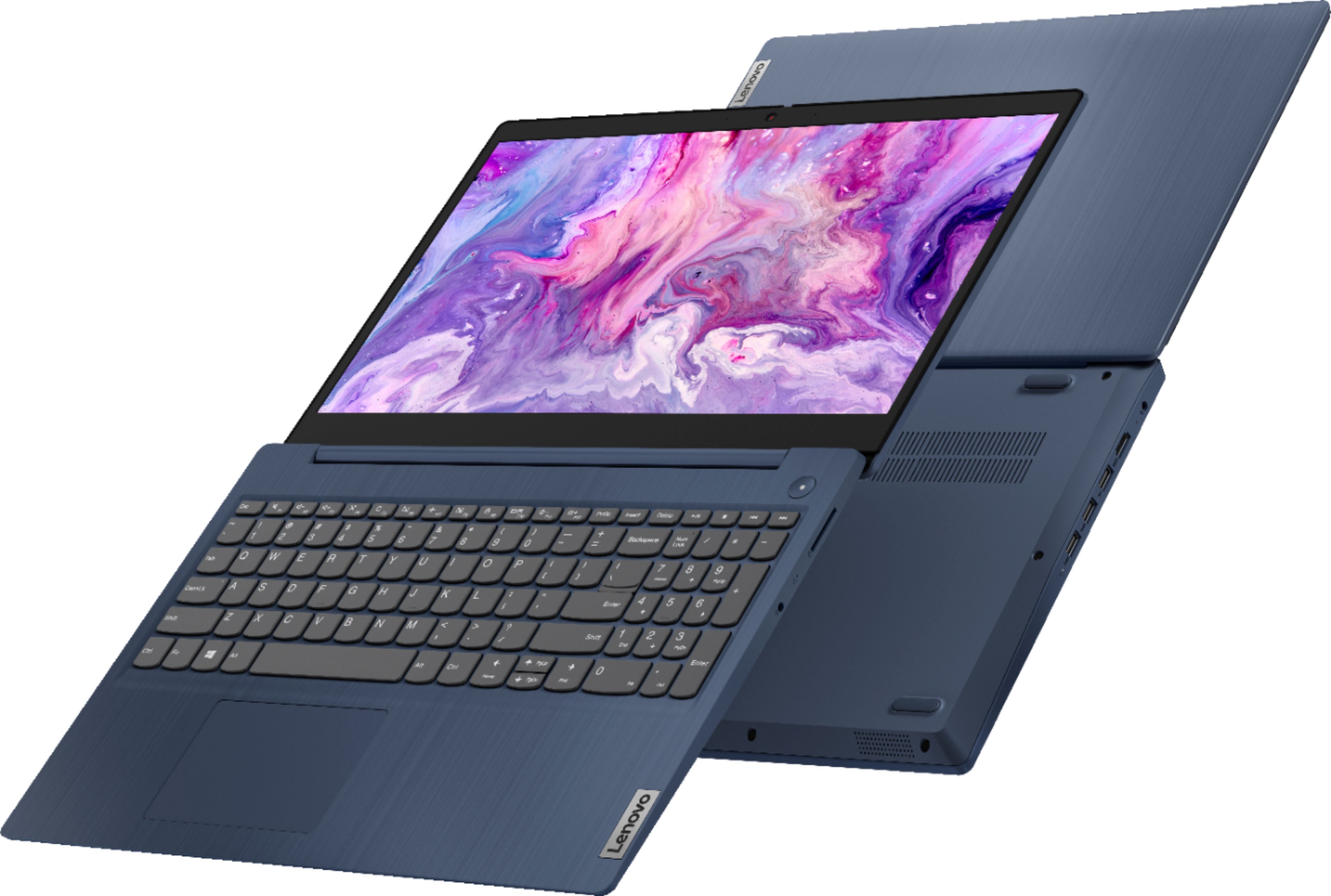
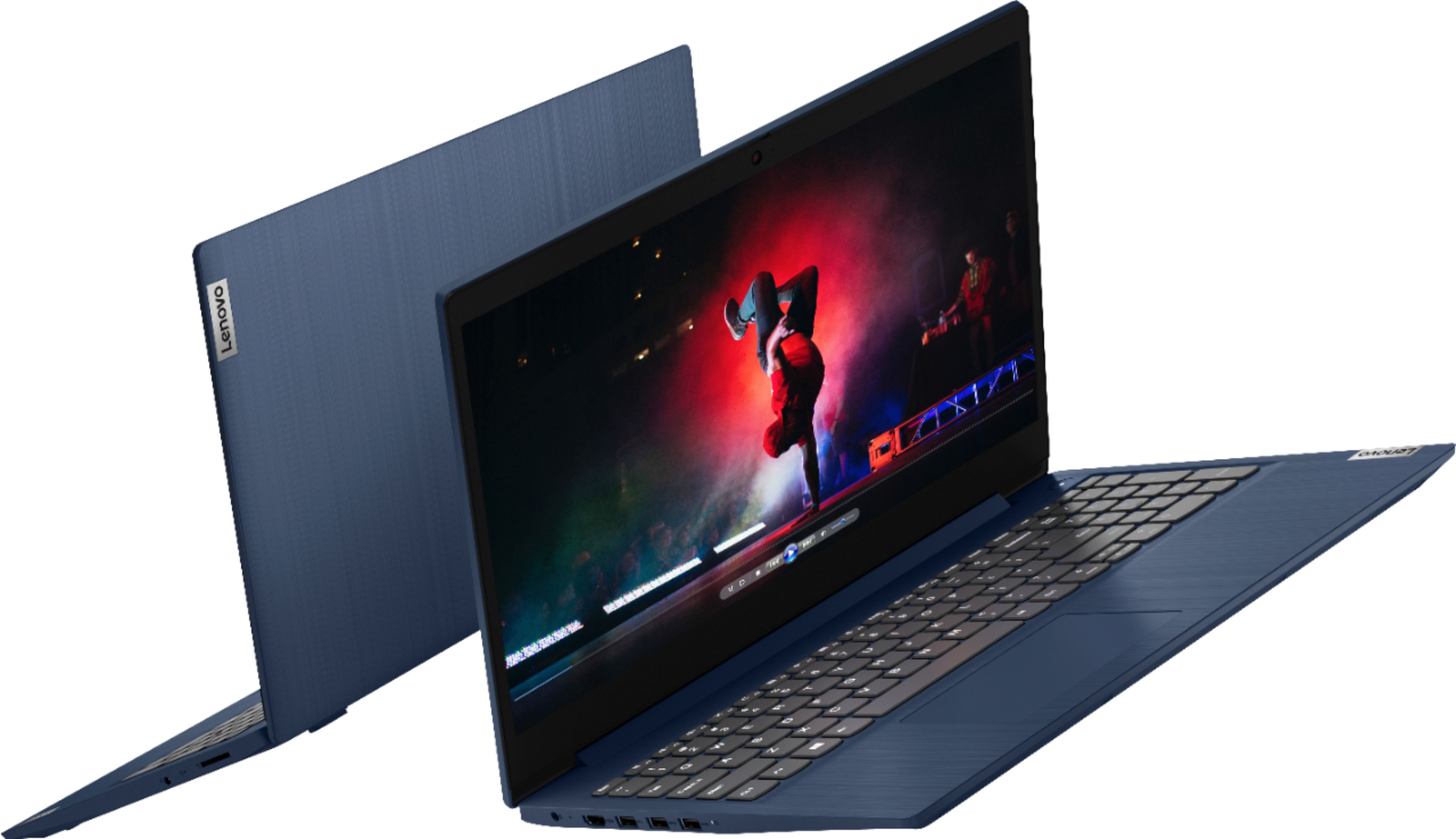
Posted .The Lenovo IdeaPad 3 15 Laptop, model number 81WR000FUS, ships with a 15.6 inch (screen size measured diagonally) TN - HD (1366x768) 10-point Multi-touch screen, with a brightness level of 220 nits, has an Anti-glare coating screen.
the WI-Fi connection has been completely lost
||Posted .This reviewer received promo considerations or sweepstakes entry for writing a review.I bought it less than a year ago for online classes, it is only on my work table, it has never fallen, nothing has been spilled on it, I take great care of it because it is my study tool. However, in less than a year, the WI-Fi connection has been completely lost in three occasions, and the battery only lasts for 1 hour.
No, I would not recommend this to a friendBrand response from Lenovo Product Expert
Posted .We are sorry to hear that you are having issues with your Lenovo IdeaPad 3 15 Laptop, model number 81WR000FUS. This model ships with WiFi-5, wide range/high speed 2 x 2 802.11ac frequency WiFi installed. If you WiFi was connecting properly and now has become unable to connect to your home WiFi network, uninstalling then reinstalling WiFi drivers may correct the issue you are have with your WiFi. Here is a link to instructions for uninstalling/reinstalling your WiFi drivers within Windows 10 when you currently can't connect to WiFi: https://answers.microsoft.com/en-us/windows/forum/all/windows-10-how-to-uninstall-and-reinstall-network/4ddb2887-30f2-4f59-81b8-924f90208a0c. Regarding your battery life on your Lenovo IdeaPad 3 15 model number 81WR000FUS: This model ships with a Integrated 35Wh, Lithium-Polymer Battery, which within this model configuration, has a battery life of up to 6 hours, depending on the work the device is performing. To improve battery life, first, set your screen brightness at less than 100-percent - try 80-percent to start with. Then, be sure Battery Charge Threshold is turned off. This power management setting should only be used when the laptop is plugged in all the time. It will prolong overall battery life by only charging the battery to 60-percent of capacity. You can turn off Battery Charge Threshold within the Lenovo Vantage APP installed on this computer. In Vantage select Battery Settings and turn off Battery Charge Threshold, if turned on. Also check what programs are running in the background on the computer. Be sure only the programs you want running in the background are. These programs will drain the battery. Here is a link to information about how to find out what programs are running in the background on your Windows 10 computer and how to manage them for better system performance: https://www.windowscentral.com/how-prevent-apps-running-background-windows-10. Then, finally, be sure any software you installed is compatible with Windows 10. Incompatible software will drain the battery at a faster rate. There is no need to install Microsoft Office software. The software is already part of the operating system, you just need to activate the software with a purchased product key. If you have installed a copy of Microsoft Office, this is conflicting with the existing copy on the system and this will slow your system down. If you have installed a 3rd party anti-virus program, be sure that Windows Defender is turned off and that the trial version of McAfee Anti-Virus software is uninstalled. There can only be one anti-virus program on the system. You may need to restore your system to original factory default settings if any of the programming errors have occurred. You can do that by typing "restore" in the Cortana search window. Just click on the magnifying glass icon at the bottom left of your Windows 10 Desktop. Click on "Reset This PC" Then click on "Get Started" and follow the on screen directions to restore to factory defaults. If the problem persists, we recommend you contact Lenovo Tech Support at: 877-453-6686.
good for kids
||Posted . Owned for 1 month when reviewed.This reviewer received promo considerations or sweepstakes entry for writing a review.very slow, would only do websites if you can wait 30 seconds for google chrome to open
I would recommend this to a friendBrand response from Lenovo Product Expert
Posted .The Lenovo IdeaPad 3 15 laptop, model number 81WR000FUS, will boot from off to the Windows 10 Desktop Screen in less than 20-seconds. This model ships with Windows 10 S-Mode 64-bit Operating System. Windows 10 S-Mode provides added security by only allowing APPs available ( and therefore certified by Microsoft) at the Microsoft Store. If you don't need the added security or you need to install APPs not available at the Microsoft Store, you can switch to standard Windows 10 Home 64-bit Operating System, at no additional cost. Even if you have switched out of S-Mode, be sure any software you installed is compatible with Windows 10. There is no need to install Microsoft Office software. The software is already part of the operating system, you just need to activate the software with a purchased product key. If you have installed a copy of Microsoft Office, this is conflicting with the existing copy on the system and this will slow your system down. If you have installed a 3rd party anti-virus program, be sure that Windows Defender is turned off and that the trial version of McAfee Anti-Virus software is uninstalled. There can only be one anti-virus program on the system. You may need to restore your system to original factory default settings if any of the programming errors have occurred. You can do that by typing "restore" in the Cortana search window. Just click on the magnifying glass icon at the bottom left of your Windows 10 Desktop. Click on "Reset This PC" Then click on "Get Started" and follow the on screen directions to restore to factory defaults. If the problem persists, we recommend you contact Lenovo Tech Support at: 877-453-6686.
Missing accessories
||Posted .This reviewer received promo considerations or sweepstakes entry for writing a review.Purchased open box laptop. Outside of box stated that no accessories were missing. Arrived home and power cord was missing. Not sure if other accessories were included, but only item in box was laptop.
No, I would not recommend this to a friendLenovo Lap Top Review
||Posted . Owned for 1 month when reviewed.This reviewer received promo considerations or sweepstakes entry for writing a review.I returned this laptop because the sound and the earphone sound items would not work. I did take it to Best Buy's Geek squad once for the repair, supposedly it was done but I could not get the sound to work via speakers or earphones. Overall is was not a bad laptop but with no sound it was for the birds.
No, I would not recommend this to a friendBrand response from Lenovo Product Expert
Posted .We are sorry to hear that you had issues with the system audio within the Lenovo IdeaPad 3 15 Laptop, model number 81WR000FUS. This mode ships with the High Definition (HD) Audio, audio chip and Stereo system speakers, 1.5W x2, with Dolby Audio sound enhancement software. For the best audio experience, be sure Dolby Audio is adjusted to your personal preferences. If you continue to have issues, we recommend you contact Lenovo Tech Support at: 877-453-6686.
Laptop computer
||Posted . Owned for 1 month when reviewed.This reviewer received promo considerations or sweepstakes entry for writing a review.I had to wait a long time to be waiting on, even after I called for a manager.
No, I would not recommend this to a friendNightmare Computer
||Posted . Owned for 11 months when reviewed.This reviewer received promo considerations or sweepstakes entry for writing a review.Absolutely horrible computer. I have sent this back to be repaired a total of 5 times in less than a year. It won’t connect to WiFi! This has been an absolute nightmare. I’m at the point of going to the BBB, I’m frustrated and exhausted over this.
No, I would not recommend this to a friendWanted to love it but..
||Posted . Owned for less than 1 week when reviewed.This reviewer received promo considerations or sweepstakes entry for writing a review.It doesn’t connect to the internet while Ethernet cable is plugged in.
No, I would not recommend this to a friendBrand response from Lenovo Product Expert
Posted .The Lenovo IdeaPad 3 15 Laptop model number 81WR000FUS does have 5G, Wide-Range/High Speed 2x2 802.11AC WiFi capability built in. You can also connect this laptop to an ethernet cable by using a USB 3.0 to ethernet adapter like this one: https://www.bestbuy.com/site/insignia-usb-3-0-to-gigabit-ethernet-adapter-white/3510527.p?skuId=3510527
Keeps turning off
||Posted . Owned for 1 week when reviewed.This reviewer received promo considerations or sweepstakes entry for writing a review.The computer keeps turning off suddenly every time after some minutes after I turn in on. It is refurbished but in perfect condition supposedly. What is the problem? Also the screen did not came in great condition , this is suppose to be a Like New refurbished PC. Thanks alot Best Buy.
No, I would not recommend this to a friendLenovo-Ideapad
||Posted . Owned for 7 months when reviewed.This reviewer received promo considerations or sweepstakes entry for writing a review.I would not recommend this laptop. I have had issues and even thou it is under warranty, when I call Lenovo customer service, they always say it's not their computer it's software and there is a cost for help... Terrible customer service and terrible product.
No, I would not recommend this to a friendBrand response from Lenovo Product Expert
Posted .If the issue you are having with your Lenovo IdeaPad 3 15 Laptop, model number 81WR000FUS, is software-based, resetting this computer back to original factory settings may correct the issue you are having. This system is equipped with OneKey Recovery System. There is a very small pin hole on the right side of the device, right in between the headphone jack and the SD card slot on the device. You will need a pin to push this reset button. Plug the device in. Let the battery charge for about 15 minutes. Push the reset button. The system should boot to a choice screen where you can choose "Restore To Factory Default". Select this. It will delete everything from the hard drive except the original factory install of the operating system. You will need to reinstall all programs and files after the reset. If you don't have copies of the files, try to make one before you restore by selecting "Boot to desktop" and trying to back up your files. Once you have the computer reset, even if you have switched out of S-Mode, be sure any software you installed is compatible with Windows. There is no need to install Microsoft Office software. The software is already part of the operating system, you just need to activate the software with a purchased product key. If you have installed a copy of Microsoft Office, this is conflicting with the existing copy on the system and this will slow your system down. If you have installed a 3rd party anti-virus program, be sure that Windows Defender is turned off and that the trial version of McAfee Anti-Virus software is uninstalled. There can only be one anti-virus program on the system. You may need to restore your system to original factory default settings if any of the programming errors have occurred. You can do that by typing "restore" in the Cortana search window. Just click on the magnifying glass icon at the bottom left of your Windows Desktop. Click on "Reset This PC" Then click on "Get Started" and follow the on screen directions to restore to factory defaults. If the problem persists, we recommend you contact Lenovo Tech Support at: 877-453-6686.