Customer Ratings & Reviews
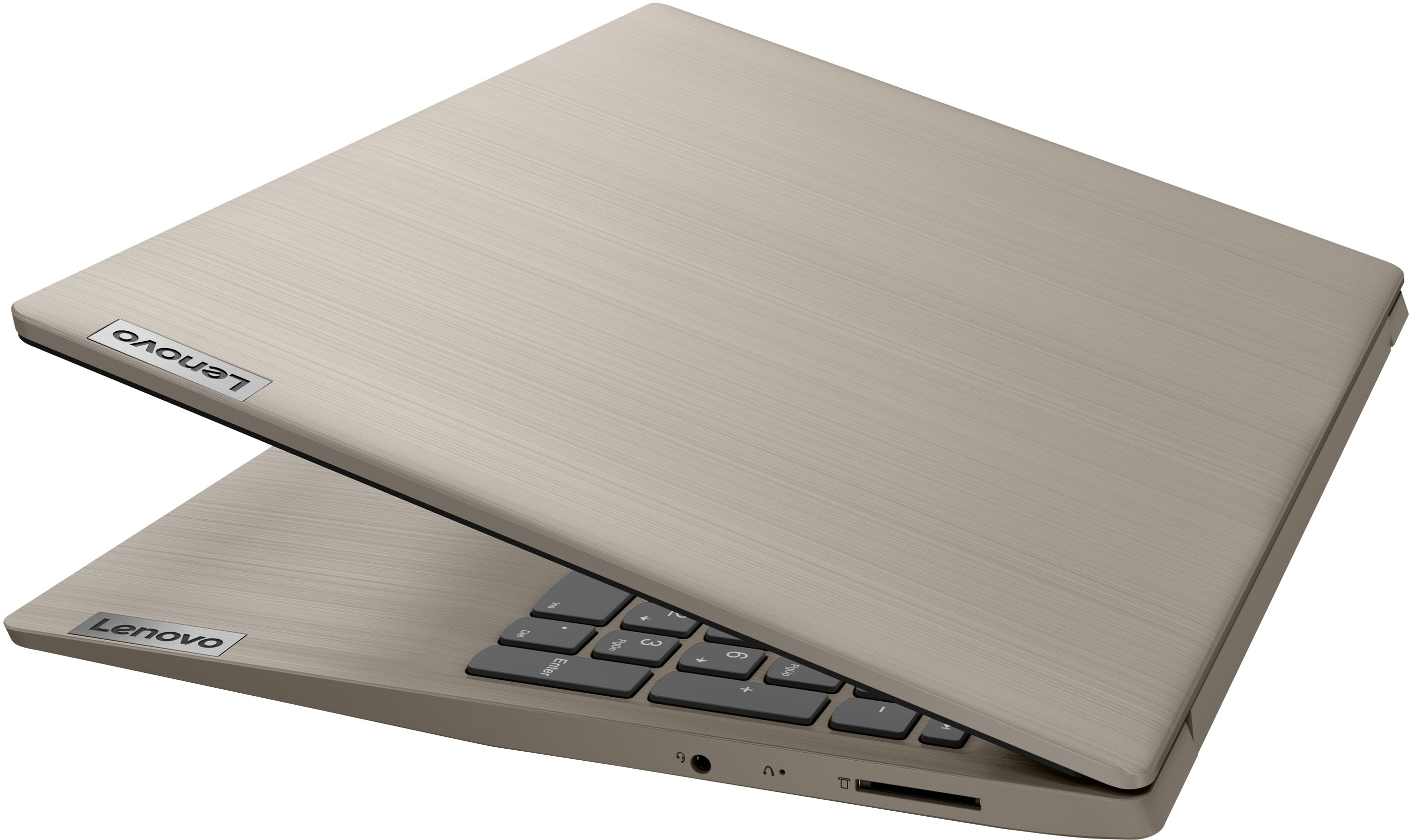

- Model:
- 81X800KLUS
- SKU:
- 6497829
Rating by feature
- Battery Life
Rating 4.4 out of 5 stars
- Speed
Rating 4.5 out of 5 stars
- Display
Rating 4.5 out of 5 stars
Customers are saying
Customers commend the IdeaPad 3's touchscreen, ease of use, performance, and value for its price. Many appreciate its lightweight design and fast SSD, finding it to be a good size for their needs. However, some users point to the battery life as needing improvement, and others express dissatisfaction with the pre-installed operating system. The limited storage capacity is also a concern for some customers.
This summary was generated by AI based on customer reviews.
Laptop
||Posted . Owned for 3 weeks when reviewed.This reviewer received promo considerations or sweepstakes entry for writing a review.Perfect laptop for us!!! Would highly recommend to anyone needing simplicity.
I would recommend this to a friend- Pros mentioned:Speed
Expected more but does the job
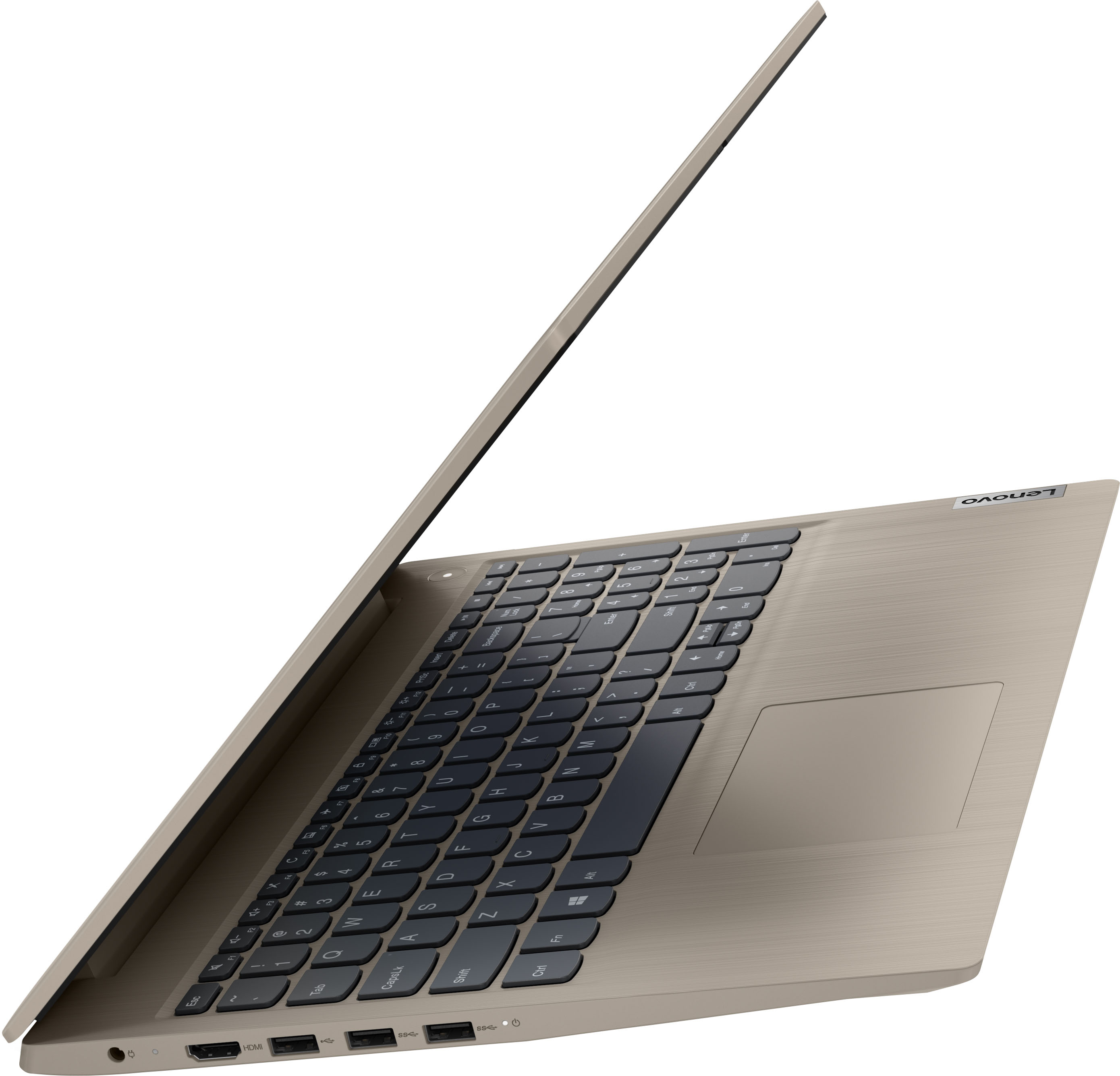
||Posted . Owned for 2 weeks when reviewed.This reviewer received promo considerations or sweepstakes entry for writing a review.The computer is really good. There are two things missing that I was expecting but are not here. A VLAN internet connection, and a C port. If you work with multiple screen this is not the right computer. Other than that, the computer is pretty fast to be an I3. Revit works ok. Autocad works ok.
I would recommend this to a friendBrand response from Lenovo Product Expert
Posted .Thank you for choosing the Lenovo IdeaPad 3 15 laptop, model number 81X800ENUS. This model ships with Windows 11 S-Mode, 64-bit Operating System installed. You may need to switch to Windows 11 Home to setup a VLAN internet connection and since this IdeaPad 3 15 does not have a built in RJ-45 Port built in, you will need a USB to ethernet adapter like this one (sold separately): https://www.bestbuy.com/site/insignia-usb-to-ethernet-adapter-white/6418345.p?skuId=6418345. Here is a link to a YouTube Video demonstrating how to configure a VLAN within Windows: https://www.youtube.com/watch?v=72037i0pkMA. This Lenovo IdeaPad 3 15 ships with 1x HDMI 1.4 port for video out to an external monitor and supports up to 2 independent displays (native display and 1 external monitor via HDMI). HDMI supports up to 4K@30Hz. We always recommend you check the requirements and compatibility of any software you will be installing on your new computer, before you invest in any computer. Be sure your new computer can support the software you will need to use and your workload.

Better than a chromebook
||Posted . Owned for 8 months when reviewed.This reviewer received promo considerations or sweepstakes entry for writing a review.Better than a Chromebook! I like windows much more.
I would recommend this to a friendlenovo laptop
||Posted . Owned for 1 month when reviewed.This reviewer received promo considerations or sweepstakes entry for writing a review.very nice laptop and good price also . Best Buy made the purchase with ease
I would recommend this to a friend- Pros mentioned:Price
Good configuration. Good price and Works great.
||Posted . Owned for 1 month when reviewed.This reviewer received promo considerations or sweepstakes entry for writing a review.After a quick search, I found this reasonably priced, good configuration laptop for personal use. Works well for browsing, image or video editing etc (haven’t used for gaming yet). Overall, using it for couple of months now, happy customer and I have no complaints.
I would recommend this to a friendBrand response from Lenovo Product Expert
Posted .Thank you for choosing the Lenovo IdeaPad 3 15 Laptop, model number 81X800KLUS. This is a light to moderate workload configuration, that ships with Windows 11 S-Mode, 64-bit Operating System installed. Windows 11 S-Mode provides added security by only allowing APPs available ( and therefore certified by Microsoft) at the Microsoft Store. If you don't need the added security or you need to install APPs not available at the Microsoft Store, you can switch to standard Windows 11 Home 64-bit Operating System, at no additional cost. We are pleased to hear that the Lenovo IdeaPad 3 15 laptop meets your computing needs so well. We always recommend you check the requirements and compatibility of any software/games you will be installing on your new computer, before you invest in any computer. Be sure your new computer can support the software/games you will need to use and your workload.
Lenovo laptop for the win!
||Posted . Owned for 1 year when reviewed.This reviewer received promo considerations or sweepstakes entry for writing a review.Small computer with great power. The color is so unique also
I would recommend this to a friend- Cons mentioned:Battery life
Great laptop for the price.
||Posted . Owned for 4 months when reviewed.This reviewer received promo considerations or sweepstakes entry for writing a review.I really like this laptop. I’m old and not computer savvy, so, I’m certain the few things I would complain about is likely due to the operator. I will say, the battery life is not great and that’s a disappointment. Otherwise, great laptop for the price and it’s touchscreen!!!
I would recommend this to a friendBrand response from Lenovo Product Expert
Posted .Thank you for choosing the Lenovo IdeaPad 3 15 Laptop, model number 81X800ENUS. This model ships with a Integrated 35Wh, Lithium-Polymer Battery, which within this model configuration, has a battery life of up to 6 hours, depending on the work the device is performing. If you are getting substantially less battery life, first, set your screen brightness at less than 100-percent - try 80-percent to start with. Then, be sure Battery Charge Threshold is turned off. This power management setting should only be used when the laptop is plugged in all the time. It will prolong overall battery life by only charging the battery to 60-percent of capacity. You can turn off Battery Charge Threshold within the Lenovo Vantage APP installed on this computer. In Vantage select Battery Settings and turn off Battery Charge Threshold, if turned on. Also check what programs are running in the background on the computer. Be sure only the programs you want running in the background are. These programs will drain the battery. Here is a link to information about how to find out what programs are running in the background on your Windows 11 computer and how to manage them for better system performance: https://websiteforstudents.com/how-to-find-what-is-running-in-windows-11/. Then, finally, be sure any software you installed is compatible with Windows 11. Incompatible software will drain the battery at a faster rate. There is no need to install Microsoft Office software. The software is already part of the operating system, you just need to activate the software with a purchased product key. If you have installed a copy of Microsoft Office, this is conflicting with the existing copy on the system and this will slow your system down. If you have installed a 3rd party anti-virus program, be sure that Windows Defender is turned off and that the trial version of McAfee Anti-Virus software is uninstalled. There can only be one anti-virus program on the system. You may need to restore your system to original factory default settings if any of the programming errors have occurred. You can do that by typing "restore" in the Cortana search window. Just click on the magnifying glass icon at the bottom of your Windows 11 Desktop. Click on "Reset This PC" Then click on "Get Started" and follow the on screen directions to restore to factory defaults. If the problem persists, we recommend you contact Lenovo Tech Support at: 877-453-6686.
Mr.
||Posted . Owned for 7 months when reviewed.This reviewer received promo considerations or sweepstakes entry for writing a review.good product for the price. I like it. I will recommend this product to others.
I would recommend this to a friendJust what I needed
||Posted . Owned for 11 months when reviewed.This reviewer received promo considerations or sweepstakes entry for writing a review.I love my choice. I feel I made thhe perfect choice for me.
I would recommend this to a friendLaptop
||Posted . Owned for 9 months when reviewed.This reviewer received promo considerations or sweepstakes entry for writing a review.Great stuff, I used it every day for my work no problem at all
I would recommend this to a friend- Pros mentioned:Touch screenCons mentioned:Battery life
NOT WORTH THE STRESS!
||Posted .This reviewer received promo considerations or sweepstakes entry for writing a review.Horrible. I never write reviews unless I really love a product. In this case, I really HATE a product. I'm seriously shocked at how bad this laptop is. (I know that sounds like I'm being dramatic.) I purchased this a few months ago in hopes to have something simple that my kids and I could use to write papers, do my lesson plans, and complete their school work. This computer has seriously just caused me stress. First of all, the battery life is horrible. I could live with it and just keep it plugged in while we work, but the cord is so short that you have to sit close to a dang outlet. What is the point of having a laptop? Microsoft Edge also keeps randomly shutting down. Why? This computer is only a few months old. Then today I got a popup that locked up my computer and told me that I needed to contact Microsoft immediately with some number to call. I called it and the phone kept breaking up, so I couldn't even understand the guy. After researching the problem, it seems as if the number that pops up to call is part of the scam as well. I just did a force shutdown (even though it warned against it) and the computer is back up and running. Listen, I'm not expecting this laptop to be super fancy. I just want it to do its job. The sound coming through the speakers is also weird (as other reviews have stated), but that doesn't even bother me as much as the fact that this computer is cheap. When I try to click on something using the mouse pad, drop down menus pop up as if I have right clicked something. PROS to this product? The touch screen is great and easy to use. The screen clarity and brightness seem fine, and the apps themselves are very easy to navigate. My friend purchased the same computer when I did. She has the same issues as me, but she said she doesn't care because it was cheap. I just thought I would leave a review so that anyone looking to buy could know about my experience with this product.
No, I would not recommend this to a friendBrand response from Lenovo Product Expert
Posted .We are sorry to hear that you are having issues with your Lenovo IdeaPad 3 15 laptop, model number 81X800KLUS. This model configuration ships with Windows 11 S-Mode, 64-bit Operating System installed. Windows 11 S-Mode provides added security by only allowing APPs available ( and therefore certified by Microsoft) at the Microsoft Store. If you don't need the added security or you need to install APPs not available at the Microsoft Store, you can switch to standard Windows 11 Home 64-bit Operating System, at no additional cost. The Lenovo IdeaPad 3 15 also ships with a Integrated 35Wh, Lithium-Polymer Battery, which within this model configuration, will have a battery life of up to 6 hours, depending on the work the device is performing. If you are getting substantially less battery life first, set your screen brightness at less than 100-percent - try 80-percent to start with. Then, be sure Battery Charge Threshold is turned off. This power management setting should only be used when the laptop is plugged in all the time. It will prolong overall battery life by only charging the battery to 60-percent of capacity. You can turn off Battery Charge Threshold within the Lenovo Vantage APP installed on this computer. In Vantage select Battery Settings and turn off Battery Charge Threshold, if turned on. Also check what programs are running in the background on the computer. Be sure only the programs you want running in the background are. These programs will drain the battery. Here is a link to information about how to find out what programs are running in the background on your Windows 11 computer and how to manage them for better system performance: https://websiteforstudents.com/how-to-find-what-is-running-in-windows-11/. Then, finally, even if you have switched out of S-Mode for Windows 11 Home, be sure any software you installed is compatible with Windows 11. Incompatible software will drain the battery at a faster rate. There is no need to install Microsoft Office software. The software is already part of the operating system, you just need to activate the software with a purchased product key. If you have installed a copy of Microsoft Office, this is conflicting with the existing copy on the system and this will slow your system down. If you have installed a 3rd party anti-virus program, be sure that Windows Defender is turned off and that the trial version of McAfee Anti-Virus software is uninstalled. There can only be one anti-virus program on the system. You may need to restore your system to original factory default settings if any of the programming errors have occurred. You can do that by typing "restore" in the Cortana search window. Just click on the magnifying glass icon at the bottom of your Windows 11 Desktop. Click on "Reset This PC" Then click on "Get Started" and follow the on screen directions to restore to factory defaults. If the problem persists, we recommend you contact Lenovo Tech Support at: 877-453-6686.
Good entry level machine
||Posted . Owned for 3 weeks when reviewed.This reviewer received promo considerations or sweepstakes entry for writing a review.This is a good entry level machine. We got it at the President Day sale.
I would recommend this to a friend- Pros mentioned:Speed
Mixed feelings
||Posted . Owned for less than 1 week when reviewed.This reviewer received promo considerations or sweepstakes entry for writing a review.I just received this laptop yesterday and quickly noticed the colors and overall display are awful, all the colors seem washed out and leaning grey. There is no crisp green or red. This is a major negative aspect but one to point out. However, the laptop is fast and powerful. It is quiet, thin, light, and well built. The 8Go of RAM is what I consider a minimum but enough to run programs and browse the web. I understand I can return it for a full refund in the coming weeks and if I do that it would be because of the display which is really sub par.
No, I would not recommend this to a friendBrand response from Lenovo Product Expert
Posted .This Lenovo IdeaPad 3 15 Laptop, model number 81X800ENUS, ships with a 15.6 inch (screen size measured diagonally) TN - HD (1366x768) 10-point Multi-touch screen, with a brightness level of 220 nits and has an Anti-glare coating.
Strong laptop
||Posted . Owned for 10 months when reviewed.This reviewer received promo considerations or sweepstakes entry for writing a review.Excellent item worth my buy for my sister to go to school with
I would recommend this to a friend- Pros mentioned:Speed
Fast but really awful display for 2022
||Posted . Owned for less than 1 week when reviewed.This reviewer received promo considerations or sweepstakes entry for writing a review.This was a type of emergency purchase as my Gateway (which I only had a year died on me and was unrepairable). I was told that Lenovo was a good brand so I went with an inexpensive quick purchase, I do like the laptop, it's fast and I am enjoying it but the visual display is just awful for a product in 2022. I thought other reviews were exaggerating about the poor display but they weren't. The display is really poor and I'm just surprised that this company would have such a poor display. The colors are bland, and the pictures and graphics lack details. it's just not good. I'm not returning it because of the hassle and I really do a lot of writing on it but I am surprised that Lenovo would allow this to go to customers like this.
No, I would not recommend this to a friendBrand response from Lenovo Product Expert
Posted .This Lenovo IdeaPad 3 15 Laptop, model number 81X800KLUS, ships with a 15.6 Inch (screen size measured diagonally) TN - HD (1366x768) 10-point Multi-touch screen, with a brightness level of 220 nits and has an Anti-glare Coating. This screen provides 67 Percent of the sRGB (45 Percent NTSC) color gamut.
Good computer
||Posted . Owned for 1 month when reviewed.This reviewer received promo considerations or sweepstakes entry for writing a review.Works real good, Easy to use, clear screen, quick, good battery life.
I would recommend this to a friend- Cons mentioned:Windows 11
Mostly a very good product
||Posted .This reviewer received promo considerations or sweepstakes entry for writing a review.Windows 11 complicated install of other software (office pro). I had my own antivirus and had to get technical support to remove the antivirus as well as the free version of office 365. The Lenovo could not find my printer/ scanner which required additional support to make it functional.
I would recommend this to a friendBrand response from Lenovo Product Expert
Posted .Thank you for choosing the Lenovo IdeaPad 3 15 laptop, model number 81X800ENUS. This model ships with Windows 11 S-Mode 64-bit Operating System installed. Windows 11 S-Mode provides added security by only allowing APPs available ( and therefore certified by Microsoft) at the Microsoft Store. If you don't need the added security or you need to install APPs not available at the Microsoft Store, you can switch to standard Windows 11 Home 64-bit Operating System, at no additional cost. There is a 30-day trial of both McAfee Virus Protection Software and Microsoft Office 365, which is included as part of the Windows 11 S-Mode operating system. To keep the programs active after the trial period, you will need to purchase a product key. You will not need to download any additional software. To install your own 3rd party Virus Protection Software, first, uninstall McAfee, as there can only be one active VPS package on the computer. Here is a link to instructions for uninstalling McAfee VPS from your computer: https://service.mcafee.com/?articleId=TS101331&page=shell&shell=article-view
Lenovo
||Posted . Owned for 3 months when reviewed.This reviewer received promo considerations or sweepstakes entry for writing a review.I need a new battery for this laptop , but I don’t know the serial number
I would recommend this to a friend- Pros mentioned:Touch screen
Happy to get to know Lenovo
||Posted . Owned for 1 month when reviewed.This reviewer received promo considerations or sweepstakes entry for writing a review.I was fortunae to get this laptop that was a "Deal of the Day," giving me a good price and a chance to meet a helpful store employee who helped me explore the features of the display unit. After a bit of learning to use Windows 11, eveything has gone very well. Love the touch screen.
I would recommend this to a friendBrand response from Lenovo Product Expert
Posted .Thank you for choosing the Lenovo IdeaPad 3 15 HD Touch Screen Laptop. We are very pleased to hear that the specifications and features of the Lenovo IdeaPad 3 15 HD Touch Screen Laptop meet your computing needs so well.
Great laptop
||Posted . Owned for 9 months when reviewed.This reviewer received promo considerations or sweepstakes entry for writing a review.Amazing touch lap top... Super easy to use and battery last a long time.
I would recommend this to a friend