Customer Ratings & Reviews



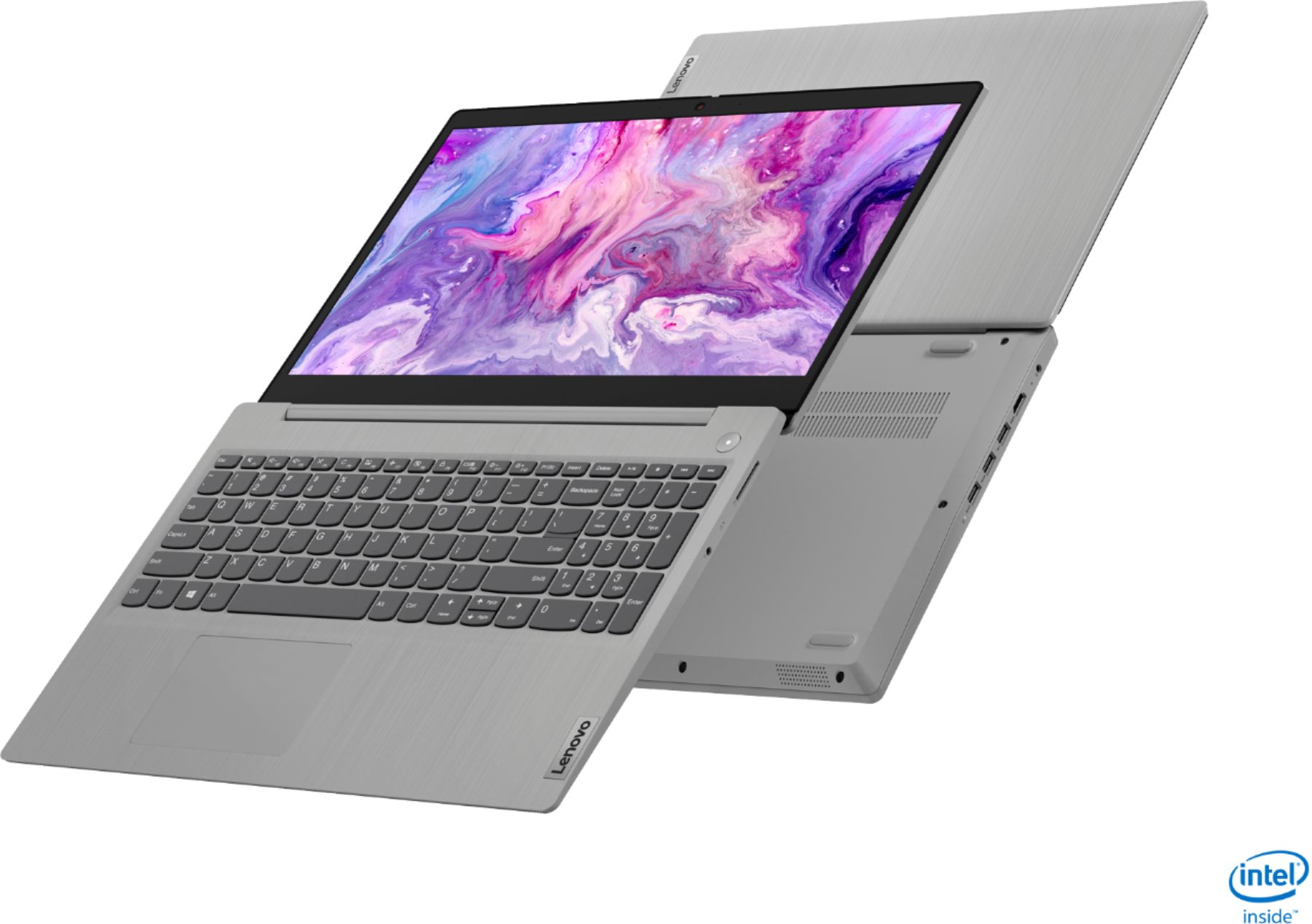
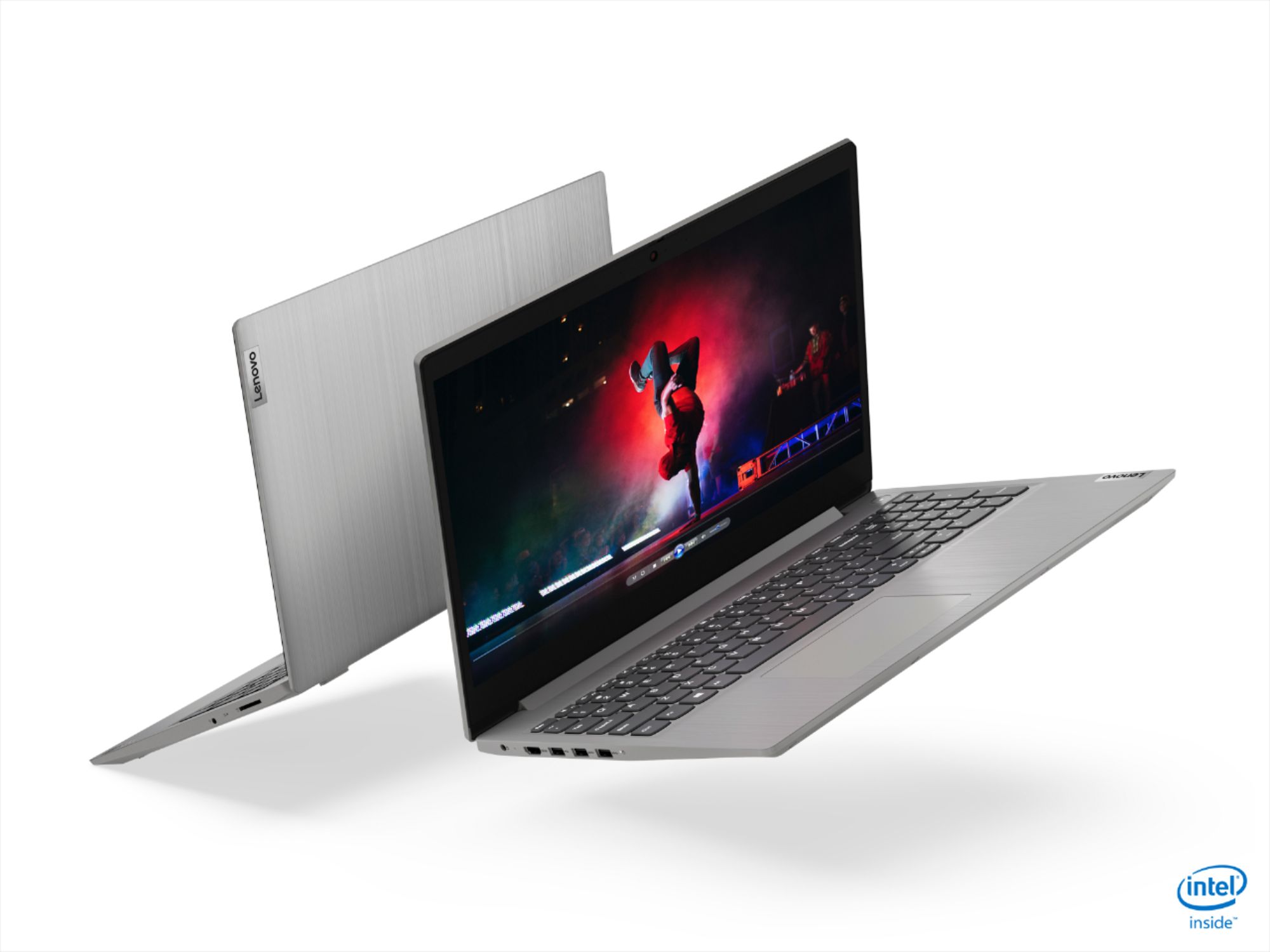

- Model:
- 81WE011UUS
- SKU:
- 6426707
Rating by feature
- Battery Life
Rating 4.2 out of 5 stars
- Speed
Rating 4.4 out of 5 stars
- Display
Rating 4.5 out of 5 stars
Customers are saying
Customers often highlight the IdeaPad 3 15" Laptop's affordability, user-friendly interface, and lightweight design as its main advantages. Many users appreciate its clear screen and satisfactory performance. However, some users have concerns about its battery life, build quality, and the initial difficulty in disabling S mode.
This summary was generated by AI based on customer reviews.
BB survey
||Posted . Owned for 1 month when reviewed.This reviewer received promo considerations or sweepstakes entry for writing a review.Hard for me to get used to.///////////////////////
I would recommend this to a friendBrand response from Lenovo Product Expert
Posted .Thank you for choosing the Lenovo IdeaPad 3 15 Laptop, model number 81WE011UUS. This model ships with Windows 10 S-Mode 64-bit Operating System. Windows 10 S-Mode provides added security by only allowing APPs available ( and therefore certified by Microsoft) at the Microsoft Store. If you don't need the added security or you need to install APPs not available at the Microsoft Store, you can switch to standard Windows 10 Home 64-bit Operating System, at no additional cost. To learn your way around Windows 10, you may want to try YouTube.com (just type that address in your browser address window). There are hundreds for free instructional videos there about Windows 10. Just type Windows 10 Introduction in to the YouTube search window. You can watch free videos there that will show you the basics all the way up to tips and tricks videos and they're all free.

Good value laptop
||Posted .This reviewer received promo considerations or sweepstakes entry for writing a review.It was a god laptop I just didn’t like the keyboard
No, I would not recommend this to a friendgreat
||Posted . Owned for 2 weeks when reviewed.This reviewer received promo considerations or sweepstakes entry for writing a review.great item .......................................
I would recommend this to a friendDecent budget laptop
||Posted . Owned for 6 months when reviewed.This reviewer received promo considerations or sweepstakes entry for writing a review.It's great for everyday light computing, like surfing the web, email, and streaming videos, or kids who are in school. Don't expect to play AAA videogames or do anything really intensive on it, though it does more than yohr average netbook.
I would recommend this to a friendMicrosoft took over
||Posted . Owned for 3 weeks when reviewed.This reviewer received promo considerations or sweepstakes entry for writing a review.I returned the computer not because the computer was bad, but because Microsoft programs were preventing me from doing what I wanted to do. Example blocking none Microsoft programs. I have have Lenovos before and I would reccomend the computer
I would recommend this to a friendBest buy not helping
||Posted . Owned for 3 weeks when reviewed.This reviewer received promo considerations or sweepstakes entry for writing a review.Difficult to set up because it was set up for Microsoft. nobody told me that I had to get rid of Microsoft. Then best buy said I had to come in to get Microsoft off. I called lenova. They helped me fix the problem in half a hour.
No, I would not recommend this to a friend- Cons mentioned:Battery life, Build quality
Lenovo Ideapad 3
||Posted .This reviewer received promo considerations or sweepstakes entry for writing a review.Really bad computer, battery is really bad. Computer is made of cheap plastic. Charger is uncomfortable. Design is poor.
No, I would not recommend this to a friendBrand response from Lenovo Product Expert
Posted .The Lenovo IdeaPad 3 15 Laptop, model number 81WE011UUS, ships with a Integrated 35Wh, Lithium-Polymer Battery, which within this configuration, has a battery life of up to 7 hours, depending on the work the device is performing. This model has a case material made of PC + ABS Plastic (Top), PC + ABS Plastic (Bottom). This laptop ships with a Dual Voltage, USA compatible wall side plug, 65W Round Tip (2-pin, Wall-mount) AC adapter/charger. If you are getting substantially less battery life, first, set your screen brightness at less than 100-percent - try 80-percent to start with. Then, be sure Battery conservation Mode is turned off. This power management setting should only be used when the laptop is plugged in all the time. It will prolong overall battery life by only charging the battery to 60-percent of capacity. Here is a link to instructions for turning off Battery Conservation Mode: https://support.lenovo.com/us/en/solutions/ht103159. Also check what programs are running in the background on the computer. Be sure only the programs you want running in the background are. These programs will drain the battery. Here is a link to information about how to find out what programs are running in the background on your Windows 10 computer and how to manage them for better system performance: https://www.windowscentral.com/how-prevent-apps-running-background-windows-10. Then, finally, be sure any software you installed is compatible with Windows 10. Incompatible software will drain the battery at a faster rate. There is no need to install Microsoft Office software. The software is already part of the operating system, you just need to activate the software with a purchased product key. If you have installed a copy of Microsoft Office, this is conflicting with the existing copy on the system and this will slow your system down. If you have installed a 3rd party anti-virus program, be sure that Windows Defender is turned off and that the trial version of McAfee Anti-Virus software is uninstalled. There can only be one anti-virus program on the system. You may need to restore your system to original factory default settings if any of the programming errors have occurred. You can do that by typing "restore" in the Cortana search window. Just click on the magnifying glass icon at the bottom left of your Windows 10 Desktop. Click on "Reset This PC" Then click on "Get Started" and follow the on screen directions to restore to factory defaults. If the problem persists, we recommend you contact Lenovo Tech Support at: 877-453-6686.
Display Dimmed
||Posted . Owned for 1 month when reviewed.This reviewer received promo considerations or sweepstakes entry for writing a review.I ordered this laptop and it was great for the first couple weeks. This week the laptop started having LCD issues where the brightness is 100% and display is dimmed to dark as possible. This shouldnt happen if this laptop is worth $449 normallu. It only been one month of owning and only used for education reasons. Luckily best buy had extended return so i can reorder again. This is a manufacturer defect.
I would recommend this to a friendNot good for online school
||Posted . Owned for 4 months when reviewed.This reviewer received promo considerations or sweepstakes entry for writing a review.3 months after i bought it the camera stopped working for no reason, everything else works just fine. I bought this specifically for online school witch requires a camera for zooms.
No, I would not recommend this to a friend- Cons mentioned:Battery life
Don’t buy this laptop
||Posted .This reviewer received promo considerations or sweepstakes entry for writing a review.The battery life sucks. Don’t spend money on this laptop. Complete waste of money. I tried to exchange it, bestbuy won’t exchange for me and referr me to the manufacturer.
No, I would not recommend this to a friendBrand response from Lenovo Product Expert
Posted .Hello, we are sorry to hear you are experiencing this issue with your Lenovo IdeaPad 3 15" laptop. Here is a link to tips for getting more battery life within Windows 10: https://support.microsoft.com/en-us/help/20443/windows-10-battery-saving-tips
If your issue persists we recommend reaching out to our customer support team at 877-453-6686
Good Basic Laptop
||Posted .This reviewer received promo considerations or sweepstakes entry for writing a review.Was told in the store that this had a touch screen. They ordered it for us and we got it a few days later and set it up only to find no touch screen. They threw in a mouse to compensate for their error.
I would recommend this to a friendA normal laptop for daily browsing
||Posted . Owned for 1 month when reviewed.This reviewer received promo considerations or sweepstakes entry for writing a review.Windows set up doesn’t take much time. Easy to carry. Display is average. Performance wise, enough for students and daily browsing. A bit slow when I connect to my remote machine at work.
I would recommend this to a friendMissing major functions but overall good computer
||Posted . Owned for 7 months when reviewed.This reviewer received promo considerations or sweepstakes entry for writing a review.Didn’t read all the way through, but doesn’t have a microphone note does it have a functional camera. Must purchase as accessory but oversell great computer.
I would recommend this to a friend- Cons mentioned:Battery life
Wouldn't recommend, lasted barely 3 months.
||Posted . Owned for 4 months when reviewed.This reviewer received promo considerations or sweepstakes entry for writing a review.This little laptop was going great, I ordered it end of November 2020 and it was a Christmas gift. I started actually using it end of December 2020. Went to turn it on today 3/26/21 and it won't boot up. I mean I know it's not an expensive computer but it had everything I needed and was doing what I needed it for - until now. I wouldn't buy this again. In fact I'm suspect of all Lenovo laptops after this experience.
No, I would not recommend this to a friendBrand response from Lenovo Product Expert
Posted .We are sorry to hear that you are having issues with your Lenovo IdeaPad 3 15 Laptop, model number 81WE011UUS. First, plug the computer in and let it charge for 15-minutes. With the computer still plugged in, now press the power button. The computer should boot normally. Let the computer stay plugged in and continue charging. Check your settings for what your computer does when the lid is closed. It is possible that the laptop is set either to do nothing when the lid is closed or go into Sleep Mode. Either setting will drain the battery at a faster rate than if the computer was completely shutdown. Here is a link to instructions for checking the settings for what your computer will do when the lid is closed: https://www.howtogeek.com/howto/25230/beginner-geek-change-what-windows-does-when-you-shut-your-laptops-lid/. If the issue continues after you have plugged the computer in, we recommend you call Lenovo Tech Support for additional help at: 877-453-6686.
Not suitable for Linux.
||Posted . Owned for 3 weeks when reviewed.This reviewer received promo considerations or sweepstakes entry for writing a review.It may be an okay windoze machine but fails as a Linux machine. Two units both failed. The not Levono laptop operates as expected.
No, I would not recommend this to a friendGreat for its price
||Posted . Owned for 1 week when reviewed.This reviewer received promo considerations or sweepstakes entry for writing a review.Great laptop for its price. Only issue is the batter life. Battery is internally installed so can’t take it out or replace easily.
I would recommend this to a friendBrand response from Lenovo Product Expert
Posted .Hello. Thank you for choosing the Lenovo IdeaPad 3 laptop model #81WE011UUS . We are sorry to hear you are experiencing an issue with the battery. This unit is rated for up to 7.5 hours battery life. If you are getting substantially less battery life, please adjust your screen brightness settings. A setting of 100% brightness will drain your battery much faster than a lower setting. We recommend setting the screen brightness to some value below 100% that is still comfortable for you to view. Next be sure Battery conservation Mode is turned off. This power management setting should only be used when the laptop is plugged in all the time. It will prolong overall battery life by only charging the battery to 60-percent of capacity. Here is a link to instructions for turning off Battery Conservation Mode: https://support.lenovo.com/us/en/solutions/ht103159. Also check what programs are running in the background on the computer. Be sure only the programs you want running in the background are. These programs will drain the battery. Here is a link to information about how to find out what programs are running in the background on your Windows 10 computer and how to manage them for better system performance: https://www.windowscentral.com/how-prevent-apps-running-background-windows-10. Then, finally, be sure any software you installed is compatible with Windows 10. Incompatible software will drain the battery at a faster rate. There is no need to install Microsoft Office software. The software is already part of the operating system, you just need to activate the software with a purchased product key. If you have installed a copy of Microsoft Office, this is conflicting with the existing copy on the system and this will slow your system down. If you have installed a 3rd party anti-virus program, be sure that Windows Defender is turned off and that the trial version of McAfee Anti-Virus software is uninstalled. There can only be one anti-virus program on the system. You may need to restore your system to original factory default settings if any of the programming errors have occurred. You can do that by typing "restore" in the Cortana search window. Just click on the magnifying glass icon at the bottom left of your Windows 10 Desktop. Click on "Reset This PC" Then click on "Get Started" and follow the on screen directions to restore to factory defaults. If the problem persists, we recommend you contact Lenovo Tech Support at: 877-453-6686.
Overpriced and poor quality parts
||Posted . Owned for less than 1 week when reviewed.This reviewer received promo considerations or sweepstakes entry for writing a review.Boots up slow for a laptop with 8GB RAM and a SSD and running in "S" mode. My wife has a laptop with only 4GB RAM and a hard drive and it boots up faster. The speakers and sound card are crappy--distorting sounds at low levels and very static-filled. So it's worthless for listening to music while I work. The camera image is grainy and looks like something from a first generation webcam. My cheapo Samsung Galaxy android phone has a better camera. I got mine on sale but there is no way this piece of garbage is worth $450. If I had to do it all over again I wouldn't even pay $200 for a Lenovo.
No, I would not recommend this to a friendBrand response from Lenovo Product Expert
Posted .Hello, we are sorry to hear you are experiencing these issues with your Lenovo IdeaPad 3 15" Laptop model # 81WE011UUS. Windows 10 S-Mode provides added security by only allowing APPs available (and therefore certified by Microsoft) at the Microsoft Store. If you do not need the added security or you need to install APPs not available at the Microsoft Store, you can switch to standard Windows 10 Home 64-bit Operating System, at no additional cost. Here is a link to instructions for switching from Windows 10 S-Mode to Windows 10 Home: https://support.microsoft.com/en-us/help/4456067/windows-10-switch-out-of-s-mode . Be sure any software you installed is compatible with Windows 10. There is no need to install Microsoft Office software. The software is already part of the operating system, you just need to activate the software with a purchased product key. If you have installed a copy of Microsoft Office, this is conflicting with the existing copy on the system and this will slow your system down. If you have installed a 3rd party anti-virus program, be sure that Windows Defender is turned off and that the trial version of McAfee Anti-Virus software is uninstalled. There can only be one anti-virus program on the system. You may need to restore your system to original factory default settings if any of the programming errors have occurred. You can do that by typing "restore" in the Cortana search window. Just click on the magnifying glass icon at the bottom left of your Windows 10 Desktop. Click on "Reset This PC” Then click on "Get Started" and follow the on-screen directions to restore to factory defaults. If the problem persists, we recommend you contact Lenovo Tech Support at: 877-453-6686.
Ehhhh
||Posted . Owned for 1 month when reviewed.This reviewer received promo considerations or sweepstakes entry for writing a review.Bought this cpu for work and school purposes. I asked the associate if it had an ethernet port, he assured me that it did. It DIDN'T. all in all its a decent computer.
No, I would not recommend this to a friendBrand response from Lenovo Product Expert
Posted .Although there is no built in ethernet port within this Lenovo IdeaPad 3 15 Laptop, model number 81WE011UUS, you can connect this laptop to an ethernet cable by using a USB to ethernet adapter like this one: https://www.bestbuy.com/site/platinum-usb-3-0-to-gigabit-ethernet-adapter-gray/6361091.p?skuId=6361091
.
||Posted . Owned for 1 month when reviewed.This reviewer received promo considerations or sweepstakes entry for writing a review.We are having trouble setting up the laptop. Hopefully, someone at Best Buy will help us when we call. Then i will revise my review based on their customer service.
No, I would not recommend this to a friendBrand response from Lenovo Product Expert
Posted .We are sorry to hear that you are having issues with the initial setup of your Lenovo IdeaPad 3 15 Laptop, model number 81WE011UUS. This model ships with Windows 10 S-Mode Operating System. Windows 10 S-Mode provides added security by only allowing APPs available ( and therefore certified by Microsoft) at the Microsoft Store. If you don't need the added security or you need to install APPs not available at the Microsoft Store, you can switch to standard Windows 10 Home 64-bit Operating System, at no additional cost. If you need to switch out of S-Mode, here is a link to instructions for switching from Windows 10 S-Mode to Windows 10 Home: https://support.microsoft.com/en-us/help/4456067/windows-10-switch-out-of-s-mode
good laptoo
||Posted . Owned for 8 months when reviewed.This reviewer received promo considerations or sweepstakes entry for writing a review.good quality and so far, reliable. my son uses it for light gaming and seems to be able to handle it. kind of depends on your internet connectivity too.
I would recommend this to a friend