Customer Ratings & Reviews




- Model:
- 81WE011UUS
- SKU:
- 6426707
Rating by feature
- Battery Life
Rating 4.2 out of 5 stars
- Speed
Rating 4.4 out of 5 stars
- Display
Rating 4.5 out of 5 stars
Customers are saying
Customers often highlight the IdeaPad 3 15" Laptop's affordability, user-friendly interface, and lightweight design as its main advantages. Many users appreciate its clear screen and satisfactory performance. However, some users have concerns about its battery life, build quality, and the initial difficulty in disabling S mode.
This summary was generated by AI based on customer reviews.
It’s ok.
||Posted . Owned for 1 month when reviewed.This reviewer received promo considerations or sweepstakes entry for writing a review.You get eBay you pay for. This was for my parents to use. They aren’t very tech savvy but this was easy for them. Biggest complaint is cheap materials and housing.
I would recommend this to a friendDIsappointed
||Posted . Owned for 1 month when reviewed.This reviewer received promo considerations or sweepstakes entry for writing a review.Nice enough computer but haven't used much because it doesn't have Microsoft office on it and it is way too expensive at Best Buy. Waiting to buy somewhere else.
No, I would not recommend this to a friendBrand response from Lenovo Product Expert
Posted .The Lenovo IdeaPad 3 15 Laptop ships with a 30-day trial of Microsoft Office 365 included as part of the Windows 10 operating system. In order to keep the program active after the trial period, you will need to purchase a product key. You will not need to download any additional software.

great product poor service
||Posted . Owned for 1 month when reviewed.This reviewer received promo considerations or sweepstakes entry for writing a review.I love the computer, the service at the store sucks. I went in to Buy a security system I couldnt get anyone to help me so I left and bought on amazon.
No, I would not recommend this to a friendI can`t use Facebook...
||Posted . Owned for 3 months when reviewed.This reviewer received promo considerations or sweepstakes entry for writing a review.More than a review, I`m asking for assistence, I don`t know why any time I`m try to get in to Facebook my laptop get very slow. Could you please help me.
No, I would not recommend this to a friend- Cons mentioned:Battery life
Battery problems
||Posted . Owned for 1 month when reviewed.This reviewer received promo considerations or sweepstakes entry for writing a review.Battery life is less than 2 hour. What do I need?
No, I would not recommend this to a friendBrand response from Lenovo Product Expert
Posted .The Lenovo IdeaPad 3 15 Laptop, model number 81WE011UUS, ships with a 2CELL_35WH_INTERNAL, Lithium Polymer Battery, with a battery life of up to 7 hours, depending on the work the device is performing. If you are getting substantially less battery life, First, set your screen brightness at less than 100-percent - try 80-percent to start with. Then, be sure Battery conservation Mode is turned off. This power management setting should only be used when the laptop is plugged in all the time. It will prolong overall battery life by only charging the battery to 60-percent of capacity. Here is a link to instructions for turning off Battery Conservation Mode: https://support.lenovo.com/us/en/solutions/ht103159. Also check what programs are running in the background on the computer. Be sure only the programs you want running in the background are. These programs will drain the battery. Here is a link to information about how to find out what programs are running in the background on your Windows 10 computer and how to manage them for better system performance: https://www.windowscentral.com/how-prevent-apps-running-background-windows-10. Then, finally, be sure any software you installed is compatible with Windows 10. Incompatible software will drain the battery at a faster rate. There is no need to install Microsoft Office software. The software is already part of the operating system, you just need to activate the software with a purchased product key. If you have installed a copy of Microsoft Office, this is conflicting with the existing copy on the system and this will slow your system down. If you have installed a 3rd party anti-virus program, be sure that Windows Defender is turned off and that the trial version of McAfee Anti-Virus software is uninstalled. There can only be one anti-virus program on the system. You may need to restore your system to original factory default settings if any of the programming errors have occurred. You can do that by typing "restore" in the Cortana search window. Just click on the magnifying glass icon at the bottom left of your Windows 10 Desktop. Click on "Reset This PC" Then click on "Get Started" and follow the on screen directions to restore to factory defaults. If the problem persists, we recommend you contact Lenovo Tech Support at: 877-453-6686.
No help from Levovo
||Posted .This reviewer received promo considerations or sweepstakes entry for writing a review.During the initial boot up/set up the computer froze. I could not get it to operate. I called Lenovo's help line with the number included with the computer. Lenovo refused to help. I needed to buy a service contract. This seemed excessive since I hand not even used the machine. If they will not stand behind their products, I can not recommend you buy this machine or any Lenovo product.
No, I would not recommend this to a friendBrand response from Lenovo Product Expert
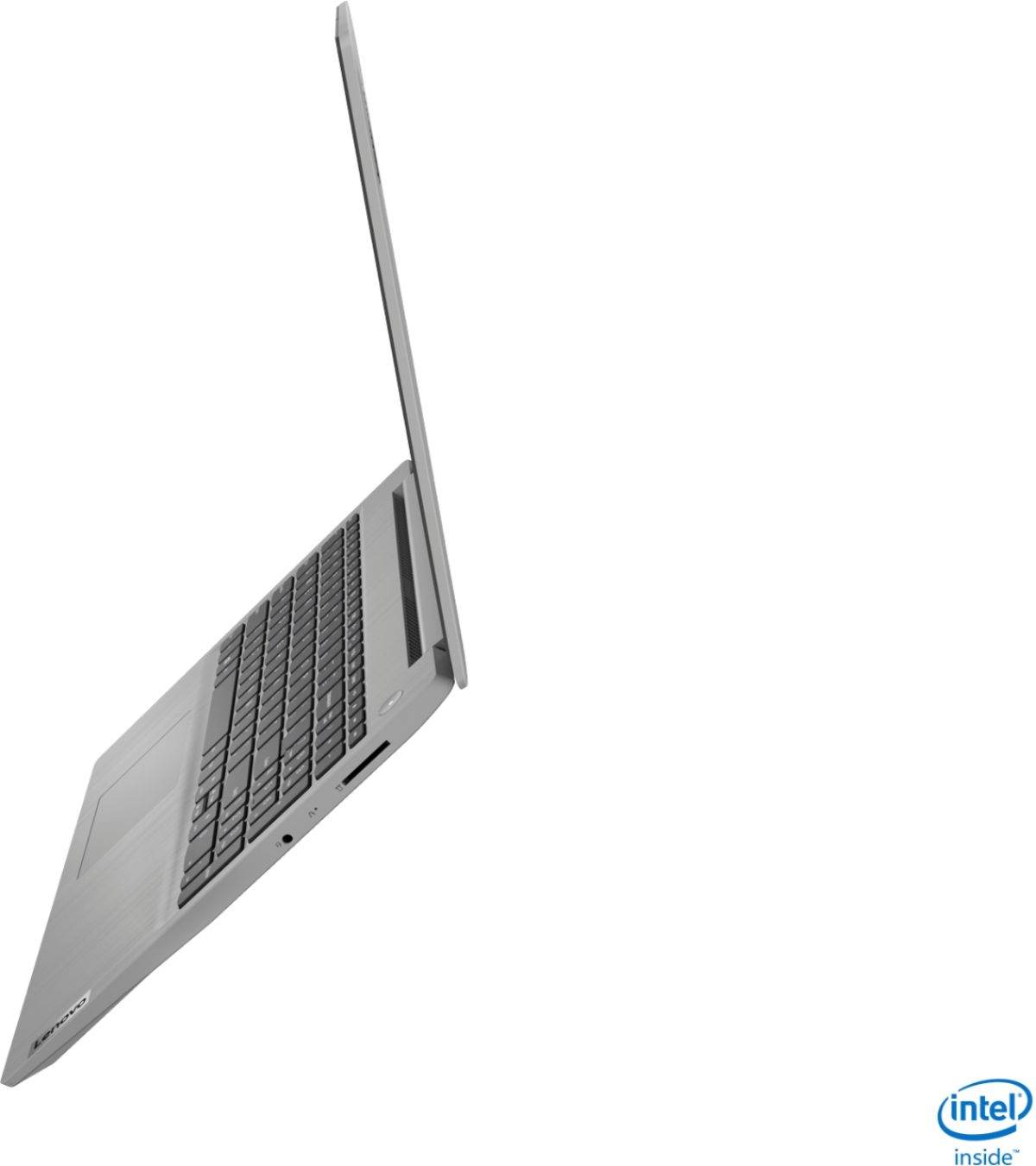
Posted .We are sorry to hear that you had issues during the initial activation and setup of Windows 10 S-Mode Operating System on your Lenovo IdeaPad 3 15 Laptop. It is possible that resetting the computer back to original factory settings then beginning the activation/setup process again may correct the issue. Since you have not yet activated Windows 10 to be able to reset the computer, this system is equipped with OneKey Recovery System. There is a very small pin hole on the right side of the device, in between the headphone jack and the SD card slot on the device. You will need a pin to push this reset button. Plug the device in. Let the battery charge for about 15 minutes. Push the reset button. The system should boot to a choice screen where you can choose "Restore To Factory Default". Select this. It will delete everything from the hard drive except the original factory install of the operating system. You will need to reinstall all programs and files after the reset. If you don't have copies of the files, try to make one before you restore by selecting "Boot to desktop" and trying to back up your files. If the problem persists after the factory reset, we recommend you contact Lenovo Tech Support at: 877-453-6686.
Not the best not the worst
||Posted . Owned for 3 weeks when reviewed.This reviewer received promo considerations or sweepstakes entry for writing a review.The price was good but the screen locks up a lot. Sometimes I have to restart it just to get the page to go
No, I would not recommend this to a friendBrand response from Lenovo Product Expert
Posted .We are sorry to hear that you are having issues with your Lenovo IdeaPad 3 15 Laptop, model number 81WE011UUS. This model ships with Windows 10 S-Mode Operating System and should not lock up. Even if you have switched out of S-Mode, be sure any software you installed is compatible with Windows 10. There is no need to install Microsoft Office software. The software is already part of the operating system, you just need to activate the software with a purchased product key. If you have installed a copy of Microsoft Office, this is conflicting with the existing copy on the system and this will slow your system down. If you have installed a 3rd party anti-virus program, be sure that Windows Defender is turned off and that the trial version of McAfee Anti-Virus software is uninstalled. There can only be one anti-virus program on the system. You may need to restore your system to original factory default settings if any of the programming errors have occurred. You can do that by typing "restore" in the Cortana search window. Just click on the magnifying glass icon at the bottom left of your Windows 10 Desktop. Click on "Reset This PC" Then click on "Get Started" and follow the on screen directions to restore to factory defaults. If the problem persists, we recommend you contact Lenovo Tech Support at: 877-453-6686.
Better instructions!
||Posted . Owned for 3 weeks when reviewed.This reviewer received promo considerations or sweepstakes entry for writing a review.Windows 10 is harder than Windows 7 and even though I was navigating Windows 7 okay I am going to take a class to see how to navigate on this one.
I would recommend this to a friendBrand response from Lenovo Product Expert
Posted .Hello. Thank you for choosing the Lenovo IdeaPad 3 laptop. To learn your way around Windows 10, you may want to try YouTube.com (just type that address in your browser address window). There are hundreds for free instructional videos there about Windows 10. Just type Windows 10 Introduction into the YouTube search window. You can watch free videos there that will show you the basics all the way up to tips and tricks videos and they are all free.
Computer
||Posted . Owned for 3 weeks when reviewed.This reviewer received promo considerations or sweepstakes entry for writing a review.The young ,an who helped me knew very little about computers except for what he read on the sign. And he could not put on a over on my cell phone.
I would recommend this to a friendLenovo computer
||Posted . Owned for 3 weeks when reviewed.This reviewer received promo considerations or sweepstakes entry for writing a review.It seems like it's made out of cheap material. Not very sturdy. It works fine so far, so I guess it is worth the low price that I paid for it.
No, I would not recommend this to a friendglitchy
||Posted . Owned for 1 month when reviewed.This reviewer received promo considerations or sweepstakes entry for writing a review.I think the computer itself should be good. My son said its better for games than my surface laptop. Unfortunately I'm giving low score because I need to exchange or return. Whenever we try to use the cortina, the cursor goes crazy, its been a little glitchy, few times the screen went black; but if it were working properly, It would be great for the price.
No, I would not recommend this to a friendBrand response from Lenovo Product Expert
Posted .We are sorry to hear that you are having issues with your lenovo IdeaPad 3 15 laptop, model number 81WE011UUS. Whether you have switched out of S-Mode or not, be sure any software you installed is compatible with Windows 10. There is no need to install Microsoft Office software. The software is already part of the operating system, you just need to activate the software with a purchased product key. If you have installed a copy of Microsoft Office, this is conflicting with the existing copy on the system and this will slow your system down. If you have installed a 3rd party anti-virus program, be sure that Windows Defender is turned off and that the trial version of McAfee Anti-Virus software is uninstalled. There can only be one anti-virus program on the system. You may need to restore your system to original factory default settings if any of the programming errors have occurred. You can do that by typing "restore" in the Cortana search window. Just click on the magnifying glass icon at the bottom left of your Windows 10 Desktop. Click on "Reset This PC" Then click on "Get Started" and follow the on screen directions to restore to factory defaults. If the problem persists, we recommend you contact Lenovo Tech Support at: 877-453-6686.
Avg value, ok for kids
||Posted . Owned for 1 month when reviewed.This reviewer received promo considerations or sweepstakes entry for writing a review.Not enough RAM should be atleast 16GB for the price Processor should be i5 atleast for the price Avg not a good value for recommendation
No, I would not recommend this to a friend- Cons mentioned:Battery life
Bad battery
||Posted . Owned for 3 weeks when reviewed.This reviewer received promo considerations or sweepstakes entry for writing a review.Horrible battery life, lasts about 65 minutes if playing a game, about 2 hours if watching a movie
No, I would not recommend this to a friendBrand response from Lenovo Product Expert
Posted .The Lenovo IdeaPad 3 15 Laptop, model number 81WE011UUS, ships with a 2CELL_35WH_INTERNAL, Lithium Polymer Battery, with up to a 7 hour battery life, depending on the work the device is performing. If you are getting substantially less battery life, First, set your screen brightness at less than 100-percent - try 80-percent to start with. Then, be sure Battery conservation Mode is turned off. This power management setting should only be used when the laptop is plugged in all the time. It will prolong overall battery life by only charging the battery to 60-percent of capacity. Here is a link to instructions for turning off Battery Conservation Mode: https://support.lenovo.com/us/en/solutions/ht103159. Also check what programs are running in the background on the computer. Be sure only the programs you want running in the background are. These programs will drain the battery. Here is a link to information about how to find out what programs are running in the background on your Windows 10 computer and how to manage them for better system performance: https://www.windowscentral.com/how-prevent-apps-running-background-windows-10. Then, finally, be sure any software you installed is compatible with Windows 10. Incompatible software will drain the battery at a faster rate. There is no need to install Microsoft Office software. The software is already part of the operating system, you just need to activate the software with a purchased product key. If you have installed a copy of Microsoft Office, this is conflicting with the existing copy on the system and this will slow your system down. If you have installed a 3rd party anti-virus program, be sure that Windows Defender is turned off and that the trial version of McAfee Anti-Virus software is uninstalled. There can only be one anti-virus program on the system. You may need to restore your system to original factory default settings if any of the programming errors have occurred. You can do that by typing "restore" in the Cortana search window. Just click on the magnifying glass icon at the bottom left of your Windows 10 Desktop. Click on "Reset This PC" Then click on "Get Started" and follow the on screen directions to restore to factory defaults. If the problem persists, we recommend you contact Lenovo Tech Support at: 877-453-6686.
Unsatisfied
||Posted . Owned for 1 month when reviewed.This reviewer received promo considerations or sweepstakes entry for writing a review.Customer service convince me to purchase extra protection for product a waste of my money device did not allow to download protection
No, I would not recommend this to a friendNice Product, Bad Software
||Posted .This reviewer received promo considerations or sweepstakes entry for writing a review.It seemed like a good deal and had good reviews. I had high hopes for this Lenovo IdeaPad Laptop computer. However Windows 10 in S Mode ruined my anticipated wonderful computing experience. I followed all the instructions I could find to get out of S Mode. I contacted Lenovo who gave me a phone number for Microsoft. The Microsoft phone recording said all tech support is now online. I look online and found a few fixes that they recommended. None of them worked. I found some online forums where others posted their experiences and how they were able to switch out of S Mode. None of them worked for me. I returned the laptop computer to Best Buy. The gal at customer service said she knew how to get it out of S Mode. She couldn't do it. Beware of buying a computer with Windows 10 in S Mode. It will say on the label on the box. I spent six hours trying to switch out of S Mode and was reminded of what my mother said when she got her first computer with Windows Vista: "I can see why they call it Windows, after trying to use it you feel like throwing it out the window." However my experience with the purchase and return of this product was very good. 5 stars to Best Buy for their shopping experience.
No, I would not recommend this to a friendBrand response from Lenovo Product Expert
Posted .Hello, we are sorry to hear you had this experience with the Lenovo IdeaPad 3 15" laptop. Here is a link to instructions for switching from Windows 10 S-Mode to Windows 10 Home: https://support.microsoft.com/en-us/help/4456067/windows-10-switch-out-of-s-mode
Mediocre laptop
||Posted . Owned for 1 month when reviewed.This reviewer received promo considerations or sweepstakes entry for writing a review.Laptop is ok. I returned mine as it is very difficult to upgrade Mem and SSD on this laptop plus it feels very plasticky.
No, I would not recommend this to a friendBrand response from Lenovo Product Expert
Posted .Hello, thanks for choosing the Lenovo IdeaPad 3 15" laptop. We are sorry to hear it didn't work out for you. Please note This model is not user upgradable. A certified technician must do all of the work, so as to not void the warranty. If you are looking for a user upgradable laptop we recommend the Lenovo Legion Laptop line.
Computer bought in a hurry
||Posted . Owned for 1 month when reviewed.This reviewer received promo considerations or sweepstakes entry for writing a review.It is an ok computer. We had a limited time frame to purchase (not Best Buy fault) and I am not happy with our choice.
No, I would not recommend this to a friendGood For The Money
||Posted . Owned for 1 month when reviewed.This reviewer received promo considerations or sweepstakes entry for writing a review.The only thing I have against this laptop is that you can not remove the battery. Other than that, it's a nice laptop.
I would recommend this to a friendLenovo
||Posted . Owned for 1 week when reviewed.This reviewer received promo considerations or sweepstakes entry for writing a review.Start up a little bit slower than I expected and screen is not really nice
No, I would not recommend this to a friendBrand response from Lenovo Product Expert
Posted .Hello. Thank you for choosing the Lenovo IdeaPad 3 laptop. We are sorry to hear you are experiencing issues with your boot times and screen. Please ensure your desktop resolution is set to the recommended value by right clicking anywhere on the desktop, selecting display settings, and adjusting the resolution if needed. Be sure any software you installed is compatible with Windows 10 (or Windows 10s if applicable). There is no need to install Microsoft Office software. The software is already part of the operating system, you just need to activate the software with a purchased product key. If you have installed a copy of Microsoft Office, this is conflicting with the existing copy on the system and this will slow your system down. If you have installed a 3rd party anti-virus program, be sure that Windows Defender is turned off and that the trial version of McAfee Anti-Virus software is uninstalled. There can only be one anti-virus program on the system. You may need to restore your system to original factory default settings if any of the programming errors have occurred. You can do that by typing "restore" in the Cortana search window. Just click on the magnifying glass icon at the bottom left of your Windows 10 Desktop. Click on "Reset This PC” Then click on "Get Started" and follow the on-screen directions to restore to factory defaults. If the problem persists, we recommend you contact Lenovo Tech Support at: 877-453-6686.
Waiting for my laptop
||Posted . Owned for 3 weeks when reviewed.This reviewer received promo considerations or sweepstakes entry for writing a review.I would likely rate this laptop highly except the laptop is still in transit. I wish I will receive it sooner.
I would recommend this to a friend