Customer Ratings & Reviews




- Model:
- 81WE011UUS
- SKU:
- 6426707
Rating by feature
- Battery Life
Rating 4.2 out of 5 stars
- Speed
Rating 4.4 out of 5 stars
- Display
Rating 4.5 out of 5 stars
Customers are saying
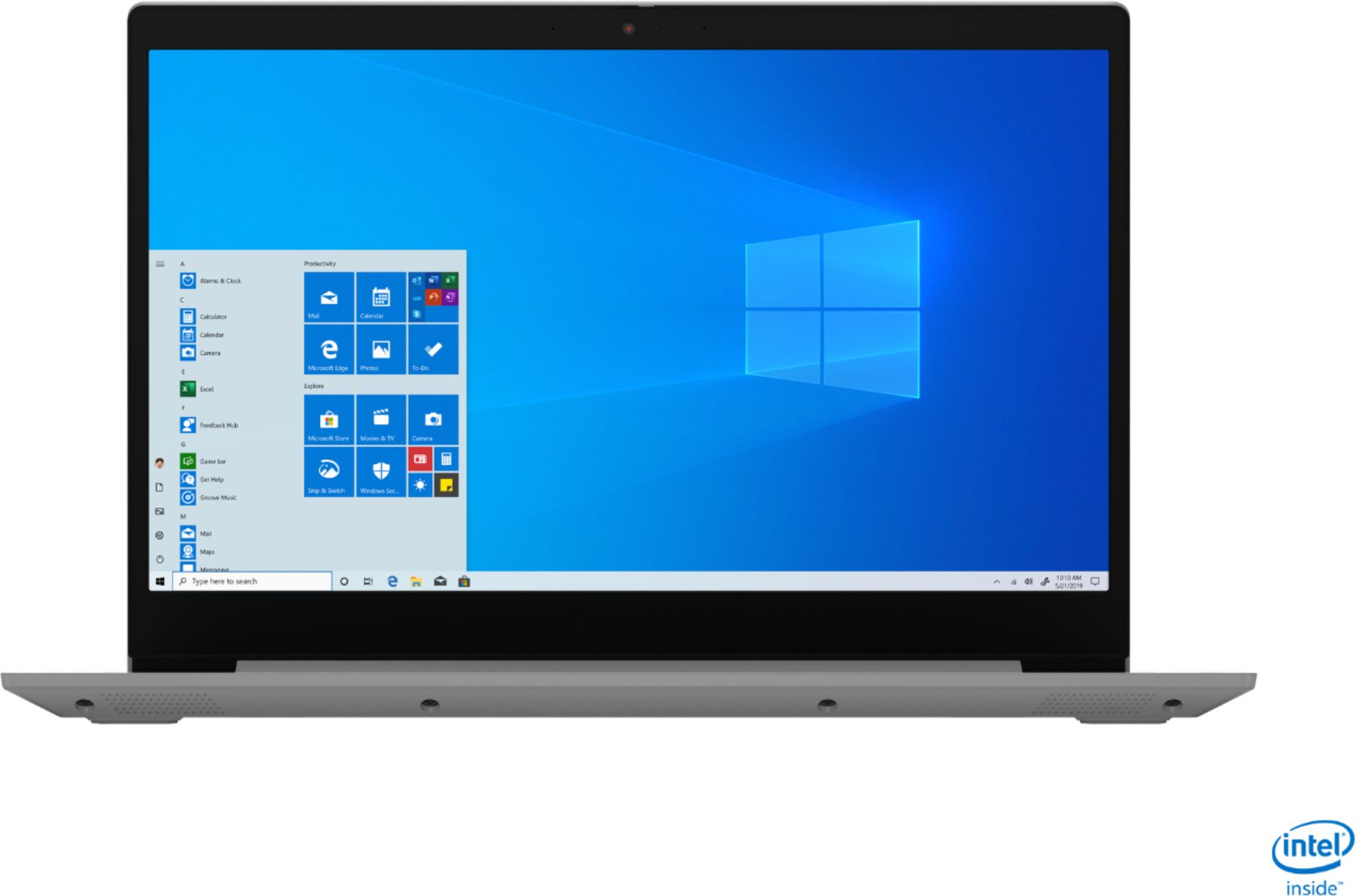
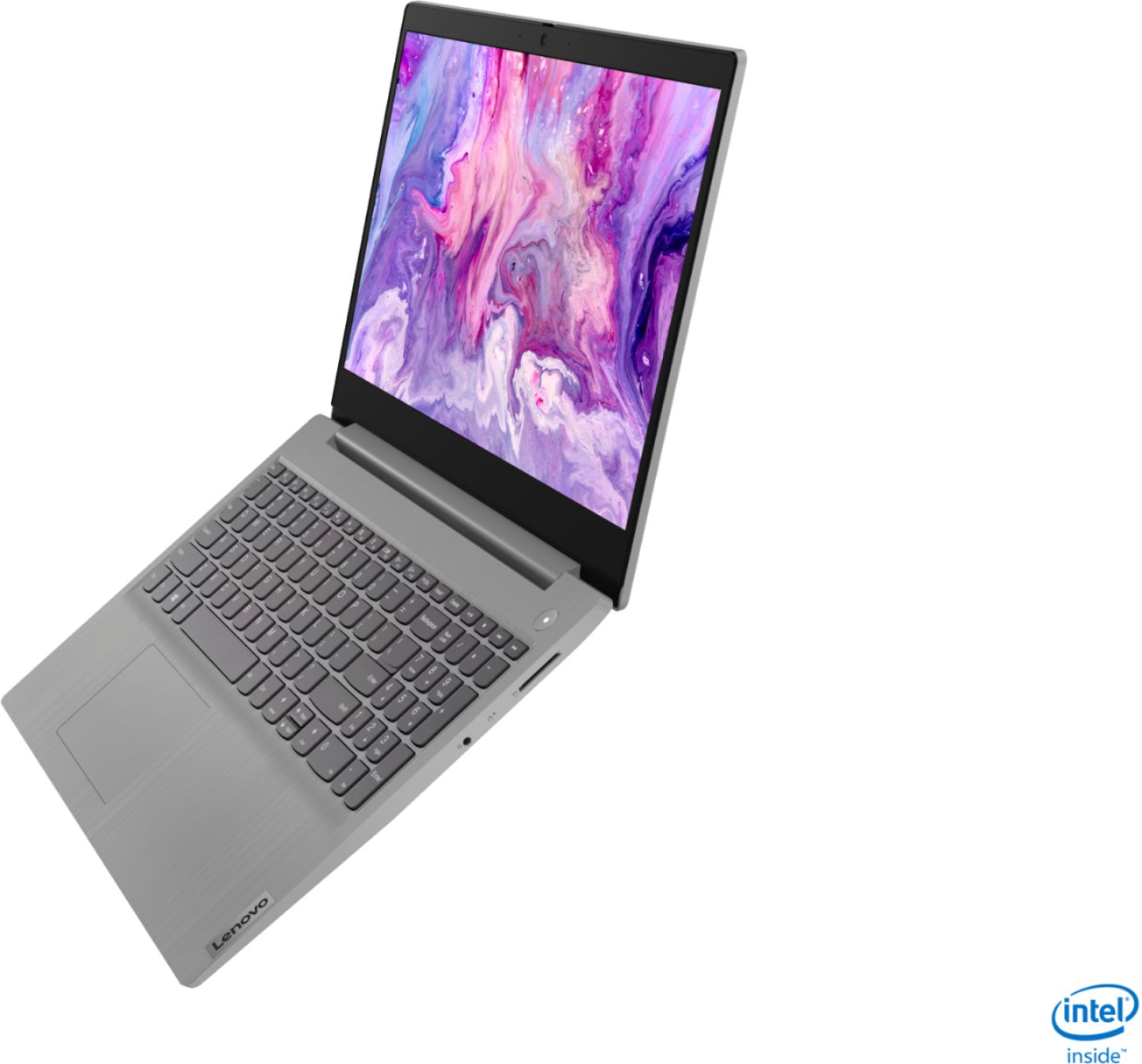
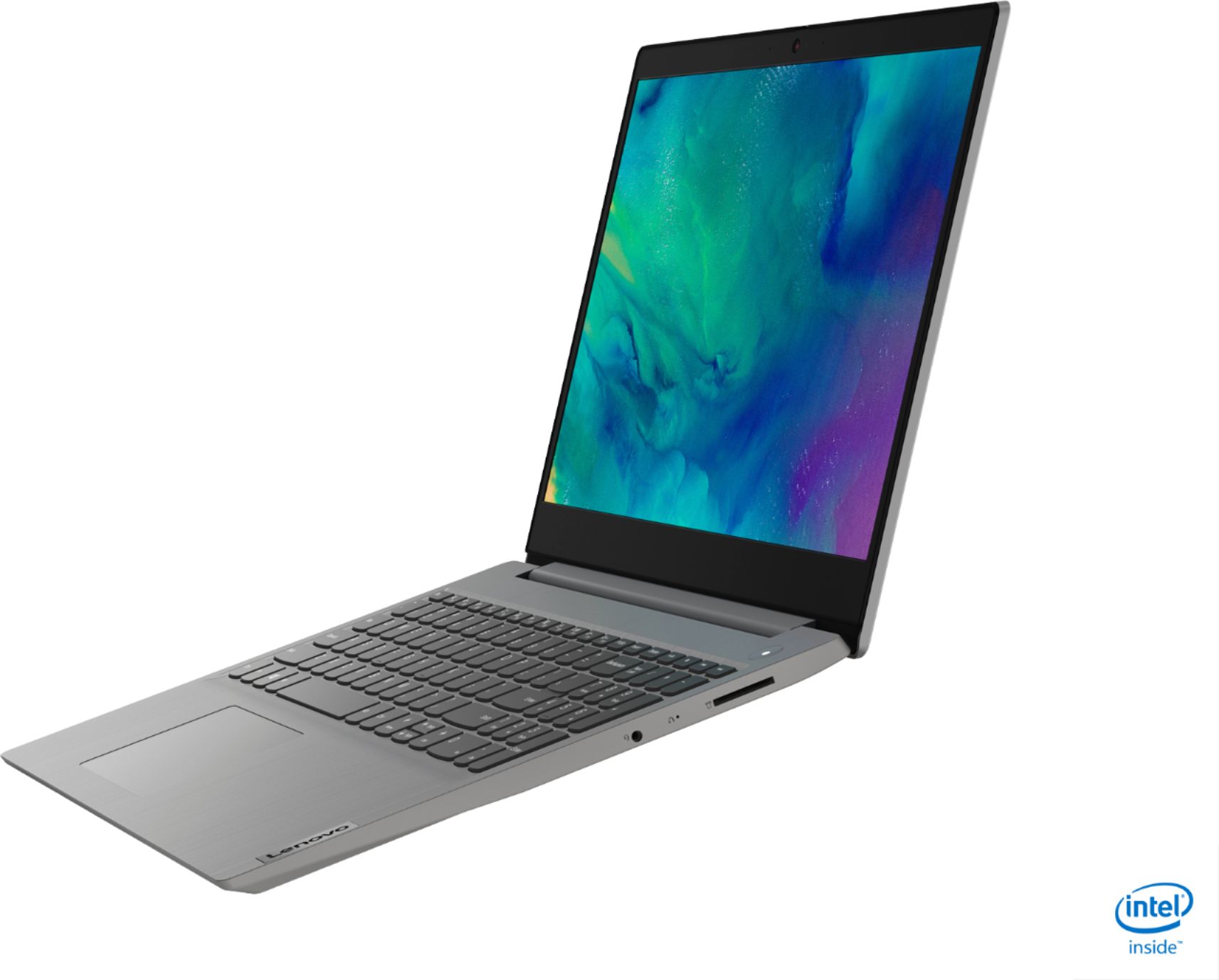
Customers often highlight the IdeaPad 3 15" Laptop's affordability, user-friendly interface, and lightweight design as its main advantages. Many users appreciate its clear screen and satisfactory performance. However, some users have concerns about its battery life, build quality, and the initial difficulty in disabling S mode.
This summary was generated by AI based on customer reviews.
- Cons mentioned:Battery life
First Lenovo
||Posted . Owned for 3 weeks when reviewed.This reviewer received promo considerations or sweepstakes entry for writing a review.Perfect for what I needed to quickly replace an old laptop for my business on a budget. The battery life isn’t the best but i have the settings turned up and so far I’m just using it at home. I underestimated how bad I needed the number pad.
I would recommend this to a friendBrand response from Lenovo Product Expert
Posted .Thank you for choosing the Lenovo IdeaPad 3 15 Laptop, model number 81WE011UUS. This model ships with a 2CELL_35WH_INTERNAL, Lithium Polymer Battery, with a battery life of up to 7 hours, depending on the work the device is performing. If you are getting substantially less battery life, First, set your screen brightness at less than 100-percent - try 80-percent to start with. Then, be sure Battery conservation Mode is turned off. This power management setting should only be used when the laptop is plugged in all the time. It will prolong overall battery life by only charging the battery to 60-percent of capacity. Here is a link to instructions for turning off Battery Conservation Mode: https://support.lenovo.com/us/en/solutions/ht103159. Also check what programs are running in the background on the computer. Be sure only the programs you want running in the background are. These programs will drain the battery. Here is a link to information about how to find out what programs are running in the background on your Windows 10 computer and how to manage them for better system performance: https://www.windowscentral.com/how-prevent-apps-running-background-windows-10. Then, finally, be sure any software you installed is compatible with Windows 10. Incompatible software will drain the battery at a faster rate. There is no need to install Microsoft Office software. The software is already part of the operating system, you just need to activate the software with a purchased product key. If you have installed a copy of Microsoft Office, this is conflicting with the existing copy on the system and this will slow your system down. If you have installed a 3rd party anti-virus program, be sure that Windows Defender is turned off and that the trial version of McAfee Anti-Virus software is uninstalled. There can only be one anti-virus program on the system. You may need to restore your system to original factory default settings if any of the programming errors have occurred. You can do that by typing "restore" in the Cortana search window. Just click on the magnifying glass icon at the bottom left of your Windows 10 Desktop. Click on "Reset This PC" Then click on "Get Started" and follow the on screen directions to restore to factory defaults. If the problem persists, we recommend you contact Lenovo Tech Support at: 877-453-6686.

- Pros mentioned:Price
Great product, poor service
||Posted . Owned for 1 month when reviewed.This reviewer received promo considerations or sweepstakes entry for writing a review.This is a great little laptop - dollar for dollar it was a very good price for a very functional computer. We have found it to work quickly and without any application problems. My review of this product would be higher if it wasn't influenced by the poor handling of the purchase process - particularly the transfer of data from old computer to new. What should have been handled in one visit took two and they threatened that it would take three! Since we made an 80 mile round trip to come to the store, this was an issue. I complained about this at the time and have complained to management since, with no reply. I have spent a small fortune at Best Buy over a number of years. Frankly, I am likely to spend less in the future.
I would recommend this to a friend - Cons mentioned:Battery life
Good budget laptop
||Posted . Owned for 1.5 years when reviewed.This reviewer received promo considerations or sweepstakes entry for writing a review.I've had this laptop since Nov 2020. Bought as a budget laptop to use for a year or so, but it is still going strong two years later. Battery life was never the best but for $300 I have been very impressed.
I would recommend this to a friend - Pros mentioned:Price
Great specs and price
||Posted . Owned for less than 1 week when reviewed.This reviewer received promo considerations or sweepstakes entry for writing a review.This is one great cpu for doing all basic internet needs, IE: face book, emails, banking, bill paying, and some gaming. Bought because of the specs and of course it's fast and works great. This laptop was a steal for the sale price of 299.99.
I would recommend this to a friendBrand response from Lenovo Product Expert
Posted .Hello. Thank you for choosing the Lenovo IdeaPad 3 laptop. We are pleased to hear that the value and performance of the IdeaPad 3 meets your computing needs so well!
- Cons mentioned:S mode
Great computer for a low price.
||Posted . Owned for 3 weeks when reviewed.This reviewer received promo considerations or sweepstakes entry for writing a review.Great computer for a very low price. $299 after a steep discount when I bought it. Primarily, I just stream, email, banking, purchasing, simple gaming, etc. I don’t care for the “S Mode” feature, but that may be opted out of if desired.
I would recommend this to a friend - Pros mentioned:Weight
Great low priced laptop
||Posted . Owned for 1 month when reviewed.This reviewer received promo considerations or sweepstakes entry for writing a review.Really great computer. We bought this to serve as an additional basic laptop. Since I have been working from home we needed a second computer to do some basic things. I was surprised with how light weight it is. Great for on the go use.
I would recommend this to a friend - Pros mentioned:Price
Great laptop for the price
||Posted . Owned for 1 month when reviewed.This reviewer received promo considerations or sweepstakes entry for writing a review.Got this for my wife. Haven’t had any issues with it yet. I liked the processor and the amount of ram and storage for this price made it a quick buy as soon as I seen it. Should have gotten two of them. It’s a great laptop for the price
I would recommend this to a friend - Pros mentioned:Price
Worth the deal!
||Posted . Owned for 1 month when reviewed.This reviewer received promo considerations or sweepstakes entry for writing a review.I bought it on thanksgiving 2020 for my sister for 300 bucks and it is really good considering she uses it for her small kids online classes and studies. Worth the deal for sure!
I would recommend this to a friendBrand response from Lenovo Product Expert
Posted .Thank you for choosing the Lenovo IdeaPad 3 15 Laptop, model number 81WE011UUS, for your sister. We are pleased to hear that the IdeaPad 3 15 is working out so well.
- Pros mentioned:Speed
good computer
||Posted . Owned for 3 weeks when reviewed.This reviewer received promo considerations or sweepstakes entry for writing a review.Computer is very fast, easy to use. I am not a computer person so have to get use to this new laptop. Have used for just about 3 weeks am very pleased with the unit, except for battery life Purchased on sale for under $300.00 I think this was a good buy.
I would recommend this to a friendBrand response from Lenovo Product Expert
Posted .Thank you for choosing the Lenovo IdeaPad 3 15 Laptop, model number 81WE011UUS. This model ships with a Integrated 35Wh, Lithium-Polymer Battery, which within this configuration, has a battery life of up to 7 hours, depending on the work the device is performing. If you are getting substantially less battery life, first, set your screen brightness at less than 100-percent - try 80-percent to start with. Then, be sure Battery conservation Mode is turned off. This power management setting should only be used when the laptop is plugged in all the time. It will prolong overall battery life by only charging the battery to 60-percent of capacity. Here is a link to instructions for turning off Battery Conservation Mode: https://support.lenovo.com/us/en/solutions/ht103159. Also check what programs are running in the background on the computer. Be sure only the programs you want running in the background are. These programs will drain the battery. Here is a link to information about how to find out what programs are running in the background on your Windows 10 computer and how to manage them for better system performance: https://www.windowscentral.com/how-prevent-apps-running-background-windows-10. Then, finally, be sure any software you installed is compatible with Windows 10. Incompatible software will drain the battery at a faster rate. There is no need to install Microsoft Office software. The software is already part of the operating system, you just need to activate the software with a purchased product key. If you have installed a copy of Microsoft Office, this is conflicting with the existing copy on the system and this will slow your system down. If you have installed a 3rd party anti-virus program, be sure that Windows Defender is turned off and that the trial version of McAfee Anti-Virus software is uninstalled. There can only be one anti-virus program on the system. You may need to restore your system to original factory default settings if any of the programming errors have occurred. You can do that by typing "restore" in the Cortana search window. Just click on the magnifying glass icon at the bottom left of your Windows 10 Desktop. Click on "Reset This PC" Then click on "Get Started" and follow the on screen directions to restore to factory defaults. If the problem persists, we recommend you contact Lenovo Tech Support at: 877-453-6686.
Value for money.
||Posted .This reviewer received promo considerations or sweepstakes entry for writing a review.Happy with the puchase. A good budget laptop for basic usage of web browsing, watching movies and for basic office work like word, excel, etc. Has a very good look and feel. The keyboard is really nice. Had it been backlit, would have been really nice.
I would recommend this to a friendBrand response from Lenovo Product Expert
Posted .Thank you for choosing the Lenovo IdeaPad 3 15 Laptop, model number 81WE011UUS. We are pleased to hear that the value and performance of the IdeaPad 3 15 meets your computing needs so well.
- Pros mentioned:Price
Idea Pad
||Posted . Owned for 3 weeks when reviewed.This reviewer received promo considerations or sweepstakes entry for writing a review.I received an excelent price for my lap computer which I like very much, but I now have found out it needs to be connected to WF after I had my information transferred from my 2004 lap computer which was not connected to the internet.
I would recommend this to a friend - Cons mentioned:Battery life
Lenovo
||Posted . Owned for 1 month when reviewed.This reviewer received promo considerations or sweepstakes entry for writing a review.So far, the use is good. Getting reacquainted with desktop use has been challenging but I enjoy using my laptop. I don't like the fact that the battery is not stronger and the security suite that I paid for will not work in performance mode on the laptop.
I would recommend this to a friend Good laptop for a medical level student
||Posted . Owned for 5 months when reviewed.This reviewer received promo considerations or sweepstakes entry for writing a review.Nice Laptop for students. It works well and has the necessary performance for the tasks required by a medical student. Easy to use and nice bright screen with a decent battery capacity/time. Very Happy with the purchase.
I would recommend this to a friend- Pros mentioned:Speed
Great computer
||Posted . Owned for 1 month when reviewed.This reviewer received promo considerations or sweepstakes entry for writing a review.Very good purchase. It is fast, has all I need for school. I recommend it to anyone looking to buy a new computer. My wife has a Lenovo chrome books that she loves and had no problems with. This computer will be her next purchase
I would recommend this to a friendBrand response from Lenovo Product Expert
Posted .Thank you for choosing the Lenovo IdeaPad 3 15 Laptop, model number 81WE011UUS. We appreciate your loyalty to the IdeaPad 3 15 Laptop and the Lenovo Brand. We are pleased to hear that the IdeaPad 3 15 is working out so well for you.
- Pros mentioned:Weight
Light weight, inexpensive basic laptop.
||Posted . Owned for 3 weeks when reviewed.This reviewer received promo considerations or sweepstakes entry for writing a review.Perfect for my needs. Light weight. Fast charging. Not as much needless spam ware as most computers. Mouse pad works great. Have it still in S mode. So far hasn’t been a problem cause when you move out you can’t go back. Recommend.
I would recommend this to a friend - Pros mentioned:Easy to use
about computer
||Posted . Owned for 1 month when reviewed.This reviewer received promo considerations or sweepstakes entry for writing a review.I love it not having any trouble with any thing it is very easy to use really like that and if I would have trouble there would be some one to help also I was so happy that they could save my photo I like the security of web root
I would recommend this to a friend - Pros mentioned:Weight
Just what I needed
||Posted . Owned for 3 weeks when reviewed.This reviewer received promo considerations or sweepstakes entry for writing a review.I needed a laptop for work, and this fits the bill perfectly. nice size screen, great audio/video for online calls and meetings, lightweight for travel. I took advantage of an open box special to make this an even better value.
I would recommend this to a friendBrand response from Lenovo Product Expert
Posted .Thank you for choosing the Lenovo IdeaPad 3 15 Laptop, model number 81WE011UUS. We are pleased to hear that the value and performance of the IdeaPad 3 15 meets your computing needs so well.
- Cons mentioned:Battery life
Lenovo Laptop
||Posted . Owned for 2 months when reviewed.This reviewer received promo considerations or sweepstakes entry for writing a review.Great little laptop, super-fast start-up, keeps up with multiple memory-hogging programs. I'm very pleased with the performance. The battery life stinks. About an hour - totally defeats the purpose of mobile computer, to only last an hour.
No, I would not recommend this to a friend - Pros mentioned:Speed
Good working laptop at an astonishing price.
||Posted . Owned for 3 weeks when reviewed.This reviewer received promo considerations or sweepstakes entry for writing a review.Before purchase, I checked all the specs, and they looked good. And I realized this laptop was a good buy: a great value. I've had it about a month and still think my Lenovo was a good purchase. I must also remark that it is FAST.
I would recommend this to a friend - Pros mentioned:Price
Good lapto, if not heavy usage.
||Posted . Owned for 1 month when reviewed.This reviewer received promo considerations or sweepstakes entry for writing a review.Got good price, and the laptop is really great. It definitely met my expectation. My children (7-12) mostly use ipad, but thay also like the laptop very much. I would recommend it as good option if this not so heavily used device.
I would recommend this to a friendBrand response from Lenovo Product Expert
Posted .Thank you for choosing the Lenovo IdeaPad 3 15 laptop. We are pleased to hear that the value and performance of the IdeaPad 3 15 meets the computing needs of your family so well.