Customer Ratings & Reviews


- Model:
- 81WE00KVUS
- SKU:
- 6415810
Rating by feature
- Battery Life
Rating 4.3 out of 5 stars
- Speed
Rating 4.3 out of 5 stars
- Display
Rating 4.4 out of 5 stars
Customers are saying
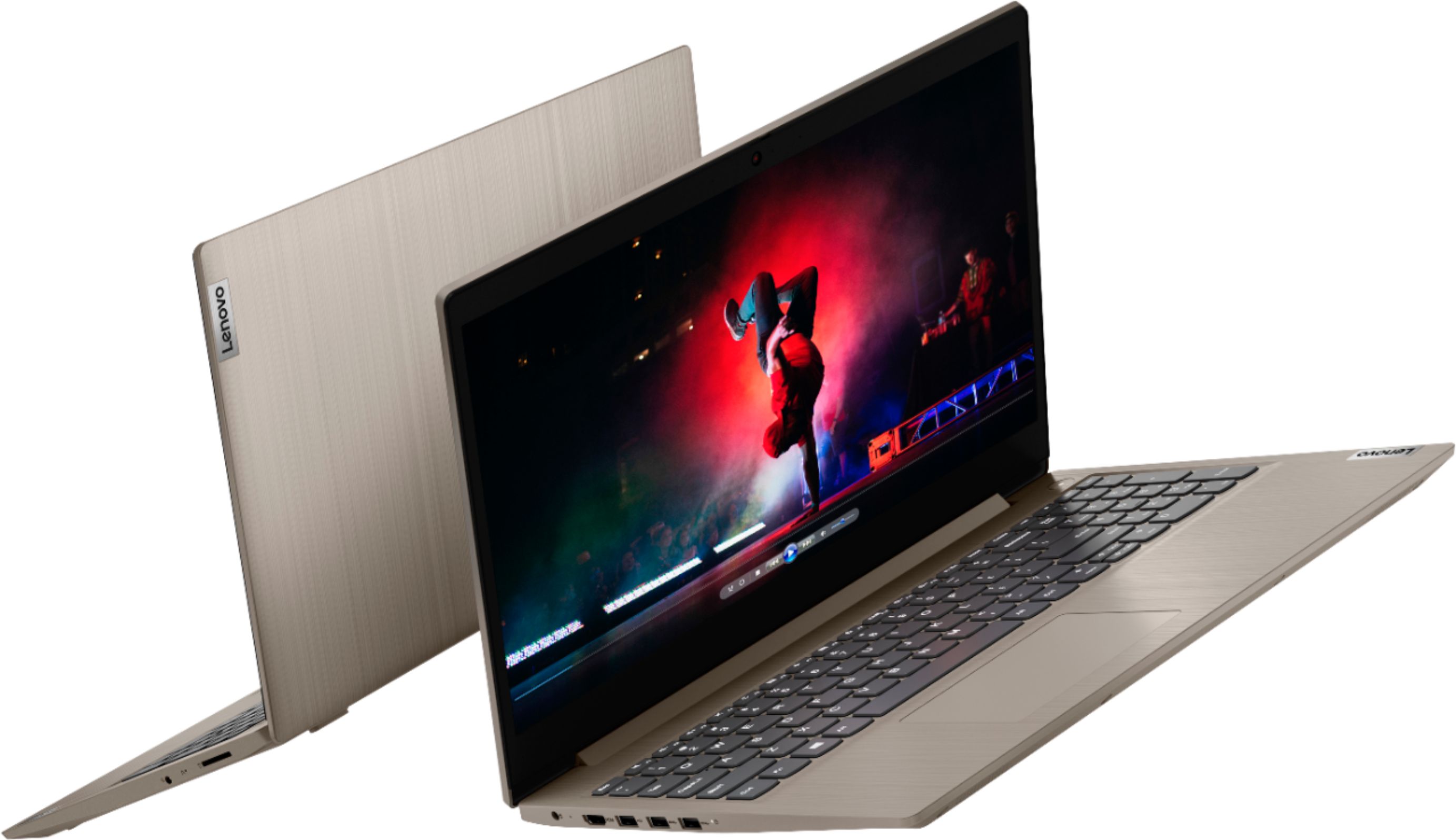
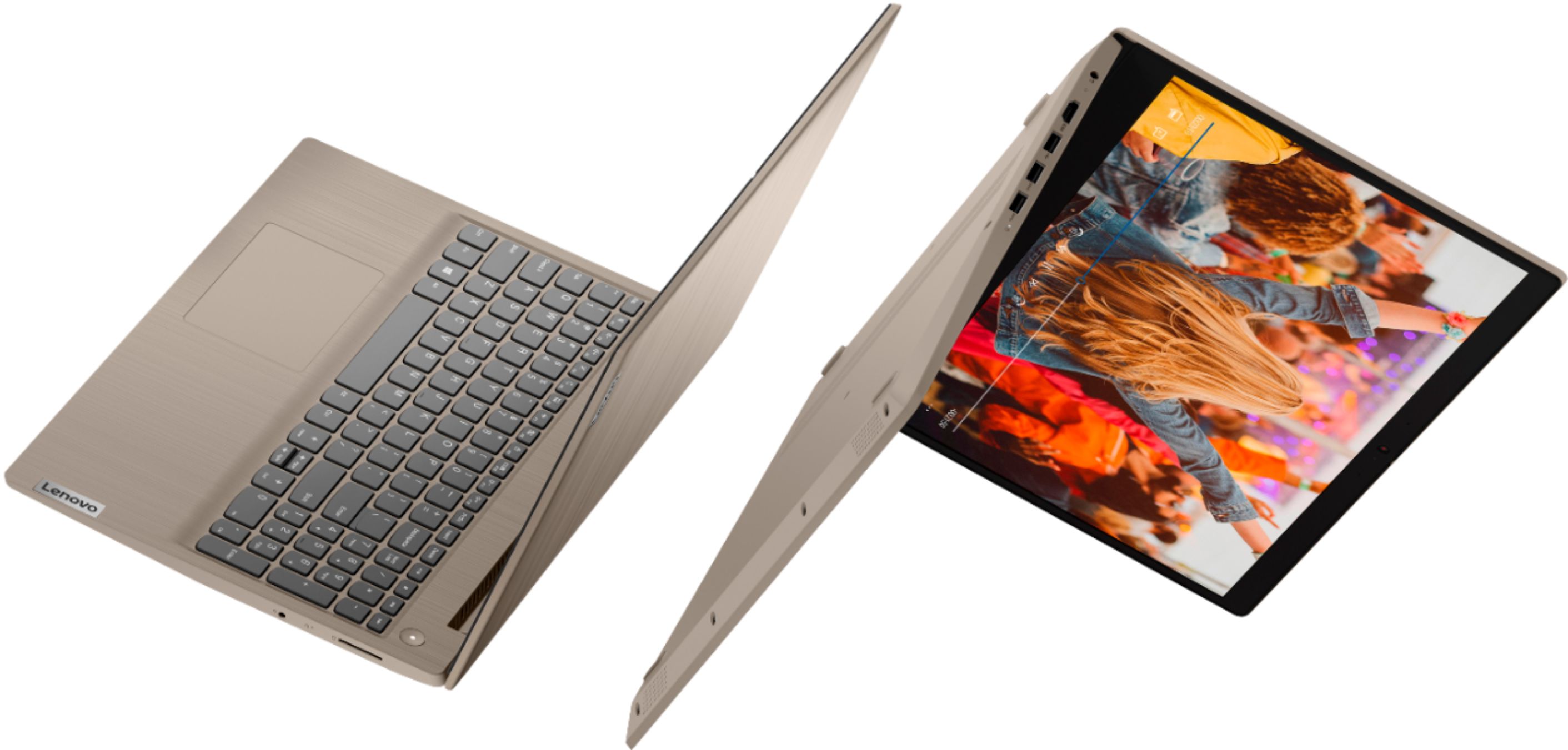
Customers frequently mention the IdeaPad 3's touch screen, praising its functionality. The price point is also widely appreciated, with many customers highlighting the great value for the performance they get. On the downside, the battery life is a common concern, with users expressing dissatisfaction about its duration. The lack of a DVD drive is another point of contention for some users.
This summary was generated by AI based on customer reviews.
- Pros mentioned:Fast
Good computer for my high school age grandson.
||Posted . Owned for 3 weeks when reviewed.This reviewer received promo considerations or sweepstakes entry for writing a review.The computer is fast enough for the necessary work that is required for remote learning. The SSD is fast has has ample storage. Microsoft Office runs well. Display and graphics are acceptable for games that do not require rapid action.
I would recommend this to a friendBrand response from Lenovo Product Expert
Posted .Thank you for choosing the Lenovo IdeaPad 3 15 Laptop, model number 81WE00KVUS. This is a mid-level, moderate use configuration, with its 10th. Generation, Intel Core i3-1005G1 processor. This Dual-Core/Four-Thread processor has a base speed of 1.2GHz and a boost speed of up to 3.4GHz. This configuration has 8GB of DDR4-2666MHz RAM and a 256GB solid state hard drive. This model ships with Windows 10 S-Mode Operating System. Windows 10 S-Mode provides added security by only allowing APPs available ( and therefore certified by Microsoft) at the Microsoft Store. If you don't need the added security or you need to install APPs not available at the Microsoft Store, you can switch to standard Windows 10 Home 64-bit Operating System, at no additional cost. We always recommend you check the requirements and compatibility of any software/games you will be installing on your new computer, before you invest in any computer. Be sure your new computer can support the software/games you will need to use.

- Pros mentioned:Fast
Ms
||Posted . Owned for 3 weeks when reviewed.This reviewer received promo considerations or sweepstakes entry for writing a review.I am so satisfied with this purchase. This laptop had been a big help for my online classes. Reliable and fast!!! I received the item in very good condition and did not experience any problem when it comes to delivery. Thank you.
I would recommend this to a friend - Pros mentioned:Fast
Lenovo Idea pad Pentium I 3
||Posted . Owned for 1 month when reviewed.This reviewer received promo considerations or sweepstakes entry for writing a review.Good computer , takes a few days to run efficiently but after using it everyday it runs fast, downloads good with out any hesitation. Over all decent computer, bright, and faster then AMD processer.
I would recommend this to a friendBrand response from Lenovo Product Expert
Posted .Thank you for choosing the Lenovo IdeaPad 3 15 Laptop, model number 81WE011UUS. This model ships with the 10th. Gen 2-Core/4-Thread Intel Core i3-1005G1 processor, with an energy-efficient base speed of 1.2GHz and a boost speed of up to 3.4GHz. We are pleased to hear that the performance of the IdeaPad 3 15 meets your computing needs so well.
- Pros mentioned:Fast
Excellent mid-level laptop once it's been cleaned
||Posted . Owned for 1 week when reviewed.This reviewer received promo considerations or sweepstakes entry for writing a review.This is a very good mid-level computer once it's been cleaned of the Lenovo factory junk. It is quite fast, especially with a fresh Windows 10 installation, and it can do almost anything a normal user would ever want to do.
I would recommend this to a friend - Pros mentioned:Price
Best for the price.
||Posted . Owned for 3 weeks when reviewed.This reviewer received promo considerations or sweepstakes entry for writing a review.I have ordered around 20 of these laptops for my business as our users have limited use and it's all cloud-based work. We are very happy with the purchase. For the price that they are offering it is a really very good laptop.
I would recommend this to a friend - Pros mentioned:Price
Excellent Notebook for the Price
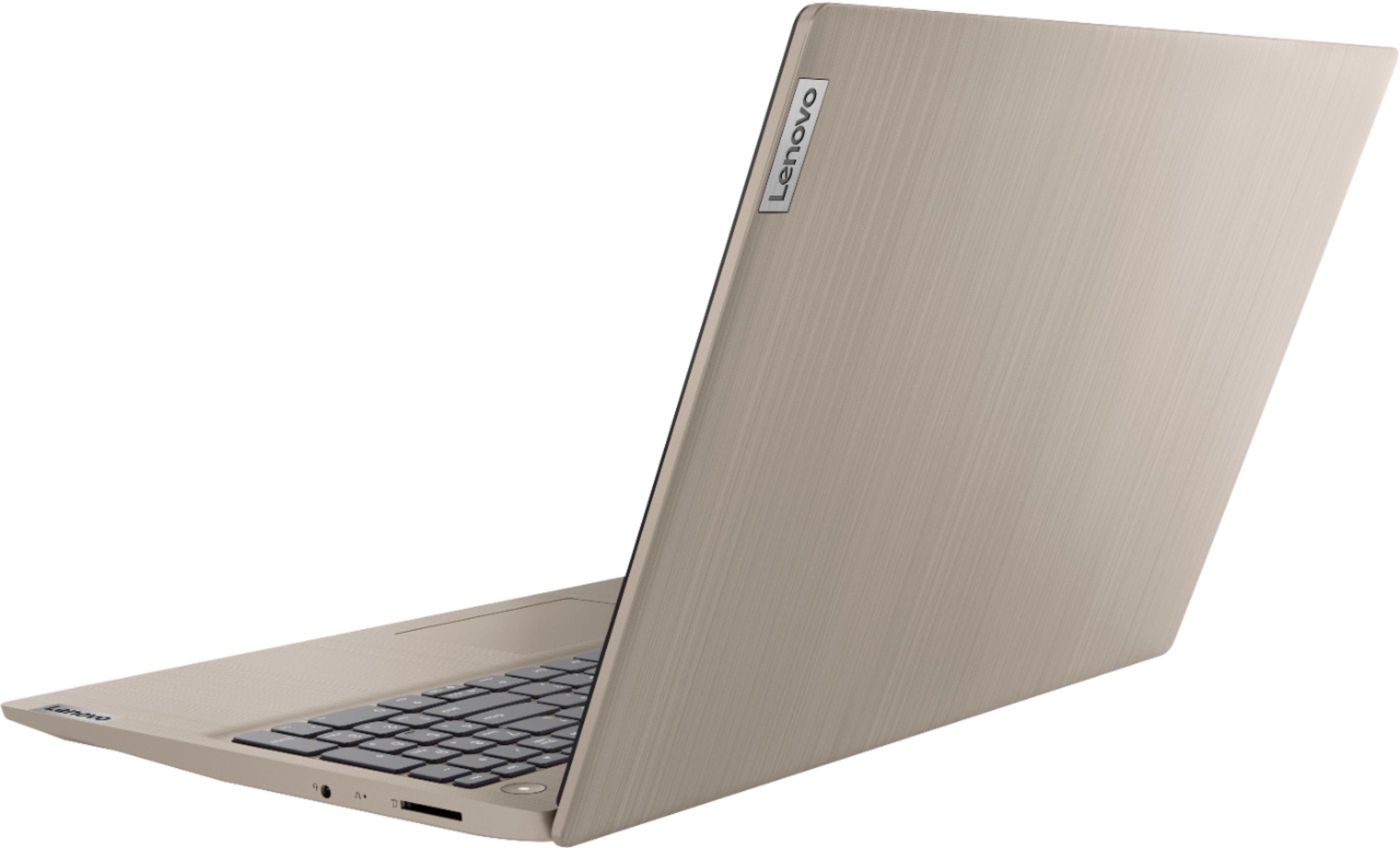
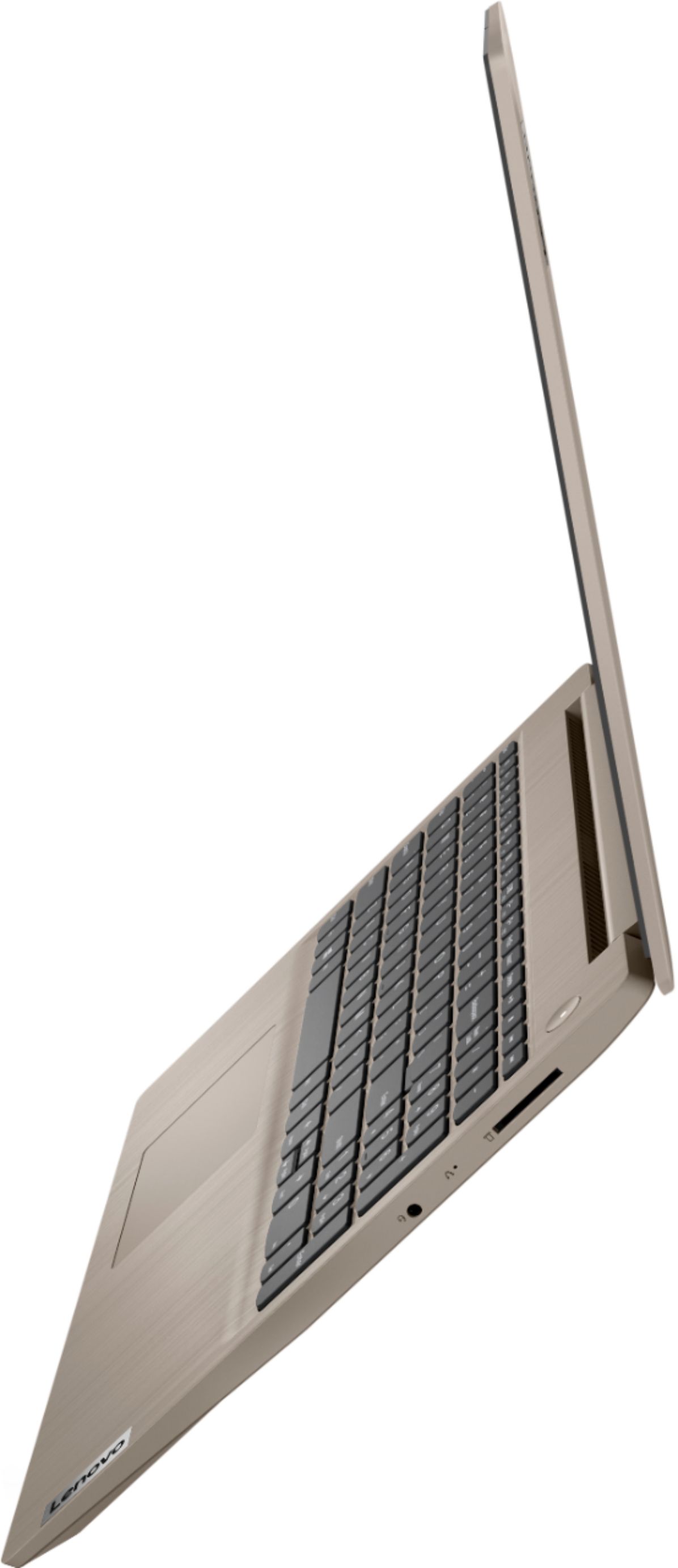
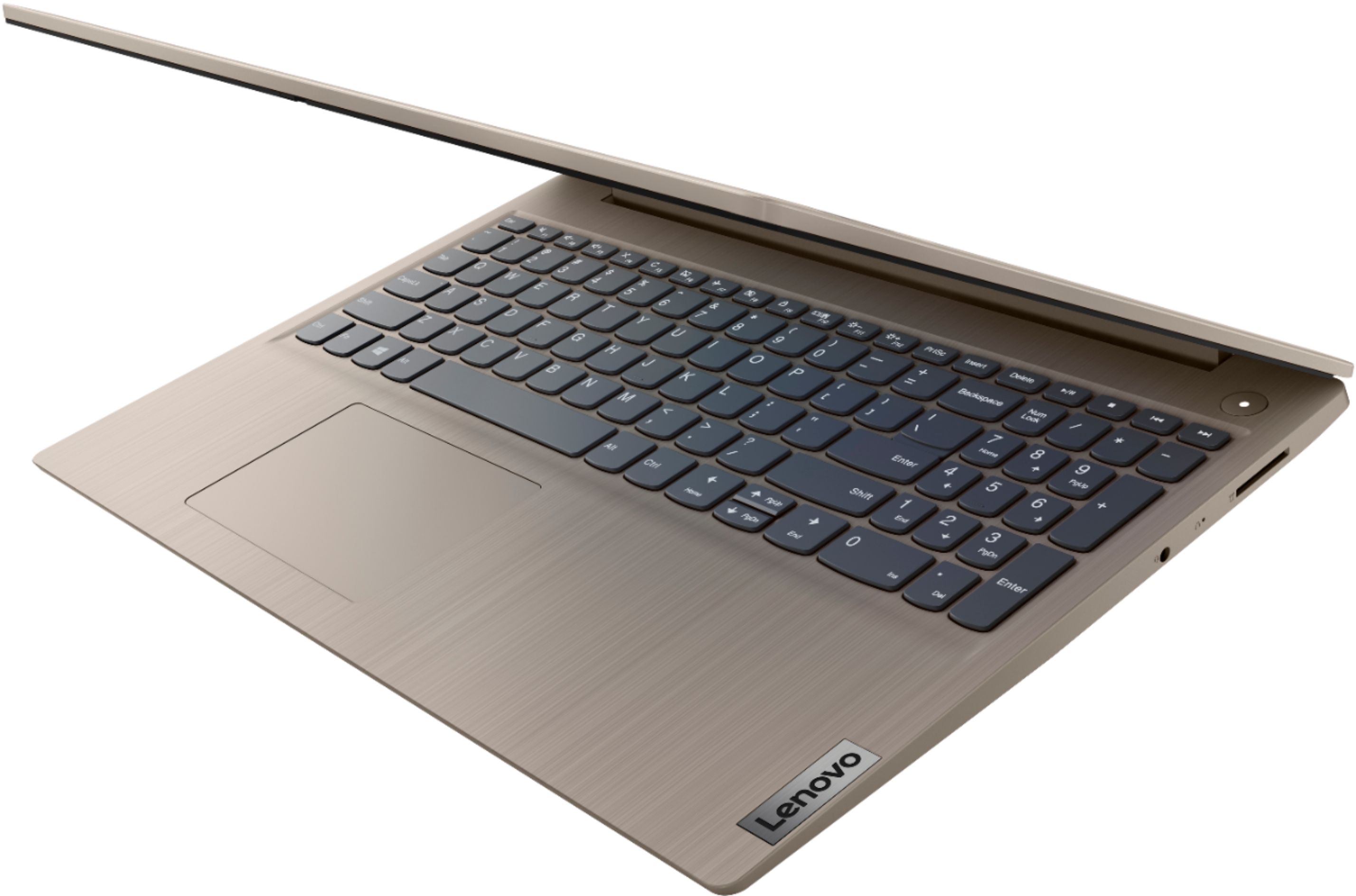
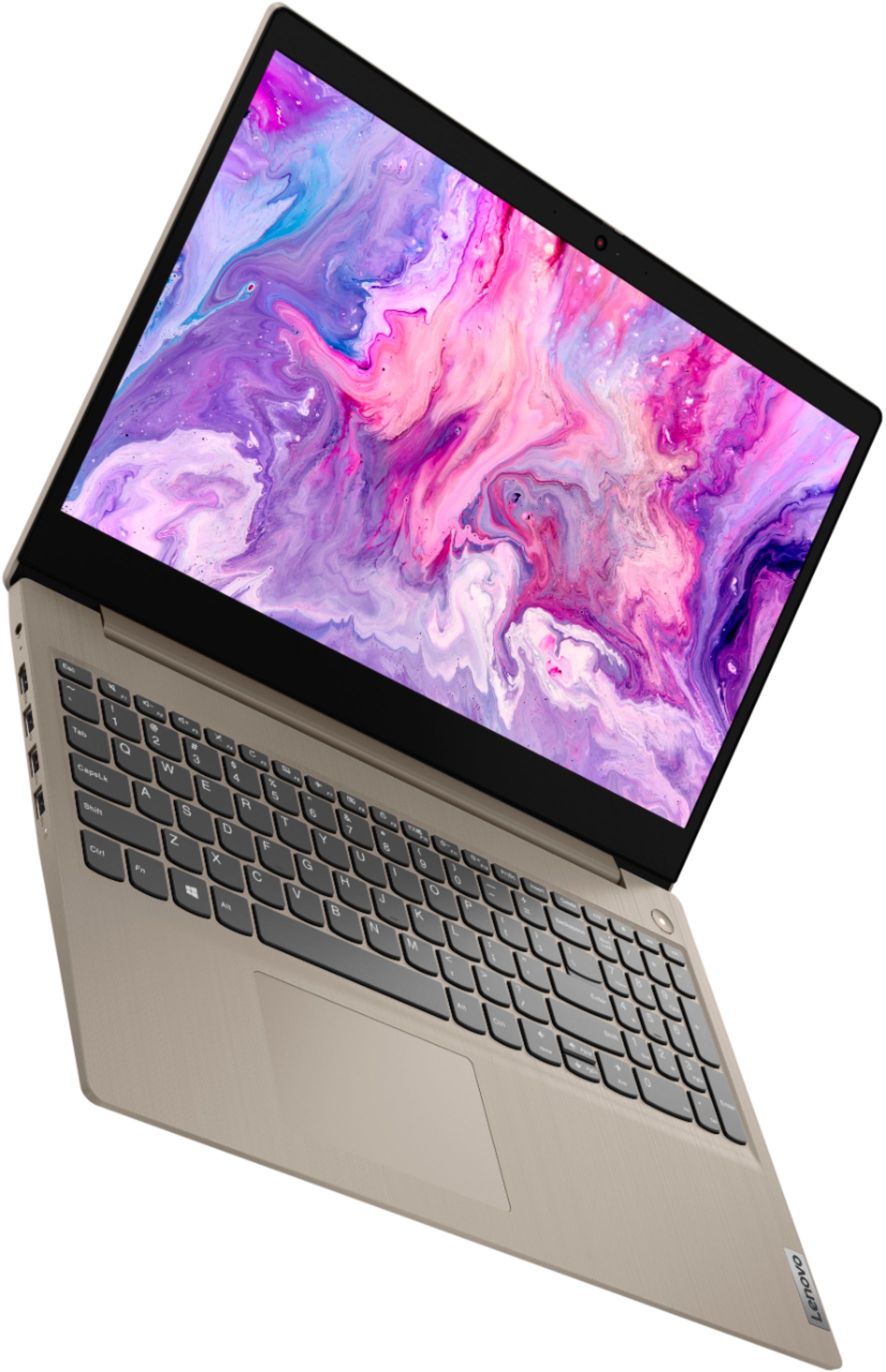
||Posted . Owned for 1 month when reviewed.This reviewer received promo considerations or sweepstakes entry for writing a review.Lenovo - IdeaPad 3 15" Touch Screen Laptop - Intel Core i3-1005G1 - 8GB Memory - 256GB SSD - Almond is a great machine. It is boots up quickly and is an excellent value for the price. I am very pleased with this purchase.
I would recommend this to a friendBrand response from Lenovo Product Expert
Posted .Thank you for choosing the Lenovo IdeaPad 3 laptop. We are pleased to hear that the value and performance of the IdeaPad 3 meets your computing needs so well!
- Pros mentioned:Price
I like the camera
||Posted . Owned for 3 weeks when reviewed.This reviewer received promo considerations or sweepstakes entry for writing a review.It's really good Laptop, so i can recommended it to anyone you can used it like for ur office or business and also to apply online if u r looking for job . the students can used it for school ..
I would recommend this to a friendBrand response from Lenovo Product Expert
Posted .Thank you for choosing the Lenovo IdeaPad 3 15 Laptop, model number 81WE00KVUS. This model ships with a 720p (HD) webcam with manual Privacy Shutter and Dual Array Microphones. This is a mid-level, moderate use configuration, with its 10th. Generation, Intel Core i3-1005G1 processor. This Dual-Core/Four-Thread processor has a base speed of 1.2GHz and a boost speed of up to 3.4GHz. This configuration has 8GB of DDR4-2666MHz RAM and a 256GB solid state hard drive. It is good with Microsoft Office type programs, internet browsing and other moderate work. This model ships with Windows 10 S-Mode Operating System. Windows 10 S-Mode provides added security by only allowing APPs available ( and therefore certified by Microsoft) at the Microsoft Store. If you don't need the added security or you need to install APPs not available at the Microsoft Store, you can switch to standard Windows 10 Home 64-bit Operating System, at no additional cost.
- Pros mentioned:Price
Great find
||Posted . Owned for 1 month when reviewed.This reviewer received promo considerations or sweepstakes entry for writing a review.Great fit in a good price, Our main purpose for this laptop is for internet work, office suite and video streaming. The screen is big enough to watch on, and still the laptop is light and mobile. Great find
I would recommend this to a friend - Pros mentioned:Touch screen
Options
||Posted . Owned for 1 month when reviewed.This reviewer received promo considerations or sweepstakes entry for writing a review.I love the viewing options, as a tablet or laptop. The touch screen has ruined me. I go around touching peoples computers expecting them to react. Need to stop, especially during this time of COVID. Love it!
I would recommend this to a friend - Cons mentioned:Camera
Review of IdeaPad 3 15” for Student
||Posted . Owned for 1 month when reviewed.This reviewer received promo considerations or sweepstakes entry for writing a review.Laptop being used for remote schooling. Had some initial problems with camera, but after checking settings camera working. Good computer to students to use.
I would recommend this to a friendBrand response from Lenovo Product Expert
Posted .Thank you for choosing the Lenovo IdeaPad 3 15 Laptop, model number 81WE00KVUS. This model ships with a 720p (HD) webcam with manual Privacy Shutter and Dual Array Microphone. Be sure the Privacy Shutter is completely open before trying to use the webcam or the webcam will not operate. There is a small slider, directly above the webcam lens. Move the tab to the right to open the Privacy Shutter. There is a red dot over the webcam lens that will disappear when the Privacy Shutter is fully open. This will indicate that the webcam is really to use. You can close the Privacy Shutter when you are done with the webcam for your security, by sliding the tab to the left to close the Privacy Shutter. The Red Dot will appear over the webcam lens when the Privacy Shutter is closed. If the issue continues, we recommend you call Lenovo Tech Support at: 877-453-6686.
- Pros mentioned:Lightweight
Just the Right Size
||Posted . Owned for 3 weeks when reviewed.This reviewer received promo considerations or sweepstakes entry for writing a review.My previous computer was much heavier than my Lenova that I purchased recently. The Lenova is very easy to handle and use. Easy to carry from one room to another. It is very sleek. Very easy to use.
I would recommend this to a friend - Pros mentioned:Performance
My daughter likes it
||Posted . Owned for 1 month when reviewed.This reviewer received promo considerations or sweepstakes entry for writing a review.I purchased this laptop for my daughter to use for online classes. She has had it for about a month now and says it works great. I will add the laptop was packaged extremely well.
I would recommend this to a friendBrand response from Lenovo Product Expert
Posted .Thank you for choosing the Lenovo IdeaPad 3 15 Laptop, model number 81WE00KVUS, for your daughter. We are pleased to hear that the IdeaPad 3 15 meets your daughter's computing needs so well. This is a mid-level, moderate use configuration, with its 10th. Generation, Intel Core i3-1005G1 processor. This Dual-Core/Four-Thread processor has a base speed of 1.2GHz and a boost speed of up to 3.4GHz. This configuration has 8GB of DDR4-2666MHz RAM and a 256 GB solid state hard drive. It is good with Microsoft Office type programs, internet browsing and other moderate work. This model ships with Windows 10 S-Mode Operating System. Windows 10 S-Mode provides added security by only allowing APPs available ( and therefore certified by Microsoft) at the Microsoft Store. If you don't need the added security or you need to install APPs not available at the Microsoft Store, you can switch to standard Windows 10 Home 64-bit Operating System, at no additional cost.
- Pros mentioned:Touch screen
Computer
||Posted . Owned for 1 month when reviewed.This reviewer received promo considerations or sweepstakes entry for writing a review.I like the touch screen but the only thing I don't like is that the battery dies to fast need better battery other them that I like all it has the voice appts and nice pictures
I would recommend this to a friendBrand response from Lenovo Product Expert
Posted .The Lenovo IdeaPad 3 15 Laptop, model number 81WE011UUS, ships with a 2CELL_35WH_INTERNAL, Lithium Polymer Battery, with a battery life of up to 7 hours, depending on the work the device is performing. If you are getting substantially less battery life, be sure Battery conservation Mode is turned off. This power management setting should only be used when the laptop is plugged in all the time. It will prolong overall battery life by only charging the battery to 60-percent of capacity. Here is a link to instructions for turning off Battery Conservation Mode: https://support.lenovo.com/us/en/solutions/ht103159. Also check what programs are running in the background on the computer. Be sure only the programs you want running in the background are. These programs will drain the battery. Here is a link to information about how to find out what programs are running in the background on your Windows 10 computer and how to manage them for better system performance: https://www.windowscentral.com/how-prevent-apps-running-background-windows-10. Then, finally, be sure any software you installed is compatible with Windows 10. Incompatible software will drain the battery at a faster rate. There is no need to install Microsoft Office software. The software is already part of the operating system, you just need to activate the software with a purchased product key. If you have installed a copy of Microsoft Office, this is conflicting with the existing copy on the system and this will slow your system down. If you have installed a 3rd party anti-virus program, be sure that Windows Defender is turned off and that the trial version of McAfee Anti-Virus software is uninstalled. There can only be one anti-virus program on the system. You may need to restore your system to original factory default settings if any of the programming errors have occurred. You can do that by typing "restore" in the Cortana search window. Just click on the magnifying glass icon at the bottom left of your Windows 10 Desktop. Click on "Reset This PC" Then click on "Get Started" and follow the on screen directions to restore to factory defaults. If the problem persists, we recommend you contact Lenovo Tech Support at: 877-453-6686.
- Pros mentioned:Touch screen
Awesome
||Posted . Owned for 3 weeks when reviewed.This reviewer received promo considerations or sweepstakes entry for writing a review.I love my laptop...I never had anything that was awesome..I love the touch screen..and I needed a laptop quick because I had to take a proctor test and Best Buy had 1 and I was able to purchase it..
I would recommend this to a friendBrand response from Lenovo Product Expert
Posted .Thank you for choosing the lenovo IdeaPad 3 15 Laptop, model number 81WE00KVUS. We are pleased to hear that the IdeaPad 3 15 meets your computing needs so well. This is a mid-level, moderate use configuration, with its 10th. Generation, Intel Core i3-1005G1 processor. This Dual-Core/Four-Thread processor has a base speed of 1.2GHz and a boost speed of up to 3.4GHz. This configuration has 8GB of DDR4-2666MHz RAM and a 256GB solid state hard drive. It is good with Microsoft Office type programs, internet browsing and other moderate work. This model ships with Windows 10 S-Mode Operating System. Windows 10 S-Mode provides added security by only allowing APPs available ( and therefore certified by Microsoft) at the Microsoft Store. If you don't need the added security or you need to install APPs not available at the Microsoft Store, you can switch to standard Windows 10 Home 64-bit Operating System, at no additional cost.
Good computer for the Price
||Posted . Owned for 1 month when reviewed.This reviewer received promo considerations or sweepstakes entry for writing a review.This is a good computer. It starts right up and is quick and responsive. The touchscreen is also responsive but the matte finish makes things look a little dull. On the plus side you don't see any fingerprints. The finish looks good but the bottom plastic could have been a better material. At this price it is not worth complaining about it just feels cheaper. It is a good computer to do your normal browsing and video watching. Battery life isn't the best but it last long enough. Overall a good purchase.
I would recommend this to a friendBrand response from Lenovo Product Expert
Posted .The Lenovo IdeaPad 3 15 Laptop, model number 81WE00KVUS, ships with a 2CELL_35WH_INTERNAL, Lithium Polymer Battery, with a battery life of up to 7 hours, depending on the work the device is performing. This is a mid-level, moderate use configuration, with its 10th. Generation, Intel Core i3-1005G1 processor. This Dual-Core/Four-Thread processor has a base speed of 1.2GHz and a boost speed of up to 3.4GHz. This configuration has 8GB of DDR4-2666MHz RAM and a 256GB solid state hard drive. It is good with Microsoft Office type programs, internet browsing and other moderate work. Windows 10 S-Mode provides added security by only allowing APPs available ( and therefore certified by Microsoft) at the Microsoft Store. If you don't need the added security or you need to install APPs not available at the Microsoft Store, you can switch to standard Windows 10 Home 64-bit Operating System, at no additional cost.
- Pros mentioned:Price
Best quality, friendly user, hard construction
||Posted . Owned for 4 months when reviewed.This reviewer received promo considerations or sweepstakes entry for writing a review.Best quality, friendly user, hard construction and good performance computer. I bought two of them one for my nephew and for my home. We are so happy with product and the price!!!
I would recommend this to a friend - Pros mentioned:Performance
Great Machine
||Posted . Owned for 3 weeks when reviewed.This reviewer received promo considerations or sweepstakes entry for writing a review.I initially bought 2 PCs (one for my daughter and myself). When I looked at the specs after ordering, i thought this PC would be slow... However, it performs quite well. So far, so VERY good.
I would recommend this to a friendBrand response from Lenovo Product Expert
Posted .Thank you for choosing the Lenovo IdeaPad 3 15 Laptop, model number 81WE00KVUS. This is a mid-level, moderate use configuration, with its 10th. Generation Intel Core i3-1005G1 processor. This Dual-Core/Four-Thread processor has a base speed of 1.2GHz and a boost speed of up to 3.4GHz. This configuration has 8GB of DDR4-2666MHz RAM. It is good with Microsoft Office type programs, internet browsing and other moderate work. This model ships with Windows 10 S-Mode Operating System. Windows 10 S-Mode provides added security by only allowing APPs available ( and therefore certified by Microsoft) at the Microsoft Store. If you don't need the added security or you need to install APPs not available at the Microsoft Store, you can switch to standard Windows 10 Home 64-bit Operating System, at no additional cost.
- Pros mentioned:Touch screen
Great computer. Value !!!!
||Posted .This reviewer received promo considerations or sweepstakes entry for writing a review.Great computer for kids doing school work. With the pandemic going on, it has made things easier having one for each child. Touchscreen helps even more since they are used to using tablets.
I would recommend this to a friendBrand response from Lenovo Product Expert
Posted .Hello. Thank you for choosing the Lenovo IdeaPad 3 laptop. We are pleased to hear that the value and performance of the IdeaPad 3 meets your computing needs so well in these trying times.
- Pros mentioned:Touch screenCons mentioned:Battery life
Battery doesnt last long
||Posted . Owned for 2 months when reviewed.This reviewer received promo considerations or sweepstakes entry for writing a review.I loved everything about this laptop. And my kids loved that it was touch screen. Only problem was the battery didnt last long.
No, I would not recommend this to a friendBrand response from Lenovo Product Expert
Posted .Hello, we are sorry to hear you are experiencing an issue with battery life on your Lenovo IdeaPad 3 15" laptop model # 81WE011UUS . This unit is rated for up to 7.5 hours battery life. If you are getting substantially less battery life, please adjust your screen brightness settings. A setting of 100% brightness will drain your battery much faster than a lower setting. We recommend setting the screen brightness to some value below 100% that is still comfortable for you to view. Next be sure Battery conservation Mode is turned off. This power management setting should only be used when the laptop is plugged in all the time. It will prolong overall battery life by only charging the battery to 60-percent of capacity. Here is a link to instructions for turning off Battery Conservation Mode: https://support.lenovo.com/us/en/solutions/ht103159. Also check what programs are running in the background on the computer. Be sure only the programs you want running in the background are. These programs will drain the battery. Here is a link to information about how to find out what programs are running in the background on your Windows 10 computer and how to manage them for better system performance: https://www.windowscentral.com/how-prevent-apps-running-background-windows-10. Then, finally, be sure any software you installed is compatible with Windows 10. Incompatible software will drain the battery at a faster rate. There is no need to install Microsoft Office software. The software is already part of the operating system, you just need to activate the software with a purchased product key. If you have installed a copy of Microsoft Office, this is conflicting with the existing copy on the system and this will slow your system down. If you have installed a 3rd party anti-virus program, be sure that Windows Defender is turned off and that the trial version of McAfee Anti-Virus software is uninstalled. There can only be one anti-virus program on the system. You may need to restore your system to original factory default settings if any of the programming errors have occurred. You can do that by typing "restore" in the Cortana search window. Just click on the magnifying glass icon at the bottom left of your Windows 10 Desktop. Click on "Reset This PC" Then click on "Get Started" and follow the on screen directions to restore to factory defaults. If the problem persists, we recommend you contact Lenovo Tech Support at: 877-453-6686.
- Pros mentioned:Price
Exactly what my Daughter needed!
||Posted . Owned for 1 month when reviewed.This reviewer received promo considerations or sweepstakes entry for writing a review.Great price, just the features needed, and a nice price. The Lenovo laptop (Made in USA by the way) is just what my daughter needed for her work and projects. Recommended
I would recommend this to a friend