Customer Ratings & Reviews

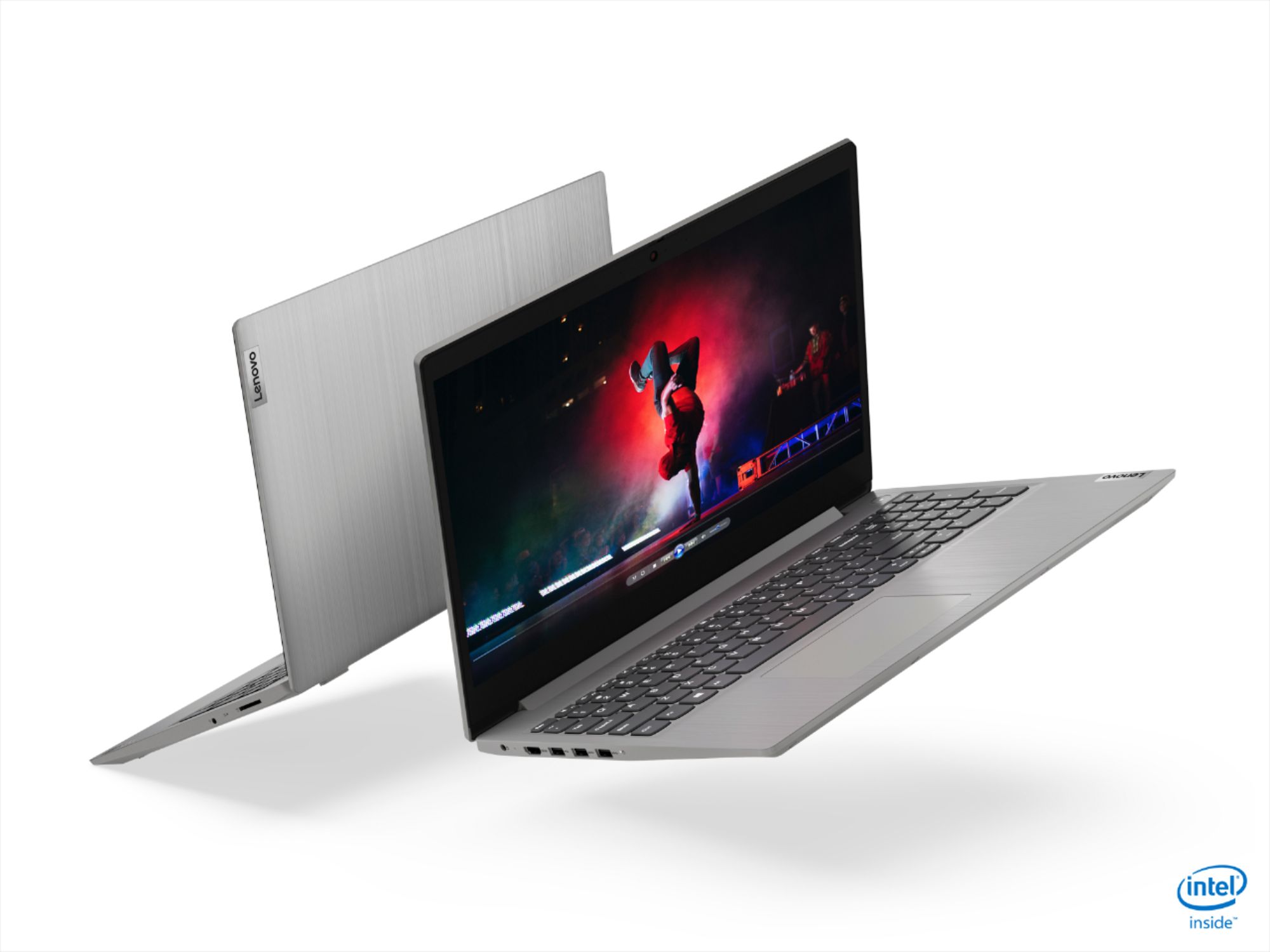
- Model:
- 81WE00NKUS
- SKU:
- 6426712
Rating by feature
- Battery Life
Rating 4.2 out of 5 stars
- Speed
Rating 4.4 out of 5 stars
- Display
Rating 4.3 out of 5 stars
Customers are saying
Customers often highlight the IdeaPad 3's affordability, lightweight design, and responsive touchscreen display. Many users have also praised its performance and reliability even after several years of use. However, some users have expressed concerns about its battery life, low-resolution screen, and limited storage capacity.
This summary was generated by AI based on customer reviews.
didnt get it
||Posted . Owned for 2 weeks when reviewed.This reviewer received promo considerations or sweepstakes entry for writing a review.didnt get it because of a mistake by the personal of best buy
No, I would not recommend this to a friendNasty
||Posted . Owned for 3 weeks when reviewed.This reviewer received promo considerations or sweepstakes entry for writing a review.I didn’t like it, it was horrible , the battery was wack
No, I would not recommend this to a friendlaptop is good but defective
||Posted . Owned for 2 months when reviewed.This reviewer received promo considerations or sweepstakes entry for writing a review.hdmi port is not working...looks like defect peices.
I would recommend this to a friendBrand response from Lenovo Product Expert
Posted .We are sorry to hear that you are having issues with the HDMI-Out port on your Lenovo IdeaPad 3 15 Laptop, model number 81WE00NKUS. Here is a link to some troubleshooting tips for an HDMI port that is not functioning properly on a Windows 10 computer: https://windowsreport.com/hdmi-output-problems-windows-10/#:~:text=Here%20are%20the%20steps%20to,only%20then%20boot%20your%20PC. If the issue continues, we recommend you contact Lenovo Tech Support at: 877-453-6686.

Not Happy
||Posted .This reviewer received promo considerations or sweepstakes entry for writing a review.Never got the laptop. It never was delivered to me.
No, I would not recommend this to a friend- Pros mentioned:Performance
Great performance, long lasting machine
Posted .This reviewer received promo considerations or sweepstakes entry for writing a review.This laptop has been an excellent buy. Even after using for 4 years it has no signs of slowness or getting heated up, Everything works flawlessly.
I would recommend this to a friend Great product in price range
Posted .This reviewer received promo considerations or sweepstakes entry for writing a review.The laptop is very good . In such a low cost the product is very good .. smooth screen touch 12 gb ram .. it fulfill all my neex
I would recommend this to a friend- Pros mentioned:Touch screenCons mentioned:Battery life
All is well, except battery.
Posted .This reviewer received promo considerations or sweepstakes entry for writing a review.The laptop itself is good so far. The touchscreen is nice, you don't have to press hard. It's very lightweight. And has a sleek design. My only complaint is, it seems the battery is draining quite fast. I'll play with it some more and change some settings, to see if I can optimize my battery. But, I bought this laptop because my old one could no longer be without the charger in order to run. If I have to carry the charger around with this one. I'll probably return it.
I would recommend this to a friendBrand response from Lenovo Product Expert
Posted .the Lenovo IdeaPad 3 15" laptop model # 81WE00NKUS features a 2CELL 35WH Lithium Polymer battery with an estimated life of up to 7.5 hours. If you are getting substantially less battery life, please adjust your screen brightness settings. A setting of 100% brightness will drain your battery much faster than a lower setting. We recommend setting the screen brightness to some value below 100% that is still comfortable for you to view. Next be sure Battery conservation Mode is turned off. This power management setting should only be used when the laptop is plugged in all the time. It will prolong overall battery life by only charging the battery to 60-percent of capacity. Here is a link to instructions for turning off Battery Conservation Mode: https://support.lenovo.com/us/en/solutions/ht103159. Also check what programs are running in the background on the computer. Be sure only the programs you want running in the background are. These programs will drain the battery. Here is a link to information about how to find out what programs are running in the background on your Windows 10 computer and how to manage them for better system performance: https://www.windowscentral.com/how-prevent-apps-running-background-windows-10. Then, finally, be sure any software you installed is compatible with Windows 10. Incompatible software will drain the battery at a faster rate. There is no need to install Microsoft Office software. The software is already part of the operating system, you just need to activate the software with a purchased product key. If you have installed a copy of Microsoft Office, this is conflicting with the existing copy on the system and this will slow your system down. If you have installed a 3rd party anti-virus program, be sure that Windows Defender is turned off and that the trial version of McAfee Anti-Virus software is uninstalled. There can only be one anti-virus program on the system. You may need to restore your system to original factory default settings if any of the programming errors have occurred. You can do that by typing "restore" in the Cortana search window. Just click on the magnifying glass icon at the bottom left of your Windows 10 Desktop. Click on "Reset This PC" Then click on "Get Started" and follow the on screen directions to restore to factory defaults. If the problem persists, we recommend you contact Lenovo Tech Support at: 877-453-6686.
Awesome daily use laptop
Posted .This reviewer received promo considerations or sweepstakes entry for writing a review.This laptop has been amazing. It runs most, if not all programs the basic programs I need. I don't do any gaming or editing so I didn't need anything super powerful, but i was tired of all the cheaper priced laptops being super slow or crashing when i had a few programs opened. Definitely would recommend this for a daily use laptop or someone going to school. The battery life is pretty good as well. It last a good 3-4 hours of streaming at highest brightness until it needs to be charged. The display is probably one of the things that hold me back from giving it a perfect score. Don't get me wrong the display isn't that bad but you can tell it isn't some crazy 4K screen.
I would recommend this to a friend- Pros mentioned:Speed
Quick and capable
Posted .This reviewer received promo considerations or sweepstakes entry for writing a review.Fantastic and fast - great for work online. Larger screen, able to handle demands of zoom and multi-screen.
I would recommend this to a friend - Pros mentioned:Price
great after 3 years!!
Posted .This reviewer received promo considerations or sweepstakes entry for writing a review.great fish!! my best purchase for a black friday, even after 3 years it works incredible and was the best price today you can't find offers of that level in best buy
I would recommend this to a friend - Cons mentioned:Battery life
A good buy
Posted .This reviewer received promo considerations or sweepstakes entry for writing a review.Fairly good laptop. Very powerful for any school related tasks and software, only downside is the battery life.
I would recommend this to a friend - Pros mentioned:Price, Weight
Excellent value
Posted . Owned for 1 week when reviewed.This reviewer received promo considerations or sweepstakes entry for writing a review.Super fast, relatively light weight for size and a touchscreen! Build quality and battery is acceptable lasting ~ 6 hours with some display adjustments (not including video) Can’t beat the price for what you get. Excellent value. Will see how it holds up but so far, very happy with the purchase.
I would recommend this to a friendBrand response from Lenovo Product Expert
Posted .Thank you for choosing the Lenovo IdeaPad 3 15 Laptop, model number 81WE00NKUS. We are pleased to hear that the features and performance of the IdeaPad 3 15 meets your computing needs so well.
- Pros mentioned:Price
Yeah
Posted .This reviewer received promo considerations or sweepstakes entry for writing a review.Good laptop for the money. Bought it for my son for his birthday.
I would recommend this to a friend - Pros mentioned:Price
Great Value.
Posted .This reviewer received promo considerations or sweepstakes entry for writing a review.Bottom line, you get what you pay for. But in this case I feel that I got more than I paid for. Purchased during Black Friday sale. I researched thoroughly and found nowhere I could get 15” screen, 256GB SSD, 12GB memory and an i5 processor at this sale price. This combination was only found on machines several hundred dollars more. On the other hand, a two cell battery, the screen resolution, and the 220 nits were found in laptops of similar cost. Bottom line a great value. In use, I am pleased in every way. My intention is to use it in home so a plug is always available. Also in home the 220 nits is just fine. Speed wise it has handled everyday tasks with ease. Lastly, I was pleased with the overall construction relative to price. At this price I was expecting far more plastic. My last Lenovo lasted, problem free, about 8 years. This is a very nice upgrade! I see no reason it won’t do the same.
I would recommend this to a friendBrand response from Lenovo Product Expert
Posted .Thank you for choosing the Lenovo IdeaPad 3 15 laptop, model number 81WE00NKUS. We are pleased to hear that the value, features and performance of the IdeaPad 3 15 meets your computing needs so well.
Great computer
Posted .This reviewer received promo considerations or sweepstakes entry for writing a review.Very well built laptop has served my needs better than expected, would buy again
I would recommend this to a friendFrom 2020 to today May, 2024. It is like new!
Posted .This reviewer received promo considerations or sweepstakes entry for writing a review.Very good. It fulfills its purpose. I've had it with me for 4 years now. I bought it in 2020. I would recommend it 100%
I would recommend this to a friendExcellent buy
Posted .This reviewer received promo considerations or sweepstakes entry for writing a review.No problem. Product functions great. Would recommend it everytime.
No, I would not recommend this to a friend- Pros mentioned:Speed, Touch screen
Quality
Posted .This reviewer received promo considerations or sweepstakes entry for writing a review.this laptop is a good laptop its really fast and the touch screen is good plus also it has a 256 ssd card for the price its at.
I would recommend this to a friendBrand response from Lenovo Product Expert
Posted .Hello Jeremy. Thank you for choosing the Lenovo IdeaPad 3 laptop. We are pleased to hear that the value and performance of the IdeaPad 3 meets your computing needs so well!
Must have laptop!
Posted .This reviewer received promo considerations or sweepstakes entry for writing a review.It’s a big help for my son especially for high school students. I had a big discount when I bought it last time. But everything is fine and great! I highly recommend it!
I would recommend this to a friend- Cons mentioned:Battery life
Good value for money but . . .
Posted .This reviewer received promo considerations or sweepstakes entry for writing a review.With an i5 processor, 12GB RAM and 256 Gb SSD you are getting an awesome amount of computing power for your money (I paid $350). But, it's not perfect. The 1366x768 screen resolution is only adequate. The battery life of 2-3 hours is poor (don't bother with the "battery conservation setting stuff from Lenovo as it does not apply to this computer!). For me the battery is not a problem because it sits on my desk plugged in most of the time and as for resolution I bought a Samsung 24" curved monitor for $110 which makes it an awesome package! So I am happy.
I would recommend this to a friendBrand response from Lenovo Product Expert
Posted .The Lenovo IdeaPad 3 15 Laptop model number 81WE00NKUS, ships with a 2CELL_35WH_INTERNAL, Lithium Polymer Battery, with a battery life of up to 7 hours, depending on the work the device is performing. If you are only getting 2 to 3 hours battery life, first, set your screen brightness at less than 100-percent - try 80-percent to start with. Then, be sure Battery conservation Mode is turned off (this setting is available in Windows 10 Home Operating System not S-Mode). This power management setting should only be used when the laptop is plugged in all the time. It will prolong overall battery life by only charging the battery to 60-percent of capacity. Here is a link to instructions for turning off Battery Conservation Mode: https://support.lenovo.com/us/en/solutions/ht103159. Also check what programs are running in the background on the computer. Be sure only the programs you want running in the background are. These programs will drain the battery. Here is a link to information about how to find out what programs are running in the background on your Windows 10 computer and how to manage them for better system performance: https://www.windowscentral.com/how-prevent-apps-running-background-windows-10. Then, finally, be sure any software you installed is compatible with Windows 10. Incompatible software will drain the battery at a faster rate. There is no need to install Microsoft Office software. The software is already part of the operating system, you just need to activate the software with a purchased product key. If you have installed a copy of Microsoft Office, this is conflicting with the existing copy on the system and this will slow your system down. If you have installed a 3rd party anti-virus program, be sure that Windows Defender is turned off and that the trial version of McAfee Anti-Virus software is uninstalled. There can only be one anti-virus program on the system. You may need to restore your system to original factory default settings if any of the programming errors have occurred. You can do that by typing "restore" in the Cortana search window. Just click on the magnifying glass icon at the bottom left of your Windows 10 Desktop. Click on "Reset This PC" Then click on "Get Started" and follow the on screen directions to restore to factory defaults. If the problem persists, we recommend you contact Lenovo Tech Support at: 877-453-6686.