Customer Ratings & Reviews

- Model:
- 81WE00NKUS
- SKU:
- 6426712
Rating by feature
- Battery Life
Rating 4.2 out of 5 stars
- Speed
Rating 4.4 out of 5 stars
- Display
Rating 4.3 out of 5 stars
Customers are saying
Customers often highlight the IdeaPad 3's affordability, lightweight design, and responsive touchscreen display. Many users have also praised its performance and reliability even after several years of use. However, some users have expressed concerns about its battery life, low-resolution screen, and limited storage capacity.
This summary was generated by AI based on customer reviews.
- Pros mentioned:Performance, Price, Touch screenCons mentioned:Battery life, Build quality
Great laptop with 3 cons : Battery is major
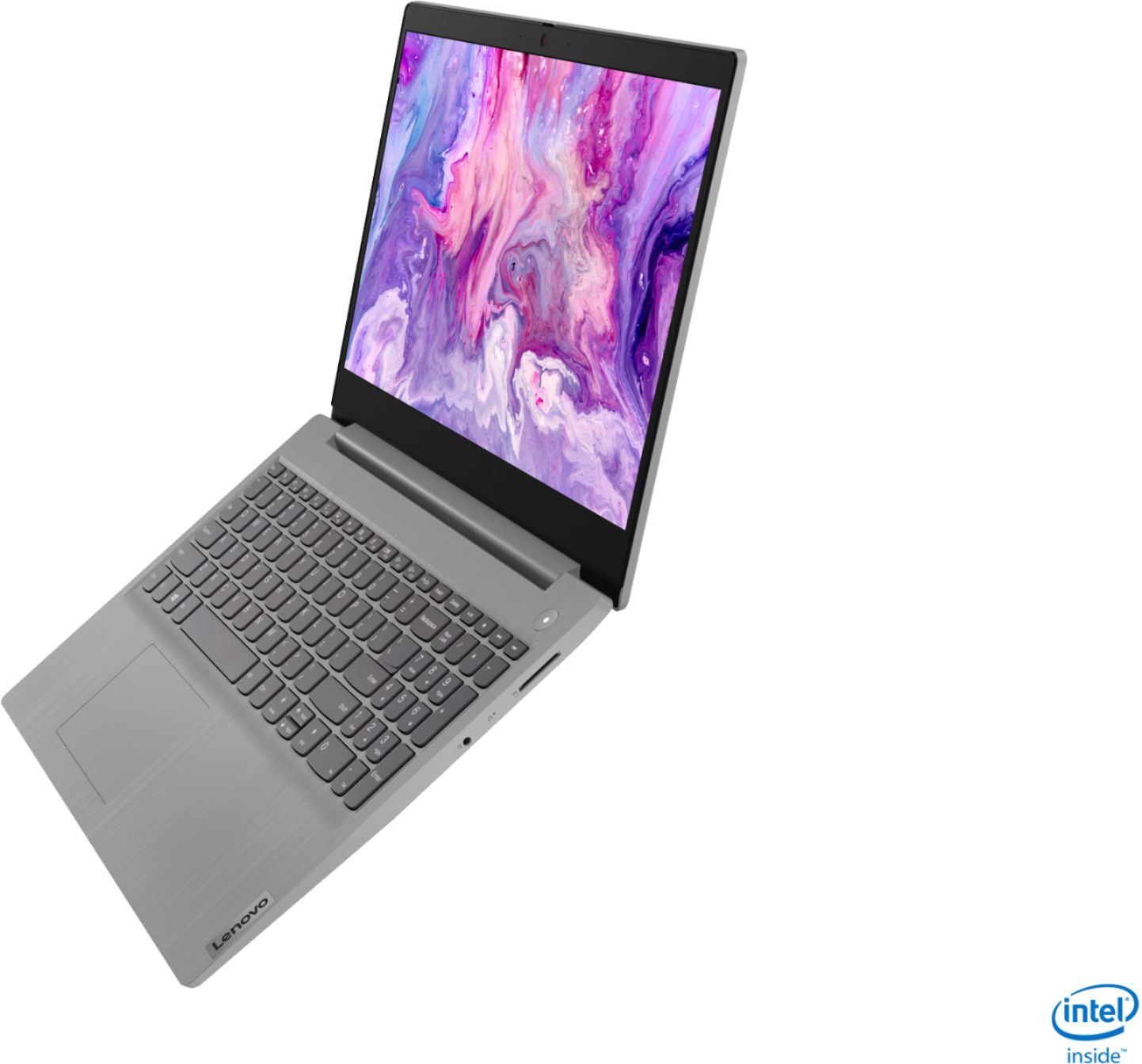
||Posted . Owned for less than 1 week when reviewed.This reviewer received promo considerations or sweepstakes entry for writing a review.First thing great laptop in the price of $349. 3 things to consider before buying this 1. Battery Life : After 1.5 hour of Zoom call, battery dropped from 100% to 24%. Nothing else was running. Same case with Google Meet. Spec says upto 7.5 hours, if it runs atlease 4 hours then also I would be happy. 2. Quality of the material is cheap. As soon as you touch the laptop you will get the feeling of cheap material. 3. Screen quality is not good. This is fine for me as I have 27" FHD monitor. But if you don't have then check your preference. Apart from above cons there are many great things The spec itself is great Super Fast Touch screen 12GB RAM SSD Intel i5 10th Gen Bluetooth 5.0 Only in $349 I used for Video editing with DaVinci, working fine. No issue with it. Memory usage increased to 73%. I had around 10 tracks and more then 10 videos on it . Worked just fine.
I would recommend this to a friendBrand response from Lenovo Product Expert
Posted .The Lenovo IdeaPad 3 15 Laptop, model number 81WE00NKUS, ships with a 2CELL_35WH_INTERNAL, Lithium Polymer Battery, with a battery life of up to 7 hours, depending on the work the device is performing. This configuration ships with a 15.6-Inch (screen size measured diagonally) TN, LCD w/LED Backlight (Anti-glare) screen, with a resolution of 1366 X 768 (HD) and a brightness level of 220 nits. If you are getting substantially less battery life, First, set your screen brightness at less than 100-percent - try 80-percent to start with. Then, be sure Battery conservation Mode is turned off. This power management setting should only be used when the laptop is plugged in all the time. It will prolong overall battery life by only charging the battery to 60-percent of capacity. Here is a link to instructions for turning off Battery Conservation Mode: https://support.lenovo.com/us/en/solutions/ht103159. Also check what programs are running in the background on the computer. Be sure only the programs you want running in the background are. These programs will drain the battery. Here is a link to information about how to find out what programs are running in the background on your Windows 10 computer and how to manage them for better system performance: https://www.windowscentral.com/how-prevent-apps-running-background-windows-10. Then, finally, be sure any software you installed is compatible with Windows 10. Incompatible software will drain the battery at a faster rate. There is no need to install Microsoft Office software. The software is already part of the operating system, you just need to activate the software with a purchased product key. If you have installed a copy of Microsoft Office, this is conflicting with the existing copy on the system and this will slow your system down. If you have installed a 3rd party anti-virus program, be sure that Windows Defender is turned off and that the trial version of McAfee Anti-Virus software is uninstalled. There can only be one anti-virus program on the system. You may need to restore your system to original factory default settings if any of the programming errors have occurred. You can do that by typing "restore" in the Cortana search window. Just click on the magnifying glass icon at the bottom left of your Windows 10 Desktop. Click on "Reset This PC" Then click on "Get Started" and follow the on screen directions to restore to factory defaults. If the problem persists, we recommend you contact Lenovo Tech Support at: 877-453-6686.

- Pros mentioned:Touch screenCons mentioned:Battery life
Lenovo
Posted .This reviewer received promo considerations or sweepstakes entry for writing a review.I recently bought this during the sale the laptop is cool its an i5 and touch screen big and wide screen Its fast then my other laptop but the battery itself is no issue for me it lasts around 2.5hrs or 3 the most but I don't mind it the storage ill upgrade my self since I know how too other than that this computer was around my budget so its a good one !
I would recommend this to a friendBrand response from Lenovo Product Expert
Posted .Hello, thank you for choosing the Lenovo IdeaPad 3 15"laptop model # 81WE011UUS. This unit has a battery life rated up to 7.5 hours.If you are getting substantially less battery life, please adjust your screen brightness settings. A setting of 100% brightness will drain your battery much faster than a lower setting. We recommend setting the screen brightness to some value below 100% that is still comfortable for you to view. Next be sure Battery conservation Mode is turned off. This power management setting should only be used when the laptop is plugged in all the time. It will prolong overall battery life by only charging the battery to 60-percent of capacity. Here is a link to instructions for turning off Battery Conservation Mode: https://support.lenovo.com/us/en/solutions/ht103159. Also check what programs are running in the background on the computer. Be sure only the programs you want running in the background are. These programs will drain the battery. Here is a link to information about how to find out what programs are running in the background on your Windows 10 computer and how to manage them for better system performance: https://www.windowscentral.com/how-prevent-apps-running-background-windows-10. Then, finally, be sure any software you installed is compatible with Windows 10. Incompatible software will drain the battery at a faster rate. There is no need to install Microsoft Office software. The software is already part of the operating system, you just need to activate the software with a purchased product key. If you have installed a copy of Microsoft Office, this is conflicting with the existing copy on the system and this will slow your system down. If you have installed a 3rd party anti-virus program, be sure that Windows Defender is turned off and that the trial version of McAfee Anti-Virus software is uninstalled. There can only be one anti-virus program on the system. You may need to restore your system to original factory default settings if any of the programming errors have occurred. You can do that by typing "restore" in the Cortana search window. Just click on the magnifying glass icon at the bottom left of your Windows 10 Desktop. Click on "Reset This PC" Then click on "Get Started" and follow the on screen directions to restore to factory defaults. If the problem persists, we recommend you contact Lenovo Tech Support at: 877-453-6686.
- Pros mentioned:Price, Speed, WeightCons mentioned:Battery life
Solid, nice laptop, though not perfect
||Posted . Owned for 1 month when reviewed.This reviewer received promo considerations or sweepstakes entry for writing a review.For all fairness, this is a great lap top. Light enough, stylish and amazingly fast (from shut down mode to an open google web page is literally seconds). Yes, they have to somehow cut corners to make it affordable, so the screen is not the brightest and the battery is not the longest, but it serves me very well to use it in the busy office. So I give it a solid 5, though not perfect in every way.
I would recommend this to a friendBrand response from Lenovo Product Expert
Posted .Thank you for choosing the Lenovo IdeaPad 3 15 Laptop, model number 81WE00NKUS. This model ships with a 15.6-Inch (screen size measured diagonally) TN, LCD w/LED Backlight (Anti-glare) screen, with a resolution of 1366 X 768 (HD) and a brightness level of 220 nits. There is a 2CELL_35WH_INTERNAL, Lithium Polymer Battery, with a battery life of up to 7 hours, depending on the work the device is performing. If you are getting substantially less battery life, first, set your screen brightness at less than 100-percent - try 80-percent to start with. Then, be sure Battery conservation Mode is turned off. This power management setting should only be used when the laptop is plugged in all the time. It will prolong overall battery life by only charging the battery to 60-percent of capacity. Here is a link to instructions for turning off Battery Conservation Mode: https://support.lenovo.com/us/en/solutions/ht103159. Also check what programs are running in the background on the computer. Be sure only the programs you want running in the background are. These programs will drain the battery. Here is a link to information about how to find out what programs are running in the background on your Windows 10 computer and how to manage them for better system performance: https://www.windowscentral.com/how-prevent-apps-running-background-windows-10. Then, finally, be sure any software you installed is compatible with Windows 10. Incompatible software will drain the battery at a faster rate. There is no need to install Microsoft Office software. The software is already part of the operating system, you just need to activate the software with a purchased product key. If you have installed a copy of Microsoft Office, this is conflicting with the existing copy on the system and this will slow your system down. If you have installed a 3rd party anti-virus program, be sure that Windows Defender is turned off and that the trial version of McAfee Anti-Virus software is uninstalled. There can only be one anti-virus program on the system. You may need to restore your system to original factory default settings if any of the programming errors have occurred. You can do that by typing "restore" in the Cortana search window. Just click on the magnifying glass icon at the bottom left of your Windows 10 Desktop. Click on "Reset This PC" Then click on "Get Started" and follow the on screen directions to restore to factory defaults. If the problem persists, we recommend you contact Lenovo Tech Support at: 877-453-6686.
- Pros mentioned:Price, Speed, Weight
Great unit!
||Posted . Owned for 3 weeks when reviewed.This reviewer received promo considerations or sweepstakes entry for writing a review.This unit is great to me, especially compared to my wife's old laptop that it replaced, now long in the tooth. It both boots up and shuts down in about 10-15 seconds and is much faster overall. The price point that we got this at on Black Friday, $350, was just what we were looking for. The unit had similar specs to the old unit in terms of parts, but everything has improved in the many years since. The old unit was an i5 dual-core Dell and at this point I much prefer the Lenovo setup over Dell, much cleaner. The old laptop was just an i5 dual core, this is an i5 quad core with 8 threads, so it just blows away the old system. The laptop is also very light. We have embroidery software that will eventually be installed on here on a DVD, so we also purchased an external UBS DVD writer, since none is included. The only issue we have with the unit is the new Microsoft Windows S-Mode. I think S-Mode is a fantastic idea, but there are a lot of very popular products on the market that are not in the Microsoft Store (Zoom at this time, only available through the Edge browser, unless you do like me and boot from a Linux USB flash drive and run it from there). I realize it is easy to bump out of the S-Mode, but it seems kind of useless to have this mode if that's the first thing you need to do in order to use programs you are used to using. I am wondering if Microsoft let companies know ahead of time about the change and, if so, how many were willing to make the shift.
I would recommend this to a friend - Pros mentioned:PriceCons mentioned:Battery life, Build quality
Nice
||Posted . Owned for less than 1 week when reviewed.This reviewer received promo considerations or sweepstakes entry for writing a review.This laptop runs like a butter, its really smooth. The few problems I encountered was that the light was kind of high in the contrast, the battery will last you about 2- 3 hours and the built quality is kinda cheap. The best part is the i5 10th gen, 12gb ram, touch screen, and got it for $350. Nothing could beat that price and software.
I would recommend this to a friendBrand response from Lenovo Product Expert
Posted .Hello, thank you for choosing the Lenovo IdeaPad 3 15" Laptop model # 81WE00NKUS. This unit is rated for up to 7.5 hours estimated battery life. If you are getting substantially less battery life, please adjust your screen brightness settings. A setting of 100% brightness will drain your battery much faster than a lower setting. We recommend setting the screen brightness to some value below 100% that is still comfortable for you to view. Next be sure Battery conservation Mode is turned off. This power management setting should only be used when the laptop is plugged in all the time. It will prolong overall battery life by only charging the battery to 60-percent of capacity. Here is a link to instructions for turning off Battery Conservation Mode: https://support.lenovo.com/us/en/solutions/ht103159. Also check what programs are running in the background on the computer. Be sure only the programs you want running in the background are. These programs will drain the battery. Here is a link to information about how to find out what programs are running in the background on your Windows 10 computer and how to manage them for better system performance: https://www.windowscentral.com/how-prevent-apps-running-background-windows-10. Then, finally, be sure any software you installed is compatible with Windows 10. Incompatible software will drain the battery at a faster rate. There is no need to install Microsoft Office software. The software is already part of the operating system, you just need to activate the software with a purchased product key. If you have installed a copy of Microsoft Office, this is conflicting with the existing copy on the system and this will slow your system down. If you have installed a 3rd party anti-virus program, be sure that Windows Defender is turned off and that the trial version of McAfee Anti-Virus software is uninstalled. There can only be one anti-virus program on the system. You may need to restore your system to original factory default settings if any of the programming errors have occurred. You can do that by typing "restore" in the Cortana search window. Just click on the magnifying glass icon at the bottom left of your Windows 10 Desktop. Click on "Reset This PC" Then click on "Get Started" and follow the on screen directions to restore to factory defaults. If the problem persists, we recommend you contact Lenovo Tech Support at: 877-453-6686.
- Pros mentioned:Speed, Touch screen
Great for the sale price.
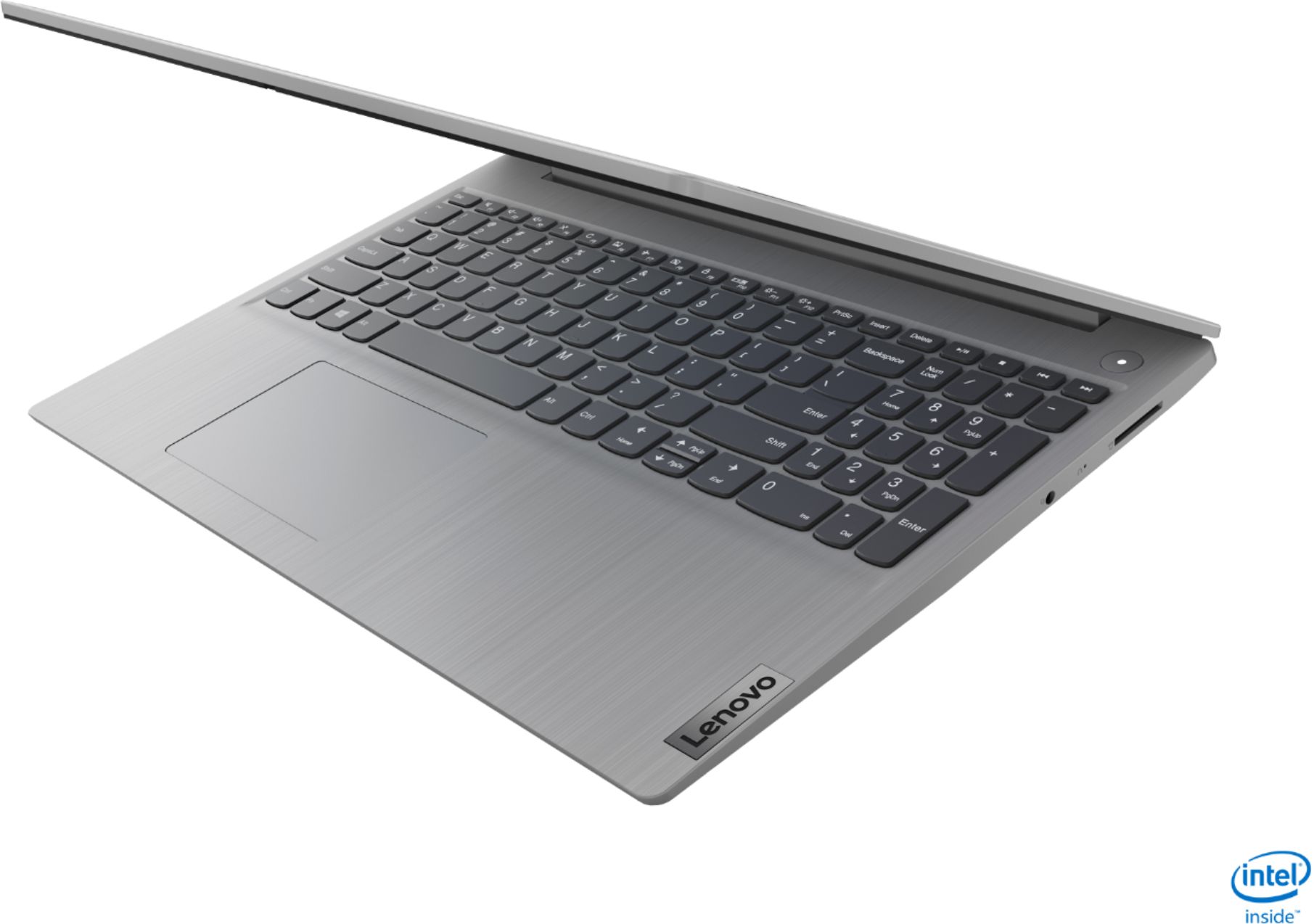
||Posted .This reviewer received promo considerations or sweepstakes entry for writing a review.Good laptop. Touchscreen is good for when the mousepad is inaccurate, which it often is. The biggest issue is the touchpad is actively moving when you go to push the buttons. So when you go to right or left click it will sometimes move off where you had the cursor. You can most times just touch the screen for this. The laptop is fast though. Better than the i3, the RAM is great and allows you to have many tabs open. The internet speed is fast but no Ethernet port. I wish there was a USB-C port but just use a cable. The resolution isn’t great but you can see the letters clearly. Between HD and FullHD (768p I think). I wish I would have got a backlit keyboard but it’s not the end of the world. For the price I paid which was on sale for $349 it was a great deal. For that price you mostly only get chromebooks or laptops with sub-i3 processors. 256Gb is plenty of space and the laptop boots very quickly. For lap type use it is serviceable but if your using a desk get yourself a mouse, it will be a much better experience. For $50 less the same laptop came with a slower cpu, 2/3 the RAM and 1/2 the storage and no touchscreen so this was definitely worth the extra for those features. Definitely for the price I paid though no regrets. But do prepare for Lenovo emails daily if you sign up, so don’t sign up for that.
I would recommend this to a friend - Pros mentioned:PriceCons mentioned:Battery life
Great laptop at holiday sale price
||Posted . Owned for 2 months when reviewed.This reviewer received promo considerations or sweepstakes entry for writing a review.I bought this Lenovo Idea Pad 3 laptop during the November 2020 Holiday Sale for the $349 price. As of this time I have had it for 2 months and it has worked perfectly so far. It looks like the regular price of this laptop is $599. The sale price made it a great buy. I ordered this online on the Best Buy website and had it shipped to me via UPS. Shipping was very fast and it was well packed and arrived in perfect condition. This laptop is an upgrade from a 2012 Lenovo IdeaPad (that still works ok). I have had good experiences with Lenovo computers. I will use this computer for general web browsing and using simple open source graphics and cartography programs. Many other reviewers do not like the look of the screen but I like the matte muted look of it, it is easier on the eyes. There is also a blue light blocker in the settings for night time viewing. The 12gb of RAM is great. The 256gb of SSD space is a little skimpy but I probably will never fill it up myself, and I also have a 1TB USB hard drive backup. Poor battery life is often also mentioned as a problem. I have low expectations of battery life for laptops. I mostly use this plugged in at a desk so it doesn’t really matter to me. If I want to move around with a laptop I use my Chromebook which has many hours of battery life. I switched the computer out of Windows S mode. It’s easy to do, do web search for instructions.
I would recommend this to a friendBrand response from Lenovo Product Expert
Posted .Thank you for choosing the Lenovo IdeaPad 3 15 Laptop, model number 81WE00NKUS. We appreciate your loyalty to the Lenovo Brand. We are pleased to hear that the IdeaPad 3 15 meets your computing needs so well.
- Pros mentioned:Price, Touch screen
Awesome
||Posted . Owned for less than 1 week when reviewed.This reviewer received promo considerations or sweepstakes entry for writing a review.Excellent laptop, especially for the price. I got it on sale during black Friday for $350, although I still think it'd be worth it at retail value. The touchscreen feature is really cool, I've never had that before. It's super quick, probably due to the 12 gigs of RAM. I didn't think I'd like the grey but it's actually really sleek looking. People reviewing this seem to be a little annoyed by the battery life, but most of the time when I use my laptop it's plugged in and if it's not I'm usually not using it for longer than a few hours (which it works just fine unplugged for). So it might not have a great battery but it doesn't bother me. The only thing I would say in the negative category is that the screen does look a bit washed out when looking at it from certain angles. It lacks vibrancy, but then I just tilt the screen differently and it looks a bit better. Again, for the price, I'm not complaining but it is something to note if you're considering purchasing it.
I would recommend this to a friendBrand response from Lenovo Product Expert
Posted .Thank you for choosing the Lenovo IdeaPad 3 15 Laptop, model number 81WE00NKUS. This configuration ships with a 15.6-Inch (screen size measured diagonally) HD (1366x768) resolution, TN screen, with a brightness level of 220nits and an Anti-glare coating, it is Touchscreen enabled. This configuration ships with a 2CELL_35WH_INTERNAL, Lithium Polymer Battery, with a battery life of up to 7 hours, depending on the work the device is performing.
- Pros mentioned:Performance
Lenova laptop
Posted .This reviewer received promo considerations or sweepstakes entry for writing a review.Worked good for my college and haven’t faced any issues
I would recommend this to a friend - Pros mentioned:Touch screen, WeightCons mentioned:Battery life
A very good laptop
||Posted . Owned for 3 weeks when reviewed.This reviewer received promo considerations or sweepstakes entry for writing a review.Fast, very easy setup, light weight was a surprise to me, good screen, love the touch screen and keyboard, nice feel to keyboard, overall great features. Only two negatives for me, which one I knew and another hoping it would be a little better. One was the backlit keyboard and in reality if you are using the touch screen not a big deal. For me it's a bigger deal to have a touch screen in this price range. The other negative is the battery life. Not great by other laptop standards but I can live with it. I believe I'm getting about 4-5 hours without operating in a less efficient mode....screen brightness, etc.
I would recommend this to a friendBrand response from Lenovo Product Expert
Posted .Thank you for choosing the Lenovo IdeaPad 3 15 Laptop, model number 81WE00NKUS. This model ships with a 2CELL_35WH_INTERNAL, Lithium Polymer Battery, with a battery life of up to 7 hours, depending on the work the device is performing. If you are getting substantially less battery life, First, set your screen brightness at less than 100-percent - try 80-percent to start with. Then, be sure Battery conservation Mode is turned off. This power management setting should only be used when the laptop is plugged in all the time. It will prolong overall battery life by only charging the battery to 60-percent of capacity. Here is a link to instructions for turning off Battery Conservation Mode: https://support.lenovo.com/us/en/solutions/ht103159. Also check what programs are running in the background on the computer. Be sure only the programs you want running in the background are. These programs will drain the battery. Here is a link to information about how to find out what programs are running in the background on your Windows 10 computer and how to manage them for better system performance: https://www.windowscentral.com/how-prevent-apps-running-background-windows-10. Then, finally, be sure any software you installed is compatible with Windows 10. Incompatible software will drain the battery at a faster rate. There is no need to install Microsoft Office software. The software is already part of the operating system, you just need to activate the software with a purchased product key. If you have installed a copy of Microsoft Office, this is conflicting with the existing copy on the system and this will slow your system down. If you have installed a 3rd party anti-virus program, be sure that Windows Defender is turned off and that the trial version of McAfee Anti-Virus software is uninstalled. There can only be one anti-virus program on the system. You may need to restore your system to original factory default settings if any of the programming errors have occurred. You can do that by typing "restore" in the Cortana search window. Just click on the magnifying glass icon at the bottom left of your Windows 10 Desktop. Click on "Reset This PC" Then click on "Get Started" and follow the on screen directions to restore to factory defaults. If the problem persists, we recommend you contact Lenovo Tech Support at: 877-453-6686.
- Pros mentioned:Price, Speed
A Great Deal for Almost Half the Price on Black Fr
||Posted . Owned for 3 weeks when reviewed.This reviewer received promo considerations or sweepstakes entry for writing a review.By far this is one of the best laptops that I have ever owned. Most times when I am buying a laptop I look at the Speed, RAM, Processor type and the price. With the following features 15" Touch Screen Laptop - Intel Core i5-1035G1 - 12GB Memory - 256GB SSD - Platinum Grey and at a price of almost half the list price on black Friday ($374) after taxes, it was a great deal to score. The only down side of the laptop is the battery power. I have not tested it to the maximum but since all of the time I use it at home or in places with power, I have no problem with that. It's a great buy!
I would recommend this to a friend - Pros mentioned:Speed, Touch screen, Weight
Good overall lap top
||Posted . Owned for 1 week when reviewed.This reviewer received promo considerations or sweepstakes entry for writing a review.Solid laptop. I purchased it for my 10 year old daughter. Really light to pick up and easy to handel. touch screen feature is great as well when it comes to ease of use. Good speed, and memory, with enough storage. Great for her school, light gaming, using touch screen to do some creative things etc. I can't complain for the price tag. Only thing that would be nice is if it added a full HD display and if the screen was a little brighter. If it had more storage or a better display it would be 5/5.
I would recommend this to a friend - Pros mentioned:Performance, Speed, Weight
Lenovo delivers quality
||Posted . Owned for 2 months when reviewed.This reviewer received promo considerations or sweepstakes entry for writing a review.Bought this for my son to use for his recreational screens (not for school). Very pleased with the speed of the machine, as well as its durability and light weight. Previously had a heavier Lenovo which eventually broke due to a poorly designed case (which flexed when under pressure from one-handed carrying). No complaints about this one so far. 2+ months in and everything is smooth sailing. No BSOD issues or any other problems with connectivity or performance. As usual, Lenovo delivers!
I would recommend this to a friend - Pros mentioned:Speed, Touch screen, Weight
Great touchscreen laptop
||Posted . Owned for 3 weeks when reviewed.This reviewer received promo considerations or sweepstakes entry for writing a review.Love this laptop! Purchased for the memory and touchscreen features and neither have disappointed. The screen resolution could certainly be better, but I'm not using for gaming or photo editing, so it's perfectly good for me. I love that the screen lays flat as well. Powers up super fast and switching between tasks is instantaneous. My previous laptop was a 17" from 6 years ago. Weight and speed difference is crazy! Glad I decided to finally "upgrade"
I would recommend this to a friendBrand response from Lenovo Product Expert
Posted .Thank you for choosing the Lenovo IdeaPad 3 15 Laptop, model number 81WE00NKUS. We are pleased to hear that the performance of the IdeaPad 3 15 meets your computing needs so well.
- Pros mentioned:Touch screenCons mentioned:Battery life
Would recommend this laptop
||Posted . Owned for 2 weeks when reviewed.This reviewer received promo considerations or sweepstakes entry for writing a review.With 12gb RAM, Laptop is super fast. Apart from that the features like touch screen, 256 gab SSD is good enough for day to day use. Though Windows is installed in S mode (which is incompatible with antivirus softwares, web browsers); switching out of S mode was very easy. On the flip side as mentioned in other reviews also, limited battery life after full charge is there. Overall, a decent laptop for daily use given the price
I would recommend this to a friend - Pros mentioned:Price, Speed
Promising laptop with a poor display and adapter!
||Posted . Owned for less than 1 week when reviewed.This reviewer received promo considerations or sweepstakes entry for writing a review.Purchased this for my son during the Black Friday sale. I have to say although that I am quite happy with the purchase a couple of things could have been done better. The charger and the display 1366 x 768 (HD) are a big turn off for this laptop. I mean the same IdeaPad 3 with an I3 processor has a better display resolution 1920 x 1080 (Full HD) than this laptop. That is the model I purchased for my wife and I was left scratching my head on what folks at Lenovo were thinking? Why couldn't they have had the same display for this model as well? I got both the I3 and the I5 and love both but the display on the I5 could have been the same as the I3. But they have chosen to downgrade the display to 1366 x 768 (HD) for the I5. If you like Full HD please consider the I3 and you can add more memory (4gb). And the second thing is the charger/ power adapter cable. Who designed this? I mean seriously can someone explain why do they have a box-like power adapter at the end of the cable? We have already bent the charger pins twice already. It is a recipe for disaster! Here is the comparison between the Ideapad Core I3 and Core I5 https://www.bestbuy.com/site/compare?skus=6426712,6426707 The price point is definitely the winner here. You cannot beat the price for an I5 with 12Gb memory and touchscreen! Pros Excellent overall value at a modest price point Speed, Memory, Touchscreen, Not too much bloatware Cons Charger Display (below par for such a promising laptop)
I would recommend this to a friend - Pros mentioned:PriceCons mentioned:Battery life
GREAT VALUE
||Posted . Owned for 1 month when reviewed.This reviewer received promo considerations or sweepstakes entry for writing a review.FOR THE PRICE THIS COMPUTER IS A GREAT DEAL. IT'S FAST AND HAS DECENT RAM AND MEMORY. HAS THE OPTION OF WINDOWS 10 S OR WINDOWS 10 HOME. HAS A 15" SCREEN. IT DOES HAVE SOME SHORTCOMINGS LIKE SCREEN COLORS A LITTLE DULL AND BATTERY ONLY HOLDS A CHARGE FOR ABOUT 3 HOURS. NOT A PROBLEM FOR ME BECAUSE I USE IT AT HOME AND COULD KEEP PLUGGED IN. I'M HAPPY WITH THIS LAPTOP.
I would recommend this to a friend - Pros mentioned:Touch screenCons mentioned:Battery life
Great laptop, weak battery.
||Posted . Owned for less than 1 week when reviewed.This reviewer received promo considerations or sweepstakes entry for writing a review.This is an amazing laptop at the Black Friday price. Very fast and capable. My one complaint is the battery life. I started at 100% full charge this morning. On a zoom call that lasted only 1.5 hours, the battery was down to 50%, despite that I had turned down my screen to 70%. I don't think their rating of 7 hours is accurate. That said, the screen is large and the touchscreen makes it easy to navigate and use. Others have complained about the camera, but I found it to be very good - as clear as my one year old iPad and better than my 3 year old iMac. The keyboard is also excellent and allows me to type at my full speed.
I would recommend this to a friendBrand response from Lenovo Product Expert
Posted .Hi Kris the Lenovo IdeaPad 3 15" laptop model # 81WE00NKUS features a 2CELL 35WH Lithium Polymer battery with an estimated life of up to 7.5 hours. If you are getting substantially less battery life, please adjust your screen brightness settings. A setting of 100% brightness will drain your battery much faster than a lower setting. We recommend setting the screen brightness to some value below 100% that is still comfortable for you to view. Next be sure Battery conservation Mode is turned off. This power management setting should only be used when the laptop is plugged in all the time. It will prolong overall battery life by only charging the battery to 60-percent of capacity. Here is a link to instructions for turning off Battery Conservation Mode: https://support.lenovo.com/us/en/solutions/ht103159. Also check what programs are running in the background on the computer. Be sure only the programs you want running in the background are. These programs will drain the battery. Here is a link to information about how to find out what programs are running in the background on your Windows 10 computer and how to manage them for better system performance: https://www.windowscentral.com/how-prevent-apps-running-background-windows-10. Then, finally, be sure any software you installed is compatible with Windows 10. Incompatible software will drain the battery at a faster rate. There is no need to install Microsoft Office software. The software is already part of the operating system, you just need to activate the software with a purchased product key. If you have installed a copy of Microsoft Office, this is conflicting with the existing copy on the system and this will slow your system down. If you have installed a 3rd party anti-virus program, be sure that Windows Defender is turned off and that the trial version of McAfee Anti-Virus software is uninstalled. There can only be one anti-virus program on the system. You may need to restore your system to original factory default settings if any of the programming errors have occurred. You can do that by typing "restore" in the Cortana search window. Just click on the magnifying glass icon at the bottom left of your Windows 10 Desktop. Click on "Reset This PC" Then click on "Get Started" and follow the on screen directions to restore to factory defaults. If the problem persists, we recommend you contact Lenovo Tech Support at: 877-453-6686.
- Pros mentioned:PriceCons mentioned:Storage
As a Black Friday deal, this was amazing!
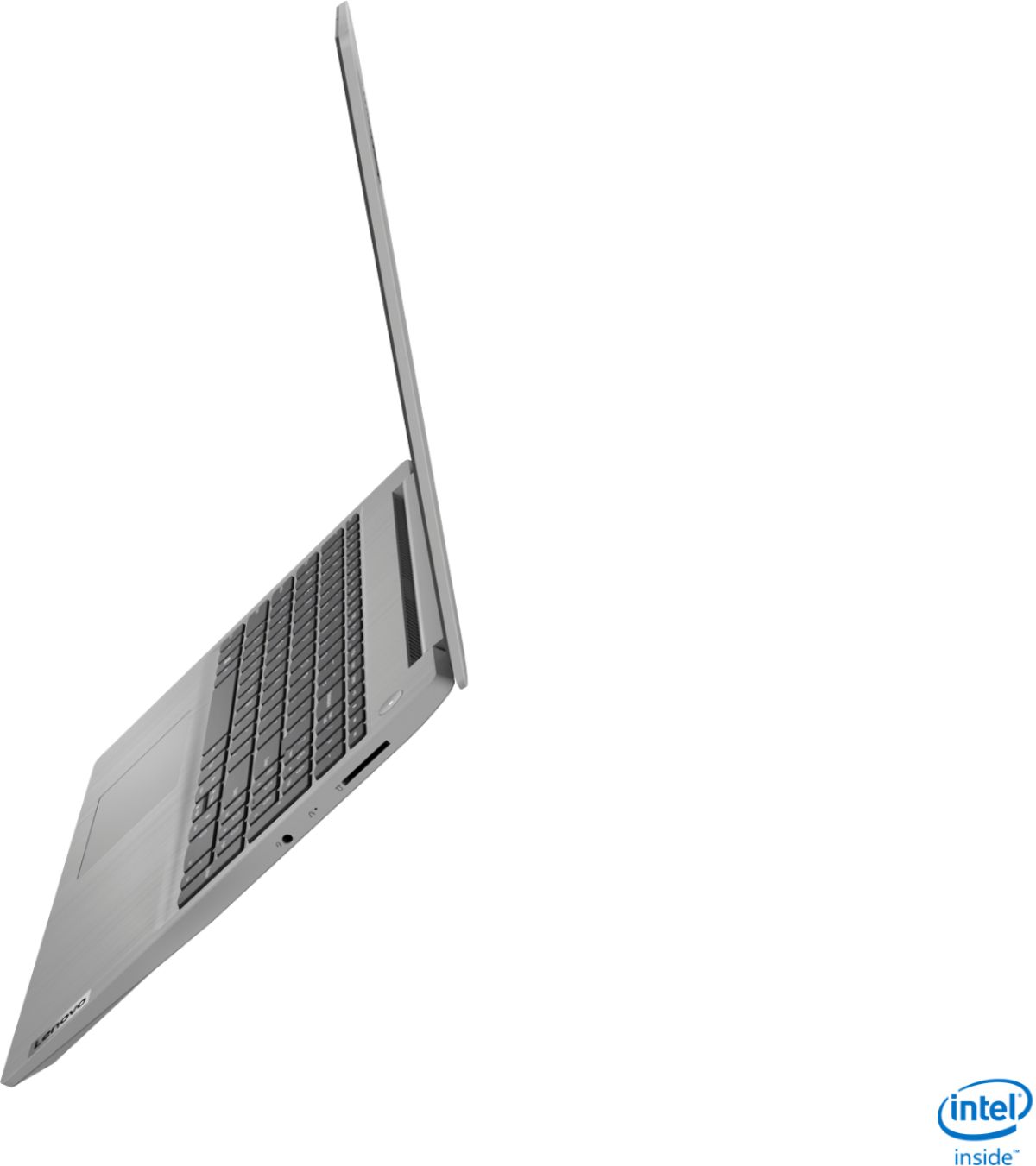
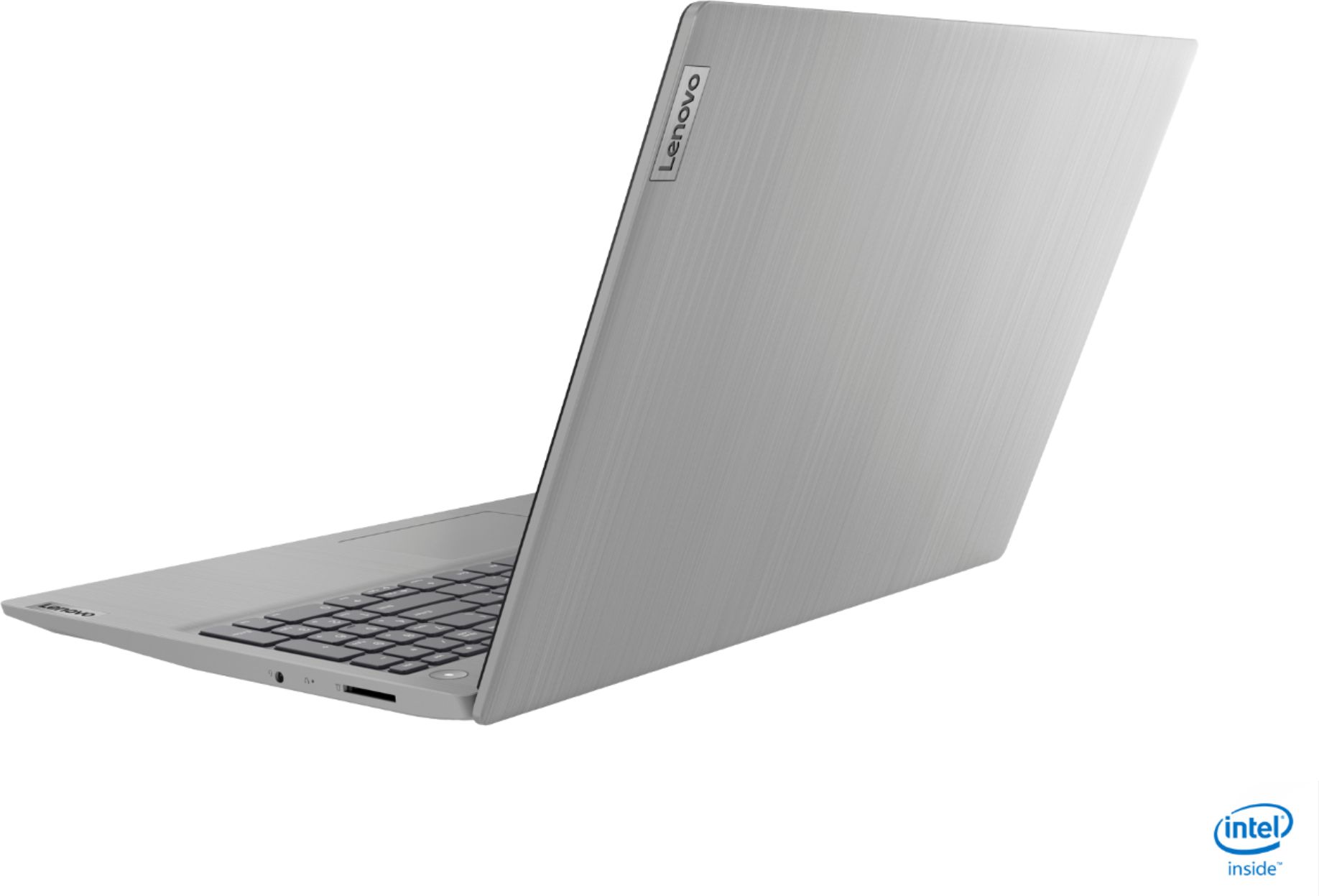
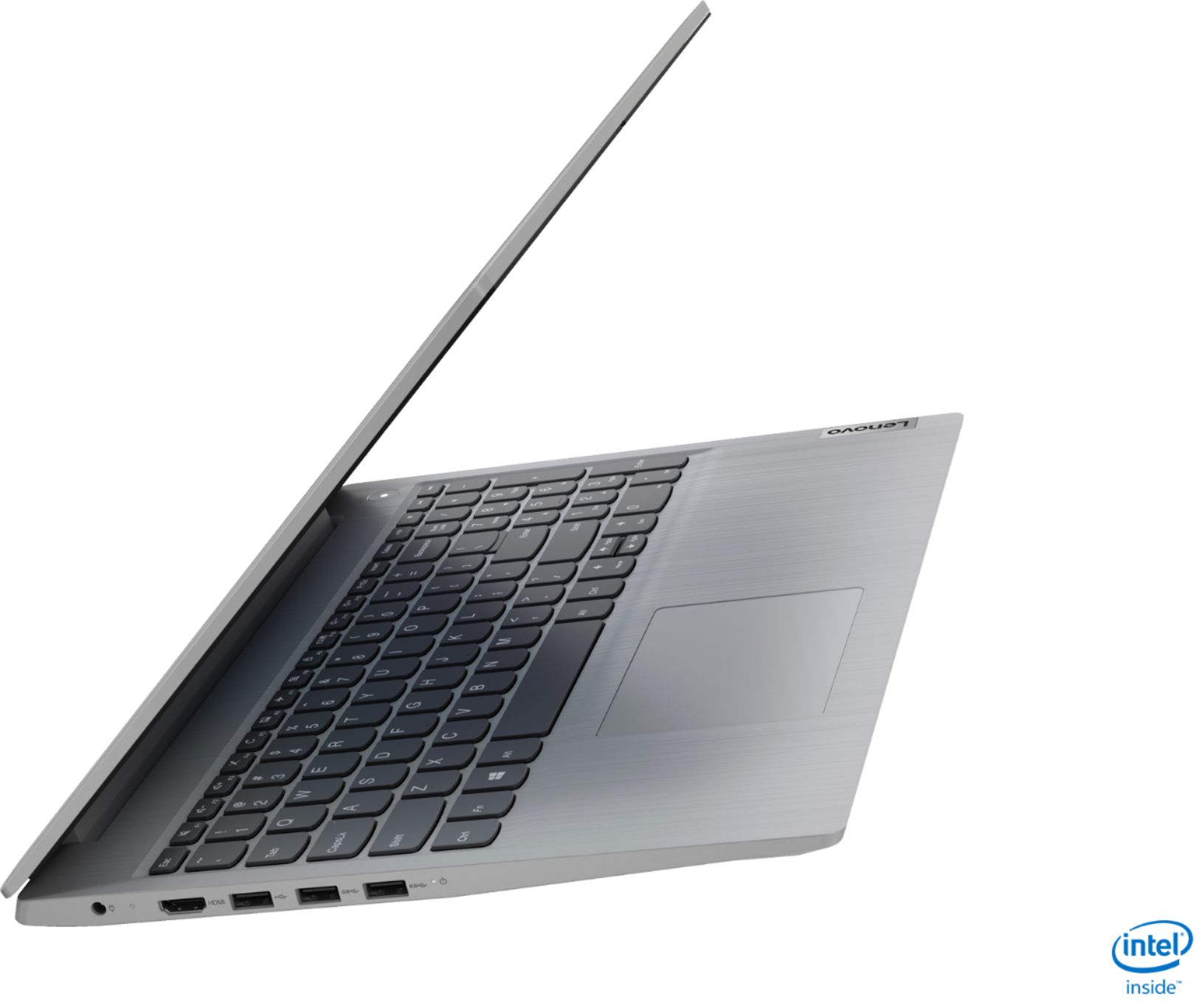
||Posted . Owned for 1 week when reviewed.This reviewer received promo considerations or sweepstakes entry for writing a review.This is a very nice machine, especially because I got it on Black Friday for under $400. The screen size is great. It is not 1080 HD but it does the job. The battery life increases dramatically when you bring the screen brightness down, however, that cheapens the experience due to the resolution. It is what it is. The 256 GB ssd is ok and I was able to get using a 256GB MicroSD. Problem is, Lenovo really dropped the ball by including a full sized SD reader. The card sticks out really badly. I have many Lenovo machines and this is always a HORRIBLE situation. Basically, you have more ability for something to go wrong in your bag with that full sized SD card sticking out. They should have included an internal microSD. Take this seriously if it may apply to you. Ironically, for the price I paid, this was one of the best values for the dollar in my countless computer purchases this year. I got this i5 with 12 GB of ram for less than the Lenovo C340, which was an amazing unicorn of a value chromebook.
I would recommend this to a friend - Pros mentioned:Price, Speed, Weight
Solid General purpose laptop
||Posted . Owned for 1 month when reviewed.This reviewer received promo considerations or sweepstakes entry for writing a review.Got this for my wife who is computerphobic. She uses it for a set of limited purposes and it functions well. Probably not the speediest machine on the block, but compeered to her old Pentium based unit is much faster, much lighter and much better video quality. Price was excellent.
I would recommend this to a friend