Customer Ratings & Reviews

- Model:
- 81WF004CUS
- SKU:
- 6449490
Rating by feature
- Battery Life
Rating 3.8 out of 5 stars
- Speed
Rating 3.2 out of 5 stars
- Display
Rating 3.9 out of 5 stars
Customers are saying
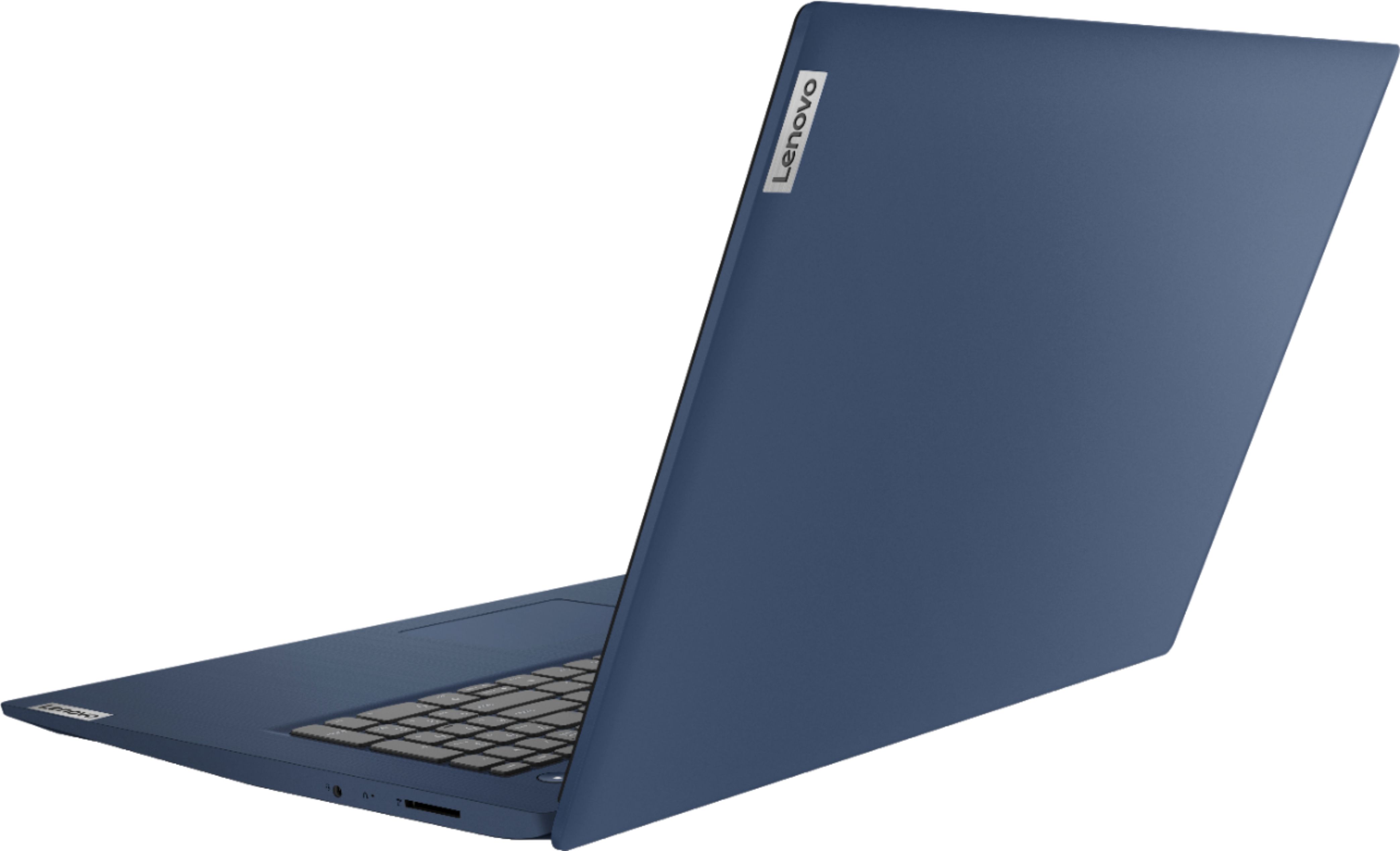
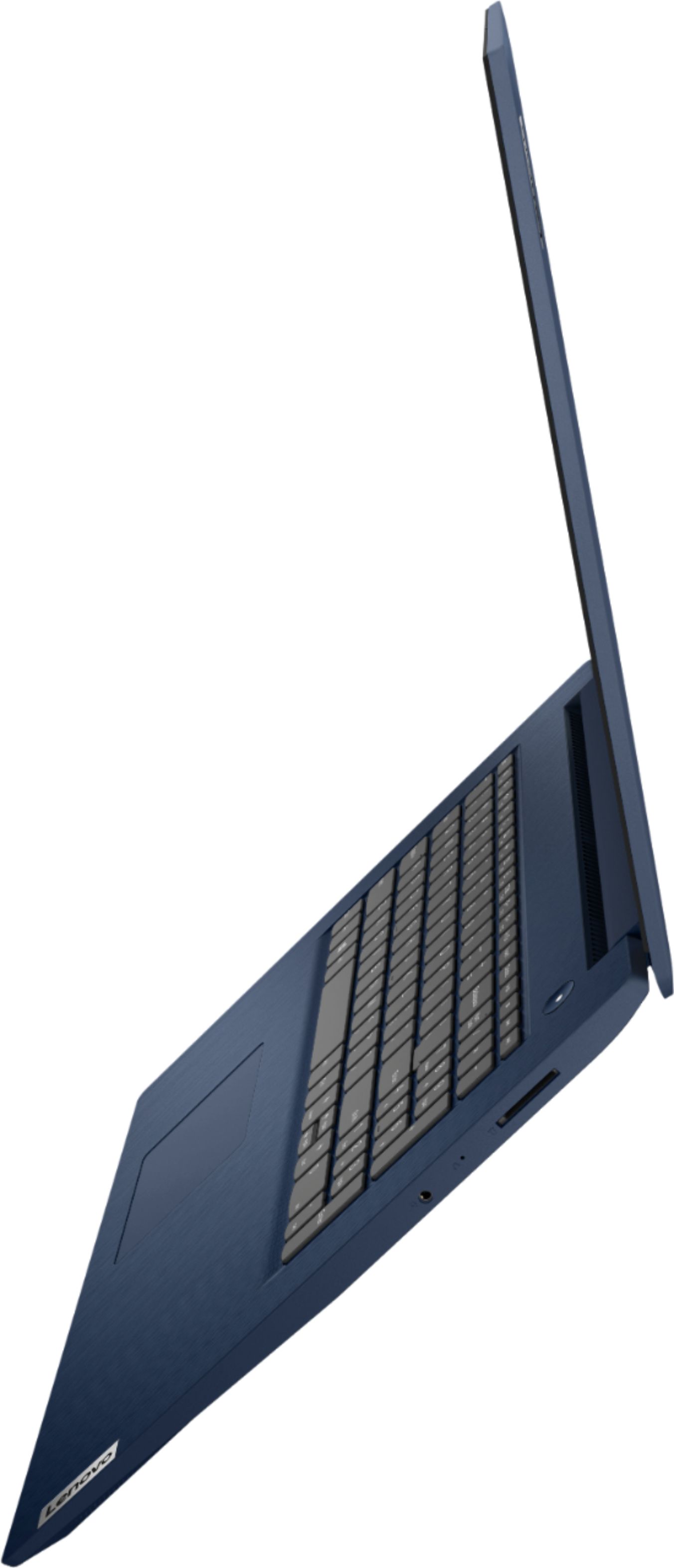
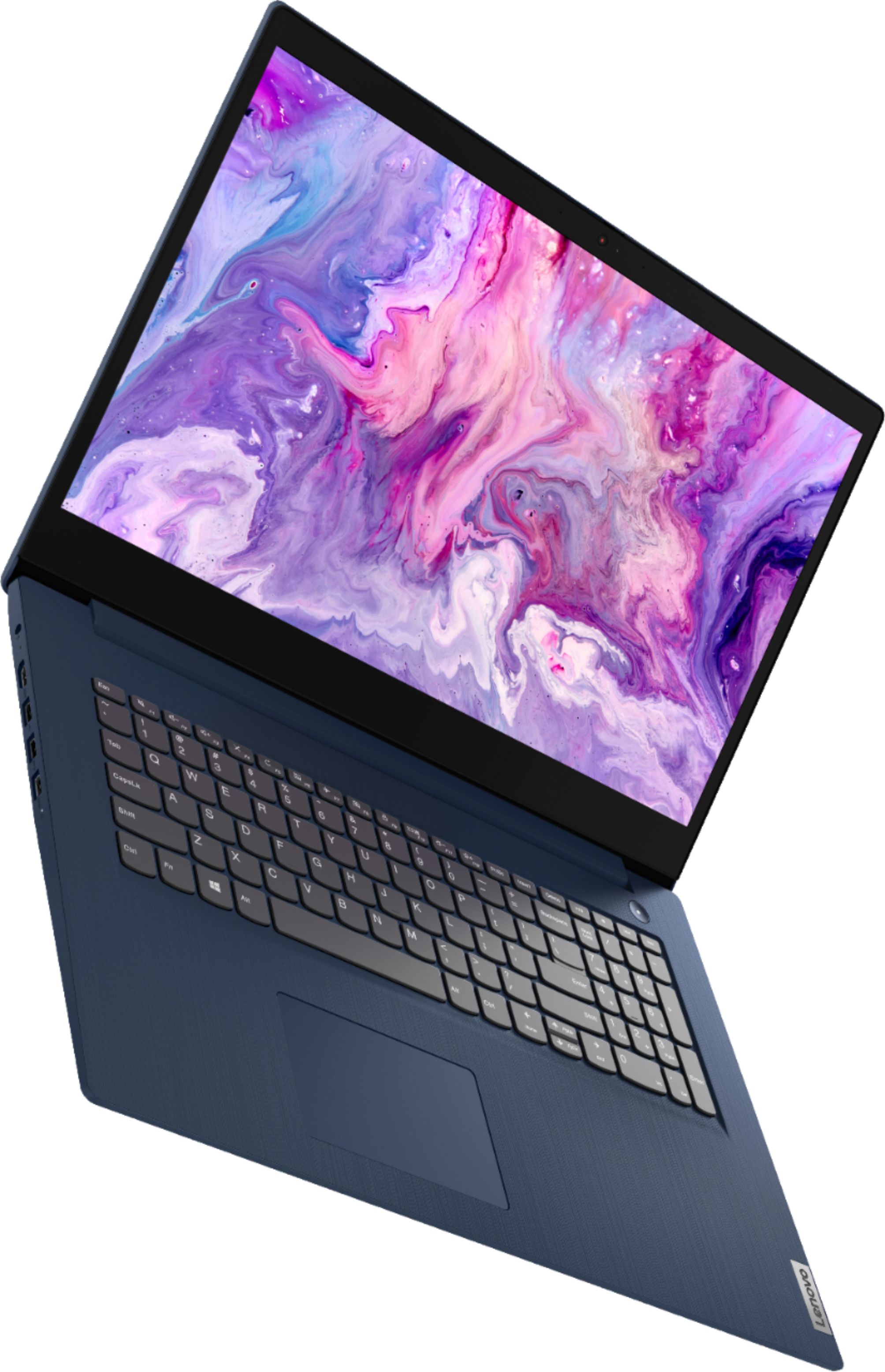
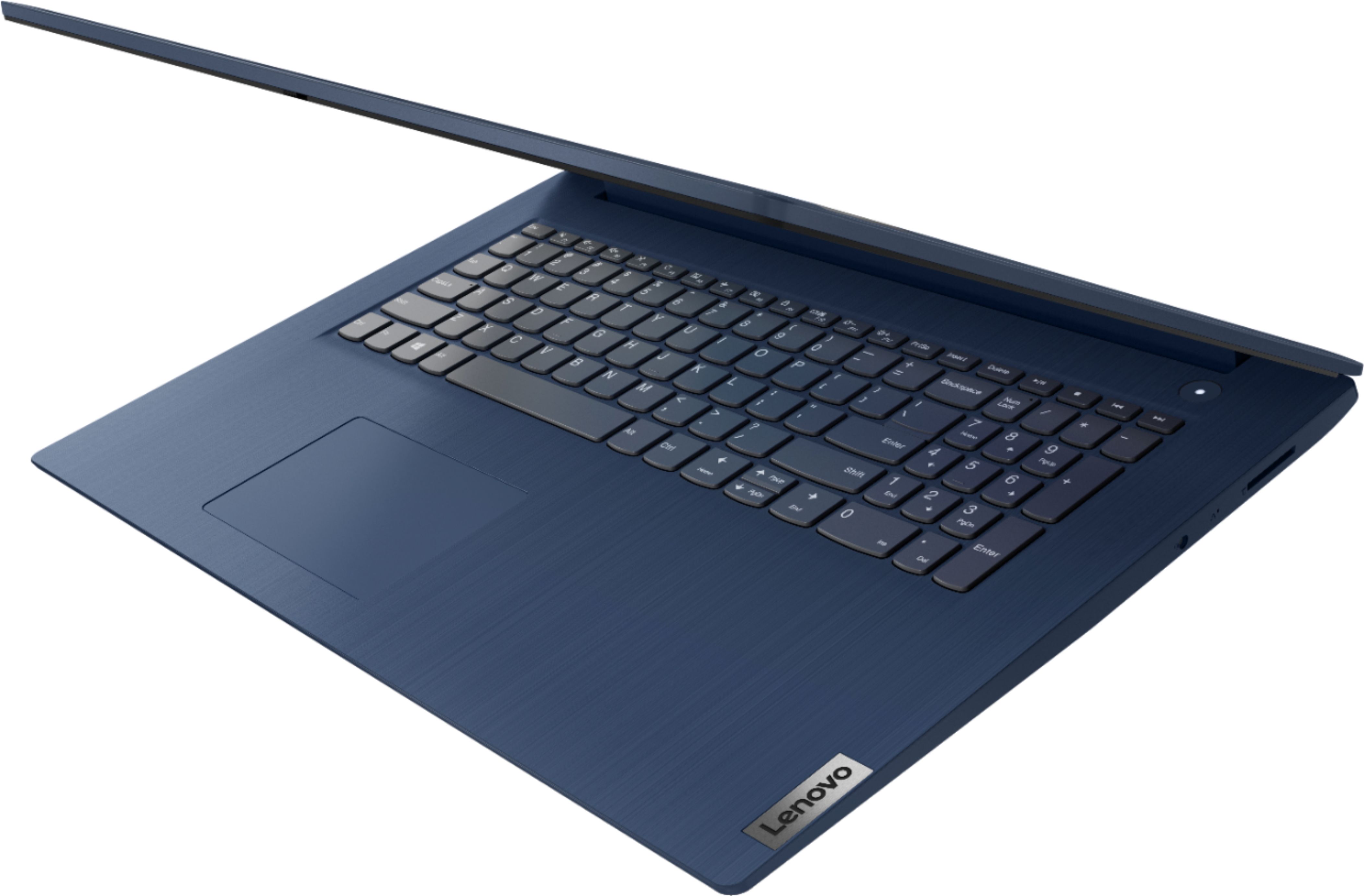
Customers enjoy the large screen, affordable price, and user-friendly nature of the Ideapad 3 17. It is lightweight and suitable for work. However, some users have concerns about its performance, boot time, and battery life.
This summary was generated by AI based on customer reviews.
- Pros mentioned:Price
Great deal
||Posted . Owned for less than 1 week when reviewed.This reviewer received promo considerations or sweepstakes entry for writing a review.Great laptop and even a better price. It is a great brand and the laptop is just the right weight.
I would recommend this to a friendBrand response from Lenovo Product Expert
Posted .Thank you for choosing the Lenovo IdeaPad 3 17 laptop. We are pleased to hear that the value, features and performance of the Ideapad 3 17 meets your computing needs so well.

Too high a price
||Posted . Owned for 2 weeks when reviewed.This reviewer received promo considerations or sweepstakes entry for writing a review.The laptop works good BUT for it to be brand new and at this price the mic wasn’t working well. My son had to use a headphone set which is crazy.
No, I would not recommend this to a friendBrand response from Lenovo Product Expert
Posted .We are sorry to hear that you are having issues with the Dual Array, built in microphones within the Lenovo IdeaPad 3 17 Laptop, model number 81WF004CUS. Here is a link to tips for fixing issues with a laptop's built in microphone within Windows 10: https://support.microsoft.com/en-us/windows/fix-microphone-problems-5f230348-106d-bfa4-1db5-336f35576011#:~:text=in%20Windows%2010%3A-,Select%20Start%20%2C%20then%20select%20Settings%20%3E%20System%20%3E%20Sound%20.,as%20needed%2C%20then%20select%20OK. If the issue with the microphone continues after making adjustments, now check to be sure you have the latest version of Windows 10 on the computer. Then update all BIOS files and drivers up to that latest version of Windows 10. You can easily accomplish this by scanning the computer with the Lenovo Utility software available on this computer. This system has Lenovo utilities installed to help maintain the health of the device and keep the operating system software up to date. Type "Lenovo Vantage" in the Cortana Search window (if Lenovo Vantage is not installed on your device, you can download the APP and install it now). Select Lenovo Vantage from the list. In the window that opens, click on "Health and Support". In the expanded menu, select "Hardware Scan" In the window that opens, select "Run Quick Tests". This will scan your entire system for errors. Follow any directions that may pop up. If the problem continues after this scan, now click on "System Update". First select Windows update from the menu. Scan your system to be sure you have the latest version of Windows 10. Once that scan is complete, select "Additional Updates". This will scan your device to be sure there are no new BIOS/Driver updates needed. Follow any instructions that may pop up. If the issue still continues after these updates, we recommend you call Lenovo Tech Support at: 877-453-6686 for additional help.
Works well!
||Posted . Owned for 3 weeks when reviewed.This reviewer received promo considerations or sweepstakes entry for writing a review.Only problems I had to buy a CD drive. What I understand most computers don't have it today. Don't get me wrong it's still a great computer
I would recommend this to a friendBrand response from Lenovo Product Expert
Posted .Thank you for choosing the Lenovo IdeaPad 3 17 Laptop. We are pleased to hear that the IdeaPad 3 17 meets your computing needs so well.
Lenovo lap top computer
||Posted . Owned for 1 month when reviewed.This reviewer received promo considerations or sweepstakes entry for writing a review.The Lenovo lap top computer is Light weight compared to my old lap top and has a clearer picture.
I would recommend this to a friendBrand response from Lenovo Product Expert
Posted .Thank you for choosing the Lenovo IdeaPad 3 17 laptop. We are pleased to hear that this IdeaPad 3 17 meets your computing needs so well.
- Pros mentioned:Easy to use
New laptop
||Posted . Owned for 3 weeks when reviewed.This reviewer received promo considerations or sweepstakes entry for writing a review.Nice machine...slim, functional, easy to use and the Geek squad got it up and running most ricky-tick!
I would recommend this to a friendBrand response from Lenovo Product Expert
Posted .Thank you for choosing the Lenovo IdeaPad 3 17 Laptop. We are pleased to hear that the IdeaPad 3 17 meets your computing needs so well.
Okay Laptop
||Posted . Owned for 10 months when reviewed.This reviewer received promo considerations or sweepstakes entry for writing a review.Worked great for a while but was not very durable. I felt like I was pretty careful with it but it broke in less than a year.
No, I would not recommend this to a friendBrand response from Lenovo Product Expert
Posted .We are sorry to hear that you are having issues with your Lenovo IdeaPad 3 17 laptop, model number 81WF004CUS. If the issue you are having is software/Operating System based, resetting this computer back to original factory settings may correct the problem. This system is equipped with OneKey Recovery System. There is a very small pin hole on the right side of the device, right in between the headphone jack and the SD Card Slot on the device. You will need a pin to push this reset button. Plug the device in. Let the battery charge for about 15 minutes. Push the reset button. The system should boot to a choice screen where you can choose "Restore To Factory Default". Select this. It will delete everything from the hard drive except the original factory install of the operating system. You will need to reinstall all programs and files after the reset. If you don't have copies of the files, try to make one before you restore by selecting "Boot to desktop" and trying to back up your files. If the problem persists after the factory reset, we recommend you contact Lenovo Tech Support at: 877-453-6686.
- Pros mentioned:Large screen
Big laptop
||Posted . Owned for 9 months when reviewed.This reviewer received promo considerations or sweepstakes entry for writing a review.My husband loves this laptop. For me it’s too big to carry around but it’s great for him
I would recommend this to a friendBrand response from Lenovo Product Expert
Posted .We are pleased to hear that the performance and features of the IdeaPad 3 17 meets your husband's computing needs so well.
- Pros mentioned:Price
Niece computer
||Posted . Owned for 8 months when reviewed.This reviewer received promo considerations or sweepstakes entry for writing a review.I have this to my niece and she love it the price is nice and I do bought two of these .
I would recommend this to a friendBrand response from Lenovo Product Expert
Posted .Thank you for choosing the Lenovo IdeaPad 3 17 Laptop for your niece. We are pleased to hear that the IdeaPad 3 17 is working out so well that you purchased two. We appreciate your loyalty to the IdeaPad 3 17 laptop and the Lenovo Brand.
Lenovoooo
||Posted . Owned for 3 weeks when reviewed.This reviewer received promo considerations or sweepstakes entry for writing a review.Enjoying laptop, It appeared I had to continue setting up my Microsoft account and my printer. It was probably me not being that tech savvy
I would recommend this to a friendBrand response from Lenovo Product Expert
Posted .Thank you for choosing the Lenovo IdeaPad 3 17 Laptop. There is a 30-day trial of Microsoft Office 365 included as part of the Windows 10 operating system. In order to keep the program active after the trial period, you will need to purchase a product key or sign in with your existing Microsoft Office Account if you already have one. You will not need to download any additional software. Regarding setup of a printer, the IdeaPad 3 17 model number 81WF004CUS, ships with Windows 10 S-Mode 64-bit Operating System. Windows 10 S-Mode provides added security by only allowing APPs available ( and therefore certified by Microsoft) at the Microsoft Store. If you don't need the added security or you need to install APPs not available at the Microsoft Store, you can switch to standard Windows 10 Home 64-bit Operating System, at no additional cost. We recommend you check with your printer manufacturer for the compatibility of your specific printer model with Windows 10 S-Mode. If you need to switch out of S-Mode, here is a link to instructions for switching from Windows 10 S-Mode to Windows 10 Home: https://support.microsoft.com/en-us/help/4456067/windows-10-switch-out-of-s-mode
Large and in charge
||Posted . Owned for 3 weeks when reviewed.This reviewer received promo considerations or sweepstakes entry for writing a review.I really like this computer for many reasons. The large display is awesome for my games as well as classes. Sometimes chat windows are cramped and you have to enlarge your screen and it's a pain but no worries with this beauty. The display is vivid and beautiful. It has a nice RAM so there's no issues with gameplay so far and I haven't experienced any freezing. If using in bed I do recommend a lap table because it is a large laptop.
I would recommend this to a friendBrand response from Lenovo Product Expert
Posted .Thank you for choosing the Lenovo IdeaPad 3 17 Laptop. We are pleased to hear that the features and performance of the IdeaPad 3 17 meets your computing needs so well.
Love my new laptop
||Posted . Owned for 3 weeks when reviewed.This reviewer received promo considerations or sweepstakes entry for writing a review.I went in looking for a new laptop. I wanted the laptop as soon as possible, but needed it set up by the geek squad. I purchased on Tuesday, it was delivered to me on Thursday, and I took it back to the store so the geek squad could set it up picked it up Friday. I also got the geek squad help for a year. The computer and the coverage was a very good deal. Very Happy with my purchase this far it has been about one month.
I would recommend this to a friendBrand response from Lenovo Product Expert
Posted .Thank you for choosing the Lenovo IdeaPad 3 17 Laptop. We are pleased to hear that the IdeaPad 3 17 meets your computing needs so well.
Lenovo Ideapad
||Posted . Owned for 3 weeks when reviewed.This reviewer received promo considerations or sweepstakes entry for writing a review.This is the third Lenovo we purchased and have been very satisfied with the performance.
I would recommend this to a friendBrand response from Lenovo Product Expert
Posted .Thank you for choosing the Lenovo IdeaPad 3 17 Laptop. We are very pleased to hear that the specifications and features of the Lenovo IdeaPad 3 17 laptop meet your computing needs so well.
lenovo laptop
||Posted .This reviewer received promo considerations or sweepstakes entry for writing a review.bigger than i thought it would be, but works great good picture does everything i need it to do.. works well with zoom for meetings and appointments.. very satisfied. with quality i have not had any problems with it and love the convenience of use.. good choice for what i needed. and i really love the picture. it is so brilliant. all controls are easy to use.very light weight and easy to carry. love the thumb print ID to unlock..
I would recommend this to a friendBrand response from Lenovo Product Expert
Posted .Thank you for choosing the Lenovo IdeaPad 3 17 Laptop, model number 81WF004CUS. This model measures just: 15.83 x 11.07 x 0.78 inches. The 17.3 inch screen is the viewable screen size measured diagonally. We are pleased to hear that the IdeaPad 3 17 is working out so well for you.
- Pros mentioned:Large screen
Laptop Love
||Posted .This reviewer received promo considerations or sweepstakes entry for writing a review.Loving this laptop! Performs well and quick, large screen helps tremendously withy projects
I would recommend this to a friendBrand response from Lenovo Product Expert
Posted .Thank you for choosing the Lenovo IdeaPad 3 17 laptop. We are pleased to hear that the IdeaPad 3 17 meets your computing needs so well.
Superman
||Posted . Owned for 3 weeks when reviewed.This reviewer received promo considerations or sweepstakes entry for writing a review.No frills but gets the job done. This is my first Lenovo so it took some getting use to. Overall pleased with my purchase.
I would recommend this to a friendBrand response from Lenovo Product Expert
Posted .Thank you for choosing the Lenovo IdeaPad 3 17 Laptop. The heart of the IdeaPad 3 17 is the Windows Operating System. To learn your way around Windows - whatever version you are currently using, you may want to try YouTube.com (just type that address in your browser address window). There are hundreds for free instructional videos there about Windows. Just type Windows Introduction in to the YouTube search window. You can watch free videos there that will show you the basics all the way up to tips and tricks videos and they're all free.
Review
||Posted . Owned for 1 month when reviewed.This reviewer received promo considerations or sweepstakes entry for writing a review.The service was on point, agents were very knowledgable and courteous. The work was done in a timely manner which I was very grateul.
I would recommend this to a friendBrand response from Lenovo Product Expert
Posted .Thank you for choosing the Lenovo IdeaPad 3 17 Laptop, model number 81WF004CUS. We are pleased to hear that the IdeaPad 3 17 meets your computing needs so well.
- Pros mentioned:Large screen
Lenovo laptop!
||Posted . Owned for 3 months when reviewed.This reviewer received promo considerations or sweepstakes entry for writing a review.Great laptop with a very fast processor. Easy to navigate with a good size screen.
I would recommend this to a friendBrand response from Lenovo Product Expert
Posted .Thank you for choosing the Lenovo IdeaPad 3 17 Laptop. We are pleased to hear that the features and performance of the IdeaPad 3 17 meets your computing needs so well.
- Pros mentioned:Price
Great purchase!
||Posted . Owned for 1 month when reviewed.This reviewer received promo considerations or sweepstakes entry for writing a review.Purchased this computer for our 9 year old grandson. He loves it!! Great quality for the price.
I would recommend this to a friendBrand response from Lenovo Product Expert
Posted .Thank you for choosing the Lenovo IdeaPad 3 17 Laptop for your grandson. We are pleased to hear that the IdeaPad 3 17 is working out so well for your grandson.
Lenovo laptop
||Posted . Owned for 1 year when reviewed.This reviewer received promo considerations or sweepstakes entry for writing a review.Useful laptop. Mouse is maybe to sensitive. i5 is slower compared to higher end models. However fills a need use basically to search internet and emails. Geek Squad was very helpful in setting up and explaining this item.
I would recommend this to a friendBrand response from Lenovo Product Expert
Posted .Thank you for choosing the Lenovo IdeaPad 3 17 Laptop, model number 81WF004CUS. Regarding the touchpad, you can adjust the touchpad in your system settings. You can get there by clicking on the magnifying glass at the bottom left of your Windows 10 screen. Type "touchpad" in the search window. Select "Mouse & touchpad settings" from the list of choices. You can make general adjustments to the touchpad there. You can also select "Additional mouse options" for more detailed adjustments to the touchpad sensitivity by increasing the delay of the touchpad. We are pleased to hear that the IdeaPad 3 17 meets your computing needs.
My new laptop
||Posted . Owned for 3 weeks when reviewed.This reviewer received promo considerations or sweepstakes entry for writing a review.I really love this laptop, just taking me a while to figure it all out. It is not the laptop it is me! Going for a tutorial this am.
I would recommend this to a friendBrand response from Lenovo Product Expert
Posted .Thank you for choosing the Lenovo IdeaPad 3 17 Laptop computer. This model ships with Windows 10 S-Mode Operating System. Windows 10 S-Mode provides added security by only allowing APPs available ( and therefore certified by Microsoft) at the Microsoft Store. If you don't need the added security or you need to install APPs not available at the Microsoft Store, you can switch to standard Windows 10 Home 64-bit Operating System, at no additional cost.