Customer Ratings & Reviews

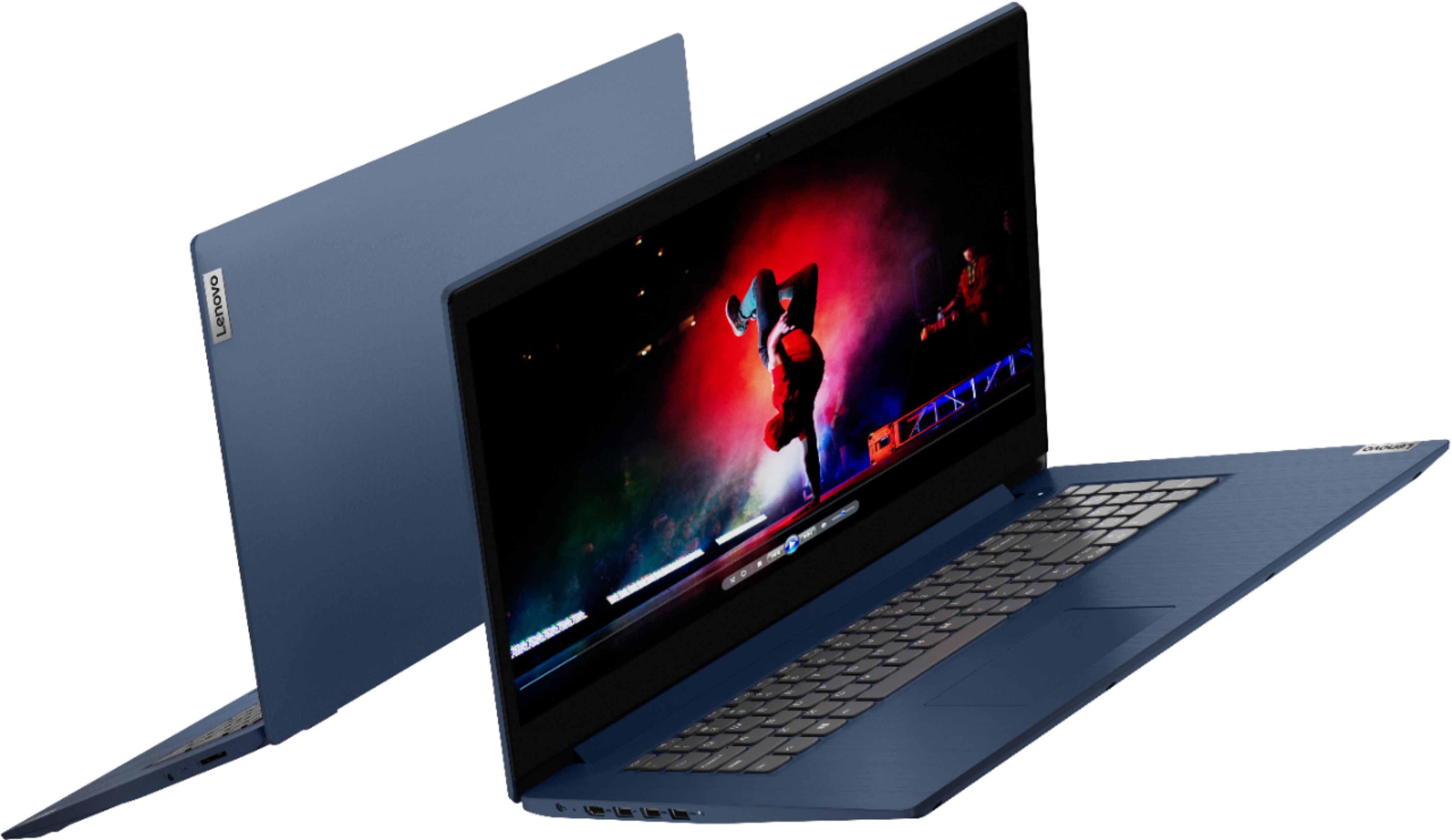
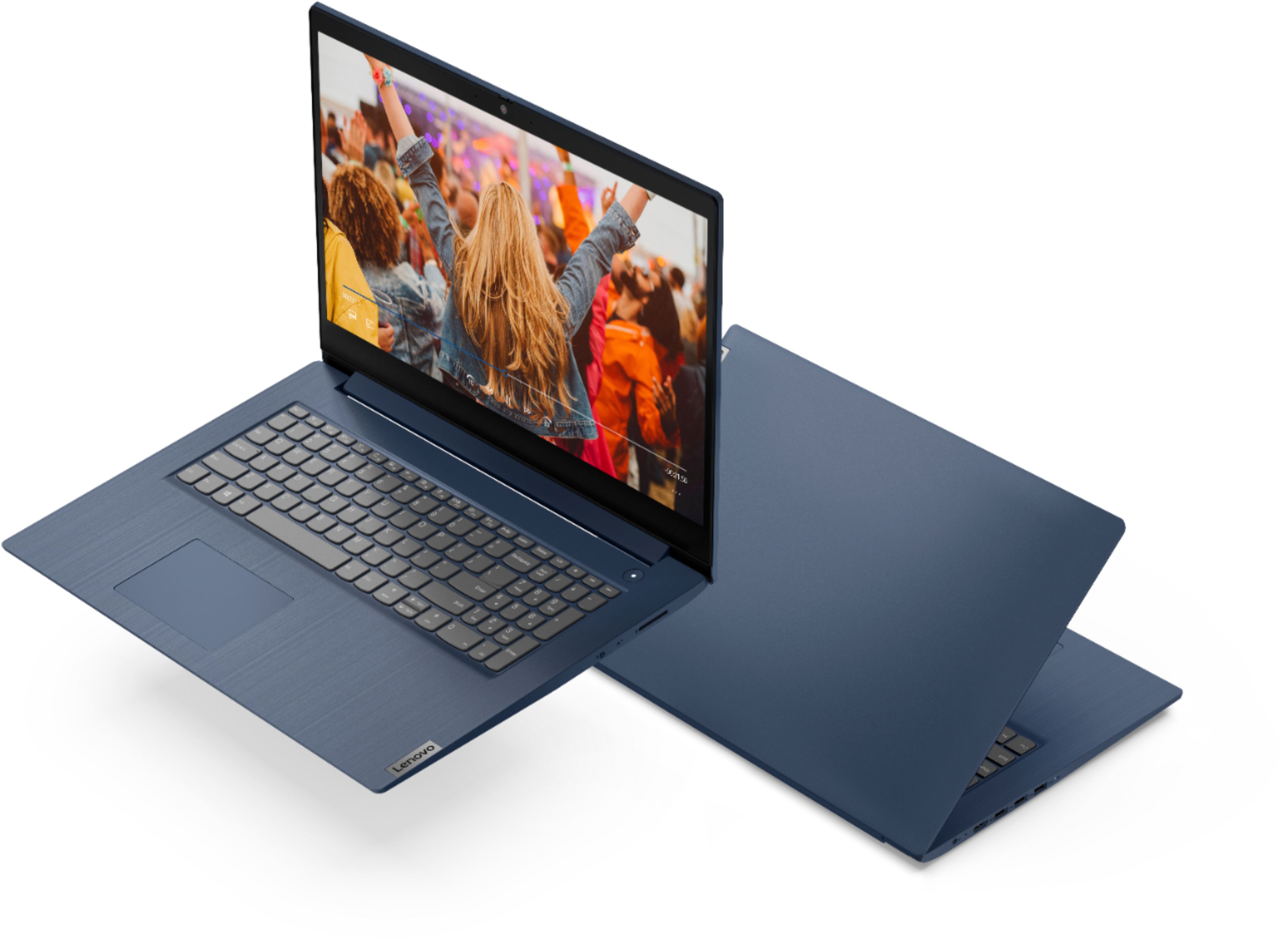
- Model:
- 81WF004CUS
- SKU:
- 6449490
Rating by feature
- Battery Life
Rating 3.8 out of 5 stars
- Speed
Rating 3.2 out of 5 stars
- Display
Rating 3.9 out of 5 stars
Customers are saying
Customers enjoy the large screen, affordable price, and user-friendly nature of the Ideapad 3 17. It is lightweight and suitable for work. However, some users have concerns about its performance, boot time, and battery life.
This summary was generated by AI based on customer reviews.
Go solid state for speed
||Posted . Owned for 5 months when reviewed.This reviewer received promo considerations or sweepstakes entry for writing a review.Exchanged for solid state unit with less memory but much faster.
No, I would not recommend this to a friend- Pros mentioned:Large screen, Price
Good Computer
Posted .This reviewer received promo considerations or sweepstakes entry for writing a review.Good computer for the price. Screen is very large so it is great when needing to split the screen.
I would recommend this to a friend It sucks
||Posted . Owned for 7 months when reviewed.This reviewer received promo considerations or sweepstakes entry for writing a review.Its horrible do not recommend this item All to much
No, I would not recommend this to a friendBrand response from Lenovo Product Expert
Posted .We are sorry to hear that the Lenovo IdeaPad 3 17 laptop, model number 81WF004CUS, does not meet your computing needs. This model ships with Windows 10 S-Mode, 64-bit Operating System installed. Windows 10 S-Mode provides added security by only allowing APPs available ( and therefore certified by Microsoft) at the Microsoft Store. If you don't need the added security or you need to install APPs not available at the Microsoft Store, you can switch to standard Windows 10 Home 64-bit Operating System, at no additional cost.

Lenovo laptop 17 inch
||Posted . Owned for 2 months when reviewed.This reviewer received promo considerations or sweepstakes entry for writing a review.In five weeks the product failed to work, just a blank screen.
No, I would not recommend this to a friendBrand response from Lenovo Product Expert
Posted .We are sorry to hear that you are having issues with your Lenovo IdeaPad 3 17 Laptop, model number 81WF004CUS. Try resetting your computer back to original factory settings. Since you can not properly boot the computer, this system is equipped with OneKey Recovery System. There is a very small pin hole on the right side of the device, right in between the headphone jack and the SD card slot on the device. You will need a pin to push this reset button. Plug the device in. Let the battery charge for about 15 minutes. Push the reset button. The system should boot to a choice screen where you can choose "Restore To Factory Default". Select this. It will delete everything from the hard drive except the original factory install of the operating system. You will need to reinstall all programs and files after the reset. If you don't have copies of the files, try to make one before you restore by selecting "Boot to desktop" and trying to back up your files. Once you have the computer reset, even if you have switched out of S-Mode, be sure any software you installed is compatible with Windows 10. There is no need to install Microsoft Office software. The software is already part of the operating system, you just need to activate the software with a purchased product key. If you have installed a copy of Microsoft Office, this is conflicting with the existing copy on the system and this will slow your system down. If you have installed a 3rd party anti-virus program, be sure that Windows Defender is turned off and that the trial version of McAfee Anti-Virus software is uninstalled. There can only be one anti-virus program on the system. You may need to restore your system to original factory default settings if any of the programming errors have occurred. You can do that by typing "restore" in the Cortana search window. Just click on the magnifying glass icon at the bottom left of your Windows 10 Desktop. Click on "Reset This PC" Then click on "Get Started" and follow the on screen directions to restore to factory defaults. If the problem persists, we recommend you contact Lenovo Tech Support at: 877-453-6686.
Trash
||Posted . Owned for 6 months when reviewed.This reviewer received promo considerations or sweepstakes entry for writing a review.Horrible laptop. Dark panel display. Bad build quality.
No, I would not recommend this to a friendBrand response from Lenovo Product Expert
Posted .The Lenovo IdeaPad 3 17 Laptop, model number 81WF004CUS, ships with a 17.3 inch (screen size measured diagonally) tn - HD+ (1600x900) screen, with a brightness level of 250 nits and has an Anti-glare coating. If you are getting less than expected screen brightness, be sure you have auto/adaptive brightness turned off, then adjust the screen brightness manually to your desired brightness level. Here is a link to instructions for turning off auto/adaptive screen brighness within Windows 10: https://www.tenforums.com/tutorials/70157-enable-disable-adaptive-brightness-windows-10-a.html. If the issue continues, we recommend you contact Lenovo Tech Support at: 877-453-6686.
- Pros mentioned:Price, Storage
Perfect for my AP Computer Science Class!!!
Posted .This reviewer received promo considerations or sweepstakes entry for writing a review.I use this laptop for my AP Computer Science class and the laptop runs smoothly! One issue I had was going through the process of disabling S mode. I also had some battery issues at first, but I resolved this by lowering the brightness between 70-80% and/or changing the battery settings to "Best battery life." The laptop itself has a nice sturdy feel and it does not feel fragile. The keyboard and touchpad feel natural and smooth. The display is beautiful and the large screen makes it easy to work with. It has over 1 TB of space, which is great for my school assignments and projects. After a week of using this laptop, I am impressed by how consistently fast this laptop is. Honestly, this laptop works better than the other numerous laptops I had that cost over $800.
I would recommend this to a friendBrand response from Lenovo Product Expert
Posted .Thank you for choosing the Lenovo IdeaPad 3 17 Laptop, model number 81WF004CUS. We are pleased to hear that the IdeaPad 3 17 meets your computing needs so well. Here is a link to instructions for switching from Windows 10 S-Mode to Windows 10 Home: https://support.microsoft.com/en-us/help/4456067/windows-10-switch-out-of-s-mode
Charging issue
Posted .This reviewer received promo considerations or sweepstakes entry for writing a review.Would have been great if it would have charged properly. Likely only a singular issue, but i can't review higher because of this.
I would recommend this to a friendGreat computer
Posted .This reviewer received promo considerations or sweepstakes entry for writing a review.I really enjoy this laptop it's well made runs every program smoothly never over heats. I just wish it was touchscreen
I would recommend this to a friend- Cons mentioned:Boot time, Speed
Worst computer and company
Posted .This reviewer received promo considerations or sweepstakes entry for writing a review.I had a Lenovo for years that was amazing, so I bought this when it was time for a new one. It has been a disaster. First, it wasn't working at all and Best Buy said they couldn't do anything (it was four weeks after I bought it). They eventually sent it away and found the hard drive was destroyed. It is now "working" but is the worst computer I ever had. I only have Microsoft Word on it because I wanted it for writing. It runs ridiculously slow and has trouble even running an internet browser still. My $150 chromebook works better. Furthermore, the customer service at my store is atrocious. No one wants to help....and no one wanted to help me look at options when I picked this one. Never again.
No, I would not recommend this to a friendBrand response from Lenovo Product Expert
Posted .We are sorry to hear that you are having issues with your Lenovo IdeaPad 3 17 Laptop. Be sure any software you installed is compatible with Windows 10. There is no need to install Microsoft Office software. The software is already part of the operating system, you just need to activate the software with a purchased product key. If you have installed a copy of Microsoft Office, this is conflicting with the existing copy on the system and this will slow your system down. If you have installed a 3rd party anti-virus program, be sure that Windows Defender is turned off and that the trial version of McAfee Anti-Virus software is uninstalled. There can only be one anti-virus program on the system. You may need to restore your system to original factory default settings if any of the programming errors have occurred. You can do that by typing "restore" in the Cortana search window. Just click on the magnifying glass icon at the bottom left of your Windows 10 Desktop. Click on "Reset This PC" Then click on "Get Started" and follow the on screen directions to restore to factory defaults. If the problem persists, we recommend you contact Lenovo Tech Support at: 877-453-6686.
Are white people still allowed to buy laptops here
Posted .This reviewer received promo considerations or sweepstakes entry for writing a review.Are white people still allowed to buy laptops here?
I would recommend this to a friend- Cons mentioned:Speed
not happy
Posted .This reviewer received promo considerations or sweepstakes entry for writing a review.always been very very slow, going to try windows 11 to see if it helps
No, I would not recommend this to a friend Buy from Best Buy, but maybe not this w/HDD
Posted . Owned for 1 week when reviewed.This reviewer received promo considerations or sweepstakes entry for writing a review.Computer itself has decent build quality and feels solid, especially for a 17.3" screen. Screen, keyboard, and track pad are fine. However, a faulty hard drive that kept thwacking its heads as it tried in vain to figure itself out led to its return after 8 days and one (free) attempt by Geek Squad to get the hardware to behave. There was not a direct replacement in stock so I went with the 15" Ryzen with the 512 GB SSD. I did stick with Lenovo! I think I'll be happier. Best Buy ITSELF gets an A+ for this interaction and leads me to plan to give them more business at the store. This would not have been fun through the mail with major online retailers. Yay Best Buy and the crew in Lansing, MI!
No, I would not recommend this to a friend- Cons mentioned:Speed
Donna
Posted .This reviewer received promo considerations or sweepstakes entry for writing a review.It is working fine. I miss the keyboard being lit and it is slower than my old laptop
I would recommend this to a friend Good luck
Posted .This reviewer received promo considerations or sweepstakes entry for writing a review.I hate this computer. Ive never had this many problems getting it to do anything. It takes twenty minutes to even get the first screen to load so you can type in your pin number! Do not buy this
No, I would not recommend this to a friend- Cons mentioned:Speed
Lenovo rating
Posted .This reviewer received promo considerations or sweepstakes entry for writing a review.A bit slower than expected. Open item may explain that.
I would recommend this to a friendBrand response from Lenovo Product Expert
Posted .Thank you for choosing the Lenovo IdeaPad 3 17 Laptop. We are sorry to hear that you are experiencing slow boot up issues. If the unit is booting up slowly, please ensure that all applications and software on this unit are compatible with the latest Windows system. There is no need to install Microsoft Office software. The software is already part of the operating system, you just need to activate the software with a purchased product key. If you have installed a copy of Microsoft Office, this is conflicting with the existing copy on the system and this will slow your system down. If you have installed a 3rd party anti-virus program, be sure that Windows Defender is turned off and that the trial version of McAfee Anti-Virus software is uninstalled. There can only be one anti-virus program on the system. You may need to restore your system to original factory default settings if any of the programming errors have occurred. You can do that by typing "reset" in the Windows search bar, which can be accessed by clicking on the windows logo at the bottom of your Windows Desktop. Click on "Reset This PC" Then click on "Get Started" and follow the on-screen directions to restore to factory defaults. If the problem persists, we recommend you contact Lenovo Tech Support at: 877-453-6686.
- Pros mentioned:Large screen
LOVE IT 10/10 WOULD RECOMMEND
Posted .This reviewer received promo considerations or sweepstakes entry for writing a review.Graphics are gorgeous. It’s so fast. Doesn’t skip a beat when I play sims with a ton of mods or school work with a bunch of internet tabs and computer programs open. Also love the large screen size and color.
I would recommend this to a friendBrand response from Lenovo Product Expert
Posted .Thank you for choosing the Lenovo IdeaPad 3 17 Laptop, model number 81WF004CUS. This model ships with Windows 10 S-Mode 64-bit Operating System. Windows 10 S-Mode provides added security by only allowing APPs available ( and therefore certified by Microsoft) at the Microsoft Store. If you don't need the added security or you need to install APPs not available at the Microsoft Store, you can switch to standard Windows 10 Home 64-bit Operating System, at no additional cost. We are pleased to hear that the IdeaPad 3 17 meets your computing needs so well. We always recommend you check the requirements and compatibility of any software/games you will be installing on your new computer, before you invest in any computer. Be sure your new computer can support the software/games you will need to use.
- Cons mentioned:Speed
Worst purchase I’ve made in years.
Posted .This reviewer received promo considerations or sweepstakes entry for writing a review.Horrible bought this about 8/2021 and computer is slow to load and crashes almost all the time. Past the return date so I’m stuck with it. Don’t buy if you plan on doing even light photo editing because this won’t handle day to day stuff. Was supposed to help keep my business in order. Now I spend more time fighting with my machine
No, I would not recommend this to a friendBrand response from Lenovo Product Expert
Posted .We are sorry to hear that you are having issues with your Lenovo IdeaPad 3 17 Laptop, model number 81WF004CUS. This computer will boot from off to the Windows 10 Desktop Screen in less than 40-seconds. If you are experiencing slower boots and slower than expected system performance, even id you have switched out of S-Mode, be sure any software you installed is compatible with Windows 10. There is no need to install Microsoft Office software. The software is already part of the operating system, you just need to activate the software with a purchased product key. If you have installed a copy of Microsoft Office, this is conflicting with the existing copy on the system and this will slow your system down. If you have installed a 3rd party anti-virus program, be sure that Windows Defender is turned off and that the trial version of McAfee Anti-Virus software is uninstalled. There can only be one anti-virus program on the system. You may need to restore your system to original factory default settings if any of the programming errors have occurred. You can do that by typing "restore" in the Cortana search window. Just click on the magnifying glass icon at the bottom left of your Windows 10 Desktop. Click on "Reset This PC" Then click on "Get Started" and follow the on screen directions to restore to factory defaults. If the problem persists, we recommend you contact Lenovo Tech Support at: 877-453-6686.
- Cons mentioned:Boot time, Speed
Stay away
Posted .This reviewer received promo considerations or sweepstakes entry for writing a review.Terrible computer. Incredibly slow. Has taken over an hour to reboot. Barely had it 3 days. Overall speed is a joke. Extremely difficult to open a program.
No, I would not recommend this to a friendBrand response from Lenovo Product Expert
Posted .The Lenovo IdeaPad 3 17 Laptop, model number 81WF004CUS, will boot from off to the Windows 10 Desktop Screen in less than 40-seconds. This configuration ships with Windows 10 S-Mode 64-bit Operating System. Windows 10 S-Mode provides added security by only allowing APPs available ( and therefore certified by Microsoft) at the Microsoft Store. If you don't need the added security or you need to install APPs not available at the Microsoft Store, you can switch to standard Windows 10 Home 64-bit Operating System, at no additional cost. Even if you have switched out of S-Mode, be sure any software you installed is compatible with Windows 10. There is no need to install Microsoft Office software. The software is already part of the operating system, you just need to activate the software with a purchased product key. If you have installed a copy of Microsoft Office, this is conflicting with the existing copy on the system and this will slow your system down. If you have installed a 3rd party anti-virus program, be sure that Windows Defender is turned off and that the trial version of McAfee Anti-Virus software is uninstalled. There can only be one anti-virus program on the system. You may need to restore your system to original factory default settings if any of the programming errors have occurred. You can do that by typing "restore" in the Cortana search window. Just click on the magnifying glass icon at the bottom left of your Windows 10 Desktop. Click on "Reset This PC" Then click on "Get Started" and follow the on screen directions to restore to factory defaults. If the problem persists, we recommend you contact Lenovo Tech Support at: 877-453-6686.
Blue Lenova
Posted .This reviewer received promo considerations or sweepstakes entry for writing a review.Not bad for being a display laptop. The HDD isn’t the best but the core i5 10th generation is great.
I would recommend this to a friendNot good
Posted .This reviewer received promo considerations or sweepstakes entry for writing a review.It was very slow, I even had to return it because it won’t turn on
No, I would not recommend this to a friend