Customer Ratings & Reviews







- Model:
- 82N4004NUS
- SKU:
- 10362223
Rating by feature
- Battery Life
Rating 4.7 out of 5 stars
- Speed
Rating 4.4 out of 5 stars
- Display
Rating 4.6 out of 5 stars
Customers are saying
Customers are enthusiastic about the IdeaPad 3i Chromebook, highlighting its overall performance and ease of use. Many appreciate the unbeatable price point and perfect screen size, as well as the system's speed and good battery life. Some users have noted minor concerns regarding storage, memory, and app compatibility. However, the lightweight design of the Chromebook is a positive aspect for many.
This summary was generated by AI based on customer reviews.
Basic as basic can be.
||Posted . Owned for 1 month when reviewed.This reviewer received promo considerations or sweepstakes entry for writing a review.It's an okay basic computer that runs on Chrome. Because of this, it isn't fully compatible with windows based applications. I had a difficult time connecting my Canon printer because it was designed for wondows or apple OS. Memory is a very precious commodity, theres not much of it. It good to get online, surf, and check email. Thats about it. Suggestion: pay a few more bucks for the Windows version.
No, I would not recommend this to a friendBrand response from Lenovo Product Expert
Posted .Hey there, we're sorry to hear that your Chromebook wasn't a good fit for you. We appreciate your feedback and for your time taken to share this with us. Let us know if you need any help with your laptop or finding a solution that's just right for you.

Waste of money
Posted .This reviewer received promo considerations or sweepstakes entry for writing a review.I purchased Lenovo Chromebook at Plant Best Buy store, San Jose, CA on sale for 149.99$+ plus tax , regular price was $249.99+ plus tax, however laptop WiFi module stopped working less than 30 days after purchase.
No, I would not recommend this to a friendBrand response from Lenovo Product Expert
Posted .Hey Faud, we are sorry to hear that you have encountered this issue with your Chromebook. Here is a link to a Google Support webpage (https://support.google.com/chromebook/answer/6318213?hl=en) that lists troubleshooting steps for Wi-Fi connectivity issues, as well as other links embedded for similar issues. If after attempting these steps the issue persists, we recommend reaching out to Lenovo Support here for help: 800-426-7378. Thank you for taking the time to share this feedback with us.
Not for me
||Posted . Owned for 4 months when reviewed.This reviewer received promo considerations or sweepstakes entry for writing a review.Maybe someone like a young student can use this but i can't. I cant do anything on this OS for what i need. After just a few months im selling it
No, I would not recommend this to a friendBrand response from Lenovo Product Expert
Posted .Hey Efxguy,
We're sorry to hear that your Chromebook was not a good fit for you. If you'd like assistance with finding the right solution, we're happy to help, along with the Blueshirts in Best Buy stores to make sure you have a device that meets your needs.
We appreciate you taking the time to share your perspective with us.
Great Buy on Black Friday
||Posted . Owned for 1 week when reviewed.This reviewer received promo considerations or sweepstakes entry for writing a review.This review is based on the model on display in store. The one I purchased is going to be a gift that has yet to be opened and used. Based on the in-store model, it seems like it will be a durable laptop.
I would recommend this to a friendBrand response from Lenovo Product Expert
Posted .Hi, Brn2shp, thank you for choosing Lenovo! We hope that the recipient enjoys their gift, and we appreciate you taking the time to share your experience and feedback with us.
Very Satisfied
||Posted . Owned for 3 weeks when reviewed.This reviewer received promo considerations or sweepstakes entry for writing a review.This is my second Lenovo Chromebook.Bought this one 31/2 weeks ago.It is very good chrome book. I have had HP and others .Lenovo is my favorite by far.
I would recommend this to a friendBrand response from Lenovo Product Expert
Posted .Hey KeithP, thanks for choosing Lenovo! We are thrilled to hear that you are very satisfied with your Chromebook. We appreciate you taking the time to share your experience with us.
- Pros mentioned:Overall performance
Was great
||Posted . Owned for 7 months when reviewed.This reviewer received promo considerations or sweepstakes entry for writing a review.I bought this for my son for xmas it was decent for price. Of course he broke it so i replaced it with the same model and all of a sudden it doesnt support roblox? No idea how thats possible same exact model and it worked before.
No, I would not recommend this to a friendBrand response from Lenovo Product Expert
Posted .Hey Bryce,
Thank you for sharing your feedback with us. We are sorry to hear that you ran into this issue. We wish to provide some information regarding this issue you encountered. App developers and publishers frequently review what systems and requirements will sufficiently support their games, and at times, some systems may no longer be considered to run that software efficiently and be removed from accessing the title. We understand your perspective and will pass along your comments to the respective partners for review.
Please feel free to reach out to us via the Q& A section of this product page should you have any questions or further comments.
Best regards,
Lenovo
It was good for the price
||Posted . Owned for 3 weeks when reviewed.This reviewer received promo considerations or sweepstakes entry for writing a review.Really liked the tablet for the price. The main thing I did not like about it was that it did not fold like a tablet. However. It did have a touch screen.
No, I would not recommend this to a friendBrand response from Lenovo Product Expert
Posted .Hi MarkG, thanks for choosing Lenovo! We are glad to hear that you enjoyed your Chromebook, and we appreciate you sharing your feedback with us.
Less valued
||Posted . Owned for 1 month when reviewed.This reviewer received promo considerations or sweepstakes entry for writing a review.Good quality.it excessive to the experience being.
I would recommend this to a friendgood buy
||Posted . Owned for 3 weeks when reviewed.This reviewer received promo considerations or sweepstakes entry for writing a review.I bought this for Christmas for my mother, who hasn't used a laptop in a long time. She's adjusting to it well and is happy with it. If she can use it, anyone can.
I would recommend this to a friendBrand response from Lenovo Product Expert
Posted .Hey Aron88, thanks for choosing Lenovo! We are glad to hear that your mother is happy with it, and we appreciate you taking the time to share your feedback with us.
- Pros mentioned:Overall performance
Good for email, internet search, YouTube, etc.
||Posted . Owned for less than 1 week when reviewed.This reviewer received promo considerations or sweepstakes entry for writing a review.Download of movies is "not supported on this device" and weebroot security software would not load. Otherwise works fine, hence 3 stars.
I would recommend this to a friendBrand response from Lenovo Product Expert
Posted .Hi, MargaretH. Thank you for choosing Lenovo! Regarding downloading movies, you could do so via streaming apps downloaded on your Chromebook, or you can play movies in certain file formats on your Chromebook. Also, we recommend working with Webroot to obtain the version of their software for Chromebook devices. We are glad to hear that your IdeaPad 3i has been otherwise fine, and we appreciate you taking the time to share your experience and feedback with us.
Meh...it's a Chromebook
||Posted .This reviewer received promo considerations or sweepstakes entry for writing a review.It's a Chromeook - decent price for the screen size. Hope it works as long as I need it to for my classroom...yep, I supply the Chromebooks for my classroom via personal purchase, grants, DonorsChoose...
I would recommend this to a friendBrand response from Lenovo Product Expert
Posted .Hey Tradigital,
Thanks for choosing Lenovo and for sharing your feedback with us.
Please feel free to reach out to us via the Q& A section of this product page should you have any questions, need assistance, or if you'd like to share more details so that we can help improve your experience.
Best,
Lenovo
Must buy
||Posted . Owned for 1 month when reviewed.This reviewer received promo considerations or sweepstakes entry for writing a review.Amazing product, love how sleek the design is. Super compatible with my android phone makes using the product a lot easier.
I would recommend this to a friendBrand response from Lenovo Product Expert
Posted .Hey ChristopherV, thanks for choosing Lenovo! We are glad to hear that your Chromebook has been amazing for you, and we appreciate you taking the time to share your feedback with us.
Disappointed
||Posted .This reviewer received promo considerations or sweepstakes entry for writing a review.I have only used this laptop 5 or 6 times since I purchased it last year. I turned it on last month to transfer pictures and it had crashed. It’s stuck in a loop doing updates and rebooting. I’m very disappointed in this purchase. I will now have to take it in and have to pay someone to fix it.
No, I would not recommend this to a friendMy New LapTop!!!
||Posted . Owned for 1 month when reviewed.This reviewer received promo considerations or sweepstakes entry for writing a review.Yes!!! This laptop is Everything I need and more!!! I love the color and all. Very nice!!! Would recommend to buy!!!
I would recommend this to a friendBrand response from Lenovo Product Expert
Posted .Hey ShurendaK, thanks for choosing Lenovo! We are glad to hear that your IdeaPad 3i Chromebook meets your needs well, and we appreciate you taking the time to share your feedback with us.
Perfect gift
||Posted . Owned for 2 weeks when reviewed.This reviewer received promo considerations or sweepstakes entry for writing a review.This laptop is perfect. It’s fast, has lots of storage . It’s perfect for work from home or school. Can’t go wrong with this one
I would recommend this to a friendBrand response from Lenovo Product Expert
Posted .Hey Momma, thanks for choosing Lenovo! We're thrilled to hear that it is the perfect gift to you, and we really appreciate you sharing your experience and feedback with us.
Need a laptop.....
||Posted . Owned for 1 week when reviewed.This reviewer received promo considerations or sweepstakes entry for writing a review.Perfect for what I need. Use it to pay bills, internet, Facebook,YouTube, watch movies. All the GB I need.Price was great.Happy Customer.
I would recommend this to a friendBrand response from Lenovo Product Expert
Posted .Hi, Bucky. Thank you for choosing Lenovo! We are glad to know that your IdeaPad 3i Chromebook is perfect for your needs, and we appreciate your time taken to share your experience and feedback with us.
Great chromebook
||Posted . Owned for 1 month when reviewed.This reviewer received promo considerations or sweepstakes entry for writing a review.This Lenovo chromebook is incredibly well built and sturdy foe thr price point. Nothing but positives so far.
I would recommend this to a friendBrand response from Lenovo Product Expert
Posted .Hi wwma411102, thanks for choosing Lenovo! We're glad to hear that your Chromebook has been great for you, and we appreciate you sharing your feedback with us.
Laptop
||Posted . Owned for 2 weeks when reviewed.This reviewer received promo considerations or sweepstakes entry for writing a review.Decent laptop just don’t like the offset mouse pad
No, I would not recommend this to a friendExcellent Christmas Purchase
||Posted .This reviewer received promo considerations or sweepstakes entry for writing a review.This machine is perfect for a young adult who needs access to the internet. Best "bang for your buck".
I would recommend this to a friendBrand response from Lenovo Product Expert
Posted .Hey sugarskull72, thanks for choosing Lenovo! We are glad to hear that your Chromebook works excellently for you, and we appreciate you taking the time to share this experience with us.
Gift Purchase
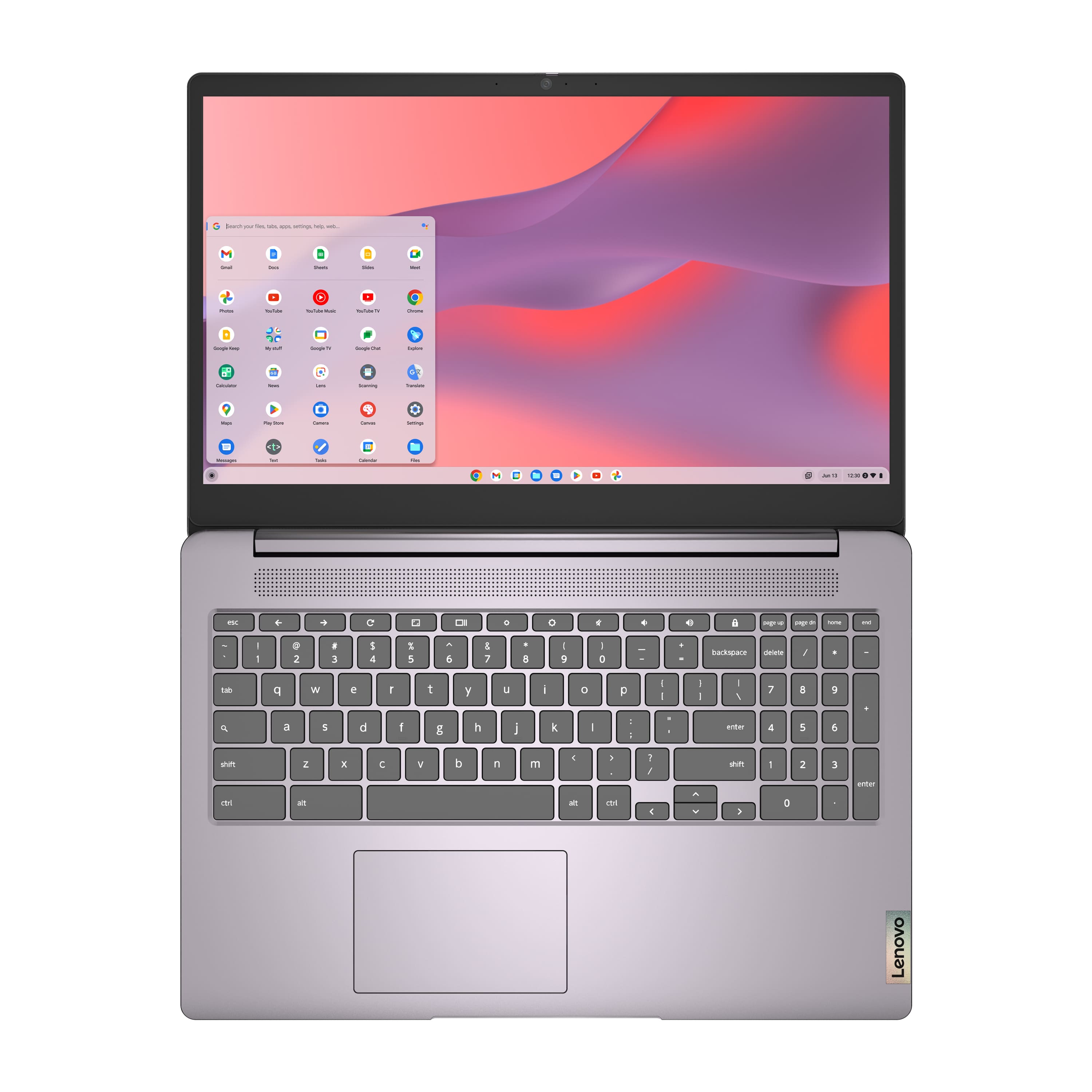
||Posted . Owned for 3 weeks when reviewed.This reviewer received promo considerations or sweepstakes entry for writing a review.Gift for nephew, like the added number keypad you don't normally see on chromebooks.
I would recommend this to a friendBrand response from Lenovo Product Expert
Posted .Hey, thanks for choosing Lenovo!
We hope that your nephew is enjoying it, and we appreciate you taking the time to share this with us.