Last-Minute SavingsLimited quantities.Shop now

Skip to content
Gift Ideas
Main Content

Customer Ratings & Reviews
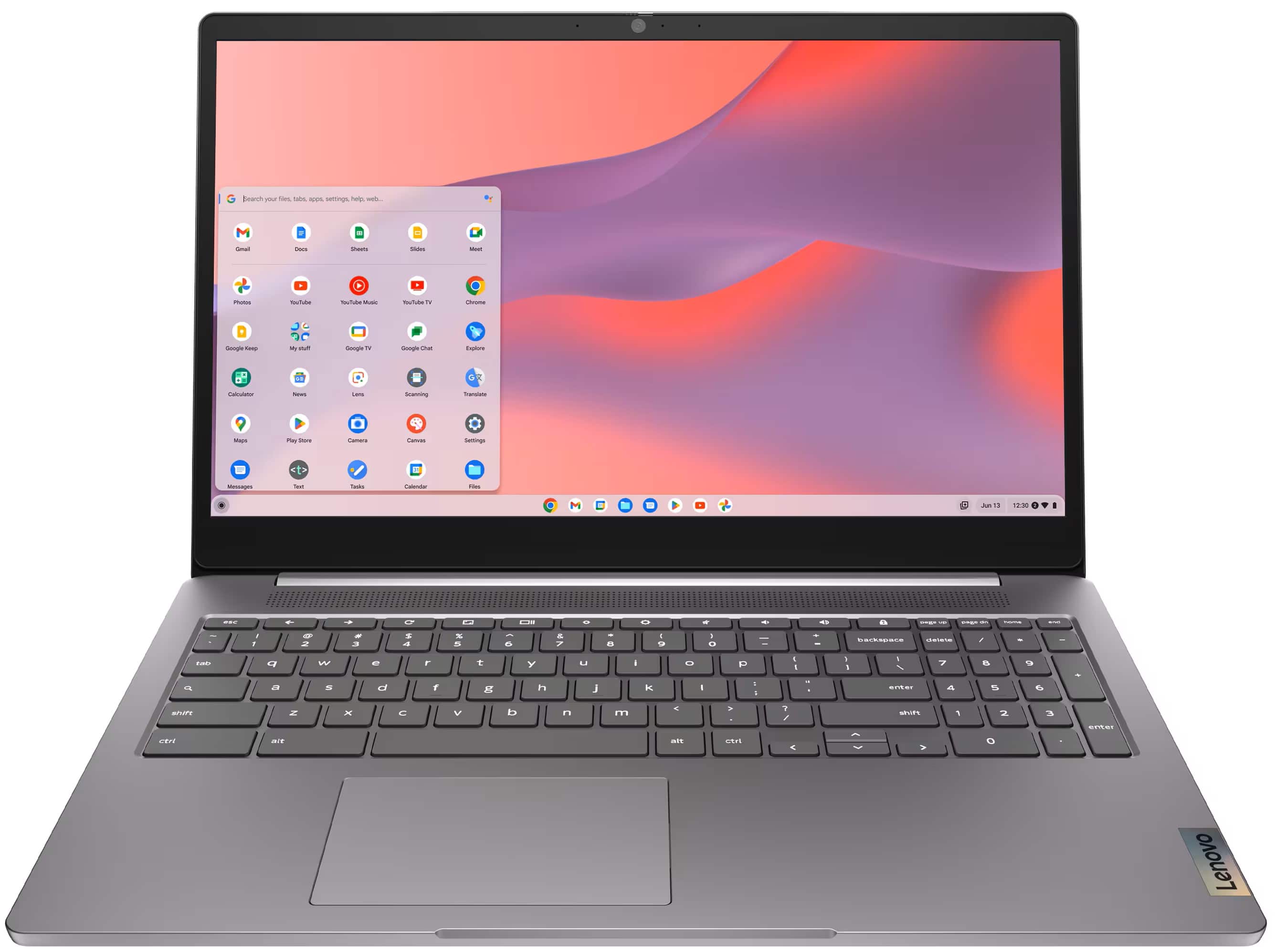
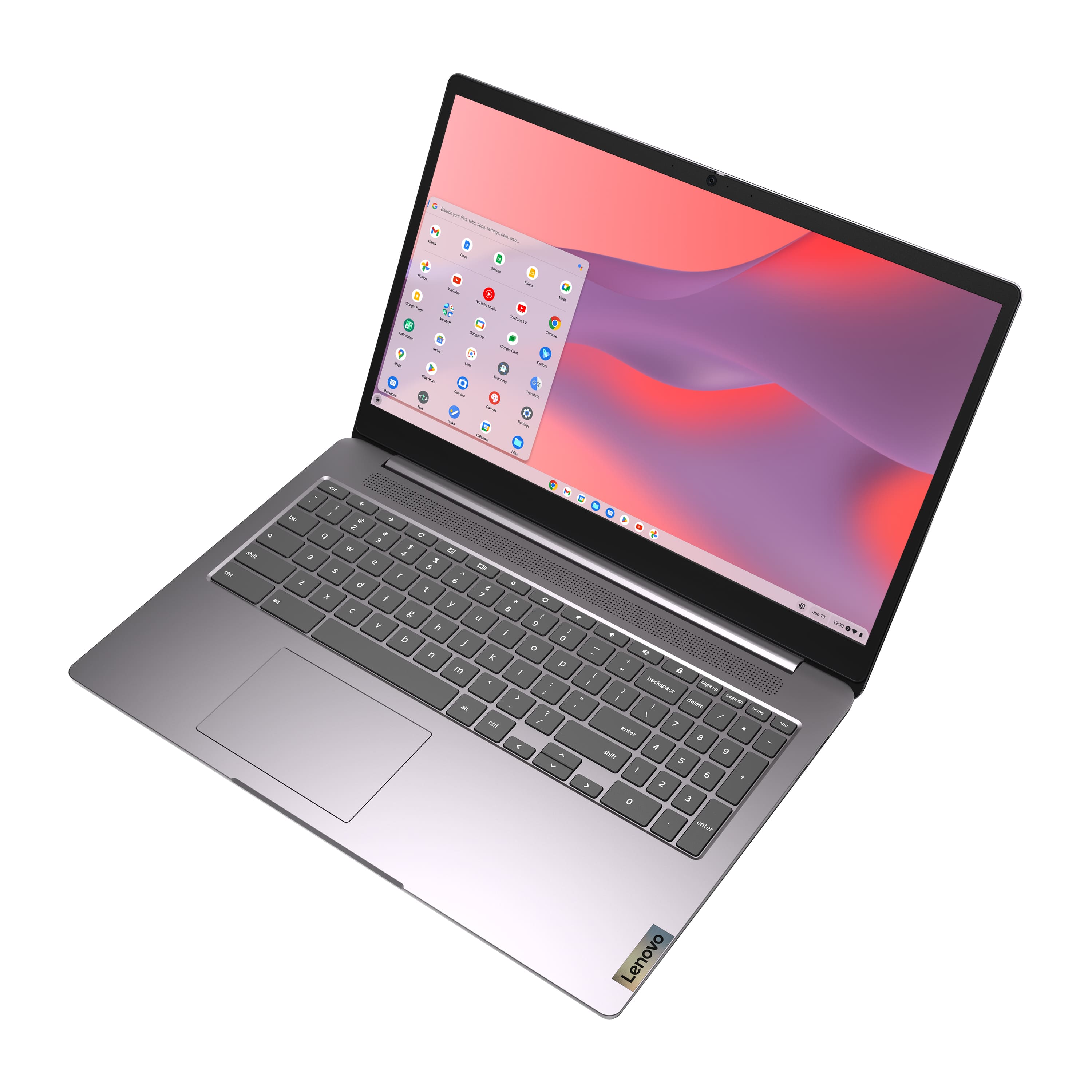
Your price for this item is $168.98
The comparable value price is $249.00

Customer reviews

Rating 4.5 out of 5 stars with 744 reviews

Rating Filter

Rating by feature

  • Battery Life

    Rating 4.6 out of 5 stars

  • Speed

    Rating 4.4 out of 5 stars

  • Display

    Rating 4.6 out of 5 stars

Pros mentioned filter

Cons mentioned filter

90%would recommend to a friend

Customers are saying

Customers have good things to say about the IdeaPad 3i Chromebook, particularly its overall performance, ease of use, and unbeatable price. Many appreciate the perfect screen size and the system's speed, while others highlight the super good battery life and lightweight design. However, some customers have noted concerns regarding storage, memory speed, and app compatibility.

This summary was generated by AI based on customer reviews.

The vast majority of our reviews come from verified purchases. Reviews from customers may include My Best Buy members, employees, and Tech Insider Network members (as tagged). Select reviewers may receive discounted products, promotional considerations or entries into drawings for honest, helpful reviews.
Page 35 Showing 681-700 of 744 reviews
  • Rated 3 out of 5 stars

    Chromebook

    |
    |
    Posted . Owned for 1 month when reviewed.
    This reviewer received promo considerations or sweepstakes entry for writing a review.

    I find it hard to use, having used Microsoft so long. Bought Geek Squad to help if I got in trouble with it only to find they do not work on Chromebook, NOT A HAPPY CAMPER

    No, I would not recommend this to a friend
    • Brand response from Lenovo Product Expert
      Posted .

      Hey VivianC, we're sorry to hear that you're having trouble with your IdeaPad 3i Chromebook. To help you get started, here's a link to a Google webpage to help you learn 'How to Chromebook': (https://www.google.com/chromebook/howto/). It contains tips and guides to learning how to use your Chromebook, along with sources for where to go for help. Lenovo

  • Rated 2 out of 5 stars

    Avoid if you're over the age of 5

    |
    |
    Posted . Owned for 1 month when reviewed.
    This reviewer received promo considerations or sweepstakes entry for writing a review.

    SLOW, SLOW, SLOW, so very, very, SLOW. Wasn't expecting much and this managed to get under even that bar. Thought taking a cheap laptop on vacation rather than my huge, expensive one would be a good idea. Wrong! And I'm stuck with it since the return period ended while I was out of the country. Worst of all is that it managed to corrupt my camera's memory card when trying to copy files to Google Drive. Fortunately, it was minor and correctable on my Windows laptop.

    No, I would not recommend this to a friend
    • Brand response from Lenovo Product Expert
      Posted .

      Hey Jeff, we're sorry to hear that your Chromebook missed the mark for you. If you could, please comment some details on how your device fell short for you, and feel free to reach out to us should you need help with the laptop itself. We appreciate you taking the time to share your feedback with us. Lenovo

  • Rated 1 out of 5 stars

    Not worth it

    |
    |
    Posted . Owned for 3 months when reviewed.
    This reviewer received promo considerations or sweepstakes entry for writing a review.

    I bought this Chromebook on Black Friday. I thought it was a good deal, however, it is trash. The screen would jump around at times, not enough to matter but sometimes. Well recently the finger pointer touch pad went out. The arrow would go where it wanted too. Yes, you can still use it with a mouse, but who really wants to do that. I contacted Lenovo to see if its under a manufacturers warranty and guess what, they said this Chromebook does not have a manufacturers warranty because it is made cheap. Stay away from this computer. I had this thing for a whole 3 months before it started having issues.

    No, I would not recommend this to a friend
    • Brand response from Lenovo Product Expert
      Posted .

      Hey there,

      We're sorry to hear that you ran into these issues with your Chromebook. First, to clarify, this system does feature a 1-year warranty, and we are here to support you and your laptop. We are sorry to hear that the experience you had goes against our service standards.

      To try to resolve the laptop issues, you can start by doing a hardware reset (visit the following link to learn how to do so: https://support.google.com/chromebook/answer/3227606?hl=en&sjid=11168473644130281663-NA), which reboots the embedded controller that manages various system components. If this doesn't resolve your issue, you may need to factory reset your Chromebook, which you can learn more about towards the bottom of the webpage tied to the previously embedded link.

      Please update us when you can regarding this, and we appreciate you taking the time to share your feedback with us. Lenovo

  • Rated 2 out of 5 stars

    Not good

    |
    |
    Posted .
    This reviewer received promo considerations or sweepstakes entry for writing a review.

    Slow speed. Cant do much on it. Poor memory. Bad graphics

    No, I would not recommend this to a friend
    • Brand response from Lenovo Product Expert
      Posted .

      Hi JessicaA-

      We are sorry to hear that you did not have a good experience with the IdeaPad 3i Chromebook. We take your comments and use them to improve future products.

      The Lenovo IdeaPad 3i Chromebook is an entry level system with an Intel Celeron processor paired with 4GB of RAM and 64GB eMMC. This laptop is best designed for users who are interested in light internet browsing and using lightweight applications available through the Google Store. If you are experiencing performance issues while using the laptop under these conditions, we would like to work with you to ensure your system is running optimally.

      Firstly, are you only experiencing slower speeds while using web-based apps such as Zoom? If so, then we recommend ensuring your device is being used in an area with strong Wi-Fi signal. You can see your signal strength in your system tray located at the bottom-right of your screen. We also recommend downloading and applying all updates to ensure your system is using the newest version of your software. To run updates, start by launching the Settings app then selecting the “About ChromeOS” tab on the left-hand side of the screen, you should then select the “Check for update” button on the right-hand side. If none of these steps have corrected your issues, it may be beneficial to perform a reset of your device. Please keep in mind that this will delete all user data including files and apps. To start a Chromebook reset, launch the Settings app then select the “Advanced” drop down menu. Scroll down to Reset Setting tab on the left, next confirm the reset by selecting “Reset settings”.

      We hope the steps listed above help address some of your issues. Please reach out to us through the Q & A section on the product page if the issues persist or if you would like additional assistance.


      Best wishes,
      Lenovo Lenovo

  • Rated 1 out of 5 stars

    Poor service

    |
    |
    Posted . Owned for 3 weeks when reviewed.
    This reviewer received promo considerations or sweepstakes entry for writing a review.

    I bought the item and don’t have a Best Buy in my town so after the item stopped working after less than an hour of use (the display wouldnt turn on again) I was denied the warranty because it had been a day or 2 past the warranty period. (2 weeks). Geek squad in Fargo took care of me in under 10 minutes. I called the brainerd/baxter Best Buy and was told that the exchange period was January 14th because of the holidays it was extended. Either way it wasn’t pleasant to be told my item was passed the date even though it should have been 30 days. Chances are, I won’t be buying items from here again. This company should change their name.

    No, I would not recommend this to a friend
  • Rated 1 out of 5 stars

    Total piece of garbage

    |
    |
    Posted .
    This reviewer received promo considerations or sweepstakes entry for writing a review.

    Total piece of crap stopped working at exactly two months. BestBuy won't return my money.Never buying anything there again.

    No, I would not recommend this to a friend
    • Brand response from Lenovo Product Expert
      Posted .

      Hello,

      Thak you for sharing your feedback with us. We're sorry to hear that you ran into an issue. We strive to provide the best experience possible. We're disappointed and apologize that this wasn't the case for you, and we'd like to work with you to try to improve your experience.

      We recommend contacting Lenovo Support at this number: 877-453-6686, to work with the Customer Care team for swift action as we look to resolve this matter for you and make things right.

      Please don't hesitate to let us know what else we can do to improve your experience, as your satisfaction is important to us.

      Best regards,
      Lenovo Lenovo

  • Rated 2 out of 5 stars

    computer

    |
    |
    Posted .
    This reviewer received promo considerations or sweepstakes entry for writing a review.

    not very happy with this computer- 20 days in and already have virus

    No, I would not recommend this to a friend
    • Brand response from Lenovo Product Expert
      Posted .

      Hi StevenL,

      Thank you for sharing your feedback with us. We are sorry to hear that you are having trouble with your IdeaPad 3i Chromebook. We apologize for the inconvenience and upset that this has caused you. We wish to provide the best experience possible, and if you wish, we want to work with you to try to improve your experience.

      To start, due to the delicate nature of malicious software, we recommend working with a Lenovo certified technician or with supported service teams like Geek Squad at Best Buy. If you wish to handle this yourself, thankfully the Chromebook devices have an inherent security defense trait where if you find your system compromised, since the system backs itself up regularly, you can powerwash or factory reset your device and set it up again, hopefully without any malicious software present. To learn how to do this, please visit the Google Support webpage that discusses this tied to the following web address: https://support.google.com/chromebook/answer/183084?hl=en

      Please update us when you can regarding this and reach out to us again should you have any questions or need further assistance, as your satisfaction is important to us.

      Best regards,
      Lenovo Lenovo

  • Pros mentioned:
    Price

    Rated 2 out of 5 stars

    Not bad

    |
    |
    Posted . Owned for 1 week when reviewed.
    This reviewer received promo considerations or sweepstakes entry for writing a review.

    The value is great but you shouldn't expect anything even close to the average.

    No, I would not recommend this to a friend
    • Brand response from Lenovo Product Expert
      Posted .

      Hi, AriaE. We're sorry to hear that it seems your IdeaPad 3i Chromebook has missed the mark for you in some ways. If we can help you with your laptop, please don't hesitate to reach out to Lenovo Support for assistance. We appreciate you taking the time to share your thoughts with us. Lenovo

  • Rated 3 out of 5 stars

    great price it was on sale

    |
    |
    Posted . Owned for 1 week when reviewed.
    This reviewer received promo considerations or sweepstakes entry for writing a review.

    i did not open the laptop i got my old one fixed and did not need it, but for the price it was a great deal

    I would recommend this to a friend
  • Rated 3 out of 5 stars

    Chromebook Review

    |
    |
    Posted . Owned for 1 week when reviewed.
    This reviewer received promo considerations or sweepstakes entry for writing a review.

    Slower than my Dell laptop. It should work for what is needed, but we will see. Okay for the price.

    No, I would not recommend this to a friend
    • Brand response from Lenovo Product Expert
      Posted .

      Hey, Floogieann, thank you for choosing Lenovo! We are glad to hear that your IdeaPad 3i Chromebook is sufficient for your needs, and we appreciate you taking the time to share your perspective with us. Lenovo

  • Rated 3 out of 5 stars

    Laptop for students

    |
    |
    Posted . Owned for 1 week when reviewed.
    This reviewer received promo considerations or sweepstakes entry for writing a review.

    Laptop for students for doing basic homework’s and email stuff

    I would recommend this to a friend
    • Brand response from Lenovo Product Expert
      Posted .

      Hi, thank you for choosing Lenovo! We are glad to hear that your IdeaPad 3i Chromebook has been good for your use, and we appreciate you taking the time to share your experience with us. Lenovo

  • Rated 3 out of 5 stars

    Chime books

    |
    |
    Posted . Owned for 1 month when reviewed.
    This reviewer received promo considerations or sweepstakes entry for writing a review.

    I did not get my refund for the defective mouse. I bought 3 of These computers

    I would recommend this to a friend
  • Rated 3 out of 5 stars

    No

    |
    |
    Posted . Owned for less than 1 week when reviewed.
    This reviewer received promo considerations or sweepstakes entry for writing a review.

    Better for a kid not for adults. Wouldn’t buy disappointed

    No, I would not recommend this to a friend
    • Brand response from Lenovo Product Expert
      Posted .

      Hey, James. We're sorry to hear that your IdeaPad 3i Chromebook seems to be a miss for you. If we can help improve your experience from the technical side, please feel free to contact Lenovo Support for assistance. We appreciate your time taken to share your feedback. Lenovo

  • Rated 3 out of 5 stars

    damage

    |
    |
    Posted . Owned for 1 week when reviewed.
    This reviewer received promo considerations or sweepstakes entry for writing a review.

    My pc was damage when shipped not by best buy it was damage in shipping

    No, I would not recommend this to a friend
  • Rated 2 out of 5 stars

    Nah

    |
    |
    Posted . Owned for 1 month when reviewed.
    This reviewer received promo considerations or sweepstakes entry for writing a review.

    I bought it for college and this thing is so slow. I want to snap it in half and throw it out of my window. If I have an assignment to do I go to the computer lab cause I could try typing a 1 paragraph essay and it will enter one letter per 10 seconds I swear to God.

    No, I would not recommend this to a friend
    • Brand response from Lenovo Product Expert
      Posted .

      Hey MonicaG, we are sorry to hear that you're having performance issues with your Chromebook. To try to remedy this, first, please look for any applicable updates in the “About ChromeOS” tab in system settings. After applying these updates, should your issue persist, we recommend trying to complete a powerwash or factory reset to see if this resolves the issue. To complete a reset, here is a link to a Google Support page that details how to reset a Chromebook: https://support.google.com/chromebook/answer/183084?hl=en. After these steps, if this doesn’t resolve things, we recommend reaching out to Lenovo Support at this number: 800-426-7378, and providing a representative with details of your issue, so that they may help by providing a solution for you. We appreciate you taking the time to share your experience and feedback with us. Lenovo

  • Rated 3 out of 5 stars

    Slow download

    |
    |
    Posted . Owned for 1 week when reviewed.
    This reviewer received promo considerations or sweepstakes entry for writing a review.

    Returned this because it wouldn’t download the updates.

    No, I would not recommend this to a friend
    • Brand response from Lenovo Product Expert
      Posted .

      Hi, Cavvimom. We're sorry to hear that you ran into an issue with your Chromebook, leading to you returning it. In the future, should you encounter a problem with our product, please reach out to us, as we're happy to help. We appreciate you taking the time to share your perspective with us. Lenovo

  • Rated 2 out of 5 stars

    Screen glitch

    |
    |
    Posted . Owned for 1 month when reviewed.
    This reviewer received promo considerations or sweepstakes entry for writing a review.

    I have had this device for about a month now and its sole purpose is for work. While using about a week ago the screen completely glitched out and will not recalibrate itself. Not my best purchase

    No, I would not recommend this to a friend
    • Brand response from Lenovo Product Expert
      Posted .

      Hey ChristopherF, we're sorry to hear that you ran into this issue with your Chromebook. To try to resolve this, try doing a hardware reset (visit the following link to learn how to do so: https://support.google.com/chromebook/answer/3227606?hl=en&sjid=11168473644130281663-NA), which reboots the embedded controller that manages your touchpad. If this doesn't resolve your issue, you may need to factory reset your Chromebook, which you can learn more about towards the bottom of the webpage tied to the previously embedded link. Thank you for taking the time to share your feedback with us. Lenovo

  • Rated 1 out of 5 stars

    Returned

    |
    |
    Posted . Owned for 1 month when reviewed.
    This reviewer received promo considerations or sweepstakes entry for writing a review.

    I returned this item because the sales person did not give me correct information about the product. I missed the sale that was going on and was not offered a sale price to purchase another one. I purchased a Chromebook from Amazon instead.

    I would recommend this to a friend
  • Rated 1 out of 5 stars

    Do not purchase

    |
    |
    Posted . Owned for 3 months when reviewed.
    This reviewer received promo considerations or sweepstakes entry for writing a review.

    I have been contacting BestBuy for months. I ordered this computer around Christmas as a present for someone and it never arrived! Best Buy has yet to contact me or resolve the issue. I buy from the store all the time and order online as well and never had this issue. I would’ve rated 4-5 stars if they were at least willing to do reshipment or refund but not even a response email!

    No, I would not recommend this to a friend
  • Rated 1 out of 5 stars

    Poor Product

    |
    |
    Posted . Owned for 3 weeks when reviewed.
    This reviewer received promo considerations or sweepstakes entry for writing a review.

    Computer is very slow would not buy again! NO WAY DON'T BUY NEVER

    No, I would not recommend this to a friend
    • Brand response from Lenovo Product Expert
      Posted .

      Hi ThomasB,

      Thank you for sharing your feedback with us. We are sorry to hear that your IdeaPad 3i Chromebook has fallen short of your performance expectations. We wish to provide the best experience possible, so if you'd like to, we want to work with you to try to improve your experience with your Chromebook where possible.

      To start, for context, this Lenovo IdeaPad 3i Chromebook is an entry level system with an Intel Celeron processor paired with 4GB of RAM and 64GB eMMC. This laptop is best designed for users who are interested in light internet browsing and using lightweight applications available through the Google Store. If you are experiencing performance issues while using the laptop under these conditions, we would like to work with you to ensure your system is running optimally.

      To try to ensure your system is running optimally, when do you experiencing slower speeds? Is it while using web-based apps such as Zoom? If so, then we recommend ensuring your device is being used in an area with strong Wi-Fi signal and reliable bandwidth. You can see your signal strength in your system tray located at the bottom-right of your screen. We also recommend downloading and applying all updates to ensure your system is using the newest version of your software. To run updates, start by launching the Settings app then selecting the “About ChromeOS” tab on the left-hand side of the screen, you should then select the “Check for update” button on the right-hand side.

      We hope the steps listed above help address some of your issues. Please reach out to us through the Q & A section on the product page if the issues persist or if you would like additional assistance, as your satisfaction is important to us.

      Best regards,
      Lenovo Lenovo