Customer Ratings & Reviews

- Model:
- 81N3005LUS
- SKU:
- 6350521
Rating by feature
- Battery Life
Rating 3.4 out of 5 stars
- Speed
Rating 2.7 out of 5 stars
- Display
Rating 3.5 out of 5 stars
Customers are saying
Customers are impressed with the IdeaPad S145's affordability, ease of use, lightweight design, and compact size. Many appreciate its sufficient storage for everyday tasks, although some experienced slow performance and limited RAM. Concerns were also raised regarding the battery life and the inability to upgrade the RAM or hard drive. Overall, the laptop is considered a good value for basic computing needs.
This summary was generated by AI based on customer reviews.
- Cons mentioned:Hard drive
Tells me I have to buy software to do things I wan
||Posted . Owned for less than 1 week when reviewed.This reviewer received promo considerations or sweepstakes entry for writing a review.Hard 2 download things like microscope camera then the zoom don't work I like my HP have no problem downloading put a disc in no problem this computer don't have it thing for a disc
No, I would not recommend this to a friendBrand response from Lenovo Product Expert
Posted .The Lenovo IdeaPad S145-15 laptop ships with Windows 10 Home 64-bit operating system. There is no CD/DVD drive within this model. Be sure any software you install is compatible with Windows 10. We recommend you check with the software publisher for compatibility with Windows 10.

- Cons mentioned:Performance
Lennovo Idea pad
||Posted . Owned for 1 year when reviewed.This reviewer received promo considerations or sweepstakes entry for writing a review.This computer is a piece of junk. Stopped working after 1 & 1/2 years. Won't recommend, would give it less than 1 star if I could
No, I would not recommend this to a friend horrible
||Posted . Owned for 1 month when reviewed.This reviewer received promo considerations or sweepstakes entry for writing a review.We purchased a laptop for our business on 2-11-20 and it died today. It says we cannot return it because it was an open box, even though the Geek squad certified that all was good with the lap top. I cannot believe a large company like this would charge as mush a we paid and then say we would have had to return it by the 26th of February to get help with it. So we have an expensive paperweight and no customer service to help us. We used to buy all of our company computers here..That will stop today! Apparently certified with the Geek squad means nothing. They assured us it was only an open box. Right!
No, I would not recommend this to a friendBrand response from Lenovo Product Expert
Posted .We are sorry to hear that you are having issues with your Lenovo IdeaPad S145-15 laptop. We recommend you call Lenovo Tech Support for help with your issue at: 877-453-6686.
- Cons mentioned:Performance
Excellent out of the box is crap
||Posted . Owned for 8 months when reviewed.This reviewer received promo considerations or sweepstakes entry for writing a review.If I could give it less I would. Horrible, slow, geek squad said they fixed and didn't and now it just dies. 18 mos old. GARBAGE!
No, I would not recommend this to a friend - Cons mentioned:Speed
It's waste of time working on this computer
||Posted . Owned for 8 months when reviewed.This reviewer received promo considerations or sweepstakes entry for writing a review.This PC is very slow and does not work for current generation. It' works like 2 decades old PC. Please don't waste your money buying this scrape
No, I would not recommend this to a friend - Cons mentioned:Hard drive
Horrible
||Posted . Owned for 3 months when reviewed.This reviewer received promo considerations or sweepstakes entry for writing a review.This Laptop never worked correctly for my daughter. The hard drive crashed after 2 months and it can't be returned. I would recommend it to anyone.
No, I would not recommend this to a friendBrand response from Lenovo Product Expert
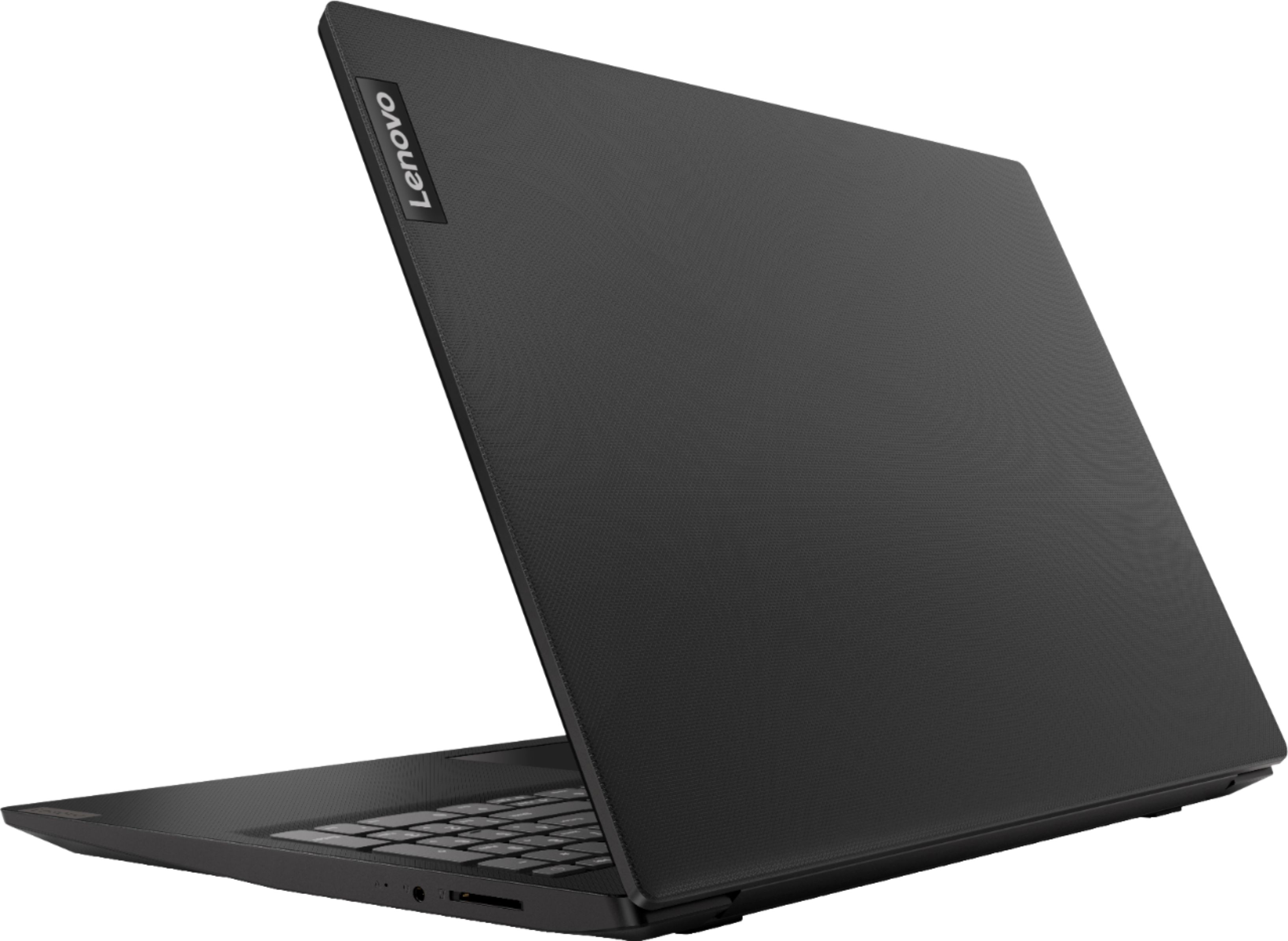
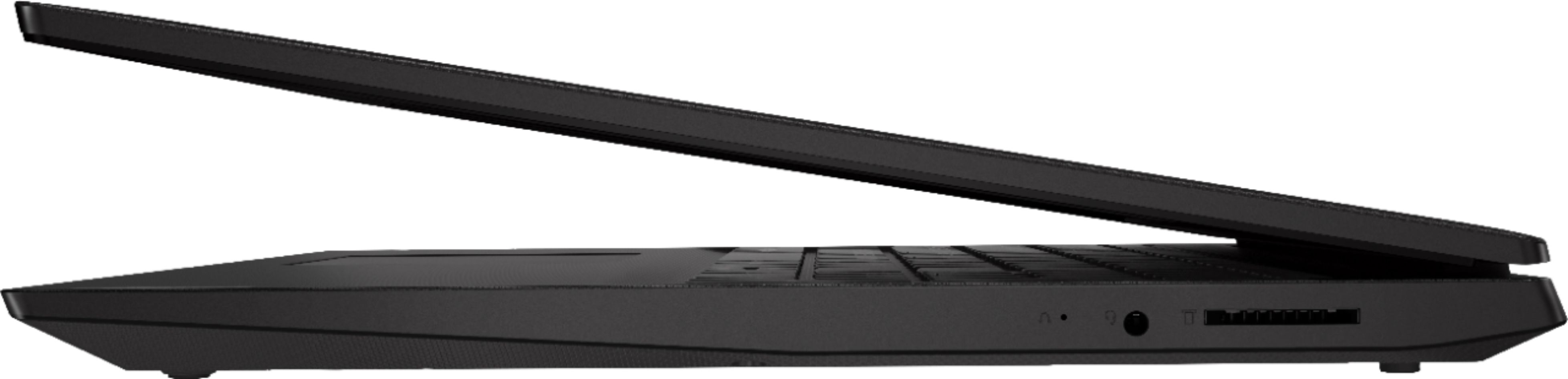
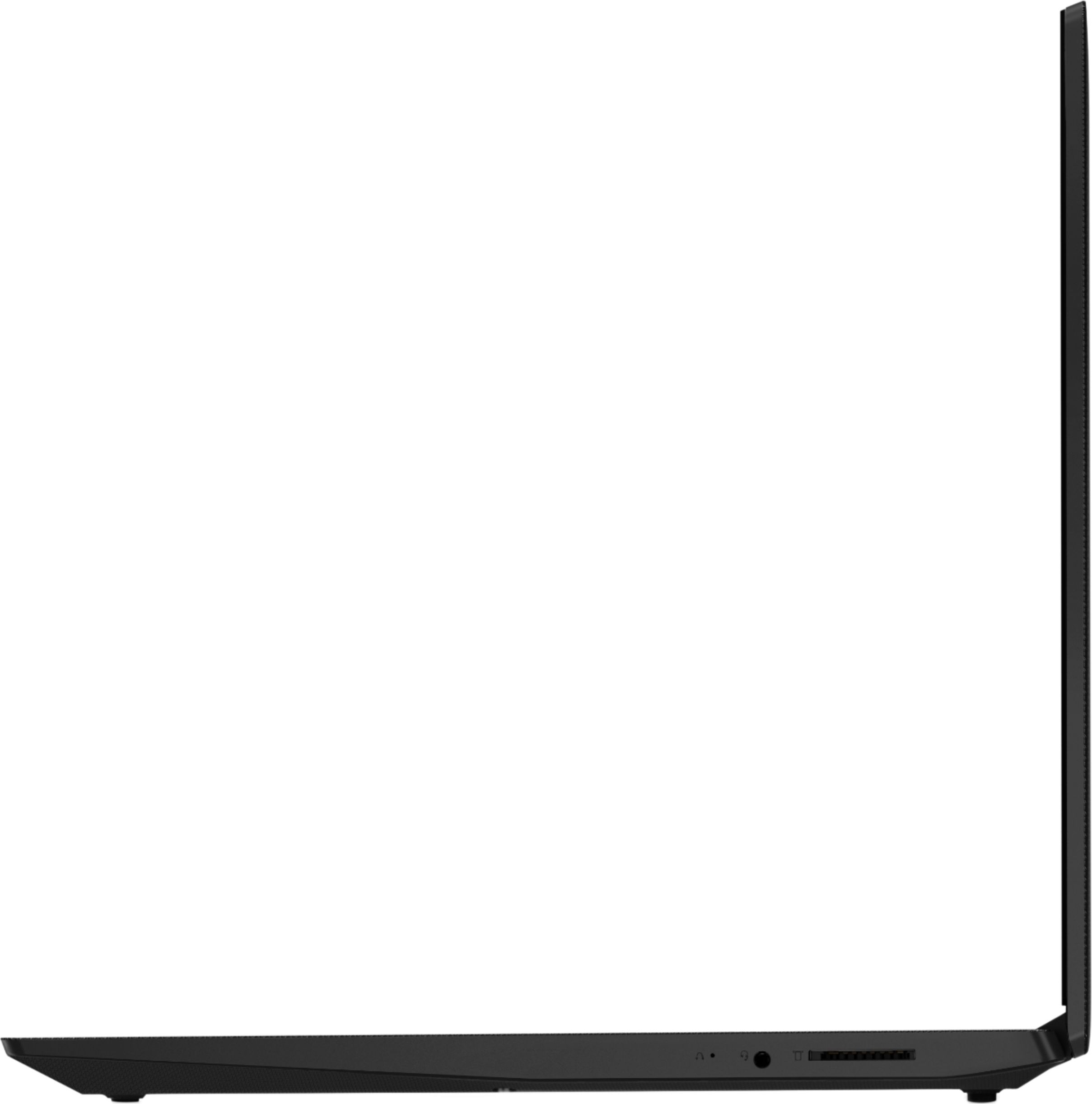
Posted .We are sorry to hear that you are having issues with your Lenovo IdeaPad S145-15 laptop. It is possible that restoring the computer back to original factory settings may fix the issues you are having. Since you can not boot the computer, this system is equipped with OneKey Recovery System. There is a very small pin hole on the right side of the device, right near the headphone jack on the device. You will need a pin to push this reset button. Plug the device in. Let the battery charge for about 15 minutes. Push the reset button. The system should boot to a choice screen where you can choose "Restore To Factory Default". Select this. It will delete everything from the hard drive except the original factory install of the operating system. You will need to reinstall all programs and files after the reset. If you don't have copies of the files, try to make one before you restore by selecting "Boot to desktop" and trying to back up your files. Once you have the computer restored, be sure any software you installed is compatible with Windows 10. There is no need to install Microsoft Office software. The software is already part of the operating system, you just need to activate the software with a purchased product key. If you have installed a copy of Microsoft Office, this is conflicting with the existing copy on the system and this will slow your system down. If you have installed a 3rd party anti-virus program, be sure that Windows Defender is turned off and that the trial version of McAfee Anti-Virus software is uninstalled. There can only be one anti-virus program on the system. You may need to restore your system to original factory default settings if any of the programming errors have occurred. You can do that by typing "restore" in the Cortana search window. Just click on the magnifying glass icon at the bottom left of your Windows 10 Desktop. Click on "Reset This PC" Then click on "Get Started" and follow the on screen directions to restore to factory defaults. If the problem persists, we recommend you contact Lenovo Tech Support at: 877-453-6686.
SLOW
||Posted . Owned for 1 year when reviewed.This reviewer received promo considerations or sweepstakes entry for writing a review.Very slow to boot & respond but then again it could be the fact it has the dreaded windows 10 OS. We need it for windows dedicated tax prep software so stuck with this dog.
No, I would not recommend this to a friend- Cons mentioned:Performance
Not happy
||Posted . Owned for 7 months when reviewed.This reviewer received promo considerations or sweepstakes entry for writing a review.it just 6month pass through this product purchase and in very beginning slow performance started, sibce week keyboard stop working
No, I would not recommend this to a friend - Cons mentioned:Speed
It’s to expensive, also very slow
||Posted . Owned for 4 months when reviewed.This reviewer received promo considerations or sweepstakes entry for writing a review.I grabbed it for some class work but all it did was give me a headache with the speed it ran ( took 2 minutes to open google )
No, I would not recommend this to a friendBrand response from Lenovo Product Expert
Posted .The Lenovo IdeaPad S145-15 laptop, model number 81N3005LUS, is a mid-level, moderate use configuration, with its AMD A6-9225 processor. This Dual-Core processor has a base speed of 2.6GHz and a boost speed of up to 3.0GHz. This configuration has 4GB of RAM. It is good with Microsoft Office type programs, internet browsing and other moderate work. This model ships with Windows 10 S-Mode Operating System. Windows 10 S-Mode provides added security by only allowing APPs available ( and therefore certified by Microsoft) at the Microsoft Store. If you don't need the added security or you need to install APPs not available at the Microsoft Store, you can switch to standard Windows 10 Home 64-bit Operating System, at no additional cost. If it is taking 2 minutes for a web page to open, be sure any software you installed is compatible with Windows 10. There is no need to install Microsoft Office software. The software is already part of the operating system, you just need to activate the software with a purchased product key. If you have installed a copy of Microsoft Office, this is conflicting with the existing copy on the system and this will slow your system down. If you have installed a 3rd party anti-virus program, be sure that Windows Defender is turned off and that the trial version of McAfee Anti-Virus software is uninstalled. There can only be one anti-virus program on the system. You may need to restore your system to original factory default settings if any of the programming errors have occurred. You can do that by typing "restore" in the Cortana search window. Just click on the magnifying glass icon at the bottom left of your Windows 10 Desktop. Click on "Reset This PC" Then click on "Get Started" and follow the on screen directions to restore to factory defaults. If the problem persists, we recommend you contact Lenovo Tech Support at: 877-453-6686.
- Cons mentioned:Performance
Stop working in days
||Posted . Owned for 1 month when reviewed.This reviewer received promo considerations or sweepstakes entry for writing a review.Purchase it for my daughter birthday which was December 11 exactly 2 weeks after it stop working Waste of money if you ask me
No, I would not recommend this to a friendBrand response from Lenovo Product Expert
Posted .We are sorry to hear that you are having issues with your daughter's IdeaPad S145-15 laptop. It is possible that resetting the computer back to original factory settings will fix the issue. Since you can no longer boot the computer, this system is equipped with OneKey Recovery System. There is a very small pin hole on the right side of the device, right near the headphone jack on the device. You will need a pin to push this reset button. Plug the device in. Let the battery charge for about 15 minutes. Push the reset button. The system should boot to a choice screen where you can choose "Restore To Factory Default". Select this. It will delete everything from the hard drive except the original factory install of the operating system. You will need to reinstall all programs and files after the reset. If you don't have copies of the files, try to make one before you restore by selecting "Boot to desktop" and trying to back up your files. If the problem persists after the factory reset, we recommend you contact Lenovo Tech Support at: 877-453-6686.
- Cons mentioned:Speed
Bad
||Posted . Owned for 4 months when reviewed.This reviewer received promo considerations or sweepstakes entry for writing a review.It was very slow it took forever to load anything I had to take it back because I just didn’t like it at all too slow
No, I would not recommend this to a friendBrand response from Lenovo Product Expert
Posted .The Lenovo IdeaPad S145-15 laptop will boot to the Windows 10 desktop in less than 40-seconds. If you are experiencing slower performance, be sure any software you installed is compatible with Windows 10. There is no need to install Microsoft Office software. The software is already part of the operating system, you just need to activate the software with a purchased product key. If you have installed a copy of Microsoft Office, this is conflicting with the existing copy on the system and this will slow your system down. If you have installed a 3rd party anti-virus program, be sure that Windows Defender is turned off and that the trial version of McAfee Anti-Virus software is uninstalled. There can only be one anti-virus program on the system. You may need to restore your system to original factory default settings if any of the programming errors have occurred. You can do that by typing "restore" in the Cortana search window. Just click on the magnifying glass icon at the bottom left of your Windows 10 Desktop. Click on "Reset This PC" Then click on "Get Started" and follow the on screen directions to restore to factory defaults. If the problem persists, we recommend you contact Lenovo Tech Support at: 877-453-6686.
Poor quality
||Posted . Owned for 5 months when reviewed.This reviewer received promo considerations or sweepstakes entry for writing a review.I bought this and used just a few weeks before the screen became pixelated (never dropped). I wanted to return to best buy but couldn't due to covid19. Now, even though the store is open, they won't take it back and I have to try to go through the manufacturer. Under the situation with the store being closed, I expected best buy to be a bit more accommodating and take it back even though it has been a few months.
No, I would not recommend this to a friendBrand response from Lenovo Product Expert
Posted .We are sorry to hear that you are having issues with the screen on your Lenovo IdeaPad S145-15 laptop, model number 81N3005LUS. Since the screen was working properly then deteriorated over time, first, be sure you have the latest version of Windows 10 on the computer, then update all of the BIOS files and drivers up to that latest version of Windows 10. You can easily accomplish this by scanning the computer with the Lenovo Utility software available on this computer. This system has Lenovo utilities installed to help maintain the health of the device and keep the operating system software up to date. Type "Lenovo Vantage" in the Cortana Search window (if Lenovo Vantage is not installed on your device, you can download the APP and install it now). Select Lenovo Vantage from the list. In the window that opens, click on "Health and Support". In the expanded menu, select "Hardware Scan" In the window that opens, select "Run Quick Tests". This will scan your entire system for errors. Follow any directions that may pop up. If the problem continues after this scan, now click on "System Update". First select Windows update from the menu. Scan your system to be sure you have the latest version of Windows 10. Once that scan is complete, select "Additional Updates". This will scan your device to be sure there are no new BIOS/Driver updates needed. Follow any instructions that may pop up. If the issue still continues after these updates, we recommend you call Lenovo Tech Support at: 877-453-6686 for additional help.
- Cons mentioned:Performance
Lenovo
||Posted .This reviewer received promo considerations or sweepstakes entry for writing a review.It stopped working after three months and I couldn't make the exchange.Lenovo
No, I would not recommend this to a friend - Cons mentioned:Performance
NOT RELIABLE
||Posted . Owned for 5 months when reviewed.This reviewer received promo considerations or sweepstakes entry for writing a review.It worked for a few weeks only, after that, it doesn't turn on, waste of time and money
No, I would not recommend this to a friendBrand response from Lenovo Product Expert
Posted .We are sorry to hear that you are having issues with your Lenovo IdeaPad S145-15 laptop. It is possible that restoring the computer back to original factory settings may correct the issues you are having. Since you can not boot the computer, this system is equipped with OneKey Recovery System. There is a very small pin hole on the right side of the device, right near the headphone jack on the device. You will need a pin to push this reset button. Plug the device in. Let the battery charge for about 15 minutes. Push the reset button. The system should boot to a choice screen where you can choose "Restore To Factory Default". Select this. It will delete everything from the hard drive except the original factory install of the operating system. You will need to reinstall all programs and files after the reset. If you don't have copies of the files, try to make one before you restore by selecting "Boot to desktop" and trying to back up your files. Once you restore the computer, be sure any software you installed is compatible with Windows 10. There is no need to install Microsoft Office software. The software is already part of the operating system, you just need to activate the software with a purchased product key. If you have installed a copy of Microsoft Office, this is conflicting with the existing copy on the system and this will slow your system down. If you have installed a 3rd party anti-virus program, be sure that Windows Defender is turned off and that the trial version of McAfee Anti-Virus software is uninstalled. There can only be one anti-virus program on the system. You may need to restore your system to original factory default settings if any of the programming errors have occurred. You can do that by typing "restore" in the Cortana search window. Just click on the magnifying glass icon at the bottom left of your Windows 10 Desktop. Click on "Reset This PC" Then click on "Get Started" and follow the on screen directions to restore to factory defaults. If the problem persists, we recommend you contact Lenovo Tech Support at: 877-453-6686.
- Cons mentioned:Speed
You get what you pay for
||Posted . Owned for 1 year when reviewed.This reviewer received promo considerations or sweepstakes entry for writing a review.Very slow. Do not recommend. You get what you pay for.
No, I would not recommend this to a friend Lags terribly. Everything loads slowly
||Posted . Owned for 2 months when reviewed.This reviewer received promo considerations or sweepstakes entry for writing a review.Really not worth it. The lag time in loading is frustrating. Mousepad never right clicks and is difficult to manage.
No, I would not recommend this to a friendBrand response from Lenovo Product Expert
Posted .We are sorry to hear that you are having issues with your Lenovo IdeaPad S145-15 laptop. This is a mid-level, moderate use configuration, with its AMD A6-9225 processor. This Dual-Core processor has a base speed of 2.6GHz and a boost speed of up to 3.0GHz. This configuration has 4GB of RAM. It is good with Microsoft Office type programs, internet browsing and other moderate work. This model ships with Windows 10 S-Mode Operating System. Windows 10 S-Mode provides added security by only allowing APPs available ( and therefore certified by Microsoft) at the Microsoft Store. If you don't need the added security or you need to install APPs not available at the Microsoft Store, you can switch to standard Windows 10 Home 64-bit Operating System, at no additional cost. If you have switched out of S-Mode, be sure any software you installed is compatible with Windows 10. There is no need to install Microsoft Office software. The software is already part of the operating system, you just need to activate the software with a purchased product key. If you have installed a copy of Microsoft Office, this is conflicting with the existing copy on the system and this will slow your system down. If you have installed a 3rd party anti-virus program, be sure that Windows Defender is turned off and that the trial version of McAfee Anti-Virus software is uninstalled. There can only be one anti-virus program on the system. You may need to restore your system to original factory default settings if any of the programming errors have occurred. You can do that by typing "restore" in the Cortana search window. Just click on the magnifying glass icon at the bottom left of your Windows 10 Desktop. Click on "Reset This PC" Then click on "Get Started" and follow the on screen directions to restore to factory defaults. If the problem persists, we recommend you contact Lenovo Tech Support at: 877-453-6686.
Not good quality at all
||Posted . Owned for 2 weeks when reviewed.This reviewer received promo considerations or sweepstakes entry for writing a review.My hubby got this for me. He does not know much about computers or laptops. This one comes from China. The screen looks terrible. It is very slow. Using the keyboard, the keys felt flimsy and the trackpad was very sluggish and made it hard to Execute operation of the mouse and pointer properly. I brought it back after a few days. I added more money and got a better one.
No, I would not recommend this to a friendBrand response from Lenovo Product Expert
Posted .The Lenovo IdeaPad S145-15 laptop ships with a LCD w/LED Backlight (Anti-glare) screen, with a resolution of 1366 X 768 (HD) and a brightness level of 220 nits. This is a mid-level, moderate use configuration, with its AMD A6-9225 processor. This Dual-Core processor has a base speed of 2.6GHz and a boost speed of up to 3.0GHz. This configuration has 4GB of RAM. It is good with Microsoft Office type programs, internet browsing and other moderate work. This model ships with Windows 10 S-Mode Operating System. Windows 10 S-Mode provides added security by only allowing APPs available ( and therefore certified by Microsoft) at the Microsoft Store. If you don't need the added security or you need to install APPs not available at the Microsoft Store, you can switch to standard Windows 10 Home 64-bit Operating System, at no additional cost. With regard to the touchpad, you can make adjustments to the touchpad in your system settings. You can get there by clicking on the magnifying glass at the bottom left of your Windows 10 screen. Type "touchpad" in the search window. Select "Mouse & touchpad settings" from the list of choices. You can make general adjustments to the touchpad there. You can also select "Additional mouse options" for more detailed adjustments to the touchpad sensitivity by increasing the delay of the touchpad.
- Cons mentioned:Speed
very slow
||Posted . Owned for less than 1 week when reviewed.This reviewer received promo considerations or sweepstakes entry for writing a review.the slowest laptop i have ever bought the wait to load a page is crazy
No, I would not recommend this to a friendBrand response from Lenovo Product Expert
Posted .The Lenovo IdeaPad S145-15 laptop will boot from off to the Windows 10 Desktop in lest than 40-seconds. Program and file access is even quicker. If you are experiencing slower performance, be sure any software you installed is compatible with Windows 10. There is no need to install Microsoft Office software. The software is already part of the operating system, you just need to activate the software with a purchased product key. If you have installed a copy of Microsoft Office, this is conflicting with the existing copy on the system and this will slow your system down. If you have installed a 3rd party anti-virus program, be sure that Windows Defender is turned off and that the trial version of McAfee Anti-Virus software is uninstalled. There can only be one anti-virus program on the system. You may need to restore your system to original factory default settings if any of the programing errors have occurred. You can do that by typing "restore" in the Cortana search window. Just click on the magnifying glass icon at the bottom left of your Windows 10 Desktop. Click on "Reset This PC" Then click on "Get Started" and follow the on screen directions to restore to factory defaults. If the problem persists, we recommend you contact Lenovo Tech Support at: 877-453-6686.
- Cons mentioned:Speed
Terrible...
||Posted . Owned for 1 month when reviewed.This reviewer received promo considerations or sweepstakes entry for writing a review.Never buy ever again. I have 10 year old IPad that put s145 to shame.
No, I would not recommend this to a friendBrand response from Lenovo Product Expert
Posted .We are sorry to hear that you are having issues with your Lenovo IdeaPad S145-15 laptop. We recommend you call Lenovo Tech Support for help with your specific issue at: 877-453-6686. This is a mid-level, moderate use configuration, with its AMD A6-9225 processor. This Dual-Core processor has a base speed of 2.6GHz and a boost speed of up to 3.0GHz. This configuration has 4GB of RAM. It is good with Microsoft Office type programs, internet browsing and other moderate work. This model ships with Windows 10 S-Mode Operating System. Windows 10 S-Mode provides added security by only allowing APPs available ( and therefore certified by Microsoft) at the Microsoft Store. If you don't need the added security or you need to install APPs not available at the Microsoft Store, you can switch to standard Windows 10 Home 64-bit Operating System, at no additional cost.
Slow machine
||Posted . Owned for 1 month when reviewed.This reviewer received promo considerations or sweepstakes entry for writing a review.Very slow to download documents with high speed internet connection. Screen freezes more frequently.
No, I would not recommend this to a friendBrand response from Lenovo Product Expert
Posted .This is a mid-level, moderate use configuration, with its AMD A6-9225 processor. This Dual-Core processor has a base speed of 2.6GHz and a boost speed of up to 3.0GHz. This configuration has 4GB of RAM. It is good with Microsoft Office type programs, internet browsing and other moderate work. This model ships with Windows 10 S-Mode Operating System. Windows 10 S-Mode provides added security by only allowing APPs available ( and therefore certified by Microsoft) at the Microsoft Store. If you don't need the added security or you need to install APPs not available at the Microsoft Store, you can switch to standard Windows 10 Home 64-bit Operating System, at no additional cost. Be sure any software you installed is compatible with Windows 10. There is no need to install Microsoft Office software. The software is already part of the operating system, you just need to activate the software with a purchased product key. If you have installed a copy of Microsoft Office, this is conflicting with the existing copy on the system and this will slow your system down. If you have installed a 3rd party anti-virus program, be sure that Windows Defender is turned off and that the trial version of McAfee Anti-Virus software is uninstalled. There can only be one anti-virus program on the system. You may need to restore your system to original factory default settings if any of the programming errors have occurred. You can do that by typing "restore" in the Cortana search window. Just click on the magnifying glass icon at the bottom left of your Windows 10 Desktop. Click on "Reset This PC" Then click on "Get Started" and follow the on screen directions to restore to factory defaults. If the problem persists, we recommend you contact Lenovo Tech Support at: 877-453-6686.