Customer Ratings & Reviews
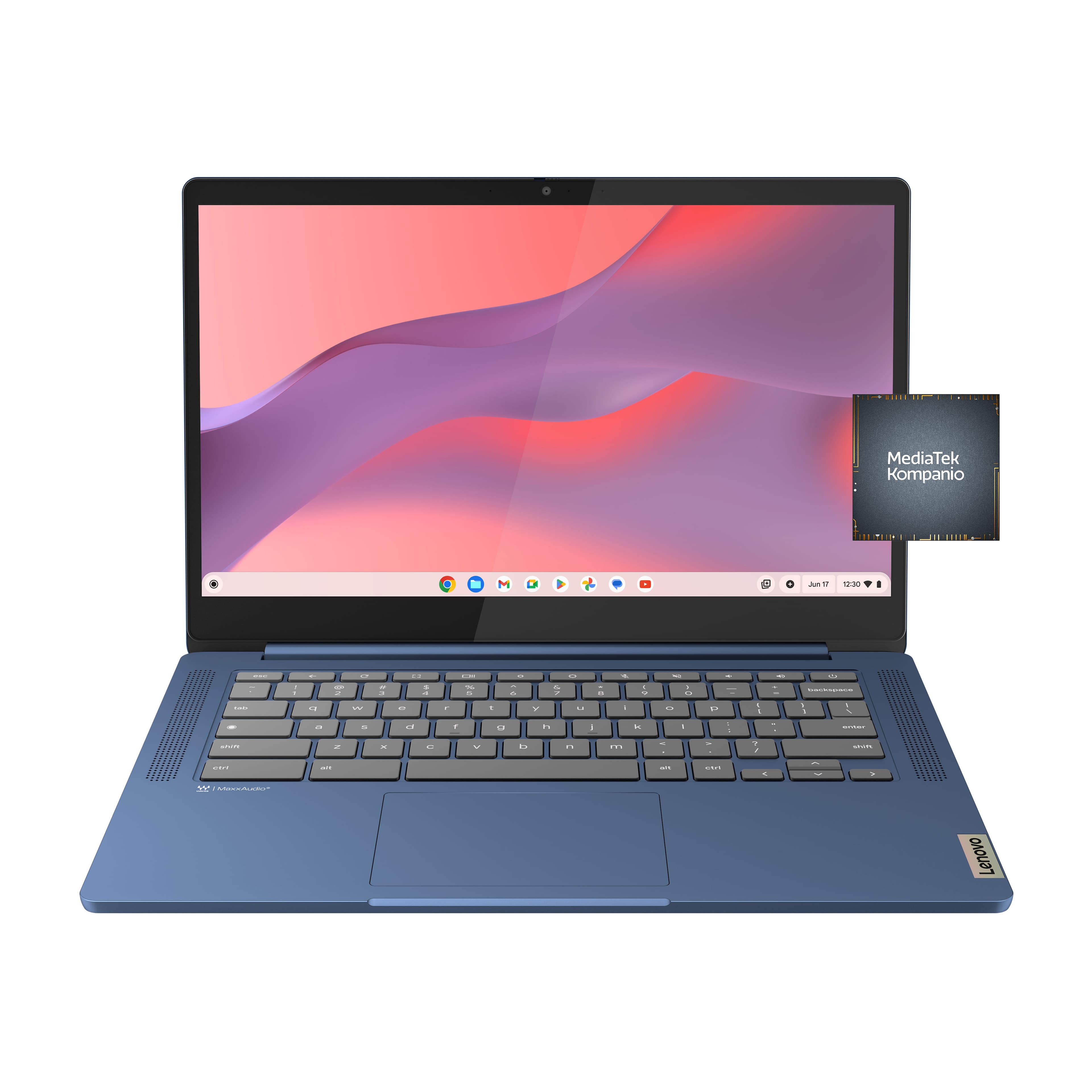



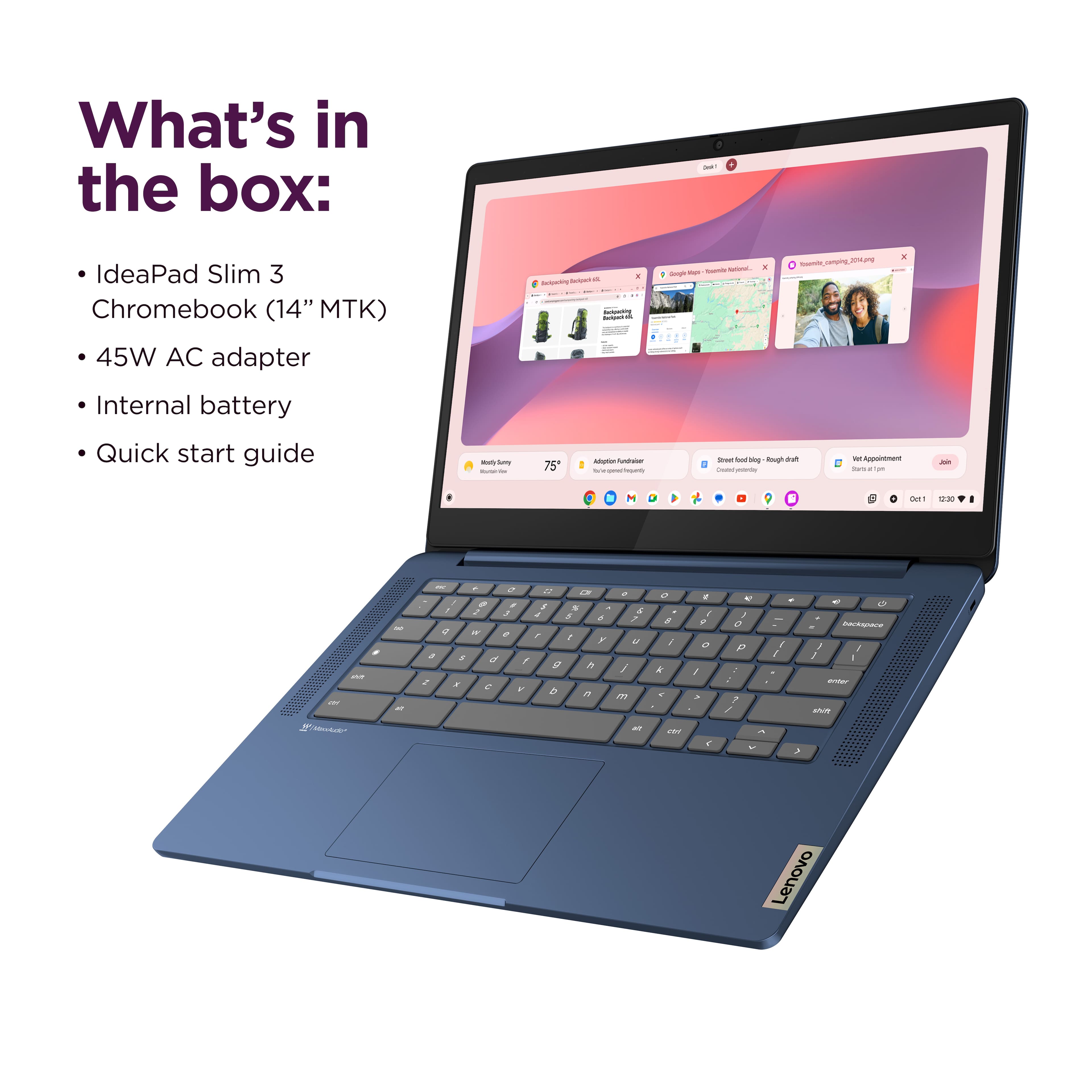
![The text on the image is a keyboard layout, which includes the letters, numbers, and symbols typically found on a computer keyboard. The layout is as follows:
1. 2. 3. 4. 5. 6. 7. 8. 9. 0. - + = backspace tab q w e r t y u i o p [ ]
2. a s d f g h i k l ; ' . - enter shift Z x C V b n m < d > c ? / shift ctrl alt alt ctrl < W MickAudio Lenovo](https://pisces.bbystatic.com/image2/BestBuy_US/images/products/ac1eedc3-1853-48ce-b3f3-e9b54880526c.jpg)

- Model:
- 82XJ004AUS
- SKU:
- 12199682
Rating by feature
- Battery Life
Rating 4.7 out of 5 stars
- Speed
Rating 4.5 out of 5 stars
- Display
Rating 4.5 out of 5 stars
to a friend
Solid Light Duty
||Posted .This reviewer received promo considerations or sweepstakes entry for writing a review.Great buy at the price! If you're just looking for something for light duty internet tasks then this is a solid choice.
I would recommend this to a friendBrand response from Lenovo Product Expert
Posted .Hi,
Thanks for choosing Lenovo and for sharing your feedback with us!
We are glad to read that you are satisfied with your purchase.
Please don't hesitate to reach out to us via the Q& A section of this product page or contact Lenovo Support should you have any questions or need assistance.
Regards,
Lenovo
Michael
||Posted .This reviewer received promo considerations or sweepstakes entry for writing a review.Great product for its price. Help me get my job done.
I would recommend this to a friendElderly-friendly
||Posted .This reviewer received promo considerations or sweepstakes entry for writing a review.Perfect for aging parents who only need basic computer functions.
I would recommend this to a friendBrand response from Lenovo Product Expert
Posted .Hi,
Thanks for choosing Lenovo and for sharing your feedback with us!
We are glad to read that you are satisfied with your purchase overall.
Please don't hesitate to reach out to us via the Q& A section of this product page or contact Lenovo Support should you have any questions or need assistance.
Regards,
Lenovo
lenovo
||Posted .This reviewer received promo considerations or sweepstakes entry for writing a review.very good shipping, came when was expected, thx so much!
I would recommend this to a friendBrand response from Lenovo Product Expert
Posted .Hi,
Thanks for choosing Lenovo and for sharing your feedback with us!
We are glad to read that you are satisfied with your purchase overall.
Please don't hesitate to reach out to us via the Q& A section of this product page or contact Lenovo Support should you have any questions or need assistance.
Regards,
Lenovo
Laptop
||Posted .This reviewer received promo considerations or sweepstakes entry for writing a review.❤️❤️❤️I would I love this particular one so much to be able to share it with my phone and etc and the space is amazing
I would recommend this to a friendBrand response from Lenovo Product Expert
Posted .Hi,
Thanks for choosing Lenovo and for sharing your feedback with us!
We are glad to read that you are satisfied with your purchase.
Please don't hesitate to reach out to us via the Q& A section of this product page or contact Lenovo Support should you have any questions or need assistance.
Regards,
Lenovo
Lenovo laptop
||Posted .This reviewer received promo considerations or sweepstakes entry for writing a review.Best Buy is the best i want to win the $400 gift card
I would recommend this to a friendBrand response from Lenovo Product Expert
Posted .Hi,
Thanks for choosing Lenovo and for sharing your feedback with us!
We are glad to read that you are satisfied with your purchase.
Please don't hesitate to reach out to us via the Q& A section of this product page or contact Lenovo Support should you have any questions or need assistance.
Regards,
Lenovo
Best price for the product
||Posted .This reviewer received promo considerations or sweepstakes entry for writing a review.Very good price for the product. I bought it for my kids school they love it.
I would recommend this to a friendBrand response from Lenovo Product Expert
Posted .Hi,
Thanks for choosing Lenovo and for sharing your feedback with us!
We are glad to read that you are satisfied with your purchase.
Please don't hesitate to reach out to us via the Q& A section of this product page or contact Lenovo Support should you have any questions or need assistance.
Regards,
Lenovo
Xmas present
||Posted . Owned for 2 weeks when reviewed.This reviewer received promo considerations or sweepstakes entry for writing a review.It was a Xmas present for grandson from Santa Claus
I would recommend this to a friendBrand response from Lenovo Product Expert
Posted .Hi,
Thanks for choosing Lenovo and for sharing your feedback with us!
We are glad to read that you are satisfied with your purchase overall.
Please don't hesitate to reach out to us via the Q& A section of this product page or contact Lenovo Support should you have any questions or need assistance.
Regards,
Lenovo
No touch screen
||Posted . Owned for 1 month when reviewed.This reviewer received promo considerations or sweepstakes entry for writing a review.We thought the computer had a touch screen. Disappointed that it isn't...
No, I would not recommend this to a friendBrand response from Lenovo Product Expert
Posted .Hi Loureview-
Thank you for sharing your experience with us. We are disappointed that the IdeaPad Slim 3 Chromebook did not have the features you were looking for. We understand the frustration that comes with purchasing a product that did not have what you believed it did.
The IdeaPad Slim 3 Chromebook comes with the option of touchscreen capabilities depending on the version you purchase. We have linked the product page for the model that includes the touchscreen if you would like to purchase this model instead:
https://www.bestbuy.com/product/lenovo-ideapad-slim-3-chromebook-laptop-14-full-hd-touchscreen-laptop-mediatek-kompanio-520-2022-4gb-memory-64gb-emmc-abyss-blue/JJG8CHVGY6
Please reach out to us through the Q & A section of this product page if you have any questions or need any assistance.
Best wishes,
Lenovo
Lab top
||Posted . Owned for 3 weeks when reviewed.This reviewer received promo considerations or sweepstakes entry for writing a review.If there is one thing I must say the staff is very good and helpful
I would recommend this to a friendBrand response from Lenovo Product Expert
Posted .Hi JoyM-
Thank you for choosing Lenovo and sharing your experience with us. We are happy to hear that your purchasing experience was excellent and that you are enjoying the IdeaPad Slim 3 Chromebook. We aim to offer great user experience and are overjoyed to see that we met our goal.
Please reach out to us through the Q & A section of this product webpage if you have any questions or need any assistance.
Best wishes,
Lenovo
Great Product!
||Posted . Owned for 1 month when reviewed.This reviewer received promo considerations or sweepstakes entry for writing a review.It is a start up computer. Great on the google drive for download and saving files.
I would recommend this to a friendBrand response from Lenovo Product Expert
Posted .Hi,
Thanks for choosing Lenovo and for sharing your feedback with us!
We are glad to read that you are satisfied with your purchase.
Please don't hesitate to reach out to us via the Q& A section of this product page or contact Lenovo Support should you have any questions or need assistance.
Regards,
Lenovo
Valid
||Posted .This reviewer received promo considerations or sweepstakes entry for writing a review.Good for school school work and works perfectly fine
I would recommend this to a friendReview
||Posted . Owned for 3 weeks when reviewed.This reviewer received promo considerations or sweepstakes entry for writing a review.Good for the price. Doesnt have the little notches for the "F" and "J", it throws me off.
I would recommend this to a friendBrand response from Lenovo Product Expert
Posted .Hi RyanW-
Thank you for choosing Lenovo and sharing your feedback with us. We are excited to hear that you are enjoying the value of the IdeaPad Slim 3 Chromebook. We aim to provide excellent user experience for our products, and we are overjoyed to hear that we met our goal.
We would like to share that the keyboard used in the IdeaPad Slim 3 Chromebook is shared across Chromebook product lineups. We have noted your comments regarding the keyboard and may use them to enhance future products.
Please reach out to us through the Q & A section of this product page if you have any questions or need assistance.
Best wishes,
Lenovo
EXCELLENT CHROMEBOOK
||Posted .This reviewer received promo considerations or sweepstakes entry for writing a review.Very Sturdy Excellent Chromebook at an affordable price!
I would recommend this to a friendBrand response from Lenovo Product Expert
Posted .Hi CliffC-
Thank you for choosing Lenovo and sharing your experience with us. We are happy to hear that you are enjoying the value and product design of the IdeaPad Flex 3i Chromebook. We aim to offer great user experience and are overjoyed to see that we met our goal.
Please reach out to us through the Q & A section of this product webpage if you have any questions or need any assistance.
Best wishes,
Lenovo
Great for the price
||Posted .This reviewer received promo considerations or sweepstakes entry for writing a review.For the price it’s great. Can’t complain about the price
I would recommend this to a friendBrand response from Lenovo Product Expert
Posted .Hi OferW-
Thank you for choosing Lenovo and sharing your feedback with us. We are excited to hear that you are enjoying the value of the IdeaPad Slim 3 Chromebook. We aim to provide excellent user experience for our products, and we are overjoyed to hear that we met our goal.
Please reach out to us through the Q & A section of this product page if you have any questions or need assistance.
Best wishes,
Lenovo
Chromebook
||Posted .This reviewer received promo considerations or sweepstakes entry for writing a review.It is good, it also is a bit slow but manageable. Definitely recommend
I would recommend this to a friendBrand response from Lenovo Product Expert
Posted .Hi,
Thanks for choosing Lenovo and for sharing your feedback with us!
We are glad to read that you are satisfied with your purchase.
Please don't hesitate to reach out to us via the Q& A section of this product page or contact Lenovo Support should you have any questions or need assistance.
Regards,
Lenovo
Chromebook
||Posted .This reviewer received promo considerations or sweepstakes entry for writing a review.It’s perfect choice for what I needed. I am very satisfied
I would recommend this to a friendBrand response from Lenovo Product Expert
Posted .Hi Hawkwind-
Thank you for choosing Lenovo and sharing your feedback with us. We are happy to hear that you are enjoying the IdeaPad Slim 3 Chromebook. We aim to provide excellent user experience and are delighted to hear that we met our goal.
Please reach out to us through the Q & A section of this product page if you have any questions or need assistance.
Best wishes,
Lenovo
Laptop
||Posted .This reviewer received promo considerations or sweepstakes entry for writing a review.Bought this laptop for my daughter for new school year she loves it has a lot of features on it that she enjoys.
I would recommend this to a friendBrand response from Lenovo Product Expert
Posted .Hi ScottA,
Thanks for choosing Lenovo and for sharing your feedback with us!
We are pleased to read that your daughter is loving this IdeaPad Slim 3 Chromebook and enjoying its myriad of features.
Please feel free to reach out to us via the Q& A section of this product page should you have any questions or need assistance.
Best,
Lenovo
Lenovo Chromebook Laptop
||Posted .This reviewer received promo considerations or sweepstakes entry for writing a review.So fat so good! I really love this laptop for my students I tutor. It is a reliable laptop.
I would recommend this to a friendBrand response from Lenovo Product Expert
Posted .Hi ConnieN,
Thanks for choosing Lenovo and for sharing your feedback with us!
We are pleased to read that you are really loving this IdeaPad Slim 3 Chromebook.
Please feel free to reach out to us via the Q& A section of this product page should you have any questions or need assistance.
Best,
Lenovo
Easy to use
||Posted .This reviewer received promo considerations or sweepstakes entry for writing a review.Easy to use quick response and it will prompt you for the new updates
I would recommend this to a friendBrand response from Lenovo Product Expert
Posted .Hi,
Thanks for choosing Lenovo and for sharing your feedback with us!
We are glad to read that you are satisfied with your purchase.
Please don't hesitate to reach out to us via the Q& A section of this product page or contact Lenovo Support should you have any questions or need assistance.
Regards,
Lenovo