Customer Ratings & Reviews








- Model:
- 82XJ0000US
- SKU:
- 10359028
Rating by feature
- Battery Life
Rating 4.7 out of 5 stars
- Speed
Rating 4.5 out of 5 stars
- Display
Rating 4.7 out of 5 stars
Customers are saying
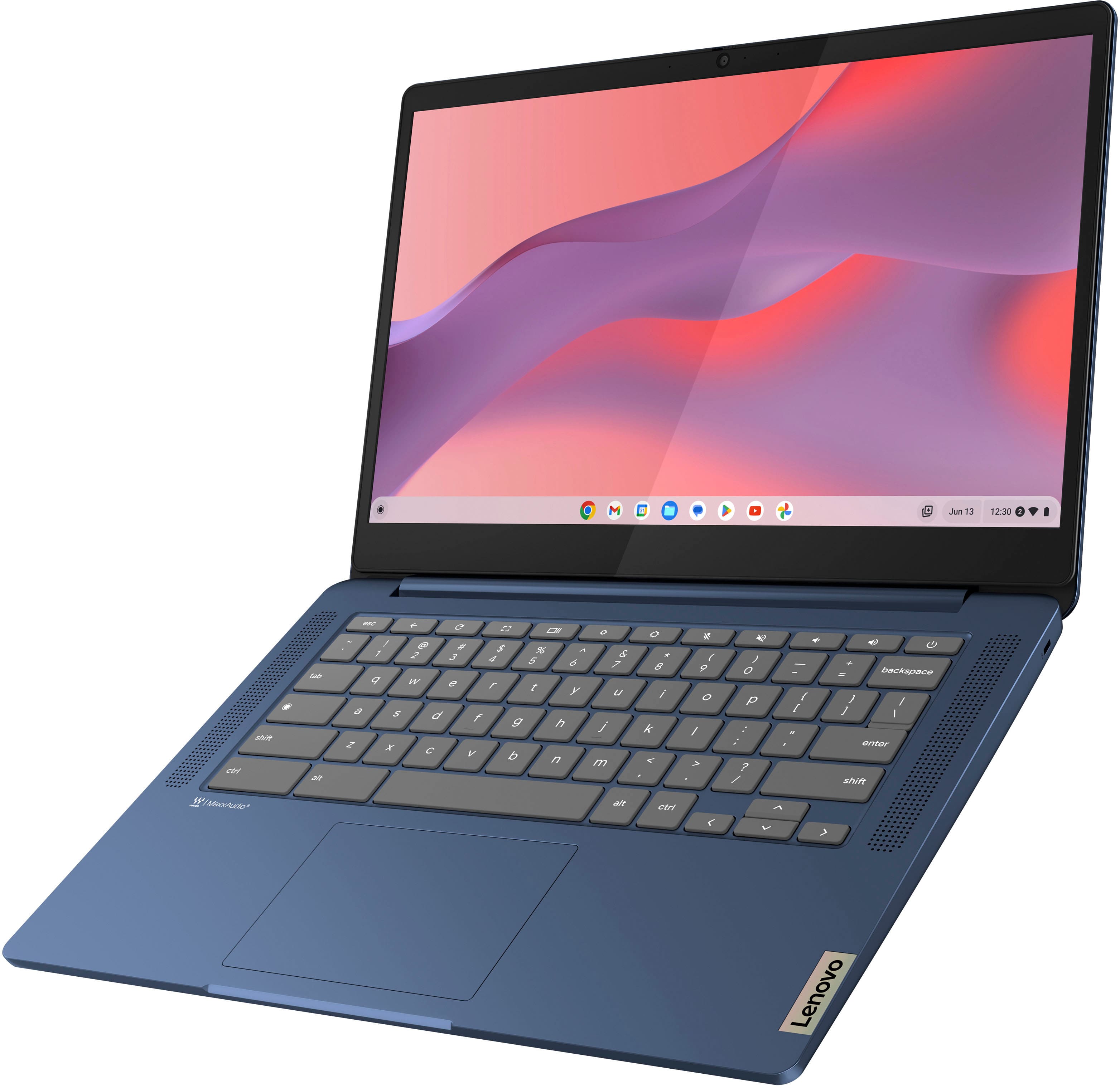
Customers appreciate the IdeaPad Slim 3 Chromebook for its overall performance, user-friendliness, and responsive touchscreen. The long-lasting battery, satisfactory speed, reasonable price, and lightweight design are also well-received. While the laptop is praised, some users find the RAM and storage capacity to be somewhat limited.
This summary was generated by AI based on customer reviews.
Decent for the price
||Posted . Owned for 1 week when reviewed.This reviewer received promo considerations or sweepstakes entry for writing a review.It it a little slow and pauses a lot but it’s good for the price and being a touch screen I would say the battery life is amazing
I would recommend this to a friendBrand response from Lenovo Product Expert
Posted .Hi, AliciaB, thank you for choosing Lenovo! Regarding system performance, we recommend ensuring your Chromebook is up to date to help your system run as efficiently as possible. We are glad to hear that your Slim 3 Chromebook has good value to you, and we appreciate you taking the time to share your experience with us.

buy it again
||Posted . Owned for 1 month when reviewed.This reviewer received promo considerations or sweepstakes entry for writing a review.very pleased. exceeded my expectations .! quality and condition on point.
I would recommend this to a friendBrand response from Lenovo Product Expert
Posted .Hey BadHombre1003,
Thank you for choosing Lenovo and for sharing your feedback with us!
We are glad to hear that you are very pleased with your IdeaPad Slim 3 Chromebook and that it has exceeded your expectations.
Please feel free to reach out to us should you have any questions.
Best,
Lenovo
Love it
||Posted . Owned for 1 month when reviewed.This reviewer received promo considerations or sweepstakes entry for writing a review.Great price for a cool computer. Was looking for good value and i found it. I would refer my friends.
I would recommend this to a friendBrand response from Lenovo Product Expert
Posted .Hi ShialaB, thanks for choosing Lenovo! We are glad to know that you are loving your Chromebook, and we appreciate you sharing your feedback with us.
Easy and Reliable
||Posted . Owned for 1 month when reviewed.This reviewer received promo considerations or sweepstakes entry for writing a review.We bought this for our nephew. He needed a reliable and simple solution to get his writing career off the ground! He loves it!
I would recommend this to a friendBrand response from Lenovo Product Expert
Posted .Hi RitaM, thanks for choosing Lenovo! We're thrilled to hear that your son is loving it, and we really appreciate you sharing your experience and feedback with us.
Laptop
||Posted . Owned for 3 weeks when reviewed.This reviewer received promo considerations or sweepstakes entry for writing a review.this product is absolutely amazing. My kid loves it.
I would recommend this to a friendBrand response from Lenovo Product Expert
Posted .Hey MiguelM,
Thank you for choosing Lenovo and for sharing your feedback with us!
We are glad to hear that your kid loves the IdeaPad Slim 3 Chromebook.
Please feel free to reach out to us should you have any questions.
Best,
Lenovo
- Pros mentioned:Overall performance
Darn-fine laptop.
||Posted . Owned for 3 weeks when reviewed.This reviewer received promo considerations or sweepstakes entry for writing a review.Does the basics and does them well. What more do you need?
I would recommend this to a friend Basically a tablet with a keyboard
||Posted . Owned for 1.5 years when reviewed.This reviewer received promo considerations or sweepstakes entry for writing a review.You can use Google Chrome and surf the web, but if you’re looking for a full-on laptop, this isn’t the one for you. I don’t use this laptop anymore, but it was basically just a tablet with a keyboard. It even allowed me to download mobile games. My fault for not looking into the specs more, but it wasn’t great, just make sure this is what you’re really looking for.
No, I would not recommend this to a friendPerfect for students.
||Posted . Owned for 1 month when reviewed.This reviewer received promo considerations or sweepstakes entry for writing a review.We got this for our 10 year old. It was easy to set up parental controls, and he can do all the work he needs to for school. I’m sure it works work equally well for any age student who needs subduing to run basic apps and word processing.
I would recommend this to a friendChrome book
||Posted . Owned for 1.5 years when reviewed.This reviewer received promo considerations or sweepstakes entry for writing a review.Computer has been good starting to have problems with it now not sure if there is warranty still on it
I would recommend this to a friendBrand response from Lenovo Product Expert
Posted .Hi MatthewE, while we're thankful that you chose our product, we're sorry to hear that you ran into issues with your Chromebook. Since we don't know the extent of your issues, to try to resolve this, we recommend a blanketed approach to address the issue. Try doing a hardware reset (visit the following link to learn how to do so: https://support.google.com/chromebook/answer/3227606?hl=en&sjid=11168473644130281663-NA), which reboots the embedded controller that manages various system components. If this doesn't resolve your issue, you may need to factory reset your Chromebook, which you can learn more about towards the bottom of the webpage tied to the previously embedded link.
Laptop for my child
||Posted . Owned for 2 months when reviewed.This reviewer received promo considerations or sweepstakes entry for writing a review.Bought this for our 7 year old daughter because she used my laptop all the time and I needed it back for work! I think hers is actually better than mine now - was able to set parental controls, which is nice. And best of all, she loves it!
I would recommend this to a friend- Pros mentioned:Overall performance
As good as what you pay for it
||Posted . Owned for 1 year when reviewed.This reviewer received promo considerations or sweepstakes entry for writing a review.Does what I need it to do, but I think it had a previous owner. I noticed some odd files with a persons name associated with it.
I would recommend this to a friendBrand response from Lenovo Product Expert
Posted .Hi, ESCY75. Thank you for choosing Lenovo! We are glad to know that your Slim 3 Chromebook meets your needs, and we appreciate your time taken to share your experience and feedback with us.
Laptop
||Posted . Owned for 3 weeks when reviewed.This reviewer received promo considerations or sweepstakes entry for writing a review.Nice to do touch, but kind of slow to to get loaded.
I would recommend this to a friendSlow operations
||Posted .This reviewer received promo considerations or sweepstakes entry for writing a review.Very slow but does the work. Needs some memory, but ok for students or young children
I would recommend this to a friend- Pros mentioned:Overall performance
It works
||Posted . Owned for 2 weeks when reviewed.This reviewer received promo considerations or sweepstakes entry for writing a review.It works just fine. It’s just very limited on what this laptop can do.
No, I would not recommend this to a friendBrand response from Lenovo Product Expert
Posted .Hi RoseC,
Thanks for choosing Lenovo!
If you need help with your Chromebook or have any questions, please reach out to us so that we can assist you.
Best,
Lenovo
Great deal
||Posted . Owned for 1 month when reviewed.This reviewer received promo considerations or sweepstakes entry for writing a review.We bought this as a gift four our 8 year old son for Christmas. It was a great deal for the price and although it does have little glitches here and there with programs not opening or closing it does what we needed it to do.
I would recommend this to a friendA spare Chromebook on Sale
||Posted . Owned for 1 month when reviewed.This reviewer received promo considerations or sweepstakes entry for writing a review.I bought it for the price. Haven't used it. Just an extra box.
No, I would not recommend this to a friendBrand response from Lenovo Product Expert
Posted .Hey KenJ,
Thank you for choosing Lenovo and for sharing your feedback with us!
We hope that you are enjoying your IdeaPad Slim 3.
Please feel free to reach out to us should you have any questions.
Best,
Lenovo
Chromebook for school
||Posted . Owned for 5 months when reviewed.This reviewer received promo considerations or sweepstakes entry for writing a review.Decent laptop for purchasing for a child for school. We definitely recommend this one and we are buying a second one!
I would recommend this to a friendBrand response from Lenovo Product Expert
Posted .Hi WilliamP, thanks for choosing Lenovo! We're thrilled to hear that your IdeaPad Slim 3 works well for schooling, and we really appreciate you sharing your experience and feedback with us.
Ms
||Posted . Owned for 3 weeks when reviewed.This reviewer received promo considerations or sweepstakes entry for writing a review.Very good quality and good price. I actually bought 2.
I would recommend this to a friendBrand response from Lenovo Product Expert
Posted .Hey dj24,
Thank you for choosing Lenovo twice and for sharing your feedback with us!
We are glad to hear that you are satisfied with your IdeaPad Slim 3 Chromebook laptops.
Please feel free to reach out to us should you have any questions.
Best,
Lenovo
Works great
||Posted . Owned for 1 month when reviewed.This reviewer received promo considerations or sweepstakes entry for writing a review.So far so good. I upgraded from an Acer Chromebook that had run out of updates. This seems similar and was affordable. I have lost wifi a couple of times and been forced to restart. Not sure what's up with that. Otherwise, good value for the money.
I would recommend this to a friendGreat Laptop! I recommend for anyone!
||Posted . Owned for 5 months when reviewed.This reviewer received promo considerations or sweepstakes entry for writing a review.A gift for me. I mostly stream movies on it, which works well - no freezing. I’ve used it a for projects a few times too. Nice keyboard tapping and good laptop all the way around.
I would recommend this to a friend