Skip to contentGo to Product SearchGo to Footer
Main Content

Customer Ratings & Reviews
Your price for this item is $259.38
The comparable value price is $399.00

Customer reviews

Rating 4.6 out of 5 stars with 2474 reviews

Rating Filter

Rating by feature

  • Battery Life

    Rating 4.7 out of 5 stars

  • Speed

    Rating 4.5 out of 5 stars

  • Display

    Rating 4.7 out of 5 stars

92%
would recommend
to a friend
The vast majority of our reviews come from verified purchases. Reviews from customers may include My Best Buy members, employees, and Tech Insider Network members (as tagged). Select reviewers may receive discounted products, promotional considerations or entries into drawings for honest, helpful reviews.
Page 115 Showing 2,281-2,300 of 2,474 reviews
  • Rated 3 out of 5 stars

    Disappointment

    |
    |
    Posted . Owned for 3 weeks when reviewed.
    This reviewer received promo considerations or sweepstakes entry for writing a review.

    I just purchased 3 weeks ago! Freezes constantly and I have to reboot! Glad I have warranty!

    No, I would not recommend this to a friend
  • Rated 1 out of 5 stars

    Don't get it, super slow and crashes

    |
    |
    Posted . Owned for 1 month when reviewed.
    This reviewer received promo considerations or sweepstakes entry for writing a review.

    This is so excruciatingly slow. It also randomly shuts down when Im working on it which is very disappointing since I bought it a month ago. The keyboard also sucks: it's so difficult and cumbersome to type. I would not recommend it if you want to easily browse or stream anything. Save your money, this is overpriced trash.

    No, I would not recommend this to a friend
    • Brand response from Lenovo Product Expert
      Posted .

      Hi Summy,

      We're sorry to hear that your experience with your Slim 3 Chromebook has been so poor. To try to help improve your ease of use from a software perspective, try doing a hardware reset (visit the following link to learn how to do so: https://support.google.com/chromebook/answer/3227606?hl=en&sjid=11168473644130281663-NA), which reboots the embedded controller that manages various system components.

      If this doesn't resolve your issue, you may need to factory reset your Chromebook, which you can learn more about towards the bottom of the webpage tied to the previously embedded link. Also, you can contact Lenovo Support via an outlet that is most convenient for you for further assistance. Lenovo

  • Rated 1 out of 5 stars

    Laptop

    |
    |
    Posted .
    This reviewer received promo considerations or sweepstakes entry for writing a review.

    I returned the laptop was not aware it was a chromebook. I wanted windows

    No, I would not recommend this to a friend
  • Rated 1 out of 5 stars

    Computer

    |
    |
    Posted . Owned for 1 month when reviewed.
    This reviewer received promo considerations or sweepstakes entry for writing a review.

    My computer is not working. It keeps freezing and the touch screen is not working

    No, I would not recommend this to a friend
    • Brand response from Lenovo Product Expert
      Posted .

      Hello,

      Thank you for sharing your feedback with us. We're sorry to hear that you ran into an issue. We strive to provide the best experience possible. We're disappointed and apologize that this wasn't the case for you, and we'd like to work with you to try to improve your experience.

      We recommend contacting Lenovo Support at this number: 877-453-6686, to work with the Customer Care team for swift action as we look to resolve this matter for you and make things right.

      Please don't hesitate to let us know what else we can do to improve your experience, as your satisfaction is important to us.

      Best regards,
      Lenovo Lenovo

  • Rated 2 out of 5 stars

    Barely lasted

    |
    |
    Posted . Owned for 2 months when reviewed.
    This reviewer received promo considerations or sweepstakes entry for writing a review.

    Bought in June. Now less than three months later the camera is not functioning correctly. Seems to be an internal hardware issue. It’s blocked out over three quarters of the screen and blurry the remainder. Have checked every possible solution. To no avail. Waste of money!

    No, I would not recommend this to a friend
    • Brand response from Lenovo Product Expert
      Posted .

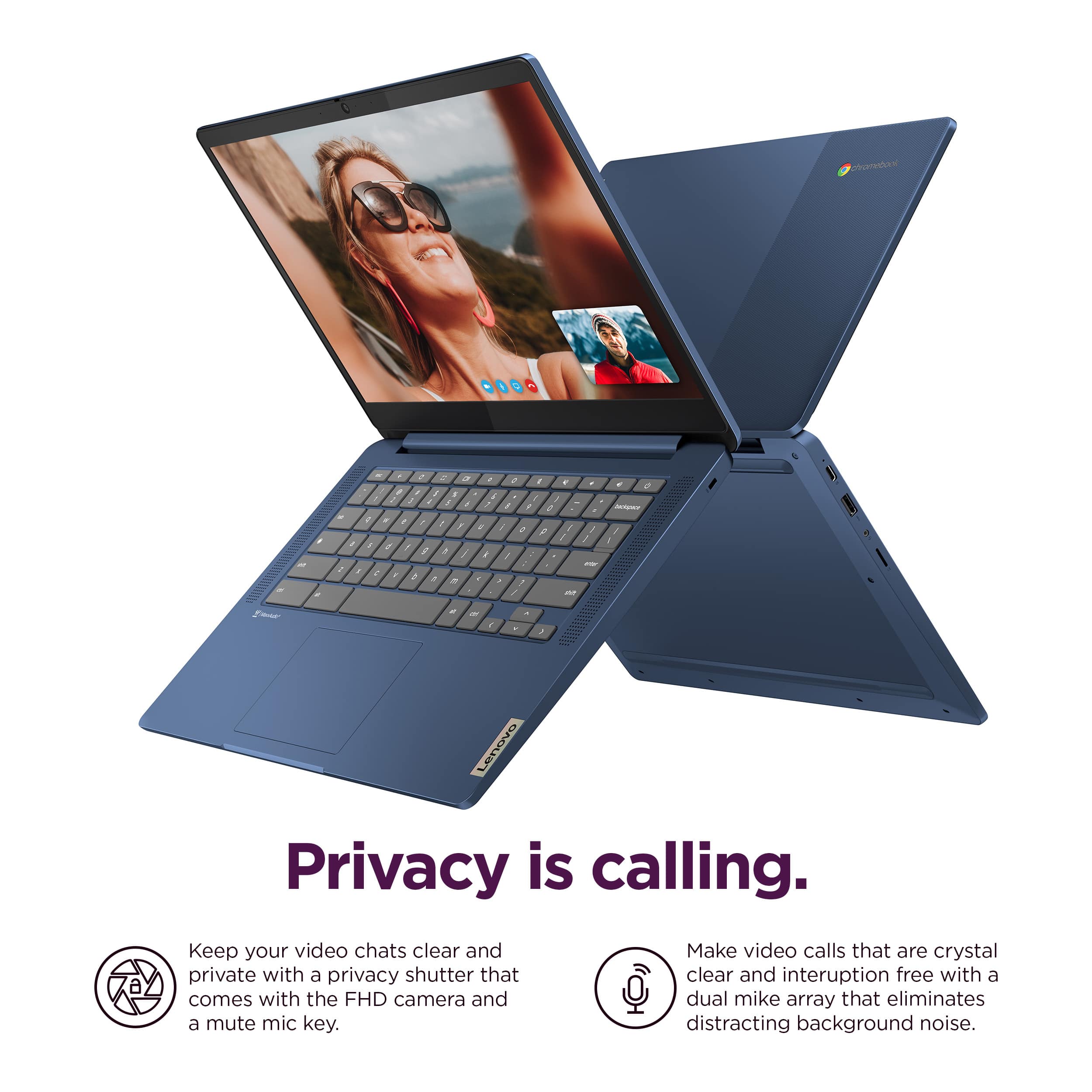
      Hey, PatriciaH. We are sorry to hear that you are having issues with the webcam on your Chromebook. To try to resolve this, first, be sure the Privacy Shutter is completely open before trying to use the webcam or the webcam will not operate. There is a small slider, directly above the webcam lens. Move the tab to the right to open the Privacy Shutter. There is a red dot over the webcam lens that will disappear when the Privacy Shutter is fully open. This will indicate that the webcam is really to use. You can close the Privacy Shutter when you are done with the webcam for your security, by sliding the tab to the left to close the Privacy Shutter. The Red Dot will appear over the webcam lens when the Privacy Shutter is closed. If your camera is still not functional, we then recommend that you reach out to Lenovo Support here: 877-453-6686, for further assistance. Lenovo

  • Rated 2 out of 5 stars

    Just not my preference

    |
    |
    Posted . Owned for 1 year when reviewed.
    This reviewer received promo considerations or sweepstakes entry for writing a review.

    I loved the overall idea of this model yet felt as if it was just a large android without the phone. I returned it for a Windows model and was much more pleased.

    No, I would not recommend this to a friend
    • Brand response from Lenovo Product Expert
      Posted .

      Hey JermaineM,

      We are sorry to hear that you were not satisfied with your Slim 3 Chromebook, leading to you returning it.
      In the future, we hope that you choose our product again, and we appreciate you taking the time to share your perspective with us. Lenovo

  • Rated 1 out of 5 stars

    Couldn't stay connected to internet.

    |
    |
    Posted . Owned for 1 month when reviewed.
    This reviewer received promo considerations or sweepstakes entry for writing a review.

    Had issues with this and returned it after a couple of days. It kept losing internet connection. Day one, no problem. Day two I spent an hour with my internet provider trying to fix problem (because of course assumed the issue was with them), then was given Lenovo's number and sat on the phone with their tech for 30 minutes before getting problem resolved. Next day, once again couldn't connect to home internet without a lot of work, so decided to return it. Maybe it was just a defective laptop, but next brand I bought hasn't given me a single problem.

    No, I would not recommend this to a friend
  • Rated 3 out of 5 stars

    Good for students

    |
    |
    Posted . Owned for 5 months when reviewed.
    This reviewer received promo considerations or sweepstakes entry for writing a review.

    Good for school work. However, it is slower than expected when multitasking.

    I would recommend this to a friend
  • Rated 1 out of 5 stars

    Chrome Book SUCKS!!!

    |
    |
    Posted . Owned for 1 month when reviewed.
    This reviewer received promo considerations or sweepstakes entry for writing a review.

    I thought this was a PC and that it would use Microsoft Products. If I can trade it in for a laptop PC I would do it in a heartbeat.

    No, I would not recommend this to a friend
  • Rated 3 out of 5 stars

    Problems

    |
    |
    Posted . Owned for 1 month when reviewed.
    This reviewer received promo considerations or sweepstakes entry for writing a review.

    Cannot connect to Internet so haven’t used it! Was told nothing you can help with so may have to return it, sadly.

    No, I would not recommend this to a friend
  • Rated 3 out of 5 stars

    chromebook

    |
    |
    Posted . Owned for 1 month when reviewed.
    This reviewer received promo considerations or sweepstakes entry for writing a review.

    its ok .to look up stuff ,but would not recomment it for homework

    No, I would not recommend this to a friend
  • Rated 3 out of 5 stars

    iffy

    |
    |
    Posted . Owned for 3 weeks when reviewed.
    This reviewer received promo considerations or sweepstakes entry for writing a review.

    its ok, seems a little slow sometimes, good price on sale i was waiting on it for a while to go on sale

    I would recommend this to a friend
  • Rated 1 out of 5 stars

    Avoid!

    |
    |
    Posted . Owned for 6 months when reviewed.
    This reviewer received promo considerations or sweepstakes entry for writing a review.

    In the 6 months I’ve owned this laptop I’ve had problem after problem. I’ve had it in multiple times for warranty work. Most recently they replaced the motherboard, touchpad and USB ports. STILL DIDN’T FIX IT. Imagine my surprise after it was sent out of state for nearly two weeks and the number keys still don’t work which was my #1 issue when I took it in. Beyond disappointed. I’ll never own this brand again. Buy something else and save yourself the trouble.

    No, I would not recommend this to a friend
  • Rated 3 out of 5 stars

    Freeze up

    |
    |
    Posted . Owned for 2 weeks when reviewed.
    This reviewer received promo considerations or sweepstakes entry for writing a review.

    It sometimes has to be restarted because cursor freezes up.

    No, I would not recommend this to a friend
  • Rated 1 out of 5 stars

    Bad Charging Port

    |
    |
    Posted . Owned for 1 year when reviewed.
    This reviewer received promo considerations or sweepstakes entry for writing a review.

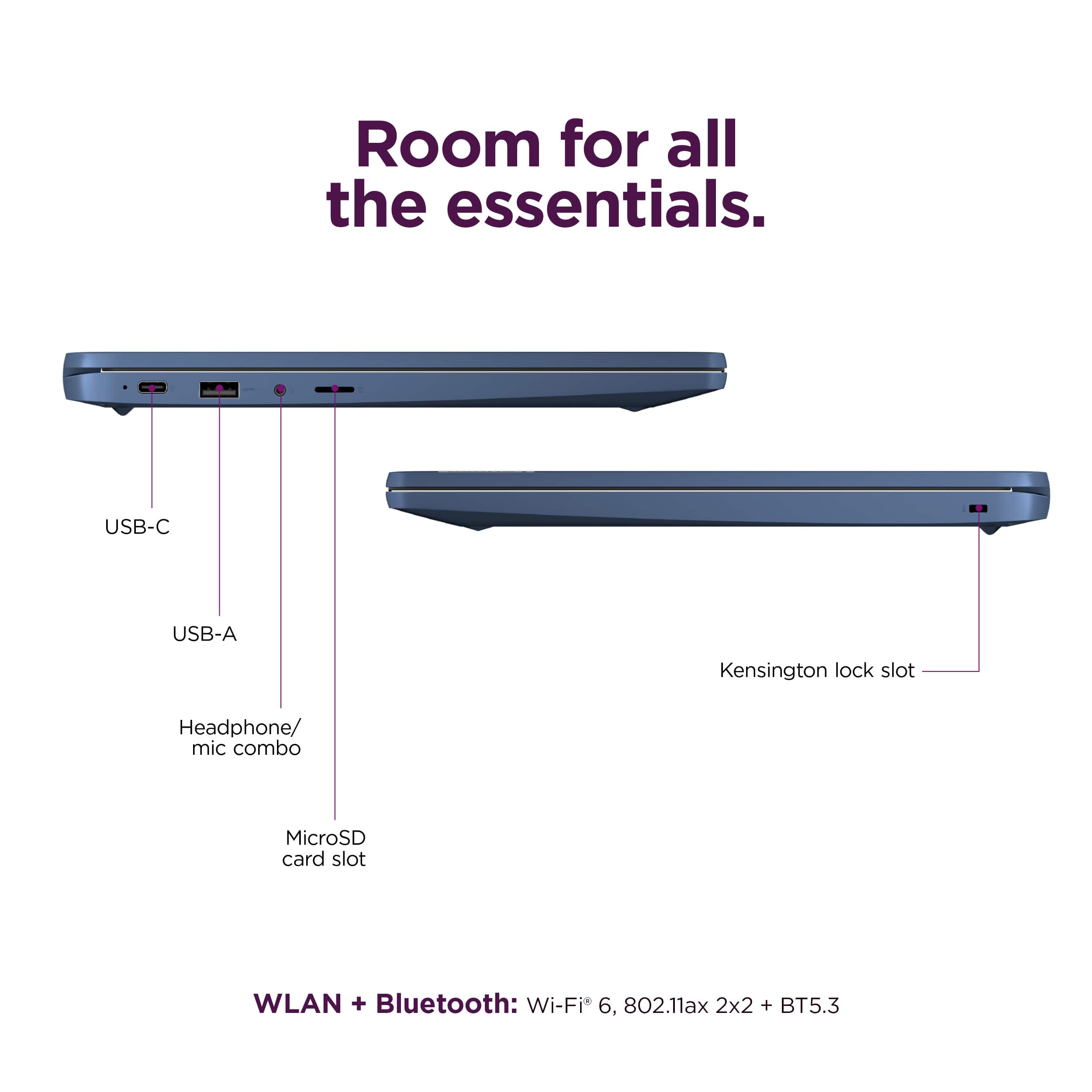
    This was a great little Chromebook. But once the warranty period expired, the USB-C charging port started acting up. I would have to position the cable connector just right before it would charge. It got progressively worse over time. After a few more months, it stopped charging. By wiggling the connector, I could get the charging light to come on briefly. But now nothing. Based on my research, this is a common issue with Lenovo laptops.

    No, I would not recommend this to a friend
    • Brand response from Lenovo Product Expert
      Posted .

      Hi, RodJ. We're sorry to hear that you encountered this issue with your IdeaPad Slim 3 Chromebook. We recommend contacting Lenovo Support to work with a representative to see what your options may be to resolve this issue. We appreciate your time taken to share your perspective with us. Lenovo

  • Rated 1 out of 5 stars

    Intermittent problem with wifi

    |
    |
    Posted .
    This reviewer received promo considerations or sweepstakes entry for writing a review.

    I tried 2 of these chormebooks and both have the same problem. They occasionally lose sight of all available wifi networks. The only way to get them back is to reboot.

    No, I would not recommend this to a friend
    • Brand response from Lenovo Product Expert
      Posted .

      Hi JohnG,

      Thank you for sharing your feedback with us. We are sorry to hear that you are having trouble with your IdeaPad Slim 3 Chromebooks. We apologize for the inconvenience that this may be causing you. We wish to provide the best experience possible, so if you'd like, we want to work with you to try to improve your experience.

      To start, here's a web address tied to a Google Support webpage (https://support.google.com/chromebook/answer/6318213?hl=en) that lists troubleshooting steps for Wi-Fi connectivity issues, as well as other links embedded to help with branching issues.

      We hope that the information shared helps to improve your experience. Please update us when you can regarding this and reach out to us again should you have any questions or need further assistance, as your satisfaction is important to us.

      Best regards,
      Lenovo Lenovo

  • Rated 2 out of 5 stars

    No happy with the purchase

    |
    |
    Posted .
    This reviewer received promo considerations or sweepstakes entry for writing a review.

    It's been less then 9 months and already I have to buy a new battery.

    No, I would not recommend this to a friend
    • Brand response from Lenovo Product Expert
      Posted .

      Hi bambam4283,

      Thank you for sharing your feedback with us. We are sorry to hear that you are having trouble with your IdeaPad Slim 3, and we apologize for the inconvenience that this has caused you.

      If we can help you with your battery issues and more, please don't hesitate to reach out to us here or by contacting Lenovo Support online or at this number: 877-453-6686.

      Please update us when you can regarding this.

      Best regards,
      Lenovo Lenovo

  • Rated 3 out of 5 stars

    Basic

    |
    |
    Posted . Owned for 3 weeks when reviewed.
    This reviewer received promo considerations or sweepstakes entry for writing a review.

    Not bad but just a baire minimum chrome book with the most basic features

    No, I would not recommend this to a friend
  • Rated 3 out of 5 stars

    Nice Value

    |
    |
    Posted . Owned for 1 month when reviewed.
    This reviewer received promo considerations or sweepstakes entry for writing a review.

    The device itself is fine, it's just the interface that take a while to get used to.

    I would recommend this to a friend
  • Rated 2 out of 5 stars

    Toy, not for adults

    |
    |
    Posted . Owned for 2 weeks when reviewed.
    This reviewer received promo considerations or sweepstakes entry for writing a review.

    It’s ok. I’ve had to restart probably 3 or 4 times when I use it for about 3 or 4 hours. Loses connection and kicks me out, real pain when on virtual classes. I would return but the Black Friday sales are off and can’t get another one for 149. Would not buy again. Should have went with the Samsung or HP. This is a toy not a tool

    No, I would not recommend this to a friend